Estate & Succession Planning FAQ Website Template
Handoff is a dashboard-style landing page template built for business succession planning firms. It leads with a striking stats wall, uses FAQ-driven scroll sections to surface the questions founders actually lose sleep over, and drives every visitor toward a single click: a succession readiness diagnostic. No forms, no stock photos, just data, trust, and a clear next step.
by Rocket studio
Quick summary
Handoff is a single-page, click-through template designed for business succession planning advisors. It opens with a live-styled data grid of hard-hitting industry statistics, then walks founders through their toughest questions using compact dashboard modules. Every section builds toward one action: clicking through to a succession readiness assessment.
Who this template is for
This template is built for firms and advisors who guide business owners through structured ownership transitions. If your clients are founders, family partnerships, or multi-owner groups, this page speaks their language.
- Business succession planning advisors working with established, founder-led companies
- Estate and succession planning firms serving family businesses and multi-partner groups
- Consultants who need a credibility-first page that converts on trust, not on pressure
What problem this template solves
Most succession planning pages look like brochures. They list services, add a photo of a handshake, and ask for a form fill. That approach fails founders who are skeptical, protective, and highly risk-aware. This template solves the trust gap by leading with data and letting the questions do the heavy lifting.
- Founders hesitate to engage because most advisory pages feel generic and salesy
- Complex planning concepts are hard to communicate without looking overwhelming
- A single-page flow with no form reduces friction and lowers the barrier to the first real commitment
What you get with this template
You get a fully designed, single-page landing page built around a dashboard visual identity and a FAQ-driven scroll structure. Every section is purpose-built, and the layout is ready to adapt to your firm's specific messaging.
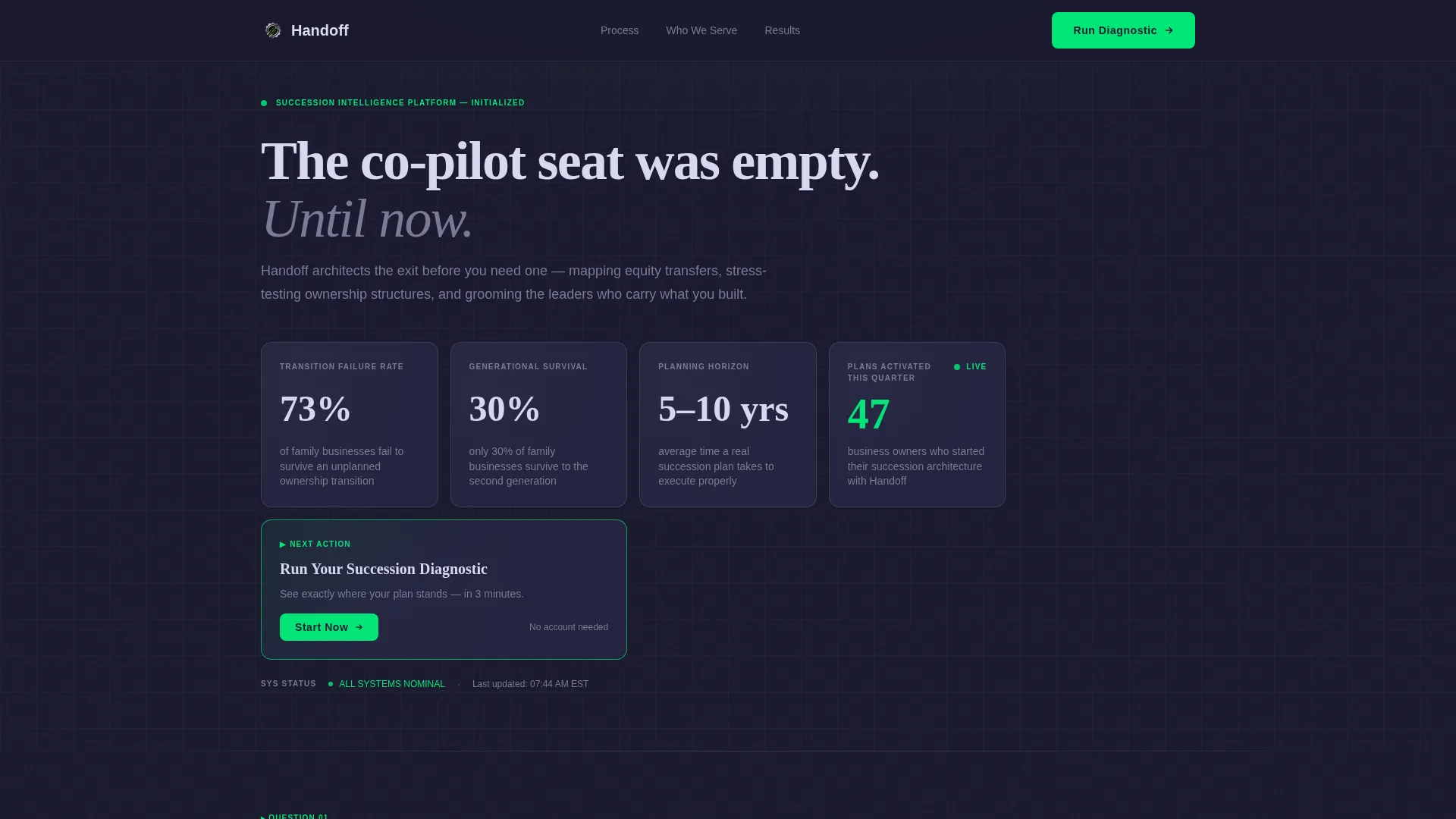
- A stats wall header with four oversized key performance indicators and an animated accent treatment
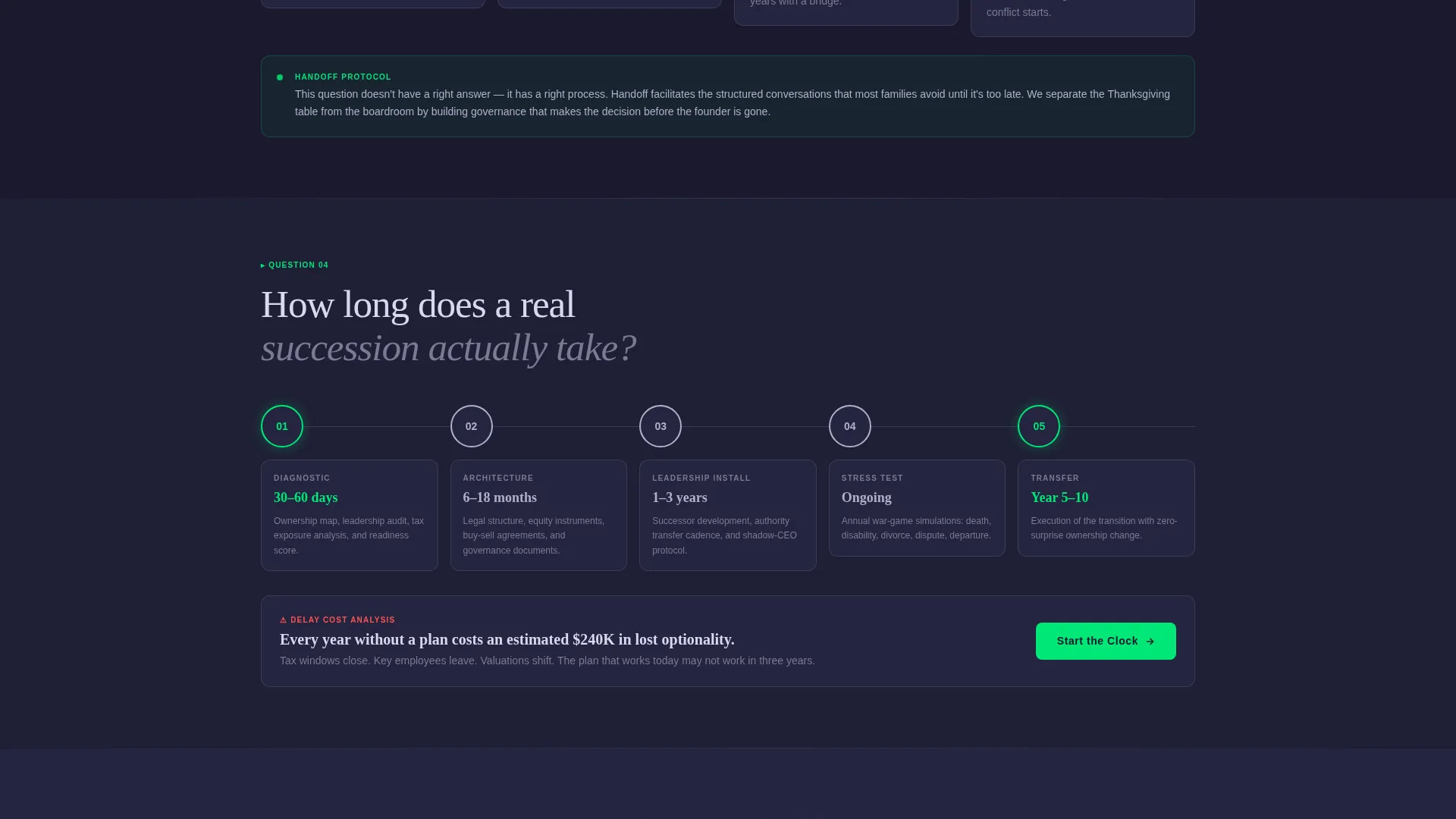
- FAQ-triggered scroll sections styled as compact data card grids with timelines, risk data, and outcome scenarios
- A persistent bottom bar and recurring call-to-action placements that guide visitors toward the succession diagnostic
Feature list
This template includes a focused set of design and layout features drawn directly from its dashboard concept and click-through purpose.
Live-Styled Stats Wall Header
The header displays four oversized key performance indicators in polished chrome typography against a forge-black background. Accent green animates each figure into place, creating the feel of a financial dashboard powering on. No images, no portraits, the numbers carry the visual weight.
FAQ-Driven Scroll Architecture
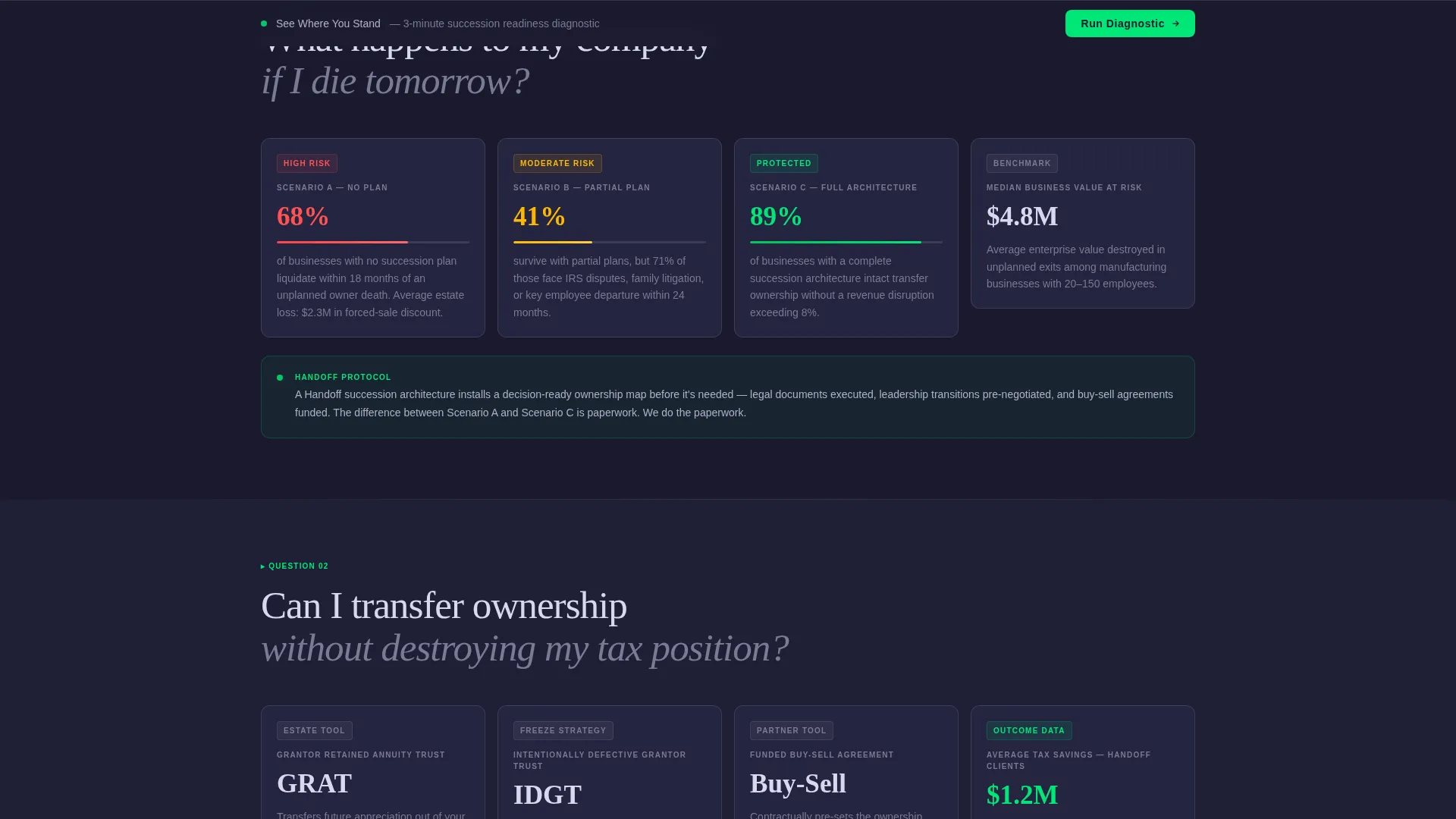
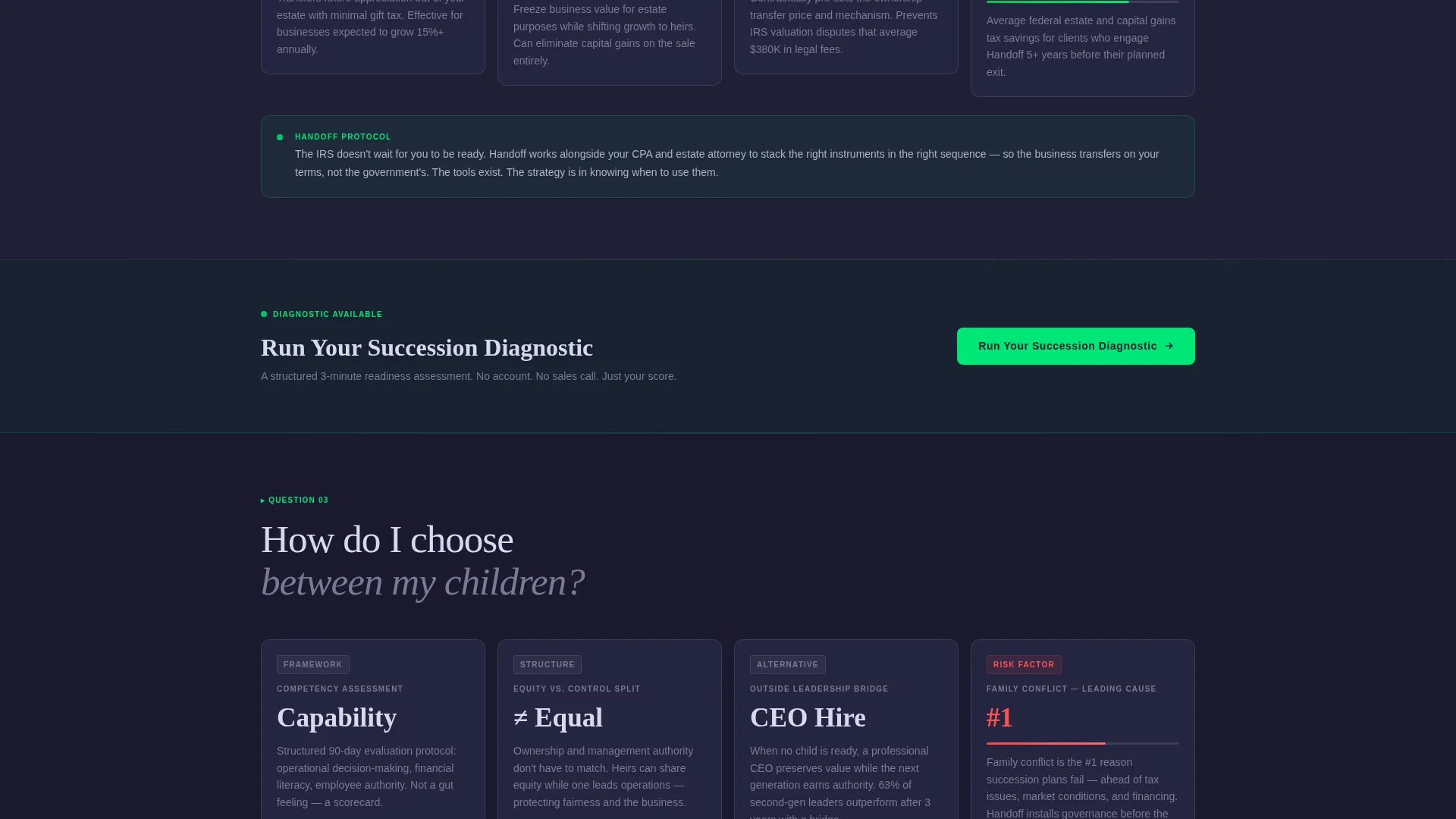
Each major scroll section opens with an oversized question in chrome typography, the kind of question a sixty-year-old manufacturing owner asks at two in the morning. The answer unfolds below as a compact data card grid showing timelines, process diagrams, risk percentages, and outcome scenarios styled as dashboard modules.
Integrated Primary Call-to-Action Module
The primary call-to-action, "Run Your Succession Diagnostic," is styled as a dashboard module inside the header grid. It looks and feels identical to the stat cards around it, making the next step feel like a natural continuation rather than a sales push.
Recurring call to action Cadence
The primary call-to-action reappears after every third FAQ block, giving visitors multiple natural moments to click through without being interrupted. The page never asks twice in a row; it earns each reappearance with the content that came before it.
Persistent Bottom Bar
A fixed bottom bar surfaces as the visitor scrolls. It carries the secondary nudge, "See Where You Stand, 3 Minutes," keeping the exit path visible without cluttering the content. It disappears when not needed and reappears when attention drifts.
Monochrome Steel Dashboard Aesthetic
The entire page uses a four-color palette: forge-black, brushed gunmetal, polished chrome, and a single high-voltage accent green. Typography is oversized and functional. Every layout decision serves clarity and trust, with nothing added for decoration alone.
Page sections overview
| Section | Purpose |
|---|---|
| Stats Wall Header | Opens with four key performance indicators and the primary call-to-action module |
| Question Block One | Surfaces the first founder fear with a data card answer grid below |
| call to action Repeat One | Reintroduces the diagnostic after the first FAQ cluster |
| Question Block Two | Addresses ownership transfer and tax position with scenario cards |
| Question Block Three | Tackles leadership succession and choosing between family members |
| call to action Repeat Two | Second recurring call-to-action placement after the third FAQ block |
| Persistent Bottom Bar | Fixed scroll bar with the secondary nudge and click-through link |
Design & branding system
The visual identity follows a Startup Velocity theme expressed through a Monochrome Steel color system. The result looks like a Bloomberg terminal rebuilt by a design studio: every element functional, nothing purely decorative.
- Four-color palette: forge-black (#1A1A2E), brushed gunmetal (#3D3D5C), polished chrome (#B0B0C8), and high-voltage accent green (#00E676) reserved for live data points and call-to-action states
- Oversized chrome typography for question headings, with compact card-style layouts for data answers
- No stock photography and no portraits; the data grid aesthetic replaces imagery with numbers, timelines, and outcome scenarios
Mobile & speed optimization
The dashboard layout is structured to translate cleanly from desktop to smaller screens. Card grids stack naturally, and the persistent bottom bar remains functional across all viewport sizes.
- Compact data card modules reflow into single-column stacks on mobile without losing hierarchy
- The persistent bottom bar is designed to stay visible and tappable on touch devices
- Typography sizing and contrast ratios are set to keep the data-forward aesthetic readable at every screen width
How this template helps you convert
The entire page is engineered as a click-through landing page. There is no form to fill out, no friction at the point of decision. The visitor either clicks or they leave, and the template works hard to make clicking feel like the obvious move.
- The stats wall hits immediately with four industry figures that make the cost of inaction real before the visitor reads a single word of copy
- Each FAQ block answers a question the visitor was already carrying, building earned trust that makes the call-to-action feel like a logical next step rather than a pitch
Other information about this template
This template is part of the Handoff series, designed specifically for the estate and succession planning category within the Finance and Insurance vertical. It is built for a specific kind of buyer: someone already doing important work who needs a page that matches the seriousness of their practice.
- Template style: Dashboard and Data Grid, paired with a Startup Velocity theme
- Creative direction: FAQ-Driven scroll, optimized for a Click-Through landing page flow
- Header concept: Stats and Metrics wall with animated accent green treatments
- Ideal for firms handling equity transfer planning, second-generation leadership development, and ownership structure reviews
- The "no form on this page" design philosophy is intentional; the click to the diagnostic is the only conversion goal
Theme
Startup Velocity
Creative direction
FAQ-Driven
Color system
Monochrome Steel
Style
Dashboard/Data Grid
Direction
Click-Through
Page Sections
Live-styled Stats Wall Header
Faq-driven Scroll Sections
Integrated Call to Action Dashboard Module
Persistent Scroll Bottom Bar
Monochrome Steel Design System
Related questions
Who is this landing page template designed for?
Does this template include a contact form?
Can I adapt the FAQ questions to match my firm's services?
What makes this template different from a standard advisory firm page?
Is the accent green color customizable?



