Marina Management Software Website Template
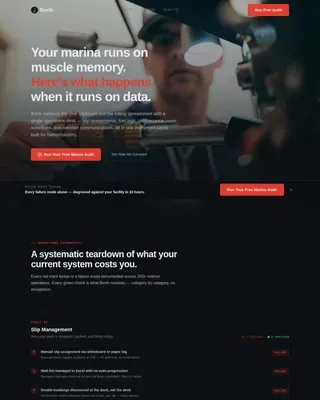
Harbormaster is a split-screen landing page template built for marina management software. It walks visitors through a full operational day, comparing analog chaos against digital clarity in real time. Designed in an Industrial Raw style with a Carbon Fiber palette, it earns conversions by making every inefficiency feel personal before presenting the solution.
by Rocket studio
Quick summary
Harbormaster is a single-page, split-screen template for marina management software. It uses a Timeline Progression structure to walk marina operators through one full day of operations, from the 0600 dock walkthrough to the final pump-out log. Every scroll reveals a side-by-side comparison: the old way versus the software way. The result is a conversion-focused landing page that builds urgency naturally.
Who this template is for
This template is purpose-built for maritime operations software companies targeting hands-on buyers. It speaks directly to people who manage real, working marinas and know exactly what a bad day on the docks feels like.
- Marina operators managing 100 to 500 slip facilities with seasonal surge pressure
- Port authorities replacing paper logbooks and radio-based coordination systems
- Boatyard managers tracking haul-outs and dry storage across multiple surfaces
What problem this template solves
Most software landing pages explain features. This one recreates the operational pain of not having the software. Visitors feel the problem before they see the solution, which makes the offer land harder.
- Double-booked transient slips, missed pump-outs, and expired compliance certificates all appear as scrollable moments of failure
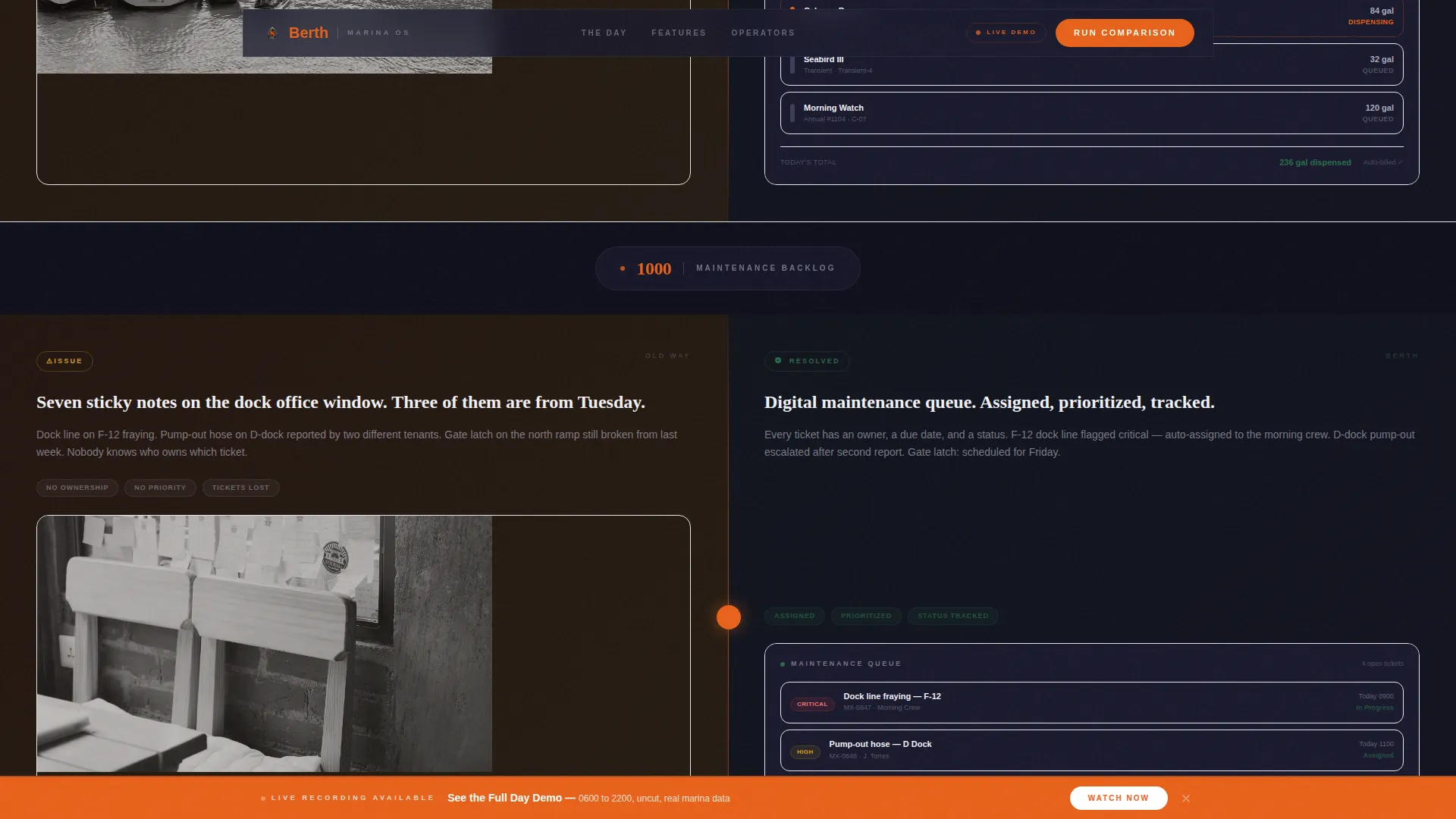
- Radio calls, sticky notes, and half-erased whiteboards are shown as the status quo, not as a foil
- The page builds mounting anxiety on the left side of every split so that the right side feels like genuine relief
What you get with this template
You get a fully structured landing page with a clear narrative arc, purpose-built section layouts, and a conversion form designed for marina operations buyers. Every section serves the timeline story.
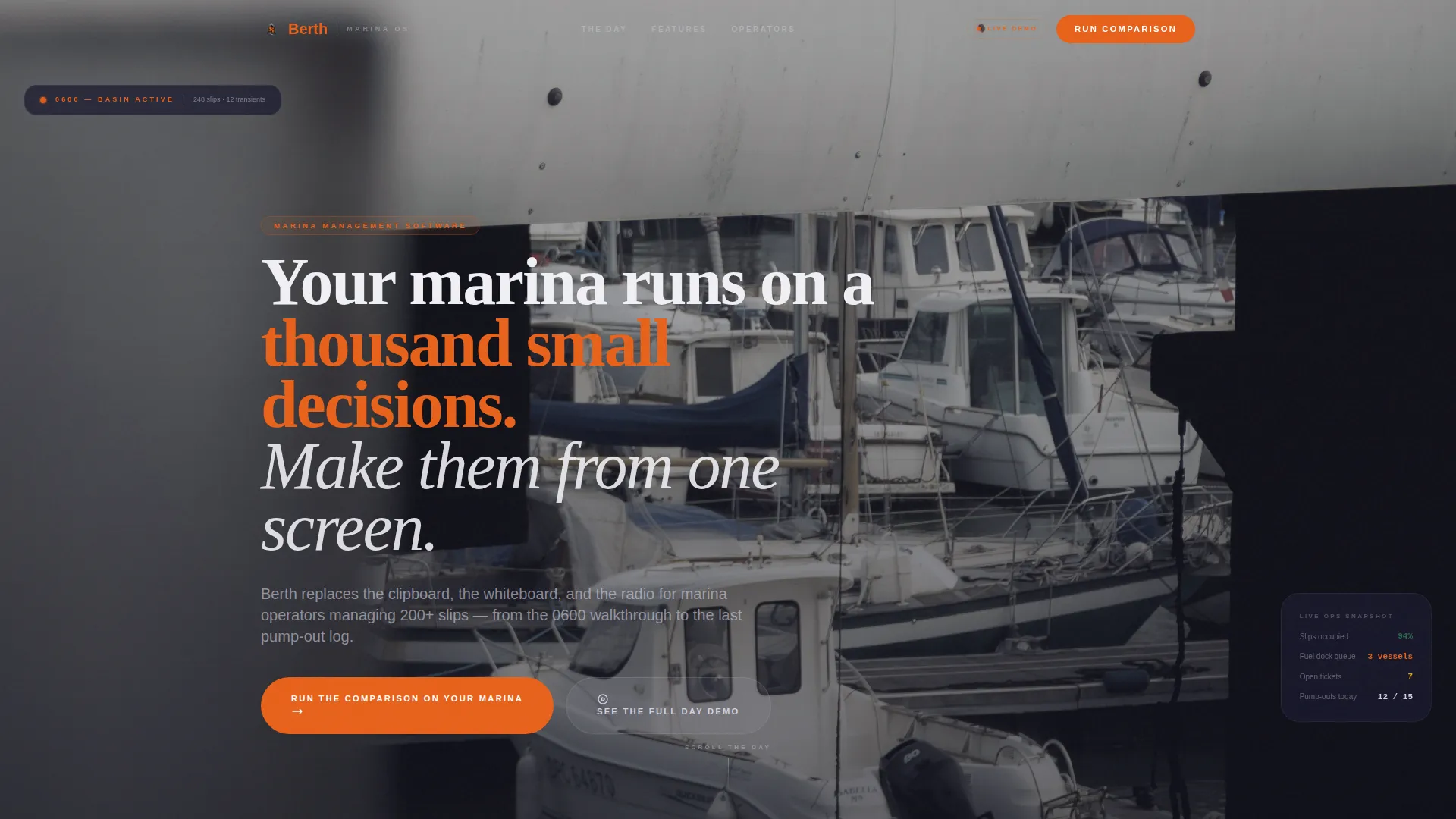
- A full-bleed hero with a delayed headline punch-in and a hazard-orange status indicator
- Six split-screen comparison panels across AM and PM timeline blocks, each showing one operational failure and its software resolution
- A comparison form collecting marina name, total slip count, current system, and email, plus a sticky secondary call-to-action throughout the scroll
Feature list
This template is built around a specific set of structural and design decisions. Each one is intentional and prompt-grounded.
Full-Bleed Aerial Hero Section
The hero opens with a desaturated aerial dawn photo of a full commercial marina. A bold industrial headline punches in after a two-second delay using GSAP animation. A hazard-orange status pill sits in the frame as the first interactive signal.
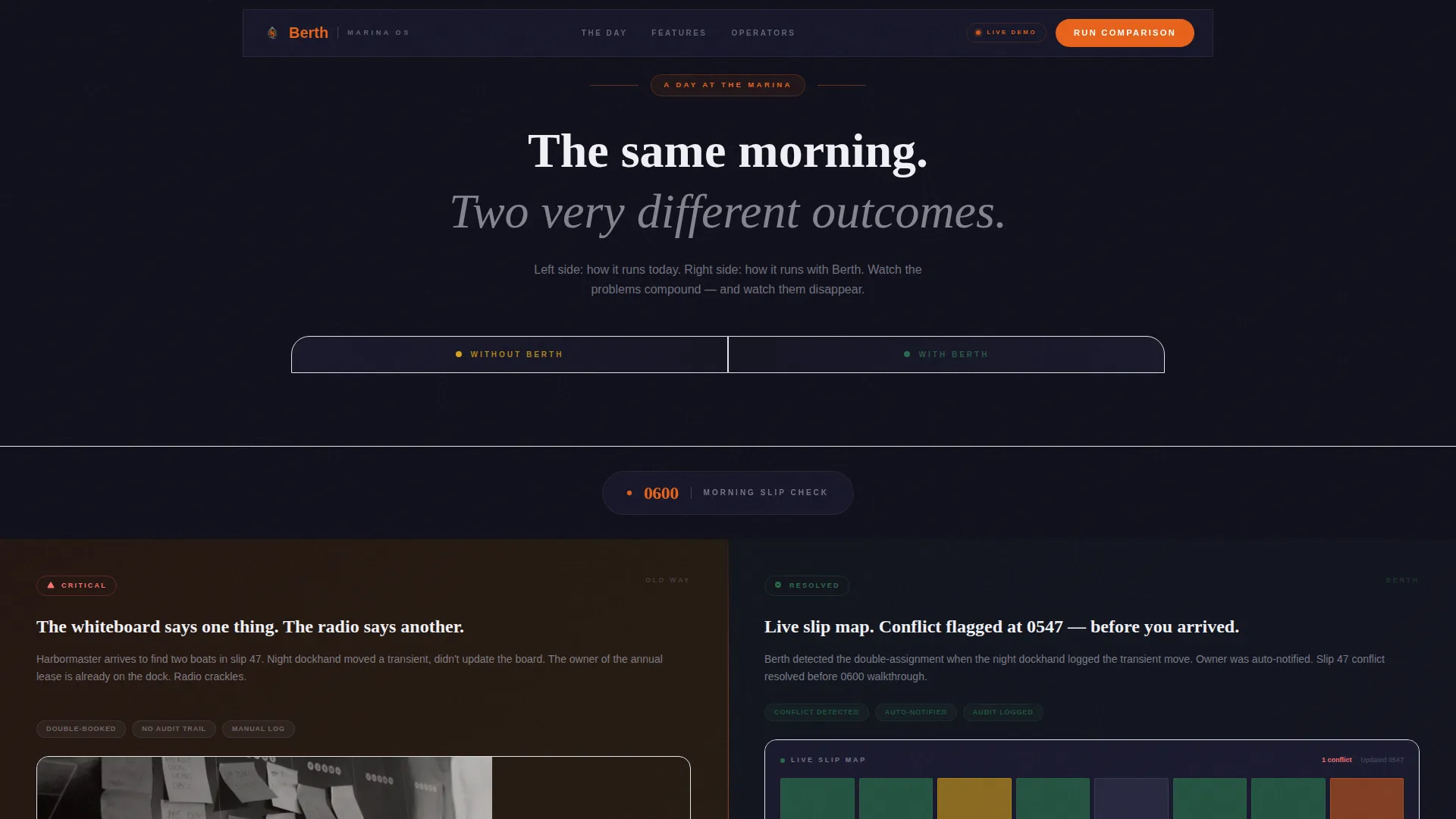
Scroll-Linked Split Screen Timeline
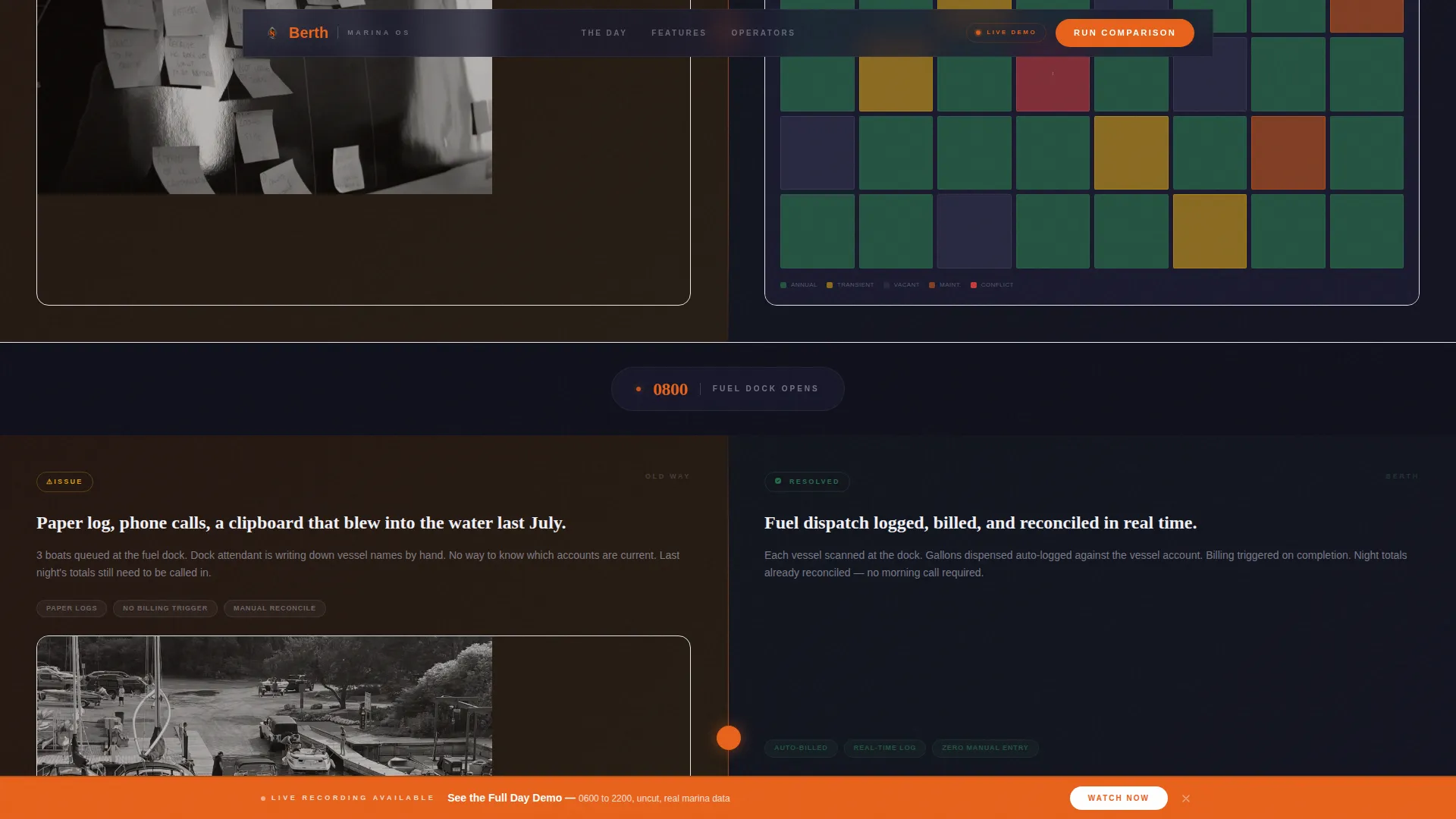
Six split-screen panels walk the visitor through a single operational day, hour by hour from 0600 to 2200. The left side shows the analog method and the right side shows the software equivalent. GSAP ScrollTrigger handles the reveal timing for each panel.
AM and PM Operational Comparison Blocks
The timeline is divided into two blocks. The AM block covers slip assignment chaos versus a live slip map, radio calls versus automated alerts, and paper fuel logs versus digital dock records. The PM block covers double-booked transient slips, a missed pump-out, and an expired insurance certificate, each resolved on the right.
Comparison Conversion Form
After the full timeline, a dedicated form section invites visitors to run the comparison on their own marina. The form collects four fields: marina name, total slips, current system from a dropdown, and email address.
Sticky Secondary Call-to-Action
A hazard-orange sticky button labeled "See the Full Day Demo" follows the visitor throughout the scroll. It links to a recorded walkthrough and remains visible at every section of the page.
Social Proof Strip
A metrics and testimonial strip sits below the timeline. It features operator testimonials with specific slip counts and operational results, grounding the page's claims in real-world marina context.
Page sections overview
| Section | Purpose |
|---|---|
| Hero Photo Header | Establish maritime context and punch in the headline |
| AM Timeline Block | Compare morning analog operations to software handling |
| PM Timeline Block | Escalate operational failures and show software resolution |
| Comparison Form Section | Capture qualified marina operator leads |
| Social Proof Strip | Reinforce credibility with operator metrics and testimonials |
| Footer Row | Provide navigation and brand closure |
Design & branding system
The visual identity follows an Industrial Raw theme. Every design decision references the physical feel of a well-run working marina: matte surfaces, brushed metal tones, and a single high-visibility accent that signals action.
- Color system: hull black (#1A1A2E) as the primary background, gunmetal (#3D3D5C) for surface layers, salt-weathered aluminum (#D1D1E0) for body text, and hazard-orange (#E8611A) reserved for calls-to-action, alerts, and interactive hotspots
- Typography: DM Sans handles body copy and interface-style labels; Fraunces provides serif weight for punch headlines that contrast against the dark industrial palette
Mobile & speed optimization
The template is built desktop-first, reflecting the harbormaster dashboard context where operators typically work. Tablet responsiveness is included for field use on the docks.
- GSAP animations use Client Components so static sections render via Server Components, keeping non-interactive content lightweight
- The sticky secondary call-to-action remains accessible on tablet viewports for operators reviewing the demo away from their desk
How this template helps you convert
The page earns its click rather than asking for it. By the time a visitor reaches the form, they have scrolled through six moments of operational failure that they already recognize from their own facility.
- The timeline structure builds compounding anxiety on the left side of every split screen, making inaction feel costly before any feature is named
- The "Run the Comparison on Your Marina" form reframes the conversion as a personalized audit, reducing friction by making the ask feel practical rather than salesy
Other information about this template
This template is part of the Harbormaster collection, designed for maritime SaaS products operating in the marina management software and port operations space. It is suited for teams building B2B operations software for the marine and maritime category.
- The template uses DM Sans and Fraunces as its type pairing, both available via Google Fonts
- Animation is powered by GSAP ScrollTrigger with magnetic button behavior and a cursor glow effect on desktop
- The footer uses a linear single-row pattern, keeping the page focused on the conversion path above it
- The page is localized for the United States market using USD, 12-hour time format, and nautical terminology throughout
Theme
Industrial Raw
Creative direction
Timeline Progression
Color system
Carbon Fiber
Style
Split Screen (50/50)
Direction
Comparison/Versus
Page Sections
Scroll-linked Split Screen Timeline
Full-bleed Hero with Delayed Headline
AM and PM Operational Comparison Blocks
Comparison Conversion Form
Sticky Hazard-orange Call-to-action
Social Proof Strip with Operator Metrics
Related questions
What kind of software company is this template designed for?
Can I adapt the timeline sections for a different number of comparison panels?
What animations are included in this template?
Is the conversion form customizable for different lead qualification fields?
Who is the ideal visitor this page is written for?