Trusted Guitar Instruction Landing Page Template
Strum is a warm, illustrated landing page template built for kids guitar instructor directories. It guides parents through a clear, story-driven scroll, from a hand-drawn hero scene to a modular instructor card grid, parent testimonials, and a free-trial reassurance section. Every detail is designed to help families find the right guitar teacher for their child and feel confident clicking through.
by Rocket studio
Quick summary
Strum is a single-page, card-grid landing page template built for a kids guitar instructor directory. It uses a hand-illustrated hero, a modular instructor card grid, a testimonial carousel, and a free-trial reassurance section to walk parents through every question they have before they book a first lesson. The layout is warm, mobile-first, and built to earn the click.
Who this template is for
This template is made for anyone building a child-focused guitar teacher directory or a family music marketplace. It fits niche education platforms, independent music school networks, and local lesson aggregators who want a page that speaks directly to parents rather than to advanced players or adult beginners.
- Parents of children aged 5 to 12 who are searching for guitar lessons and need to trust a teacher before booking
- Grandparents looking to gift music lessons as a meaningful alternative to another screen
- Directory founders and marketplace builders in the kids and family education space who want a ready-made, visually warm starting point
What problem this template solves
Finding a good guitar teacher for a child is harder than it looks. General music directories mix together jazz conservatory veterans, piano specialists, and advanced players who have never taught a seven-year-old to strum a G chord. Parents end up scrolling through mismatched profiles, unsure whether a given instructor actually knows how to keep kids motivated and make the first lesson feel like play.
This template solves the trust gap between a parent's late-night search and a confident booking decision.
- It organizes every section in the exact order a parent thinks: how it works, who is nearby, are they good with children, and what happens if we try one lesson and it does not click
- It surfaces the details that matter most, age range taught, teaching style, a fun quote, and a star rating, so parents feel they already know the instructor before they click through
- It includes a free-trial reassurance section that removes the hesitation around spending money before knowing whether the teacher and child are a good fit
What you get with this template
You get a fully structured, single-page layout with every section pre-built and ready to populate with real instructor data. The template handles the narrative flow from first glance to first click, so you do not have to figure out content order or hierarchy from scratch.
- A hand-illustrated hero section with a headline, zip-code search input, and a cozy illustrated scene that sets the emotional tone immediately
- A modular instructor card grid where each card shows a photo, instrument specialties, age range taught, star rating, a teaching philosophy snippet, and a campfire coral call-to-action button
- A horizontal testimonial carousel, a free-trial reassurance block, illustrated section transitions, and a sticky mobile bottom bar with a zip-code field and primary call-to-action
Feature list
This section covers the core built-in capabilities that come with the Strum template as described in the brief.
Hand-Drawn Illustrated Hero
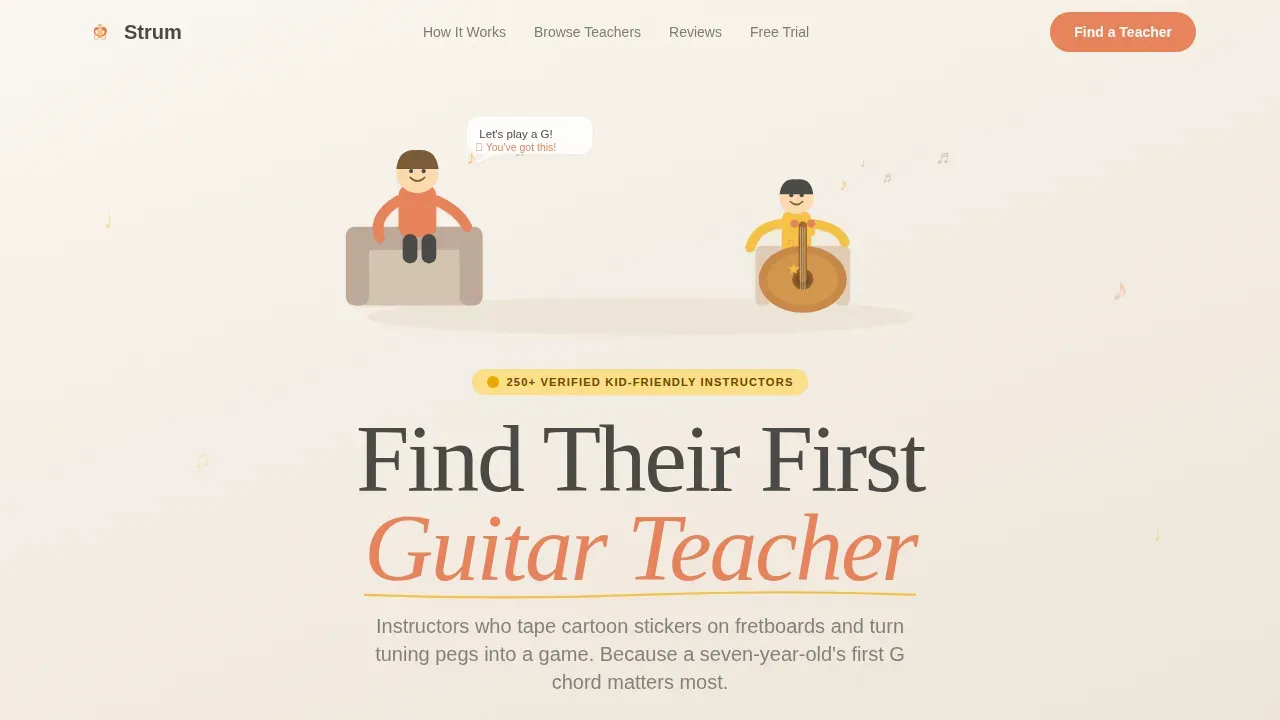
The hero section opens with a wide, custom illustration of a cozy room: a smiling instructor, a small child holding an acoustic guitar comically large in tiny hands, and music notes drifting upward. The headline "Find Their First Guitar Teacher" fades in over the scene in a rounded, friendly display typeface. A zip-code input sits below, letting parents narrow results before they even scroll.
Modular Instructor Card Grid
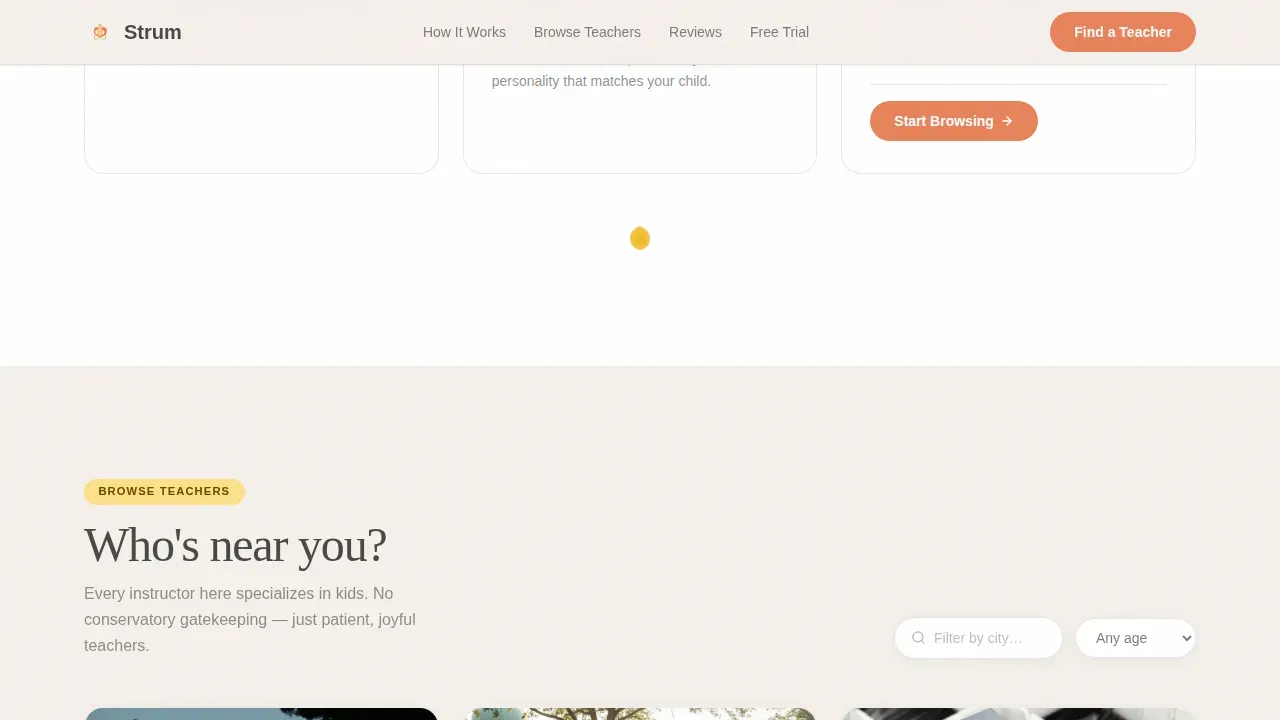
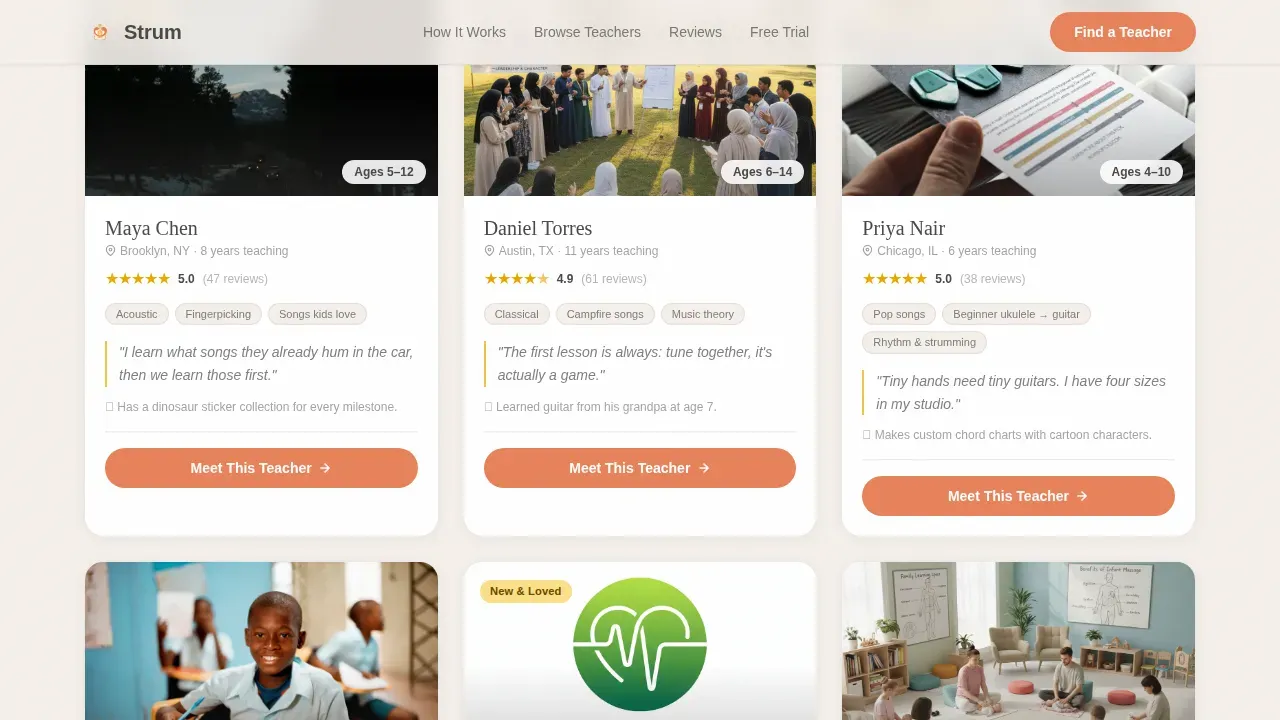
The instructor directory is built as a responsive card grid. Each card carries a photo, instrument specialties, the age range the instructor teaches, a star rating, a short teaching philosophy snippet, and a fun personal fact. Cards lift gently on hover. Every card includes a campfire coral "Meet This Teacher" button that leads directly to the instructor's full profile and booking page. This is where parents learn whether a given teacher is likely to suit their child before they spend any time on a separate profile page.
Step-by-Step "How It Works" Section
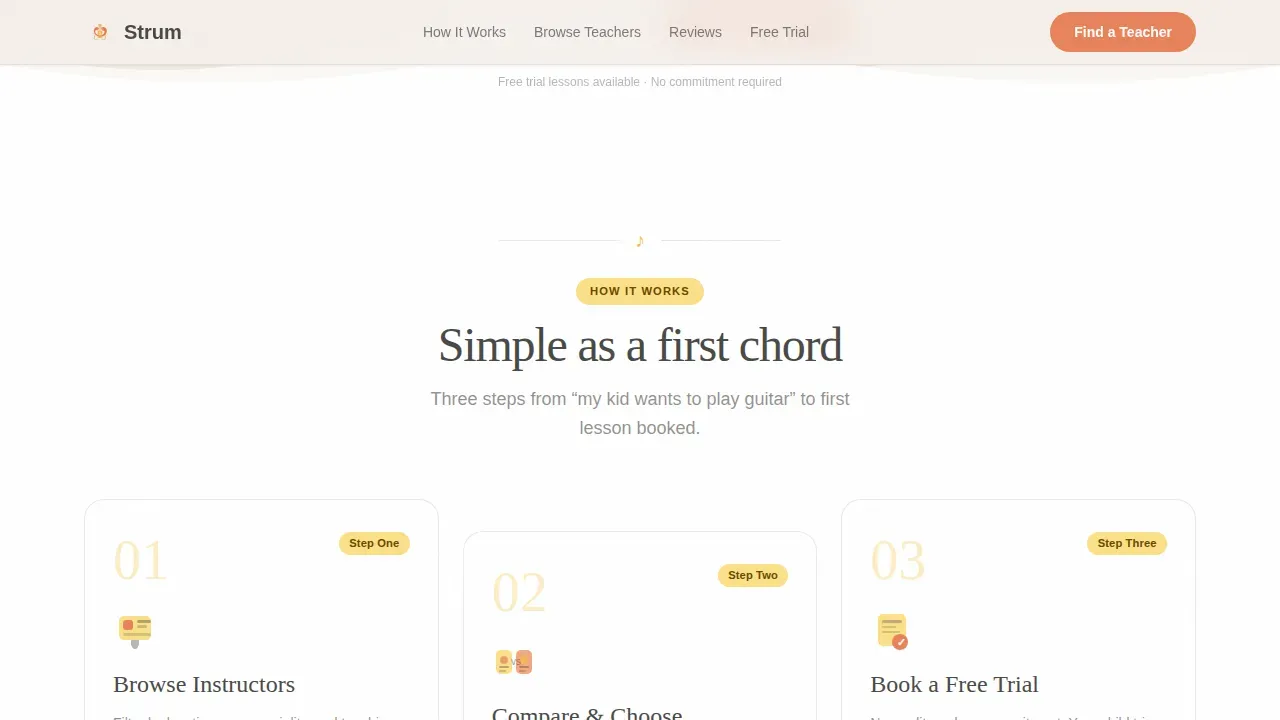
Three illustrated steps, Browse, Compare, and Book a Trial, answer the first question parents ask: how does this actually work? Each step is paired with a small illustration and a short caption. The section uses simple, direct language that matches the way parents think, not the way music education is marketed to advanced players or adult beginners.
Parent Testimonial Carousel
A horizontal scroll carousel presents short quotes from real parents, each paired with a small illustration of a child playing guitar. Testimonials include the parent's name and the child's age, which helps other parents in the same situation see themselves in the social proof. This section is especially effective for building confidence among parents who are new to music lessons and unsure what to expect from a first lesson.
Free Trial Reassurance Section
The final content section addresses the most common hesitation directly: what if my child does not enjoy it? A warm, conversational block explains the free trial lesson offer with trust signals baked in. This removes the fear of spending money on something the child might not stick with, which is one of the biggest barriers to booking guitar lessons for young beginners.
Sticky Mobile Call-to-Action Bar
On mobile devices, a sticky bottom bar stays visible as parents scroll. It repeats the primary call-to-action "Browse Teachers Near You" and includes a zip-code input field that narrows results before the click. This means parents scrolling at 10 p.m. can act immediately without hunting for the search bar they passed three sections ago.
Page sections overview
| Section | Purpose |
|---|---|
| Illustrated Hero | Sets warm tone, captures zip search |
| How It Works | Explains three-step browse process |
| Instructor Card Grid | Shows filterable teacher profiles |
| Parent Testimonials | Builds trust with social proof |
| Free Trial Reassurance | Removes booking hesitation |
| Sticky Mobile Bar | Keeps primary call to action always visible |
| Footer | Linear single-row site links |
Design & branding system
The visual identity follows a Community Hearth theme built on the Cloud Canvas color system. The palette is deliberately soft and unhurried, it feels like a child's drawing pinned to a refrigerator, lit from below by kitchen light. Every color choice has a clear role, and nothing competes with the instructor photos or the call-to-action buttons.
- Parchment white (#F5F0EB) backgrounds keep the page calm and easy to read; instructor cards float on pure white with faint graphite borders so the grid feels airy rather than dense
- Crayon sunshine yellow (#F6C343) appears only where the eye needs to land next, marking key labels and illustrated accents without overwhelming the warm, handmade feel
- Campfire coral (#E8845C) is reserved exclusively for buttons and hover states, giving every call-to-action a consistent visual signal that parents learn to follow naturally as they scroll
Mobile & speed optimization
The template is built mobile-first because the primary audience, parents searching for guitar lessons for their kids, is most often browsing on a phone during evening hours. Every section reflows cleanly for small screens, and the sticky bottom bar ensures the primary call-to-action is never out of reach on mobile devices.
- Card hover states translate to tap interactions on touch screens, and the testimonial carousel scrolls horizontally with a natural swipe gesture
- Animations, card lift on hover, section fade-ups, floating music notes, and illustrated flourish transitions, are handled as client-side interactions layered over static server-rendered content, keeping the initial load lean
How this template helps you convert
Parents do not book guitar lessons because a page looks pretty. They book because a page earns their trust in the right order, answers every hesitation before it becomes a reason to leave, and makes the next step feel obvious and low-risk.
- The step-by-step scroll matches the mental order of a parent's real decision process, the page answers "how does this work," then "who is near me," then "are they actually good with kids," and finally "what if it does not work out," so no question goes unanswered before the click
- The instructor cards do enough personality work, a quote, a teaching philosophy snippet, a fun fact, a star rating, that parents feel they already know the teacher they are choosing, which reduces friction at the profile page and makes a trial booking feel natural rather than risky
- The sticky mobile call-to-action bar with zip-code input means the path to browsing teachers is always one thumb-tap away, removing the most common drop-off point for mobile-first users who lose the search bar mid-scroll
Other information about this template
This section covers additional context that helps builders and buyers understand what makes the Strum template a strong fit for the kids guitar instructor directory niche, including relevant tools and platforms that complement the ecosystem it serves.
- The template is designed for the kids and family education category, specifically the kids guitar instructor directory niche, where trust signals and child-friendly language matter far more than technical guitar jargon aimed at advanced players or experienced musician audiences
- When populating instructor cards, teacher bios should highlight experience with children, for example, a note like "Specialist in teaching children ages 5 to 12" is far more persuasive to a parent than a list of music theory credentials or jazz performance history
- A short video of the instructor playing or teaching, embedded or linked from the card, can build trust immediately, and the template's card structure has room for this kind of rich media when instructors provide it
- Platforms like Lessonface feature teachers vetted by staff and allow reading 5-star reviews from other parents, which is the kind of trust architecture this template is designed to mirror in a branded directory context
- Superprof allows searching for guitar tutors specifically for children, with verified reviews and profiles highlighting teaching style; the Strum card grid follows the same principle of surfacing the details parents actually use to decide
- MusicTeachersDirectory.org is a reliable database covering private music instructors across the US, Canada, and several other countries; a directory built on this template can serve the same audience with a more focused, child-centered brand voice
- For in-person guitar lessons, parents should be encouraged to confirm that the instructor has completed a background check, especially when that instructor is independent rather than affiliated with a school or studio; the template's trust signal section supports this kind of reassurance copy
- Rock Dojo is an award-winning licensed system focused on online group guitar lessons for kids; if your directory includes group session options alongside private lessons, the template's card grid can accommodate both formats with a simple label or tag
- Gentle Guitar™ is a specialized, award-winning international online guitar school designed specifically for children aged 5 to 12; this is the category of instructor quality and child-focused pedagogy that the Strum template is built to showcase and help parents find
- ThemeForest offers Elementor template kits designed specifically for music schools and courses; Strum fits comfortably alongside this category of purpose-built education templates while adding a warmer, more illustrated personality suited to the kids market
- GuitarTricks.com offers thousands of video guitar lessons across various genres and difficulty levels; TrueFire.com provides a wide range of specialized guitar courses streamable for a flat fee; both represent the broader online guitar learning ecosystem that a directory built on Strum sits within
- Tools like WikiLoops.com offer a variety of backing tracks filterable by genre, tempo, and key; instructors who use backing tracks in lessons give students a more musical, rhythm-aware learning experience, and this is worth highlighting in teacher bio copy
- Chordbook.com offers an interactive guitar chord and scale generator that works well on mobile devices; MusicTheory.net provides music theory exercises and fretboard tests; these kinds of supplementary resources can be referenced in instructor profiles to show parents what a well-rounded lesson plan looks like
- Moises.ai separates tracks from songs so instructors can isolate instrument volumes and create custom backing tracks for students; GuitarPro is a popular tablature editing and playback tool with a built-in metronome and tuner; both are examples of the modern guitar teaching toolkit that experienced instructors featured in the directory may use
- The best guitar directories categorize resources clearly so parents can filter by location, age specialization, skill levels, lesson format (in-person or online lessons), and teaching style; the Strum template supports this kind of structured browsing through its modular card grid and zip-code search
Theme
Community Hearth
Creative direction
Step-by-Step Guide
Color system
Cloud Canvas
Style
Card Grid (Modular)
Direction
Click-Through
Page Sections
Custom Illustrated Hero with Zip Search
Modular Instructor Card Grid
Step-by-step How It Works Section
Horizontal Parent Testimonial Carousel
Free Trial Reassurance Section
Sticky Mobile Call-to-action Bar
Related questions
Can I use this template for both in-person and online lesson formats?
How do I populate the instructor cards with real teacher data?
Is this template suitable for parents searching for their child's very first guitar teacher?
Can grandparents or gift-givers use this page to find guitar lessons for a child?
Does the template include the illustrated hero artwork described in the preview?



