Warm Community Choir Landing Page Template
Chorus is a warm, card-grid landing page built for children's choir after-school programs. It combines an animated SVG hero, a modular community gallery of mixed-size cards, and a frictionless three-step booking flow. The result is a page that lets families hear, feel, and trust the program before they ever fill in a single field.
by Rocket studio
Quick summary
Chorus is a single-page, mobile-first template designed for kids choir and children's chorus after-school programs. It uses a hand-drawn animated header, a corkboard-style card grid, and a simple booking flow to turn curious parents into enrolled families. Every section builds emotional proof before asking for a commitment.
Who this template is for
This template is made for program directors, music teachers, and community arts organizers who run a structured children's choir or chorus after-school program. It speaks directly to the families those programs serve every weekday afternoon.
- Directors of elementary, middle school, or community choir programs who need a fast, trustworthy enrollment page
- Music education providers serving kids from roughly age 5 through high school, including homeschool co-ops
- Teachers and program coordinators who want parents to book a spot or attend a free rehearsal observation without a lengthy sign-up process
What problem this template solves
Working parents compare their options quickly, often on a phone in the school pickup line. A generic registration form or a wall of text loses them in seconds. The choir program loses a family who would have loved it.
- Families cannot hear or feel what the choir experience is like before committing, so they hesitate
- Program directors lack a page that balances emotional storytelling with a clear, low-friction path to enrollment
- Mobile visitors bounce when booking flows are complicated or when the page takes too long to load on a phone
What you get with this template
You get a complete, ready-to-customize landing page that covers every stage of the parent decision journey. The design is warm, the structure is clear, and the booking path is built to remove hesitation at every step.
- An animated SVG hero section, a modular community gallery with staggered mixed-size cards, a three-step booking modal, and a social proof section with a winter showcase preview
- A sticky mobile call-to-action button, a secondary "Sit In on a Rehearsal" observation path, and a split footer with logo and navigation links
- Cloud Canvas color system, Fraunces serif headlines, and DM Sans body text styled to feel like a corkboard in golden afternoon light
Feature list
This template ships with a tightly coordinated set of built-in components. Each one serves a specific job in converting a browsing parent into a registered family.
Animated SVG Choir Hero
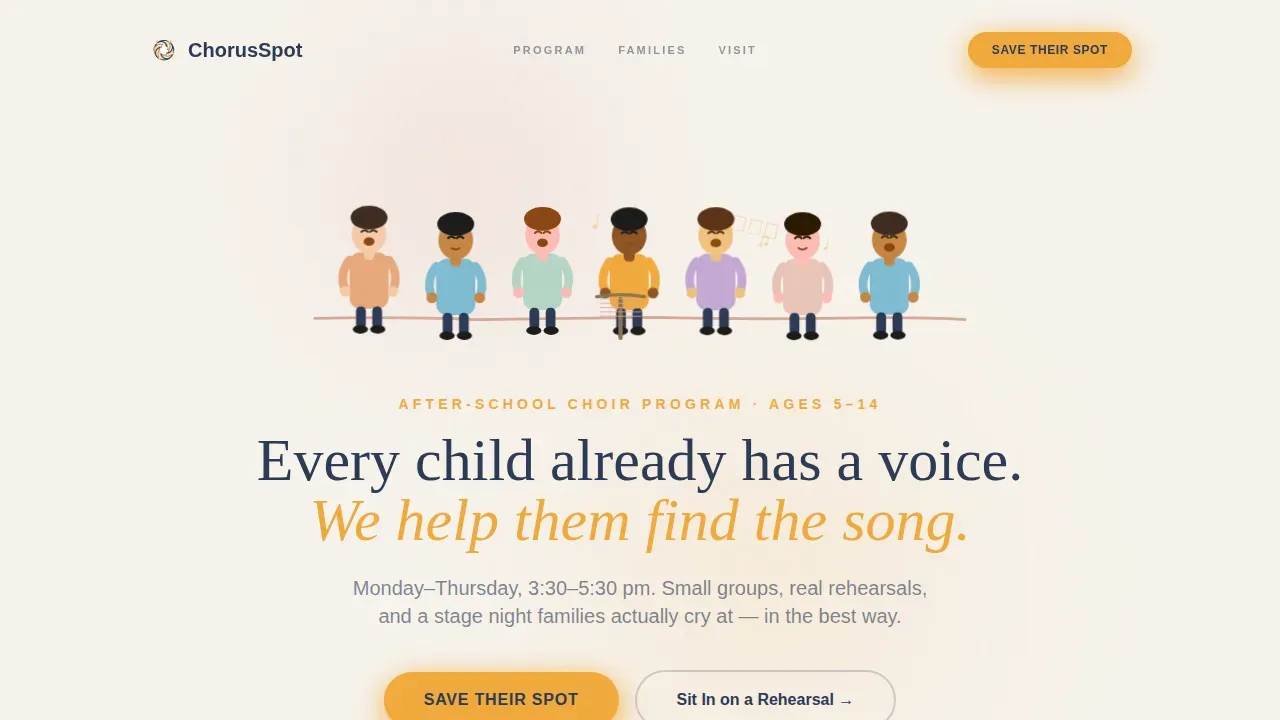
The header opens with a Lottie-style vector illustration of diverse illustrated children standing shoulder to shoulder. Their mouths open and close in gentle unison while musical notes drift upward and dissolve into a soft parchment sky. The headline "Every child already has a voice. We help them find the song." fades in beneath the animation, and a marigold "Save Their Spot" button sits front and center.
Modular Community Gallery Card Grid
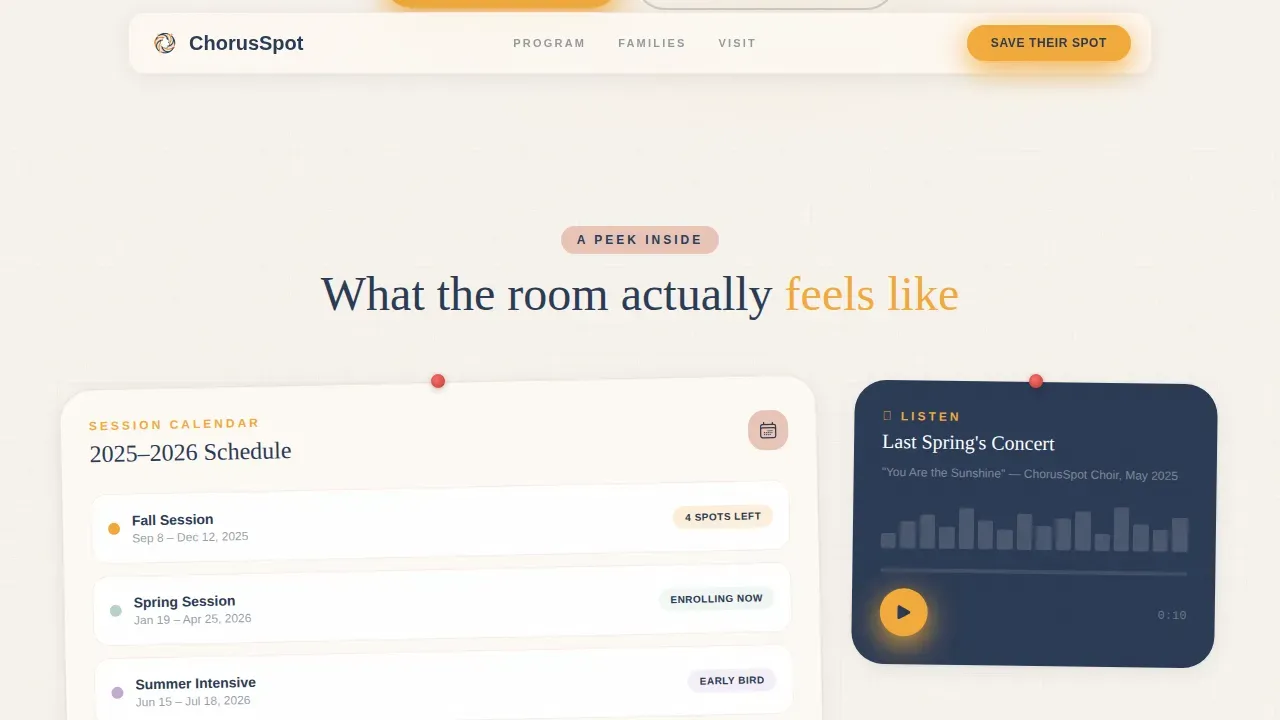
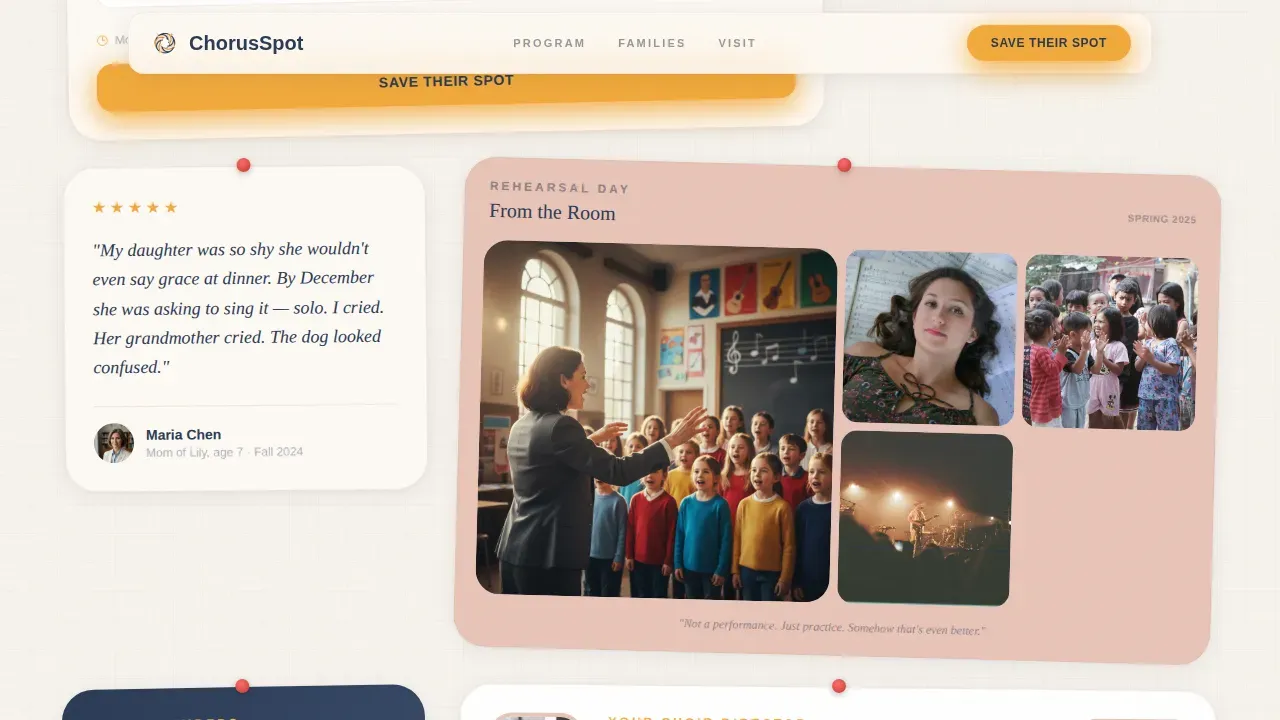
The community gallery section uses a bento corkboard layout of mixed-size cards. Cards include a semester calendar card showing session dates, an audio snippet card where a visitor can tap play and hear ten seconds of a live concert, a photo mosaic card from a children's chorus rehearsal day, a parent testimonial card, and a teacher bio card with a short looping video of the choir director. Cards stagger at slightly different sizes and reveal with scroll animations, creating the feeling of a living classroom wall.
Three-Step Booking Modal
The primary enrollment flow opens from the "Save Their Spot" button and guides families through three focused steps: choose a location or virtual option, select a semester session (Fall, Spring, or Summer Intensive), and enter the child's first name, age, and parent email. The form keeps only essential fields to avoid overwhelming parents. A secondary path lets families book a free observation visit using a single date-picker click.
Sticky Mobile Call-to-Action
On mobile devices, a persistent "Save Their Spot" button follows the visitor down the page. This means the primary conversion action is always one tap away, whether a parent is reading a testimonial card or watching the teacher bio video.
Emotional Proof Section
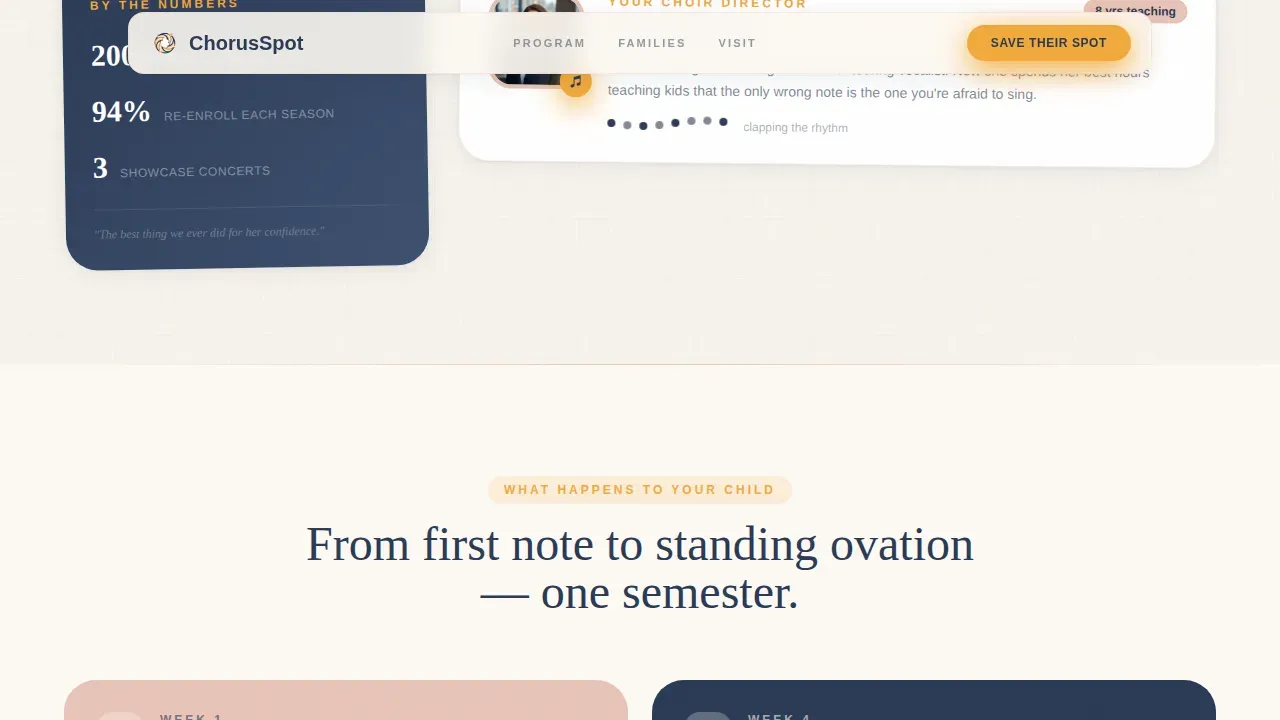
Below the gallery, an asymmetric layout presents child transformation stories. This section shifts the tone from "what we do" to "what happens to your child," building trust through specific, story-driven content rather than sales language.
Social Proof and Showcase Preview
A dedicated section displays parent quotes, a grandparent perspective, and a countdown to the next performance event. This reinforces the reality of the stage night payoff and gives families a concrete reason to enroll now rather than later.
Page sections overview
| Section | Purpose |
|---|---|
| Animated Hero Header | Introduces the choir with an SVG illustration and headline fade-in |
| Save Their Spot call to action | Primary marigold button driving enrollment above the fold |
| Community Gallery Grid | Modular corkboard cards showing calendar, audio, photos, testimonials, and teacher bio |
| What Happens to Your Child | Asymmetric emotional proof layout with transformation stories |
| Session Picker Modal | Three-step booking flow for location, semester, and child details |
| Sit In Path | Secondary date-picker flow for free rehearsal observation visits |
| Social Proof Section | Parent quotes, grandparent perspective, and showcase performance countdown |
| Split Footer | Logo and tagline left, navigation links right |
Design & branding system
The template uses the Community Hearth theme paired with the Cloud Canvas color system. Every color choice and type pairing was made to feel handmade, warm, and immediately trustworthy to a parent encountering the page for the first time.
- Parchment white (#F7F3ED) backgrounds, muted blush (#E8C4B8) card surfaces, deep storybook navy (#2B3A55) for headlines and navigation, and cheerful marigold (#F2A93B) for buttons, badges, and hover states
- Fraunces serif for headlines to create a storybook warmth, and DM Sans for body text to keep everyday reading clean and easy
- Hand-drawn, slightly wobbly illustrated line style throughout the hero and decorative elements, echoing construction-paper artwork on a corkboard
Mobile & speed optimization
The template is built mobile-first because the primary user is a parent on their phone. Every performance decision reflects that priority.
- SVG animations are GPU-accelerated, images are lazy-loaded, and the audio snippet player preloads only on interaction to keep initial load fast
- The sticky mobile call-to-action button ensures the booking action is always visible without scrolling back to the top
- Card stagger reveal animations are lightweight and do not block page interaction on slower mobile connections
How this template helps you convert
The page earns the booking before it asks for one. Every section moves a visitor one step closer to trusting the program enough to register.
- The audio snippet card lets parents hear ten seconds of last spring's concert before they read a single description, creating emotional buy-in that no headline alone can produce
- The card grid moves from "what we do" cards at the top to "what happens to your child" cards as the visitor scrolls, building a natural persuasion arc through stories, testimonials, and teacher presence rather than sales copy
- The three-step booking modal and the secondary "Sit In on a Rehearsal" path both reduce commitment anxiety by giving families two entry points at different levels of readiness
Other information about this template
This template is designed for the full spectrum of children's chorus and choir program contexts. The sections below cover additional details that help organizers and music educators get the most from this page.
- The template suits programs serving children across a wide age range. Younger kids in elementary classes focus on simple songs, breathing, and listening skills. Middle school singers and older students can tackle more challenging music, pitch accuracy, and basic harmonies. The tiered structure naturally mirrors how children's choir programs advance singers by grade level.
- Choir warm ups are built into every good rehearsal routine, and the template's teacher bio card can showcase how your director leads vocal exercises, breathing exercises, and rhythm activities in the first five minutes of every session. Warm ups using solfege scales, phonation drills, and physical stretches are common in strong choral settings, and this card gives directors a natural place to demonstrate that expertise on video.
- The curriculum of children's choir programs typically covers musical skills such as vowel sounds, proper singing techniques, music theory, and musical notation. The community gallery card system gives program directors a flexible way to communicate this curriculum to parents without producing a dense information page.
- Choral education outreach programs have a significant impact on students, teachers, schools, and communities. Many choruses have established long-term residencies in public schools to provide music education where it was previously absent. Some choral outreach programs also provide scholarships for high school students to join advanced ensemble groups. This template can support any program communicating that broader community mission.
- Research shows that children who sing in choruses develop stronger social skills, greater self esteem, and higher academic performance than peers who do not participate. Singing in a choral setting builds confidence, teamwork, memory, and language skills alongside musical skills. These benefits are worth communicating clearly on the page, and the transformation story section is the right place to do it.
- The chorus warm community kids choir after school program landing page template is built around three practical facts: parents decide quickly, parents decide on mobile, and parents trust what they can hear and see before they read. Every section of the page was designed with those realities in mind.
- The page displays the program schedule, age range, and session options (Fall, Spring, Summer Intensive) so families can assess fit at a glance. Transparent details about what to bring to choir rehearsals, such as a water bottle, comfortable clothes, a pencil for marking music, and a folder for sheet music, can be added to the frequently asked question or info cards easily.
- Auditions vary by program level. For elementary and middle school students entering a standard children's choir, no audition is required. Auditions for high school students joining advanced choir groups are typically held between May and August each year. The template's session picker and booking flow can be adapted to reflect either path clearly.
- The orchestra-adjacent nature of choral music programs means that some families will be comparing choir with other performing arts options. The audio card and video teacher bio card help choir stand on its own merits, letting children's choral singing speak for itself.
- Programs inspired by prestigious choral education models, including outreach initiatives connected to venues like Carnegie Hall, can use this template to communicate the same level of aspiration and care at the community level. Carnegie Hall-affiliated education programs and locally rooted community programs alike benefit from a page that balances warmth with credibility.
Theme
Community Hearth
Creative direction
Community Gallery
Color system
Cloud Canvas
Style
Card Grid (Modular)
Direction
Booking/Scheduling
Page Sections
Animated SVG Choir Hero with Headline Fade-in
Modular Community Gallery Corkboard
Three-step Enrollment Booking Modal
Sticky Mobile Call-to-action Button
Emotional Proof and Social Trust Section
Related questions
Do children need prior singing experience to join the choir program?
What does a typical children's chorus rehearsal look like?
How does the booking flow work in this template?
Can this template serve both younger children and middle school or high school students?
Is this landing page optimized for parents browsing on their phones?



