Artisan Mediterranean Cooking Class Landing Page Template
Harvest is a single-column cooking class landing page built for artisan Mediterranean food experiences. It blends sensory storytelling with a direct booking flow, guiding visitors from a cinematic overhead hero through a course-by-course menu reveal to a seat reservation module. The Agrarian Root design system, warm terracotta tones, and fig-purple call-to-action buttons make every section feel like an invitation to the table.
by Rocket studio
Quick summary
Harvest is a single-column landing page template designed for artisan Mediterranean cooking class providers. The design draws on warm terracotta, sage, and fig-purple tones to create an immersive, food-forward experience. From the overhead lifestyle hero to the scarcity-driven booking module, every section is built to move a visitor toward one clear action: reserving a seat.
Who this template is for
This landing page is ideal for culinary educators, independent cooking class hosts, and food experience businesses that want a polished web design without hiring a developer. The template works equally well for solo instructors and small cooking schools offering hands-on Mediterranean food sessions.
- Cooking class providers who want to attract more students through a high-converting landing page
- Culinary entrepreneurs offering weeknight, Saturday intensive, or couples cooking experiences
- Food and hospitality professionals ready to sell class bookings directly from their website
What problem this template solves
Most cooking class websites lose visitors before the booking step. The page either looks generic, buries the schedule, or fails to communicate the sensory richness of the experience. Harvest solves this by building a landing page that does the storytelling work a brochure never could.
- Visitors scroll through a sensory journey that makes the cooking experience feel tangible before they book
- The booking module shows upcoming dates, remaining seats, and format options in one clear place
- A secondary gift-a-class path captures buyers who are shopping for someone else, not themselves
What you get with this template
This template delivers a complete, single-column landing page layout ready to customize for your own cooking classes. Every section follows a direct-sales flow, from the first food photograph to the final checkout step.
- A hero section with an overhead lifestyle image and bold italic serif headline
- A sensory journey section, a course-by-course menu reveal, testimonial cards, and a full booking module
- A "Gift a Class" option with a digital card preview built into the booking section
Feature list
This landing page template includes a focused set of design and layout features, all grounded in the Agrarian Root aesthetic and the direct-sales goal of filling cooking class seats.
Overhead Lifestyle Hero with Editorial Headline
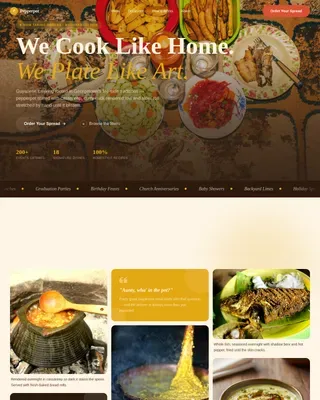
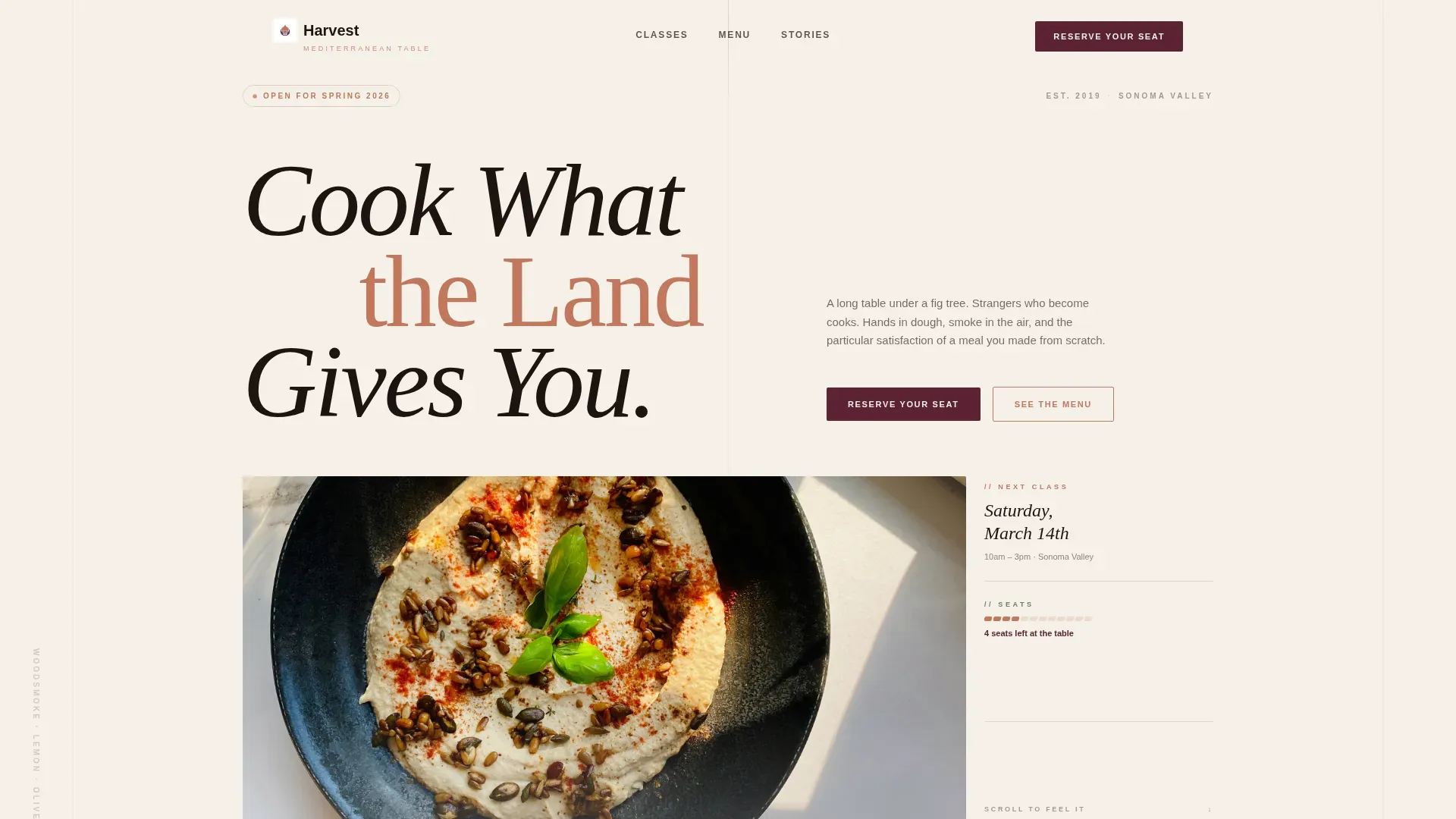
The hero section uses a full-width overhead image of a food-crowded table. Hands tear bread, oil drizzles mid-air, and pomegranate seeds scatter across weathered olive wood. No faces appear, keeping the focus entirely on the cooking and the food. A large italic serif headline anchors the bottom of the frame, drawing the user immediately into the experience.
Sensory Journey Section Flow
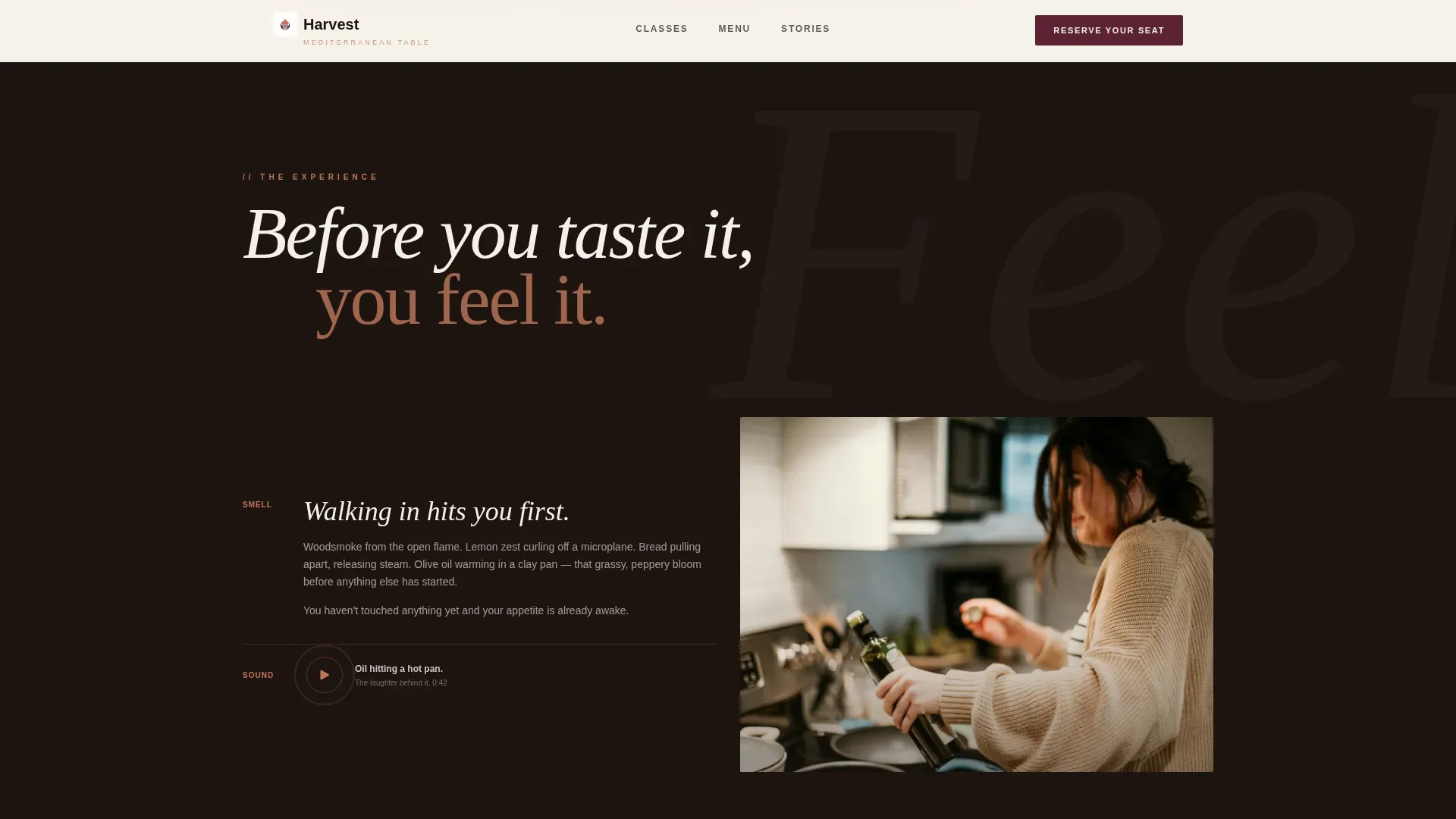
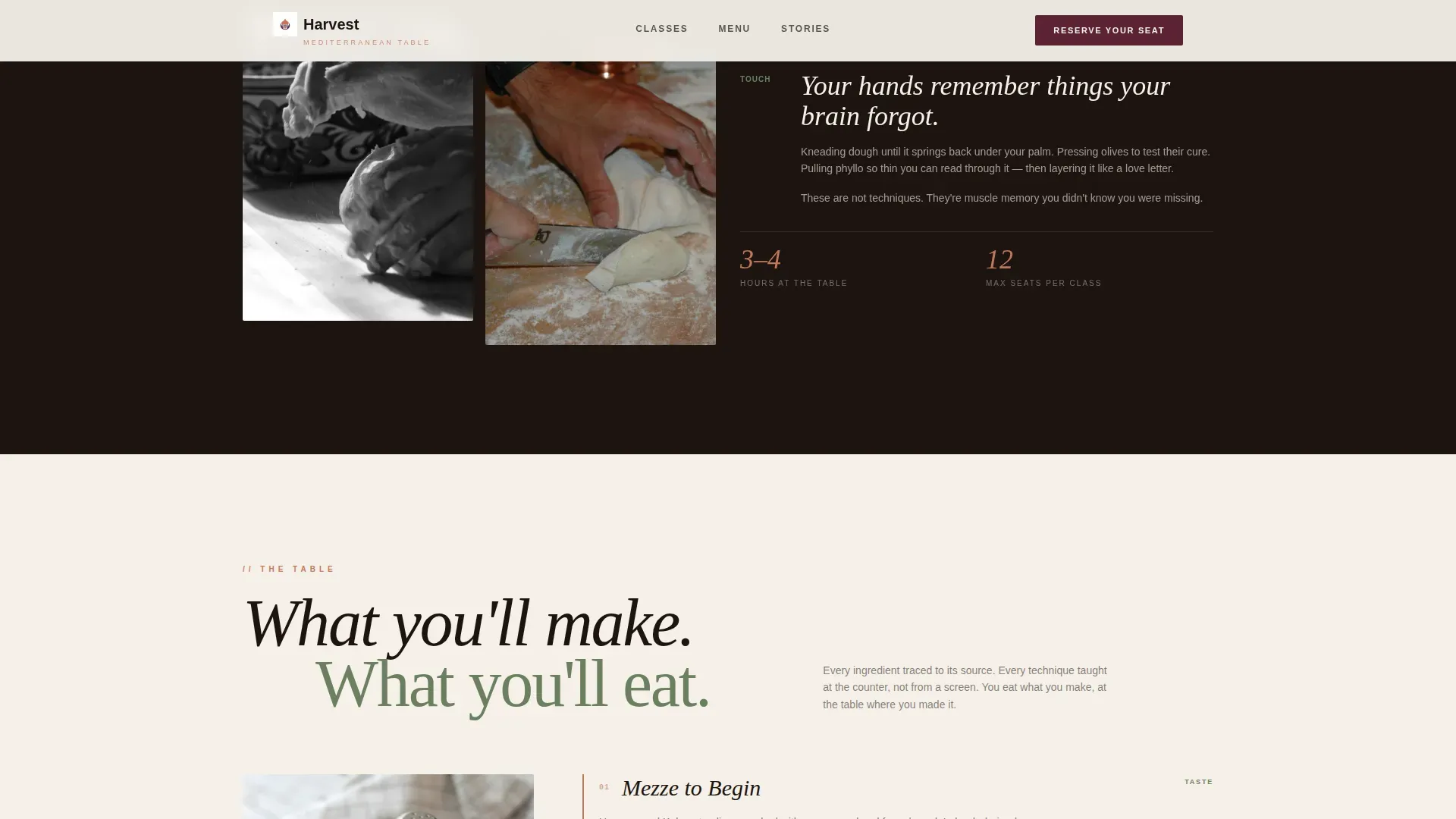
Each scroll section awakens a different sense. Woodsmoke and lemon zest lead the smell section. Close-up photography of hands kneading dough and pinching phyllo edges paper-thin carries the touch section. A short ambient audio clip of oil hitting a hot pan closes the sound section. This design approach keeps the user engaged across the full landing page without relying on text alone.
Course-by-Course Menu Reveal
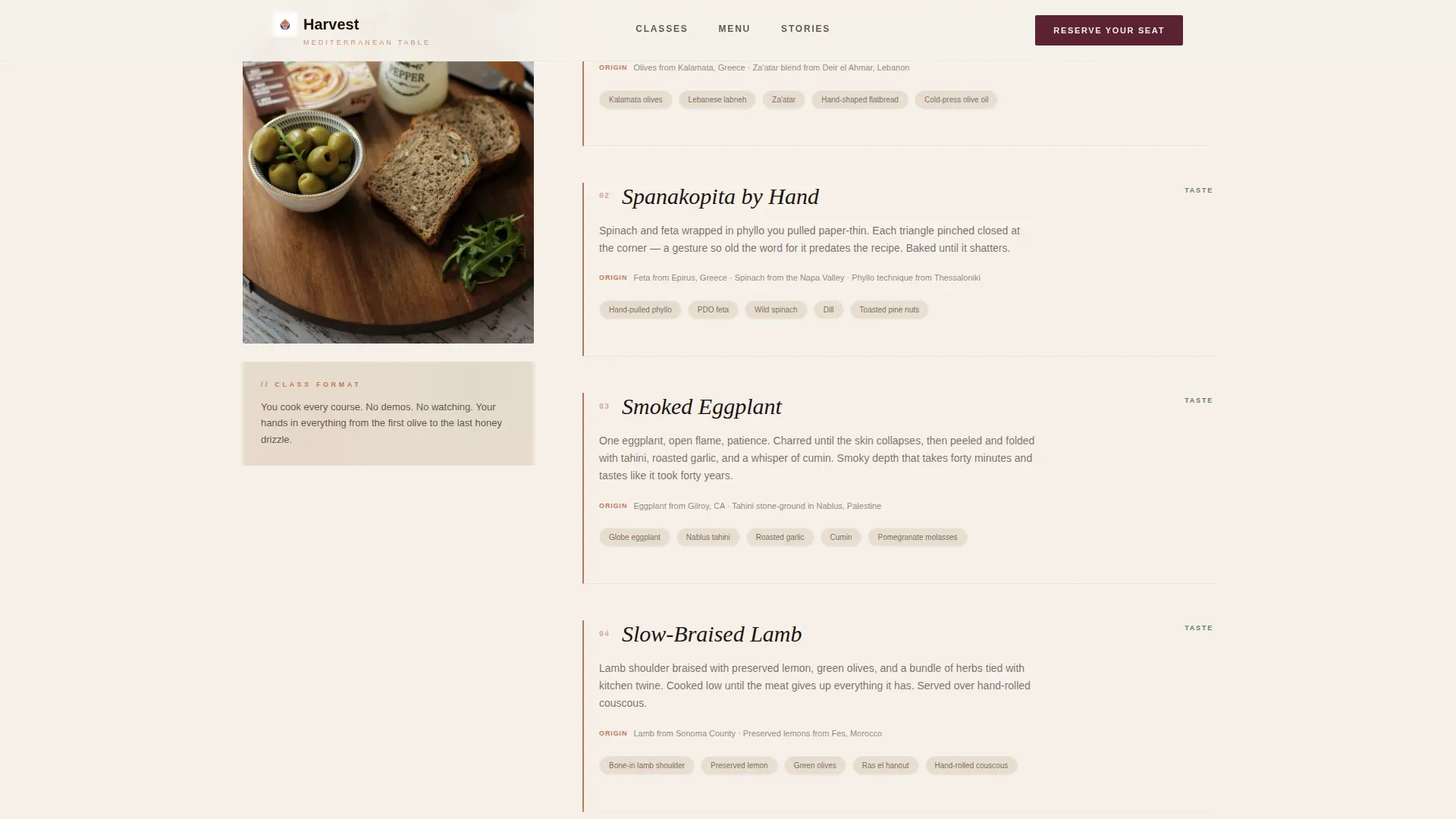
The menu section lays out each dish with ingredient origins named by village or region. This builds trust and communicates the depth of culinary education on offer. It also places the first "Reserve Your Seat" call-to-action button directly after the menu, when appetite and interest are highest.
Scarcity-Driven Booking Module
The booking module displays the next three class dates with remaining seats shown as live scarcity indicators. Visitors select a format, such as weeknight single, Saturday intensive, or couples evening, then move through a single-page checkout flow that handles payments directly. A mobile sticky bar repeats the booking call-to-action so it is always within reach on smaller screens.
Gift a Class Path
A secondary booking option sits inside the module for visitors purchasing on behalf of someone else. An illustrated digital card preview makes the gift feel considered and complete. This landing page feature serves a real purchasing pattern: many cooking class bookings are made as gifts.
Testimonial Spotlight Cards
Social proof appears as styled testimonial cards with real names, roles, and specific outcomes described. The design follows a spotlight card pattern with subtle visual effects that draw the eye. Including quotes from past participants highlights the quality of instruction and the welcoming atmosphere of each session.
Page sections overview
| Section | Purpose |
|---|---|
| Hero lifestyle tableau | Sets visual tone and presents the headline |
| Sensory journey flow | Engages smell, touch, and sound per scroll |
| Menu reveal section | Shows course details and first booking call to action |
| Testimonial spotlight cards | Builds trust with specific participant quotes |
| Booking module | Handles date selection, format choice, and payments |
| Gift a class | Offers a secondary path for gift purchases |
| Footer with split layout | Provides logo, tagline, and navigation links |
Design & branding system
The Harvest landing page uses the Desert Rose color system, an Agrarian Root visual theme that feels warm, ancient, and entirely edible. Web design choices here prioritize texture and warmth over sleek minimalism.
- Terracotta (#C2785C) leads as the primary color; dried rosemary green (#6B7F5E) and raw linen white (#F5F0E8) support the layout; deep fig purple (#5B2333) is reserved for buttons and price anchors
- Typography pairs DM Serif Display in italic for headlines with Plus Jakarta Sans for all body text, balancing editorial warmth with clear legibility
- Animation uses GSAP ScrollTrigger for section reveals, spotlight card effects, image scale on hover, and a scroll ticker to add motion without distracting from the food photography
Mobile & speed optimization
The Harvest landing page is built mobile-first. Every design decision assumes that a large number of visitors will discover the page on a phone and need to move from interest to booking without friction.
- A sticky bottom bar on mobile keeps the "Reserve Your Seat" call-to-action visible at all times, so the user never has to scroll back up to book
- Static sections use server-side rendering for fast initial loads, while the interactive booking module and ambient audio button run as client components
- The responsive layout adapts the single-column flow cleanly across screen sizes, ensuring the food photography and sensory sections read well on any device
How this template helps you convert
A cooking class landing page only earns its place if it moves visitors toward a confirmed booking. Harvest is structured around that single goal, using web design choices that follow the psychology of appetite and decision-making.
- The sensory scroll builds desire progressively, so by the time the menu reveal appears, the visitor is already imagining themselves at the table, making the "Reserve Your Seat" button a natural next step rather than a hard sell.
- Scarcity indicators on the booking module, such as "4 seats left at the table," create genuine urgency without manufactured pressure, because real cooking classes do have a fixed number of seats.
- The gift-a-class path and illustrated digital card preview unlock a second wave of customers who are not booking for themselves, broadening the landing page's reach without adding a separate sign-up flow.
Other information about this template
Harvest is a no-code-friendly landing page template. Adjusting colors, swapping food photography, and updating class information requires no programming knowledge. Cooking class providers can read through the layout, understand the section order, and follow a straightforward customization process to make the page their own.
- The template is designed to work as a standalone cooking classes landing page or as the primary booking page within a larger food and hospitality website
- Providers can plan and update the next three class dates directly in the booking module, keeping the landing page current without rebuilding any section
- The "Gift a Class" illustrated card is editable, so hosts can place their own branding and cooking class details inside the digital card preview
- The footer follows a split layout pattern: logo and tagline on the left, navigation links on the right, keeping the bottom of the landing page clean and informative
- This template is a strong source of inspiration for food educators who want to discover what a properly designed cooking class landing page can do for enrollment
- Cooking class providers who agree that storytelling drives bookings will find the sensory section structure especially useful for communicating the atmosphere of their sessions
- The Harvest artisan Mediterranean cooking class landing page template is listed in the Food and Beverage category under Mediterranean Diet Food and Dining
Theme
Agrarian Root
Creative direction
Sensory Appeal
Color system
Desert Rose
Style
Single Column Flow
Direction
Direct Sales
Page Sections
Overhead Lifestyle Hero Section
Scroll-driven Sensory Journey
Course-by-course Menu Reveal
Scarcity Booking Module
Gift a Class Purchase Path
Testimonial Spotlight Cards
Related questions
Can I use this template without knowing how to code?
Does the booking module support payments?
Can I adapt this landing page for a different style of cooking class?
Is the Gift a Class feature included and ready to edit?
How do I update class dates and remaining seat numbers?