Specialist Solar & Wind Energy Professional Website Template
Harvest is a hero-dominant landing page template built for residential solar installation providers. It combines a cinematic aerial hero, a scroll-animated energy-flow diagram, and a three-step savings configurator to turn rooftop curiosity into qualified leads. The botanical color system and warm typography give it a grounded, trustworthy feel that speaks directly to cost-conscious homeowners.
by Rocket studio
Quick summary
Harvest is a single-page template designed for residential solar providers who want to convert homeowners into leads before a sales call ever happens. The page guides visitors from a striking aerial hero through an animated how-it-works sequence, a self-service savings configurator, neighborhood impact proof, and a clear installation process, all wrapped in a warm botanical visual identity.
Who this template is for
This template is built for solar installation businesses serving suburban homeowners. It speaks directly to people who are motivated by real savings numbers, not abstract green messaging.
- Electricians and engineers running residential solar installation crews
- Solar providers targeting homeowners with high monthly utility bills, young families locking in long-term energy costs, and retirees on fixed incomes who need a financing-friendly framing
- Solar businesses that want to qualify leads through an interactive savings tool rather than a phone call
What problem this template solves
Most solar landing pages ask visitors to schedule a call before they understand their potential savings. That friction kills conversions. Harvest flips the sequence.
- Visitors see a tangible 25-year savings projection from a self-service configurator before any commitment is required
- The page builds trust progressively, starting with one homeowner's roof and widening to neighborhood-scale carbon and energy impact data
- The financing path, "See If You Qualify," addresses visitors who need monthly payment context before they can say yes
What you get with this template
Harvest delivers a complete, ready-to-customize landing page structure with six clearly defined sections and a high-interactivity configurator at its center.
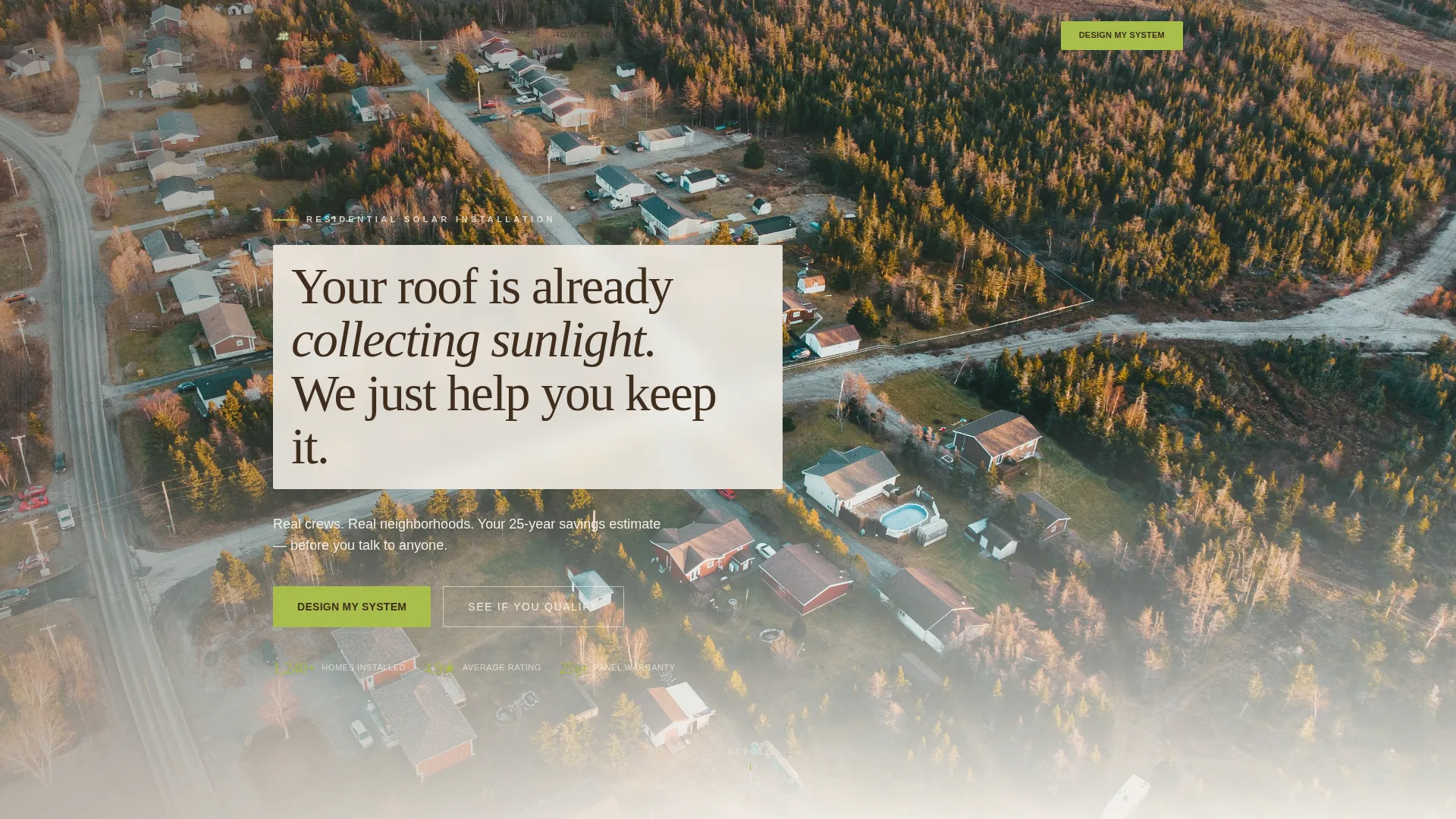
- A panoramic aerial drone hero with a frosted tagline band, a primary call-to-action button, and a persistent scroll-pinned bottom action bar
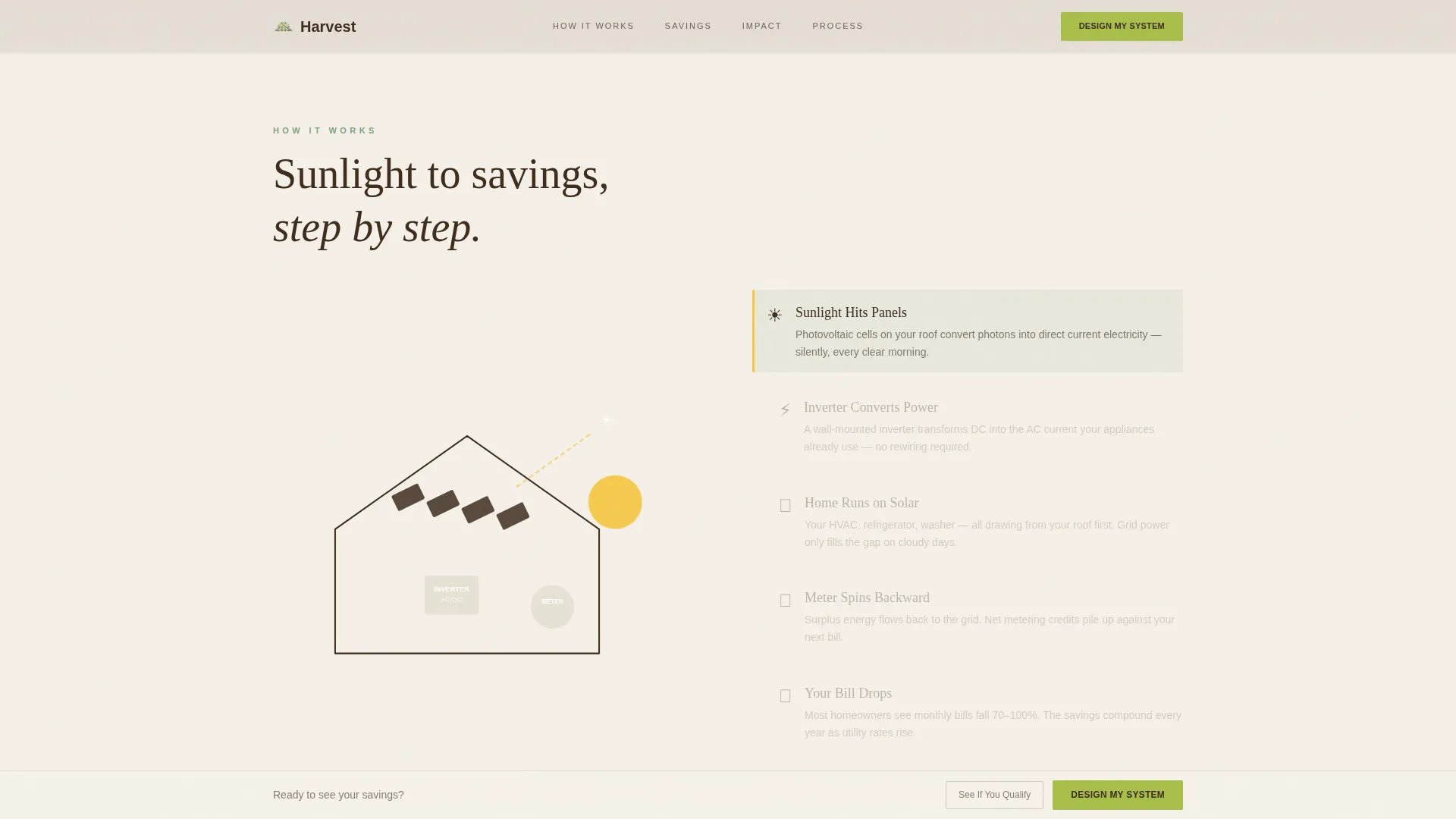
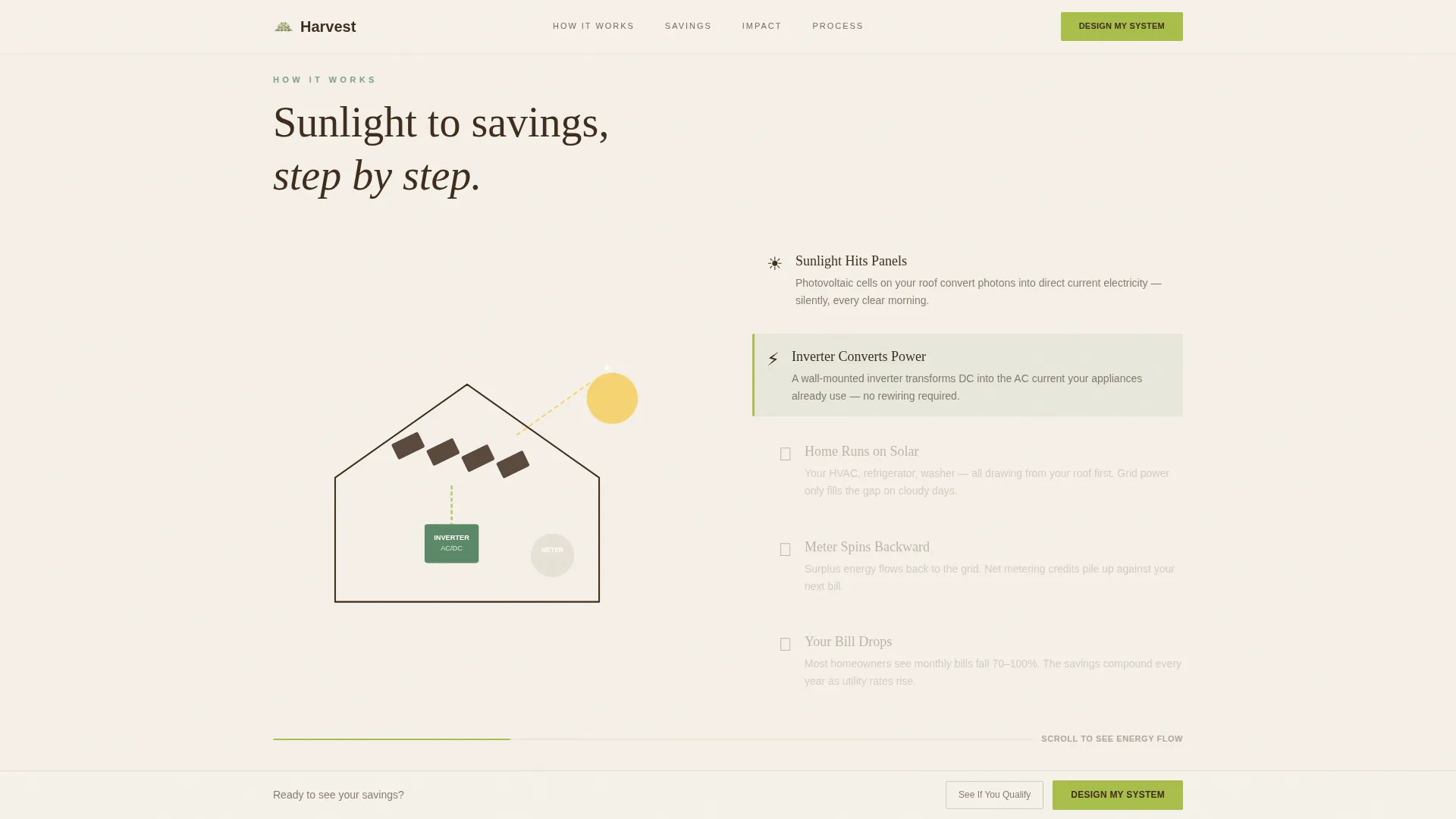
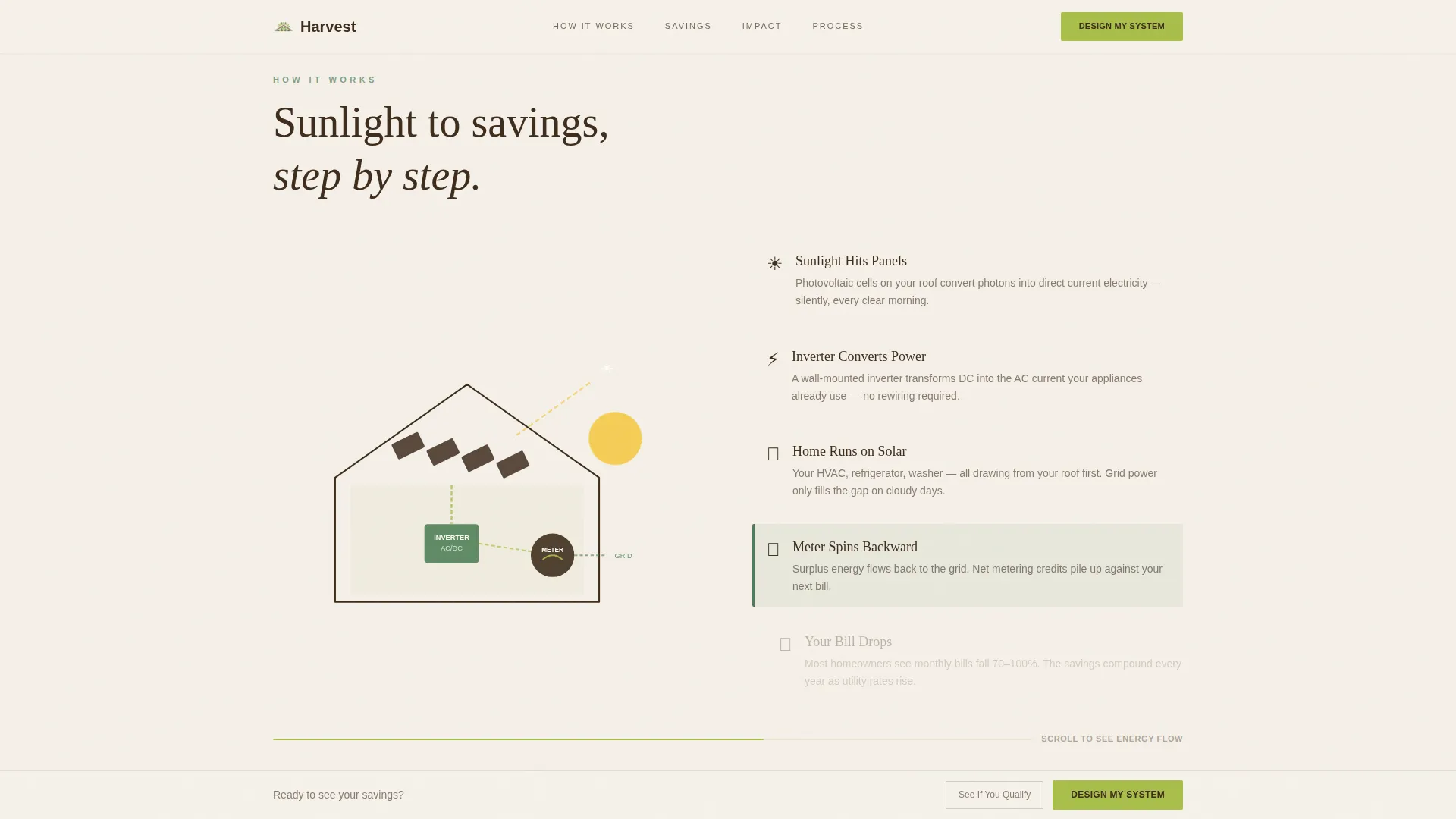
- A scroll-triggered animated house cross-section showing sunlight traveling from panels through an inverter to a backward-spinning meter and a chartreuse dollar counter
- A three-step savings configurator with a draggable bill slider, a compass-tap roof orientation selector, and an instant 25-year savings projection output
Feature list
This section covers the core functional and design capabilities built into the Harvest template.
Cinematic Aerial Hero Section
The hero opens with a wide aerial drone photograph taken at golden hour. A single tagline appears on a frosted linen band over the image. The primary "Design My System" call-to-action button sits directly below the tagline, and a slim action bar pins to the bottom of the viewport as the visitor scrolls.
Scroll-Animated Energy Flow Diagram
As the visitor scrolls through the how-it-works section, a house cross-section builds step by step. Sunlight hits the panels, electrons travel through an inverter, the utility meter spins backward, and a live dollar counter ticks downward in chartreuse. The animation is driven by GSAP ScrollTrigger for smooth, scroll-synced playback.
Three-Step Savings Configurator
The interactive configurator walks visitors through three inputs: a draggable monthly bill slider pre-set at $200, a compass-tap roof orientation selector paired with a square footage estimate, and an address plus email field. The output is a single bold 25-year savings figure shown instantly, before any sales call is scheduled.
Neighborhood Impact Proof Section
This section scales the story outward from one roof to an entire zip code. It displays aggregate statistics including megawatt-hours generated, tons of carbon offset, and total homes installed by existing customers. Homeowner testimonials with names and neighborhoods add personal credibility alongside the collective numbers.
Process and Trust Section
A three-step installation process overview walks visitors through what happens after they submit their information. Certification badges, warranty trust marks, and a final call-to-action block close the page with a clear, confident handoff.
Financing Pre-Approval Path
A secondary conversion route labeled "See If You Qualify" links to a 60-second financing pre-approval form. It is designed for visitors who need to see a monthly payment figure set against their current utility bill before they are ready to commit to the primary configurator flow.
Page sections overview
| Section | Purpose |
|---|---|
| Aerial Hero | Cinematic entry point with frosted tagline and primary call-to-action |
| How It Works | Scroll-animated energy flow from sunlight to savings |
| Savings Configurator | Three-step interactive tool delivering instant 25-year projection |
| Neighborhood Impact | Aggregate stats, carbon data, and homeowner testimonials |
| Process and Trust | Installation steps, certifications, warranty badges, final call-to-action |
| Footer | Linear single-row footer with essential links and contact information |
Design & branding system
Harvest uses a Botanical color system built around four intentional values. The palette feels alive and practical rather than corporate or tech-forward.
- Linen (#F5F0E8) dominates backgrounds, loam brown (#3E2C1C) anchors all headings and body copy, photosynthesis green (#4A7C59) structures section dividers and trust badges, and new-growth chartreuse (#A8BF4A) fires on every button, savings figure, and interactive highlight
- Typography pairs Fraunces serif display headings with DM Sans for body copy and user interface elements, creating a warm and readable contrast at every screen size
- The overall visual tone follows a Service Utility theme: sun-warmed textures, quiet confidence, and no tech-bro aesthetic anywhere on the page
Mobile & speed optimization
Harvest is built desktop-first with full mobile responsiveness across all sections. The configurator receives particular attention for touch usability.
- The draggable bill slider, compass-tap roof orientation input, and savings projection output are all optimized for touch interaction on mobile devices
- Static sections use Server Components for fast initial rendering, while the configurator and scroll animations use Client Components to keep interactivity isolated and efficient
- CSS keyframes handle the marquee and energy-flow animations, keeping motion smooth without heavy script overhead on lower-powered devices
How this template helps you convert
Harvest is structured around a single conversion principle: make the value real before asking for commitment.
- The hero delivers an immediate emotional hook with a real neighborhood aerial and a tagline that meets homeowners where they already are, then points them straight to the configurator with a bold chartreuse button that stays visible throughout the scroll via the pinned bottom bar.
- The configurator produces a 25-year savings figure before any sales call, which removes the biggest friction point in residential solar lead generation and makes the financial case tangible on the visitor's own terms.
- The "See If You Qualify" financing path gives cost-sensitive visitors a second entry point, framing the investment as a monthly payment against their current utility bill so that no motivated visitor leaves without a clear next step.
Other information about this template
Harvest is categorized under Agriculture and Environment, specifically within the Solar and Wind Energy subcategory for residential solar providers. A few additional details worth noting before you build with this template.
- The template is localized for the United States market, using USD pricing, imperial measurements, and 12-hour time formatting throughout
- Animations are powered by GSAP ScrollTrigger for scroll-reveal effects and CSS keyframes for the energy flow and marquee elements; the configurator logic is JavaScript-driven
- The footer follows a Linear Single-Row pattern, keeping the bottom of the page clean and focused on essential links without visual clutter
- The hero-dominant layout follows a 90/10 ratio, meaning the hero section commands the vast majority of the visible first experience before secondary content appears
Theme
Service Utility
Creative direction
Movement & Cause
Color system
Botanical
Style
Hero-Dominant (90/10)
Direction
Direct Sales
Page Sections
Cinematic Aerial Hero with Pinned Call to Action
Scroll-triggered Energy Flow Animation
Three-step Savings Configurator
Neighborhood Impact Statistics Section
Financing Pre-approval Entry Path
Process, Trust, and Certification Block
Related questions
Can I customize the savings configurator with my own pricing data?
Does the template include the financing pre-approval form?
Is the scroll-animated energy flow diagram included out of the box?
Is this template suitable for targeting both high-bill homeowners and retirees on fixed incomes?
What typography and color palette does Harvest use?