Marine Salvage & Towing Services Website Template
Haul is a split-screen marine salvage landing page template built for towing and salvage operations that need to earn trust before asking for contact. It walks visitors through a real salvage operation phase by phase, pairing technical schematics with field photography. The layout is designed to convert marine insurers, port authorities, and shipping companies into qualified leads via a gated planning guide.
by Rocket studio
Quick summary
Haul is a single-page, split-screen template for marine salvage and towing companies. It guides visitors through five salvage phases using a Timeline Progression layout. Left panels carry technical data and schematics. Right panels reveal corresponding field photography. The primary call to action gates a downloadable salvage planning guide behind a short form.
Who this template is for
This template is built for maritime salvage and towing operators who serve high-stakes clients and need to prove competence before asking for a conversation.
- Port authorities, marine insurers, and shipping company risk managers who need emergency salvage response
- Operations-led salvage firms with a fleet of tugs, crane barges, and dive teams
- Maritime service providers building a professional content and lead-generation resource online
What problem this template solves
Marine salvage clients do not browse casually. They arrive under pressure, evaluating whether a firm can handle a grounded bulk carrier or a drifting cargo vessel. A generic page loses them fast.
- There is no clear way to communicate operational depth without a structured, phase-by-phase layout
- Standard contact-first pages offer no proof of competence before asking for information
- Without visual and data-driven storytelling, a salvage firm looks indistinguishable from competitors
What you get with this template
The template delivers a complete, ready-to-adapt single-page layout with every structural section pre-built. No placeholder logic or filler copy. The design system, section flow, and lead capture form are all included.
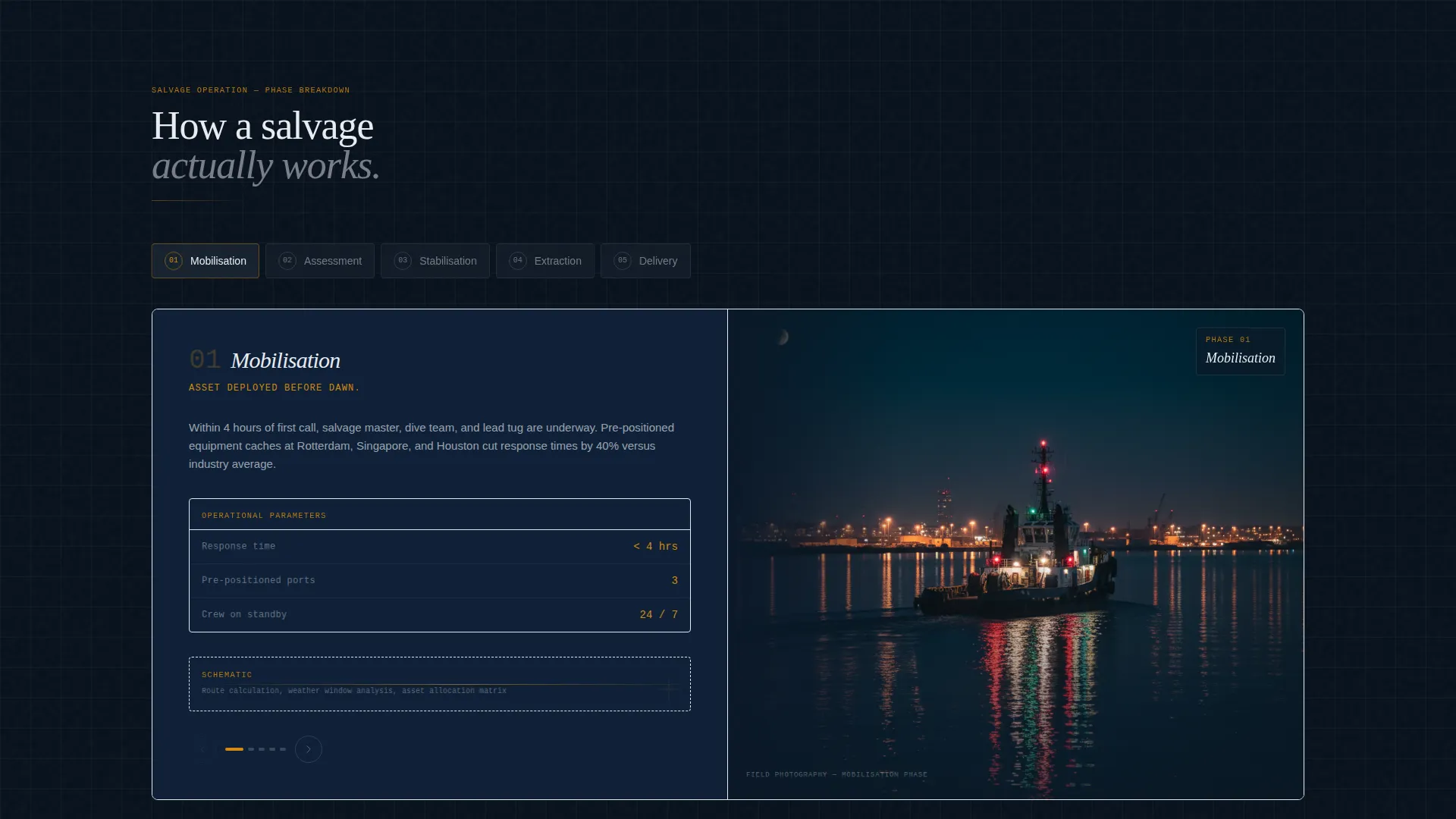
- A 50/50 split-screen layout with alternating technical schematic panels and field photography panels
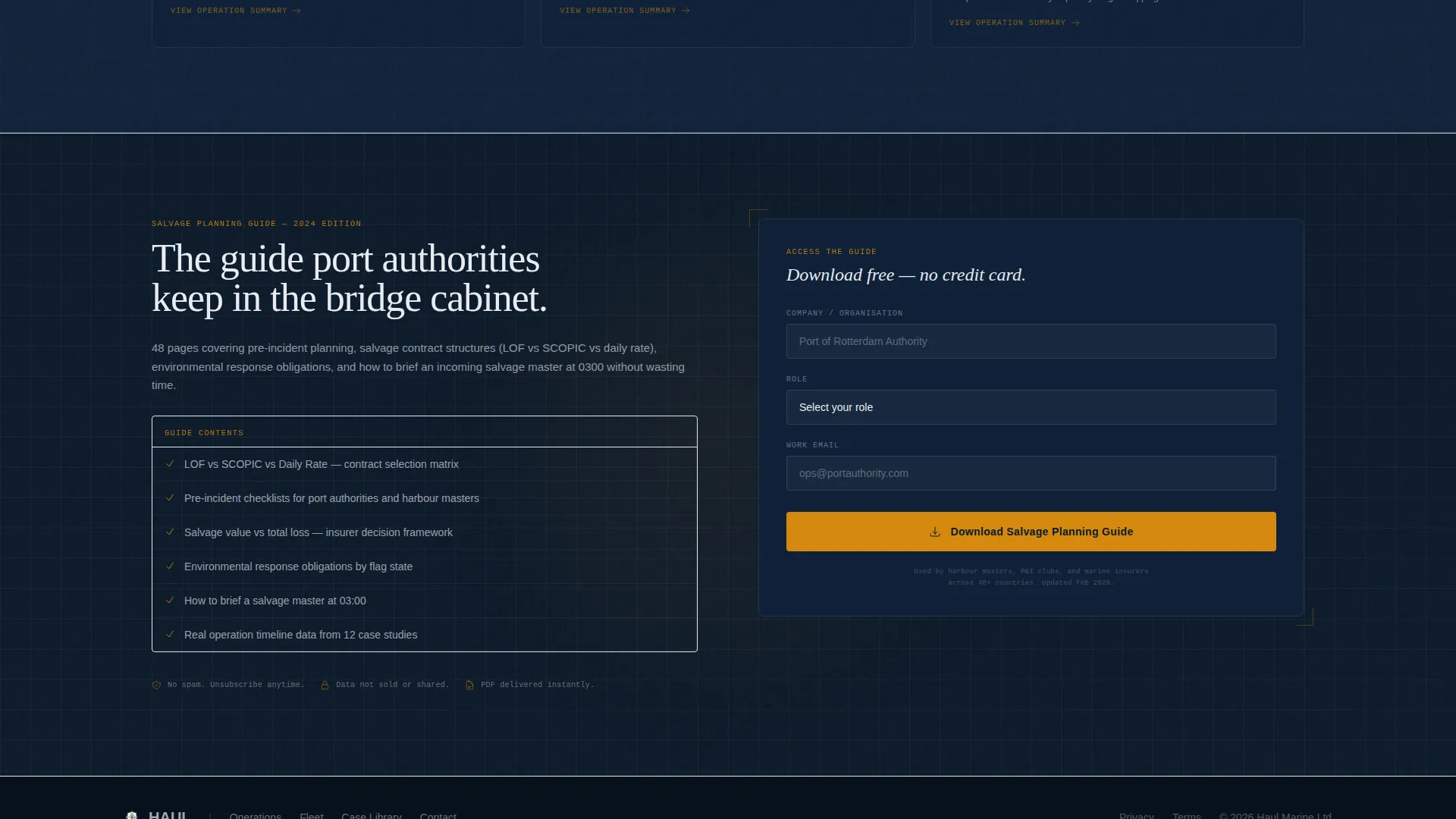
- A gated PDF lead form requesting company name, role, and email for the Salvage Planning Guide
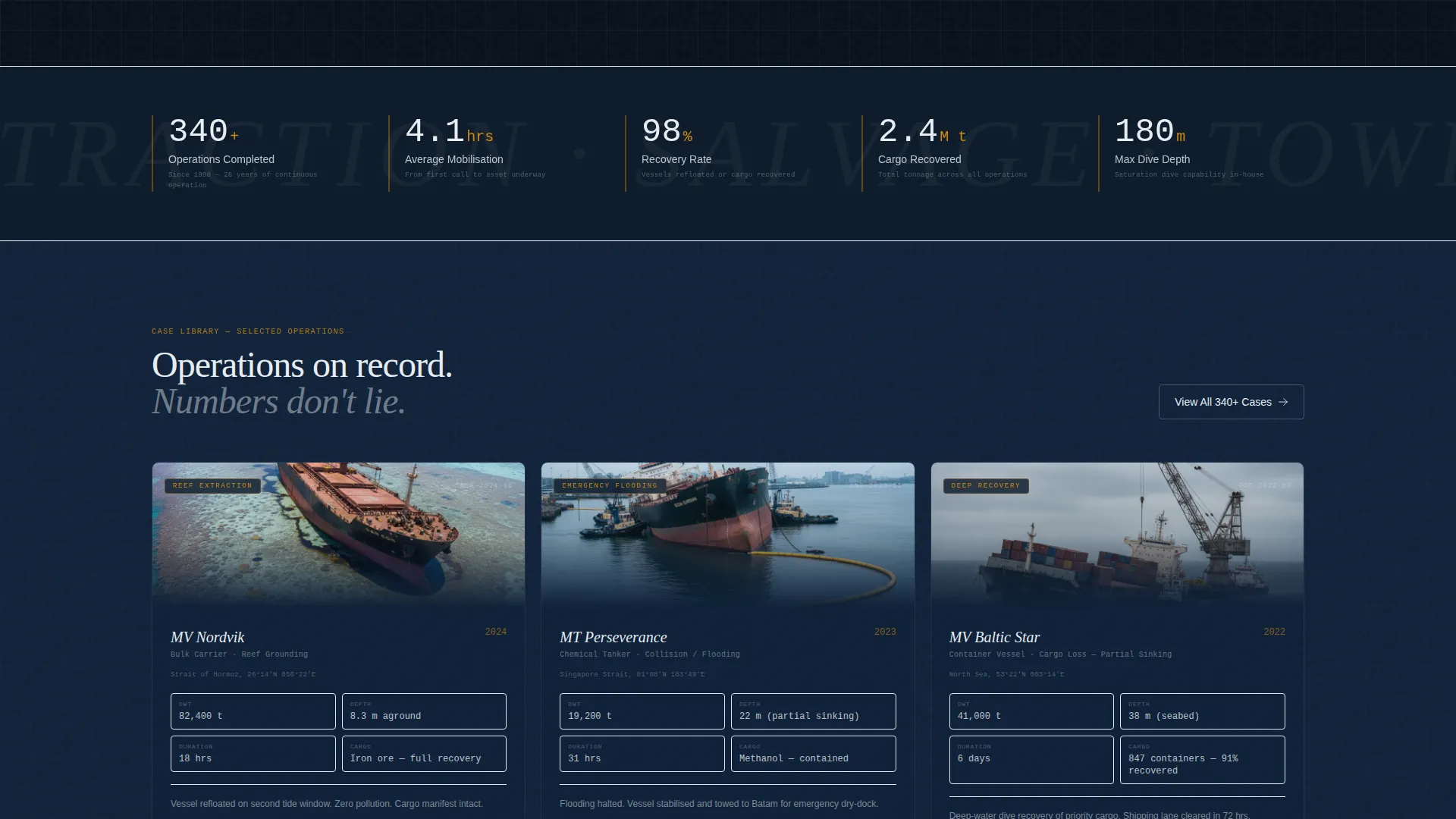
- An ungated secondary path linking visitors to an operation case library with tonnage, depth, and timeline data
Feature list
This section details the core capabilities built into the Haul template as defined by the source brief.
Split-Screen Timeline Layout
The page uses a strict 50/50 split-screen format. Each scroll section advances through one salvage phase: Mobilization, Assessment, Stabilization, Extraction, and Delivery. The left panel shows technical schematics and risk diagrams. The right panel reveals the corresponding field photography.
Engineering Blueprint Visual Theme
The template applies a blueprint-style typographic system throughout. Thin, precise lettering overlays photography and data panels. The visual tone references laminated bridge charts and technical documentation, making every section feel authoritative and purpose-built.
Navy Authority Color System
Four colors define the entire palette. Deep watch-coat navy (#0B1929) anchors backgrounds. Steel-deck gray (#3E4A59) handles secondary surfaces. Bearing-compass white (#E8ECF1) carries body text. Hazard-signal amber (#D4880F) is reserved for calls to action, data callouts, and interactive hover states.
Behind-Scenes Header Concept
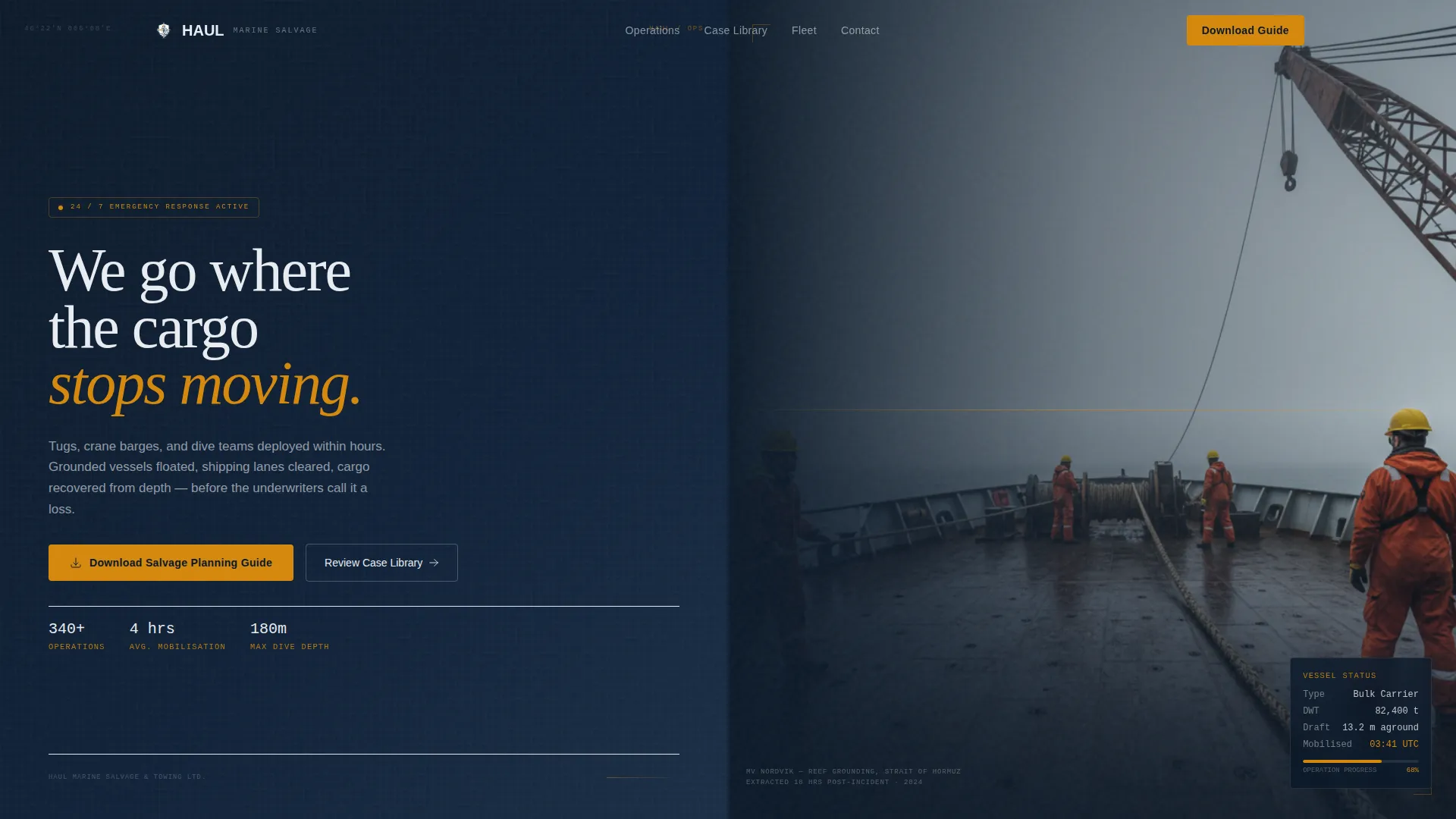
The opening section uses a wide-angle, raw deck-level photograph from a salvage tug mid-operation. A single headline fades in over the image in thin blueprint typography: "We go where the cargo stops moving." The shot is handheld, low-angle, and deliberately unpolished to signal authenticity.
Gated Salvage Planning Guide Form
The primary lead capture is a short three-field form gating a downloadable PDF guide. Fields collect company name, role, and email. The form appears only after the visitor has moved through the full phase timeline, so trust is built before the ask is made.
Ungated Case Library Path
A secondary call to action links visitors to operation summaries without any gate. Each summary includes tonnage, depth, and timeline statistics. This path serves visitors who are not yet ready to submit their details but want to verify the firm's track record.
Page sections overview
| Section | Purpose |
|---|---|
| Header Hero | Establish authority with a raw deck-level photograph and a single bold headline |
| Mobilization Phase | Show fleet readiness, asset deployment logistics, and response timeline data |
| Assessment Phase | Display risk diagrams, site evaluation schematics, and initial tonnage data |
| Stabilization Phase | Detail structural intervention methods and vessel condition technical panels |
| Extraction Phase | Present crane and towing operation schematics alongside field photography |
| Delivery Phase | Confirm successful outcome with timeline stats and cargo recovery data |
| Planning Guide Form | Gate the downloadable PDF behind a short three-field lead capture form |
| Case Library Link | Offer ungated access to operation summaries with depth and tonnage stats |
Design & branding system
The Haul template uses an Engineering Blueprint theme built around the Navy Authority color system. Every design decision references functional maritime instruments: bridge charts, technical drawings, and operational schematics.
- Typography uses thin, precise blueprint-style letterforms that overlay images and data panels without obscuring them
- The four-color palette (navy, gray, white, amber) keeps the layout readable under low-contrast conditions and reserved amber draws the eye directly to calls to action
- Photography direction calls for handheld, low-angle, unretouched deck shots that show real bolts, weld marks, and working crew in hard hats and survival suits
Mobile & speed optimization
The split-screen layout is designed to reflow cleanly on smaller screens. Each phase panel can stack vertically without losing the left-right schematic-to-photography relationship.
- Technical data panels and schematics scale independently from photography panels so both remain legible at any viewport width
- The three-field lead capture form is compact by design, reducing friction on mobile devices where typing is limited
How this template helps you convert
The conversion strategy in Haul is deliberately sequential. Visitors are not asked for anything until they have worked through the full operational narrative.
- The phase-by-phase timeline builds credibility across five distinct sections, so by the time the form appears, the visitor already understands the firm's scope and depth of experience.
- The ungated case library link provides a low-commitment secondary path for visitors who need more proof before submitting their details, reducing overall bounce without splitting the primary conversion goal.
Other information about this template
This template is designed specifically for the marine salvage and towing niche within the broader Marine and Maritime category. It is suitable for firms operating in maritime services contexts where clients arrive with urgent, high-value problems.
- The template style is Split Screen (50/50), classified under the Engineering Blueprint theme with a Navy Authority color system
- Creative direction follows a Timeline Progression approach, meaning each scroll section advances a narrative rather than repeating the same message
- The header concept is Behind-Scenes, prioritizing authentic operational photography over staged or stock imagery
- The landing page direction is Content and Resource focused, meaning the page earns lead capture by delivering genuine value before making any ask
Theme
Engineering Blueprint
Creative direction
Timeline Progression
Color system
Navy Authority
Style
Split Screen (50/50)
Direction
Content/Resource
Page Sections
Split-screen Phase Timeline
Engineering Blueprint Typography
Navy Authority Color System
Behind-scenes Hero Header
Gated Planning Guide Form
Ungated Case Library Path
Related questions
Who is the ideal client for a marine salvage firm using this template?
Can visitors access the case library without submitting a form?
What information does the Salvage Planning Guide form collect?
How does the split-screen layout work on mobile screens?
Can I edit the five salvage phases to reflect my own operation?