Haul — Efficient Junk Removal Landing Page Template
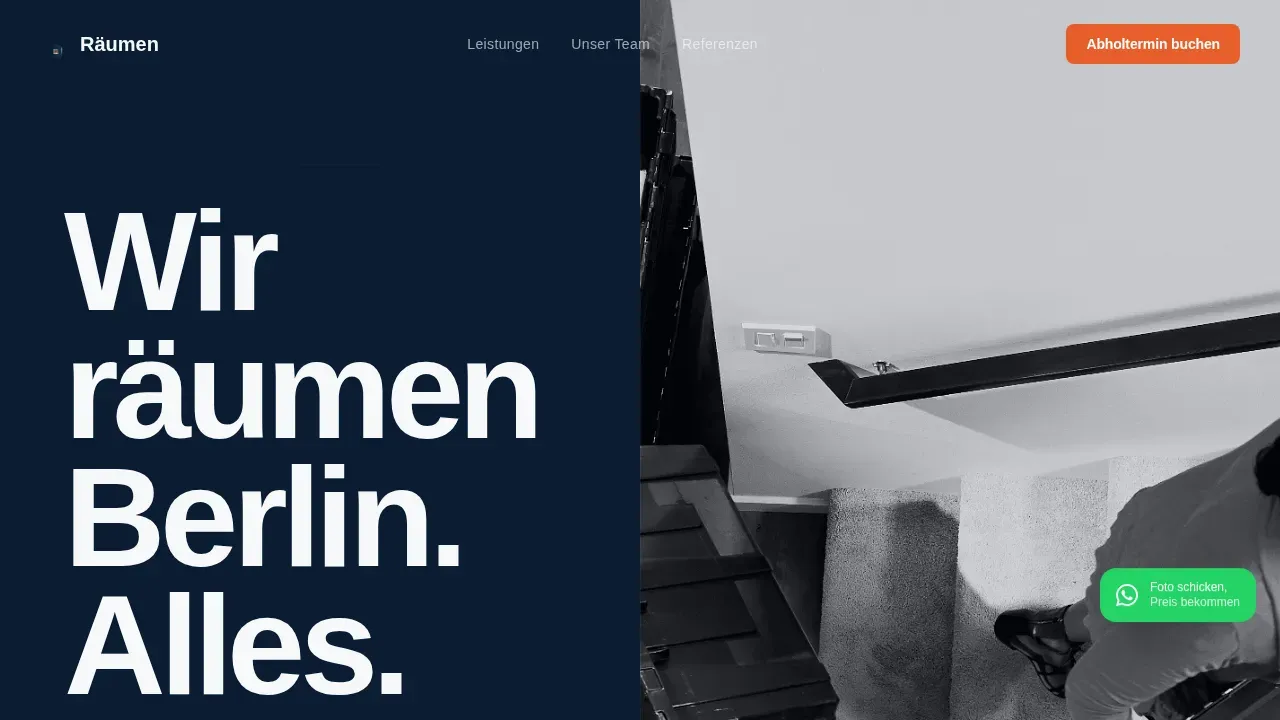
Rumen is a split-screen editorial landing page built for a Berlin junk removal service. It pairs bold condensed typography with black-and-white documentary photography to build instant trust. A three-step booking form, sticky call-to-action bar, and WhatsApp float button guide property managers, families, and contractors toward confirmed appointments fast.
by Rocket studio
Quick summary
Rumen is a single-page booking template designed for Berlin junk removal businesses. It opens with an enormous condensed headline on the left and a documentary photograph on the right. Crew profiles, before-and-after space shots, and a streamlined three-step scheduling form work together to turn first-time visitors into confirmed bookings.
Who this template is for
This template is built for local service businesses that need credibility and fast conversions on the same page. It suits operators who want their actual team to do the selling, not generic stock imagery.
- Property managers handling high-volume unit turnovers across Berlin districts
- Families clearing a long-held Altbau flat before a tenant handover
- Renovation contractors who need construction debris removed before tradespeople arrive the next morning
What problem this template solves
Most junk removal pages look identical: a phone number, a vague price promise, and a contact form nobody trusts. This template solves the credibility gap by replacing anonymous service lists with real crew portraits and documented job results.
- Visitors leave because they cannot tell one hauling company from another
- No fast booking path means interested visitors drift away before committing
- Generic layouts fail to communicate local expertise or the scale of work a crew can handle
What you get with this template
You get a fully structured single-page layout that moves a visitor from first impression to confirmed appointment without leaving the page. Every section has a defined job, and no section wastes the visitor's attention.
- A hero section with giant editorial headline, documentary photo, and a signal-orange booking button
- Four editorial crew-profile split screens that build trust through named people and real stories
- A three-step booking modal covering postal code, removal type, calendar slot, photo upload, and phone number
Feature list
The template ships with a set of purposeful, interconnected components that work together as a complete booking experience.
Giant Condensed Hero Typography
An oversized bold condensed headline fills the left half of the viewport. Each word stacks on its own line, scaled so the letterforms nearly reach the frame edges. This creates instant visual authority without relying on photography alone.
Documentary Split-Screen Crew Profiles
Each crew member gets a dedicated split-screen section: a large portrait on one side and a short editorial profile on the other. The profile includes name, years on the job, heaviest item ever carried, and the strangest find on a Berlin job. This format builds trust through specificity.
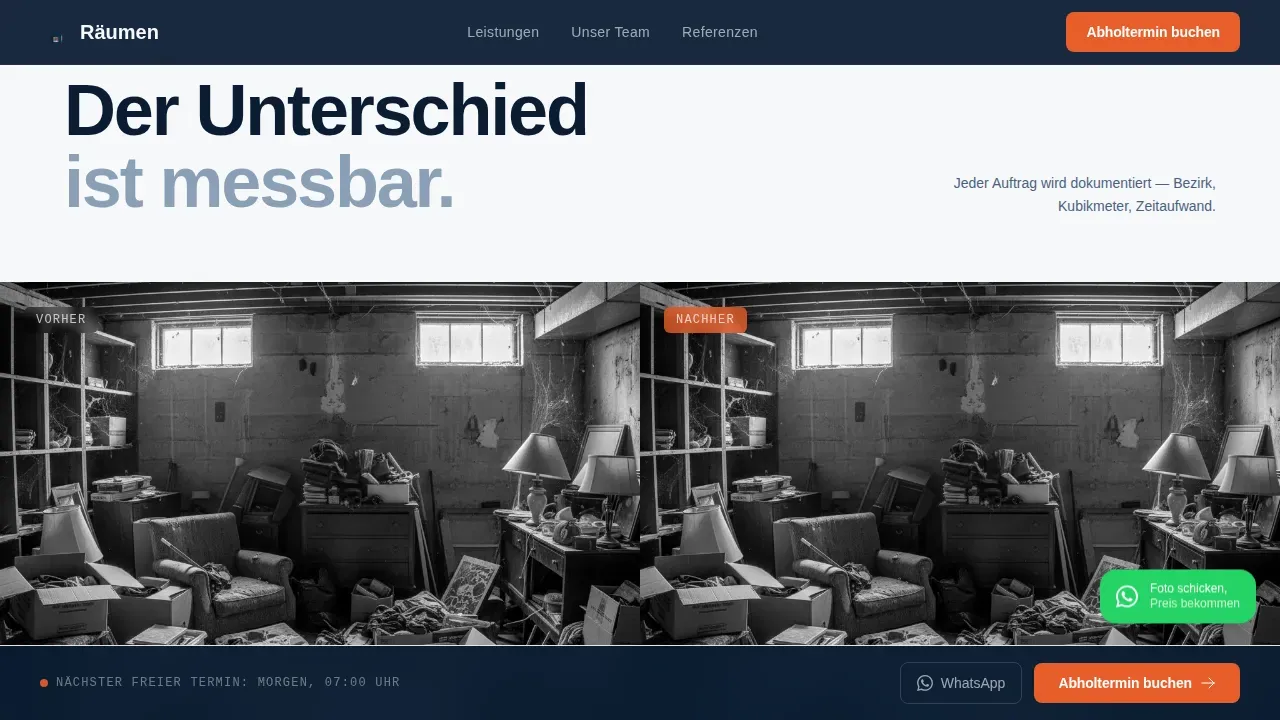
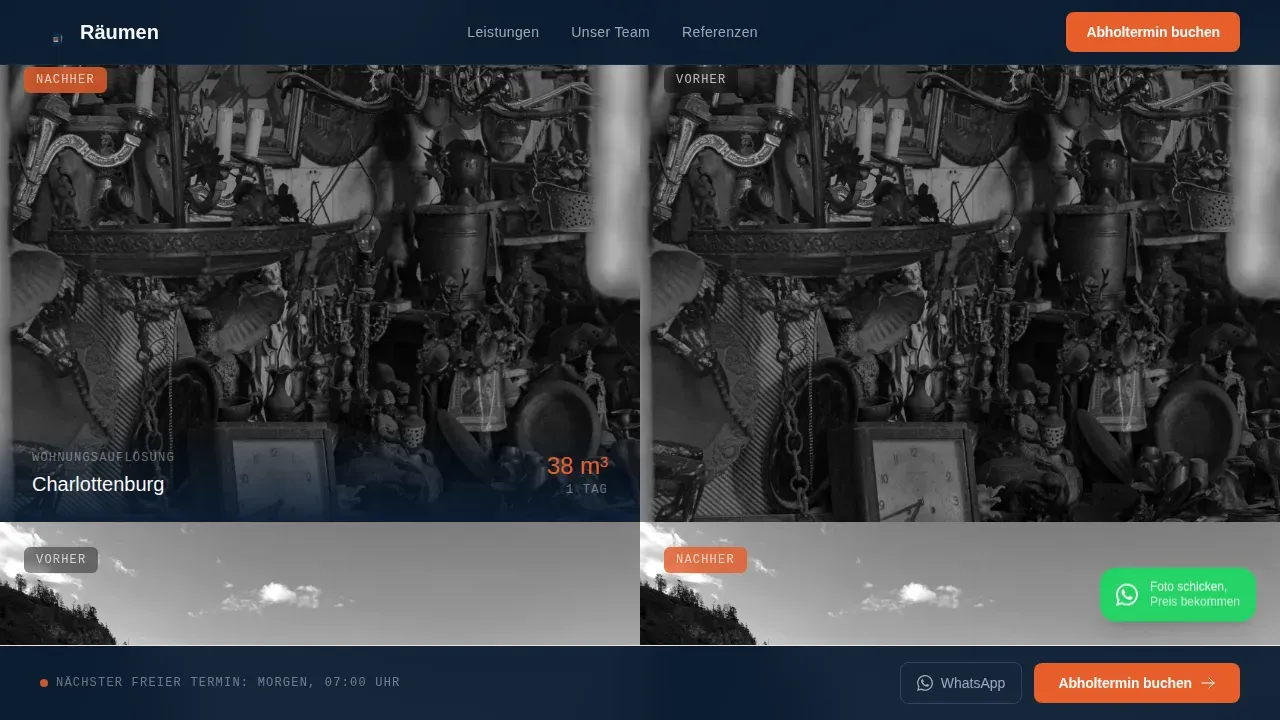
Before-and-After Full-Bleed Interrupts
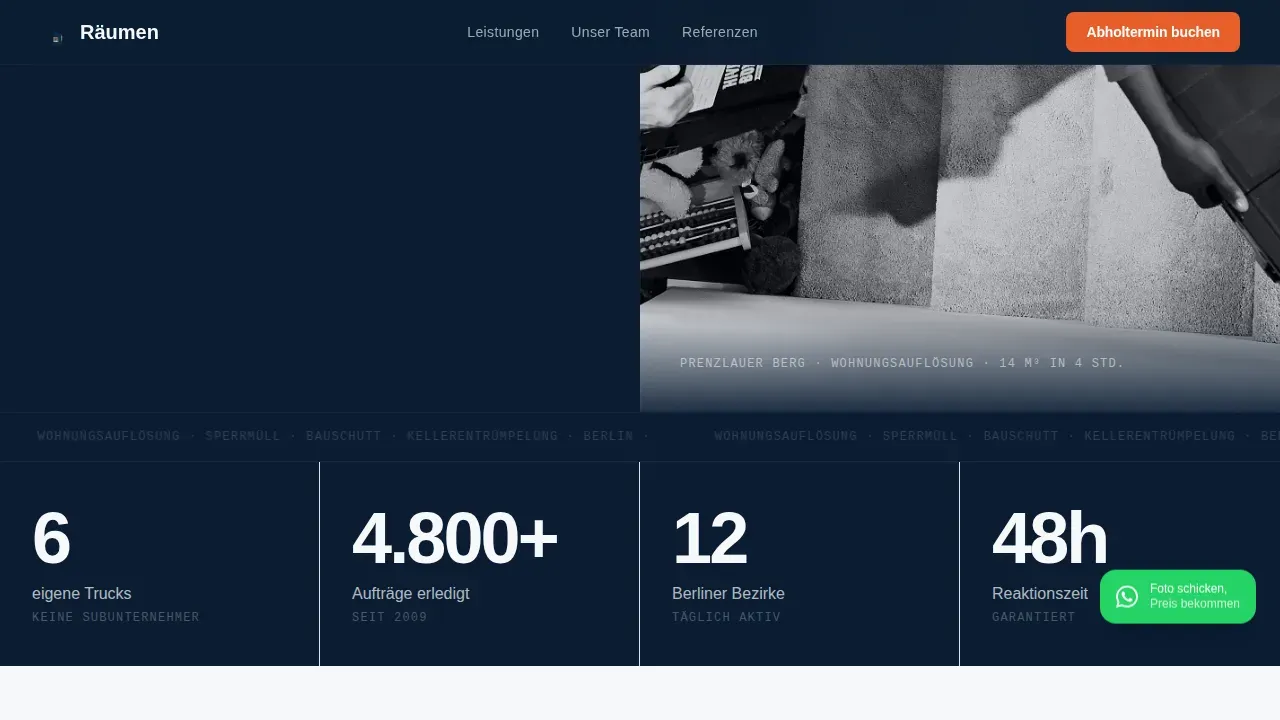
Between crew sections, full-bleed photographs of cleared spaces break the scroll rhythm. Each image carries a single-line caption stating the Berlin district, cubic meters removed, and time taken. The format communicates scale and speed without a single bullet point.
Three-Step Booking Modal
The booking form runs across three focused steps. Step one collects postal code and removal type (Wohnungsauflösung, Sperrmüll, Bauschutt, or Kellerentrümpelung). Step two shows a calendar that always displays at least one slot within 48 hours. Step three requests a photo upload and a phone number to confirm.
Sticky Call-to-Action Bar
After the visitor scrolls past the second section, a persistent booking bar appears and stays visible. It carries the primary action label and keeps the conversion path open without interrupting the editorial reading experience.
WhatsApp Float Button
A pinned WhatsApp icon sits in the bottom-right corner throughout the entire page. It is labeled with a short phrase inviting visitors to send a photo and receive a price, catching users who want a quote before choosing a date.
Page sections overview
| Section | Purpose |
|---|---|
| Hero split screen | Headline, documentary photo, primary booking call to action |
| Before-and-after shots | Full-bleed cleared-space images with district captions |
| Crew profile sections | Four editorial split screens introducing named crew members |
| Stats authority bar | Key job metrics: trucks, completed jobs, Berlin districts served |
| Three-step booking form | Modal covering removal type, calendar slot, photo, and phone |
| Footer row | Single linear row with contact and navigation links |
Design & branding system
The visual language draws from serious editorial print design. The palette reads like authoritative broadsheet ink on clean white stock, with one urgent accent color reserved entirely for action.
- Deep command navy (#0B1D33) for primary backgrounds, pressed-uniform blue (#1E3A5F) for section divides, and editorial white (#F7F8FA) for text columns and breathing space
- Signal orange (#E85E2B) appears exclusively on call-to-action buttons and interactive highlights, making every action element unmissable
- Typography uses a bold condensed face for headlines, a clean sans-serif for body text, and a monospaced face for captions, creating clear visual hierarchy across every section
Mobile & speed optimization
The template is designed desktop-first to serve property managers researching vendors at their desk, while remaining fully responsive for mobile visitors.
- Static sections use server-rendered components, keeping the page fast on initial load
- The booking modal and sticky bar are handled as client components, loading only when the visitor needs them
- Scroll-linked parallax, character reveal animations, and intersection observer stagger effects add depth without blocking the reading experience
How this template helps you convert
Every design decision in this template reduces the distance between a curious visitor and a confirmed booking.
- The signal-orange call-to-action button appears immediately beneath the hero headline, then again in the sticky bar, so the booking path is always one tap away regardless of scroll position.
- The crew-profile format replaces anonymous service claims with named people and verifiable details, lowering the hesitation a visitor feels before sharing their phone number.
- The three-step modal breaks the booking process into small, low-commitment steps, and the calendar always shows a slot within 48 hours to communicate that fast service is genuinely available.
Other information about this template
This template is part of the Editorial Magazine theme family and uses the Navy Authority color system. It is built specifically for the Berlin local services context, with German-language copy, EUR currency formatting, DD.MM.YYYY date display, and German postal code input in the booking form. The split-screen layout style (50/50) is applied consistently from the hero through the crew-profile sections, creating a cohesive editorial rhythm.
- The creative direction is Team and People, meaning real portraits and personal crew stories are central structural elements, not optional add-ons
- The header concept is Giant Headline Left, a design choice that signals confidence and scale before the visitor reads a single word
- The template supports the Booking and Scheduling landing page direction, meaning every section is sequenced to reduce friction and move the visitor toward the three-step form
Theme
Editorial Magazine
Creative direction
Team & People
Color system
Navy Authority
Style
Split Screen (50/50)
Direction
Booking/Scheduling
Page Sections
Giant Condensed Hero Typography
Documentary Crew Profile Sections
Before-and-after Full-bleed Imagery
Three-step Booking Modal
Sticky Booking Bar
Whatsapp Quote Float Button
Related questions
Who is this landing page template designed for?
Can I replace the crew profiles with my own team's photos and stories?
How does the three-step booking form work?
What is the WhatsApp button for?
Does the template include the before-and-after photo sections?



