Executive Removal | Free Website Template | Rocket
Haul is an editorial-style landing page template built for premium junk removal and executive relocation services in the Greater Toronto Area. It leads with trust credentials, a logo authority wall, and a structured lead-capture form. The design uses a monochrome steel palette to project quiet confidence and move high-value clients from first impression to booked appointment.
by Rocket studio
Quick summary
Haul is a single-page lead generation template designed for upscale removal and clearance companies serving the Greater Toronto Area. It opens with a credentials wall, moves through editorial proof sections, and closes with a focused booking form. The tone is calm authority: no flashy graphics, no pressure tactics, just trust built section by section.
Who this template is for
This template is built for removal and clearance businesses that work with discerning, deadline-driven clients. It suits operations that handle high-value properties and need to win trust before the first phone call.
- Property management firms coordinating luxury unit turnovers on tight deadlines
- Junk removal and estate clearance companies targeting corporate and residential clients across the GTA
- Service businesses that rely on reputation and credentials rather than discounts to close bookings
What problem this template solves
Most junk removal landing pages look cluttered and generic. They compete on price alone and fail to communicate the discipline and reliability that high-end clients require. Haul solves that gap.
- Visitors arrive skeptical and leave with enough proof to book without needing a follow-up call
- The credentialed, editorial layout signals that the business operates at the same standard as the buildings it serves
- The structured three-step form reduces friction by asking only what is needed to confirm a booking
What you get with this template
You get a complete, ready-to-customize landing page structured around editorial restraint and progressive credibility. Every section is designed to do a specific trust-building job before the visitor reaches the form.
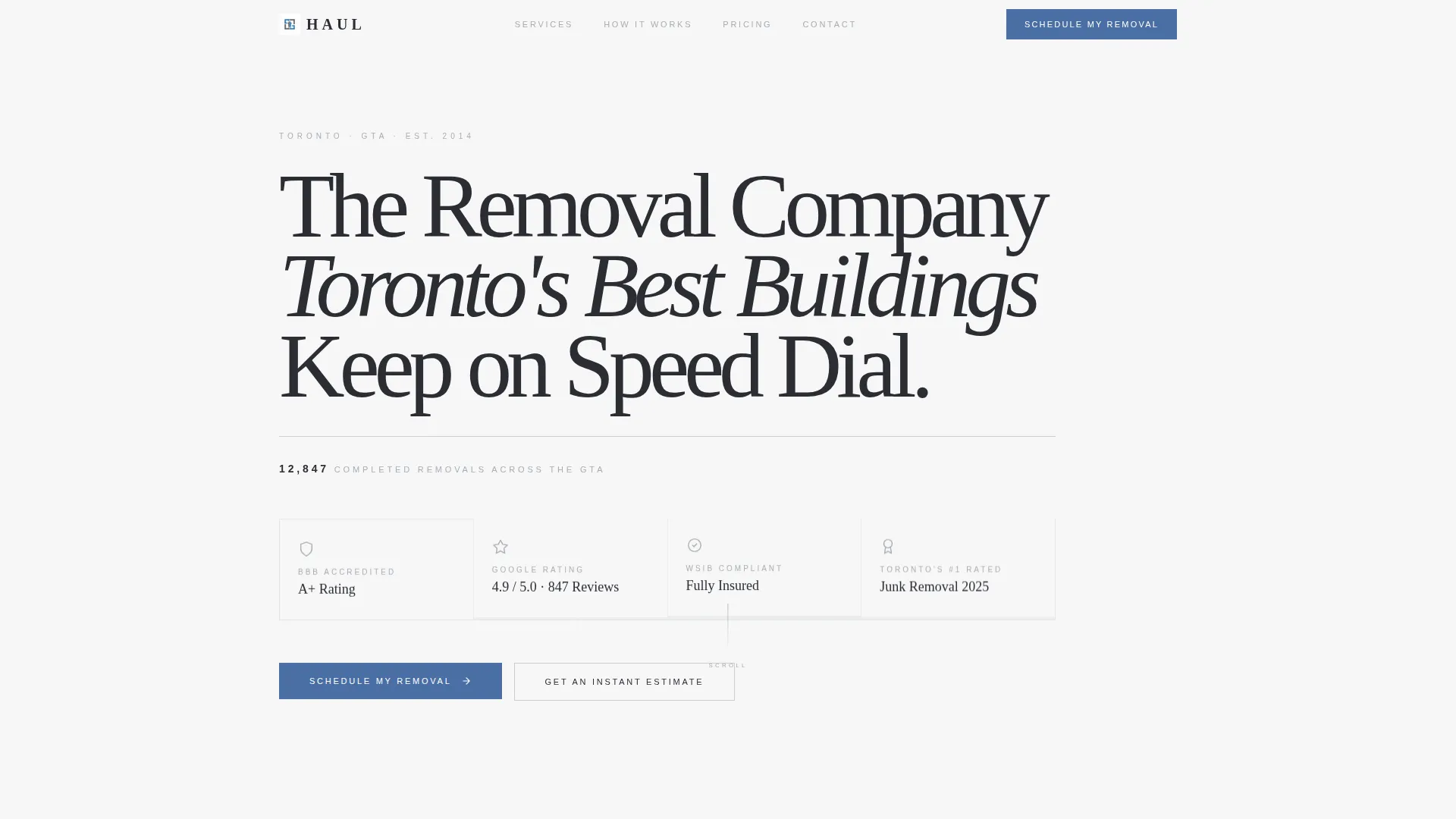
- A header credentials wall featuring badge placements for accreditation seals, aggregate ratings, compliance marks, and a completed-jobs count
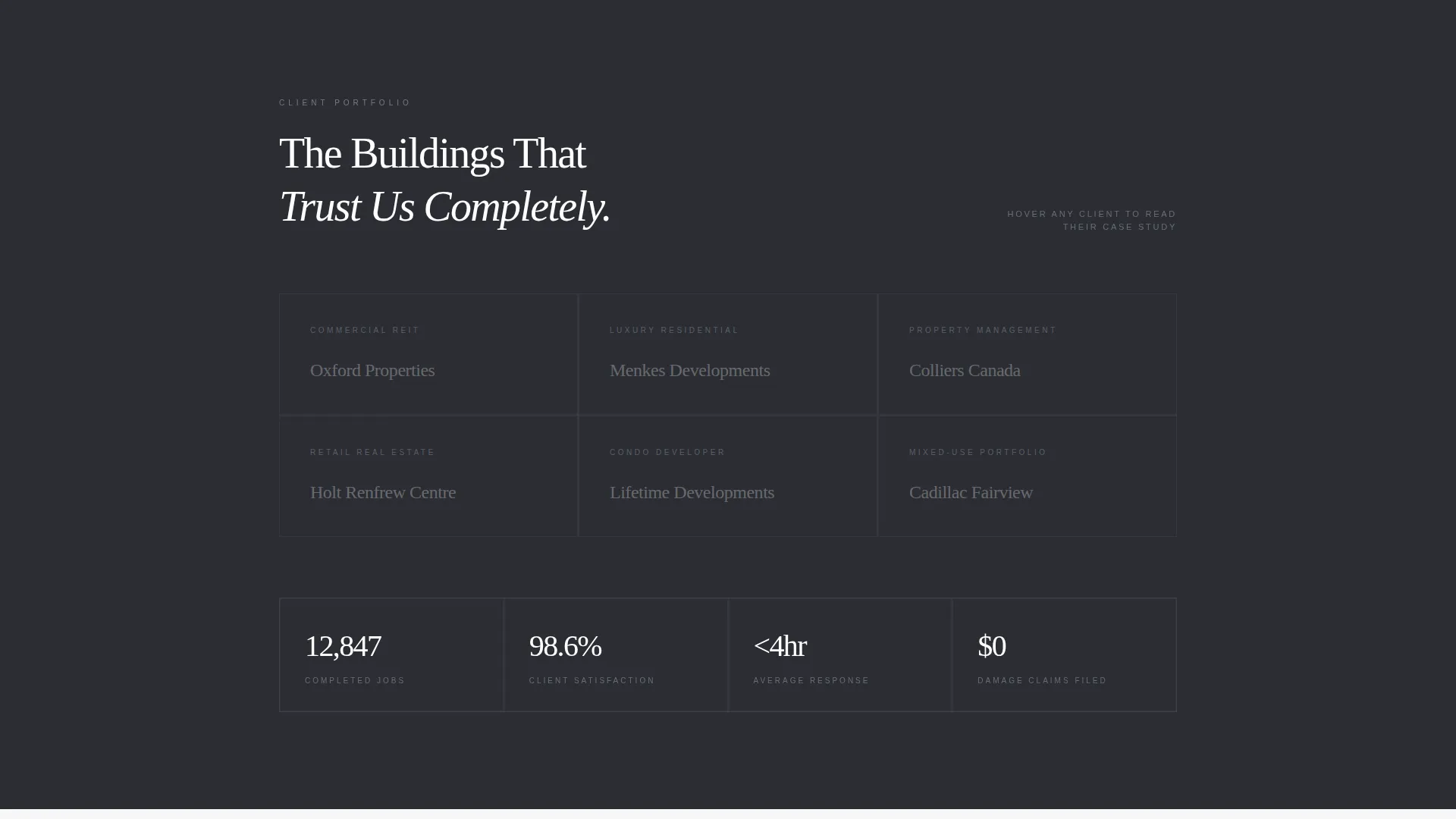
- A monochrome logo wall with interactive pull-quote case studies, a photo-editorial before-and-after section, a three-column how-it-works feature, and a flat-rate pricing table
- A lead capture form with a postal code field, property type selector, and preferred date input, plus a secondary "Get an Instant Estimate" calculator path
Feature list
This section covers the core built-in capabilities that make the Haul template functional and persuasive out of the box.
Editorial Credentials Header
The header opens on a clean white field displaying a horizontal row of trust insignia. Below a tight-tracked headline, a thin charcoal rule separates the badge row from a one-line subhead showing completed job count. It reads like a corporate lobby résumé, not a promotional banner.
Interactive Logo Authority Wall
A grid of client logos and property management brand marks is presented in desaturated monochrome. Each logo is clickable and reveals a two-sentence case study formatted in magazine pull-quote typography. This section compounds credibility as the visitor scrolls.
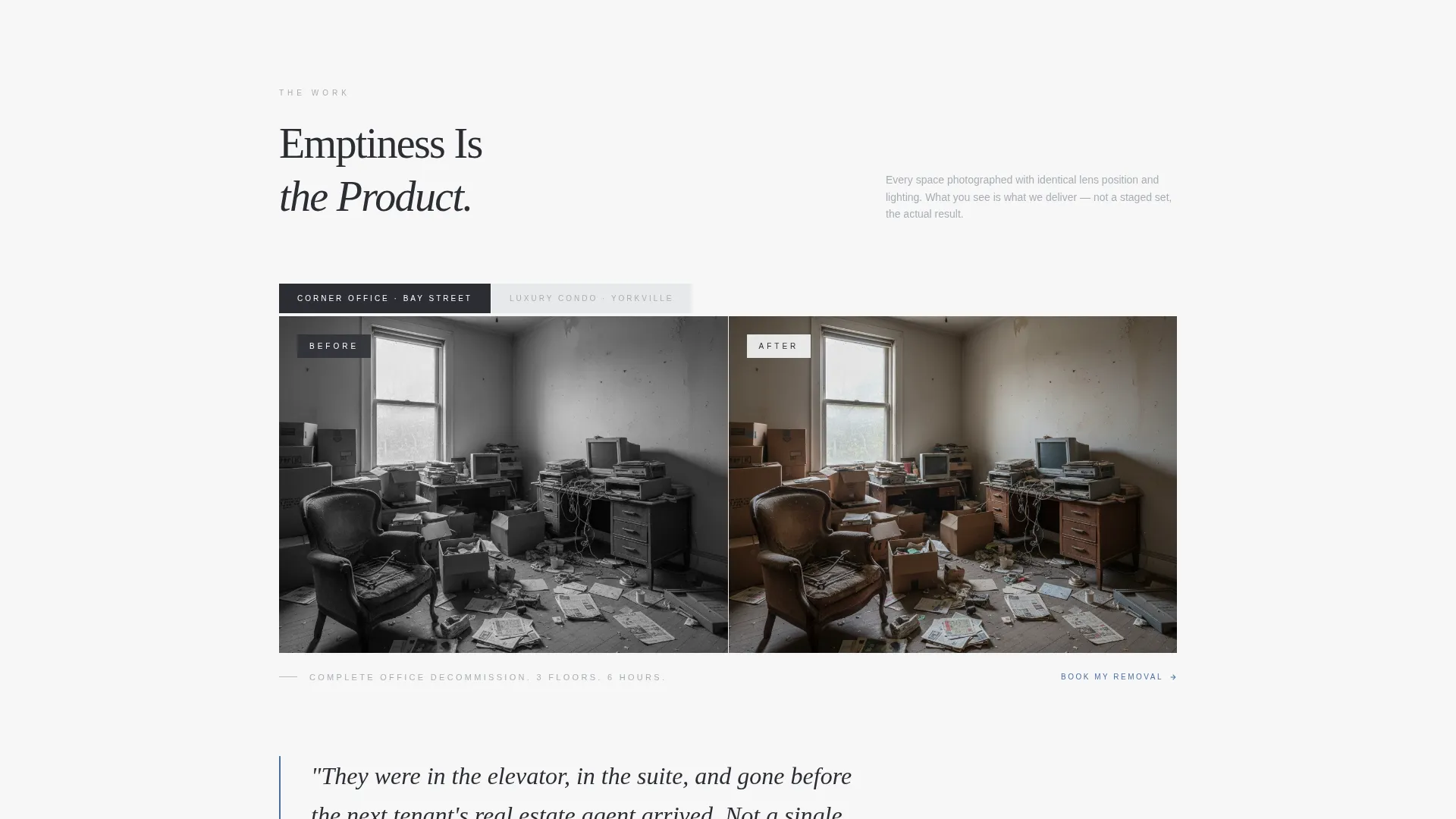
Photo-Editorial Before-and-After Section
Property spaces are photographed with consistent lens and lighting to show before and after states. The emptiness itself becomes the product. The section is styled after architectural editorial spreads, keeping the visual language premium and restrained.
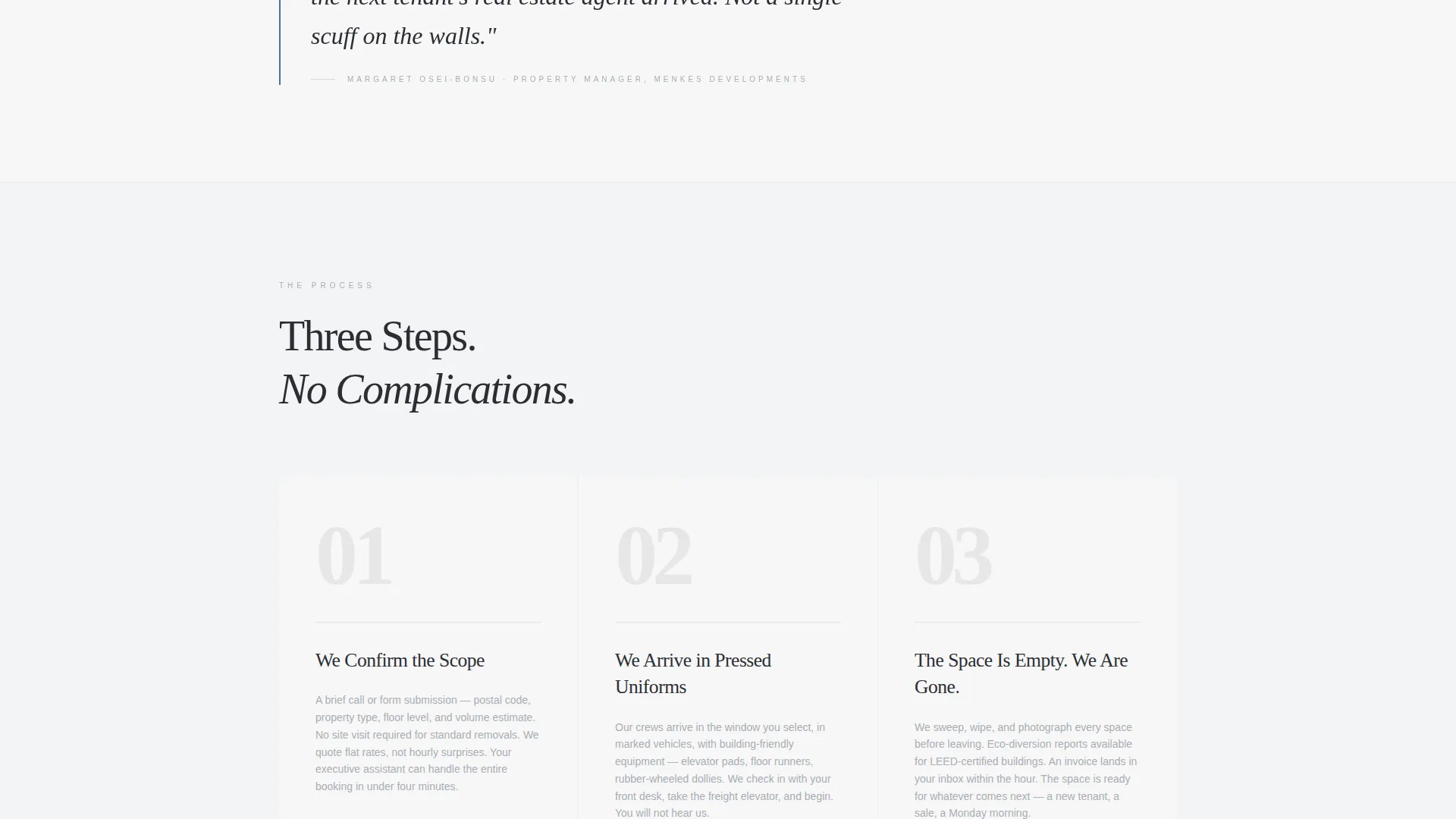
Three-Column How It Works Feature
This section explains the service process in a three-column magazine layout. Each column uses a numbered drop cap for visual hierarchy. The format is scannable and authoritative without resorting to icon-heavy infographics.
Flat-Rate Pricing Transparency Block
Service tiers are listed in a clean tabular design with no decorative elements. Flat-rate pricing is presented plainly so clients can self-qualify before submitting the form. This removes a common friction point in high-value service bookings.
Structured Lead Capture Form
The form asks three questions in sequence: postal code to confirm the service area, property type from a defined list, and preferred date. A secondary path offers an instant estimate calculator based on item count and floor level. The form appears above the fold and again as a persistent bar on mobile.
Page sections overview
| Section | Purpose |
|---|---|
| Trust Badge Header | Establish credentials before any sales copy |
| Editorial Headline Block | Frame the brand as the trusted market authority |
| Monochrome Logo Wall | Show recognizable clients to build social proof |
| Pull-Quote Case Studies | Add specific proof behind each logo with brief stories |
| Before-and-After Spread | Demonstrate the result visually in editorial style |
| How It Works | Explain the process clearly in three numbered steps |
| Flat-Rate Pricing Table | Provide transparent tier pricing to reduce hesitation |
| Lead Capture Form | Collect postal code, property type, and preferred date |
| Instant Estimate Calculator | Offer a low-commitment entry path for undecided visitors |
| Mobile Persistent call to action Bar | Keep the primary call to action visible on scroll |
Design & branding system
The visual identity follows an Executive Suite theme built on a Monochrome Steel color system. Every color choice is intentional and restrained, communicating authority through what is left out rather than what is added.
- Structural charcoal (#2B2D33) anchors primary backgrounds; brushed aluminum (#A8ADB3) surfaces secondary areas; crisp white (#F7F7F8) provides editorial breathing room
- Polished chrome blue (#4A6FA5) appears exclusively on call-to-action buttons and interactive states, making every actionable element immediately recognizable
- Typography uses tight tracking in headlines and magazine pull-quote styling in proof sections, mirroring the tone of a Bay Street lobby rather than a promotional flyer
Mobile & speed optimization
The template is built with mobile lead capture as a first-class priority. The layout adapts cleanly from wide desktop editorial grids to focused single-column mobile views.
- The primary "Schedule My Removal" call-to-action button reappears as a persistent bottom bar on mobile, keeping the conversion path visible at all times
- The three-step form sequence is designed to feel frictionless on a phone screen, guiding the user through postal code, property type, and date without overwhelming the viewport
How this template helps you convert
The page earns the booking before the visitor reaches the form. Trust is built in layers, so by the time someone sees the input fields, commitment feels natural rather than risky.
- The credentials wall front-loads social proof, so the visitor's first impression is a résumé of results rather than a sales pitch
- The logo wall and pull-quote case studies move the visitor through recognizable proof points, reducing the perceived risk of a first-time booking
- The form's three-step sequence and secondary estimate calculator offer two commitment levels, capturing both ready-to-book clients and those who are still comparing options
Other information about this template
The Haul template is designed specifically for the Greater Toronto Area removal services market and reflects the expectations of that client base.
- The template suits companies operating across GTA neighborhoods including downtown condos, North York offices, and Etobicoke estate properties
- Property types covered by the form selector include condos, offices, estates, and construction sites, matching the real range of commercial and residential removal jobs
- The editorial magazine theme and monochrome steel palette make this template reusable for related professional services that share the same tone and credentialed positioning
Theme
Editorial Magazine
Creative direction
Stats-First Impact
Color system
Navy Authority
Style
Sidebar Companion
Direction
Content/Resource
Page Sections
Editorial Credentials Header
Interactive Logo Authority Wall
Photo-editorial Before-and-after Section
Three-column How It Works Feature
Flat-rate Pricing Transparency Table
Three-step Lead Capture Form
Related questions
Can I customize the badge and logo sections with my own credentials?
Does the estimate calculator require a third-party tool?
Is this template suitable for a removal company outside Toronto?
Can this template support both residential and commercial removal services?
What makes this template different from a standard service landing page?



