Industrial Equipment & Machinery Directory Website Template
Haul is a split-screen landing page template built for material handling equipment and systems providers. It combines a data-dense infographic header, isometric product diagrams, and spec-sheet-style tables inside a dark Carbon Fiber palette. Every section guides logistics managers, plant engineers, and procurement directors toward a fleet quote or a downloadable spec catalog.
by Rocket studio
Quick summary
Haul is a high-performance landing page template for material handling equipment providers. It uses a 50/50 split-screen layout, a Dashboard Pro theme, and a Carbon Fiber color system. The design feels like a live instrument panel. It is built to convert industrial buyers into qualified leads through a consultation-style quote form and a gated spec catalog download.
Who this template is for
This template is built for industrial equipment and machinery companies that sell into the material handling space. It speaks directly to the buyers making capital decisions in real facilities.
- Logistics managers running multi-shift operations in large distribution centers
- Plant engineers retrofitting facilities with automated storage and retrieval systems
- Procurement directors comparing total cost of ownership across competing equipment quotes
What problem this template solves
Industrial buyers do not respond to generic marketing pages. They need precise specifications, real performance figures, and a clear path to request a quote. Most equipment provider pages bury the data buyers actually need.
- Spec data is hard to find, slowing down the evaluation process
- Contact forms feel disconnected from the buyer's operational context
- No single page ties individual machines to an integrated warehouse system view
What you get with this template
You get a fully structured, single-page layout that moves a buyer from product awareness to quote request. Every section is designed to surface the right information at the right moment in the decision process.
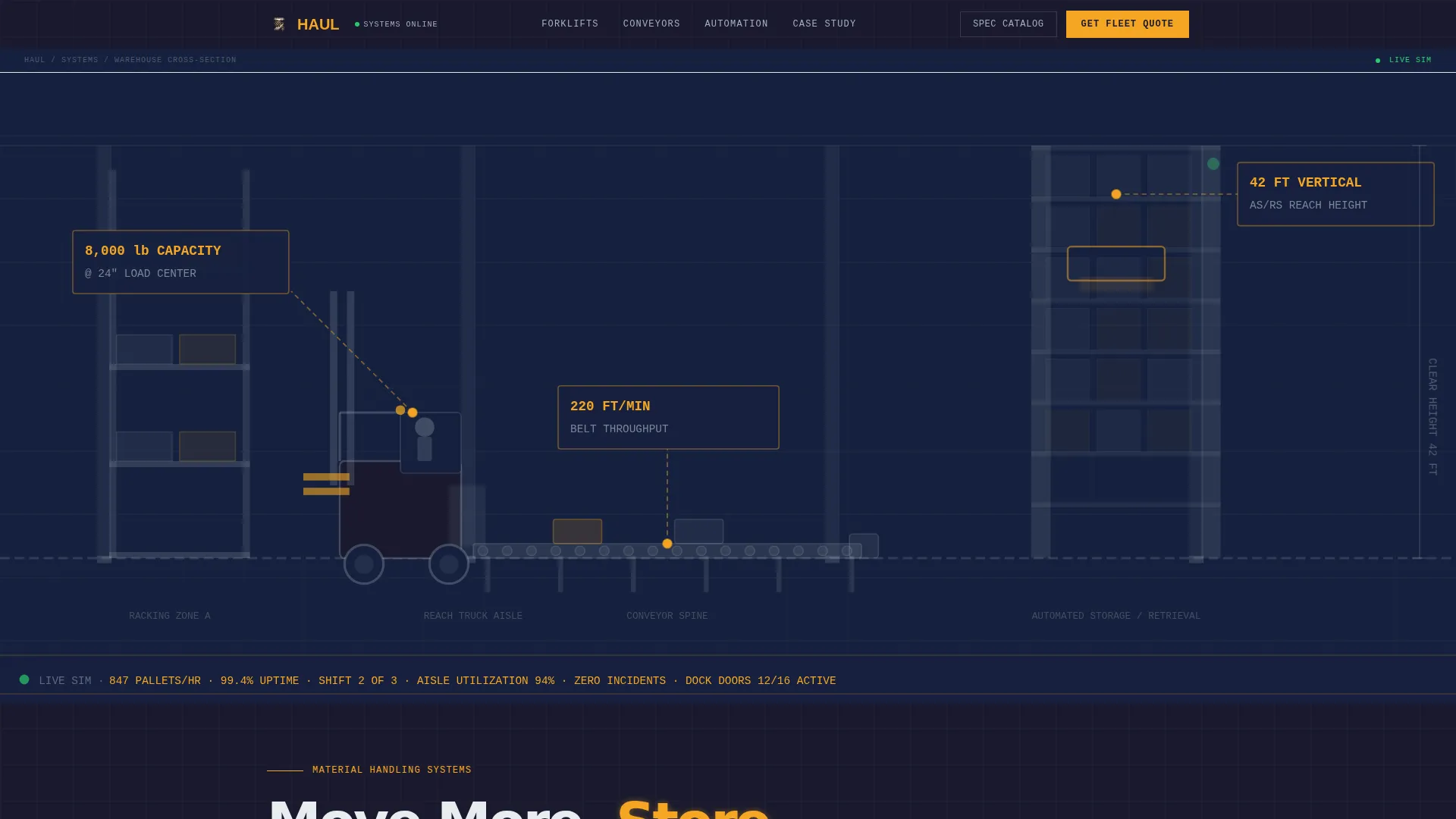
- A data-dense infographic header with annotated warehouse cross-section and live capacity callouts
- Split-screen product sections with isometric diagrams paired against spec tables for forklifts, reach trucks, conveyors, and automated storage
- A slide-out lead generation form and a secondary gated PDF download path
Feature list
This template includes purpose-built components that match how industrial buyers evaluate equipment. Each feature earns its place by solving a real problem in the sales process.
Annotated Warehouse Infographic Header
The header renders a diagrammatic cross-section of a full warehouse operation. Callouts display figures like "8,000 lb capacity at 24-inch load center," "220 ft per minute conveyor throughput," and "42 ft vertical reach." Numbers are typeset in a monospaced engineering font, amber on carbon black, creating instant credibility with technical buyers.
Split-Screen Spec Sheet Layout
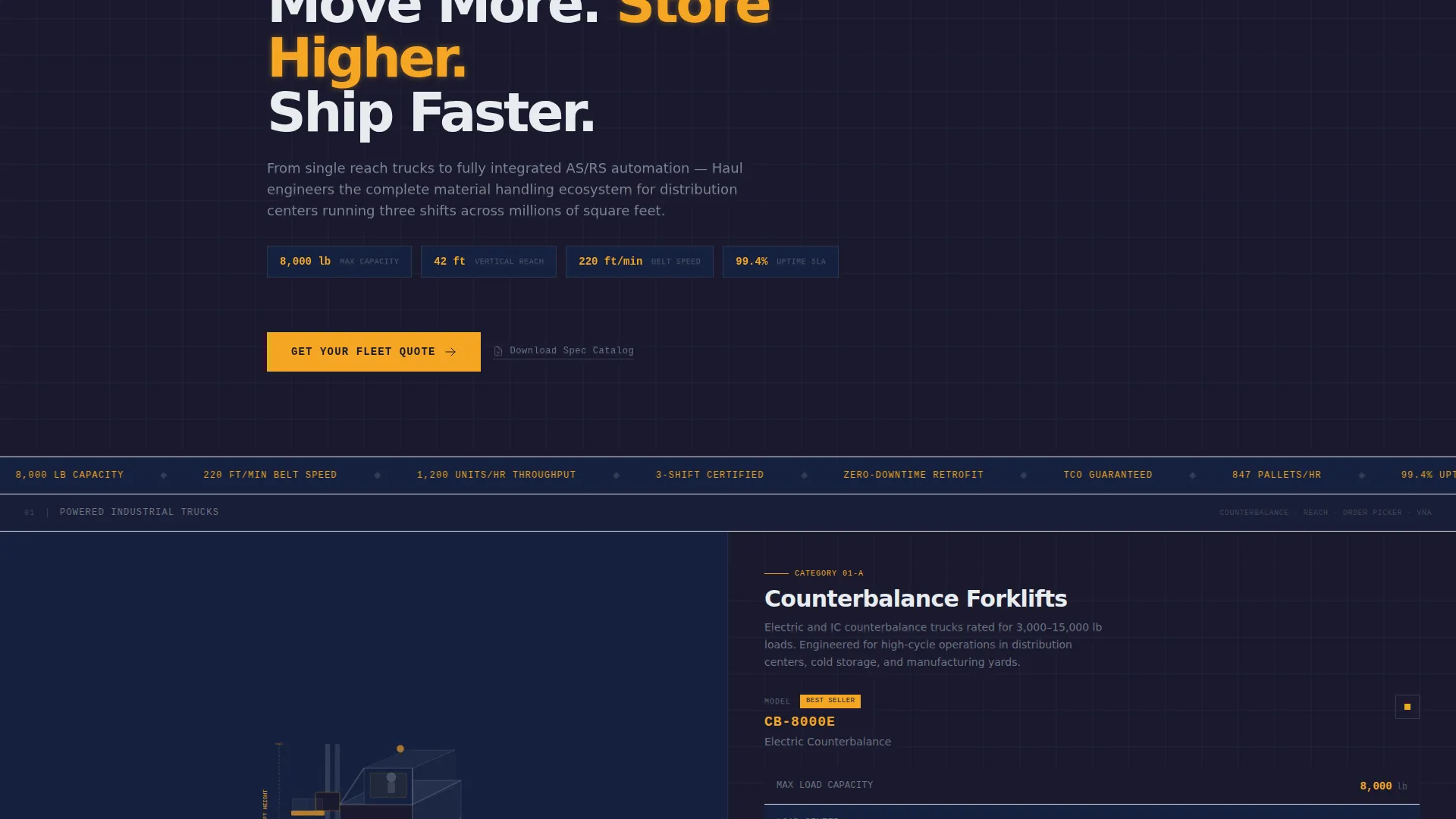
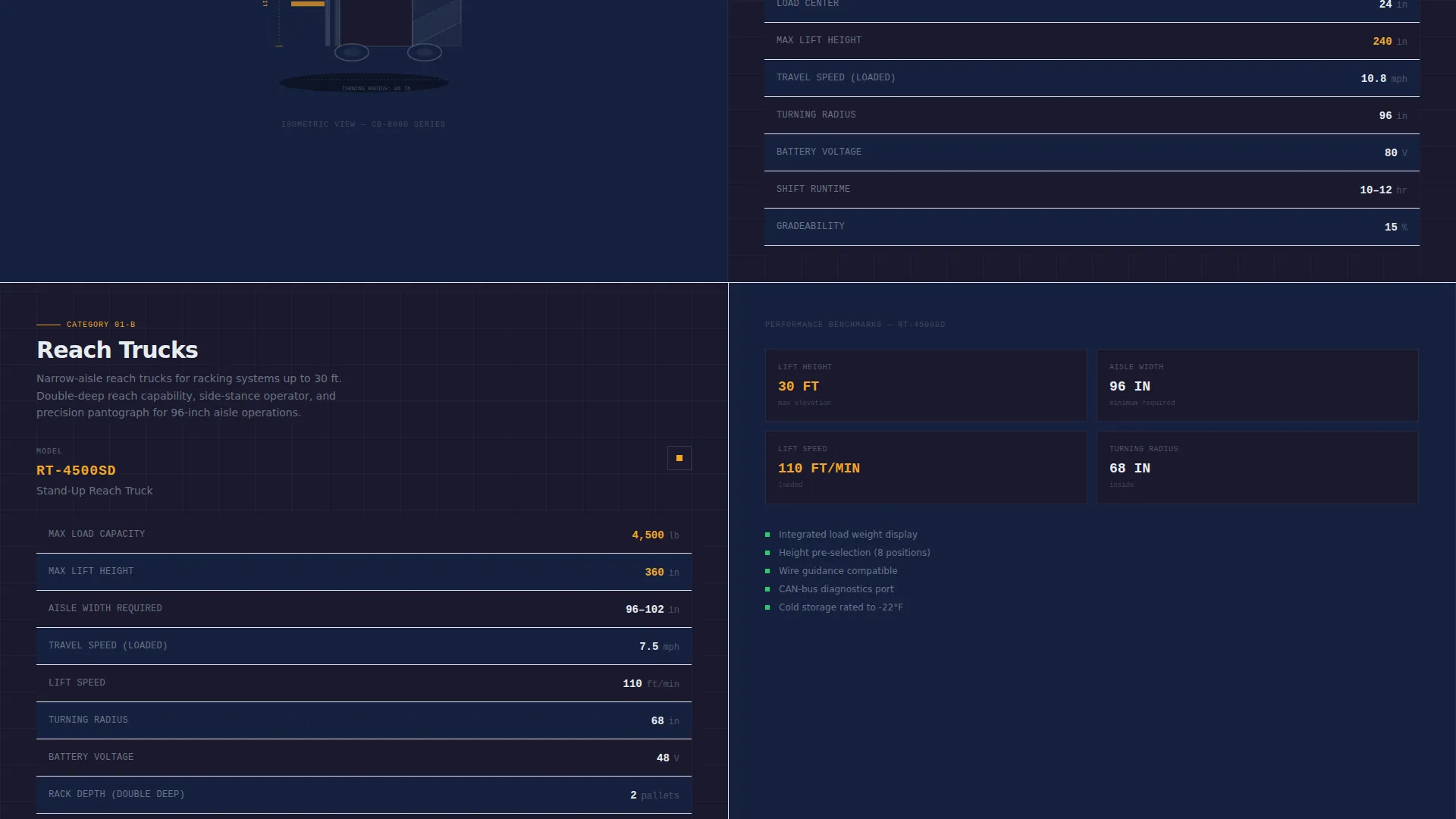
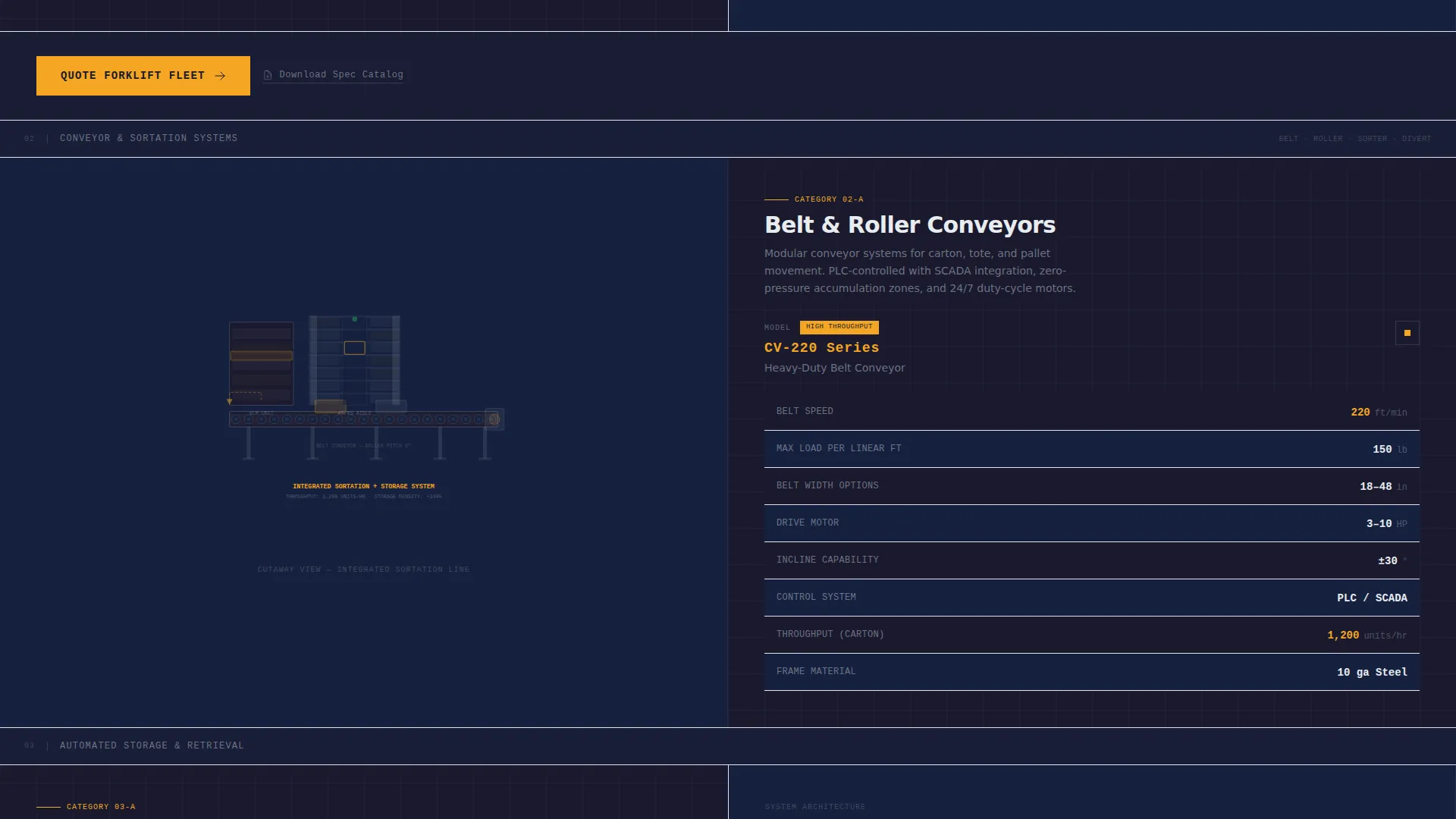
Each product category section uses a 50/50 split. The left panel holds a clean isometric illustration or cutaway diagram. The right panel stacks key performance specifications in a table with alternating carbon and charcoal rows. Figures such as maximum load, lift height, travel speed, and turning radius pulse in amber on hover.
Consultation-Style Lead Capture Form
The primary call to action, "Get Your Fleet Quote," opens a slide-out panel. It begins with operational questions: facility type, estimated square footage via a range slider, current fleet size, and equipment categories of interest. Name, company, and email fields appear last, after the visitor has already engaged. This approach feels like a consultation, not a contact form.
Gated Spec Catalog Download
A secondary conversion path offers "Download the Full Spec Catalog" as a gated PDF. This captures visitors who are still in the research phase without losing them to a bounce. It provides a practical alternative for procurement teams building vendor comparison documents.
Integrated Warehouse Case Study Section
The page escalates from individual machines to a full warehouse automation case study. Every product category appears working together in one view. This gives the visitor the experience of zooming out from a single component to an entire operation running in sync, which is exactly how capital decisions are made.
Persistent Mobile call to action Bar
On mobile, a slim bottom bar keeps the "Get Your Fleet Quote" call to action fixed on screen. This ensures the primary lead generation action is always reachable, no matter how deep a buyer scrolls into spec data.
Page sections overview
| Section | Purpose |
|---|---|
| Infographic Header | Introduces warehouse scale with annotated capacity callouts |
| Counterbalance Forklifts | Spec table paired with isometric diagram |
| Reach Truck Specs | Performance figures for high-bay racking environments |
| Conveyor Systems | Throughput and configuration data in split-screen layout |
| Automated Storage | AS/RS tower specs with cutaway diagram |
| Fleet Quote call to action | Slide-out form anchored after each product category |
| Spec Catalog Download | Gated PDF path for research-phase visitors |
| Warehouse Case Study | Full-system view showing all products in operation |
| Fixed Mobile Bar | Persistent call to action anchored to the bottom of the screen |
Design & branding system
The visual identity follows a Dashboard Pro theme built on the Carbon Fiber color system. Every color choice communicates a specific function, the same way indicators on a reach truck instrument panel do.
- Deep carbon black (#1A1A2E) backgrounds keep the focus on data and diagrams
- Machined aluminum (#A4B0BD) renders spec data and supporting text for clarity without distraction
- Safety high-vis amber (#F5A623) highlights load capacities, lift heights, and every call to action, while status-green (#2ECC71) is reserved for live data confirmations
Mobile & speed optimization
The template is structured so that heavy spec content remains readable and actionable on smaller screens. The layout adapts without losing the precision feel of the desktop experience.
- The split-screen layout collapses cleanly into a single-column stack on mobile devices
- The fixed bottom bar keeps the primary call to action visible throughout the entire scroll
- Diagrammatic visuals replace photography, reducing page weight while maintaining technical authority
How this template helps you convert
Every design and layout decision in this template is built to reduce friction for buyers who are close to a capital decision. The page does not just display products; it guides the buyer through a logical evaluation sequence.
- The infographic header immediately establishes technical credibility, giving buyers a reason to keep reading before they see a single call to action
- The escalating spec-sheet structure mirrors how industrial buyers actually evaluate equipment, moving from individual machine performance to integrated system capability
- The consultation-style form lowers the barrier to engagement by asking operational questions first, making the quote request feel like a natural next step rather than a cold inquiry
Other information about this template
This template is categorized under Manufacturing and Industrial, specifically within the Industrial Equipment and Machinery subcategory, with a primary focus on the material handling niche. It is well suited for companies that sell forklifts, conveyor systems, automated storage and retrieval systems, and related warehouse automation equipment. The Spec Sheet creative direction and Dashboard Pro theme are intentional choices for buyers who respond to data over marketing language. The intersection match between the template style, color system, header concept, and lead generation direction was scored at 13, reflecting a high degree of alignment between the design system and the target audience.
- The template style is Split Screen (50/50), a format that pairs visuals and data side by side without forcing the buyer to choose between them
- The header concept is Infographic, replacing stock photography with precise diagrammatic illustrations that a plant engineer would find credible
- The lead generation direction shapes every call to action, form field order, and secondary download path throughout the page
Theme
Dashboard Pro
Creative direction
Spec Sheet
Color system
Carbon Fiber
Style
Split Screen (50/50)
Direction
Lead Generation
Page Sections
Annotated Warehouse Infographic Header
Split-screen Spec Sheet Sections
Consultation-style Quote Form
Gated Spec Catalog Download
Full Warehouse Automation Case Study
Persistent Mobile Call-to-action Bar
Related questions
Can I customize the product categories shown in the template?
Does this template include two separate conversion paths?
What facility types does the quote form cover?
Is this a single-page template or a multi-page website?
Who is the ideal buyer for this template?



