Truck Driver Booking Website Template
Haul is a single-page trucking booking landing page built for owner-operators, fleet dispatchers, and freight brokers. It walks visitors through every step of securing a load with a transparent, zigzag section layout. Trust badges, a clear four-step process, and a focused three-field form work together to turn visitors into booked loads before they leave the page.
by Rocket studio
Quick summary
Haul is a lead-generation landing page designed for the trucking industry. It uses a step-by-step zigzag layout to guide freight posters through the full booking lifecycle, from load details to confirmed pickup. The Arctic White color system keeps everything readable at a glance, and the three-field form removes every reason to hesitate.
Who this template is for
This template is built for trucking professionals who need a fast, credible online presence for booking freight loads. It works equally well for solo operators and small fleet teams.
- Independent owner-operators posting load availability from their phone
- Small fleet dispatchers managing multiple loads across several drivers
- Freight brokers who need reliable capacity confirmed quickly
What problem this template solves
Booking freight online often looks chaotic. Visitors land on pages overloaded with forms, jargon, and unclear next steps. That friction costs leads.
- No clear process shown before the form appears, causing drop-off
- Trust is hard to establish without visible credentials or proof
- Forms with too many fields push busy truckers away before they submit
What you get with this template
This template delivers a complete, ready-to-customize landing page for a truck driver booking service. Every section is pre-built and purpose-driven, so you can launch without starting from scratch.
- A full zigzag section layout showing each booking step in sequence
- A sticky mobile call to action bar and two in-page form placements for maximum reach
- Award badge header row, rate transparency section, and GPS confirmation block
Feature list
This template includes purpose-built sections and design details drawn directly from the trucking booking experience. Each component serves a specific role in moving a visitor from curious to committed.
Award Badge Header Row
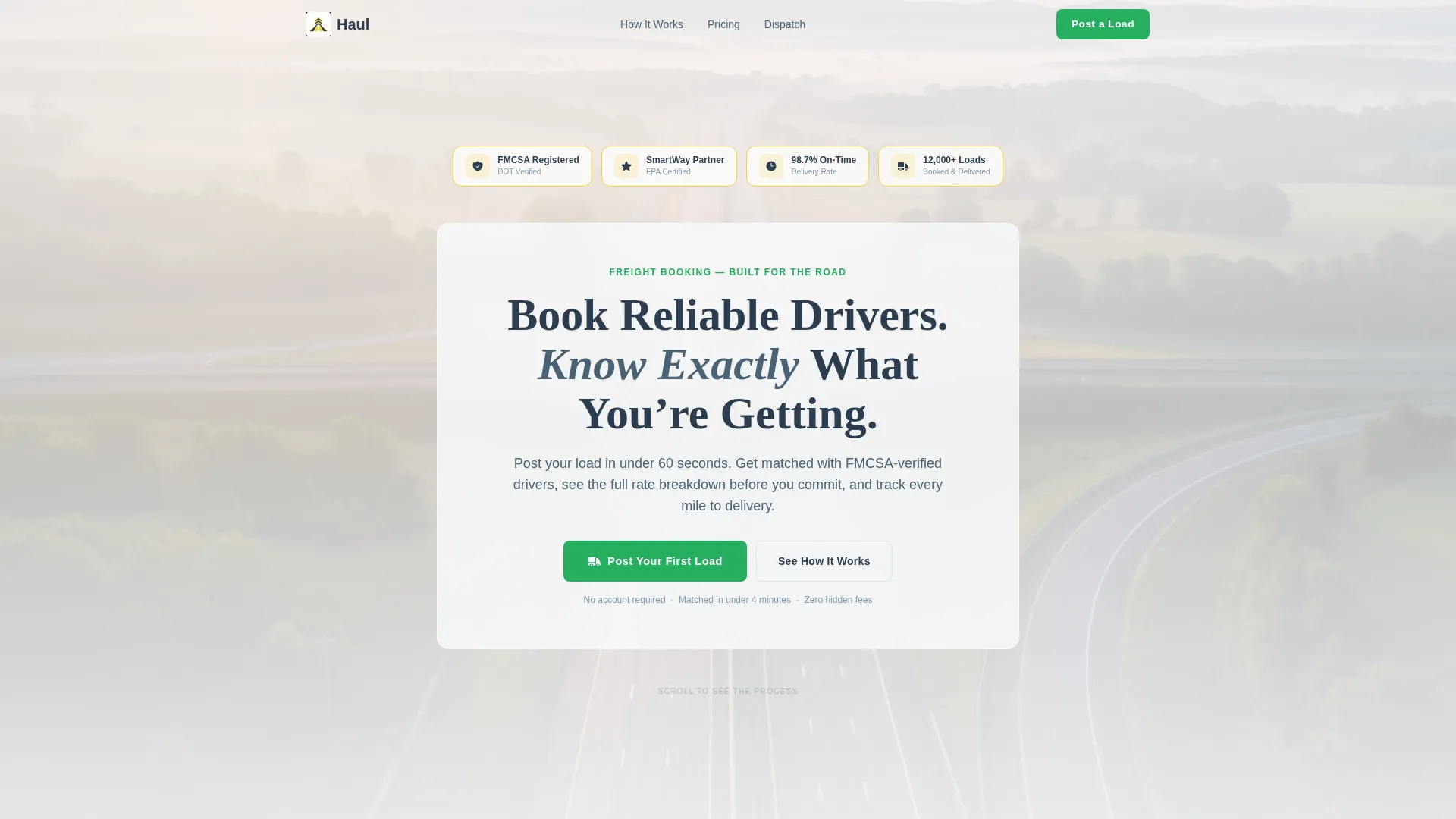
The header opens with a horizontal row of trust shields displaying credentials like Federal Motor Carrier Safety Administration registration status, on-time rate, and total loads booked. Each badge uses metallic charcoal styling with lane-marker yellow borders, arranged against a frosted-glass panel over a muted dawn highway image.
Zigzag Booking Process Layout
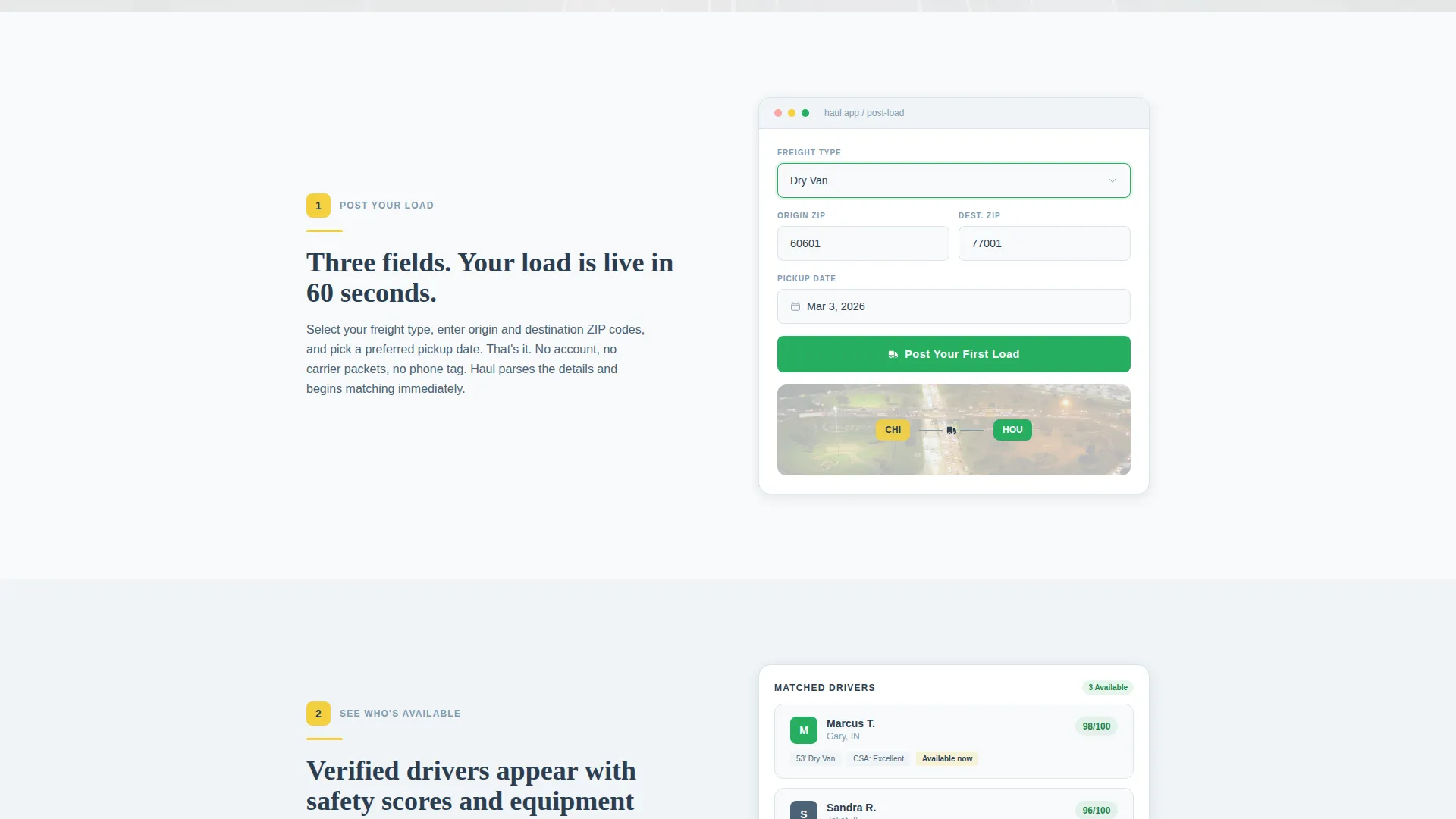
Four alternating left-right sections walk visitors through the full booking lifecycle. Each section is titled like a numbered chapter, includes a plain-language sentence explainer, and uses a screenshot or visual to illustrate that step. The rhythm is steady and confidence-building, similar to mile markers passing on an open road.
Rate Transparency Section
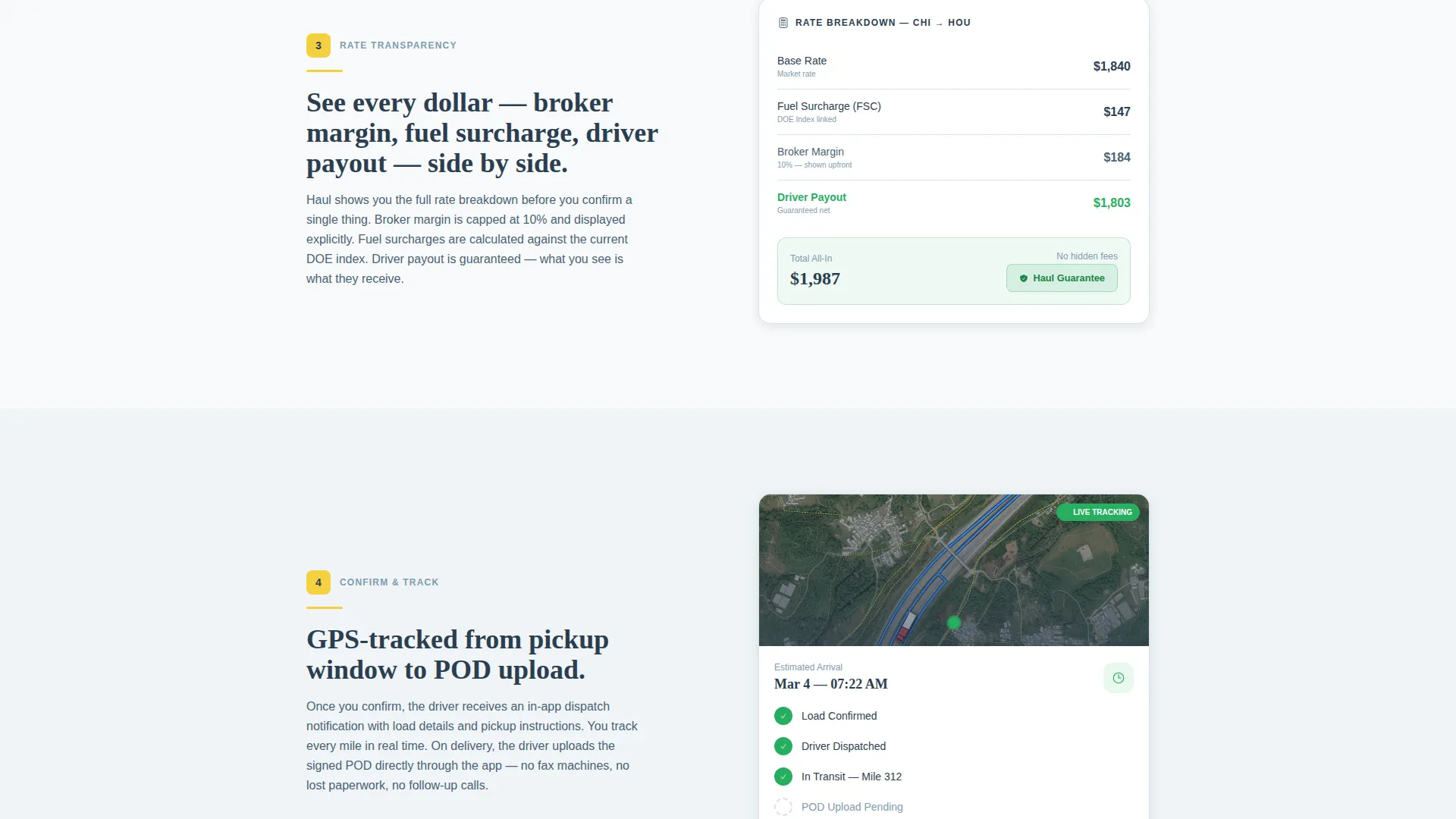
One dedicated section displays broker margin, fuel surcharge, and driver payout side by side. This removes guesswork for freight brokers and builds trust with drivers. No hidden numbers, no buried footnotes.
Focused Three-Field Lead Form
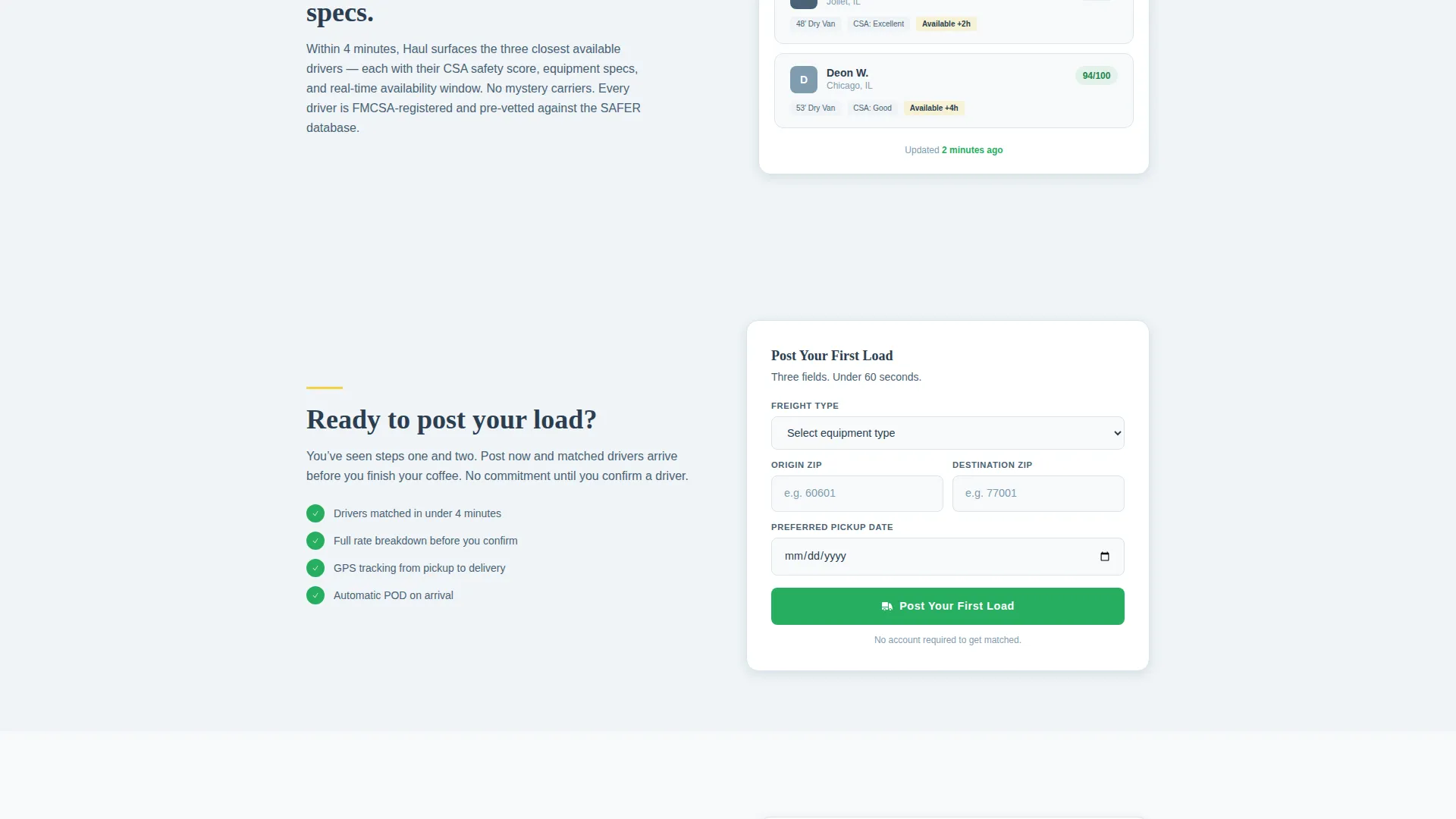
The primary form asks for freight type via a dropdown (dry van, reefer, flatbed, or less-than-truckload), origin and destination zip codes, and a preferred pickup date. Three fields only. The form appears after the visitor has already seen the full process, so they know exactly what submitting means.
Sticky Mobile call to action Bar
On mobile, the primary call-to-action button stays anchored at the bottom of the screen at all times. This keeps "Post Your First Load" reachable for users scanning the page at a fuel stop or from a cab.
Secondary Dispatch Callback Path
A second conversion path reads "Talk to Dispatch" and links to a callback scheduler. This is designed for fleet managers with five or more trucks who prefer a direct conversation before committing.
Page sections overview
| Section | Purpose |
|---|---|
| Trust Badge Header | Establish credibility with credentials and stats |
| Step 1: Post Load | Show the load-posting form with field preview |
| Step 2: See Drivers | Display matched drivers with safety scores and equipment |
| Step 3: Rate Breakdown | Show broker margin, fuel surcharge, and driver payout |
| Step 4: Confirm Pickup | Present GPS tracking and proof-of-delivery upload |
| Primary Lead Form | Capture freight type, zip codes, and pickup date |
| Dispatch Callback call to action | Offer a direct callback path for larger fleet inquiries |
Design & branding system
The visual identity follows an Educational Guide theme using the Arctic White color system. The palette is built for high contrast and instant legibility, like highway signage designed to be read at speed.
- Background uses clean snowfield white (#F8FAFB) with asphalt charcoal (#2C3E50) for all body text and dividers
- Lane-marker yellow (#F4D03F) highlights key terms and interactive hover states throughout the page
- Mile-marker green (#27AE60) marks completed booking steps and styles all primary call-to-action buttons
Mobile & speed optimization
This template is designed with mobile-first trucking users in mind. Visitors often arrive on a phone while at a fuel stop or waiting at a loading dock, so the layout prioritizes fast scanning and easy tapping.
- Sticky bottom call to action bar keeps the primary action reachable on any screen size
- Single-column stacking on mobile ensures zigzag sections read clearly without horizontal scrolling
- Three-field form keeps data entry minimal for users on small keyboards or under time pressure
How this template helps you convert
The Haul template earns the conversion by showing the full process before it asks for anything. Visitors leave with confidence, not questions.
- Trust is established immediately with the award badge header, so visitors see credentials before they read a single line of body copy.
- The step-by-step zigzag layout answers every "what happens next" question, so by the time the form appears, the visitor already knows the outcome.
- Two conversion paths (the three-field load form and the dispatch callback link) accommodate both quick individual bookings and larger fleet inquiries in one page.
Other information about this template
This template is part of the Professional Services category under the Truck Driver Online Presence subcategory. It is purpose-built for the truck driver booking page niche and carries an intersection match score of 9, indicating strong alignment between the template style and the target use case.
- Template style: Zigzag/Alternating layout with Educational Guide theme
- Creative direction: Transparent Process, showing every booking stage before any ask
- Header concept: Award Badges row for immediate trust-signal delivery
- Primary call-to-action label: "Post Your First Load" in mile-marker green
- Secondary call-to-action label: "Talk to Dispatch" linking to a callback scheduler
- Freight type options in the form dropdown: dry van, reefer, flatbed, and less-than-truckload (LTL)
Theme
Educational Guide
Creative direction
Transparent Process
Color system
Arctic White
Style
Zigzag/Alternating
Direction
Lead Generation
Page Sections
Award Badge Trust Header
Zigzag Four-step Booking Layout
Rate Transparency Breakdown
Focused Three-field Lead Form
Sticky Mobile Call to Action Bar
Dual Conversion Path Design
Related questions
Who is this landing page template designed for?
How many form fields does the booking form include?
Can larger fleets use this template too?
What trust signals does the header include?
Is this template customizable for different freight types?



