Halloween Business Cost Calculator Website Template
Haunt is a Halloween party rental and supply landing page built around a warehouse-scale inventory. It guides visitors from search to checkout through a tiered Good/Better/Best comparison journey, looping upgrade videos, and a sticky savings calculator. The layout is dark, vivid, and conversion-focused from the first scroll.
by Rocket studio
Quick summary
Haunt is a single-page Halloween rental and supply template built for high-volume seasonal commerce. It opens with a glowing warehouse search bar, moves visitors through tiered product comparisons, and closes with a bundle configurator that turns browsing into buying. Every section is designed to escalate the cart.
Who this template is for
This template suits businesses that sell or rent Halloween props, décor, and party supplies at scale. It works for operators who need to convert first-time visitors quickly during a short seasonal window.
- Halloween rental companies managing large prop and equipment inventories
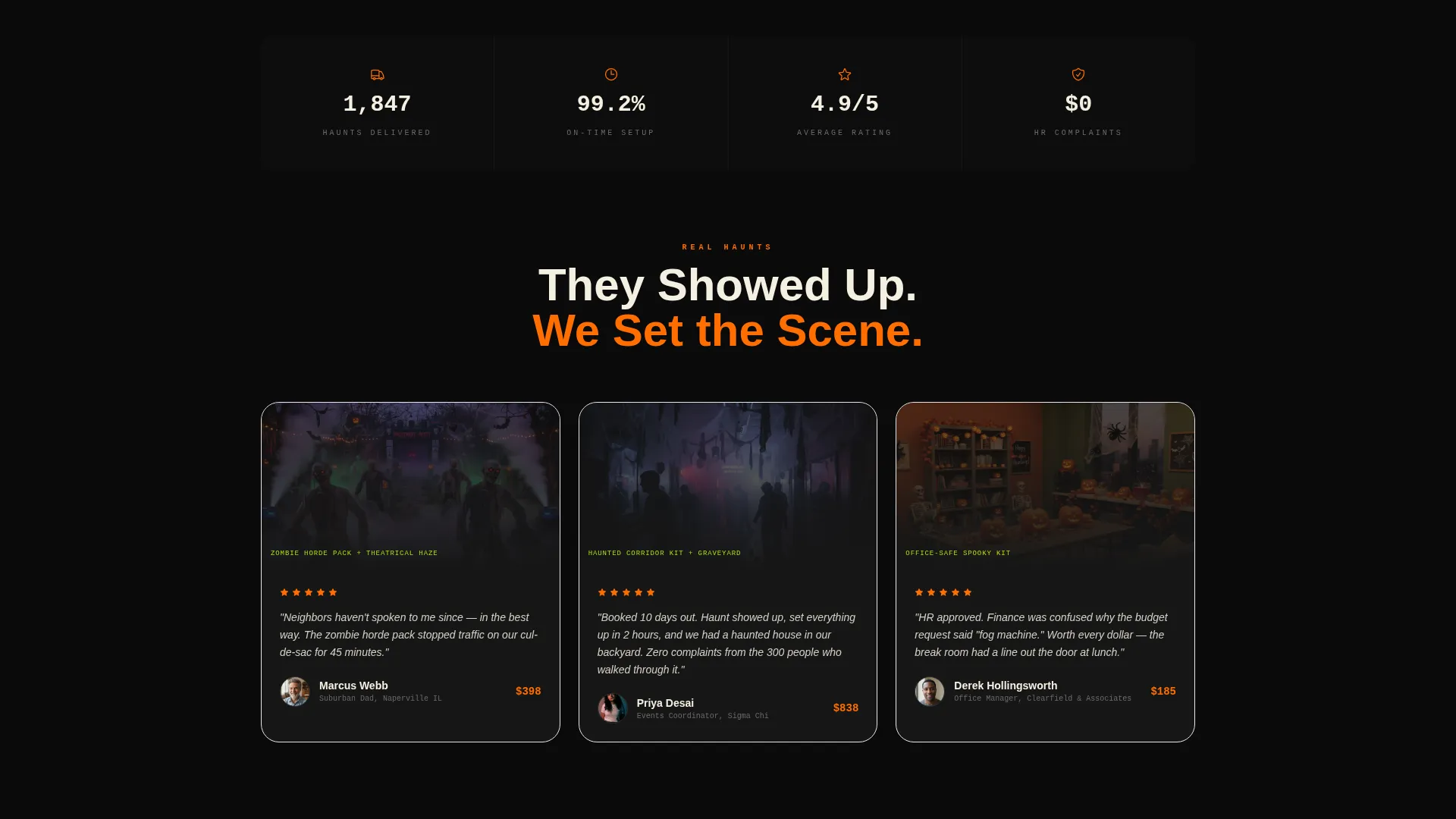
- Event supply retailers targeting suburban homeowners, college event planners, and corporate office managers
- Seasonal pop-up shops that need a ready-to-launch storefront with strong upsell logic
What problem this template solves
Most Halloween businesses lose sales because visitors cannot easily compare options or see why an upgrade is worth it. A flat product grid with no context kills the impulse to spend more.
- Visitors arrive without knowing their budget tier, so they need a guided comparison to commit
- Businesses struggle to communicate the real difference between a basic prop and a premium theatrical rig
- Seasonal urgency is hard to convey in a static layout, so carts stay small and bundles go unbuilt
What you get with this template
You get a fully structured, single-page Halloween supply landing page built around discovery, comparison, and upsell. Every component is purpose-built for a short selling season with high customer intent.
- A hero section with a cycling, pulsing search bar and category chip navigation across five product types
- A tiered Good/Better/Best product comparison layout with looping upgrade videos and expandable detail overlays
- A sticky bottom bar with a running total, item count, and a bundle configurator call to action that shows a live savings amount
Feature list
This template ships with purpose-built components that drive the full customer journey from search to bundle checkout.
Glowing Warehouse Search Bar
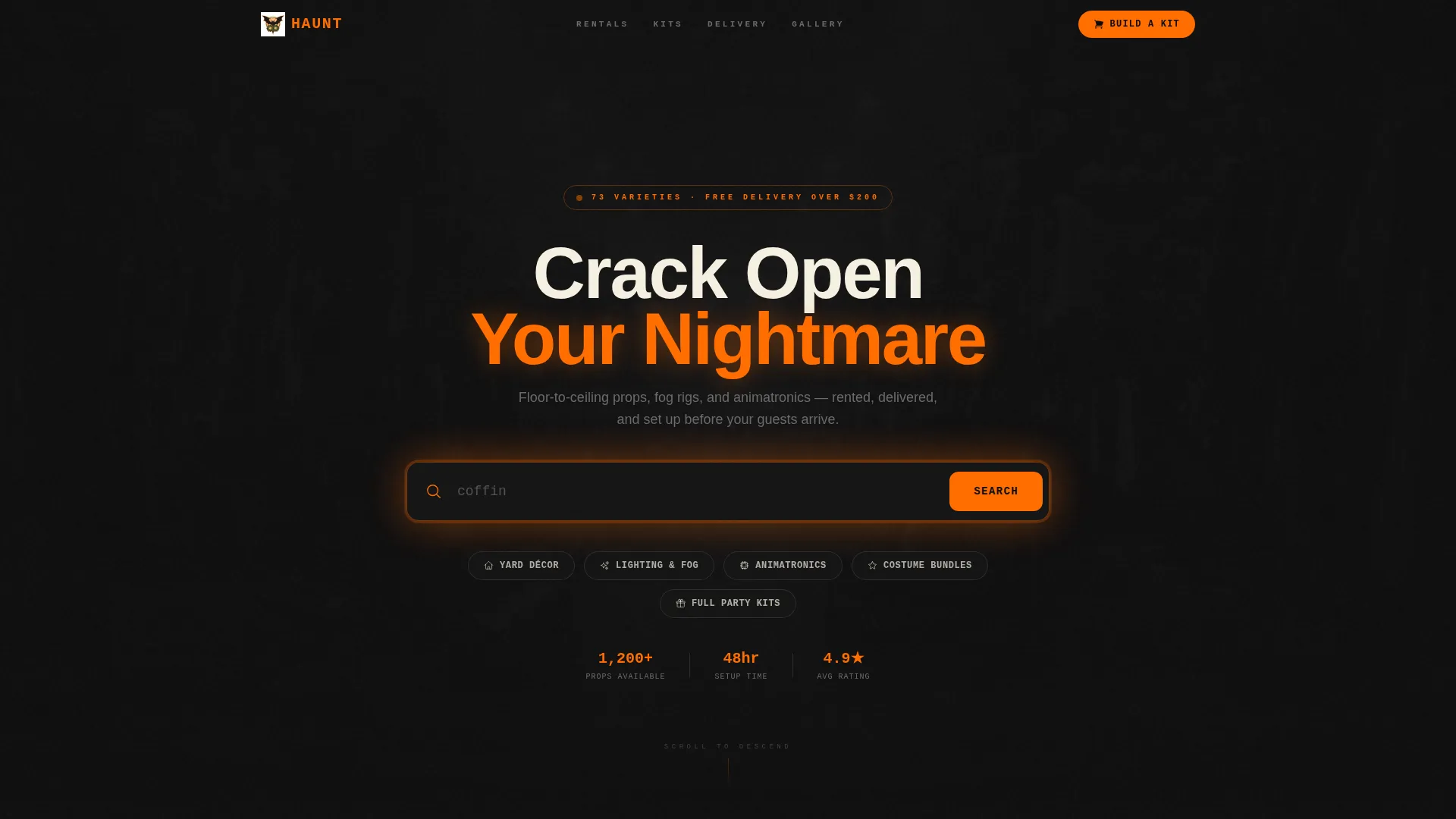
A large, centered search input sits over a slowly panning aerial shot of the warehouse floor. Placeholder text cycles through product types such as fog machines, skeleton archways, and coffin coolers. The bar pulses faintly orange to draw the eye and invite interaction.
Category Chip Navigation
Five category chips sit directly below the search bar: Yard Décor, Lighting and Fog, Animatronics, Costume Bundles, and Full Party Kits. Each chip carries a small icon. Clicking a chip begins the tiered comparison journey for that product type.
Good/Better/Best Tier Comparison
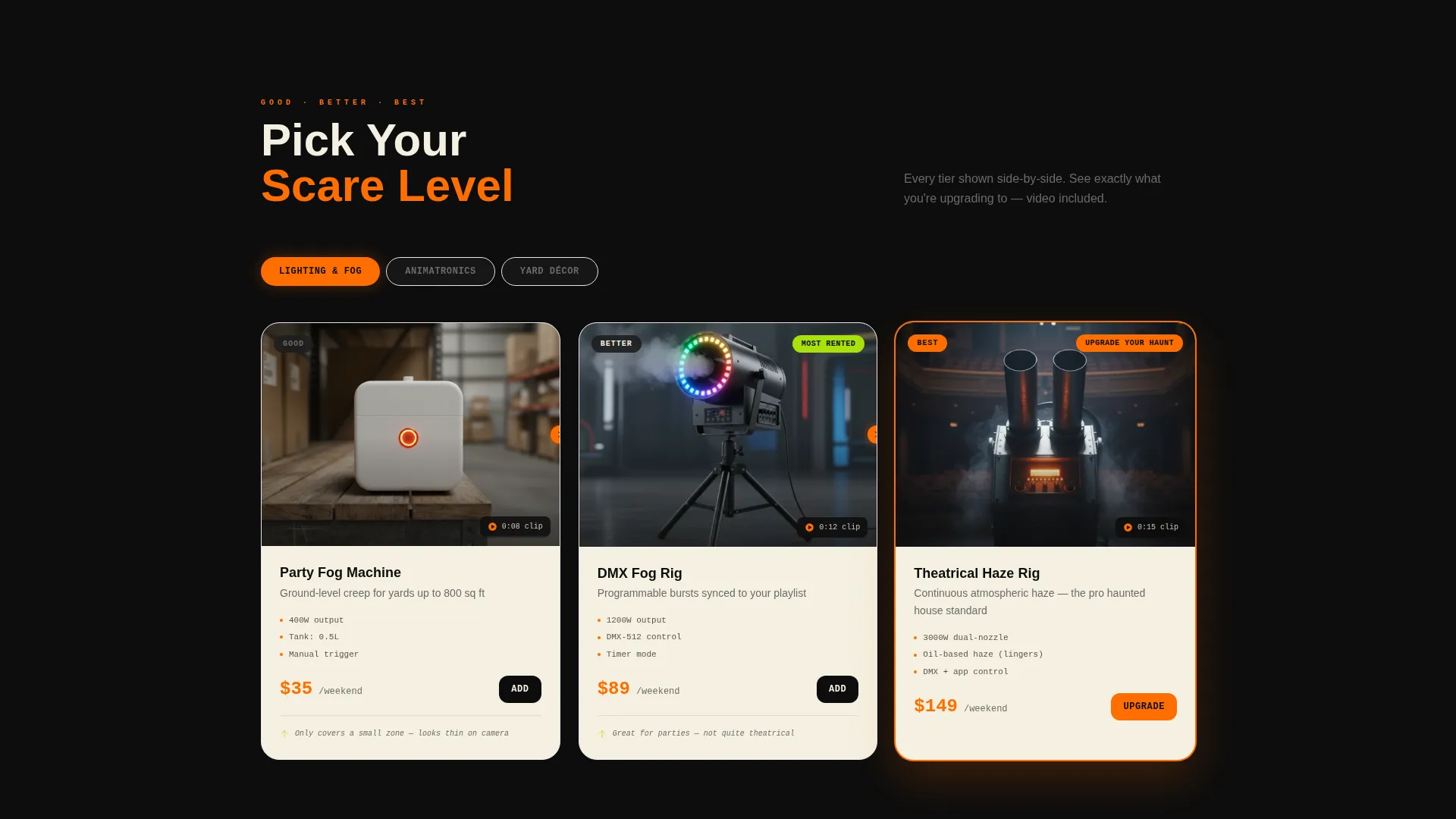
Each product category presents three side-by-side product cards ranked by quality and price. Cards expand into detail overlays on click. The tier structure guides visitors from entry-level items to full theatrical setups without requiring manual research.
Looping Upgrade Videos
Every tier transition includes a short looping video showing the upgrade in real use. The difference between a basic strobe and a premium lightning simulator is shown in an actual garage haunt setting. Seeing the gap removes hesitation and makes the upgrade feel obvious.
Sticky Bottom Bar with Running Total
A persistent bottom bar tracks the visitor's running cart total and item count throughout the page. A secondary call-to-action reading "Build a Full Kit and Save 20%" routes directly to the bundle configurator, keeping the checkout path visible at all times.
Bundle Configurator with Savings Calculator
The kit builder lets visitors add items and watch their discount grow in real time. A savings calculator displays how much they save as each item is added. This reframes spending as a smart financial decision rather than an impulse purchase.
Page sections overview
| Section | Purpose |
|---|---|
| Hero Search Bar | Entry point with cycling search prompts and category chips |
| Category Navigation Chips | Quick-filter access to five product categories |
| Tier Comparison Grid | Side-by-side Good/Better/Best product cards per category |
| Upgrade Video Panels | Looping videos showing real-world tier differences |
| Product Detail Overlays | Expandable cards with deeper item specs on click |
| Sticky Cart Bar | Persistent total tracker with bundle call to action |
| Bundle Configurator | Kit builder with real-time savings calculator |
Design & branding system
The visual identity runs on deep contrasts and candy-bright accents. The overall feel is festive and slightly unsettling, like a lit jack-o'-lantern in an otherwise dark street.
- Core palette: pitch-black backdrop (#0D0D0D), jack-o'-lantern orange (#FF6D00), toxic candy green (#A8E10C), and bone-pale cream (#F5F0E1) for card surfaces
- Orange fires on hover states and price badges; green marks upgrade tags and most-popular ribbons; cream holds product card backgrounds so every thumbnail pops clearly
- The layout follows a Marketplace Grid theme using a modular card grid style, keeping product density high without feeling cluttered
Mobile & speed optimization
The template is structured for fast, thumb-friendly browsing on small screens. The modular card grid reflows cleanly from desktop columns to stacked mobile cards.
- The sticky bottom bar remains visible on mobile, keeping the cart total and bundle call to action accessible during scroll
- Category chips are sized and spaced for tap interaction, reducing mis-taps on small touchscreens
- Looping videos are embedded as lightweight loops rather than full autoplay files, keeping the page responsive on mobile connections
How this template helps you convert
The entire page is sequenced to lift average order value, not just process a single item sale. Every design decision adds momentum toward a larger cart.
- The Good/Better/Best tier layout ensures every visitor sees an upgrade path from the moment they enter a category, making the "next level" feel like a natural next step rather than an upsell.
- The real-time savings calculator in the bundle configurator reframes each added item as a discount trigger, turning a spending decision into a saving decision and reducing cart abandonment.
Other information about this template
This template is designed as a click-through landing page, routing visitors to product detail overlays and the bundle configurator rather than hosting a full multi-page checkout flow. It is best suited for businesses that pair it with a separate cart or checkout system.
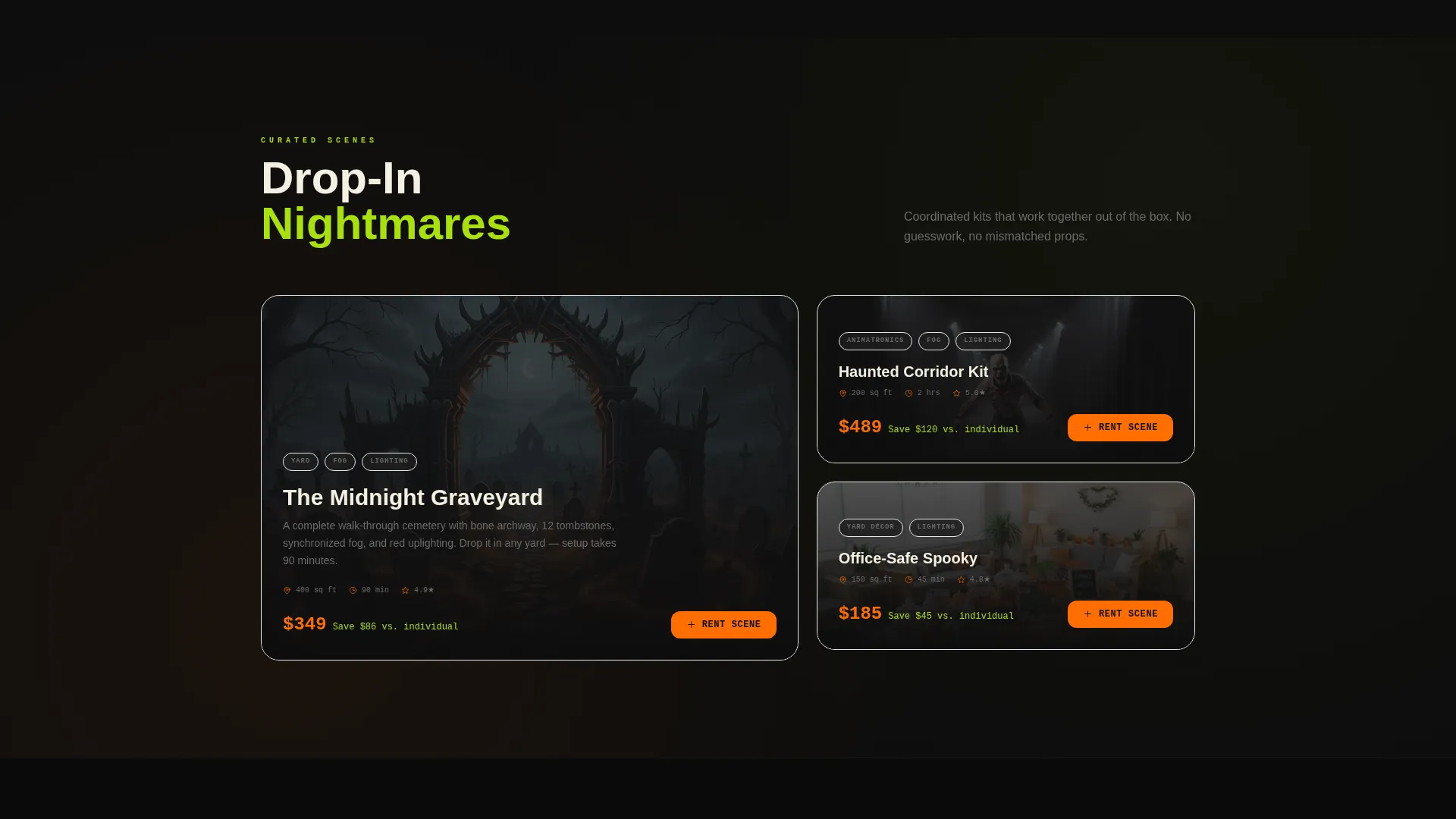
- The template is built within a Marketplace Grid theme using a Card Grid modular layout, making it straightforward to swap in new product thumbnails each season
- The Citrus Burst color system is pre-configured, so brand colors do not need manual setup before launch
- The page suits Halloween rental and supply operators who run short seasonal campaigns and need a high-impact storefront that is ready to go quickly
Theme
Marketplace Grid
Creative direction
Comparison Journey
Color system
Lavender Dream
Style
Card Grid (Modular)
Direction
Click-Through
Page Sections
Glowing Warehouse Search Bar
Category Chip Navigation
Good/better/best Tier Comparison
Looping Upgrade Videos
Sticky Bottom Bar with Running Total
Bundle Configurator with Savings Calculator
Related questions
What types of businesses is this template built for?
Can I update the product categories shown in the navigation chips?
How does the bundle savings calculator work?
Is this a full e-commerce website or a single-page landing page?
Can this template support a corporate or office Halloween event use case?



