Animal Shelter Donation Landing Page Template
Haven is a single-page donation and fundraising landing page built for nonprofit animal shelters. It uses a zigzag alternating layout to walk visitors through decades of shelter history, building emotional weight before presenting a clear donation ask. A community photo mosaic header, tangible preset donation amounts, and a sticky call-to-action bar make the path from story to contribution straightforward and honest.
by Rocket studio
Quick summary
Haven is a heartfelt animal shelter landing page template built for donation and fundraising. It opens with a full-viewport community photo mosaic, then scrolls visitors through an origin story timeline before presenting a focused donation form. The design uses worn, civic warmth rather than polish, making every ask feel earned through seventy years of shelter history.
Who this template is for
Haven is built for small to mid-sized nonprofit animal shelters that rely on community donations and volunteer support. It suits organizations with a real history to tell and an immediate funding need to communicate.
- Shelter directors and development staff preparing seasonal or annual fundraising campaigns
- Volunteer coordinators who need a single page that handles both donation and volunteer signup paths
- Grant writers and municipal stakeholders looking for a credible, story-driven public-facing page
What problem this template solves
Most shelter pages ask for money before they earn the right to. Visitors land on a generic donate button with no context, no story, and no reason to care beyond a stock photo of a puppy. Haven fixes this by leading with history and community before the ask ever appears.
- Donors arrive emotionally cold and leave without acting because the page gives them nothing to connect with
- Shelters struggle to show their longevity and community embeddedness in a way that builds real trust
- Volunteer and donation paths compete for attention instead of working as a clear primary and secondary flow
What you get with this template
Haven delivers a complete, single-page fundraising layout with every section pre-structured and ready to customize with your shelter's real story, photographs, and numbers.
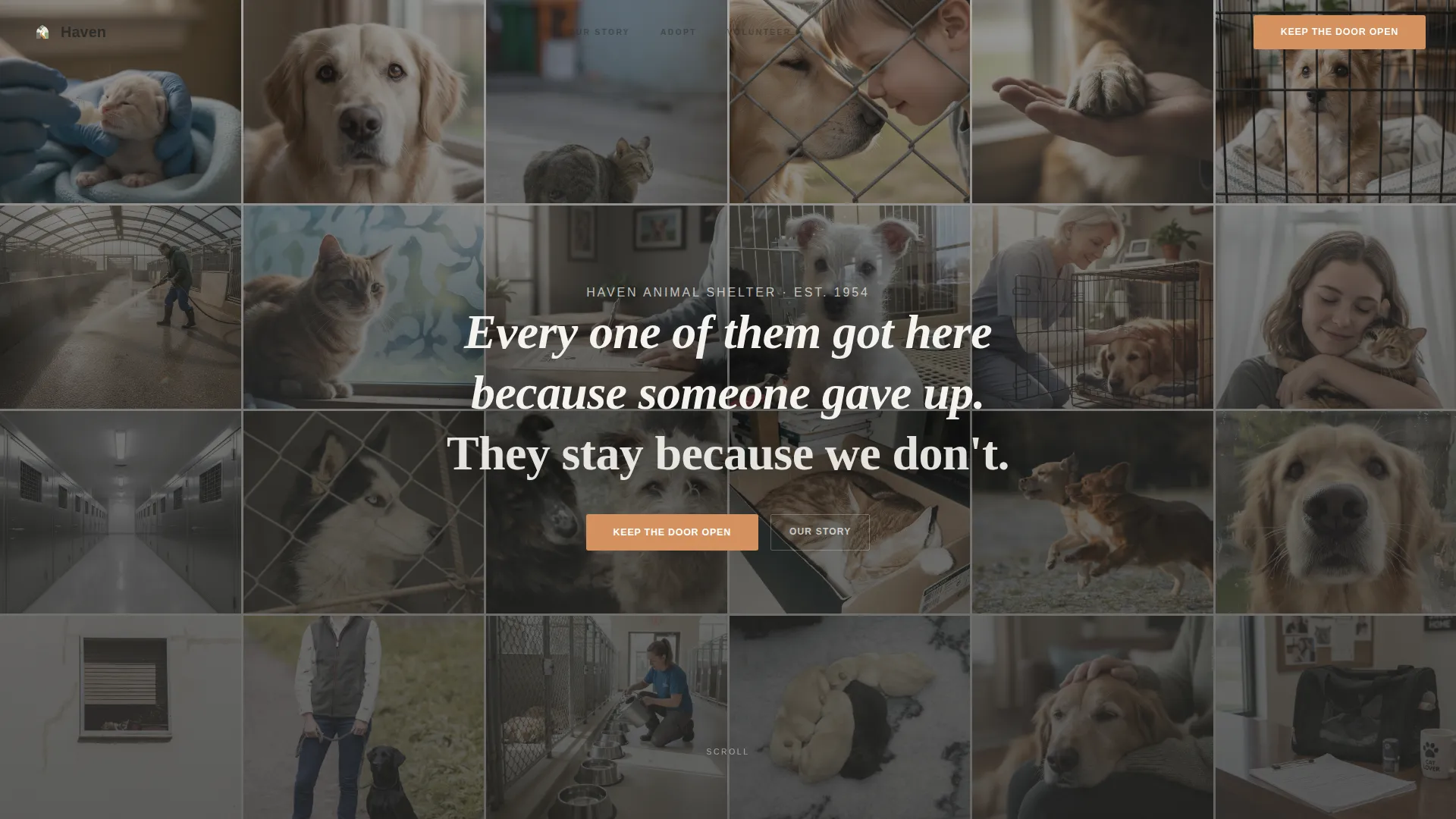
- A full-viewport Community Mosaic hero with a tiled photo grid and a scroll-revealed headline
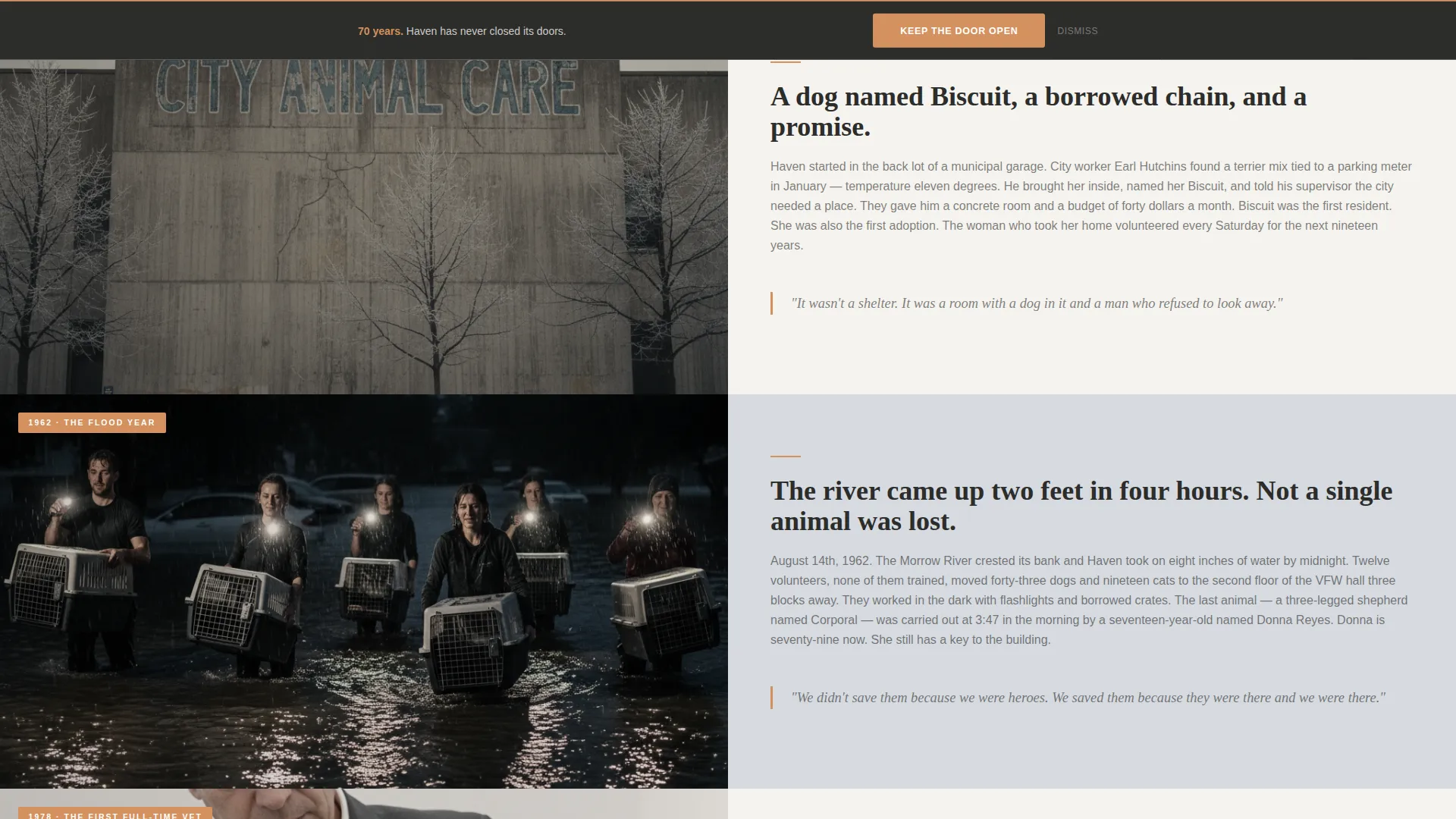
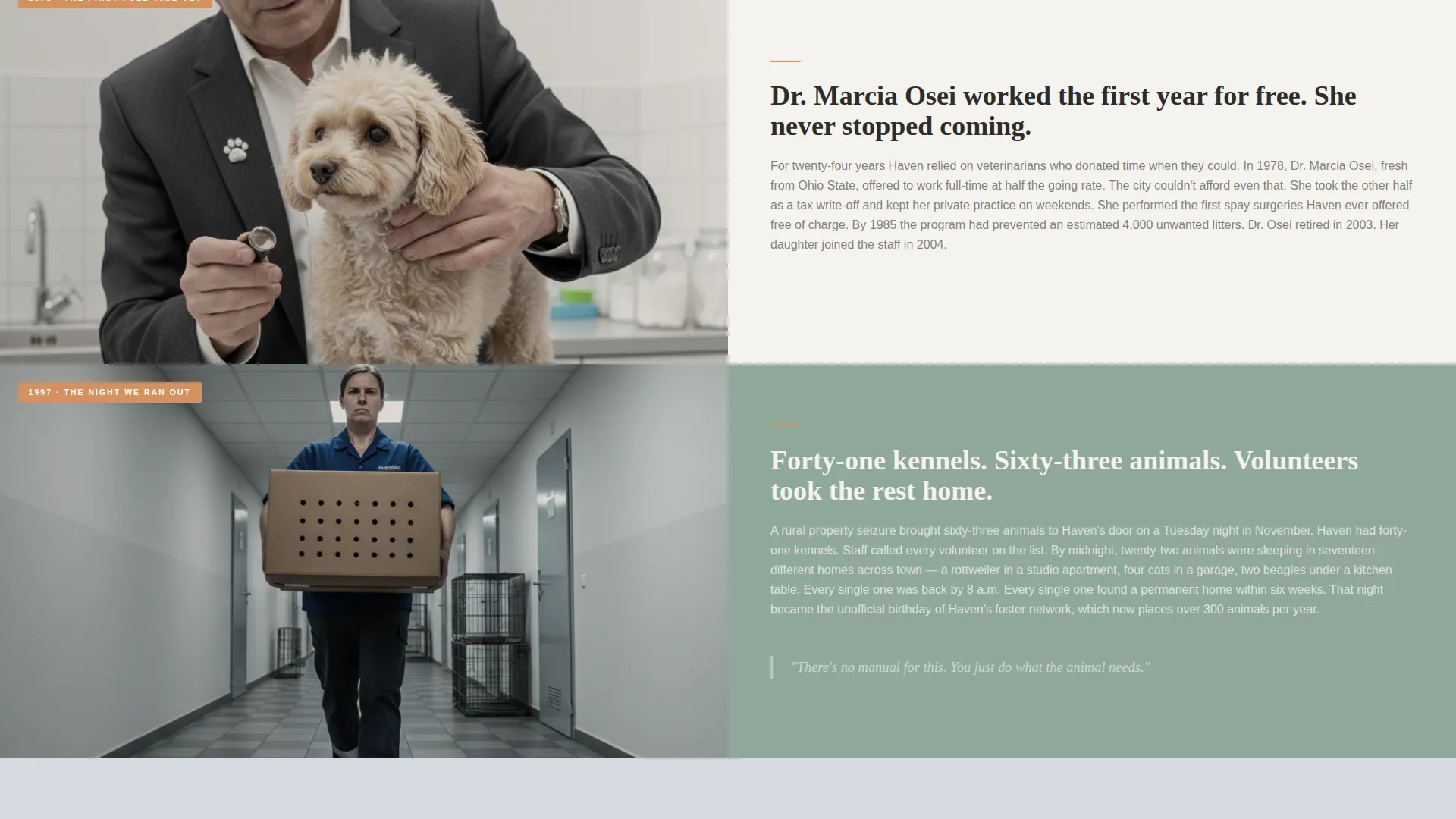
- A zigzag origin story timeline with alternating image-and-text sections covering founding through present day
- A donation form with preset tangible amounts, a custom amount field, a sticky donation bar, and a secondary volunteer path
Feature list
Haven includes purpose-built components that work together to move a visitor from curiosity to commitment.
Community Mosaic Hero
The header fills the entire viewport with dozens of small square photographs tiled edge to edge. After a brief pause, the tiles shift and a headline emerges from the negative space. The effect places community at the center before a single word of copy is read.
Zigzag Origin Story Timeline
Alternating image-and-text sections scroll the visitor through the shelter's history from founding to present day. Each section covers a distinct era, such as the flood year, the first full-time veterinarian, and the night volunteers took animals home. The layout deepens emotional stakes progressively so the donation ask arrives with earned weight.
Tangible Preset Donation Form
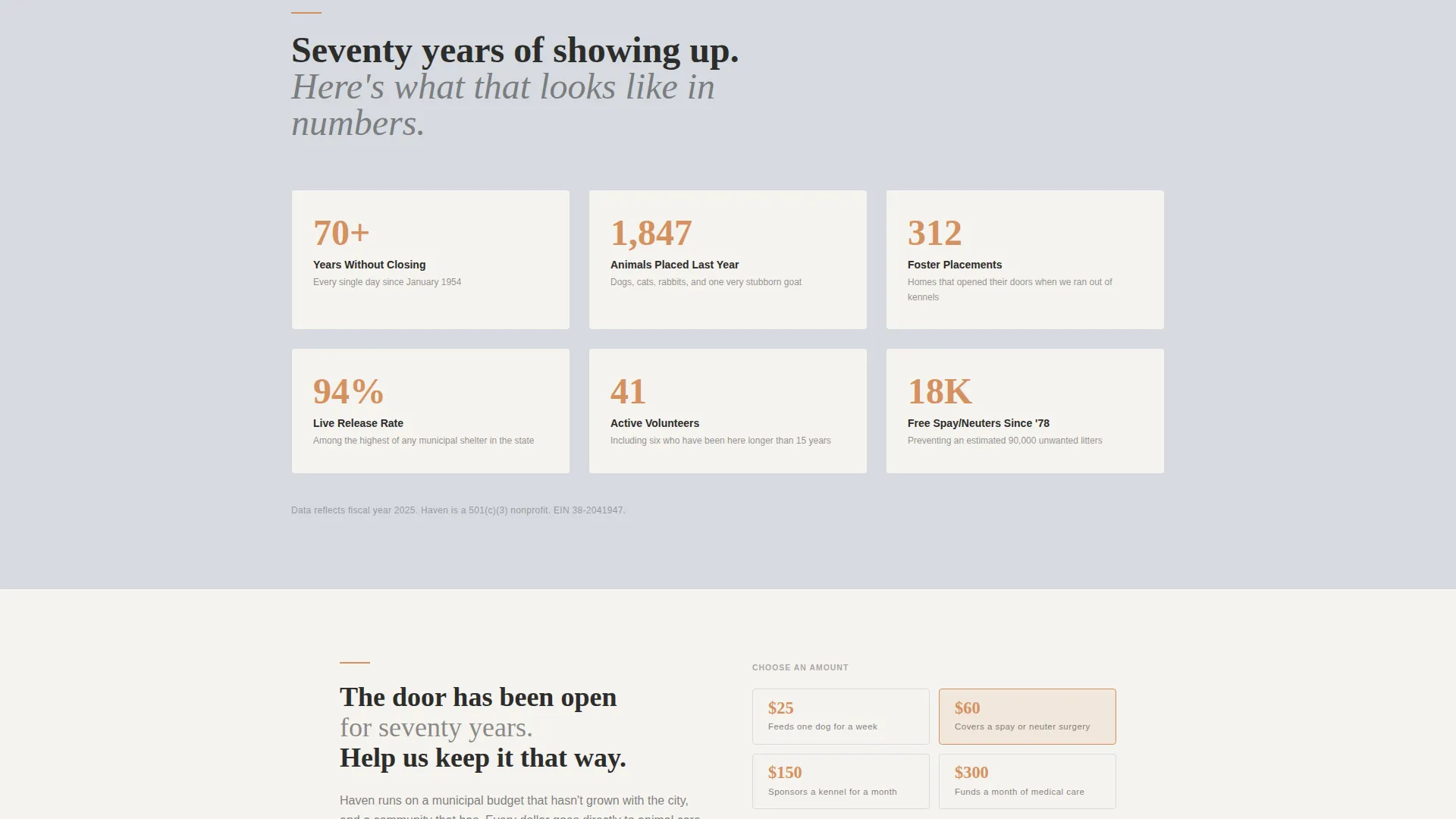
The donation section offers preset amounts tied to real operational costs. Examples include feeding one dog for a week, covering a spay surgery, or sponsoring a kennel for a month. A custom amount field sits alongside the presets, and the primary call-to-action reads "Keep the Door Open."
Sticky Donation Bar
A persistent donation bar appears on scroll after the origin timeline and stays visible as the visitor moves down the page. This keeps the primary call-to-action reachable at any point without interrupting the reading flow.
Volunteer Secondary Path
A clearly labeled secondary call-to-action, "Give Time Instead," links visitors to a volunteer signup. It sits below the donation form so it captures visitors who want to contribute but are not in a position to give financially.
Today's Numbers Stats Grid
A statistics section displays current operational figures with earned credibility. The numbers follow the timeline rather than leading it, so their impact lands after the visitor already understands what they represent.
Page sections overview
| Section | Purpose |
|---|---|
| Community Mosaic Hero | Opens with a tiled photo grid that shifts to reveal the headline |
| Origin Story Timeline | Zigzag alternating sections tracing shelter history era by era |
| Today's Numbers | Stats grid presenting current operational figures |
| Donation Form | Preset amounts, custom field, and primary call-to-action |
| Volunteer Path | Secondary call-to-action linking to volunteer signup |
| Footer | Horizontal flow layout with shelter information and navigation |
Design & branding system
Haven uses a Civic Service visual identity built around a Soft Mist color palette. Every design choice favors worn honesty over shine, reflecting the real texture of a shelter that has been in continuous operation for decades.
- Color palette: morning fog gray (#D6DAE0), worn linoleum white (#F5F3EF), muted sage (#8FA89B) for section backgrounds, and warm amber (#D4915E) reserved exclusively for buttons and donation callouts
- Typography: Fraunces serif for headlines to carry historical weight, paired with DM Sans for body text to keep reading easy and accessible
- Animation: medium-weight GSAP scroll reveals, the mosaic tile shift on the hero, and a sticky donation bar that activates after the timeline section
Mobile & speed optimization
Haven is built mobile-first because shelter donors often act on an emotional moment and most of those moments happen on a phone. The layout and interaction patterns prioritize small-screen legibility and thumb-friendly tap targets throughout.
- Images across the mosaic header and timeline sections use lazy loading so the page feels responsive on slower connections
- Static content sections are built with Server Components to reduce unnecessary processing and keep the initial load lean
How this template helps you convert
Haven earns the donation ask rather than demanding it. The page structure is a deliberate sequence that moves a cold visitor to a motivated donor through story, evidence, and a clear path forward.
- The origin story timeline builds emotional investment across multiple eras before the donation form appears, so the ask arrives with context and credibility rather than as an interruption
- Preset donation amounts tied to real costs, such as feeding a dog for a week or covering a spay surgery, make the decision concrete and the impact visible
- The sticky donation bar keeps "Keep the Door Open" reachable at every scroll position, reducing the friction between deciding to give and actually completing the action
Other information about this template
Haven is part of the Community and Nonprofit template category, specifically designed for the animal shelter niche within Animal Welfare and Protection. It is localized for United States use with USD currency formatting and MM/DD/YYYY date conventions.
- The template uses a Zigzag alternating layout and an Origin Story creative direction, which together create a narrative scroll experience uncommon in standard nonprofit templates
- The header concept is a Community Mosaic, a design pattern that foregrounds collective community identity rather than a single spokesperson or mascot image
- The Soft Mist color system and Civic Service theme are intentional choices that communicate operational seriousness and community trust without requiring expensive photography or brand assets
- The template is designed to support both primary donor conversion and secondary volunteer recruitment from a single page, reducing the need for multiple campaign pages
Theme
Civic Service
Creative direction
Origin Story
Color system
Soft Mist
Style
Zigzag/Alternating
Direction
Donation/Fundraising
Page Sections
Community Mosaic Hero Section
Zigzag Origin Story Timeline
Tangible Preset Donation Form
Sticky Donation Bar on Scroll
Secondary Volunteer Path
Today's Numbers Stats Grid
Related questions
Can I use this template if my shelter is newer than seventy years?
Do I need professional photography to make the mosaic hero work?
Can I change the preset donation amounts?
Is there a way to direct visitors to volunteer without removing the donation focus?
What color and font choices does this template use?



