Public Health Department Professional Website Template
Healthguide is a sidebar companion landing page built for state and county public health departments. It translates complex health programs, immunizations, WIC enrollment, food handler permits, and emergency preparedness, into plain-language, step-by-step guides. A sticky progress sidebar, accordion FAQs, and a three-field lead capture form help every visitor find the next action they need to take.
by Rocket studio
Quick summary
Healthguide is a single-page, sidebar companion landing page designed for public health agencies. It breaks down dense government programs into clear, actionable walkthroughs. Residents can follow chapter-by-chapter guides covering immunizations, nutrition assistance, permits, and insurance enrollment. A sticky sidebar tracks scroll progress, and a simple lead capture form delivers a personalized health checklist.
Who this template is for
This template is built for government health communicators who need to reach everyday residents, not policy insiders. It works well for state or county health departments that manage multiple public-facing programs and need one organized entry point that actually makes sense to a first-time visitor.
- Public health agencies publishing immunization schedules, WIC guidance, and permit requirements
- County health departments serving diverse audiences including parents, elderly residents, and small business owners
- Health communications teams replacing hard-to-navigate PDF portals with a clear, guided web experience
What problem this template solves
Most public health web pages are built for compliance, not comprehension. Residents land on dense regulation pages, lose the thread, and give up before completing an enrollment or finding a deadline. The gap between having information published and having residents actually use it is where this template works.
- Families struggle to find childhood vaccination schedules or WIC eligibility steps without wading through institutional language
- Small business owners trying to decode food handler permit requirements often abandon the process entirely
- Elderly residents or those without digital support need a calm, clearly signposted path to insurance enrollment and emergency resources
What you get with this template
You get a fully structured, section-led landing page organized like a guided government handbook. Each chapter opens with a plain-English question, walks through a numbered process, and closes with a lead capture moment that feels helpful rather than transactional.
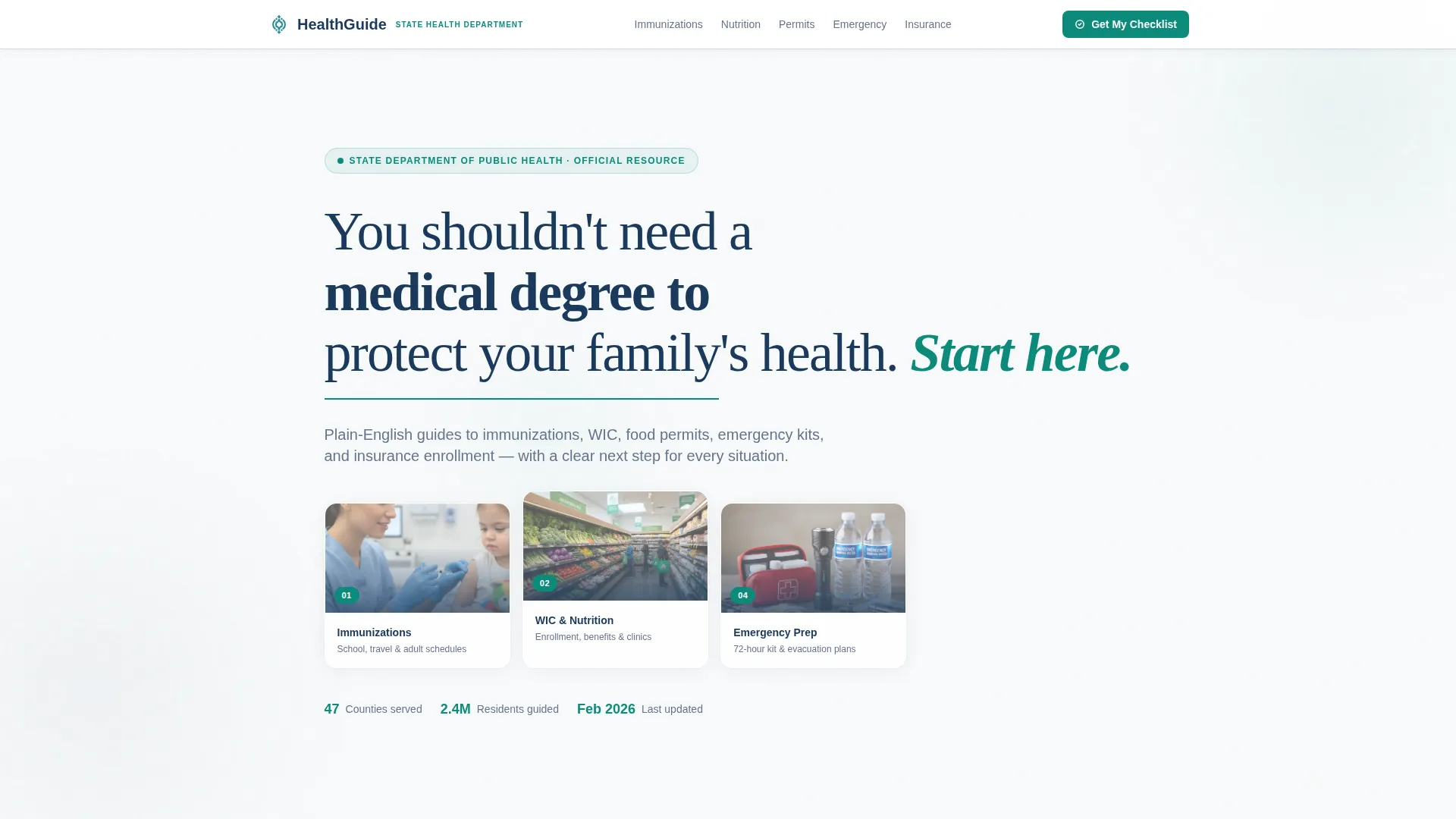
- A manifesto-style animated header with a teal underline reveal and floating chapter navigation cards
- Five content chapters covering immunizations, nutrition and WIC, permits and inspections, emergency preparedness, and insurance enrollment
- A sticky sidebar with scroll-linked chapter highlighting, a "Get Your Personal Health Checklist" call-to-action button, and a secondary PDF download path
Feature list
This template is built around a single conviction: usable information first, form second. Every interactive and visual component supports that principle directly.
Animated Manifesto Header
The page opens with a line-by-line navy type build animation paired with a teal underline that extends slowly to full width. This sets a calm, authoritative tone before any program content appears.
Scroll-Linked Progress Sidebar
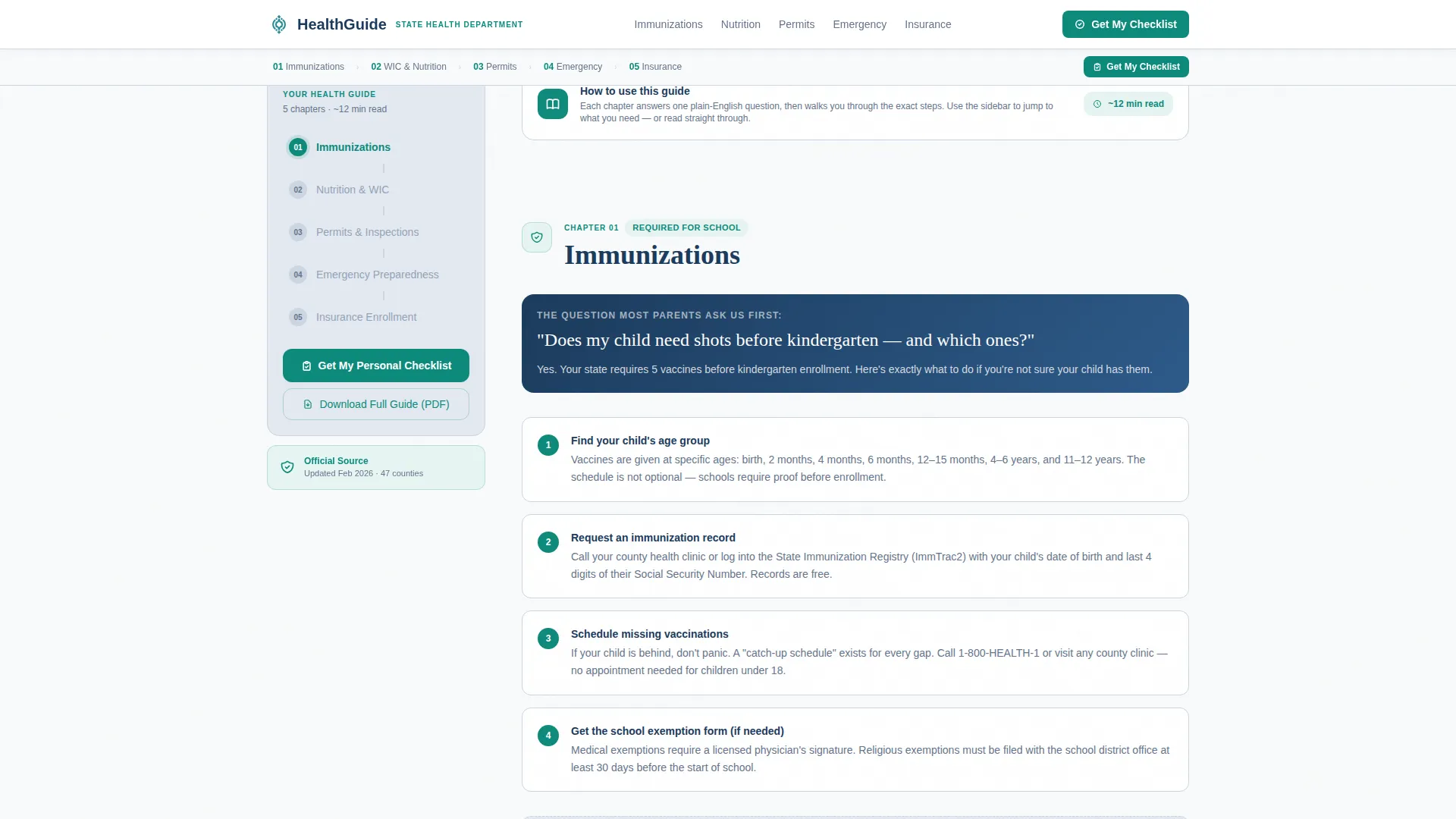
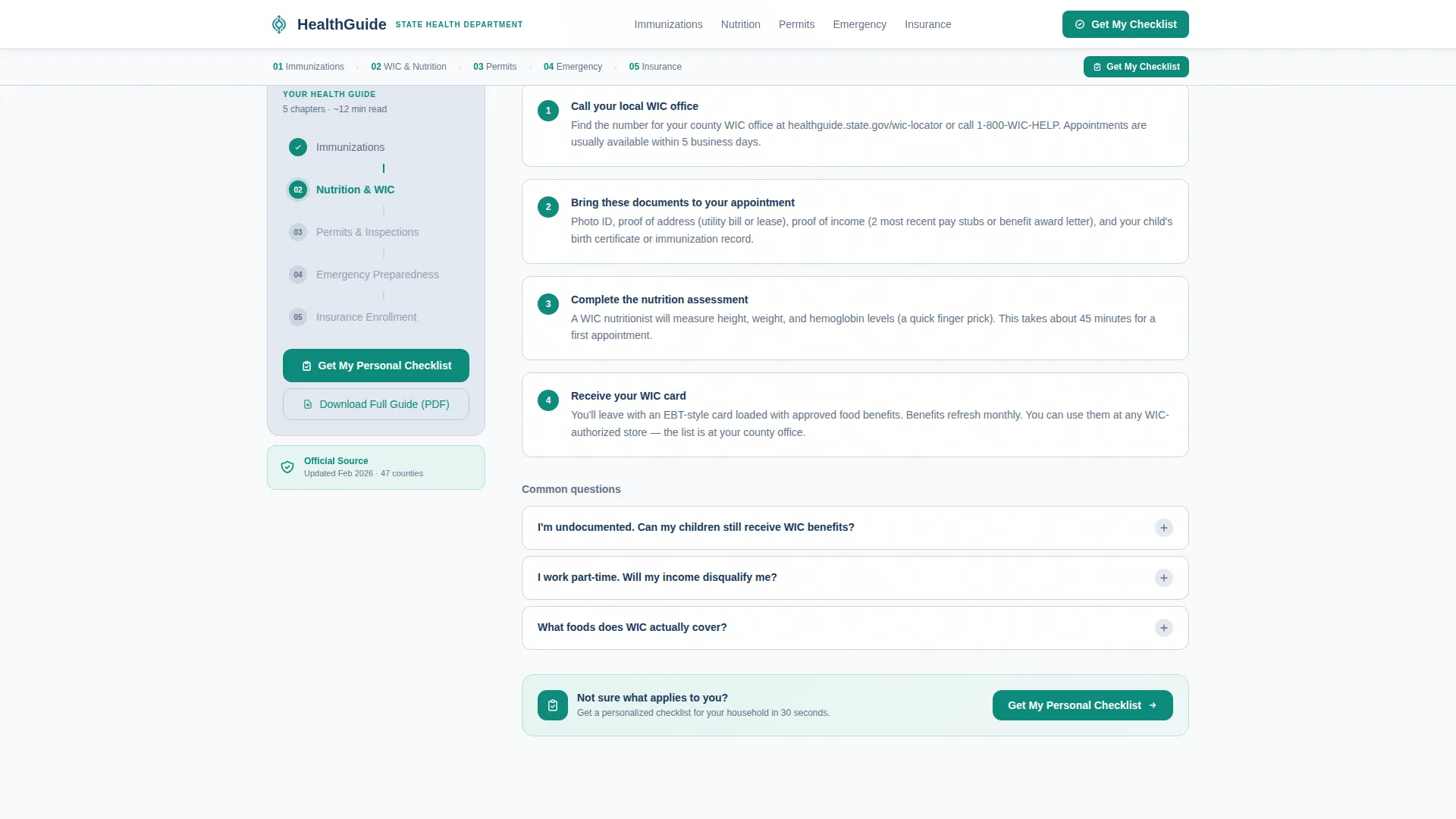
A persistent left sidebar tracks the visitor's scroll position in real time. Active chapters highlight in teal while completed ones dim, mimicking a progress bar in a government form that actually works.
Plain-Language Chapter Walkthroughs
Each of the five chapters opens with a single clarifying question written in plain English. Numbered step sequences guide the reader through the process without assuming any prior knowledge.
Expandable Accordion FAQs
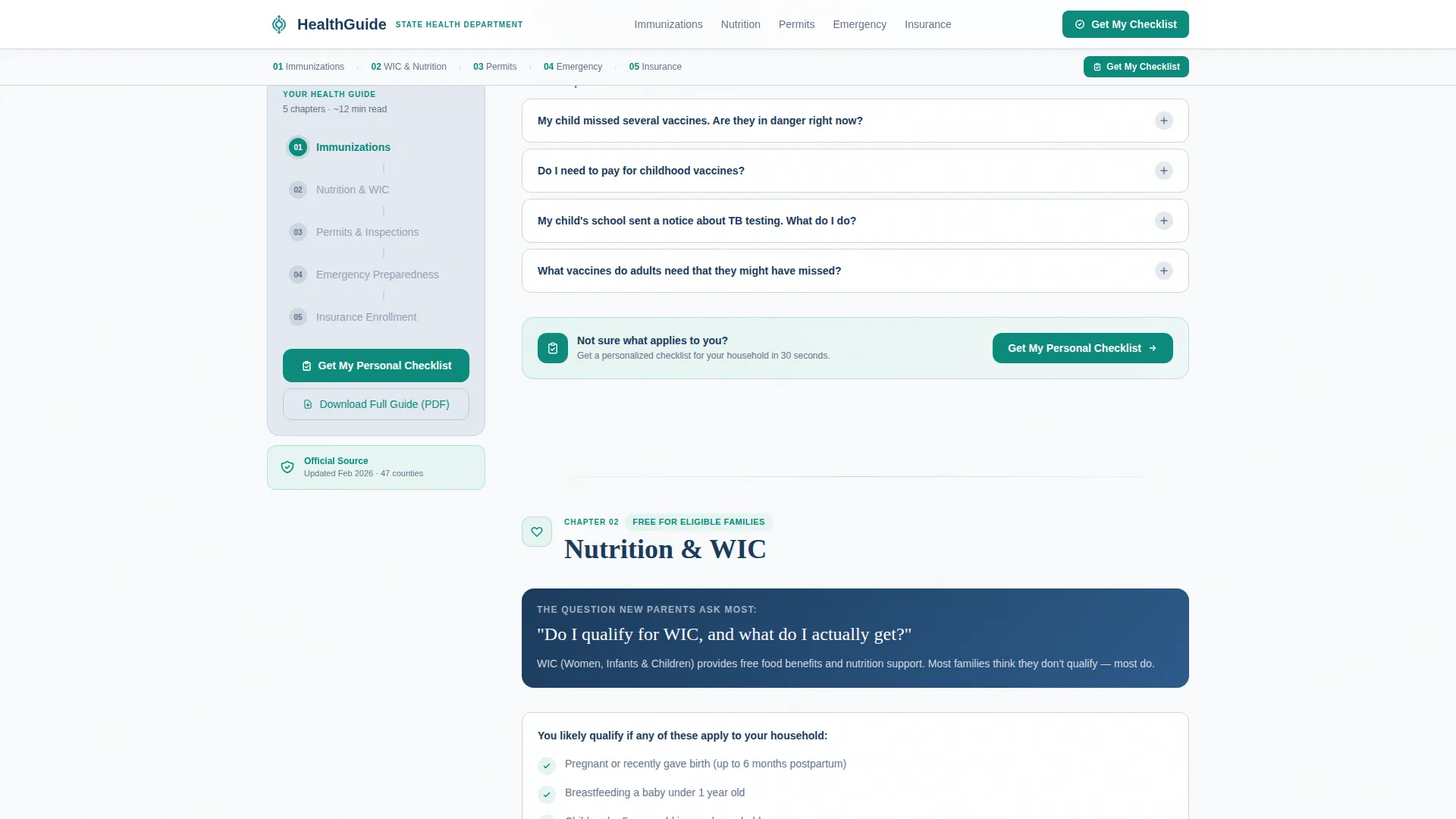
Every chapter includes expandable FAQ accordions. Visitors can reveal only the answers they need without the page feeling overwhelming or cluttered.
Progressive Three-Field Lead Form
The primary lead capture form uses progressive disclosure: county of residence first via dropdown, then household size, then email. No login is required. The design makes the form feel like a useful shortcut rather than a barrier.
Dual Conversion Paths
A secondary call-to-action offers the full guide as a downloadable PDF in exchange for just an email address. This catches visitors who prefer reading offline and broadens the range of residents the template can convert.
Page sections overview
| Section | Purpose |
|---|---|
| Manifesto Header | Opens with animated navy type and teal underline reveal, then fades in chapter navigation |
| Sticky Chapter Sidebar | Tracks scroll position and highlights active chapter with teal indicator |
| Immunizations Chapter | Walks through childhood vaccination deadlines and TB screening with numbered steps and FAQ accordion |
| Nutrition and WIC | Covers WIC eligibility steps, enrollment guidance, and downloadable checklist call-to-action |
| Permits and Inspections | Explains food handler permit requirements with expandable requirement blocks |
| Emergency and Insurance | Combines emergency preparedness kit checklist with Medicare Savings Program enrollment steps |
| Lead Capture Form | Three-field progressive form offering a personalized health checklist |
| PDF Download Path | Secondary conversion collecting email for offline full-guide download |
| Footer | Horizontal flow footer with agency badge, county trust signal, and last-updated timestamp |
Design & branding system
The visual identity follows an Educational Guide theme built on an Arctic White color system. The palette is designed to feel like a freshly printed government pamphlet, authoritative without being cold, approachable without losing credibility.
- Arctic White (#F8FAFB) fills primary backgrounds; soft fog gray (#E2E8F0) defines sidebar panels and step dividers; deep navy (#1B3A5C) anchors all headlines and navigation
- Decisive teal (#0E8A7B) is reserved exclusively for active step indicators, call-to-action buttons, and progress markers, functioning as a visual guide pointing the reader forward
- Typography pairs DM Sans for body text and user interface elements with Fraunces for editorial headlines, combining legibility with a warm, trustworthy character
Mobile & speed optimization
The template is designed mobile-first, recognizing that many visitors arrive on a phone late at night searching for urgent health information. The desktop layout enhances the experience with the persistent sidebar without requiring it.
- Mobile layout collapses the sidebar into an inline chapter navigation that stays accessible without covering content
- Fast static rendering handles all content sections, while client-side components manage only the scroll tracking and accordion interactions
- The three-field progressive form is thumb-friendly and structured to minimize friction for users on small screens
How this template helps you convert
Trust is built before any ask is made. Every section delivers complete, usable information first. By the time a visitor reaches the form, it feels like an optional shortcut to something genuinely helpful.
- The "Get Your Personal Health Checklist" button appears as a sticky sidebar element and at the close of each chapter, creating multiple low-pressure conversion moments without interrupting the reading flow.
- The progressive form disclosure, county first, then household size, then email, reduces perceived effort and increases the likelihood that a visitor completes all three fields.
- The secondary PDF download path requires only an email address, giving offline-preferring visitors a separate, lower-commitment entry point that still captures a lead.
Other information about this template
This template is a strong fit for agencies that need to serve a wide demographic range from one organized page. It was designed with the reality that residents arrive with varying levels of digital comfort, urgency, and background knowledge.
- Social proof elements include an official agency badge, a "Trusted by 47 counties" trust signal, and a last-updated timestamp to reinforce current, reliable information
- The template style is a Sidebar Companion with a Step-by-Step Guide creative direction, a structure well suited to multi-program health portals where the visitor's goal shifts chapter by chapter
- Downloadable PDF checklists and county-specific dropdown logic are built into the content architecture, making localization straightforward without requiring a rebuild
Theme
Educational Guide
Creative direction
Step-by-Step Guide
Color system
Arctic White
Style
Sidebar Companion
Direction
Lead Generation
Page Sections
Animated Manifesto Header
Scroll-linked Progress Sidebar
Plain-language Chapter Walkthroughs
Expandable Accordion Faqs
Progressive Three-field Lead Form
Dual Conversion Paths
Related questions
Who is the intended audience for this template?
Can this template handle multiple health programs on one page?
Does the lead capture form require visitors to create an account?
What does the sticky sidebar actually do?
Is this template designed for mobile users?



