City Tourism Board Fundraising Landing Page Template
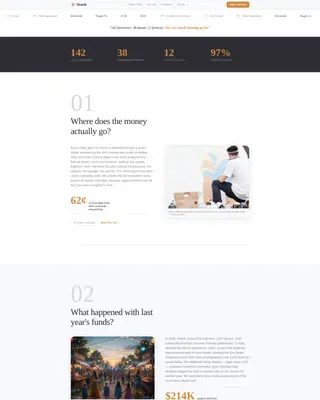
Hearth is a hub-and-spoke fundraising landing page built for city tourism boards. It leads with a scrolling partner logo bar, answers donor hesitations through a sticky frequently asked question-driven anchor nav, and closes with a three-tier donation panel. Every section is designed to build civic trust and move local business owners, alumni, and community members toward giving.
by Rocket studio
Quick summary
Hearth is a single-page fundraising template for city tourism boards. It opens with community partner logos and a plain-spoken serif headline, then guides visitors through honest frequently asked question sections that dismantle hesitation one answer at a time. A sticky "Back This City" call to action and a three-tier donation panel make it easy to act when trust is ready.
Who this template is for
This template was built for civic organizations that fund local culture through community donations. It works best for groups with real partners, real numbers, and a genuine story to tell.
- Tourism boards and destination marketing organizations running annual fundraising campaigns
- Civic nonprofits seeking named sponsor recognition alongside community donor tiers
- Local arts and festivals programs that need a credible, trust-first donation page
What problem this template solves
Potential donors often stop short of giving because they cannot see where the money goes. Generic fundraising pages pile on emotion but skip the proof. Hearth is designed to answer the real questions donors are already carrying before they scroll past the first section.
- Donors lose confidence when funds feel untraced and outcomes feel vague
- Business sponsors hesitate without a clear picture of the recognition they will receive
- Alumni and retired community members want civic warmth, not corporate fundraising pressure
What you get with this template
You get a fully structured, single-page layout with every section pre-built and logically ordered. The design system is ready to apply, and the page flow follows a proven trust-building sequence from proof to action.
- A scrolling logo bar header that establishes community credibility before a single paragraph is read
- A sticky anchor navigation bar with a pinned "Back This City" call to action in ember amber
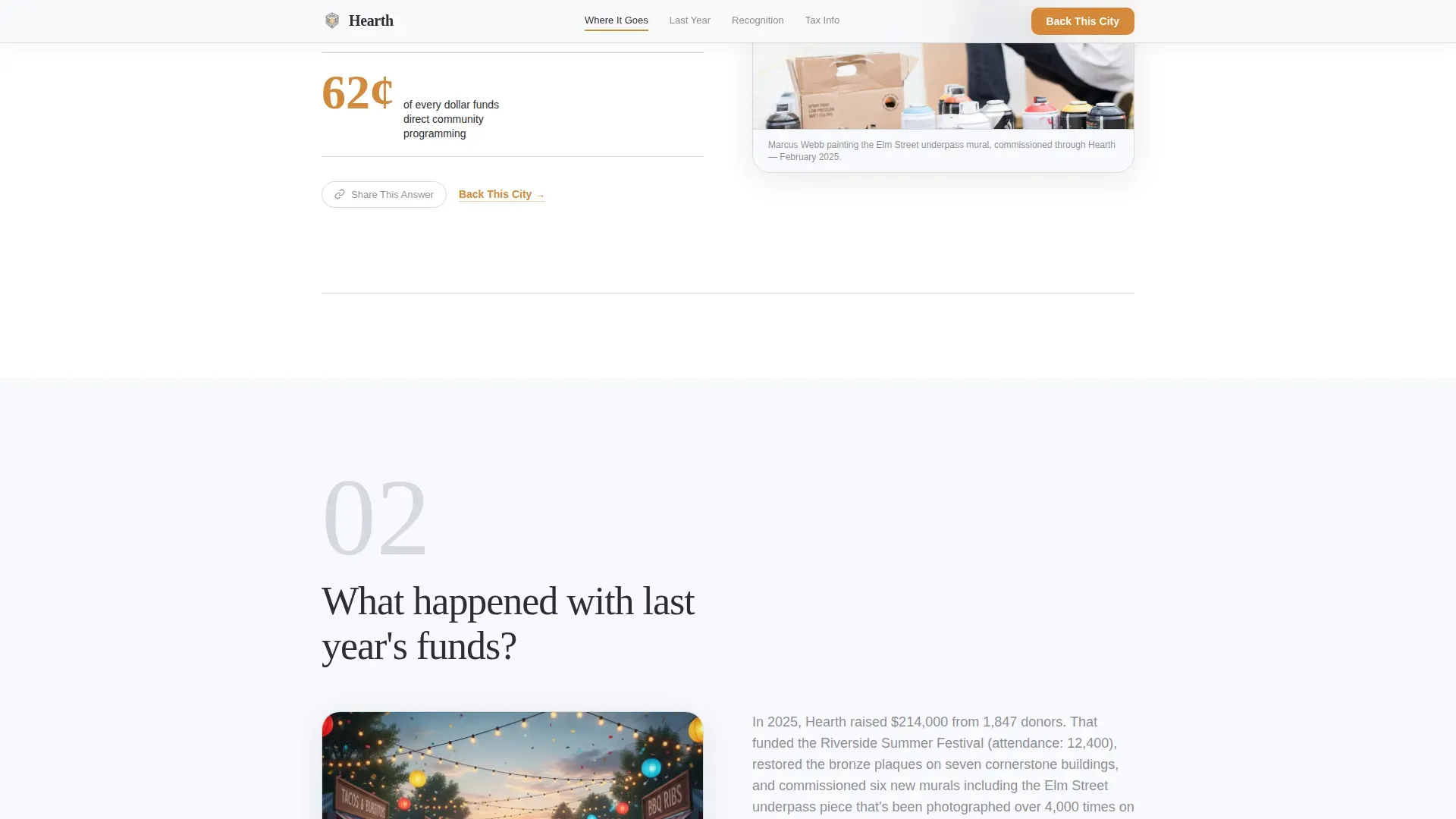
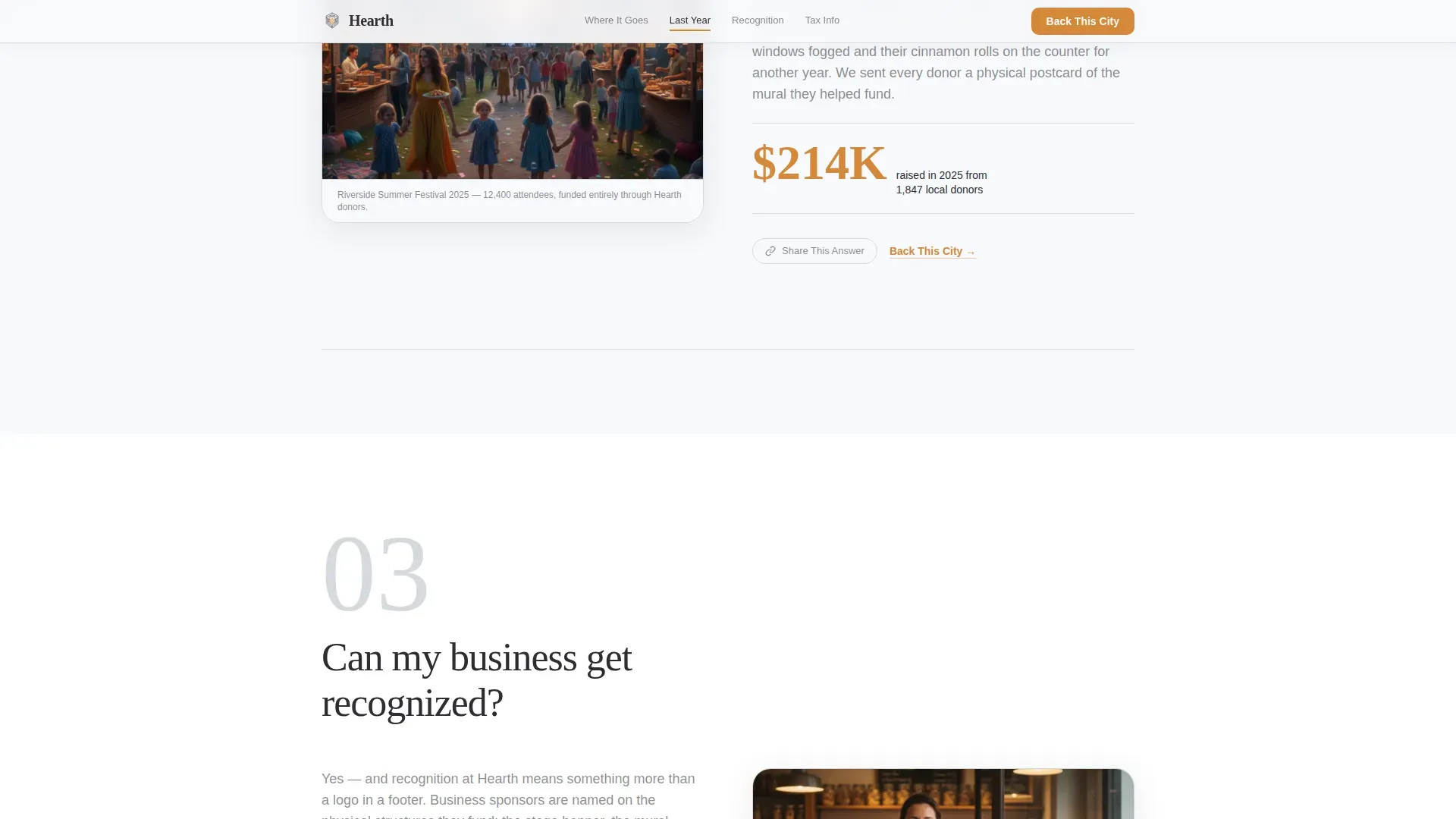
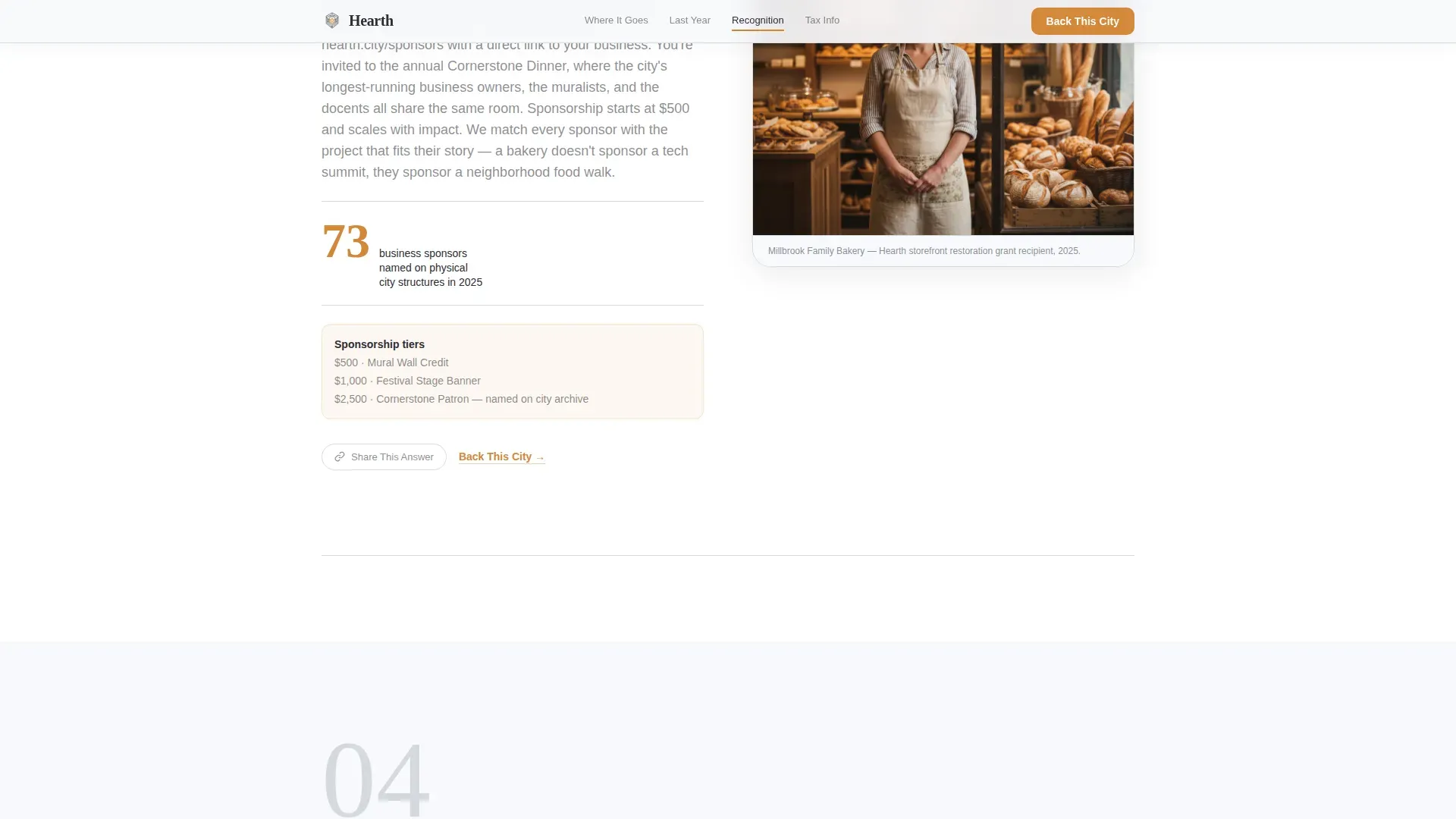
- Four frequently asked question spoke sections, each answering one real donor question with a narrative block, an embedded photo slot, and one concrete number
- A three-tier donation panel ($25, $100, $500, plus a custom field) triggered from the pinned call to action
- A minimal donation form requesting only name, email, and zip code, with zip code placed first
- A "Share This Answer" secondary path below each frequently asked question section with a direct-link copy button
Feature list
A paragraph introducing the feature set: every component below was planned from the source brief and reflects exactly what this template delivers.
Scrolling Partner Logo Bar
A horizontal ribbon of local partner logos moves gently across a pure white background. No hero image competes for attention. Below the logos, a single line of serif type states the city's proof in plain numbers.
Sticky frequently asked question Anchor Navigation
The anchor nav sits fixed to the top of the viewport and updates its active state as visitors scroll between frequently asked question sections. The "Back This City" call to action is pinned inside the nav so it is always reachable, no matter how far down the page a visitor reads.
Driven Spoke Sections
Each spoke section opens with one large-type question in hearthstone charcoal. It then unfolds into a short narrative, one embedded photo, and one concrete number. The four built-in questions cover fund allocation, prior-year results, sponsor recognition, and tax-deductibility.
Three-Tier Donation Panel
The donation panel presents three named tiers: $25 ("Sponsor a Walking Tour"), $100 ("Light a Festival Block"), and $500 ("Name a Mural Wall"), plus a custom amount field. The panel opens as a modal triggered by the pinned call to action.
Zip-Code-First Donor Form
The form collects only three fields: zip code, name, and email. Zip code appears first, turning the opening gesture into an act of local identity rather than friction.
Share This Answer Secondary Path
Below each frequently asked question section, a "Share This Answer" link with a one-click copy button lets informed visitors share individual answers. This turns engaged readers into community ambassadors before they have even donated.
Page sections overview
| Section | Purpose |
|---|---|
| Partner Logo Bar | Establishes community proof through scrolling sponsor logos and a serif stat headline |
| Sticky Anchor Nav | Keeps frequently asked question navigation and the "Back This City" call to action always visible |
| frequently asked question: Fund Allocation | Answers "Where does the money go?" with a narrative, photo, and concrete number |
| frequently asked question: Prior Year Results | Answers "What happened last year?" with outcome proof and named figures |
| frequently asked question: Sponsor Recognition | Answers "Can my business get recognized?" with tier benefits and visibility details |
| frequently asked question: Tax-Deductibility | Answers "Is this tax-deductible?" and opens the three-tier donation panel |
| Linear Footer | Single-row footer with essential links and organizational details |
Design & branding system
The visual identity follows a Community Hearth theme built on an Arctic White color system. The palette reads like a clean civic hall in winter: bright, spacious, and uncluttered, with one warm focal point pulling the eye toward action.
- Arctic White (#F7F9FC) covers all open backgrounds; hearthstone charcoal (#2D2D34) handles body text and navigation; soft birch gray (#D6D9DE) marks section dividers and card borders
- Ember amber (#D4883A) appears exclusively on calls to action, active anchor nav states, and donation tier highlights, giving it full visual authority on the page
- Typography pairs Fraunces serif for headlines with DM Sans for body text, blending civic formality with warm readability
Mobile & speed optimization
The template is built desktop-first with full mobile responsiveness carried through every section. Interactive components are structured to load efficiently without blocking the static content that surrounds them.
- GSAP ScrollTrigger powers section reveals, a logo marquee, an animated stats counter, and staggered content entrances at medium animation intensity
- The donation panel modal runs as a client-side interactive component, while surrounding static sections are served as server components to keep initial load lean
- The anchor nav collapses cleanly on smaller screens while keeping the pinned call to action accessible at every viewport width
How this template helps you convert
Hearth is designed around one idea: trust comes before the ask. Every structural decision on the page moves a hesitant visitor one step closer to confident action.
- The logo bar opens with community proof rather than a sales pitch, so trust is established before the first scroll
- Each frequently asked question section removes one specific hesitation with a direct, honest answer, a named figure, and a photo, warming the visitor the way a real conversation does
- The pinned "Back This City" call to action is always visible, so when a visitor is ready to give, the path to the donation panel is never more than one tap away
Other information about this template
This template is localized for United States use, with currency in USD and dates formatted as MM/DD/YYYY. It sits in the Government and Public category under the Tourism Board and Destination subcategory, making it a strong fit for civic fundraising campaigns of any scale.
- The page style is Hub and Spoke with an Anchor Nav, a structure that lets visitors jump directly to the question most relevant to them without losing the donation call to action
- The creative direction is frequently asked question-Driven, which means the narrative builds trust through honest answers rather than promotional language
- The header concept is a Logo Bar, which front-loads social proof by showing community partners before any body copy appears
- The footer follows a Linear Single-Row pattern, keeping the bottom of the page clean and uncluttered
Theme
Community Hearth
Creative direction
FAQ-Driven
Color system
Arctic White
Style
Hub & Spoke (Anchor Nav)
Direction
Donation/Fundraising
Page Sections
Scrolling Partner Logo Bar Header
Sticky Faq-driven Anchor Navigation
Four Honest Frequently Asked Question Spoke Sections
Three-tier Donation Panel Modal
Zip-code-first Minimal Donor Form
Share This Answer Secondary Path
Related questions
Can I customize the donation tier amounts and labels?
How many frequently asked question sections does the template include?
Does this template work for civic organizations outside of city tourism?
Can the anchor navigation labels and the donation button text be edited?
Is the 'Share This Answer' feature included in every frequently asked question section?



