Senior Living Community Landing Page Template
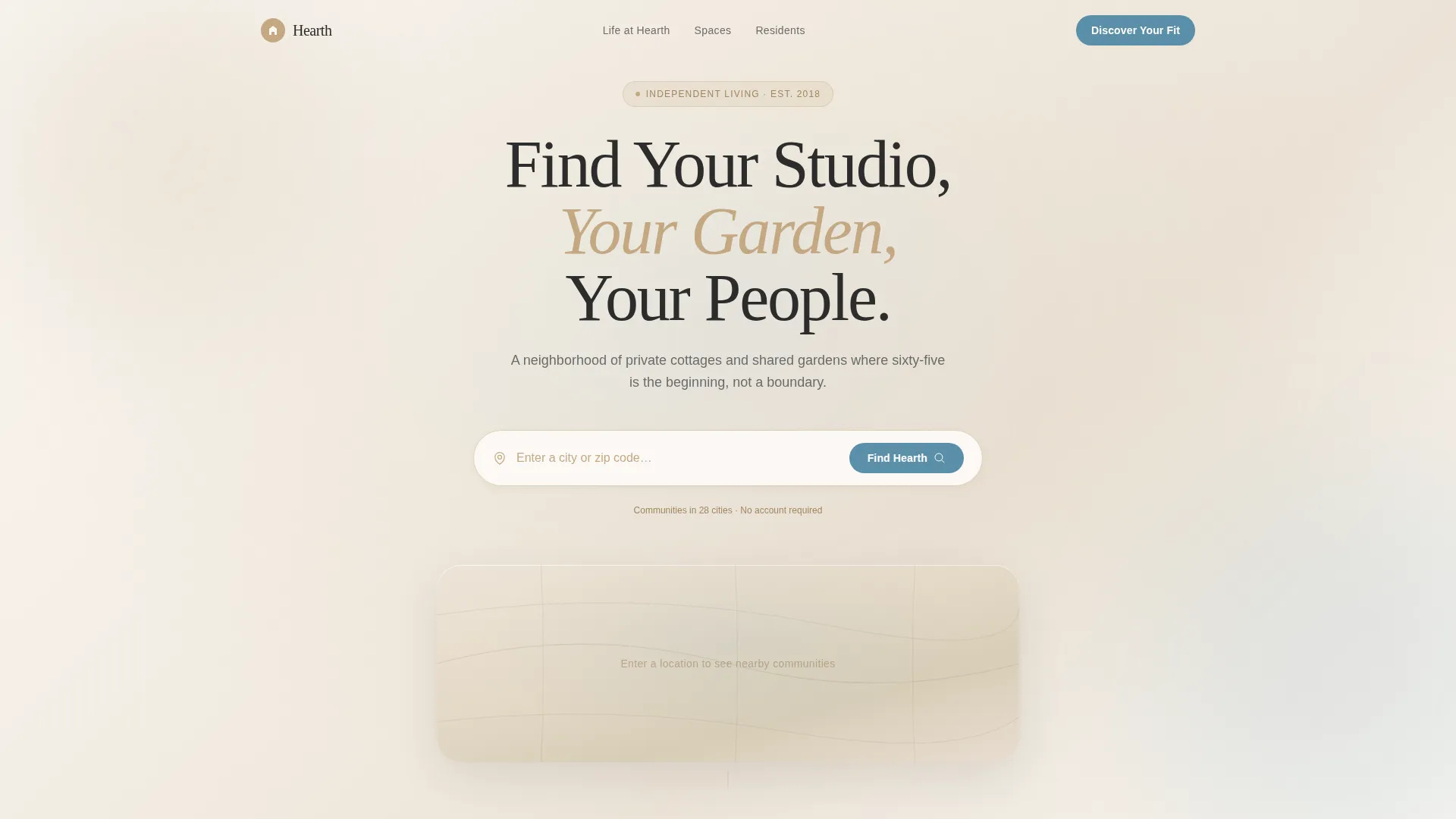
Hearth is a full-width immersive landing page template designed for independent senior living communities. It combines an interactive location search, stats-driven gallery sections, and a five-question "Discover Your Fit" quiz to guide visitors from curiosity to a scheduled studio visit. The Atelier Studio visual identity feels warm and editorial, never clinical.
by Rocket studio
Quick summary
Hearth is a landing page template built for independent living communities serving adults over sixty-five. It opens with a location-search header, cascades into impact statistics, and leads visitors through a personalized quiz that matches them to a community. The design draws from an Atelier Studio aesthetic: warm linen backgrounds, editorial photography, and a restrained cerulean accent.
Who this template is for
This template is built for marketing teams and operators who represent independent living communities that attract active, intellectually curious adults. It works especially well when the community has distinct amenity spaces, a rich social calendar, and a story worth telling beyond a basic floor-plan brochure.
- Independent senior living communities marketing to adults aged sixty-five and older
- Retirement community operators who want to move visitors from passive browsing to an actual scheduled tour
- Property marketers replacing a generic inquiry form with a more personal, quiz-led conversion flow
What problem this template solves
Most senior living landing pages position their communities around care and safety. That framing quietly signals decline to the very audience it is trying to attract. Active adults researching independent living want expansion, not accommodation. They want to see proof that life there is richer, not reduced.
- The template reframes independent living around social growth, creative activity, and personal agency
- Generic contact forms fail to qualify visitors or make them feel understood before asking for commitment
- Stock photography of silver-haired couples laughing has become invisible; this template replaces it with textured, editorial visuals that feel handmade and specific
What you get with this template
You get a single-page layout structured to move a skeptical visitor through a logical arc: location and context, data-backed credibility, immersive gallery proof, and finally a personalized quiz that earns the conversion. Every section is built from the source brief with a clear purpose.
- A location-input header with a watercolor-style map and illustrated cottage-pin markers
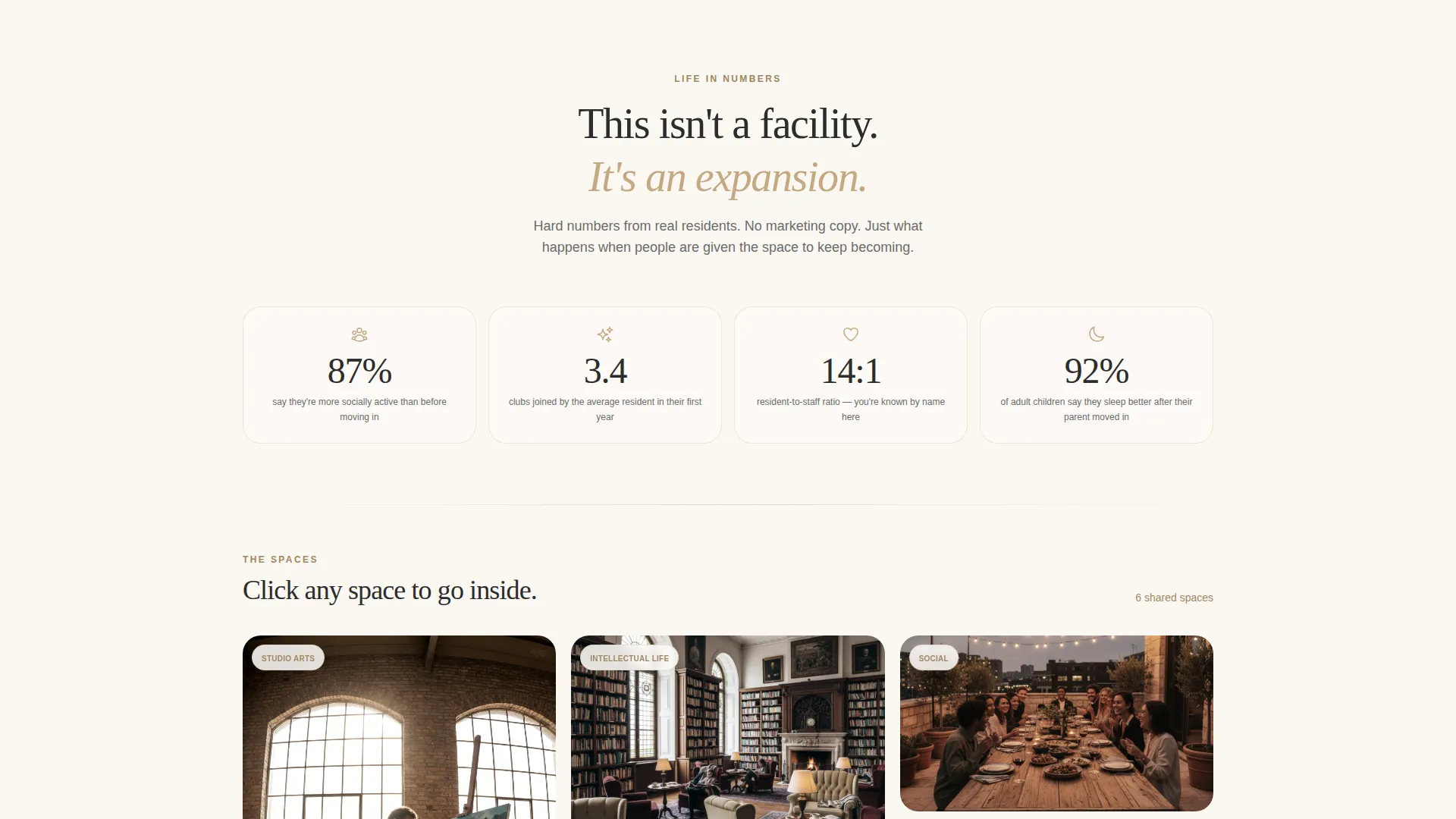
- A stats-first impact section with three anchor statistics, each opening into a masonry photo gallery with slide-open detail panels
- A five-question interactive "Discover Your Fit" quiz leading to a personalized community match card and a "Schedule a Studio Visit" booking prompt
Feature list
This template is built around several distinct capabilities drawn directly from the source brief.
Location Search Header
The header centers a generous search field over a soft watercolor-style map. Visitors type a city or zip code and the map responds with illustrated cottage-pin markers for nearby communities. A textured canvas background shifts subtly in hue as the cursor moves, giving the page an immediate handmade quality.
Stats-First Impact Cascade
Three anchor statistics appear the moment a location is selected. Each stat reframes independent living as expansion rather than retreat. The numbers are large, confident, and editorially placed to challenge the visitor's assumptions before the gallery begins.
Masonry Gallery with Detail Panels
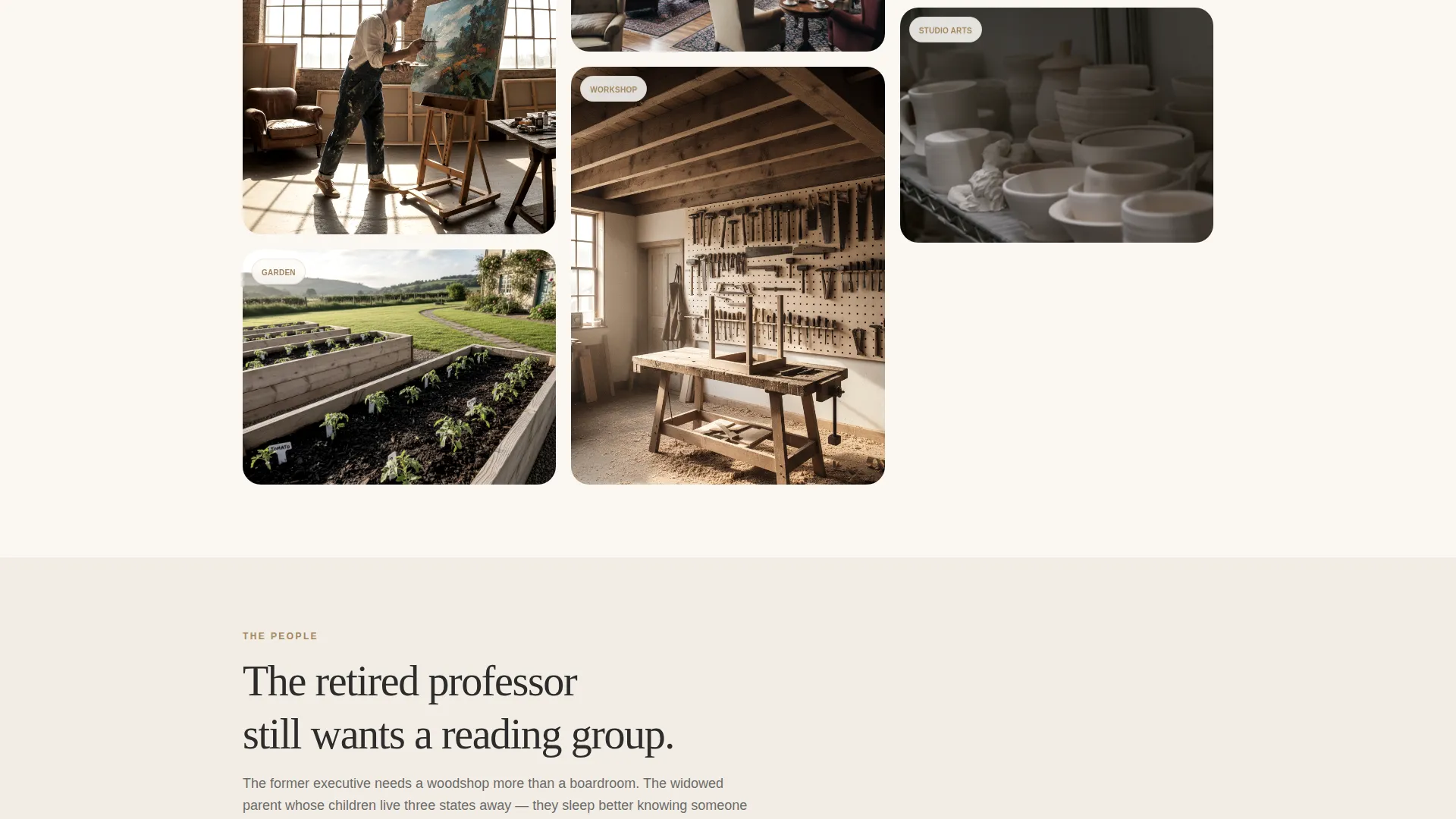
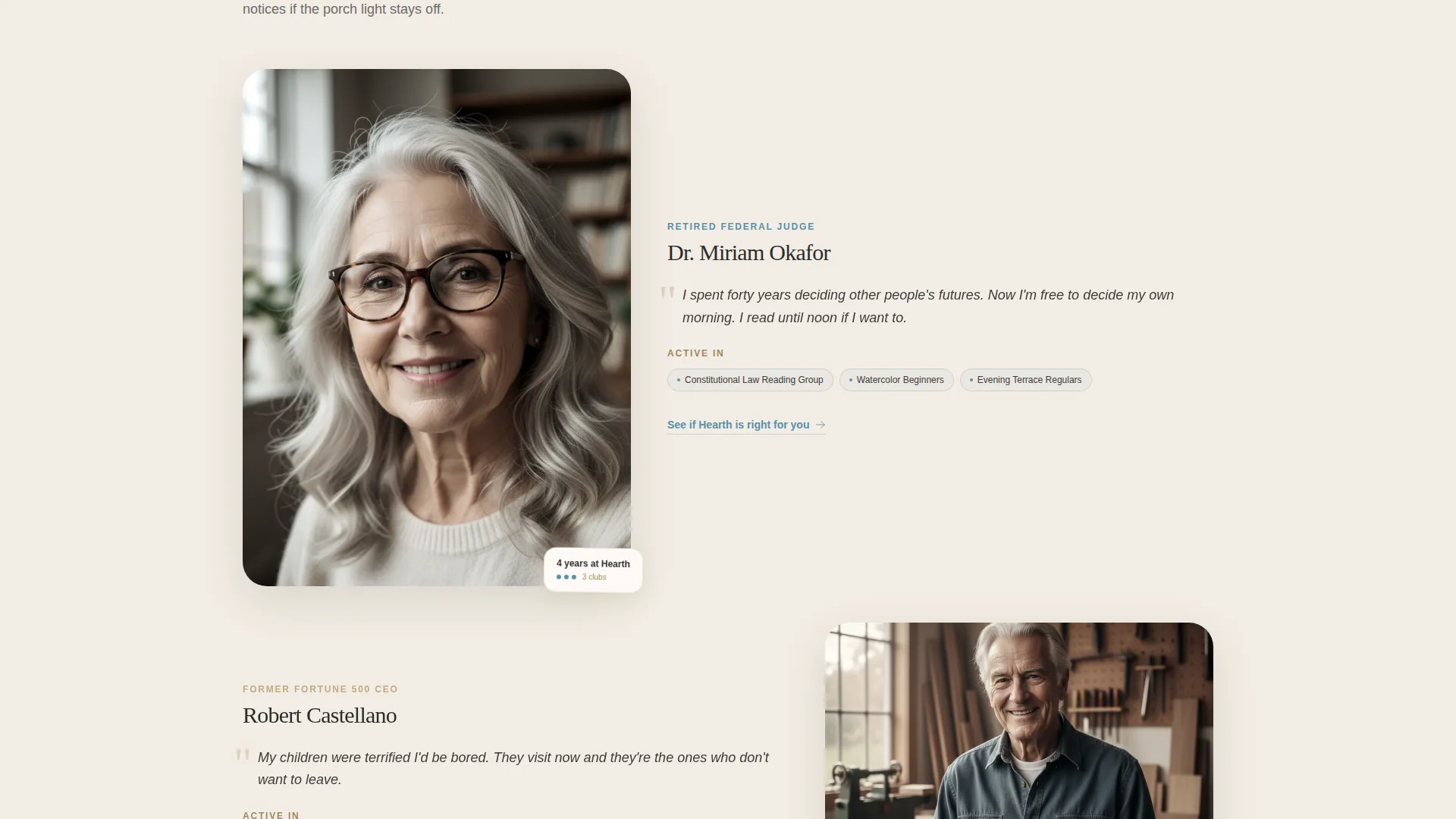
Each statistic anchors a masonry photo grid showing specific community spaces: the darkroom, the ceramics kiln, the raised-bed garden plots. Clicking any image slides open a detail panel that includes resident quotes, square footage, and amenity specifics.
Five-Question Fit Quiz
The primary call to action leads to a short interactive assessment. Visitors answer five questions covering living preference, most important daily activity, proximity to family, move-in timeline, and budget comfort expressed as lifestyle tiers. Results deliver a personalized community match with a comparison card.
Personalized Match Card and Tour Booking
Quiz results surface a specific community recommendation with a comparison card. The secondary call to action, "Schedule a Studio Visit," links to a tour-date booking prompt rather than a generic contact form, making the next step feel concrete and low-pressure.
Editorial Visual Identity
Backgrounds use stretched-linen white instead of clinical white. Photography is desaturated just enough to feel editorial. Section dividers and card borders use soft studio clay. Interactive elements and call-to-action buttons use a single cerulean wash accent, keeping the palette cohesive and warm.
Page sections overview
| Section | Purpose |
|---|---|
| Location Search Header | Let visitors find nearby communities via city or zip code on a watercolor-style map |
| Stats Impact Cascade | Present three anchor statistics that reframe independent living as social and creative expansion |
| Social Activity Gallery | Open the first stat into a masonry grid of community photos with slide-open detail panels |
| Creative Spaces Gallery | Anchor the creative-activity stat with studio and workshop imagery and resident quotes |
| Resident-to-Staff Ratio | Ground the care stat in a specific ratio figure with supporting community detail |
| Fit Quiz Section | Guide visitors through five personalized questions to find their community match |
| Match Result Card | Display a personalized community recommendation with a comparison card layout |
| Studio Visit Booking | Present the "Schedule a Studio Visit" call to action with a specific date-booking prompt |
Design & branding system
The visual identity follows an Atelier Studio theme built on the Cloud Canvas color system. Every color choice is deliberate: the palette evokes an artist's worktable at golden hour rather than a healthcare brochure.
- Stretched-linen white (#FAF7F2) for all backgrounds, charcoal graphite (#3B3B3B) for body text, and soft studio clay (#C4A882) warming section dividers and card borders
- A single cerulean wash accent (#5B8FA8) reserved exclusively for interactive elements and call-to-action buttons, keeping the visual hierarchy clean
- Photography is desaturated just enough to feel editorial rather than promotional, and the cursor-responsive canvas texture in the header adds a tactile, handmade quality before a single word is read
Mobile & speed optimization
The full-width immersive layout is designed to scale across screen sizes without losing the warmth of the Atelier Studio aesthetic. Key interactive elements remain usable and readable on smaller viewports.
- The location search field and watercolor map scale to a single-column layout on mobile devices
- The masonry gallery reflows to a single or two-column grid on smaller screens, keeping detail panels accessible
- The five-question quiz presents one question at a time, making the assessment comfortable to complete on a phone without scrolling fatigue
How this template helps you convert
Hearth is built around a conversion arc that earns trust before asking for anything. Each stage of the page does specific work.
- The stats cascade immediately separates this page from typical senior living marketing by leading with social proof and hard numbers, giving skeptical adult visitors a reason to keep reading
- The masonry gallery with slide-open detail panels turns passive scrolling into active exploration, building familiarity with specific spaces and real resident voices before any ask is made
- The "Discover Your Fit" quiz replaces a cold contact form with a personalized conversation, so the visitor feels understood before they see the "Schedule a Studio Visit" prompt
Other information about this template
This template sits at the intersection of real estate property marketing and the active adult community niche. It is well-suited for communities that want to attract residents who are curious, independent, and not yet ready to see themselves in traditional senior care imagery.
- The template style is full-width immersive, meaning sections fill the viewport for a cinematic, editorial browsing experience
- The header concept follows a stats and metrics approach, leading with credibility signals rather than aspirational lifestyle copy alone
- Creative direction draws from spatial and architectural framing, with each gallery section functioning as a visual room tour
- The quiz-led landing page direction is well-matched to communities where personalization and resident fit are core parts of the sales conversation
Theme
Corporate Precision
Creative direction
Spatial & Architectural
Color system
Cloud Canvas
Style
Full-Width Immersive
Direction
Quiz/Assessment
Page Sections
Location Search with Illustrated Map
Stats-first Impact Section
Masonry Gallery with Slide-open Detail Panels
Five-question Fit Assessment
Personalized Match Card with Tour Booking
Atelier Studio Visual Identity
Related questions
Can I customize the quiz questions for my specific community?
Does this template support multiple community locations?
What kind of photography works best with this template?
Is the Schedule a Studio Visit section a full booking system?
Who is the ideal resident profile this template speaks to?



