Labor & Employment Government FAQ Website Template
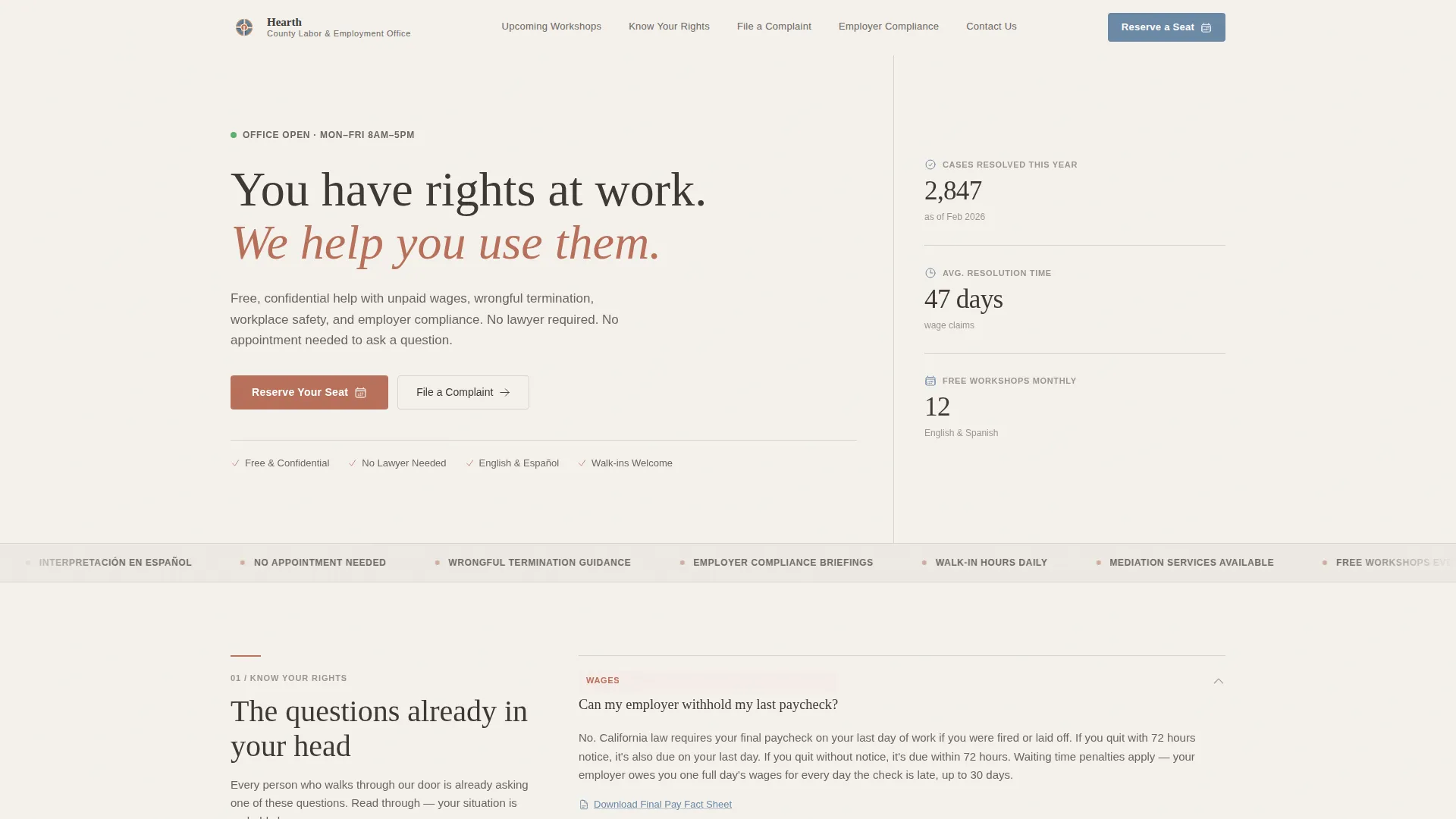
Hearth is a hub-and-spoke anchor-nav landing page template built for county labor and employment offices. It guides workers and small business owners through wage claims, workplace rights, and compliance questions using an FAQ-driven layout. The primary conversion path is free workshop registration, with a clean calendar grid and a short, no-account-required sign-up form.
by Rocket studio
Quick summary
Hearth is a single-page civic template designed for a county labor and employment office. It uses anchor navigation to connect five core sections: Know Your Rights, File a Complaint, Upcoming Workshops, Employer Compliance, and Contact Us. The FAQ-driven format answers real visitor questions before asking for anything in return. Event registration is the primary conversion action.
Who this template is for
This template is built for county offices, municipal labor departments, and civic advocacy organizations that serve workers and employers directly. It works best when the primary goal is public education paired with a clear path to action.
- Workers facing unpaid wages, wrongful termination, or workplace safety concerns
- Small restaurant owners, hotel staff, and warehouse employees navigating compliance or dispute processes
- County labor offices running free community workshops and multilingual outreach programs
What problem this template solves
Many government office pages feel like dead ends. Visitors arrive with a specific, urgent question and leave without a clear next step. Hearth solves that problem by opening every section with the exact question the visitor is already asking.
- Visitors often do not know which form to file or which office handles their issue
- Workers feel intimidated by legal language and stop before reaching the registration or complaint form
- Employers and workers both need separate, clearly labeled paths without one overshadowing the other
What you get with this template
Hearth delivers a fully structured, single-page layout with five anchor-linked hub sections, a sticky logo bar header, and a workshop registration form. Every section is built around a real use case drawn from the county labor office context.
- A sticky Logo Bar header with the county seal placement, office name, and five horizontal anchor links
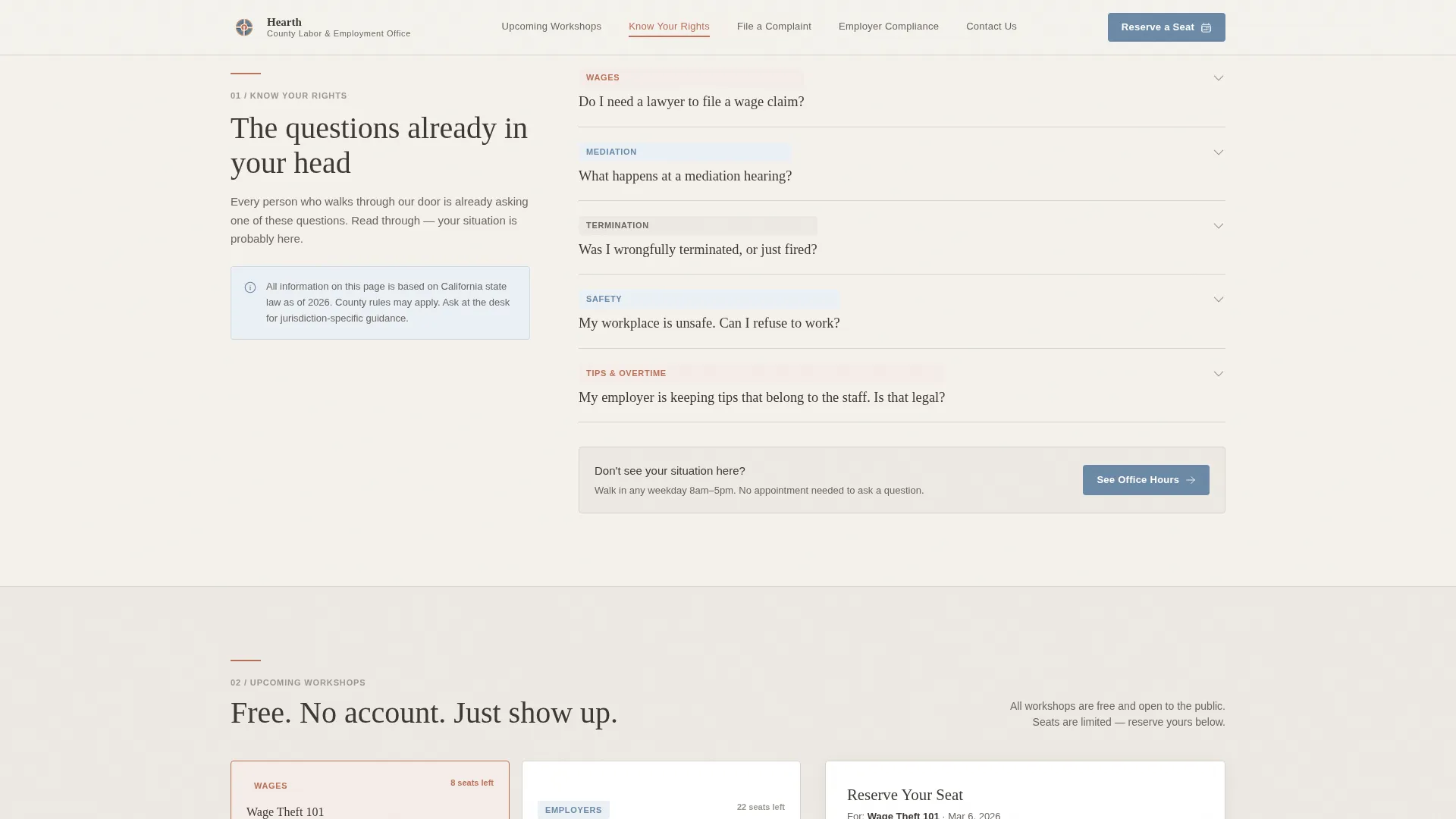
- An FAQ-driven conversation card layout for Know Your Rights and File a Complaint sections
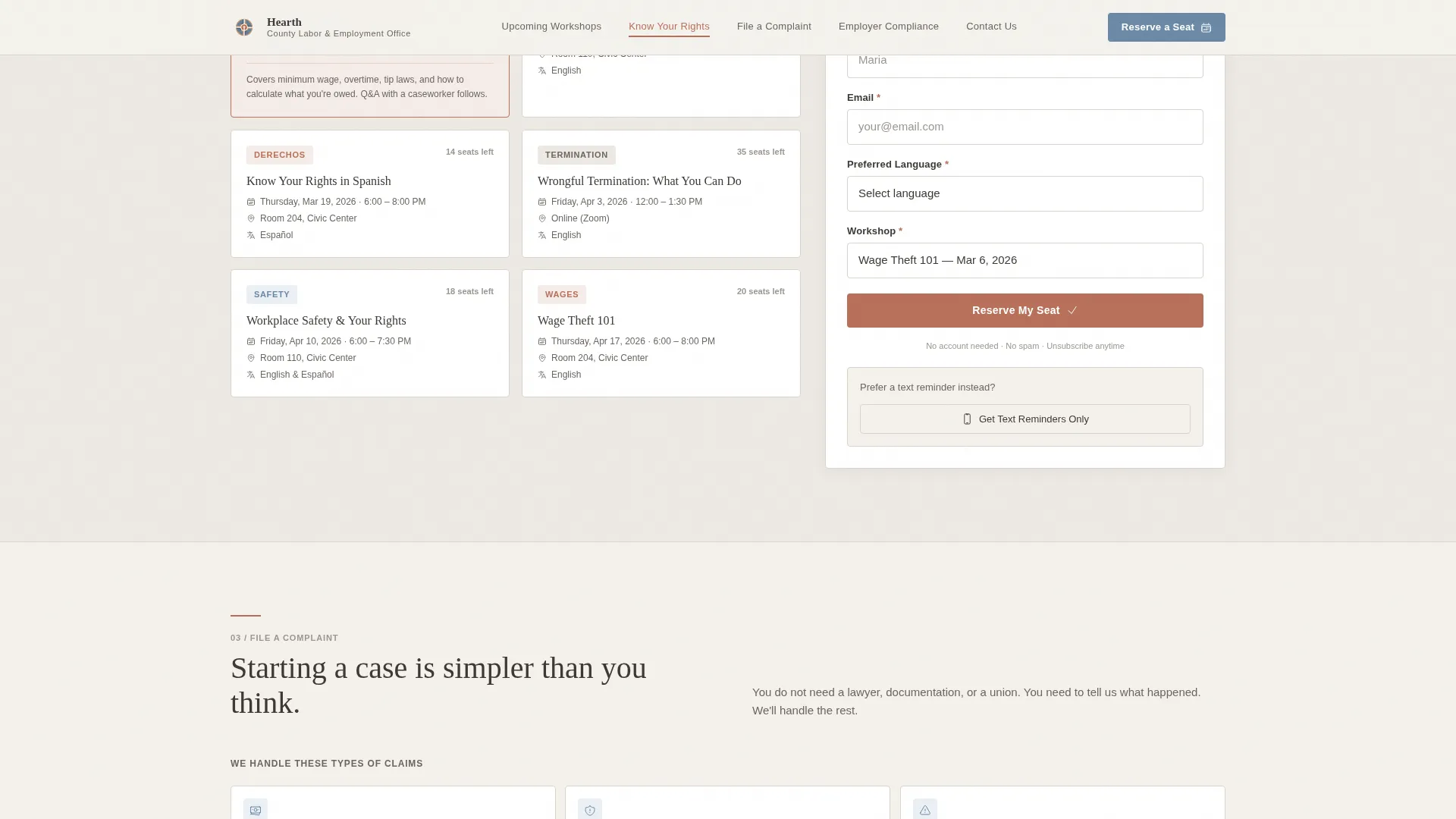
- A workshop calendar grid with a short registration form (first name, email, preferred language, workshop choice) and a secondary text-reminder opt-in field
Feature list
The template ships with a focused set of components, each mapped to a real visitor need inside a county labor and employment office.
Anchor Navigation with Active States
The sticky header holds five anchor links: Upcoming Workshops, Know Your Rights, File a Complaint, Employer Compliance, and Contact Us. Active link states use muted terracotta to show exactly where the visitor is on the page.
FAQ-Driven Conversation Cards
Each hub section opens with a real question a visitor is already thinking. Cards expand to reveal short answers, relevant form links, and a pointer to the next logical question. This pull-through structure keeps visitors moving without feeling like a maze.
Workshop Calendar Grid and Registration Form
The Upcoming Workshops section displays a calendar grid of free events including Wage Theft 101, Employer Compliance Briefing, and Know Your Rights in Spanish. The registration form collects four fields in order: first name, email, preferred language, and workshop choice. No account creation is required.
Civic Stats Sidebar
The hero section includes a civic statistics sidebar alongside the split 12-column grid. This sidebar surfaces case resolution stats, workshop attendance numbers, and multilingual availability badges to build immediate trust with first-time visitors.
Employer Compliance Callout Cards
A dedicated section uses informational callout cards to address employer-specific questions around compliance deadlines, mediation procedures, and new regulatory requirements. This keeps employer content clearly separated from worker content.
Scroll-Triggered Section Reveals
Sections animate into view using Intersection Observer reveals, spotlight card effects, and staggered transitions. The motion is medium-weight and purposeful, guiding attention without distracting from the content.
Page sections overview
| Section | Purpose |
|---|---|
| Logo Bar Header | Displays county seal, office name, and five anchor nav links |
| Hero Split Grid | Introduces the office with civic stats sidebar and anchor nav |
| Know Your Rights | FAQ conversation cards covering wage and workplace questions |
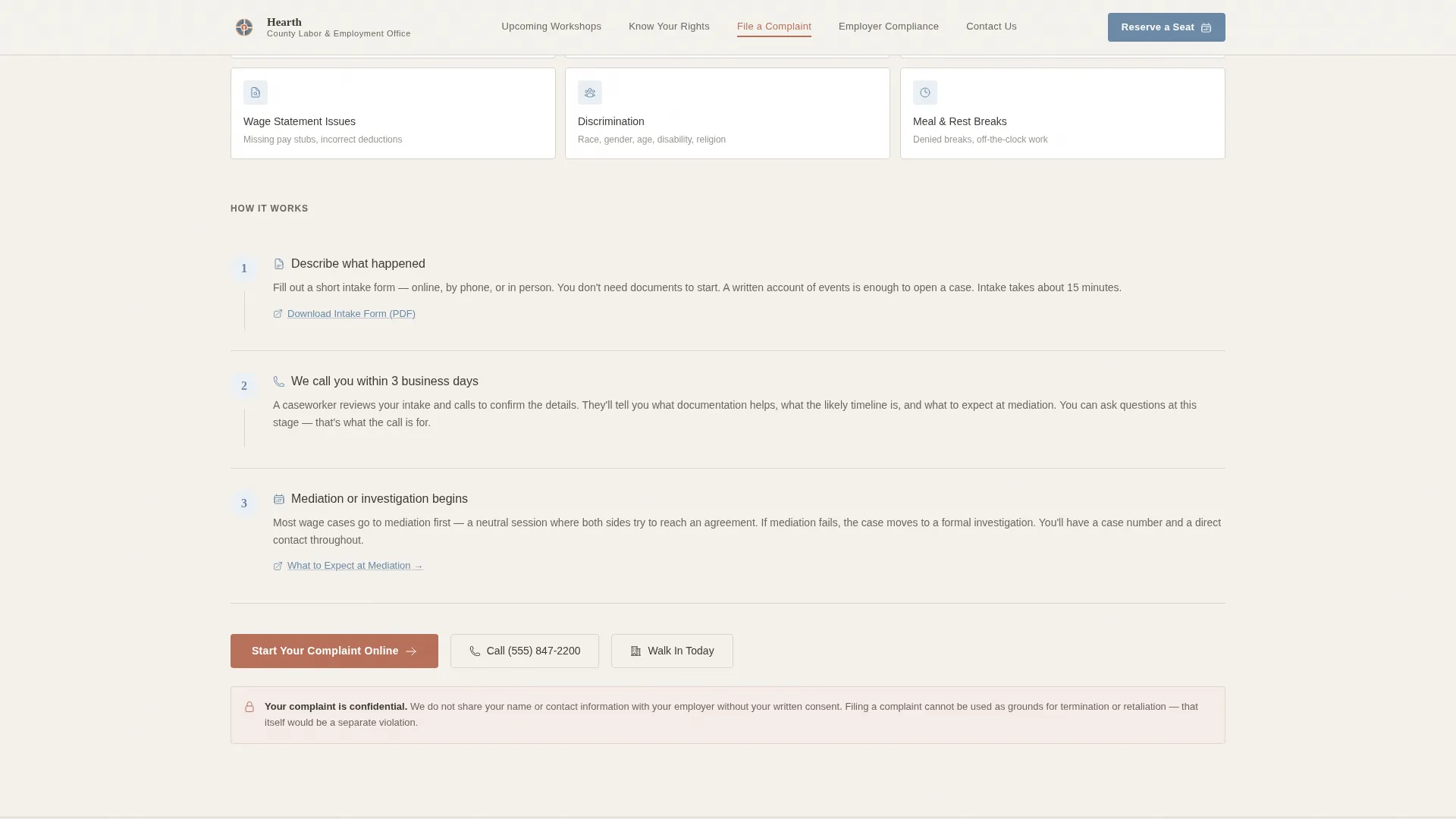
| File a Complaint | Three-step clarity path for submitting a formal complaint |
| Upcoming Workshops | Calendar grid with workshop registration and text-reminder opt-in |
| Employer Compliance | Callout info cards for compliance deadlines and mediation guidance |
| Contact Footer | Linear single-row footer with office contact information |
Design & branding system
The visual identity follows a Community Hearth theme built on the Cloud Canvas color system. The palette feels like a well-maintained public library in autumn: neutral enough to signal authority, warm enough to feel approachable.
- Soft overcast white (#F4F1EC) for the page background, warm graphite (#3D3935) for body text and navigation, muted terracotta (#B8705A) for active anchor links and event badges, and quiet civic blue (#6B89A5) for buttons and informational callouts
- DM Sans handles body text and navigation for clean legibility, while Fraunces display headings add warmth and authority to section titles
- No hero photography or stock imagery; the restraint of the header signals that the office respects the visitor's time
Mobile & speed optimization
The template is built mobile-first because many visitors arrive on phones while standing in line or on a break. Every section stacks cleanly for small screens without losing the hub-and-spoke navigation logic.
- Anchor nav collapses gracefully on mobile, keeping all five destination links reachable without a full menu rebuild
- Interactive components including the FAQ expand, registration form, and anchor nav active states are handled as client components, while static section content uses server components for faster initial load
- The registration form stays short by design: four fields only, no account creation, making it easy to complete on a small screen in under a minute
How this template helps you convert
Hearth is structured around a trust-first conversion sequence. The page earns the registration click by answering real questions before ever asking for anything.
- The FAQ-driven section layout answers three realistic visitor questions before the first call to action appears, establishing credibility and reducing the hesitation that kills civic page conversions.
- The "Reserve Your Seat" primary call to action is anchored directly to the workshop calendar grid, so the visitor sees available dates and topics at the same moment they decide to register.
- A secondary "Get Text Reminders" path requires only a phone number, giving visitors who are not ready to commit to a full registration a low-friction way to stay connected.
Other information about this template
Hearth is a purpose-built template for the labor and employment government niche. It is part of a broader Government and Public category collection designed for civic service use cases.
- The template supports English as the primary language with Spanish noted as a secondary language, reflected in the workshop listing for Know Your Rights in Spanish
- All date formatting follows the United States convention of MM/DD/YYYY, and the template is scoped for a domestic United States civic audience
- The template style is Hub and Spoke with Anchor Navigation, meaning each major topic lives in its own scroll-anchored section rather than across separate pages
- Animation weight is set to medium, using Intersection Observer reveals, scroll-scrub effects, and staggered card entrances for a polished but not distracting experience
Theme
Community Hearth
Creative direction
FAQ-Driven
Color system
Cloud Canvas
Style
Hub & Spoke (Anchor Nav)
Direction
Event Registration
Page Sections
Anchor Navigation with Active States
Faq-driven Conversation Cards
Workshop Calendar Grid and Registration
Civic Stats Sidebar
Employer Compliance Callout Cards
Scroll-triggered Section Reveals
Related questions
Does this template require a separate page for each office service?
Can visitors register for workshops without creating an account?
Is the template set up to serve both workers and employers?
What languages does the template support out of the box?
What social proof elements are included in the template?



