Hearth - Welcoming Seniorliving Landing Page Template
Hearth is a senior co-housing landing page template built for communities where independent older adults share courtyards, meals, and daily life while keeping their own front door. It pairs a cinematic full-screen video header with a modular card grid gallery, a guided five-question "Find Your Fit" quiz, and a warm Luxe Minimal visual identity rooted in deep emerald, linen, and aged brass.
by Rocket studio
Quick summary
Hearth is a single-page landing page template designed for a senior co-housing community. It leads with a golden-hour video loop, moves through a modular card grid that reveals private spaces, shared spaces, and real resident stories, and closes every visit with a guided quiz that matches prospective residents to the community style that fits their actual life.
Who this template is for
This template is built for senior co-housing communities, retirement lifestyle developers, and property marketers who want to reach independent older adults ready to make a considered, values-led move. It speaks directly to the people those communities are designed for.
- Recently widowed professionals and retired academics downsizing from large family homes
- Active adults in their late sixties who want belonging without giving up independence
- Community operators who need a warm, trust-building first impression rather than a brochure-style sales page
What problem this template solves
Many senior living pages feel clinical, institutional, or simply cold. They list amenities like a hotel spec sheet and lead with pricing before the reader has felt anything. Hearth solves the emotional gap between what co-housing actually offers and what most landing pages communicate.
- Visitors cannot picture themselves in a community they cannot feel through the screen
- Standard real estate pages push a call to action before earning trust
- Older adult audiences are often put off by small tap targets, tiny dropdowns, and friction-heavy forms
What you get with this template
You get a fully structured single-page layout that guides a visitor from first impression through emotional engagement to a qualified lead capture. Every section is purposeful and sequenced.
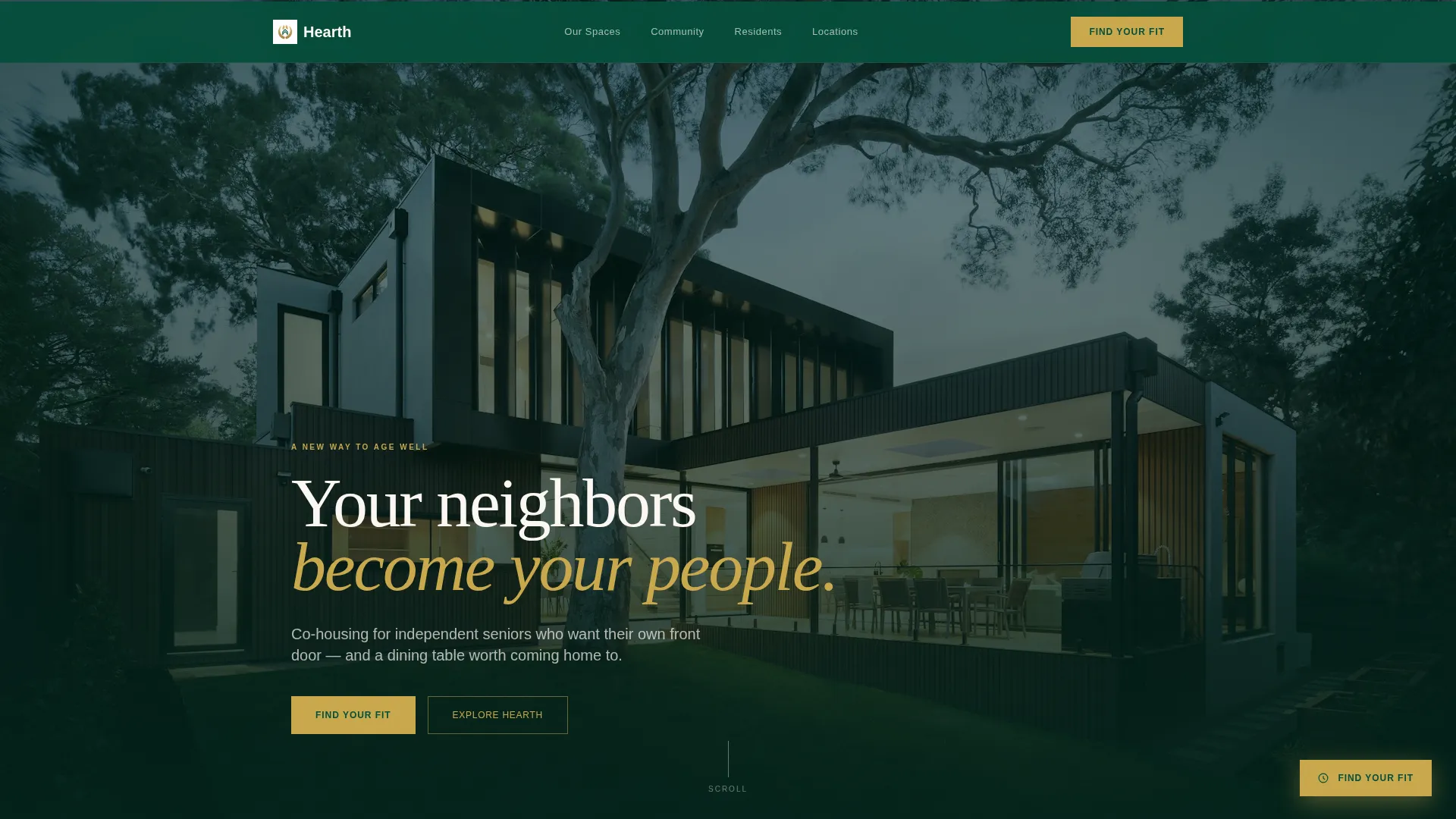
- A full-screen video header section with a headline overlay and a primary "Find Your Fit" call-to-action button in aged brass
- A three-row modular card grid covering private spaces, shared spaces, and candid resident profiles, each card expandable into a full gallery view
- A five-question guided quiz with large tap targets, a personalized community match result, and a final screen that captures name, email, and phone
Feature list
The template delivers six core capabilities that work together to inform, reassure, and convert visitors who are making one of the biggest decisions of their later life.
Full-Screen Video Header
A 15-second gimbal-shot loop plays at golden hour, drifting through a courtyard garden, an open kitchen, a living room, and a terrace. The final frame fades in the headline "Your neighbors become your people." No voiceover plays; ambient sound carries the mood.
Modular Card Grid Gallery
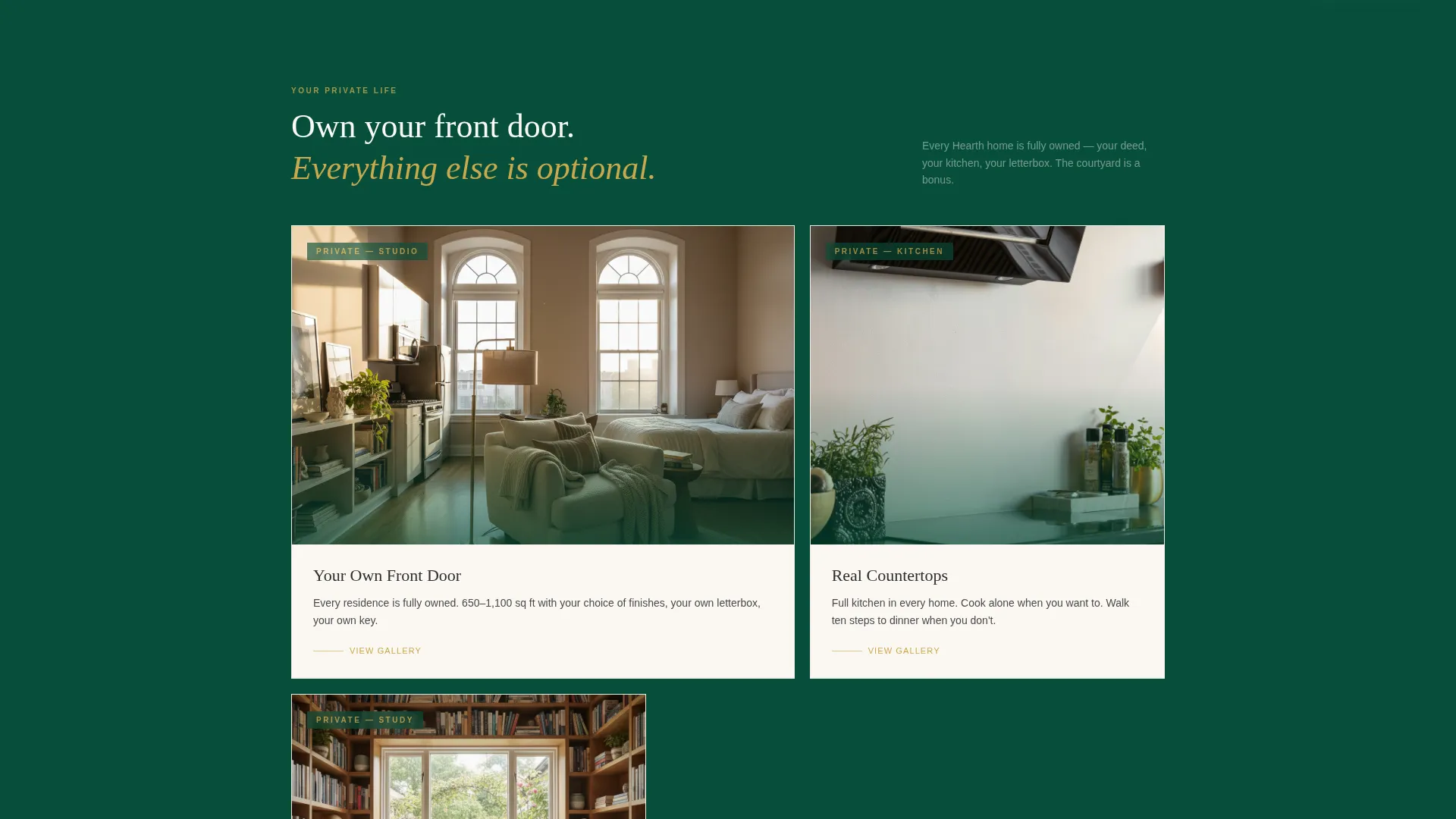
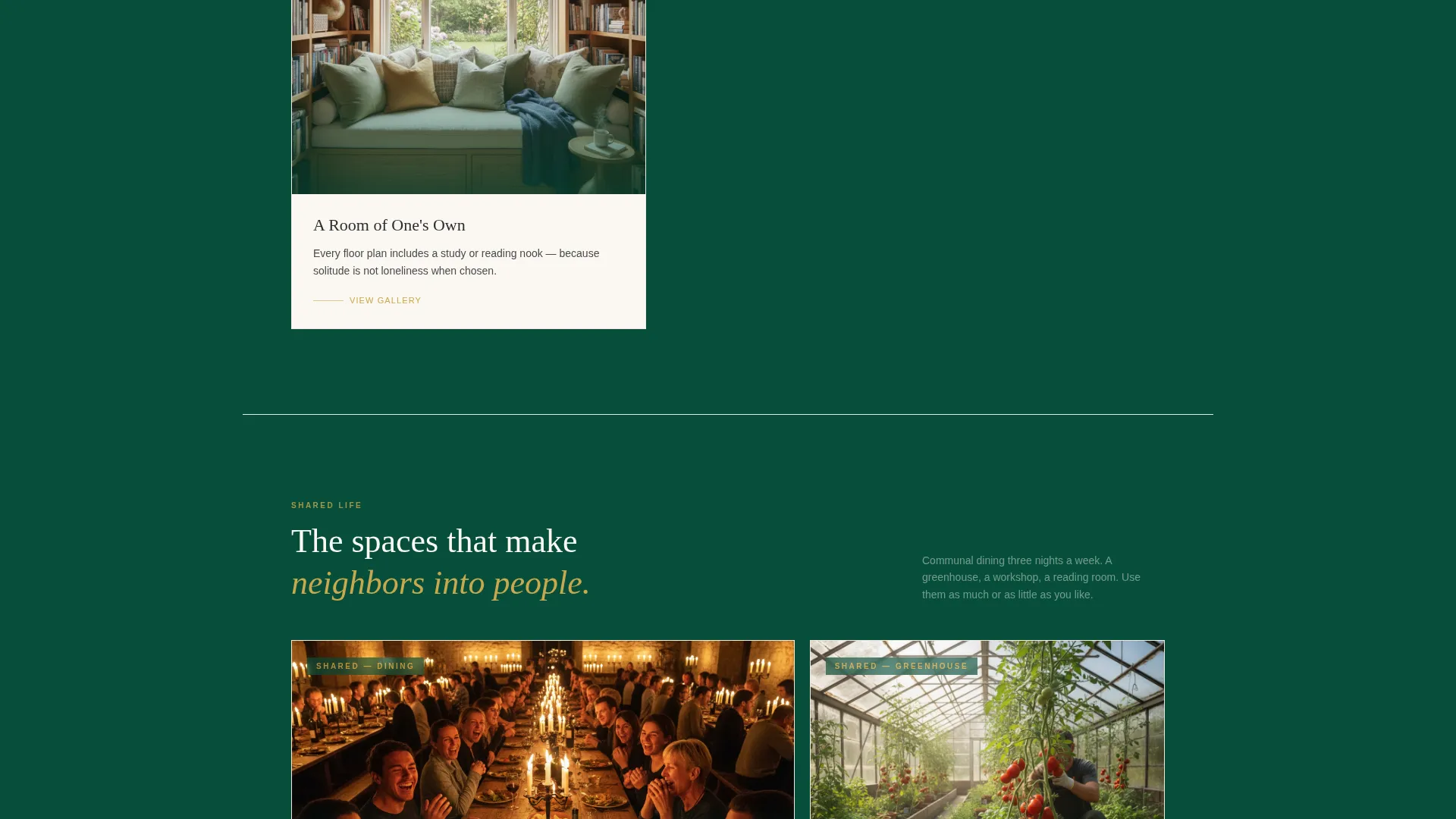
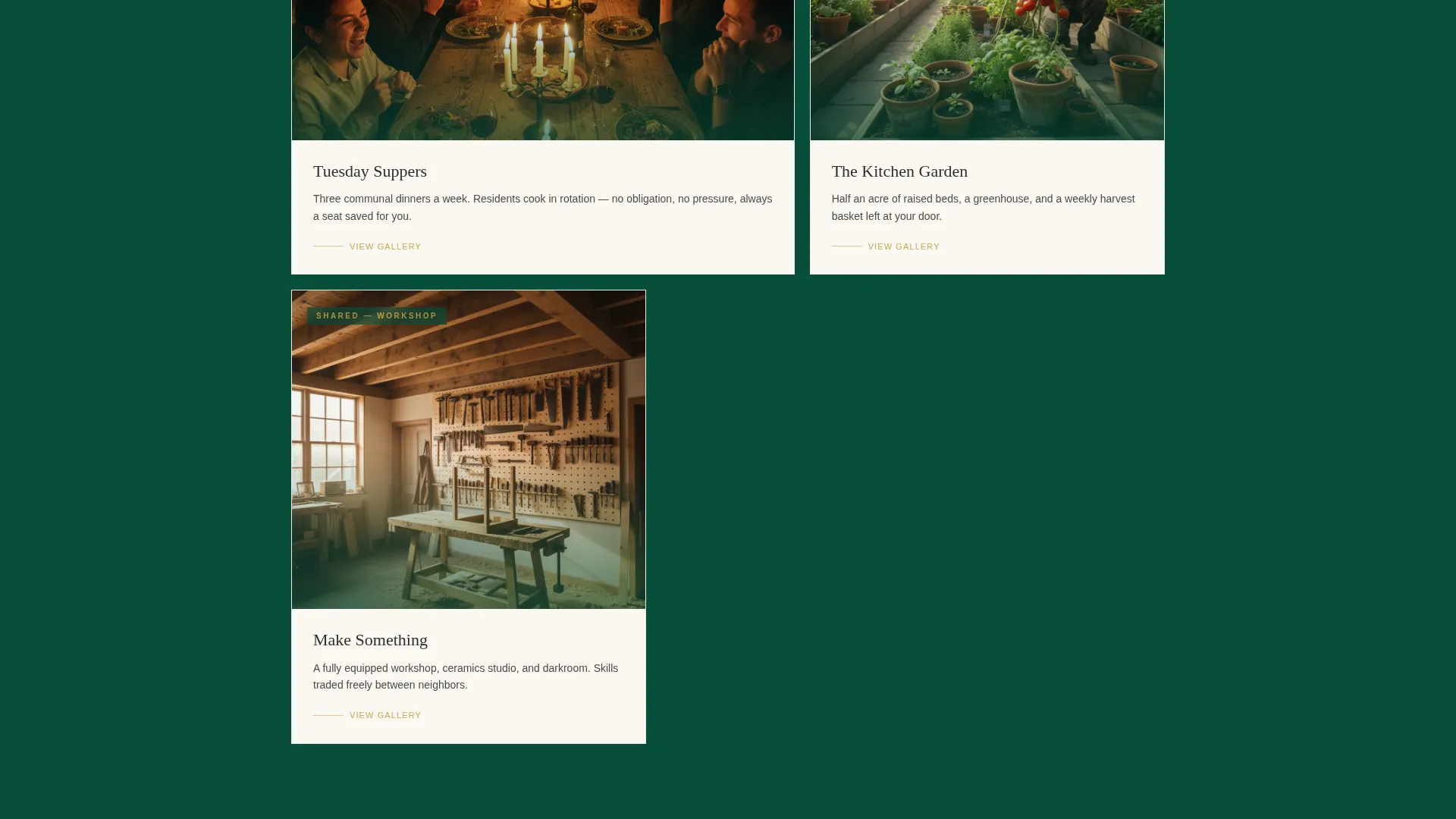
Three rows of framed cards create a curated gallery walk. The first row shows private apartments and personal spaces. The second row reveals shared dining, the workshop, and the greenhouse. The third row presents candid resident cards with a first name, former career, and one personal sentence. Each card opens into a full gallery on click.
Guided Five-Question Quiz
The "Find Your Fit" assessment opens from the primary call-to-action button and from a persistent floating button that appears after the second card row. Each of the five questions occupies a single screen with large tap targets. The result is a personalized community match profile and a suggested visit date.
Lead Capture on Quiz Completion
The final quiz screen collects name, email, and phone number. The flow earns this information by delivering genuine self-knowledge first, framing the result as "See which style of community life fits the life you actually want" rather than as a sales trigger.
Persistent Floating Call-to-Action
A floating "Find Your Fit" button in aged brass appears after the visitor scrolls past the second card row. It stays visible without interrupting the gallery experience, keeping the path to the quiz accessible at every scroll depth.
Expandable Resident Profile Cards
Each resident card in the third grid row carries a candid photo, a first name, a former career title, and one sentence about their reason for moving in. Clicking any card opens a full gallery, turning a single data point into a fuller human story.
Page sections overview
| Section | Purpose |
|---|---|
| Video Header | Establish warmth and immediate emotional connection |
| Headline Overlay | Anchor the community's core promise in one line |
| Primary Quiz call to action | Direct the first-time visitor toward the assessment |
| Private Spaces Row | Show personal independence through apartment and studio cards |
| Shared Spaces Row | Reveal communal life through dining, workshop, and greenhouse cards |
| Resident Profiles Row | Build trust with candid first-name stories from real community members |
| Floating Quiz Button | Maintain quiz access throughout the card grid scroll |
| Quiz Assessment | Qualify and match visitors through five guided questions |
| Match Results Screen | Deliver a personalized community profile and suggested visit date |
| Lead Capture Screen | Collect contact details after value has been delivered |
Design & branding system
The visual identity follows a Luxe Minimal direction. The palette draws on a private members' library aesthetic: deep forest emerald anchors the page in weight and permanence, linen-white card surfaces float above it like formal invitations, and aged brass accents catch the eye at every interactive moment.
- Deep forest emerald (#064E3B) as the dominant page background, giving the layout gravity and calm
- Brushed linen white (#FAF7F2) for card surfaces, creating contrast and a sense of curated refinement
- Aged brass (#C9A84C) on buttons, hover states, and interactive elements, marking every action point with warmth
Mobile & speed optimization
The quiz is specifically designed for visitors who may not be comfortable with small interface elements. Large tap targets replace dropdowns across all five quiz questions, making the assessment genuinely usable on a tablet or phone without frustration.
- Single-screen question layout prevents scrolling confusion during the quiz flow
- Modular card grid adapts naturally to narrower viewports, keeping each card legible and tappable
- Floating call-to-action button remains accessible on mobile without covering key content
How this template helps you convert
Hearth earns the lead rather than demanding it. The conversion path is built on a sequence of emotional investment before any ask is made.
- The video header creates an immediate sense of place and belonging, giving visitors a feeling before they read a single word of copy.
- The gallery card grid builds layered proof, moving from physical spaces to shared life to real human voices, so trust compounds across three rows.
- The quiz converts curiosity into commitment by promising a personalized result, then captures contact details only after that promise is fulfilled.
Other information about this template
This template sits at the intersection of senior living real estate and the active adult community market. It is designed for the 55-plus audience that has outgrown generic retirement page templates and expects a considered, respectful presentation.
- The card grid structure supports a "Gallery Walk" creative direction, treating each section as a curated exhibition rather than a feature checklist
- The quiz flow is built around the landing page direction of a self-assessment that delivers value before requesting personal information
- The full-width immersive layout makes the most of widescreen displays while the mobile layout keeps every interaction accessible
- The template is suited to operators building trust with an audience that researches carefully, moves deliberately, and responds to authenticity over sales pressure
Theme
Corporate Precision
Creative direction
Spatial & Architectural
Color system
Cloud Canvas
Style
Full-Width Immersive
Direction
Quiz/Assessment
Page Sections
Full-screen Video Header Loop
Modular Card Grid Gallery
Guided Five-question Quiz
Personalized Community Match Result
Persistent Floating Quiz Button
Candid Resident Profile Cards
Related questions
Who is the Hearth template designed for?
What does the 'Find Your Fit' quiz actually do?
Can the card grid be adapted for different community layouts?
Is this template suitable for a single community or multiple locations?
Why does the quiz ask for contact details at the end rather than the beginning?



