Advanced Senior & Elder Professional Website Template
Hearth is a single-column flow landing page template built for retired and senior volunteer programs. It uses a warm botanical color palette, hand-drawn illustration style, and a neighborhood-by-neighborhood scroll to invite recently retired adults into specific, local roles. The primary call to action leads visitors to an orientation sign-up page, with no form on the landing page itself.
by Rocket studio
Quick summary
Hearth is a click-through landing page template for neighborhood volunteer programs serving retired and senior adults. It pairs a custom illustration header with a slow, section-by-section neighborhood scroll. Each section grounds a volunteer opportunity in a specific local place. The result feels less like a nonprofit pitch and more like a warm invitation from a neighbor.
Who this template is for
This template is built for community organizers, nonprofit coordinators, and neighborhood program managers who recruit retired and senior volunteers. It works especially well when your audience needs to feel personally invited rather than broadly recruited.
- Neighborhood volunteer matching programs targeting recently retired adults
- Senior service organizations offering hyper-local placement opportunities
- Community coordinators who refer retired teachers, widowers, and grandparents to local roles
What problem this template solves
Many volunteer landing pages feel institutional and cold. They list opportunities without grounding them in real places, real people, or real need. Retired adults in particular often need to feel genuinely wanted before they will take any action.
- Generic volunteer pages fail to show the specific school, pantry, or park where help is needed
- Abstract mission statements do not move older adults the way a named, familiar place does
- Asking for personal data too early creates friction before emotional commitment is made
What you get with this template
You get a fully structured single-column landing page that walks visitors through five distinct neighborhood scenes, each tied to a real volunteer role. The page delays any data ask until the visitor has already said yes emotionally.
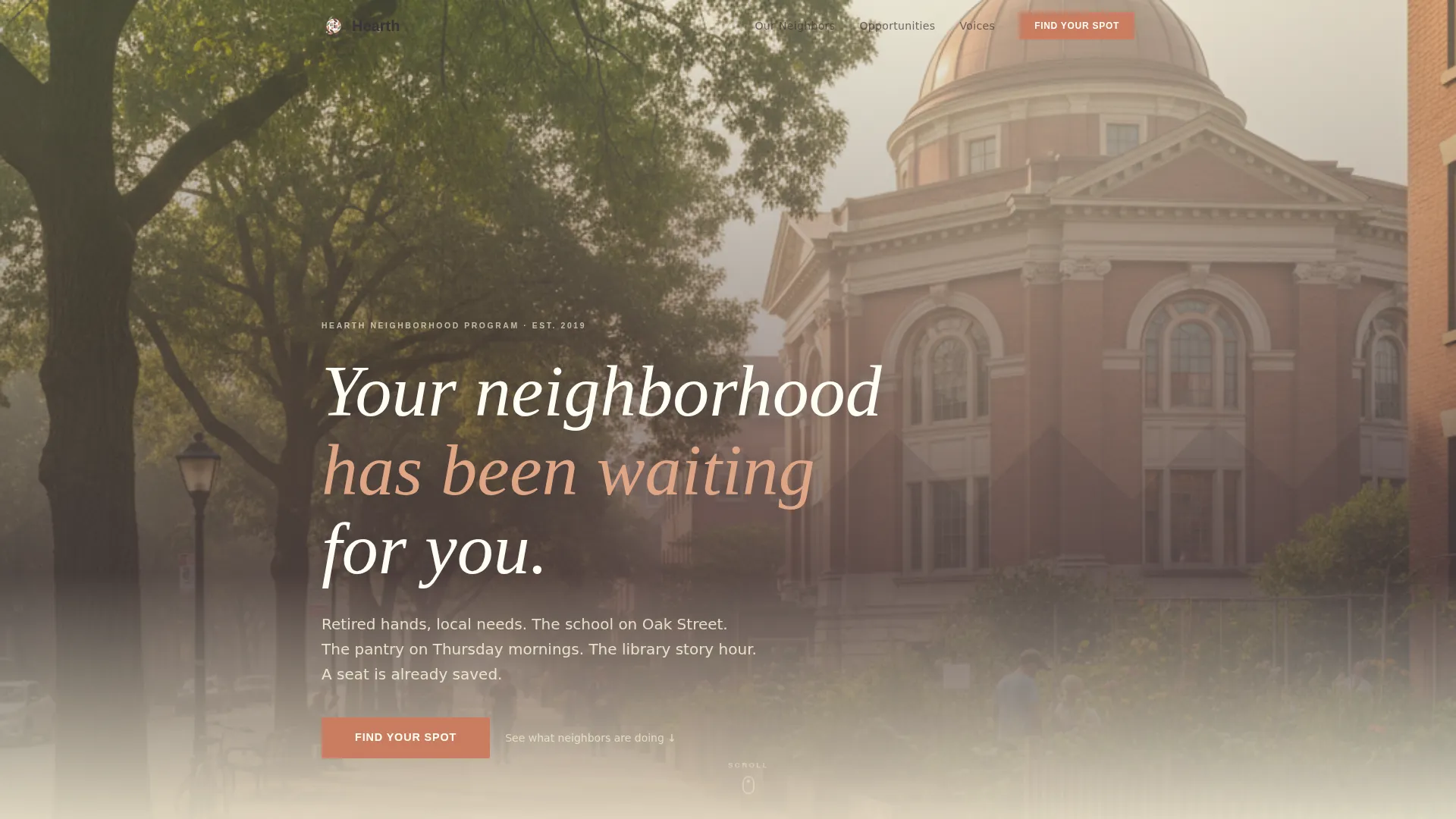
- A custom illustration hero with a headline fade-in and a primary rose-colored call-to-action button
- Four named neighborhood sections, each with a corkboard-style testimonial pull quote
- A click-through flow where every primary button leads to a separate orientation sign-up page
Feature list
A paragraph introduces the feature list for orientation. The template includes six carefully considered capabilities, each serving the emotional and functional needs of a senior volunteer recruitment page.
Neighborhood Illustration Header
The header features a wide, hand-drawn neighborhood scene viewed from slightly above. Volunteers appear in context: one walking a dog past the library, one kneeling in a school garden, one carrying a casserole dish up porch steps. A serif headline fades in over the rooftops as the page loads.
Scroll-Triggered Section Reveals
Each neighborhood section enters the viewport with a scroll-triggered reveal animation. The effect keeps the page feeling unhurried and generous, matching the slow-walk rhythm described in the template's creative direction.
Corkboard-Style Testimonial Pull Quotes
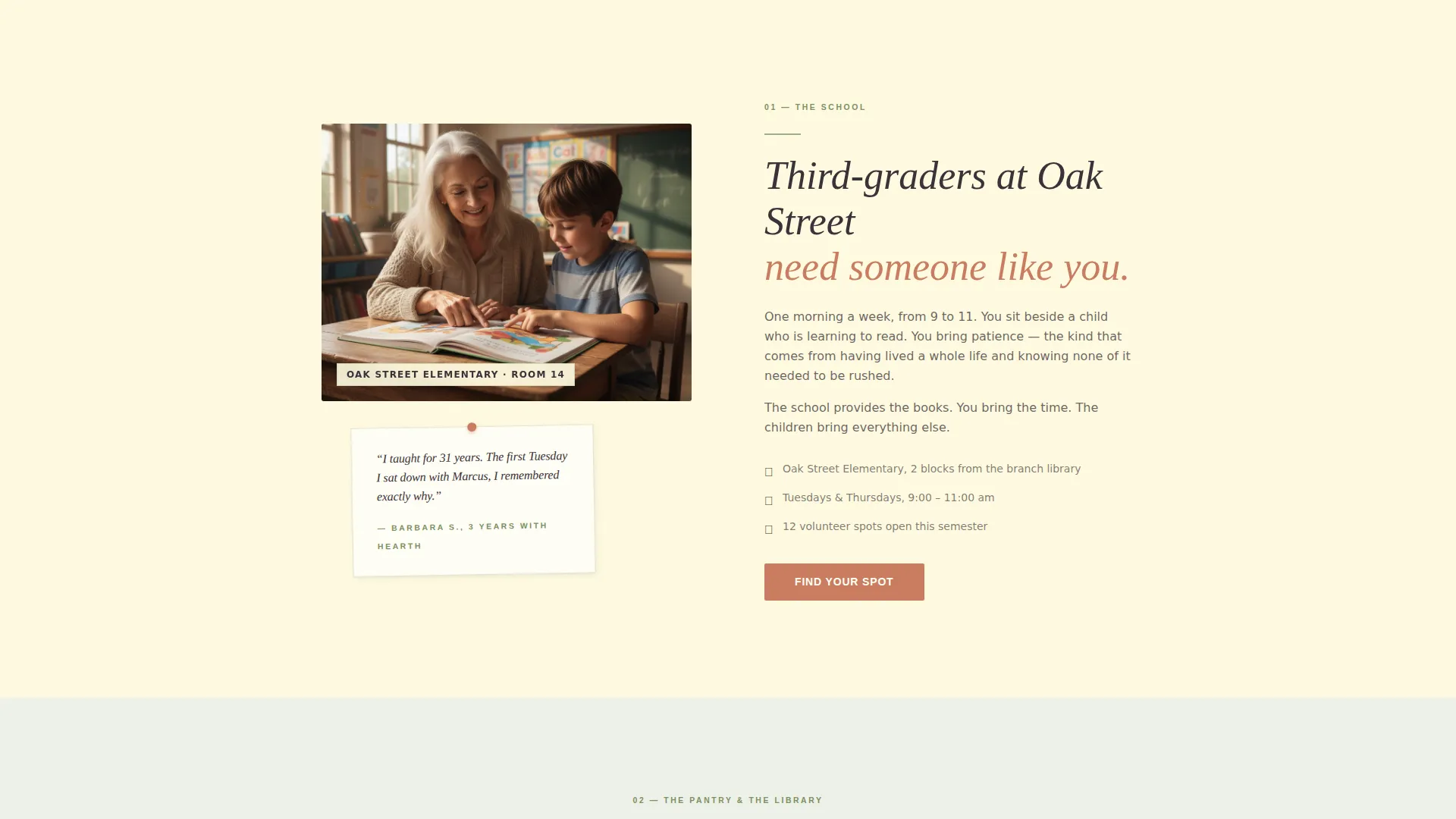
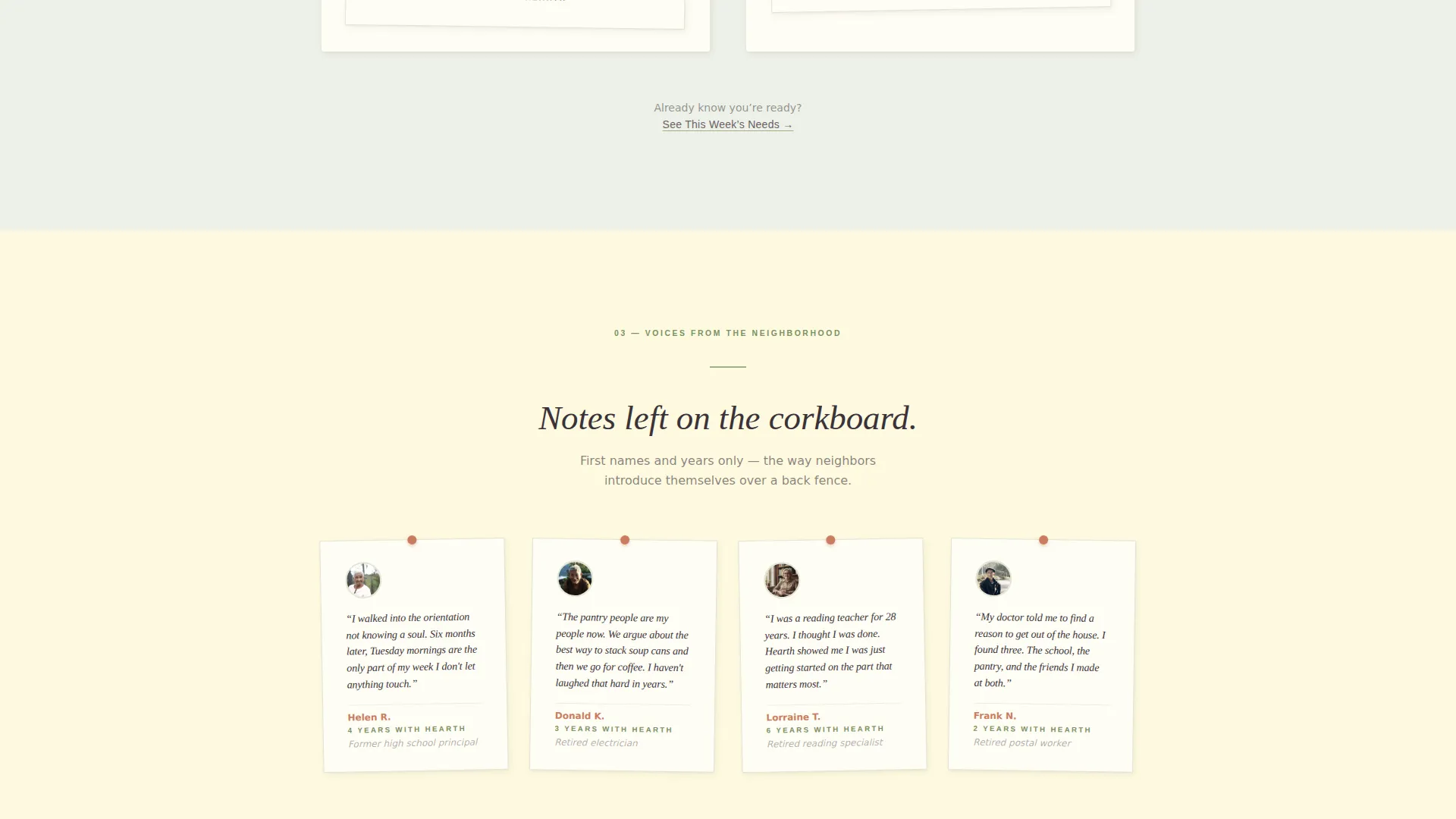
Volunteer voices appear as handwritten-style pull quotes pinned to each neighborhood scene. Only first names and years in the program are shown, so they read like notes left on a corkboard rather than formal endorsements.
Pressed-Flower Rose Call-to-Action Button
The primary "Find Your Spot" button appears in pressed-flower rose beneath the header and again after every second neighborhood section. Its consistent color makes it feel like a personal tap on the shoulder each time it reappears.
Secondary "See This Week's Needs" Link
A single secondary text link appears near the midpoint of the page. It serves returning visitors who already know they want to help and just need a current schedule. It does not interrupt the emotional flow for first-time visitors.
Alternating Sage and Linen Section Panels
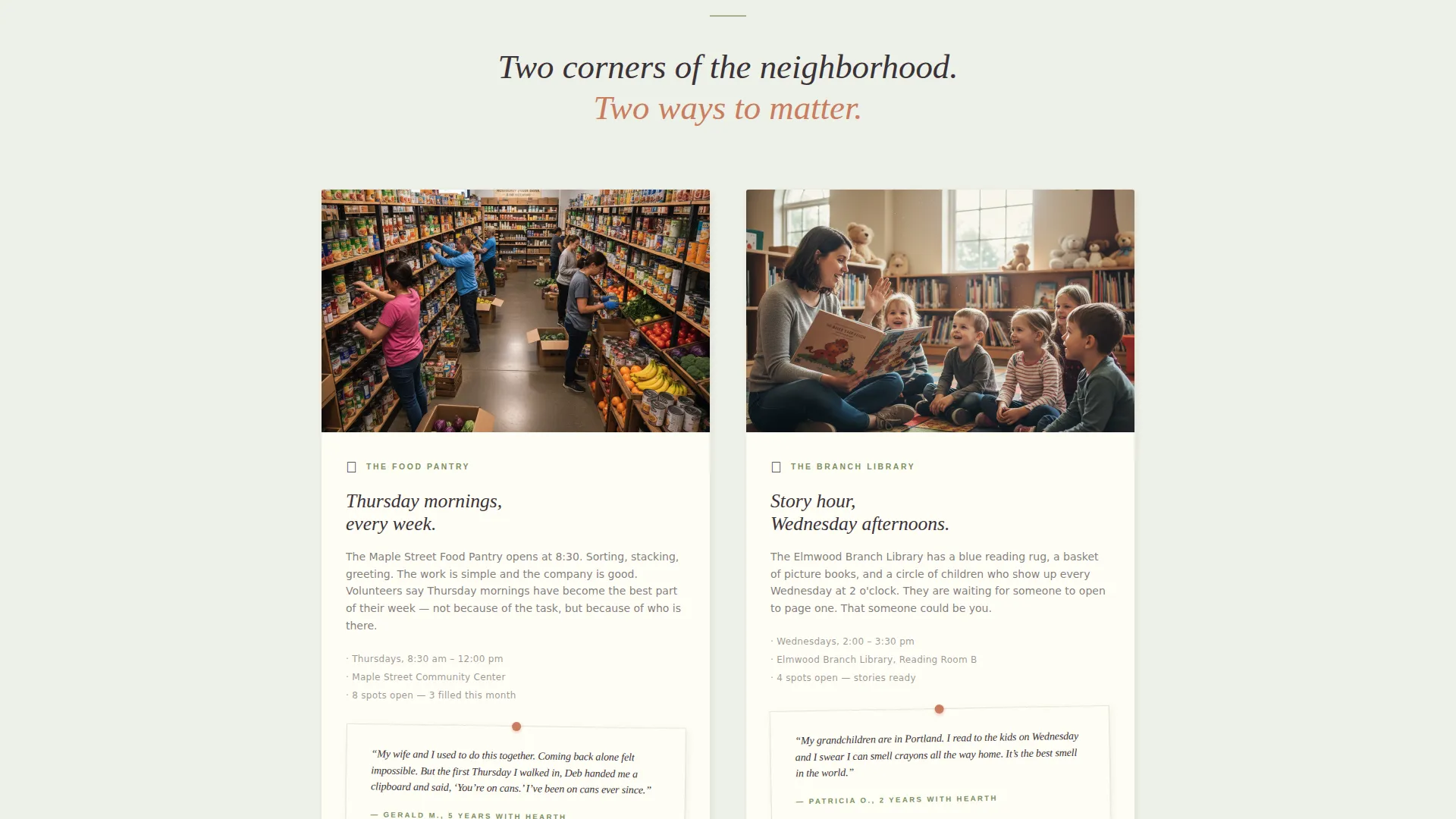
Section backgrounds alternate between soft sage and warm linen. This rhythm creates visual breathing room and separates each neighborhood story without requiring heavy dividers or borders.
Page sections overview
| Section | Purpose |
|---|---|
| Hero Illustration | Opens with the neighborhood scene and headline fade-in, plus the first "Find Your Spot" button |
| Oak Street School | Introduces elementary school tutoring with a zoom-in scene and corkboard testimonial |
| Pantry and Library | Two-panel split covering Thursday food pantry sorting and library story hour |
| Neighborhood Voices | Full-width handwritten pull quotes from volunteers, first names and years only |
| Park and Final Call | Park cleanup crew scene, secondary "See This Week's Needs" link, and final rose button |
| Minimal Footer | Horizontal flow footer with essential program links |
Design & branding system
The visual identity follows a Community Hearth theme built on a Botanical color system. Every color choice has a specific role, so the palette never feels arbitrary or decorative.
- Soft sage (#A3B18A) washes across alternating section backgrounds; warm linen (#FEFAE0) holds the primary canvas; deep loam (#3A3238) anchors all body text
- Pressed-flower rose (#C97D60) appears only on buttons, links, and interactive highlights, acting as a visual cue for every moment a hand is invited to act
- Typography pairs Fraunces, a warm serif display face, with DM Sans for body text and interface elements
Mobile & speed optimization
The template is designed desktop-first with generous mobile adaptation, recognizing that many senior and retired users browse on tablets. Layout decisions prioritize legibility and comfortable touch targets throughout.
- Single-column flow adapts cleanly to tablet and mobile viewports without restructuring the narrative order
- Server Components handle static content to keep JavaScript minimal, supporting smooth scroll and hover interactions without heavy overhead
- Image hover scale and scroll-triggered reveals are implemented at a medium animation intensity, keeping motion purposeful rather than distracting
How this template helps you convert
The template is structured to build emotional commitment before asking for any personal information. By the time a visitor reaches the sign-up page, they have already said yes in their heart.
- The neighborhood scroll grounds each volunteer role in a named, specific place, making the opportunity feel real and personal rather than abstract
- The "Find Your Spot" button reappears after every second section, so a visitor who feels ready can act at any natural pause without hunting for a next step
- The secondary "See This Week's Needs" link serves returning visitors efficiently, reducing the barrier for people who are already committed and just need current details
Other information about this template
This template sits at the intersection of community nonprofit design and senior elder service outreach. A few additional details are worth noting for program managers evaluating fit.
- The landing page direction is click-through, meaning no form lives on this page; the data collection happens on a linked orientation sign-up page
- The header concept is a custom illustration in a warm, hand-drawn style closer to a fine art print than a stock vector, giving the page a distinctly personal character
- The creative direction is Local and Neighborhood, with each section zooming into one specific building or corner of the opening scene
- The template style is Single Column Flow, keeping the reading path linear and unhurried for an audience that benefits from a calm, uncluttered experience
Theme
Community Hearth
Creative direction
Local & Neighborhood
Color system
Botanical
Style
Single Column Flow
Direction
Click-Through
Page Sections
Neighborhood Illustration Hero
Scroll-triggered Section Reveals
Corkboard Testimonial Pull Quotes
Repeating Rose Call-to-action Button
Secondary Schedule Text Link
Alternating Botanical Section Panels
Related questions
Does this template include a sign-up form on the landing page?
Can I update the neighborhood sections to reflect my program's real locations?
Who is this landing page template designed for?
How are volunteer testimonials displayed?
Is the template suitable for a program that covers multiple service areas?



