Dog Trainer Landing Page Template | Booking & Comparison
Heel is a dog trainer landing page template built for solo trainers who need to earn trust fast. It leads with live session metrics, walks visitors through real training questions, and uses a comparison table format to help dog owners self-select the right program. A behavioral quiz and downloadable checklist turn curiosity into bookings.
by Rocket studio
Quick summary
Heel is a single-page dog trainer booking template designed around proof, clarity, and calm authority. It opens with animated training metrics, guides visitors through FAQ-driven scroll sections, and presents a structured comparison table of training formats. Every section ends with a clear path to either a behavioral quiz or a direct assessment call booking.
Who this template is for
This template is built for independent dog trainers running a one-person practice. It works especially well if you handle real behavioral cases rather than basic obedience classes.
- Solo trainers who specialize in leash reactivity, recall, or separation anxiety
- Dog training professionals who want to attract pre-qualified clients without long phone screens
- Practitioners ready to replace a generic website with a focused, conversion-oriented landing page
What problem this template solves
Most dog trainer pages list services and hope visitors figure out what they need. That approach fails when a frustrated owner arrives mid-crisis and cannot tell whether private sessions or board-and-train is the right fit. Heel removes that confusion entirely.
- Visitors arrive anxious and leave with a clear program recommendation
- The comparison table answers format and pricing questions before the owner has to ask
- The behavioral quiz routes each visitor to the right service without a back-and-forth email thread
What you get with this template
You get a fully structured landing page that teaches before it sells. Every design decision serves the goal of converting a stressed dog owner into a booked client.
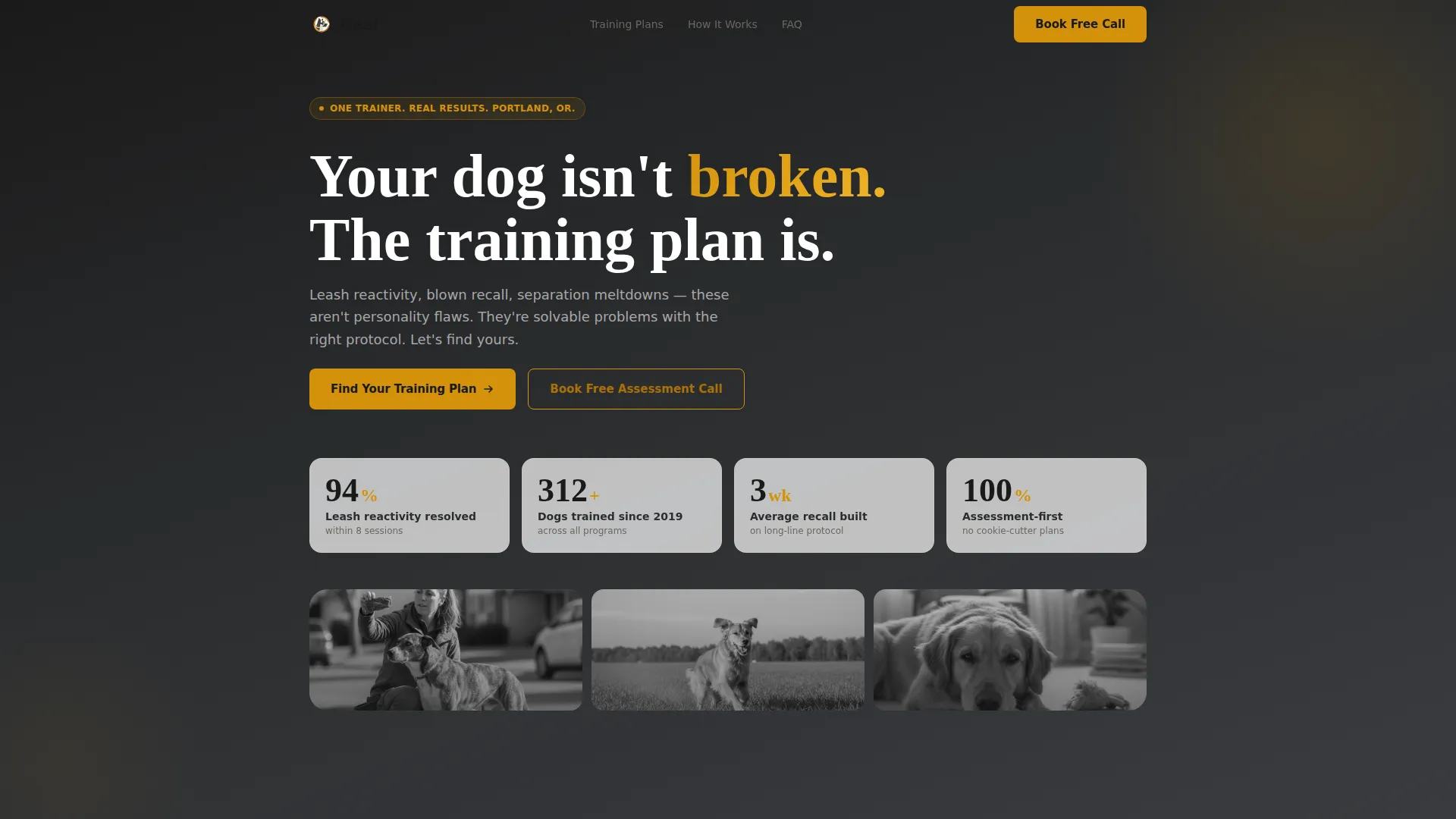
- An animated metrics header showing real session counts, recall reliability rates, and reactive dog outcomes
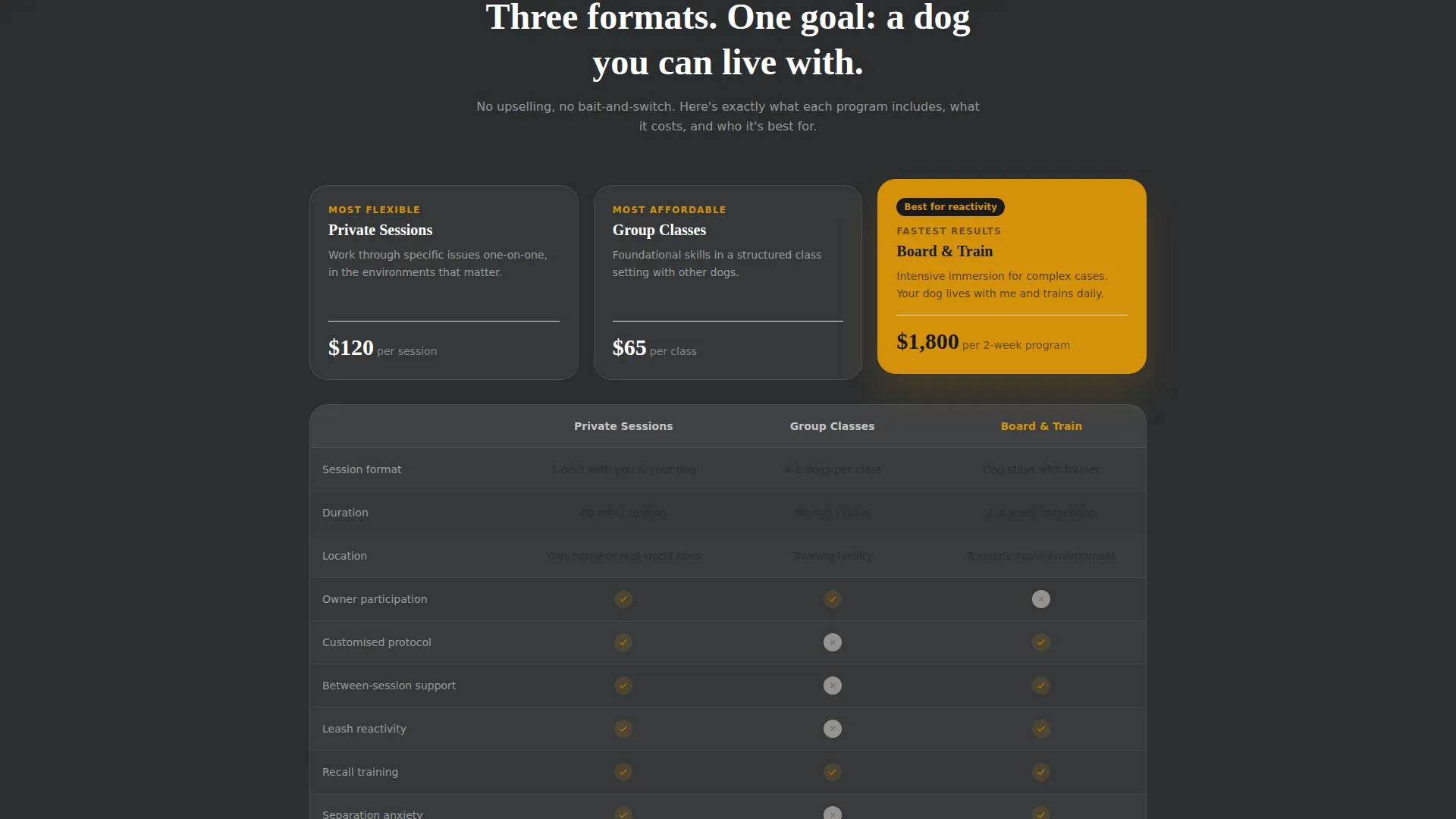
- A scrollable FAQ structure with comparison tables covering private sessions, group classes, and board-and-train formats
- A behavioral quiz entry point and a pinned "Book a Free Assessment Call" button anchored after every comparison table
Feature list
This template ships with a focused set of purpose-built components. Each one earns its place.
Kinetic Metrics Header
The header opens with a live counter display showing three core training statistics. Numbers tick upward gently on load against a deep charcoal background, with each figure rendered in warm amber and a single-line explanation in ash-white beneath it. No hero photo, no tagline padding, just proof.
FAQ-Driven Scroll Structure
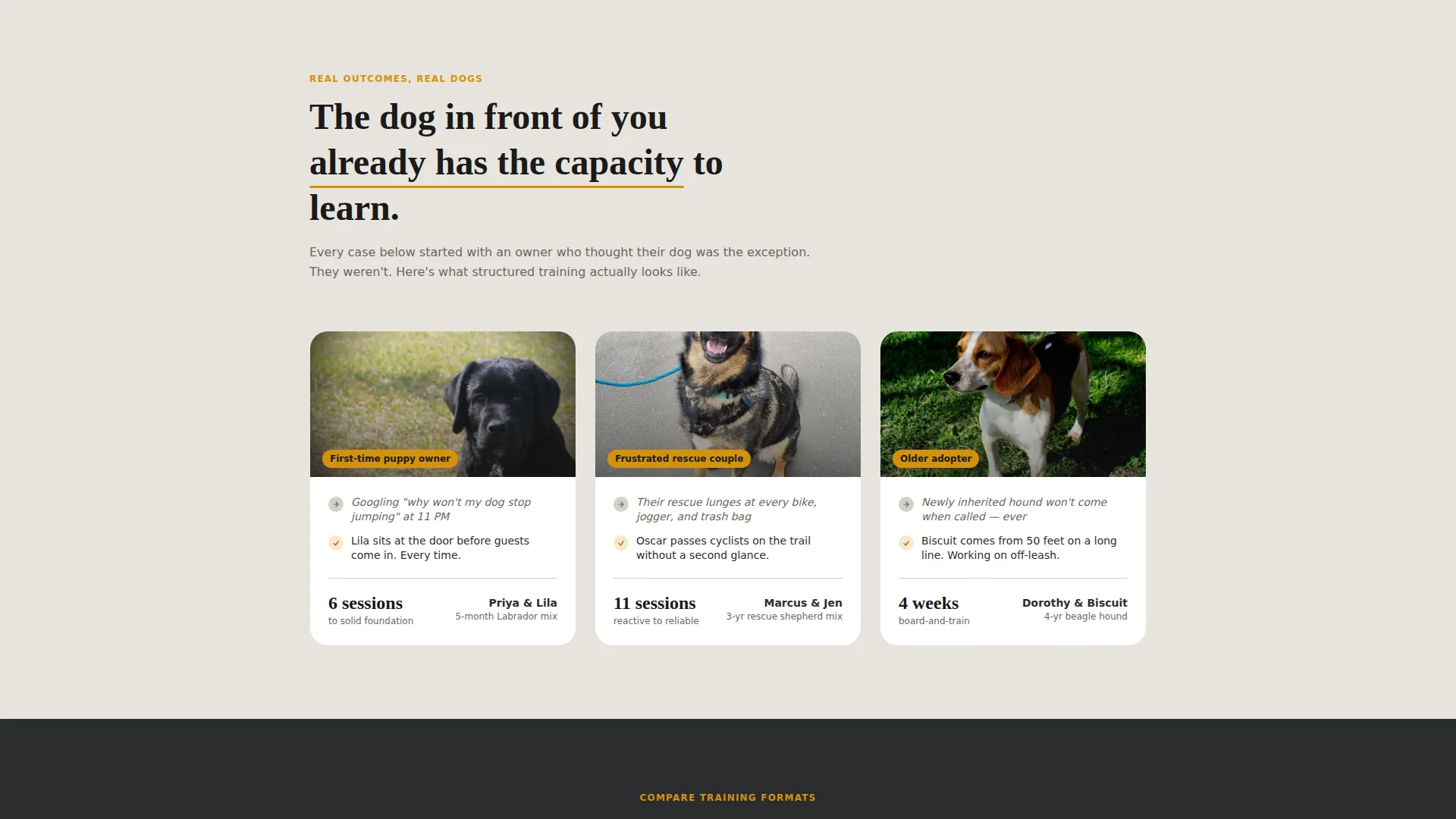
The page is organized as a sequence of real questions dog owners type at midnight. Each FAQ block names the problem, answers it briefly, then flows directly into a comparison table. Severity escalates as the visitor scrolls, moving from nuisance behaviors through to aggression and resource guarding.
Training Format Comparison Table
Each FAQ section includes a structured comparison table covering private sessions, group classes, and board-and-train formats. The table shows duration, price range, included components, and which behavioral issues each format actually addresses. Visitors self-select their match without needing to contact you first.
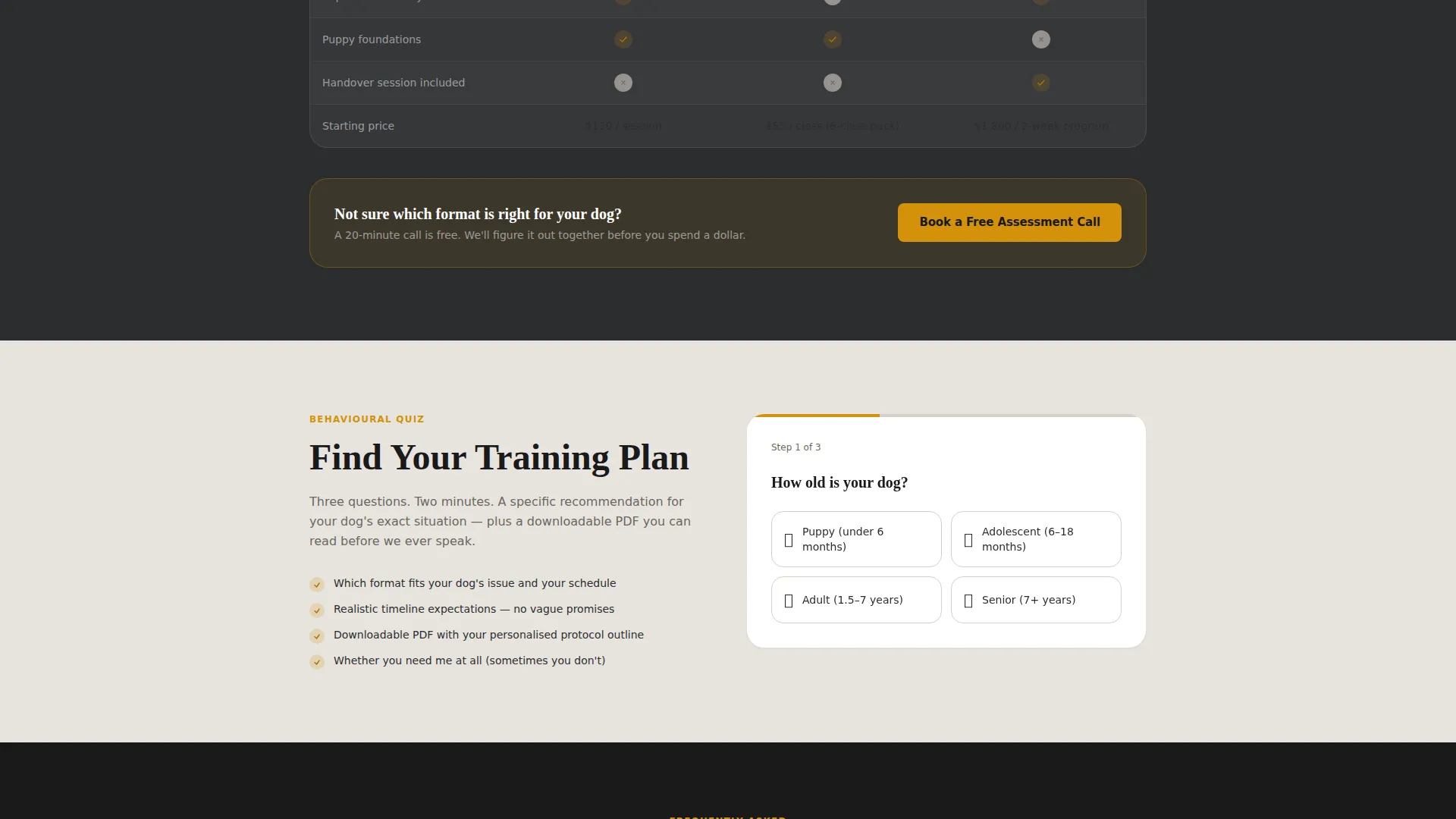
Behavioral Quiz Entry Point
The primary call to action links to a short three-question behavioral quiz: dog's age, primary issue from a dropdown, and whether the dog has had previous training. The quiz recommends a program and unlocks a downloadable checklist tailored to that issue.
Pinned Assessment Call Button
A "Book a Free Assessment Call" button sits pinned in amber at the bottom of every comparison table. Visitors who already know what they need can act immediately without scrolling back to the top.
Downloadable PDF Checklist
Completing the behavioral quiz unlocks a downloadable checklist specific to the visitor's stated issue. It functions as a lead-capture asset and a practical first step that builds trust before the first session.
Page sections overview
| Section | Purpose |
|---|---|
| Metrics Header | Displays animated session stats as social proof |
| Leash Pulling FAQ | Opens first FAQ block with comparison table |
| Reactivity FAQ Block | Covers reactive dog training format options |
| Separation Anxiety FAQ | Addresses structured absence protocol options |
| Resource Guarding FAQ | Escalates to serious behavioral case guidance |
| Behavioral Quiz call to action | Routes visitor to program recommendation quiz |
| Comparison Table Recap | Summarizes all format options side by side |
| Assessment Call Button | Pins direct booking path after every table |
Design & branding system
The visual identity follows a Service Utility theme. Every color and layout choice is functional, not decorative. The palette feels like a well-worn leather leash on a matte black hook: warm where it counts, stripped of anything unnecessary.
- Deep charcoal (#2B2D2F) as the primary background, warm amber (#D4920B) for all interactive elements and highlights, soft ash (#E8E4DF) for content panels and alternating table rows
- Near-black (#1A1A1A) for body text on light surfaces, keeping contrast sharp and readable throughout
- No hero photography, no decorative imagery, the design earns attention through data display and structured content hierarchy
Mobile & speed optimization
The layout is built to perform on the devices dog owners actually use when searching for help at odd hours. A frustrated owner Googling training options at 11pm is almost certainly on a phone.
- Comparison tables reflow cleanly for narrow viewports so no column data is clipped or hidden
- The pinned assessment call button remains accessible on scroll across all screen sizes
- The kinetic counter header renders in a single-column stack on mobile without losing the amber-on-charcoal impact
How this template helps you convert
The page is structured to move visitors from doubt to decision without pressure. It teaches first, then presents options, then makes booking feel like the natural next step.
- The metrics header establishes credibility in the first three seconds, so visitors stay long enough to read the first FAQ block
- The escalating FAQ structure helps each visitor locate their exact problem and see a matching training format before they ever reach a pricing conversation
- The dual conversion path, quiz for researchers and direct booking for ready buyers, captures both visitor types without forcing either into the wrong flow
Other information about this template
This template is a strong fit for dog trainer professionals who want a booking page that does the qualification work for them. A few additional details worth noting:
- The template is designed as a single landing page, not a multi-page website, so all content lives in one focused scroll flow
- The behavioral quiz is a three-question embedded entry point: dog age, primary behavioral issue, and prior training history
- The downloadable PDF checklist is issued per issue type, meaning a reactive dog owner receives a different checklist than a puppy owner working on jumping
- The comparison table covers three training formats side by side: private sessions, group classes, and board-and-train, each with duration, price range, and issue-fit indicators
- This template suits trainers working in niches such as leash reactivity training, recall conditioning, and separation anxiety protocols
Theme
Service Utility
Creative direction
FAQ-Driven
Color system
Charcoal & Amber
Style
Comparison Table
Direction
Content/Resource
Page Sections
Kinetic Metrics Counter Header
Faq-driven Scroll Sections
Training Format Comparison Table
Three-question Behavioral Quiz
Pinned Booking Button
Downloadable PDF Checklist
Related questions
What type of trainer is this landing page built for?
How does the comparison table work on this page?
What is the behavioral quiz and what does it do?
Can a visitor book directly without taking the quiz?
Does this template use hero photography?



