Dog Specialist Professional Website Template
Heel is a hero-dominant dog training landing page template built for training schools that sell structured courses directly. It combines a full-bleed golden-hour hero, a scrolling community gallery of graduate photos, and course cards with inline checkout flows. The nature-inspired Soft Mist palette and serif typography create a calm, confident first impression that moves visitors toward enrollment.
by Rocket studio
Quick summary
Heel is a single-page dog training school template built to sell courses and earn trust fast. A full-bleed hero fills ninety percent of the viewport, a scrolling community gallery carries the social proof, and goldenrod call-to-action buttons guide visitors straight to checkout. Every design choice reinforces one idea: this school gets results.
Who this template is for
This template was designed for dog training schools that run structured, multi-week courses and want to sell them online without a complicated funnel. It works best for trainers who already have a library of graduate photos and client stories to draw from.
- First-time puppy owners looking for structured foundations training
- Rescue adopters dealing with fear reactivity or leash pulling on walks
- Retired couples wanting a reliable off-lead companion for trail hikes
What problem this template solves
Most dog training pages bury the enrollment button under paragraphs of credentials. Visitors lose confidence before they ever reach the offer. This template inverts that pattern by leading with emotion and social proof, then presenting the course offer at exactly the right scroll depth.
- Visitors leave before enrolling because trust is not established early enough
- Course options feel abstract without real-world proof from other owners and dogs
- The path from interest to checkout is too long or unclear on generic pages
What you get with this template
You get a complete, section-led landing page designed around direct course sales. The layout moves visitors from inspiration to enrollment through a deliberate sequence of visual storytelling, community evidence, and clear offers.
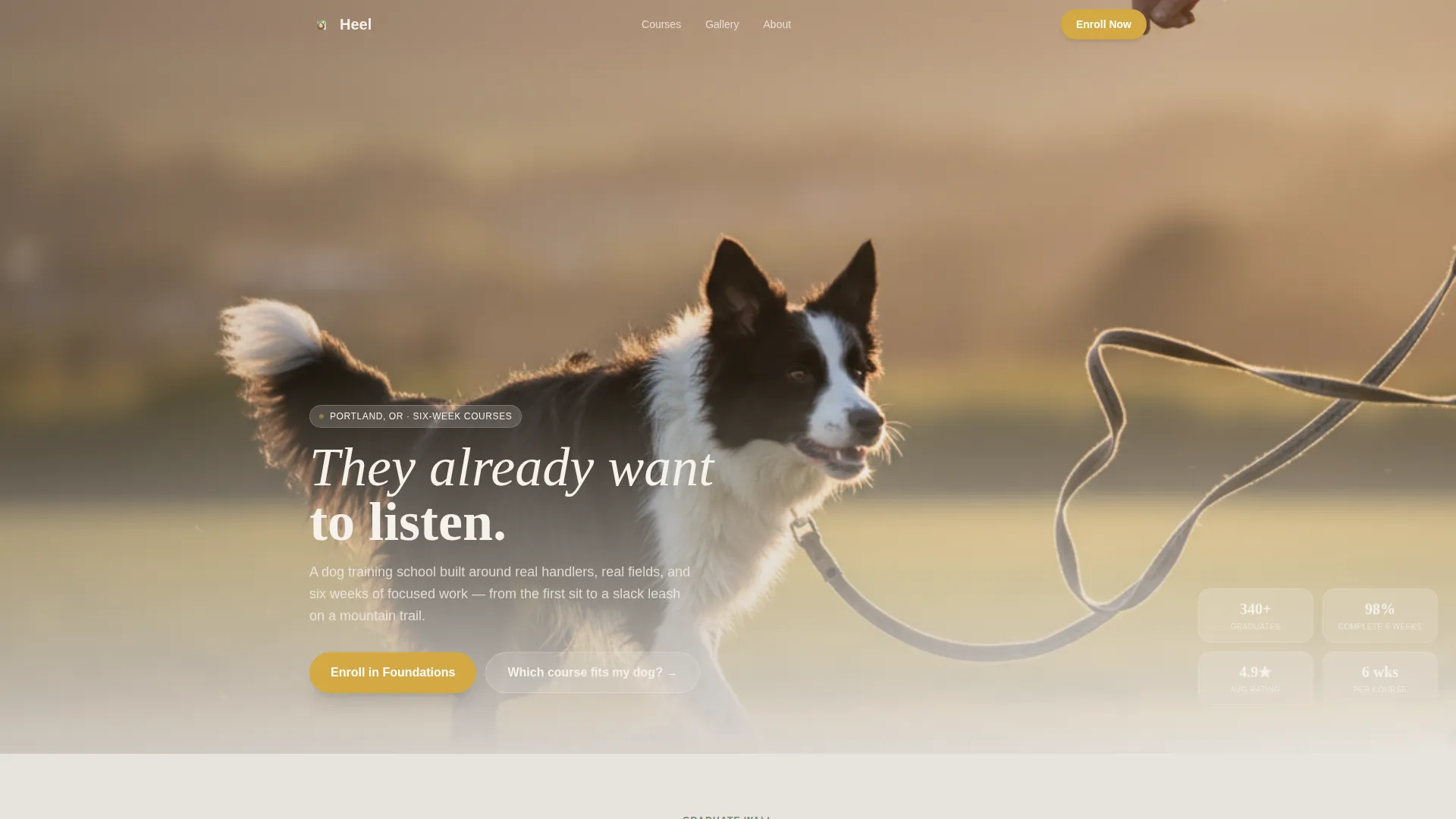
- A full-bleed golden-hour hero with a hand-set serif headline that fades in low on the frame
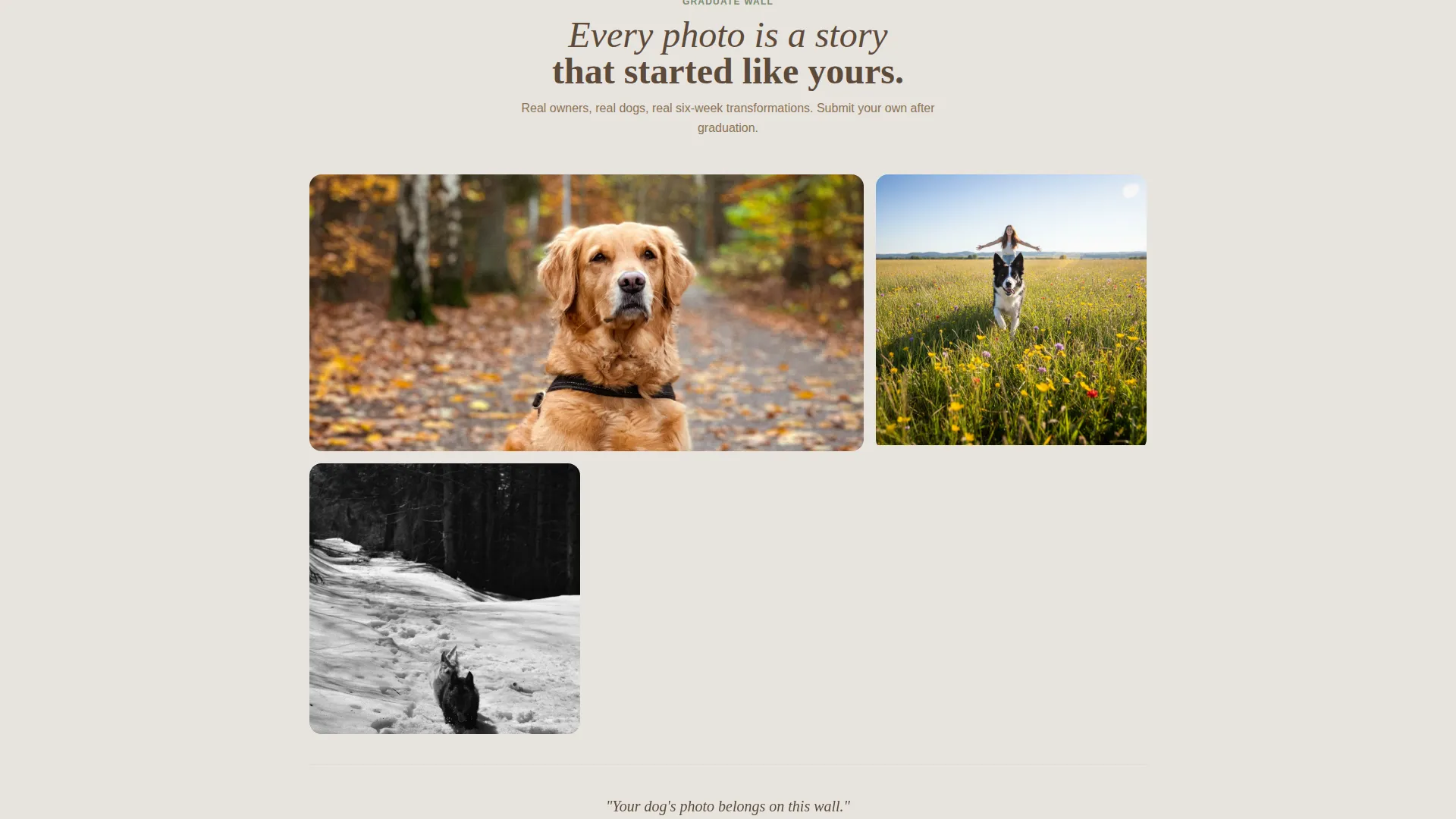
- A living community gallery that loads graduate photos in soft clusters as visitors scroll
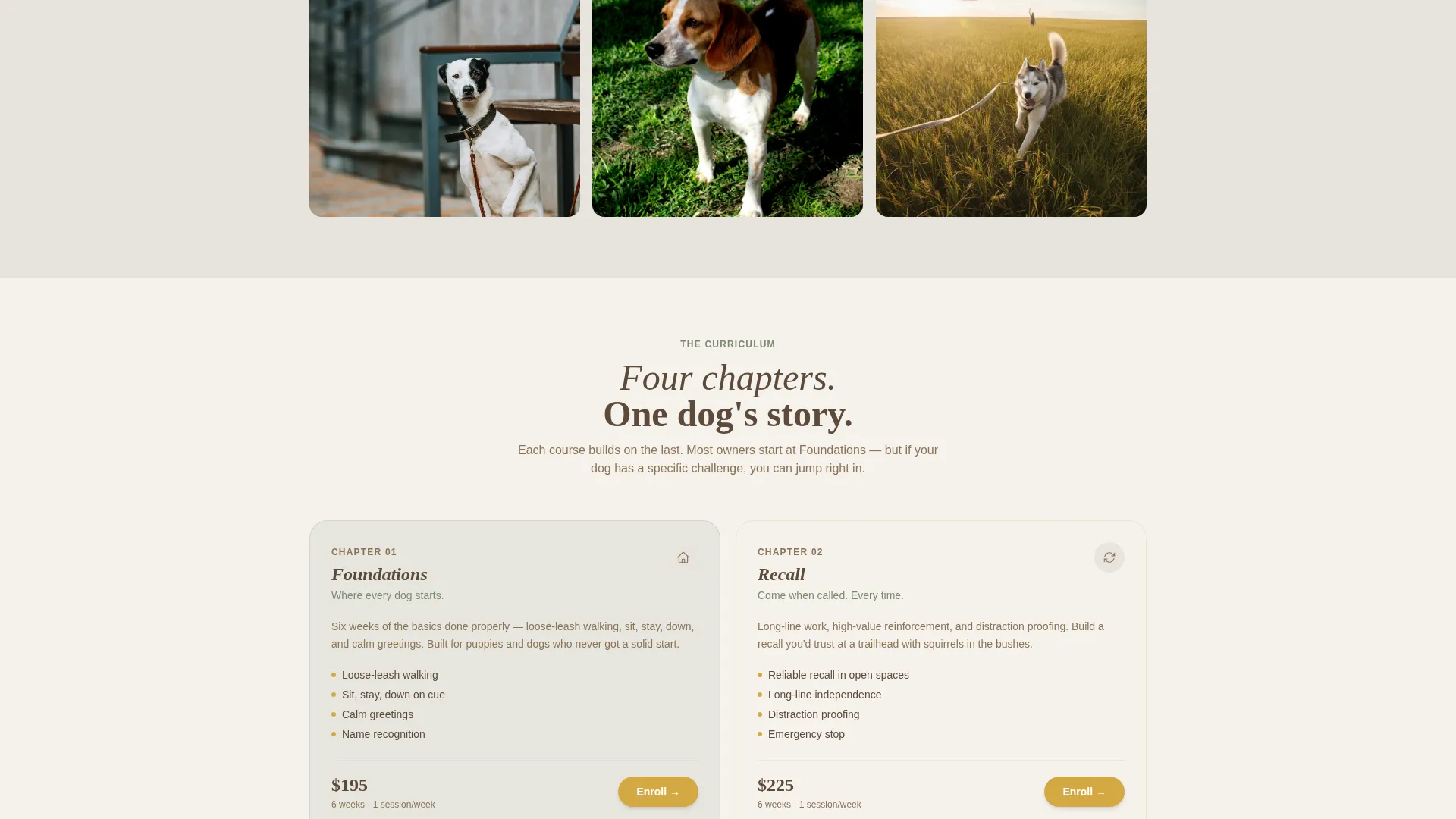
- Four course cards presenting Foundations, Recall, Reactivity, and Off-Lead Freedom as chapters in a dog's story
- A goldenrod "Enroll in Foundations" button anchored after the first gallery cluster and repeated inside each course card
- A free "Which Course Fits Your Dog?" quiz that ends with a personalized recommendation and a one-click add-to-cart
- A clean checkout form collecting dog name, breed, age, and a behavior checklist so the trainer can prepare before day one
Feature list
This section walks through the standout built-in components that make Heel work as a direct-sales dog training landing page.
Full-Bleed Hero Section
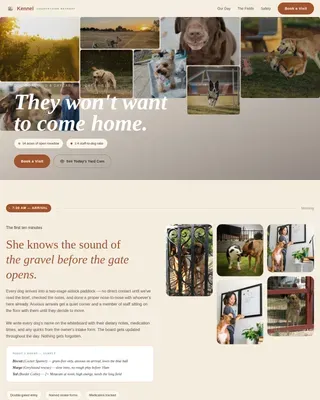
The hero fills ninety percent of the viewport with a golden-hour training field photograph. Shallow depth of field keeps the dog mid-stride and the owner's outstretched hand in sharp focus. A single serif headline fades in low on the frame, setting the emotional tone before any course detail appears.
Scrolling Community Gallery
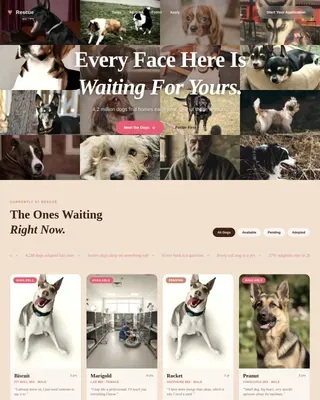
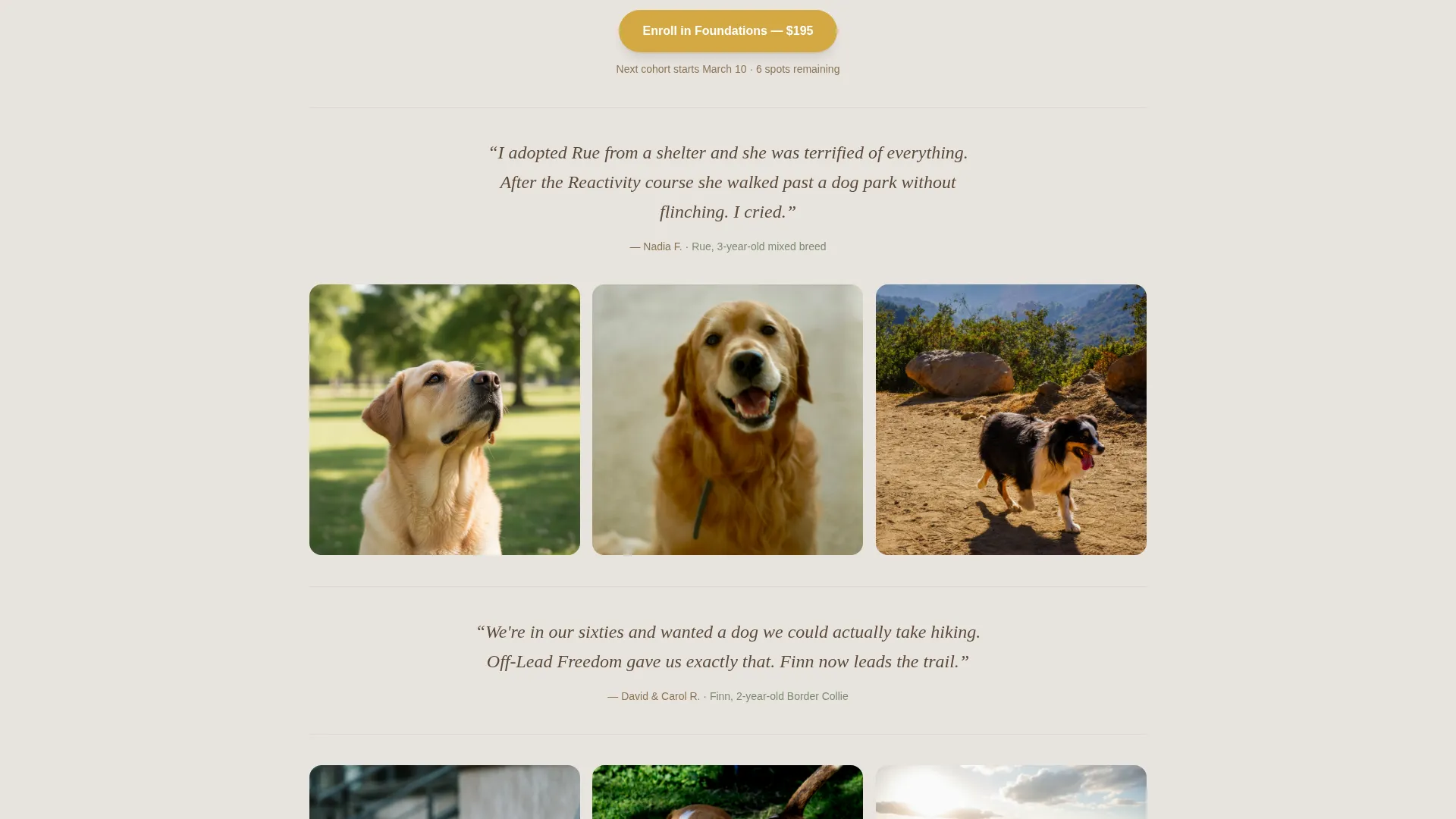
Graduate photos submitted by real owners load in soft clusters as the visitor scrolls. Each tile pairs a candid photo with the dog's name, the behavior conquered, and the course taken. The gallery acts as a living corkboard that grows with the school's alumni and functions as the primary persuasion engine on the page.
Course Cards with Inline Enrollment
Each of the four courses is presented as a chapter in the dog's training story. Cards carry the course name, a short description, and a goldenrod enrollment button. The consistent card structure helps visitors understand the progression from Foundations through to Off-Lead Freedom.
Behavior-Matched Checkout Flow
Clicking any enrollment button opens a focused checkout form. The form collects the dog's name, breed, age, and a behavior checklist covering pulling, jumping, recall, and reactivity. This gives the trainer practical context before the first session begins.
Dog-Fit Quiz Path
A secondary conversion path offers visitors a free quiz to identify which course suits their dog's current needs. The quiz ends with a personalized course recommendation and a one-click add-to-cart option, reducing decision friction for visitors who are not yet ready to commit directly.
Testimonial Pull-Quotes Between Clusters
Short testimonial pull-quotes appear between gallery clusters as visitors scroll. These quotes break the visual rhythm of the photo mosaic and reinforce trust at regular intervals, keeping momentum toward the next course card and enrollment button.
Page sections overview
| Section | Purpose |
|---|---|
| Full-Bleed Hero | Set emotional tone and introduce headline |
| Serif Fade Headline | Anchor first impression with copy |
| Community Gallery Mosaic | Deliver scrolling social proof from graduates |
| Testimonial Pull-Quotes | Reinforce trust between gallery clusters |
| Course Cards Row | Present the four courses as a progression |
| Primary Enroll Button | Drive direct enrollment after first gallery cluster |
| Dog-Fit Quiz | Offer a personalized course recommendation path |
| Checkout Form | Capture enrollment details and behavior context |
Design & branding system
The Soft Mist color system draws from a woodland trail at early morning. Every color has a specific role, so the palette stays coherent no matter how much content is added to the page.
- Fog gray (#E8E4DF) as the background, mossy green (#7A8B6F) for accents, and bark brown (#5C4A3A) for body text
- Quiet goldenrod (#D4A843) reserved exclusively for buttons and progress indicators, making every call to action feel like a reward marker
- Serif typography for headlines and hand-set display text, creating a grounded and confident visual voice
Mobile & speed optimization
The template is structured to remain clear and tappable on smaller screens. Gallery tiles reflow into a single column, and the goldenrod enrollment buttons stay large enough to tap comfortably at every scroll point.
- Course cards stack vertically on mobile so each chapter reads cleanly without horizontal scrolling
- The checkout form fields are sized for thumb-friendly input on touch devices
How this template helps you convert
Every layout decision on this page is oriented toward one outcome: a completed course enrollment. The sequence from hero to gallery to course card to checkout is deliberate and tested in direct-sales page design.
- The full-bleed hero creates immediate emotional resonance, so the visitor connects with the training outcome before reading a single course detail.
- The community gallery provides scrolling social proof at the exact moment a visitor might hesitate, replacing doubt with evidence from real graduates.
- The goldenrod enrollment button and the dog-fit quiz offer two distinct paths to the same outcome, accommodating both ready buyers and visitors who need a gentle nudge.
Other information about this template
This template sits within the Pet and Animal category, specifically designed for the Dog Services niche and aligned with the Dog Training School use case. It is built as a hero-dominant single-page layout with a ninety-to-ten hero-to-content ratio.
- The creative direction follows a Community Gallery approach, making owner-submitted photos the central persuasion mechanism rather than static testimonials
- The Nature-Inspired theme and Soft Mist palette are matched to the intersection of the Dog Training School niche and the Direct Sales landing page direction
- The template style, color system, and header concept were all selected through an intersection match process to ensure niche-to-design alignment
Theme
Nature-Inspired
Creative direction
Community Gallery
Color system
Soft Mist
Style
Hero-Dominant (90/10)
Direction
Direct Sales
Page Sections
Full-bleed Golden-hour Hero
Scrolling Community Gallery
Course Cards with Enrollment Buttons
Behavior-matched Checkout Form
Dog-fit Quiz Conversion Path
Goldenrod Call-to-action System
Related questions
Can I add my own graduate photos to the community gallery?
How does the dog-fit quiz work inside the template?
What information does the checkout form collect?
Is this template suitable for a trainer who offers only one course?
Do I need professional photography to use the hero section effectively?