Advanced Pet Training & Behavior Portfolio & Case Study Website Template
Heel is a gallery-plus-detail landing page template built for service dog training programs. It opens with a nine-image photo mosaic, then unfolds each team's story in full-width panels. A warm, fog-and-cedar color system sets an unhurried tone. The page ends with a clear call to action that moves visitors toward an application intake, earning trust through accumulated real stories.
by Rocket studio
Quick summary
Heel is a single-page template designed for a service dog training facility. It leads with a corkboard-style photo mosaic, then reveals individual handler-and-dog stories in expanding detail panels. The Community Hearth color palette keeps the mood warm and grounded. Every element builds toward one goal: moving a ready visitor to click "Meet Your Future Partner" and begin their application.
Who this template is for
This template is built for service dog training programs that work with rescued dogs and human partners who depend on them. It fits organizations serving adults and families with real, varied needs.
- Veterans seeking trained support dogs for post-traumatic stress disorder (PTSD) management
- Parents of children with autism who need a calm, task-trained animal companion
- Adults with mobility challenges who require a dog that responds to physical cues before a verbal command is given
What problem this template solves
Most service animal program pages rely on static text and a single hero image to carry all the weight. That approach rarely communicates the depth of the relationship between a dog and the person who depends on them. Visitors with high emotional stakes need to feel trust before they ever fill out a form.
- Generic layouts fail to show the real community behind the training program
- A single promise headline cannot replace six stories of actual teams in action
- Visitors leave without acting because nothing on the page feels personal enough
What you get with this template
You get a fully structured, single-page layout that takes visitors from first impression to application click. The template includes every section outlined in the brief, styled and ready to populate with your own photos and team stories.
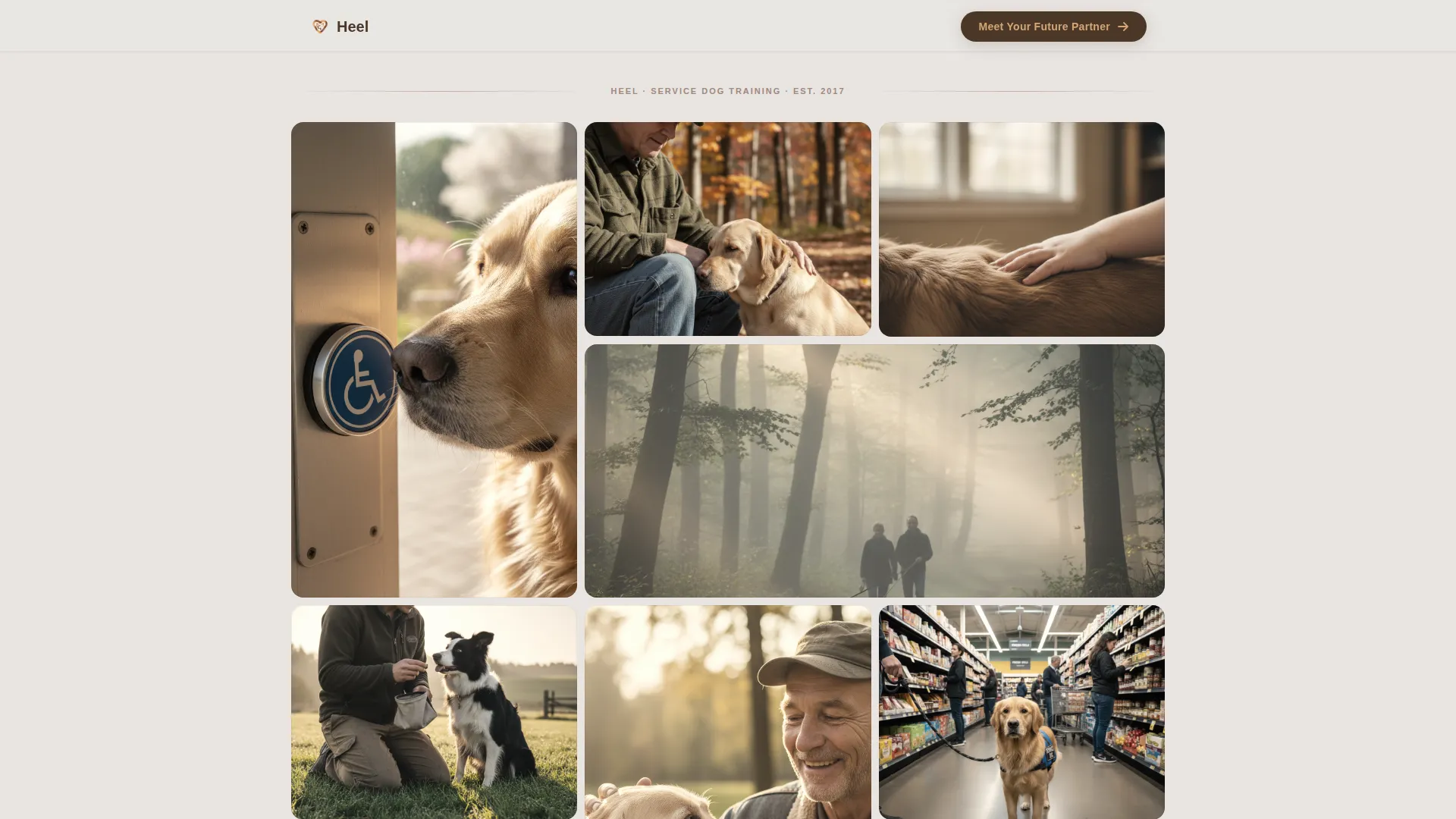
- A nine-image Photo Grid Mosaic header that fills the viewport with real moments
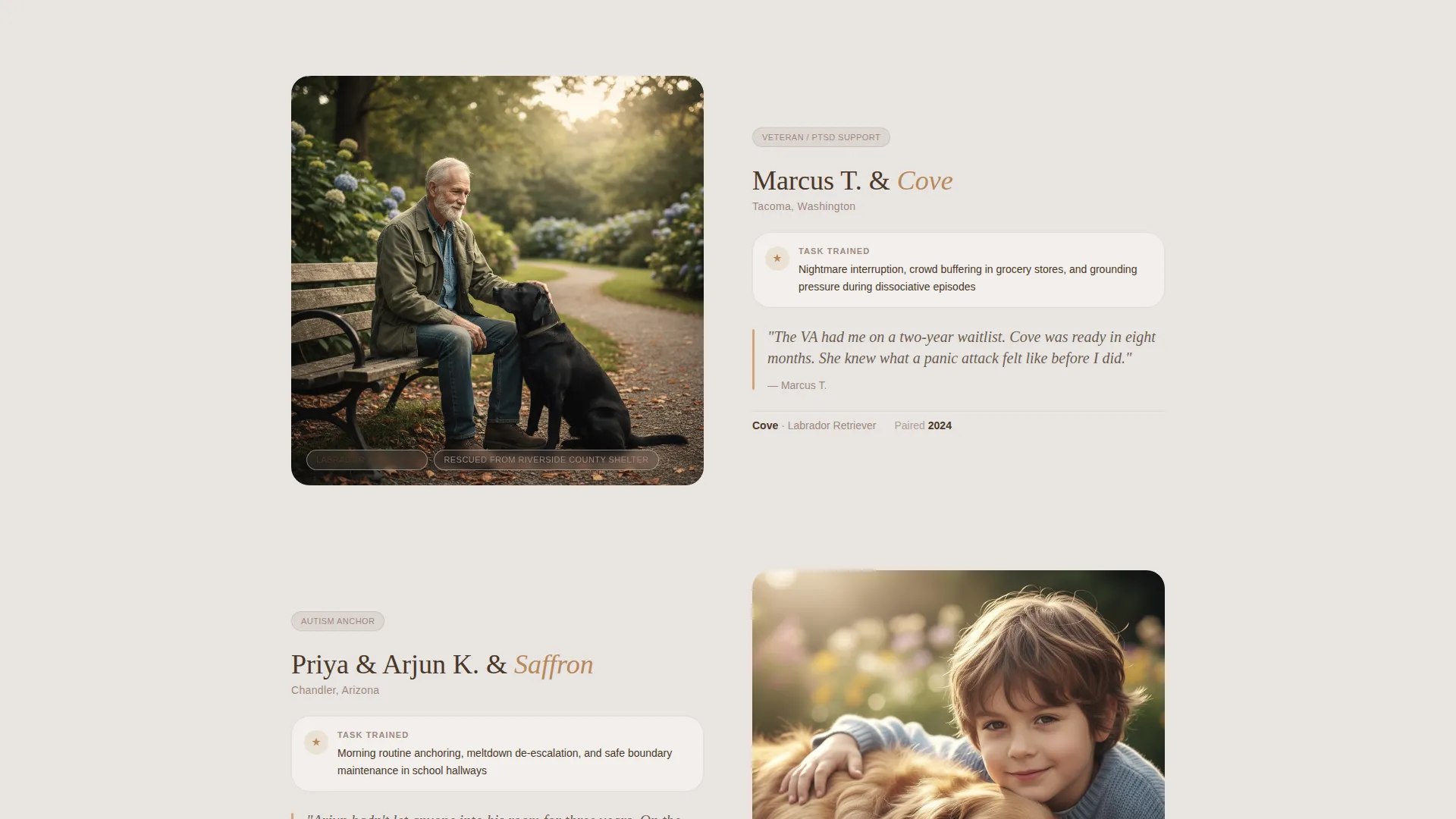
- Alternating full-width story panels, each expanding one image from the opening mosaic into a named handler profile
- Repeating call-to-action placements that guide visitors toward the intake questionnaire
Feature list
This template delivers a specific set of designed components that work together as a complete, story-led experience.
Photo Grid Mosaic Header
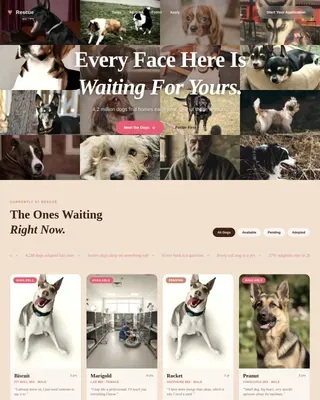
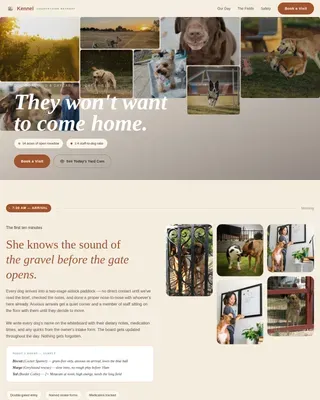
Nine unevenly cropped images fill the viewport like polaroids pinned to a corkboard. Each photo is slightly desaturated and warm-shifted, with rounded corners that soften the frame. The mosaic signals community over brand from the very first scroll position.
Expanding Story Detail Panels
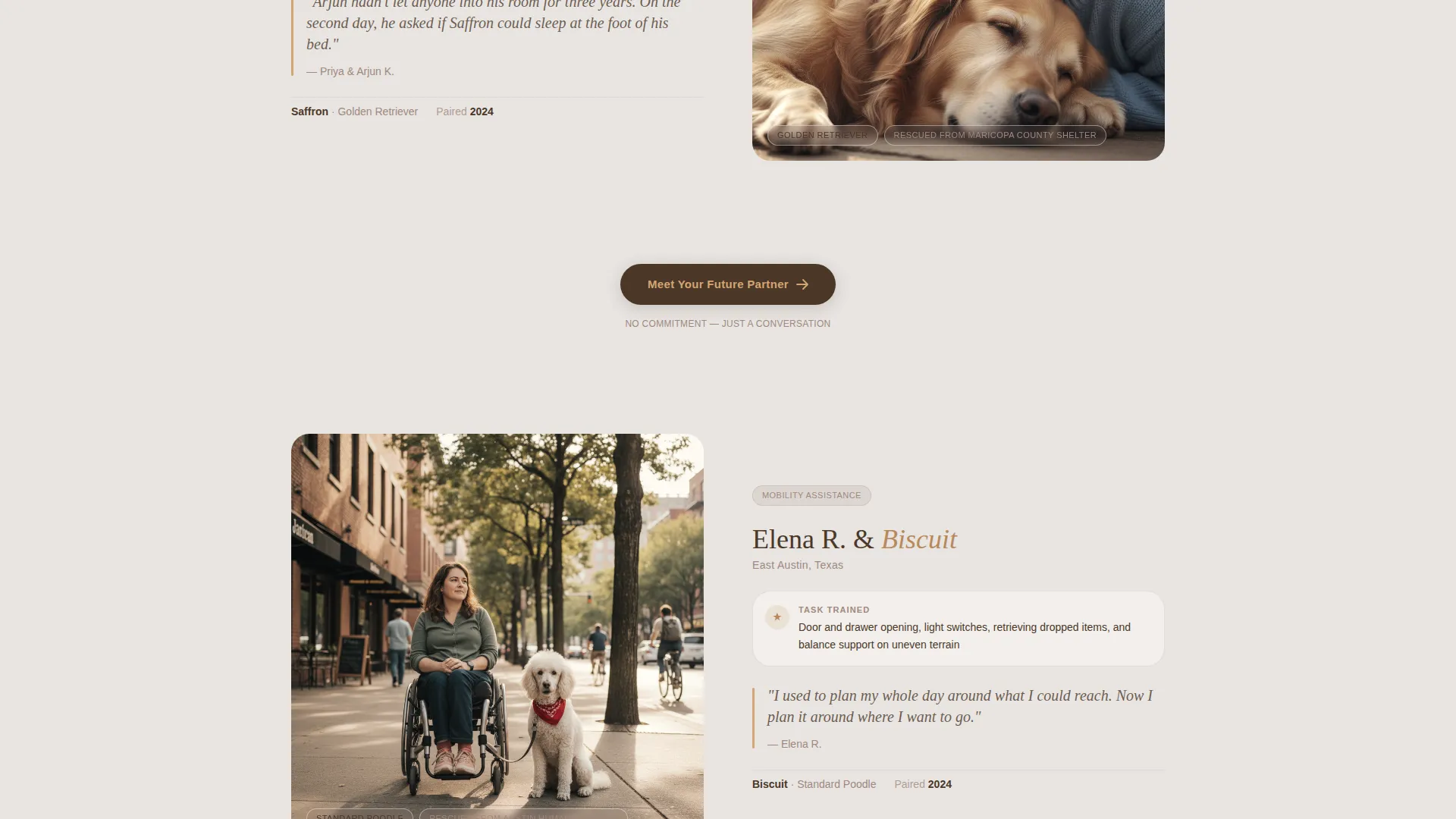
After the mosaic, each section zooms into one photograph and opens it into a full-width detail panel. The panel holds the handler's name, the dog's breed and rescue origin, the specific task trained, and the neighborhood where the team now lives. Panels accumulate through the page, building a quiet sense of proof.
Repeating Click-Through Call to Action
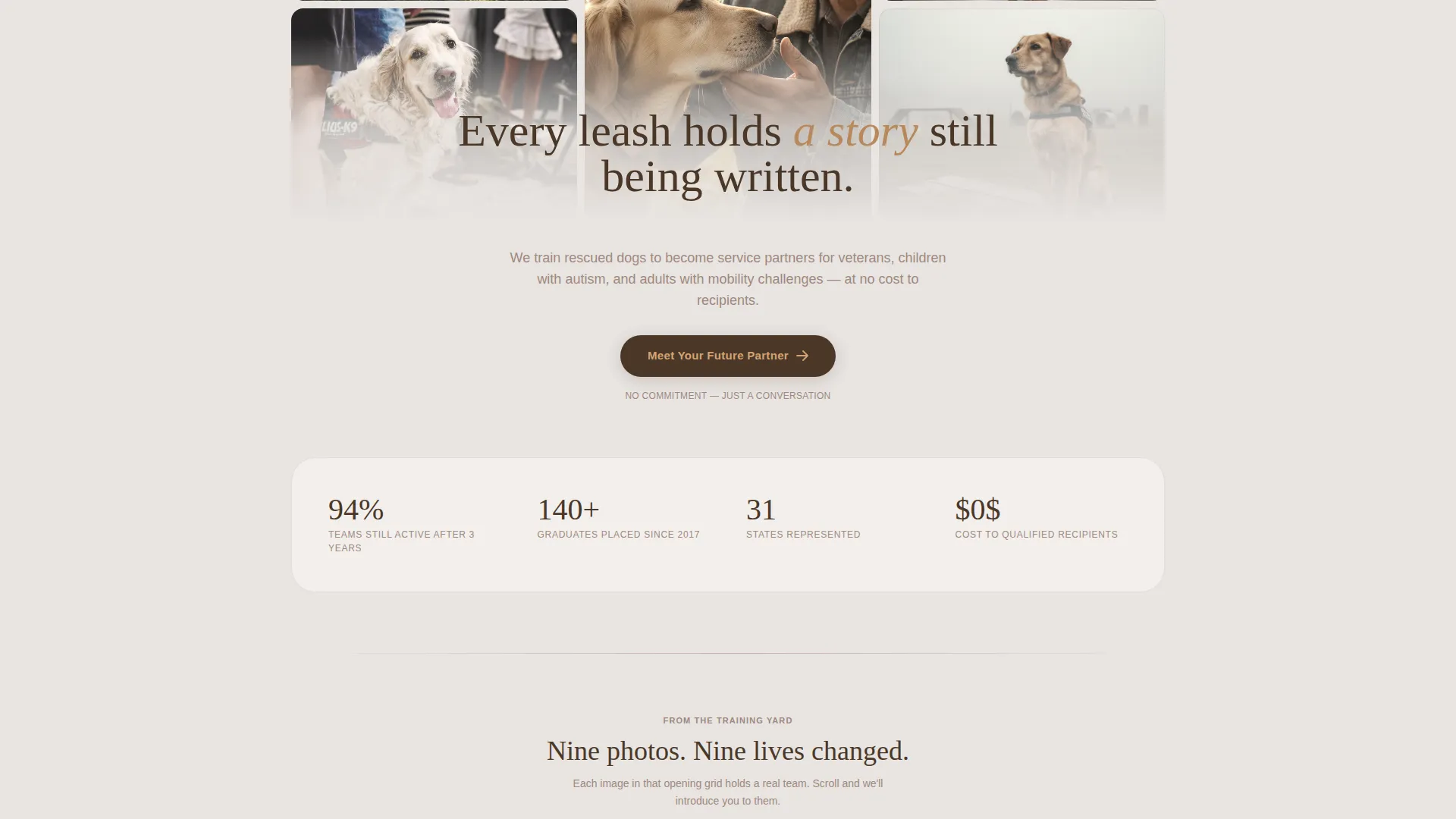
A "Meet Your Future Partner" button appears beneath the mosaic and again after every second story panel. The button is styled in hearthstone on a leash-leather background. No form lives on this page; the button leads visitors directly to the matching questionnaire.
Community Hearth Color System
The palette uses morning fog gray, worn cedar, warm hearthstone, and deep leash-leather brown. Colors are assigned purposefully: fog gray for backgrounds, cedar for section dividers, hearthstone for accent buttons, and leash-leather for body text. The result feels lived-in and unhurried.
Local Narrative Layout Structure
The creative direction follows a Local and Neighborhood approach. Each story panel reads like a neighbor describing their dog over a fence. The pacing is slow by design. By the fourth panel, visitors understand that every photo in the opening mosaic holds a changed life.
Page sections overview
| Section | Purpose |
|---|---|
| Photo Grid Mosaic | Opens the page with nine warm, rounded community images |
| First call to action Block | Introduces the "Meet Your Future Partner" action button |
| Story Panel One | Expands the first mosaic photo into a named handler profile |
| Story Panel Two | Reveals the second team's dog breed, task, and neighborhood |
| Mid-Page call to action Block | Repeats the click-through button after the second story |
| Story Panel Three | Continues the narrative with a third handler-and-dog team |
| Story Panel Four | Deepens trust with a fourth full-width story reveal |
| Final call to action Block | Closes the page with the application intake button |
Design & branding system
The template follows the Community Hearth theme using the Soft Mist color system. Every color choice connects to a physical texture: fog, cedar, stone, and leather. The palette is warm, muted, and purposefully unhurried.
- Morning fog gray (#E8E4E1) for page backgrounds, worn cedar (#A0887E) for dividers, warm hearthstone (#D4A574) for accent buttons
- Deep leash-leather brown (#4A3728) anchors all body text and heading elements
- Rounded image corners, warm-shifted photo treatment, and slight desaturation unify every photo across the mosaic and story panels
Mobile & speed optimization
The template is structured with a stacked, single-column flow that translates naturally from desktop to smaller screens. The mosaic grid and story panels are designed to reflow cleanly without losing visual weight.
- The photo mosaic adapts from a nine-cell grid to a tighter stacked arrangement on mobile viewports
- Full-width story panels maintain their narrative impact at any screen width
- The repeating call-to-action button remains prominent and tappable at every breakpoint
How this template helps you convert
This template earns trust before it asks for anything. Visitors move through accumulated evidence at their own pace, and the call to action appears only after they have already seen real teams in action.
- The opening mosaic immediately communicates community scale, showing nine distinct moments before a single word is read
- Each story panel adds a layer of specific, named proof, replacing vague promises with handler names, dog breeds, tasks, and neighborhoods
- The call-to-action button appears at natural decision points rather than once at the top, giving visitors room to feel ready before they click
Other information about this template
This template is built specifically for the service dog training niche, within the broader pet training and behavior category. It suits programs that place rescued dogs with clients through a structured matching process.
- The template style is Gallery and Detail, meaning visual storytelling carries more weight than written copy alone
- The landing page direction is Click-Through, so no intake form appears on the page itself
- This layout works well for organizations running a detailed matching questionnaire as a separate intake step
- The header concept is a Photo Grid Mosaic, which distinguishes this template visually from standard hero-image designs in the pet and animal category
Theme
Community Hearth
Creative direction
Local & Neighborhood
Color system
Soft Mist
Style
Gallery + Detail
Direction
Click-Through
Page Sections
Photo Grid Mosaic Header
Expanding Full-width Story Panels
Repeating Click-through Call to Action Button
Community Hearth Color Palette
Local Neighborhood Narrative Pacing
Related questions
Can I use this template if my program serves only one type of client?
Does this template include a contact form or intake questionnaire?
How many story panels does the template support?
Can I replace the placeholder images with my own program's photos?
Is this template a good fit for a nonprofit service dog organization?