Cinematic Boat Dealer & Marina Landing Page Template
Helm is a cinematic, full-page landing page template built for boat dealers and marinas. It combines a dark cockpit aesthetic with interactive vessel exploration, a floating sea trial booking call to action, and scroll-linked animations. The result feels like walking a lit dock at night, with every vessel category revealing itself as buyers move down the page.
by Rocket studio
Quick summary
Helm is a storybook landing page template designed for luxury boat dealerships and marina businesses. It uses a dark, instrument-cluster visual style to guide visitors through four vessel categories, a marina services section, and a three-step sea trial booking form. Every scroll stop feels intentional, cinematic, and conversion-ready.
Who this template is for
This template is built for boat dealers and marina operators who sell to a discerning, research-driven buyer. It suits businesses that carry multiple vessel lines and need to showcase each one with detail and atmosphere.
- Boat dealerships selling center consoles, cruisers, pontoons, and pre-owned vessels
- Marina businesses offering slip rentals, service bays, and dock walk-through experiences
- Coastal and lakefront retailers targeting buyers with household incomes of $120,000 or more
What problem this template solves
Most boat dealer pages feel like static inventory lists. They ask for contact information before a buyer has explored anything. That friction kills momentum, especially for high-ticket purchases where trust has to come first.
- Visitors leave before they connect emotionally with a specific vessel
- Generic layouts fail to communicate the atmosphere and prestige of a premium dealership
- Scheduling a sea trial feels like a multi-step chore rather than a natural next step
What you get with this template
You get a fully designed, single-page layout built around immersive exploration and low-friction booking. The template covers every stage of the buyer journey from first impression to form submission.
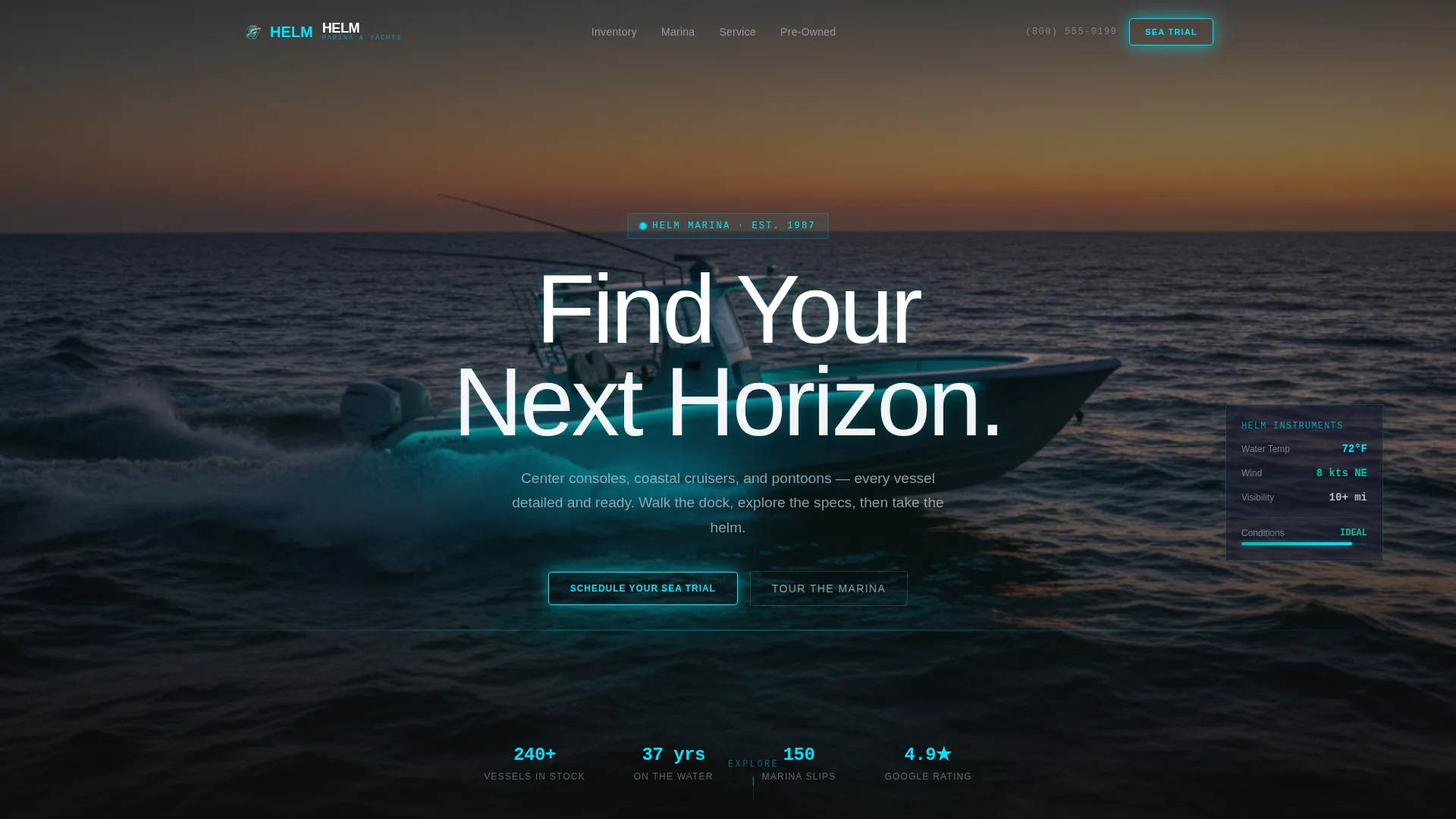
- A cinematic hero section with a full-bleed twilight vessel image and a sonar-pulse headline animation
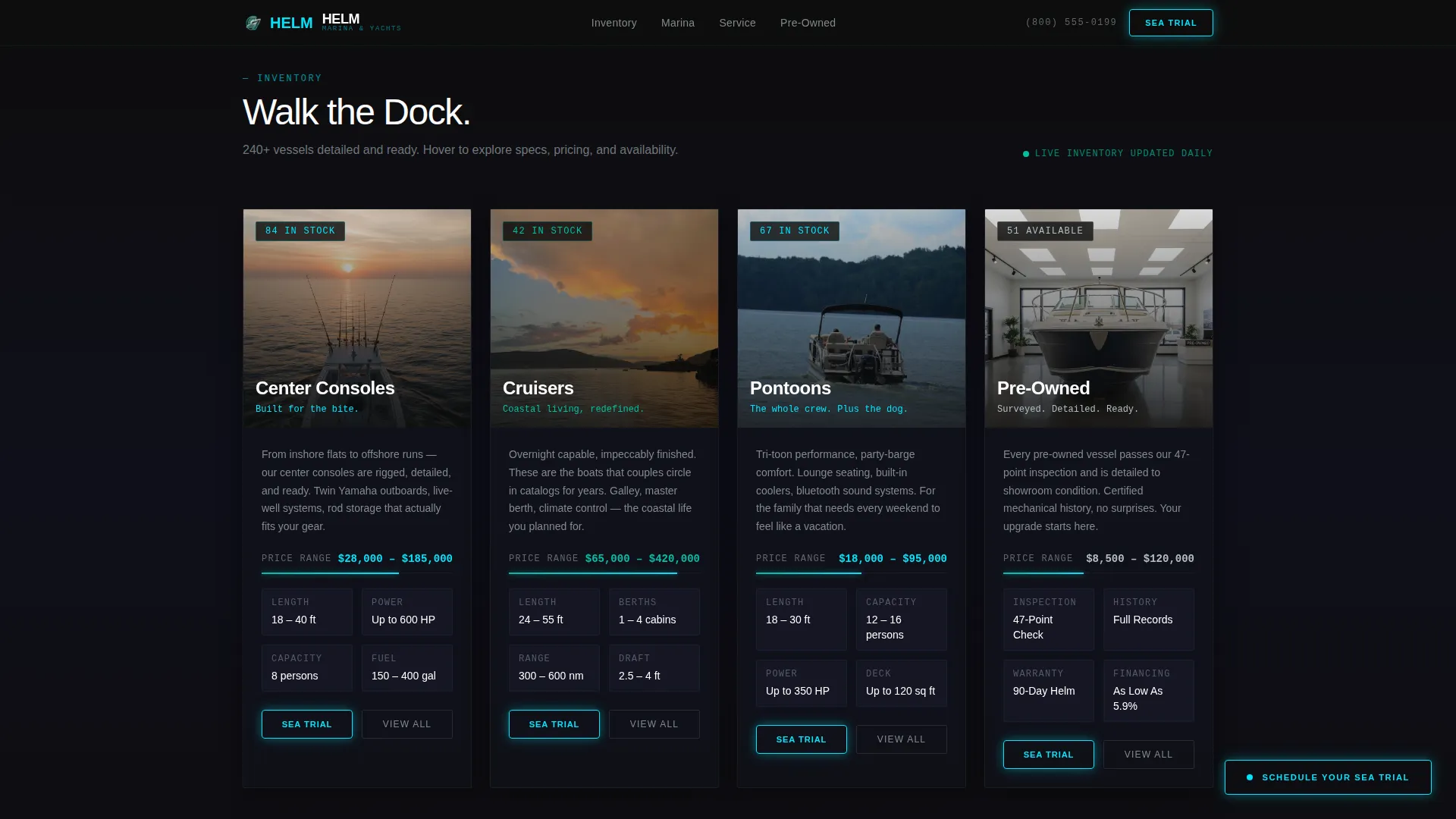
- Four interactive vessel category cards with parallax tilt effects, hover-triggered spec reveals, and price-range gauge indicators
- A three-step inline booking form for sea trial scheduling, plus a secondary marina dock walk-through path
Feature list
This template packs a focused set of high-impact features drawn directly from the brief. Each one serves a specific moment in the buyer journey.
Cinematic Hero with Sonar Pulse
The hero opens on a full-bleed bow-on shot of a center console cutting through dark water at twilight. Running lights trace cyan lines along the hull. The headline renders in luminous white type and pulses once like a sonar ping before settling, creating immediate visual drama.
Interactive Vessel Explorer Cards
Four scroll-stop sections each present a single vessel category as an explorable card. Cursor movement triggers a parallax tilt effect. Hovering reveals vessel specs and activates a 360-degree exterior spin. A price-range indicator slides into view like a gauge needle, giving buyers useful context without a hard sales push.
Floating Sea Trial Booking Button
After the first scroll, a glowing cyan call-to-action button pins to the viewport and stays visible throughout the session. It opens a three-step inline form covering vessel interest, preferred date and time, and contact details including a trade-in toggle.
Cinematic Scroll Interstitials
Between vessel category sections, short visual interstitials maintain emotional pacing. These include a drone pullback of the marina at golden hour, a slow-motion cleat tie, and a family stepping aboard, keeping the storytelling alive between product moments.
Marina and Services Bento Section
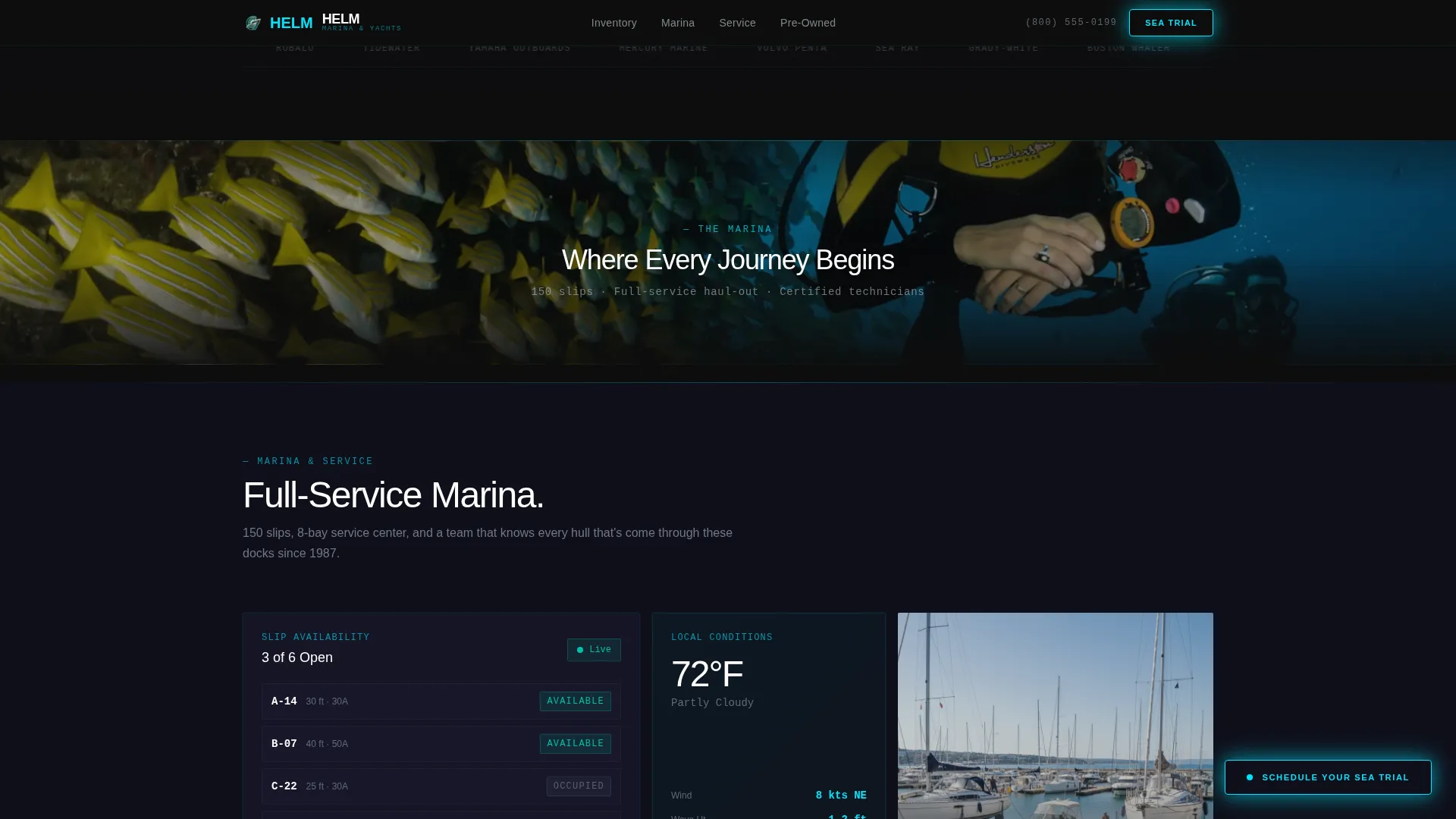
A dedicated section presents slip availability, service bay hours, and a live weather tile showing current wind speed and water temperature. This grounds the dealership as an active, real-world marina rather than a pure e-commerce page.
Testimonial Scrolling Rail
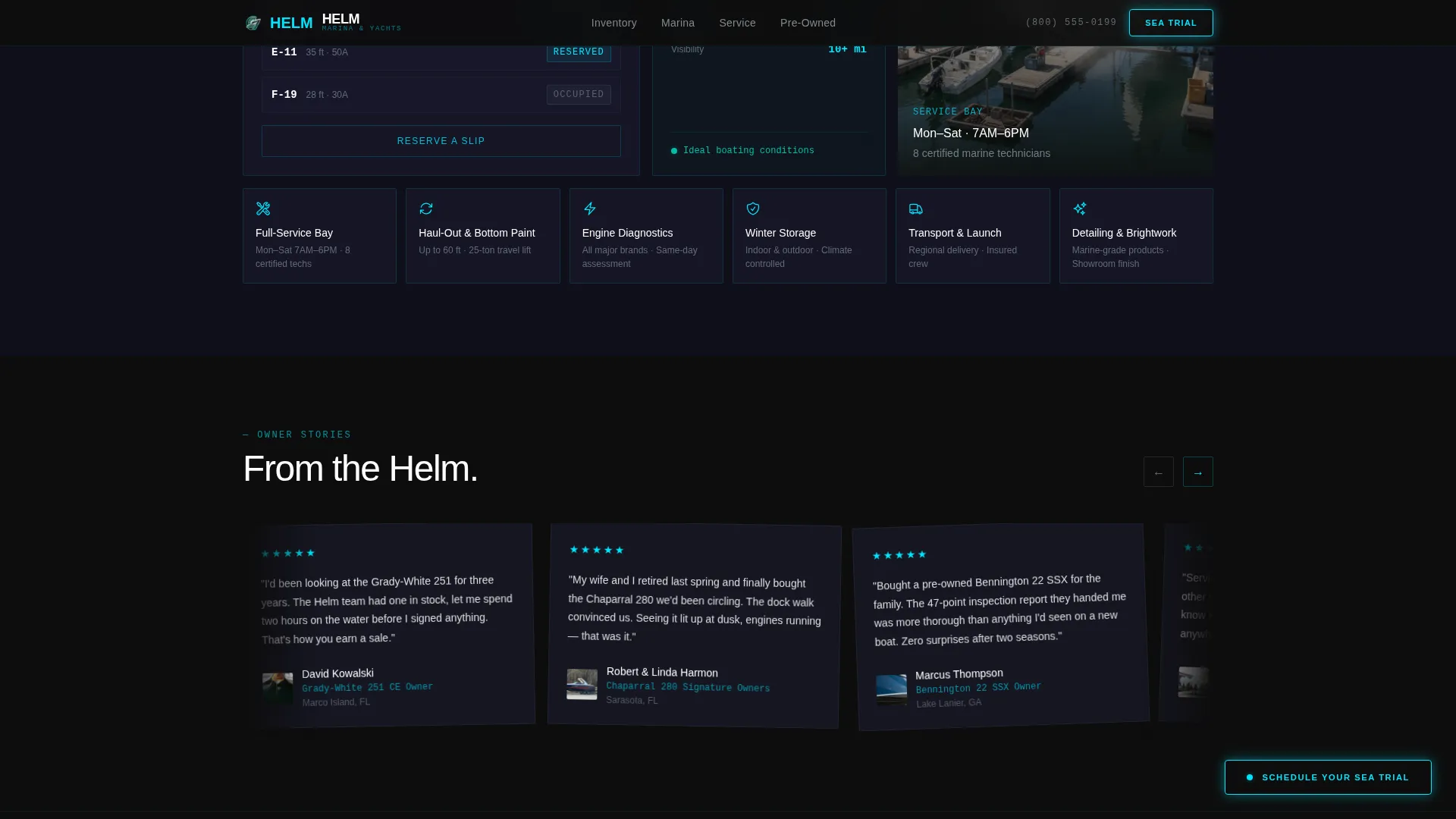
A horizontal scrolling rail displays owner testimonials with vessel-specific purchase details. Cards are rotated for visual variety and tied to real purchase stories, adding credibility at a natural point in the scroll journey.
Page sections overview
| Section | Purpose |
|---|---|
| Hero Header | Opens with cinematic vessel imagery and sonar-pulse headline |
| Vessel Explorer | Four interactive category cards with tilt, specs, and price reveal |
| Interstitial Moments | Cinematic video-style breaks between vessel sections |
| Marina and Services | Slip availability, service hours, and live weather tile |
| Testimonial Rail | Scrolling owner testimonials with purchase-specific details |
| Sea Trial Booking | Three-step inline form for scheduling and contact capture |
| Footer | Linear single-row footer with essential navigation links |
Design & branding system
The visual identity follows a Tech Glass approach built on a Carbon Fiber color palette. Everything reads like a cockpit at night, with each glowing element earning its presence against deep darkness.
- Colors: deep hull black (#0D0D0D) background, instrument-cluster cyan (#00E5FF) for primary calls to action, phosphorescent teal (#00BFA5) for hover states and call-to-action borders, and brushed titanium (#B0BEC5) for secondary text and dividers
- Typography: DM Sans for headings and body copy, JetBrains Mono for all spec data, price indicators, and technical readouts
- Visual texture: wet carbon weave charcoal (#1A1A2E) surfaces give depth to card backgrounds without competing with the glowing accent layer
Mobile & speed optimization
The template is built desktop-first to match how boat buyers research high-ticket purchases. Full mobile support is included so the experience holds up across all screen sizes.
- Animations use GPU-accelerated transforms only, keeping motion smooth without taxing the browser
- Scroll-linked reveals use Intersection Observer so elements load and animate only when they enter the viewport
- The floating call-to-action button and inline booking form adapt cleanly to smaller screens without losing usability
How this template helps you convert
The conversion path in Helm is built around a simple idea: let buyers explore fully before asking for anything. By the time a visitor reaches the booking form, they already know which vessel they want.
- The interactive vessel explorer lets buyers engage with specs, pricing cues, and 360-degree views before any contact request appears, building genuine intent.
- The floating "Schedule Your Sea Trial" button stays visible from the second scroll onward, making the next step feel available without being aggressive.
- The three-step inline form reduces booking friction by breaking the process into vessel selection, date picking, and a short contact entry, with a trade-in toggle for upgraders.
Other information about this template
Helm is a purpose-built template for the marine retail market. It is designed for dealers who want a page that reflects the quality of the vessels they sell.
- The template uses imperial measurements throughout, including feet, miles per hour, and gallons, matching the United States market standard
- Pricing and financial cues are formatted in United States dollars
- The dock walk-through booking path gives undecided buyers a low-commitment entry point separate from the sea trial form
- The storybook scroll structure means the page tells a complete story from first impression to booking, without requiring separate pages
- This template suits a desktop-first audience while remaining fully responsive for mobile and tablet visitors
Theme
Tech Glass
Creative direction
Interactive Explorer
Color system
Carbon Fiber
Style
Storybook/Full-Page
Direction
Booking/Scheduling
Page Sections
Cinematic Hero with Sonar Pulse Animation
Interactive Parallax Vessel Explorer
Floating Sea Trial Booking Call to Action
Scroll-linked Cinematic Interstitials
Marina Services and Live Weather Tile
Owner Testimonial Scrolling Rail
Related questions
Can I customize the vessel categories shown in the explorer?
Does the booking form support trade-in inquiries?
Is there a secondary call to action for undecided buyers?
What screen sizes does this template support?
Can the live weather tile display real location data?



