Ship Management Company Website Template
Helm is a modular card-grid landing page built for ship management companies. It pairs a panoramic aerial hero shot with a spec-sheet card layout, amber-on-charcoal KPI chips, and a lead-capture form designed to convert shipowners into qualified enquiries. The template covers Technical Management, Crew Management, Commercial Operations, and Compliance and Vetting in one focused, scrollable page.
by Rocket studio
Quick summary
Helm is a Corporate Precision landing page template designed for ship management companies. It opens with a drone-shot hero image, front-loads verifiable performance data through KPI chips, and organises every service discipline into scannable modular cards. The result is a page that earns trust before the contact form appears.
Who this template is for
This template is built for maritime professionals who need to present complex ship management services clearly and credibly to serious buyers. It suits companies that manage multiple vessel types across multiple flag states and need their page to perform like a polished pitch document.
- Ship management companies serving fleets of five to fifty vessels
- Technical and crewing operators targeting Greek shipowners, Asian tanker pools, or private equity fleet buyers
- Maritime service providers who need a lead-generation page that reflects operational precision
What problem this template solves
Shipowners evaluating a management partner need evidence fast. Most ship management pages bury their credentials in long paragraphs, making due diligence slow and frustrating. Helm solves this by presenting every service as a structured data card, so a visitor can scan the page the way they would scan a noon report.
- Unorganised service pages that fail to show audit pass rates, crew retention figures, or detention ratios
- Generic maritime websites that look identical across competitors and inspire no confidence
- Landing pages that generate low-quality enquiries because they never qualify the visitor before showing a form
What you get with this template
Helm delivers a complete, production-ready landing page with every section a ship management company needs to convert fleet owners into genuine leads. All visual and structural decisions are pre-made, so you spend time customising content, not rebuilding layouts.
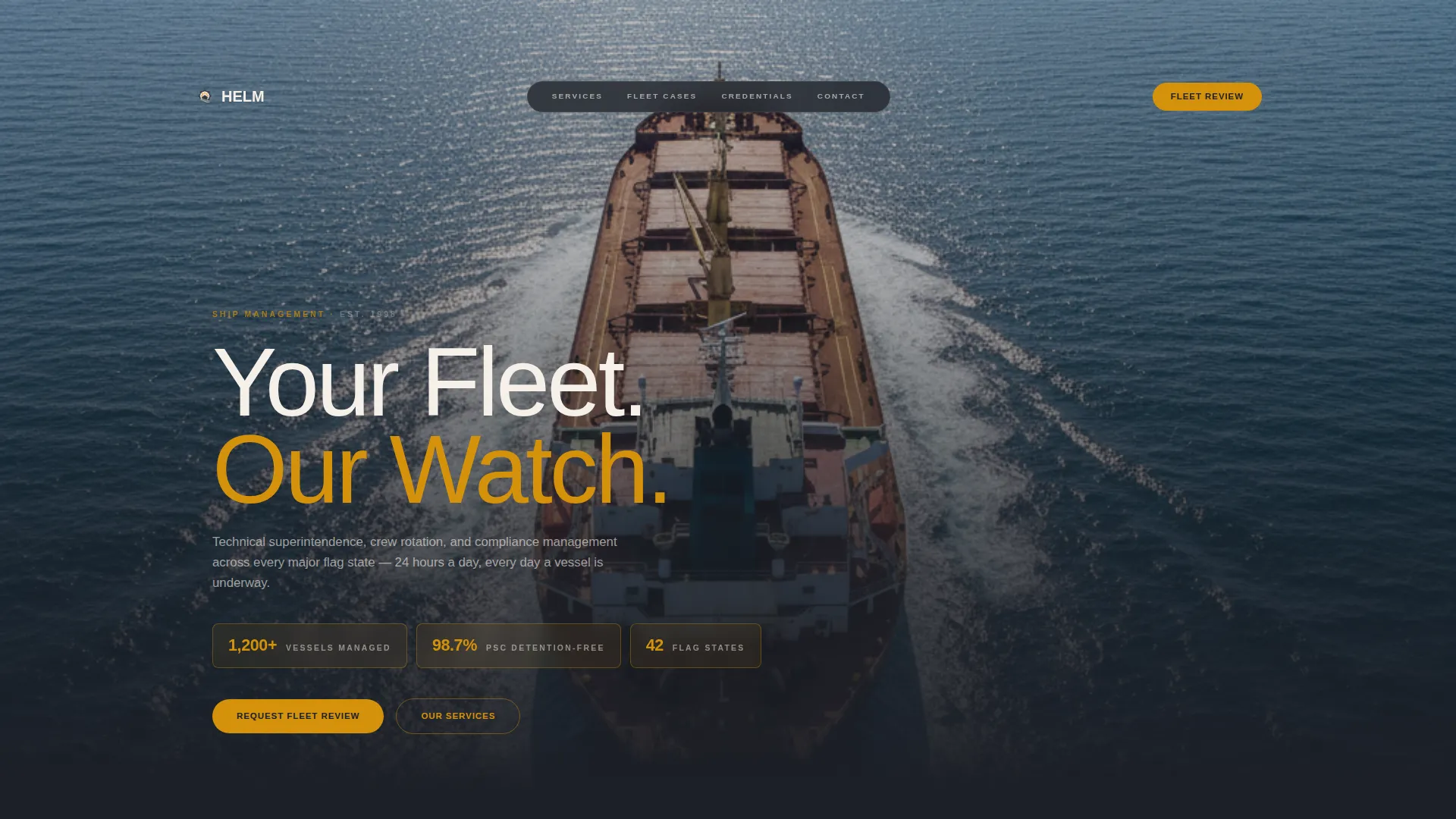
- A panoramic drone-shot hero section with headline, subtext, and three amber KPI data chips
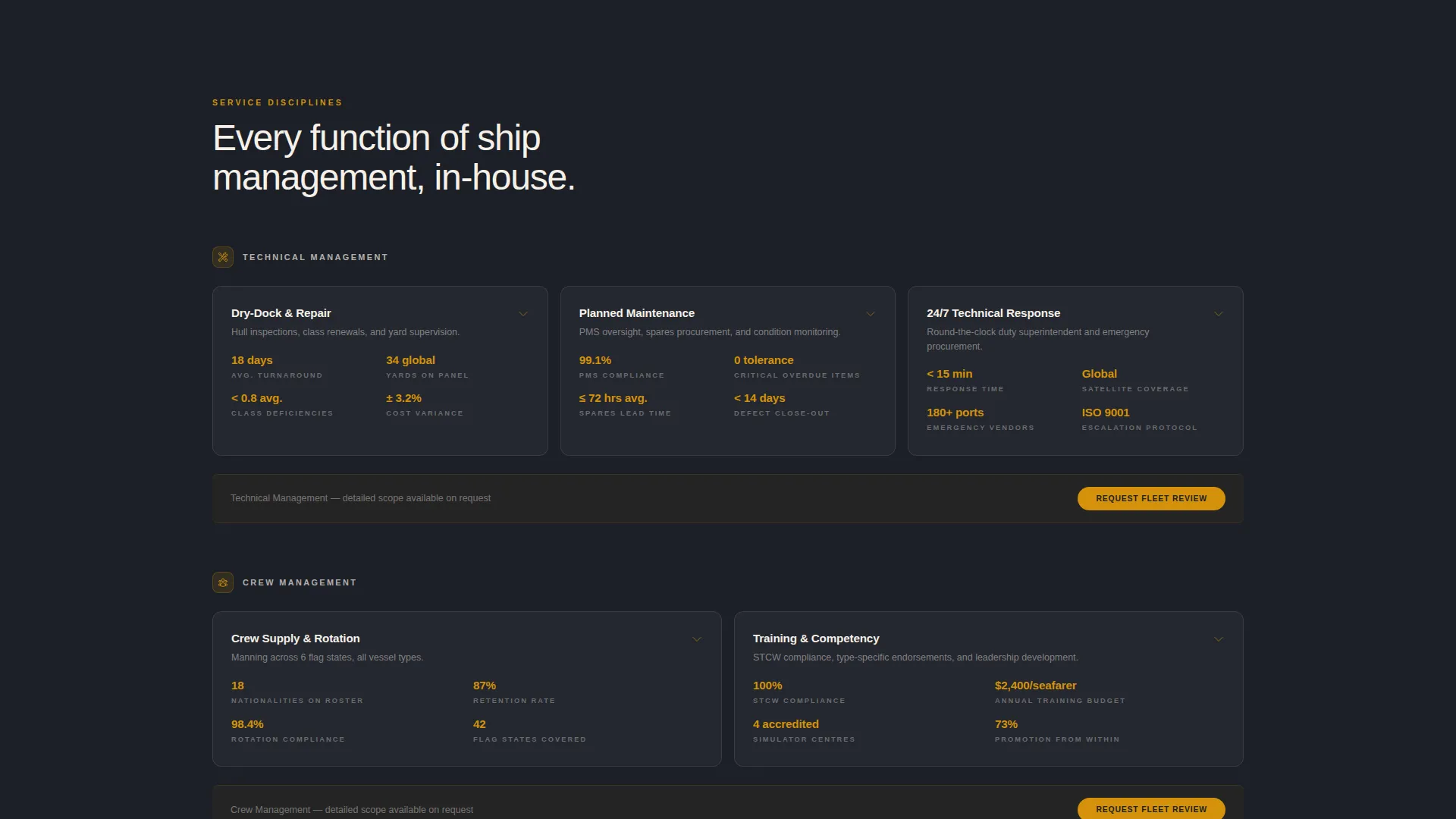
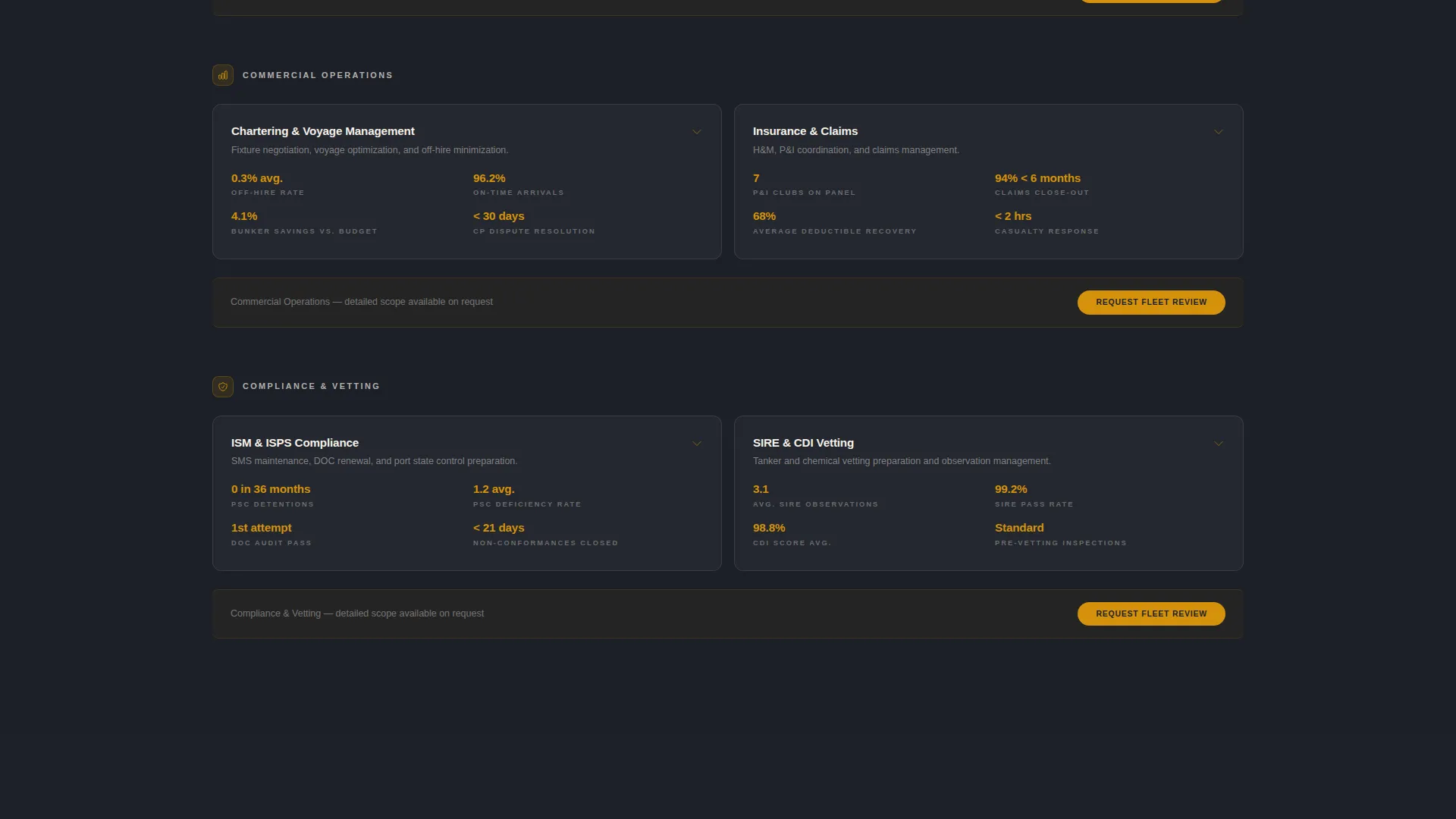
- Four modular card rows covering Technical Management, Crew Management, Commercial Operations, and Compliance and Vetting
- A dual-path lead-capture section with a primary fleet review request form and a secondary brochure download gate
Feature list
This section describes the core functional and design components built into the Helm template.
Panoramic Hero with KPI Data Chips
The header uses a full-viewport aerial photograph of a Capesize bulker underway. A headline fades in over the sky, and three amber-outlined KPI chips anchor verifiable performance data directly below it. Visitors absorb credentials before they scroll a single pixel.
Modular Spec-Sheet Card Grid
Each service discipline is presented as a structured card that reads like a vessel particular. The card shows a service name, a one-line scope definition, three to four bullet specifications, and an expand arrow that reveals a deeper methodology paragraph. Cards are grouped into labeled rows for fast visual scanning.
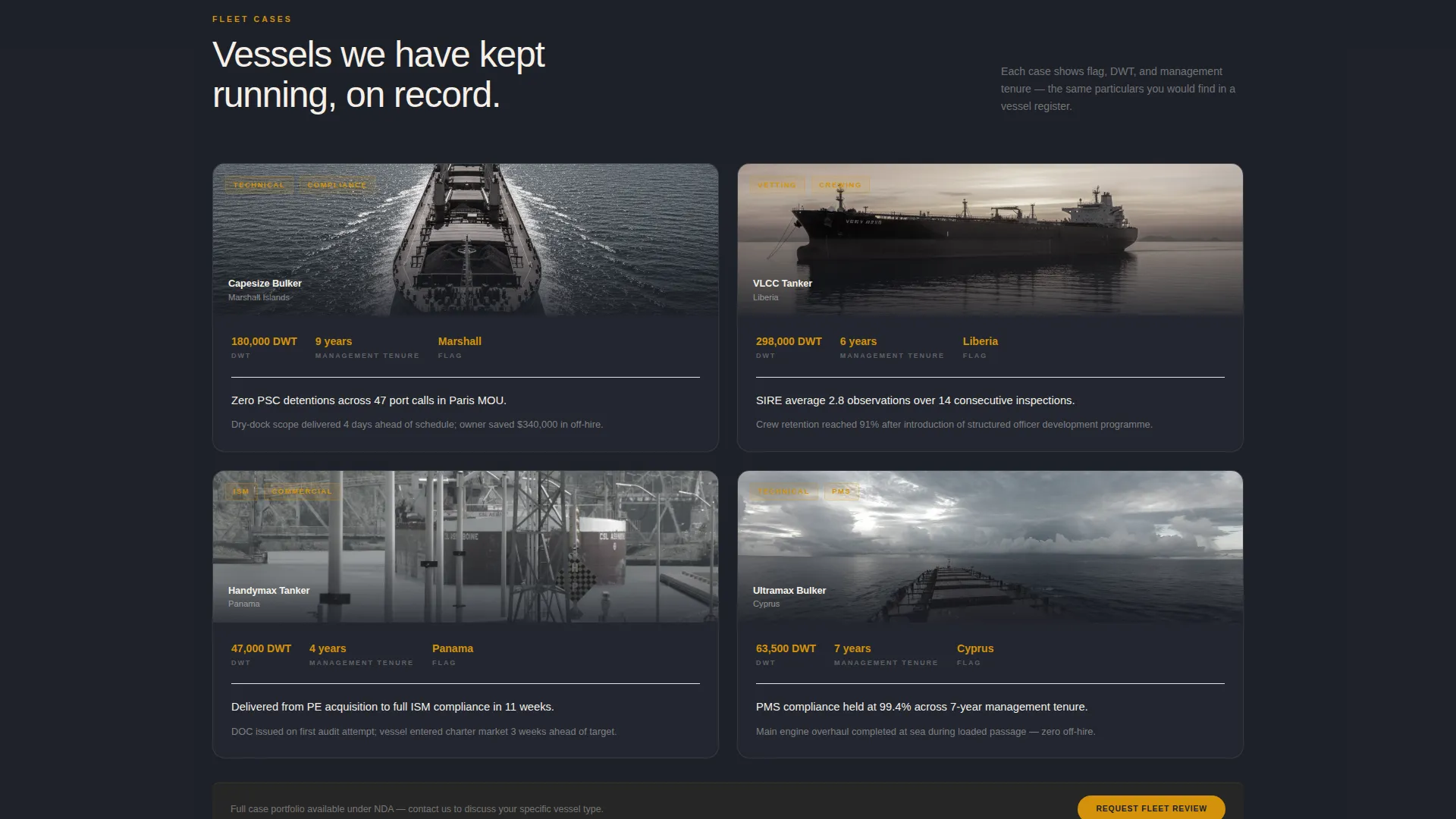
Case Study Evidence Row
Below the service cards, a row of case-study cards displays flag state, deadweight tonnage (DWT), and management tenure for individual vessel engagements. This row builds an evidence wall that makes a prospect's due diligence feel partially complete before they reach the form.
Certification and Affiliation Badge Wall
A dedicated section displays certification badges and Protection and Indemnity (P&I) club affiliations. Grouped visually, these elements add institutional credibility and signal that the company meets recognised industry standards.
Dual-Path Lead Capture Form
The primary conversion path is a "Request a Fleet Review" form collecting company name, fleet size, primary vessel type, and a free-text challenge field. A secondary path gates a management brochure behind email and vessel-type selection, capturing earlier-stage prospects who are still benchmarking options.
Fixed Mobile call to action Bar
On mobile, the primary call to action repeats as a fixed bottom bar so the conversion prompt stays visible at every scroll depth. On desktop, the amber-on-charcoal call to action button reappears at the close of each card row.
Page sections overview
| Section | Purpose |
|---|---|
| Hero Header | Aerial vessel image, headline fade-in, and three amber KPI chips |
| Technical Management Cards | Modular spec cards covering hull, dry dock, and superintendent services |
| Crew Management Cards | Spec cards for crew nationalities, rotation schedules, and flag-state coverage |
| Commercial Operations Cards | Cards covering voyage operations, chartering support, and noon reporting |
| Compliance and Vetting Cards | ISM audit, Port State Control, and SIRE observation data cards |
| Case Study Row | Flag, DWT, and management tenure cards for real vessel engagements |
| Certification Badge Wall | Certification logos and P&I club affiliation display |
| Lead Capture Section | Fleet review form and gated brochure download path |
Design & branding system
The visual identity follows a Corporate Precision theme. Every surface and colour decision references the instrument panel of a well-maintained wheelhouse at night, dark and controlled, with amber indicators confirming every system is nominal.
- Core palette: deep bridge-console charcoal (#1C1F26), steel-deck gunmetal (#3A3F4B), navigation-chart cream (#F5F0E8), and international-signal amber (#D4920B) reserved for calls to action, KPI figures, and hover states
- Typography: a medium-weight sans-serif headline fades in over the hero sky, with consistent type hierarchy maintained across all card titles, spec lines, and body paragraphs
- Creative direction follows a Spec Sheet model, where every card presents data the way a vessel particular presents technical facts, structured, scannable, and free of decoration
Mobile & speed optimization
The template is built to perform cleanly on mobile devices, where shipowners and fleet managers increasingly do their first research. The layout adapts from a multi-column desktop grid to a stacked single-column card view without losing the hierarchy or data density of the desktop experience.
- The fixed bottom call to action bar on mobile keeps the "Request a Fleet Review" action visible at all scroll depths, reducing drop-off at the conversion point
- Card rows reflow naturally from grouped desktop grids to individually readable stacked cards, preserving spec-line readability on smaller screens
How this template helps you convert
The page is structured so that trust accumulates with every scroll, and the form appears only after the visitor has already reviewed meaningful evidence. This sequence reduces friction and raises the quality of submitted enquiries.
- The hero KPI chips front-load performance data immediately, so a visiting shipowner sees detention ratios and fleet numbers before reading a single line of prose
- The spec-sheet card grid lets a prospect audit each service discipline at their own pace, expanding methodology paragraphs only when they want more depth
- The dual-path form offers both a direct fleet review request and a lower-commitment brochure download, matching two different buyer readiness levels with two appropriately sized asks
Other information about this template
Helm is purpose-built for the ship management niche within the broader Marine and Maritime category. It is designed as a single-page, section-led landing page flow rather than a multi-page website, which keeps all evidence and conversion elements within one focused journey.
- The template style is Card Grid (Modular), making it straightforward to add, remove, or reorder service card rows as your service offering evolves
- The Charcoal and Amber color system is distinct within the maritime sector, where most competitors default to navy and white, giving Helm users an immediate visual differentiation
- The lead generation direction of the page is intentional: every design decision, from the KPI chips to the fixed mobile bar, supports moving a shipowner from discovery to qualified enquiry
Theme
Corporate Precision
Creative direction
Spec Sheet
Color system
Charcoal & Amber
Style
Card Grid (Modular)
Direction
Lead Generation
Page Sections
Panoramic Hero with KPI Chips
Modular Spec-sheet Card Grid
Case Study Evidence Cards
Certification and Badge Wall
Dual-path Lead Capture
Fixed Mobile Call to Action Bar
Related questions
Can I customise the KPI figures shown in the header chips?
How do the expandable service cards work?
Is the brochure download form separate from the fleet review form?
Can I reorder or add service card rows to match my company's offering?
What options are pre-set in the fleet size and vessel type dropdowns?