Complete Family Travel & Experience Professional Website Template
Highchair is a scroll-reveal landing page template built for curated kid-friendly restaurant guides. It walks exhausted parents through finding the right place to eat tonight, using scenario cards, filterable parent priorities, and flippable restaurant cards. A warm Citrus Burst palette, UGC photo mosaic header, and a trust-first email capture make the whole experience feel personal and immediately useful.
by Rocket studio
Quick summary
Highchair is a single-page, scroll-reveal template for parents who need a vetted restaurant guide fast. It combines a handcrafted visual identity, interactive restaurant cards, and a low-friction email signup into one warm, focused flow. The template is built for content creators and local guide publishers serving families with young children.
Who this template is for
This template is made for anyone publishing a curated restaurant guide aimed at parents of toddlers and young kids. It fits both independent creators and small local media teams who want a polished, conversion-ready home for their content.
- Parents-turned-content creators running a city family dining guide
- Local lifestyle publishers covering kid-friendly restaurants and family outings
- Family event planners or community organizers who recommend vetted dining spots
What problem this template solves
Finding a family-friendly restaurant is genuinely stressful. Parents need more than a star rating. They need to know whether there is a highchair, a changing table, and a menu that will actually satisfy a two-year-old. Generic review sites do not answer those questions quickly or clearly.
- No structured way to surface filters parents actually care about, like noise level or stroller parking
- Restaurant discovery pages that bury practical details behind long review text
- Email capture flows that ask for trust before delivering any real value
What you get with this template
This template gives you a complete, ready-to-customize landing page built around a step-by-step discovery flow. Every section is designed to reduce friction and build confidence before the signup moment arrives.
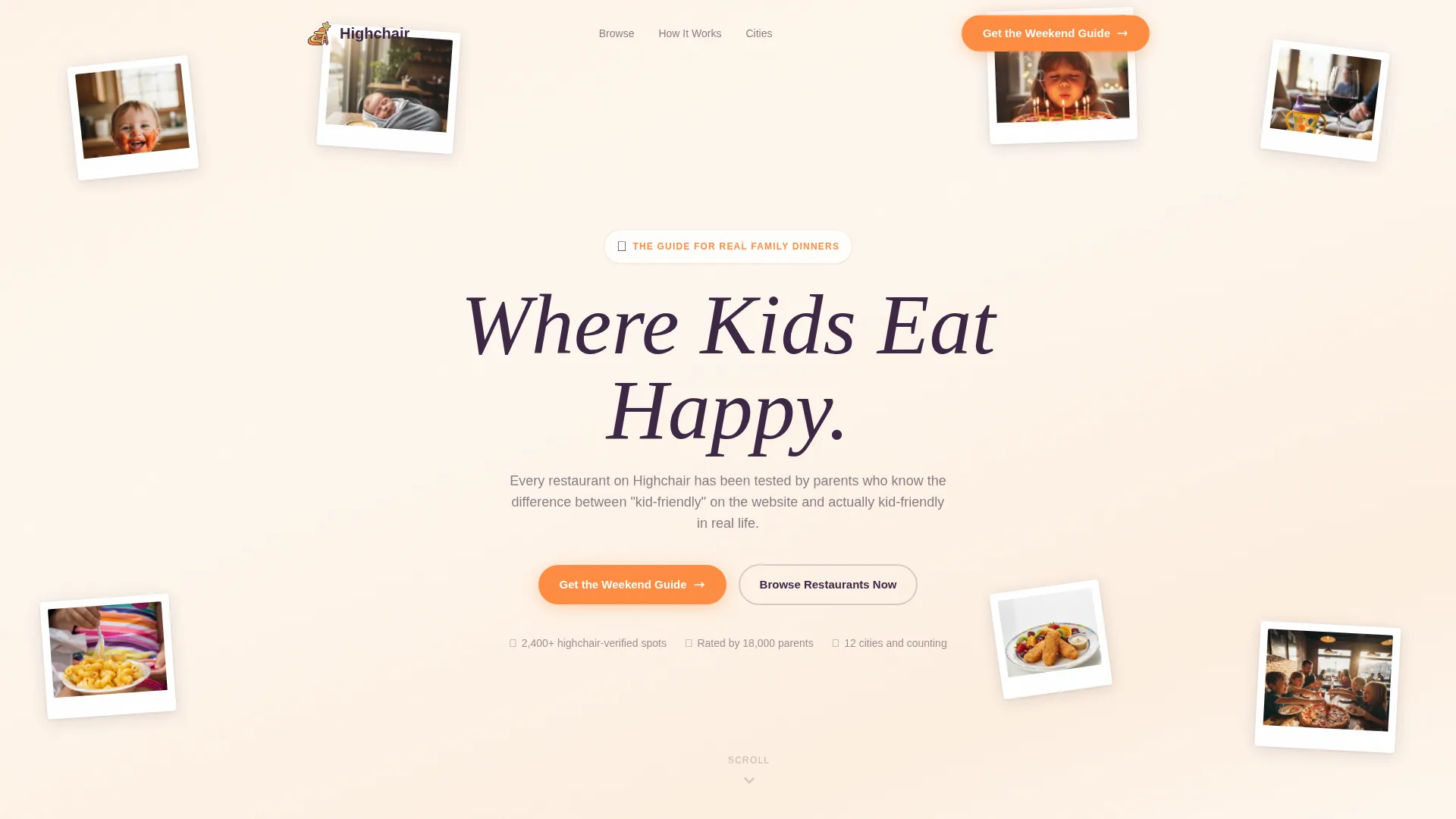
- A UGC photo mosaic header with a handwritten-style headline and dual call-to-action buttons
- Three scroll-reveal scenario cards, three ungated flippable restaurant cards, and a feature filter showcase
- A pre-filled email capture form collecting only a first name and email, with city pre-fill support
Feature list
This template packages five distinct interactive and visual systems into a single cohesive page. Each one is designed to carry a specific moment in the parent's decision journey.
Animated UGC Photo Mosaic Header
The header displays a casually overlapping, polaroid-warm mosaic of parent-submitted photos. Images float gently on load and the handwritten-style headline "Where Kids Eat Happy" fades in over the mosaic. No stock photography is used in the design concept.
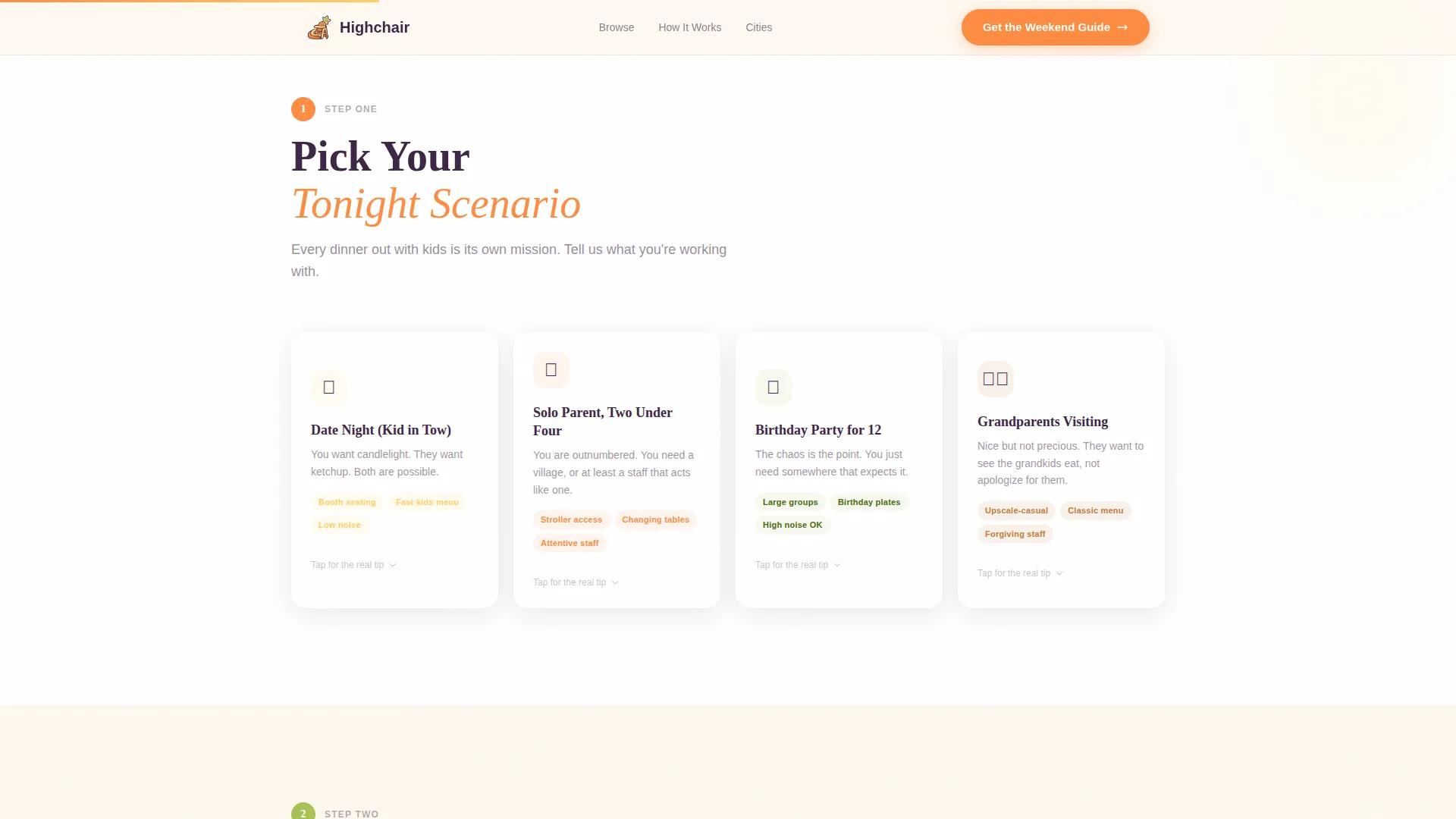
Scroll-Reveal Scenario Picker
Three scenario cards reveal progressively as the user scrolls. Each card represents a real dining situation: a date night with a backup plan, a solo parent managing two young kids, or a birthday party for a group. Cards stagger in with smooth CSS animation.
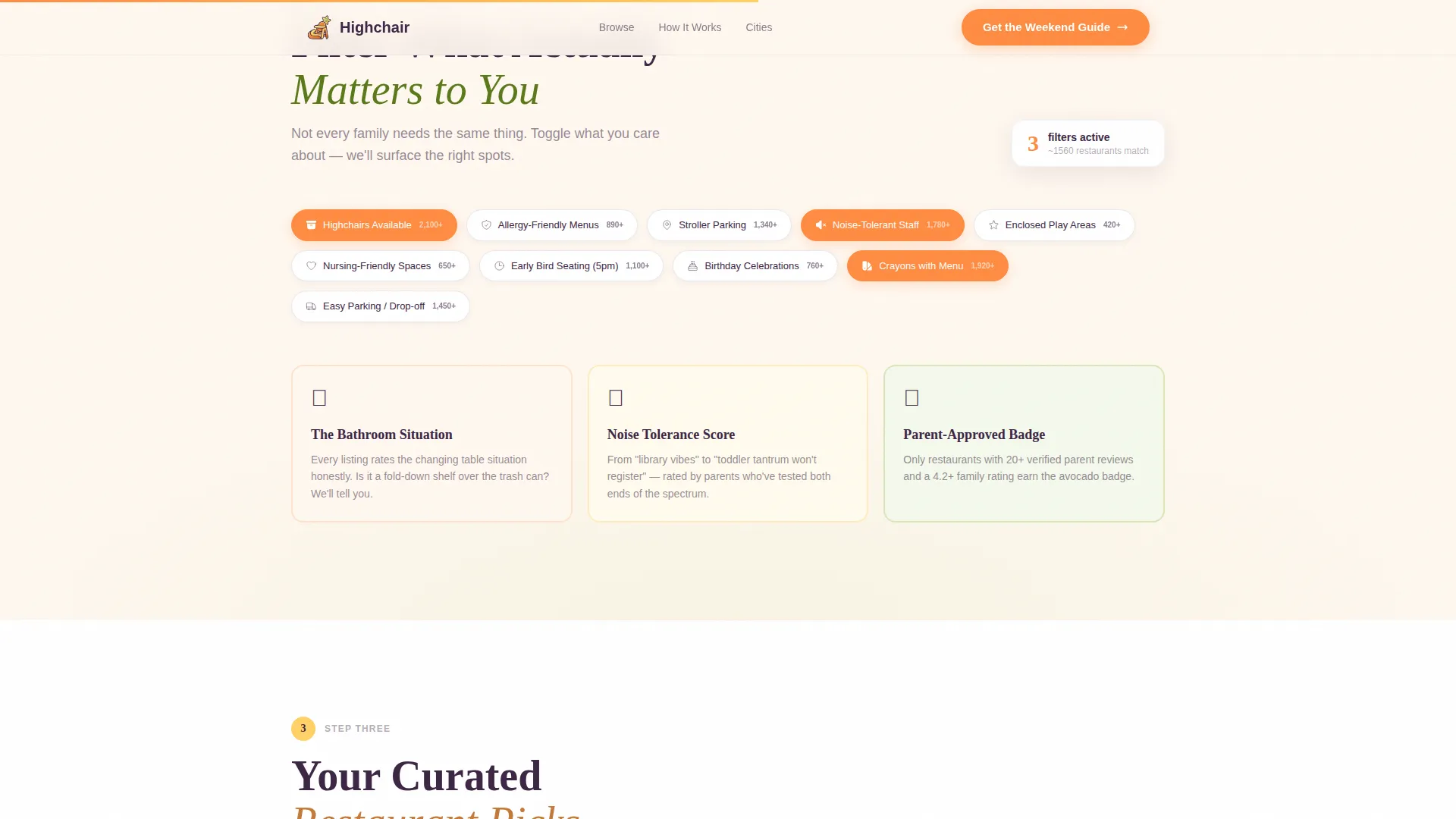
Parent Filter Showcase
A dedicated section displays the filters parents actually use when choosing a restaurant. Icons and labels cover highchairs, enclosed play areas, allergy-aware menus, stroller parking, and noise tolerance. The layout is clean and skimmable on mobile.
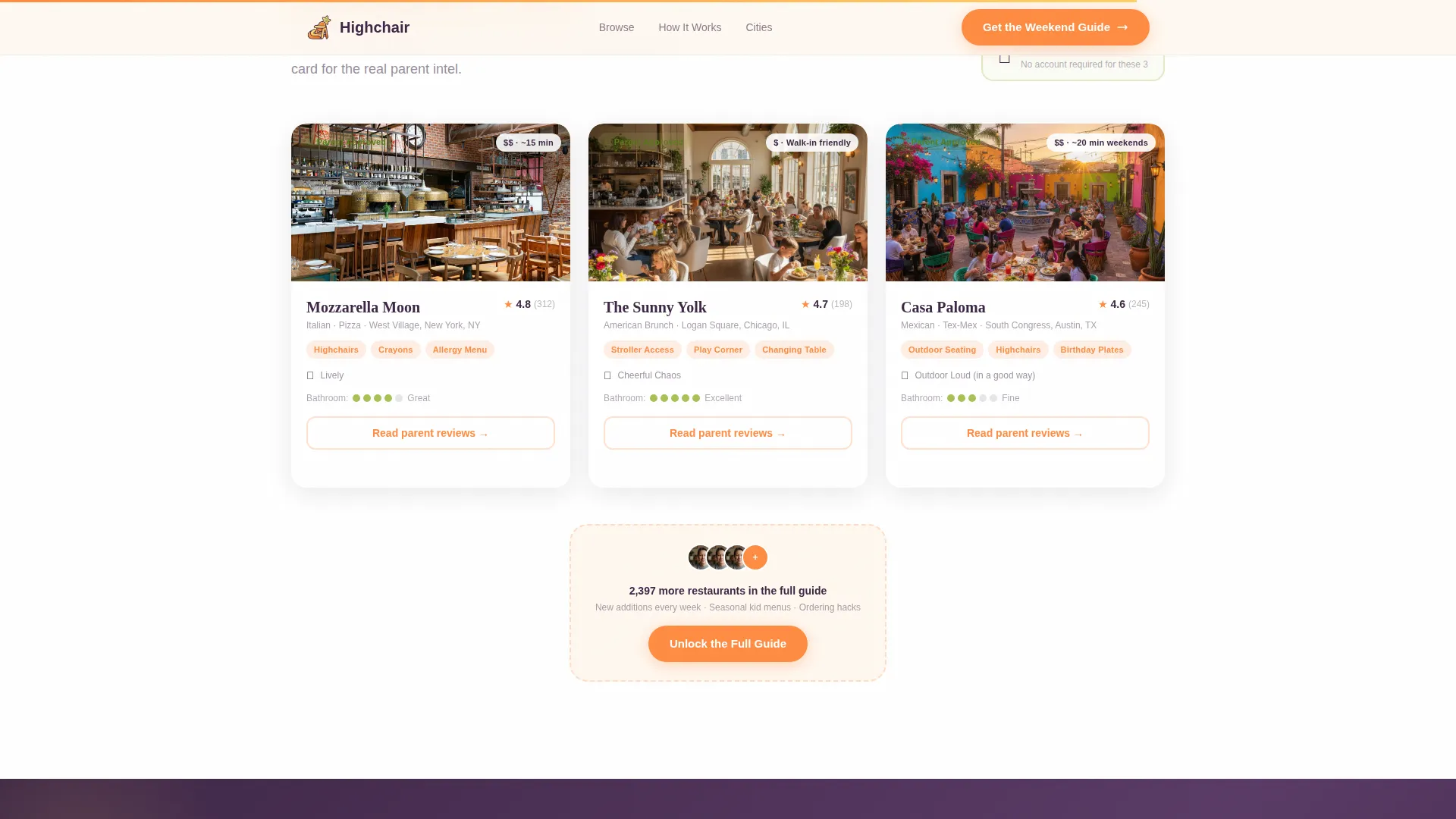
Flippable Restaurant Cards
Three fully detailed restaurant cards are presented ungated. Each card flips on interaction to reveal parent reviews, kid menu highlights, and a bathroom-situation rating. This section demonstrates guide value before asking for any signup.
Trust-First Email Capture
The Weekend Guide sign-up form asks only for a first name and an email address. The city field is pre-filled to reduce typing friction. A secondary browse link lets visitors skip the gate entirely, building trust before conversion.
Page sections overview
| Section | Purpose |
|---|---|
| Hero Photo Mosaic | Establish warmth and guide identity with UGC imagery and headline |
| Scenario Picker Cards | Help parents self-identify their dining situation tonight |
| Parent Filter Showcase | Surface the practical filters families care about most |
| Ungated Restaurant Cards | Demonstrate guide quality with three fully detailed, flippable cards |
| Weekend Guide Capture | Convert engaged visitors with a low-friction name and email form |
| Footer Row | Provide linear single-row navigation and secondary links |
Design & branding system
The visual identity follows a Nurture and Care theme expressed through the Citrus Burst color system. The palette feels like a Sunday morning kitchen counter covered in cut fruit: bright without being plastic, joyful without being juvenile.
- Colors: squeezed tangerine (#FF8C42) for buttons and badges, lemonade yellow (#FFD166) for tip card highlights, soft avocado (#A8C256) for verified parent-approved picks, and warm oat milk white (#FFF8F0) for backgrounds, with deep plum (#3D2645) for all body text
- Typography: Fraunces serif display typeface for headlines, DM Sans for body copy, with handwritten-style accent lettering in the hero
- Visual style: warm editorial, polaroid-casual framing, rounded photo edges, and overlapping angles that feel lived-in rather than designed
Mobile & speed optimization
The template is built with a mobile-first priority because most parents are searching on a phone at 4pm from a parking lot. Every interactive element is touch-friendly and the layout reflows cleanly at small screen sizes.
- Images are lazy-loaded to keep the initial page load light on mobile connections
- Animations are driven by CSS rather than heavy JavaScript libraries, keeping interaction smooth without bloat
- The email capture form is thumb-friendly, with minimal required fields and a pre-filled city input
How this template helps you convert
The conversion strategy is built on a demonstrate-then-ask principle. Parents see real value before they are ever asked for their email address.
- Three fully ungated restaurant cards show parents exactly what they will get in the weekly guide, creating genuine anticipation for the signup offer.
- The dual call-to-action structure lets hesitant visitors browse freely, reducing bounce and keeping them engaged long enough to build trust.
- The Weekend Guide form collects only a first name and email, with friction reduced further by the pre-filled city field, making the final step feel almost effortless.
Other information about this template
This template is part of the Kids and Family category, sitting at the intersection of family travel and experience content. It is designed specifically for the kid-friendly restaurant guide niche and works well for metro-focused guides covering cities like New York, Los Angeles, Chicago, and Austin.
- The template style is Scroll Reveal (Progressive), meaning each content section animates into view as the visitor scrolls down the page
- The landing page direction is Content and Resource Hub, meaning the primary goal is to deliver useful content that earns email signups rather than sell a product directly
- The header concept is a UGC Photo Wall, which sets an authentic, community-driven tone from the very first scroll
- Social proof elements include parent-submitted photo UGC, review snippets surfaced on flipped restaurant cards, Parent Approved badges rendered in avocado green, and a bathroom-situation rating system unique to this guide format
Theme
Nurture & Care
Creative direction
Step-by-Step Guide
Color system
Citrus Burst
Style
Scroll Reveal (Progressive)
Direction
Content/Resource
Page Sections
Animated UGC Photo Mosaic Header
Scroll-reveal Scenario Picker
Parent Priority Filter Showcase
Flippable Ungated Restaurant Cards
Trust-first Weekend Guide Capture
Related questions
Can I add more restaurant cards beyond the three included?
Is the email form connected to a mailing list provider?
Can I change the scenario cards to fit my specific audience?
Does the template work for a guide covering multiple cities?
What makes this different from a standard restaurant directory template?



