Inspection Landing Page Template for Luxury Towers
Highrise is a single-page inspection landing page built for luxury high-rise property firms. It leads with a live risk-score calculator, escalates through stat-driven sections, and closes with a five-step assessment quiz. The dark emerald and polished bronze visual system projects calm authority, while every layout choice moves condo board members, attorneys, and pre-purchase buyers toward a risk brief or a direct inspector call.
by Rocket studio
Quick summary
Highrise is a split-screen inspection landing page designed for white-glove high-rise residential property inspection firms. The header is an interactive risk calculator, not a hero image. Stats-first sections escalate buyer urgency with each scroll. A five-step progressive quiz captures qualified leads and promises a branded preliminary risk brief within 48 hours.
Who this template is for
This template is built for inspection professionals who serve the upper end of the high-rise residential market. It speaks directly to the clients those firms work with every day.
- Condo board presidents preparing reserve studies or facing deferred maintenance decisions
- Real estate attorneys building construction defect cases and pre-litigation inspection files
- Penthouse and luxury unit buyers who need concealed systems evaluated before closing
What problem this template solves
Standard inspection websites look like home inspector brochures. They do not communicate the complexity of a forty-story tower, the liability at stake, or the precision a high-value client expects. This template solves the credibility and conversion gap in one page.
- Generic inspection sites fail to signal expertise in façade systems, mechanical floors, or waterproofing
- Potential clients leave without understanding the firm's specific process or what a risk brief contains
- There is no clear path from "I have a concern" to "I am ready to hire someone"
What you get with this template
You get a fully structured, single-page landing page designed specifically for high-rise residential inspection firms. Every section is built to earn trust and capture leads from technically sophisticated buyers.
- An interactive header calculator with animated risk dial and real-time line-item outputs
- A stat bar section, data visualization panels, and split-screen narrative blocks
- A five-step progressive quiz that feeds into a complimentary risk brief call to action and a floating direct-contact button
Feature list
This template includes purpose-built components that reflect the inspection firm's process and client expectations.
Interactive Risk Score Calculator
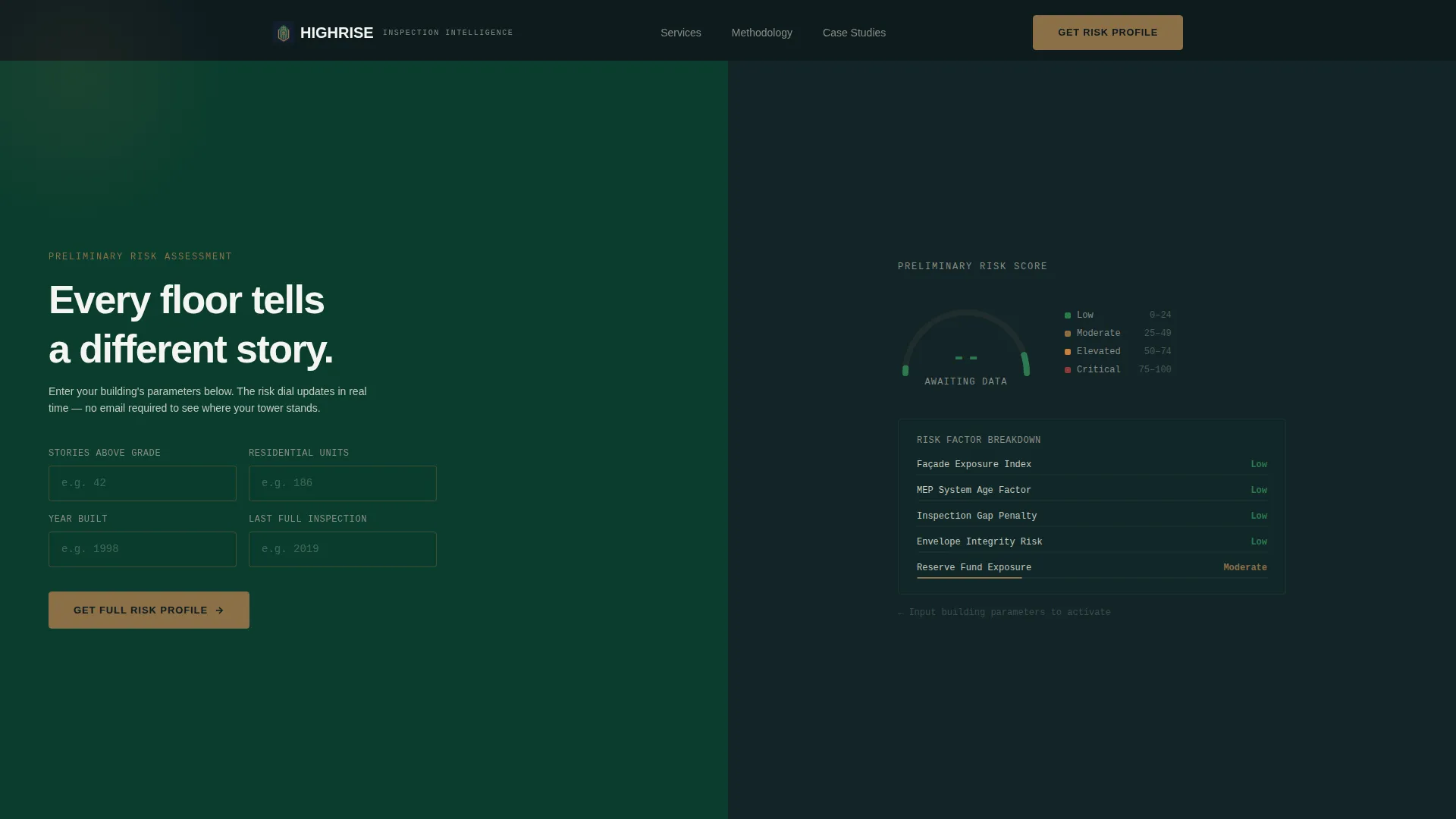
The header splits the screen 50/50. The left panel holds bronze-outlined input fields for building story count, unit count, year built, and last inspection date. The right panel renders an animated dial sweeping from green to amber in real time, with line items like "Façade Exposure Index" and "MEP System Age Factor" populating as inputs change.
Stats-First Impact Bar
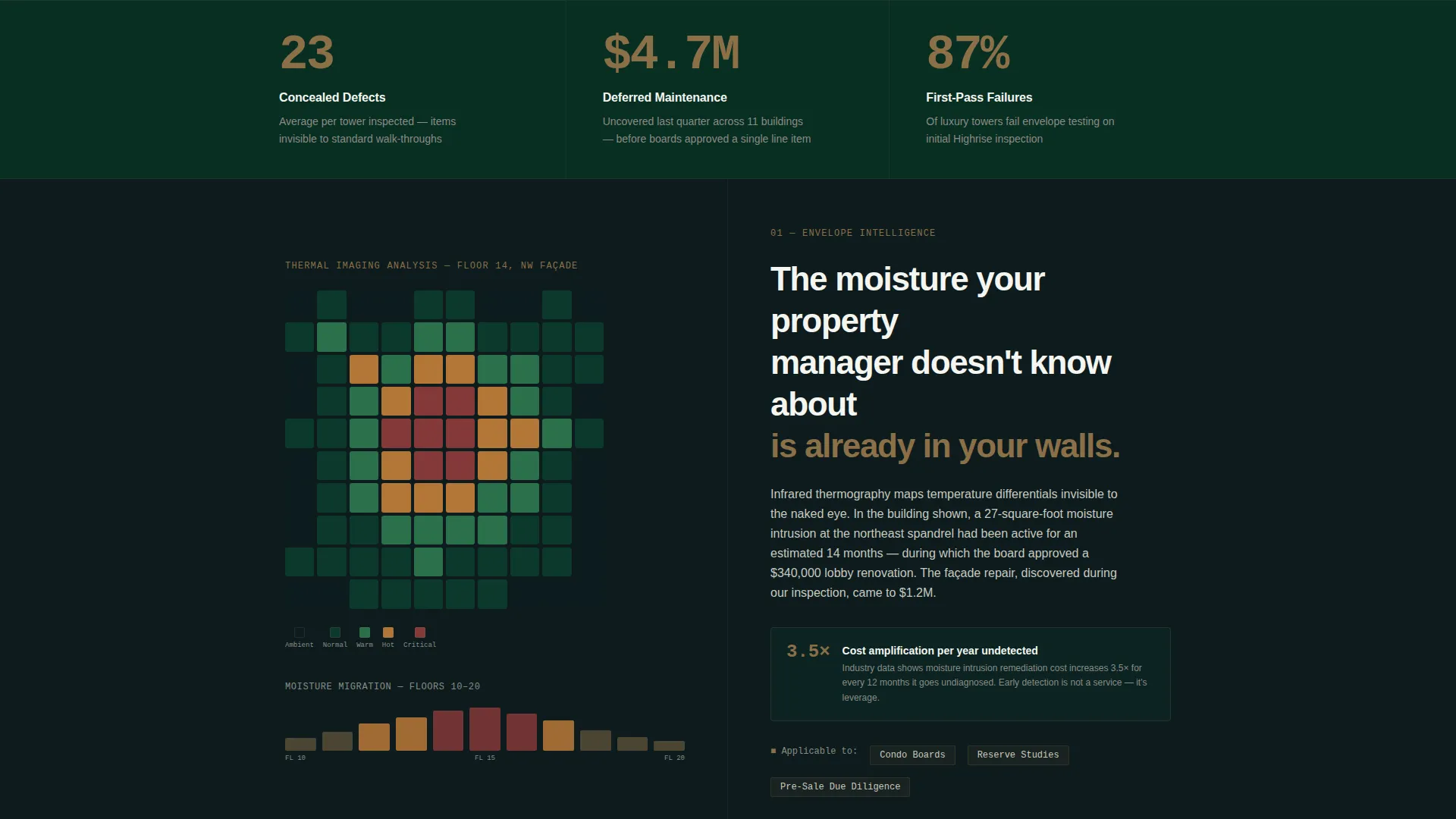
A full-width stat bar sits immediately below the calculator. It presents three hard figures side by side: average concealed defects per tower inspected, dollars in deferred maintenance uncovered last quarter, and the percentage of buildings that failed envelope testing on first pass.
Split-Screen Data Narrative Sections
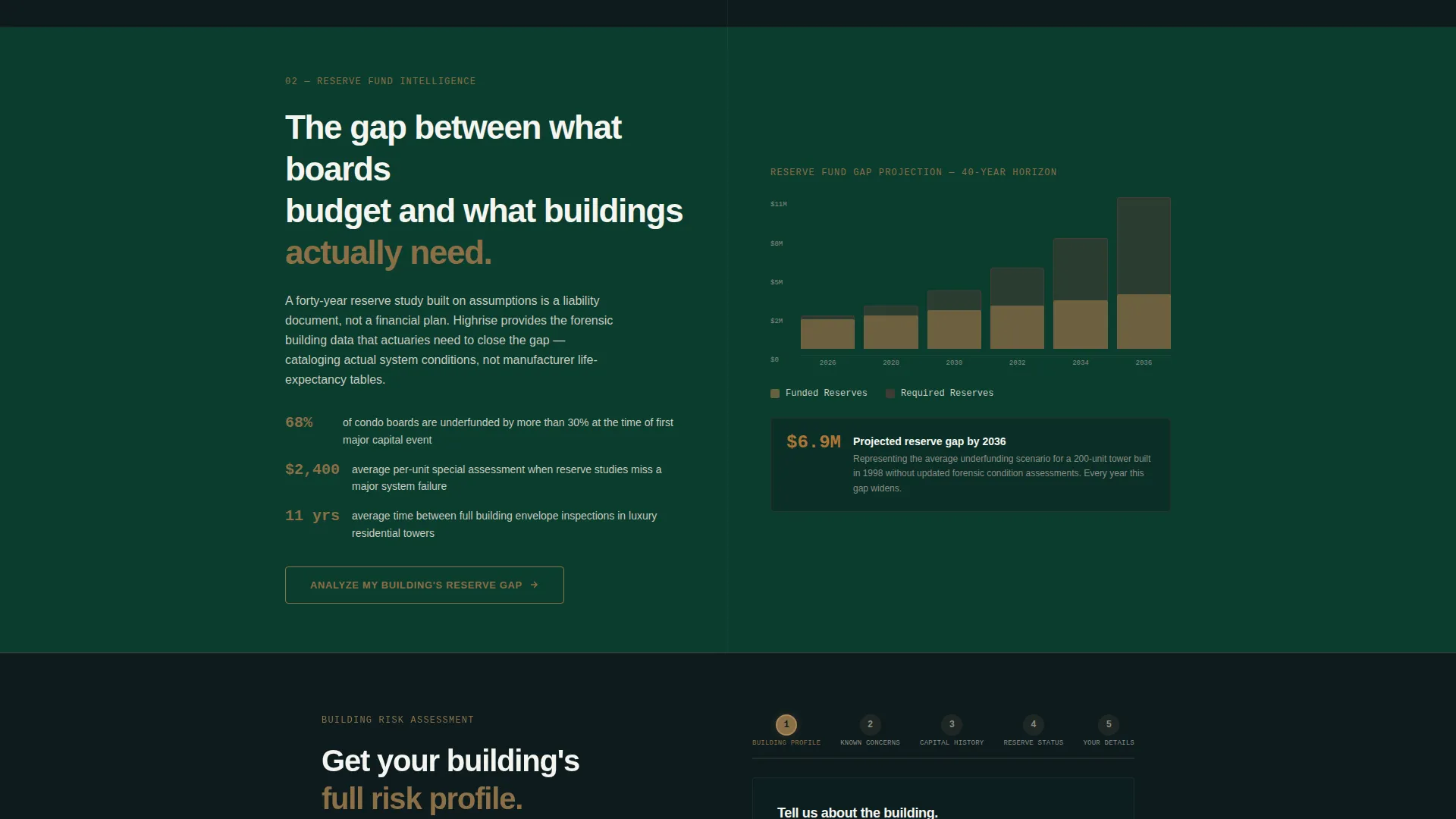
Each scroll section pairs a data visualization on one side with a single explanatory paragraph on the other. Visualizations include thermal imaging heat maps, moisture migration charts, and reserve fund gap projections. Each pairing connects a specific number to the building owner's liability and asset value.
Five-Step Progressive Assessment Quiz
The header calculator feeds into a "Get Your Building's Risk Profile" call to action that expands into a five-step questionnaire. Steps cover building address and age, structural or envelope concerns, most recent capital improvement, reserve fund status, and contact details with role identifier. Completing the quiz triggers a promise of a branded PDF risk brief within 48 hours.
Floating Direct-Contact call to action
A bronze pill button labeled "Talk to an Inspector Now" floats persistently in the bottom-right corner. It gives visitors who already know they have a problem a direct path to a human, bypassing the quiz funnel entirely.
Executive Suite Visual System
The full page uses a dark emerald and bronze color system with a midnight header and footer and report-paper white for all text and data surfaces. There are no stock photographs. The calculator, charts, and data panels carry the full visual weight of the page.
Page sections overview
| Section | Purpose |
|---|---|
| Header Calculator | Render real-time building risk score from visitor inputs |
| Stat Impact Bar | Deliver three hard inspection figures immediately below the fold |
| Data Narrative Block | Pair thermal and moisture visualizations with liability context |
| Reserve Fund Panel | Connect deferred maintenance data to asset value risk |
| Risk Profile call to action | Expand the five-step quiz from the calculator's output |
| Quiz Step Flow | Capture building details, concerns, reserve status, and contact role |
| Risk Brief Promise | Confirm branded PDF delivery within 48 hours of quiz completion |
| Floating Contact Button | Offer a direct inspector conversation from any scroll position |
Design & branding system
The visual identity follows an Executive Suite theme that feels like the private corridor behind a concierge desk. Every color and surface choice reinforces calm authority.
- Deep lobby marble green (#0B3D2E) dominates backgrounds and section divides; polished elevator bronze (#8B6F47) highlights statistics, input outlines, and interactive elements
- Penthouse midnight (#0D1B1E) anchors the header and footer; report-paper white (#F4F5F0) carries all body text, data labels, and calculator interfaces
- No stock photography appears anywhere on the page; the calculator, data panels, and charts serve as the sole visual anchors
Mobile & speed optimization
The split-screen layout and interactive components are structured to adapt cleanly to smaller viewports without losing the data-first hierarchy.
- Input fields, animated dial, and stat bar reflow to single-column stacks on mobile screens
- The floating bronze contact button remains accessible at all scroll depths and screen sizes
- Data visualization panels scale proportionally so moisture charts and heat maps remain readable on phone displays
How this template helps you convert
Every layout decision in this template is engineered to move a qualified visitor from passive interest to an active lead request.
- The header calculator creates immediate personal relevance by producing a risk score tied to the visitor's specific building before they read a single line of marketing copy.
- The escalating stat sections replace generic credibility claims with specific, uncomfortable numbers that build urgency with each scroll.
- The five-step quiz qualifies the lead, sets expectations with a 48-hour PDF promise, and gives impatient visitors a direct bypass via the floating contact button.
Other information about this template
This template is well suited for firms looking to differentiate in a market where most property inspection websites are generic. The Stats-First Impact creative direction and the Lead Generation landing page structure make it a strong fit for high-rise residential real estate inspection practices that serve institutional-level clients.
- The template style follows a Gallery plus Detail approach, pairing visual data panels with focused explanatory copy for each inspection concern
- The header concept centers on an estimator tool rather than a passive image, which aligns with the Lead Generation direction built into the page
- The page works as a standalone lead capture tool and can be adapted to serve different audience segments by adjusting the quiz role identifier options

Theme
Atelier Studio
Creative direction
Stats-First Impact
Color system
Charcoal & Amber
Style
Gallery + Detail
Direction
Lead Generation
Page Sections
Live Building Risk Score Calculator
Stats-first Full-width Impact Bar
Split-screen Data and Narrative Panels
Five-step Progressive Assessment Quiz
Persistent Floating Contact Button
Executive Suite Visual Identity System
Related questions
Who is the primary audience this landing page is designed for?
Does this template include a working quiz or just a visual layout?
Can the color system and branding be changed to match a different firm?
What makes this different from a standard home inspection template?
What happens after a visitor completes the five-step quiz?



