Residential Appraiser Landing Page Template
Highrise is a gallery-plus-detail landing page built for solo high-rise residential appraisers. It opens with three oversized amber statistics, moves through a clickable building gallery, and closes every scroll path with a "Request a Fee Quote" form. The Atelier Studio design in charcoal and amber signals authority before a single line of copy is read.
by Rocket studio
Quick summary
Highrise is a single-page lead generation template for independent high-rise residential appraisers. It leads with bold amber statistics on a deep charcoal field, then layers a building facade gallery, methodology sections, credential displays, and a smart quote-request form. Every design and copy decision pushes a qualified visitor toward one action: contacting the appraiser.
Who this template is for
This template is built for appraisers who work exclusively in high-rise and multi-unit residential buildings. It speaks directly to the clients those appraisers already serve, so visitors self-qualify the moment they land.
- Solo or small-firm appraisers specializing in condominiums, penthouses, and high-rise units
- Residential appraisal professionals serving estate attorneys, mortgage originators, and condo board treasurers
- Established practitioners with a portfolio of landmark assignments who need a page that reflects that depth
What problem this template solves
Most appraisers present themselves with generic service pages that look identical to every other valuation firm. Clients who need a specialist for high-stakes work, such as a contested divorce or a tax-assessment challenge, cannot tell from a standard page whether the appraiser knows their building. This template fixes that gap.
- It builds instant credibility through volume-first statistics and a recognizable building gallery
- It removes friction from lead capture by asking for appraisal purpose upfront and adapting the form fields accordingly
- It keeps research-mode visitors engaged with a secondary path offering a downloadable sample appraisal report
What you get with this template
You get a fully structured, single-page layout designed around the workflow of a high-rise residential appraisal practice. Every section is purposeful and ordered to move a visitor from first impression to form submission.
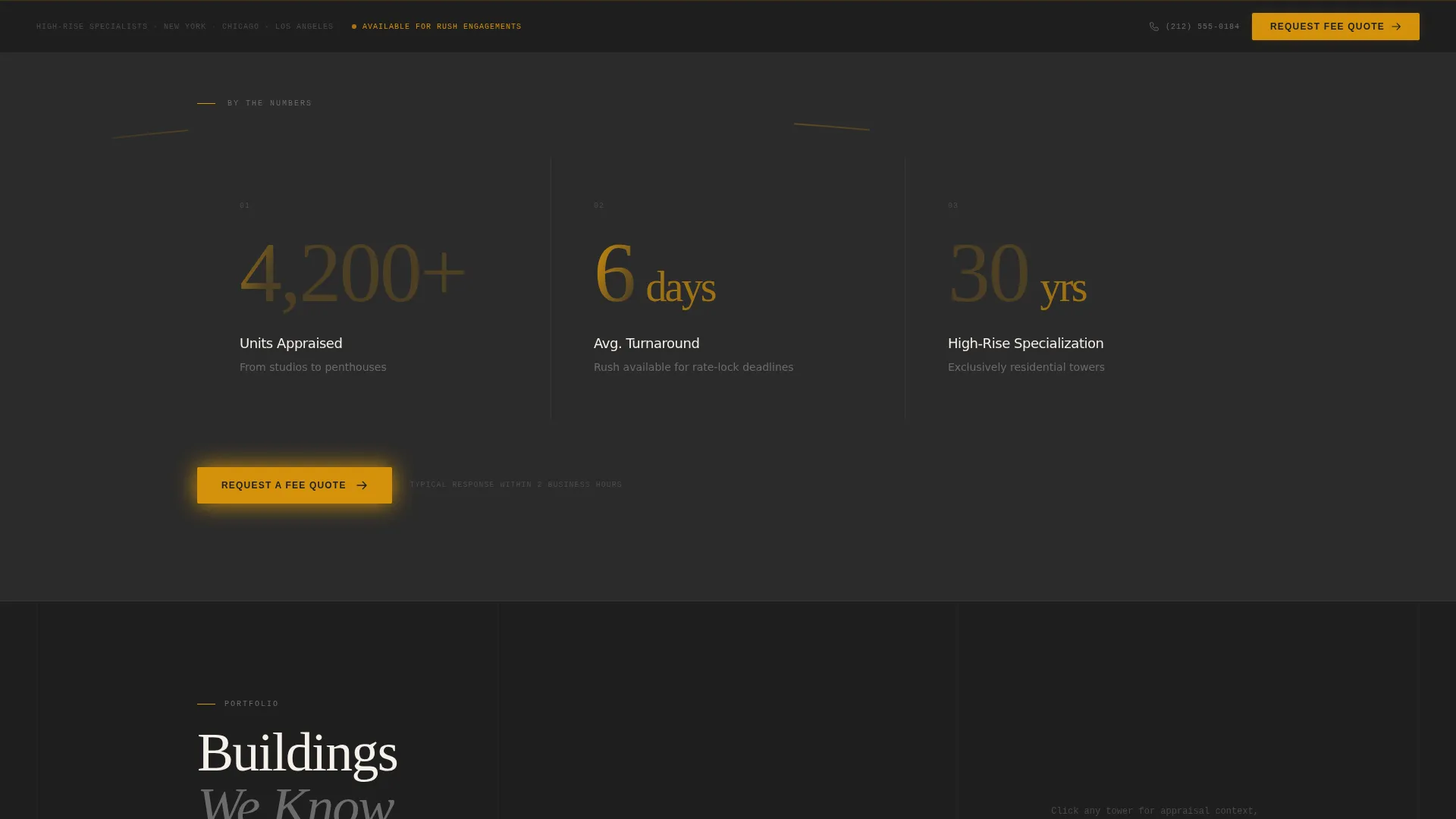
- A stats-first hero with three large amber numerals covering total units appraised, average turnaround, and years of specialization
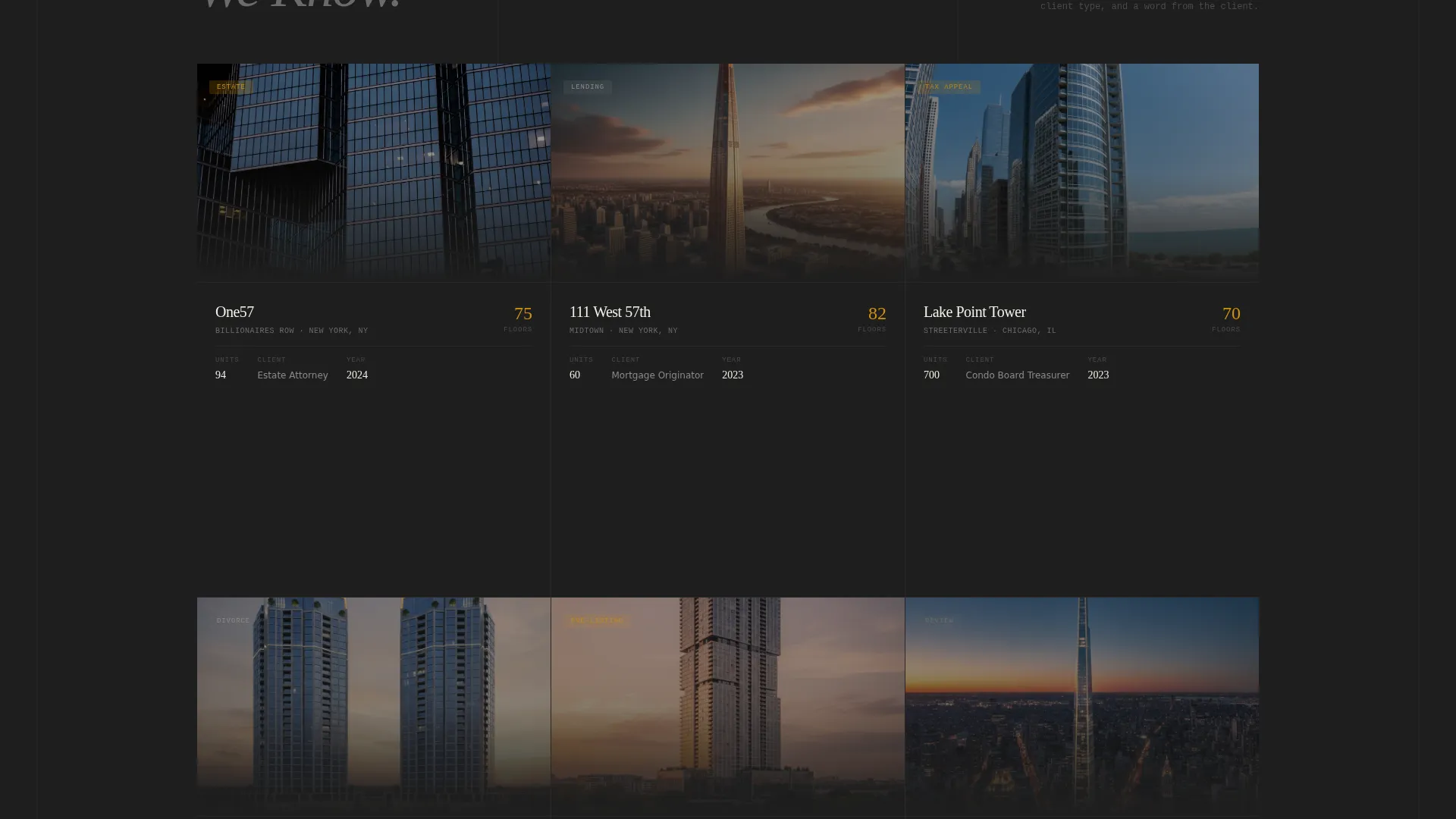
- A scrollable building gallery where each card opens a detail panel with neighborhood context, unit count, appraisal purpose, and a client pull quote
- A smart lead-capture form that adapts its fields based on the appraisal purpose selected, plus a sticky bottom bar call to action that persists after the gallery
Feature list
This section describes the core built-in capabilities of the Highrise template as delivered.
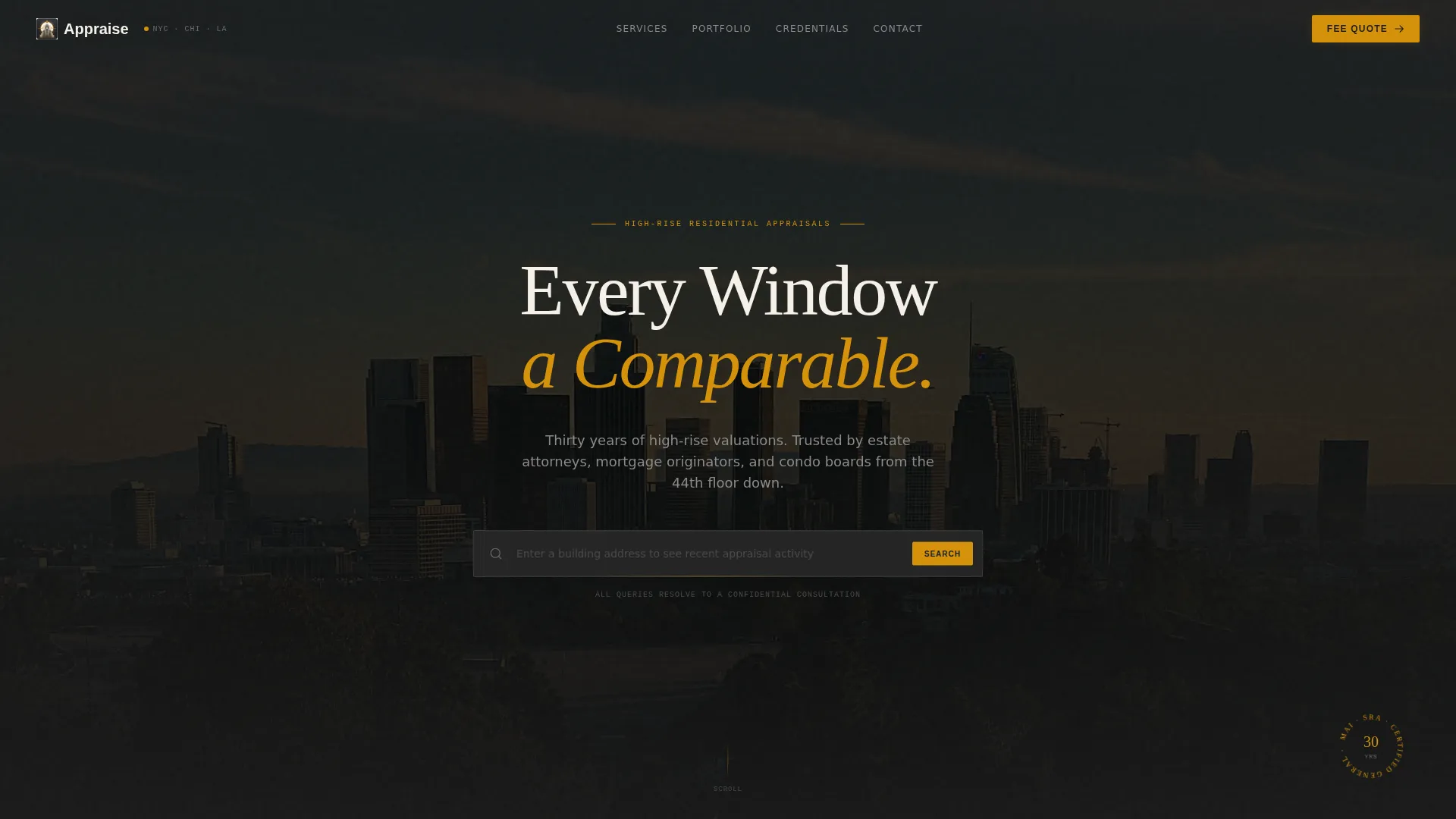
Address Search Hero with Lead Capture
The header centers an oversized search input on a charcoal background. It reads "Enter a building address to see recent appraisal activity" with an amber underline pulse animation. Auto-suggest behavior guides visitors toward known buildings, but every query resolves to the lead capture form, creating an immediate impression of insider knowledge.
Stats-First Impact Row
Immediately below the header, three massive amber numerals display total units appraised, average appraisal turnaround in days, and years of high-rise specialization. No supporting copy appears at this stage. The numbers speak before any explanation is offered, establishing scale and authority at first scroll.
Clickable Building Gallery with Detail Panels
A grid of real building facade photographs forms the centerpiece of the page. Clicking any card reveals a detail panel containing the building's neighborhood, unit count, appraisal context, and a pull quote from the client. The gallery makes the appraiser's portfolio tangible and browsable.
Adaptive Quote Request Form
The primary lead form asks for property address, appraisal purpose, needed-by date, name, and phone number in that order. Selecting "divorce" as the purpose triggers an attorney name field. Selecting "tax appeal" surfaces a field for current assessed value. This conditional logic keeps the form relevant and reduces drop-off.
Credential and Methodology Display
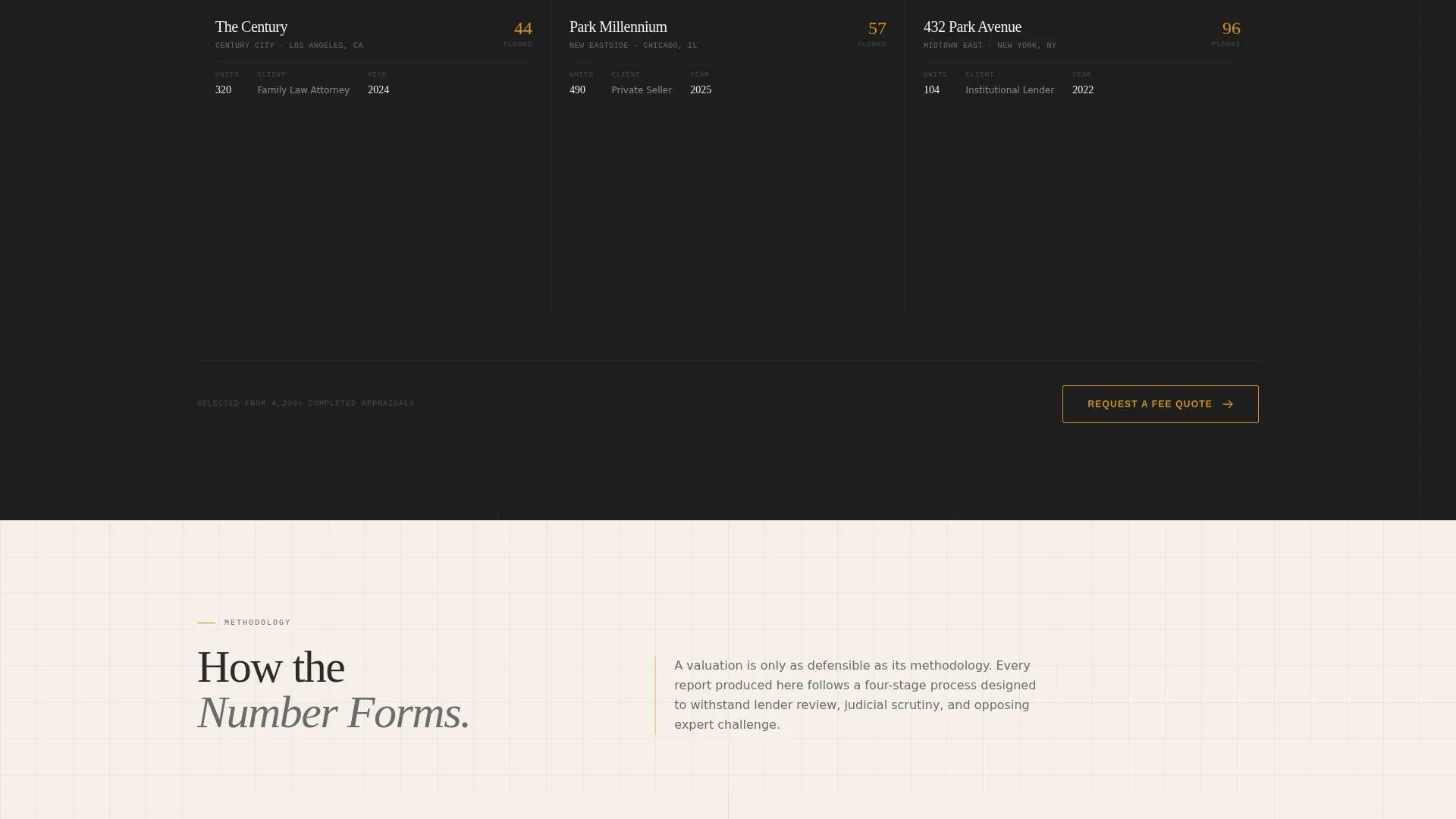
Designation credentials are displayed in a gallery-hung certificate format. A methodology breakdown section follows, walking visitors through how valuations are produced. A timeline of landmark appraisals adds a chronological layer of evidence that accumulates trust through scroll depth.
Secondary Lead Path for Research Visitors
A separate call-to-action offers a downloadable sample appraisal report in exchange for an email address. This secondary path catches visitors who are still comparing options and not yet ready to request a fee quote, keeping them inside the appraiser's pipeline.
Page sections overview
| Section | Purpose |
|---|---|
| Search Box Hero | Capture attention and direct all queries to lead form |
| Stats Impact Row | Establish scale with three key appraisal metrics |
| Building Facade Gallery | Showcase completed high-rise assignments visually |
| Gallery Detail Panels | Add context, client quotes, and neighborhood data per building |
| Request a Fee Quote | Primary lead capture with adaptive purpose-driven fields |
| Methodology Breakdown | Explain the appraisal process and build process trust |
| Credentials Display | Present designations as gallery-hung authority markers |
| Landmark Appraisal Timeline | Layer historical evidence and notable past assignments |
| Sample Report Download | Secondary lead path for early-research visitors |
| Sticky call to action Bar | Persistent quote request prompt after gallery scroll |
Design & branding system
The Atelier Studio theme uses a Charcoal and Amber color system that evokes a drafting table under a single brass lamp. Every color has a specific job, and no element competes with the data.
- Primary backgrounds use deep graphite (#2B2B2B); content panels shift to warm parchment (#F5F0E8) to create visual breathing room
- Molten amber (#D4920B) appears exclusively on hover states and key statistics, directing the eye to numbers without decorating the layout
- Secondary text sits in quiet pewter (#6B6B6B), keeping body copy subordinate to the data it supports
Mobile & speed optimization
The Highrise template is structured to perform cleanly on smaller screens without sacrificing the visual weight that makes the desktop experience authoritative. Gallery cards reflow into a single column and the sticky call to action bar remains accessible on touch devices.
- The address search input and stats row scale proportionally, keeping the impact intact on mobile viewports
- Detail panels open as full-screen overlays on mobile rather than side panels, making building context easy to read on a phone
How this template helps you convert
The layout is engineered as a lead generation funnel where each scroll depth removes a reason not to contact the appraiser.
- The stats row and building gallery establish credibility before the visitor reaches any persuasive copy, so trust is earned through evidence rather than assertion.
- The adaptive quote form reduces perceived effort by showing only the fields relevant to each client type, making submission feel quicker and more personal.
- The secondary report download keeps research-stage visitors engaged and inside the appraiser's reach, even when they are not ready to request a quote.
Other information about this template
This template is part of the Highrise collection on the platform and pairs well with a professional headshot or firm logo placed in the credentials section. It is designed for single-practitioner use but can represent a small team with minor copy adjustments.
- The Atelier Studio theme is consistent across the Highrise series, making it straightforward to apply the same visual identity to future pages or collateral
- The template supports the full range of residential appraisal purposes common in high-rise work: lending, estate settlement, tax-assessment appeal, divorce proceedings, and pre-listing valuation
- The charcoal and amber color system is intentionally restrained, so the template adapts to different firm personalities without requiring a redesign
Theme
Atelier Studio
Creative direction
Stats-First Impact
Color system
Charcoal & Amber
Style
Gallery + Detail
Direction
Lead Generation
Page Sections
Address Search Hero with Lead Capture
Stats-first Impact Row
Building Gallery with Detail Panels
Adaptive Quote Request Form
Credentials and Methodology Display
Secondary Report Download Path
Related questions
Who is this landing page template designed for?
Can I replace the building gallery with my own projects?
How does the adaptive quote request form work?
What is the secondary download path for?
Is this template usable for a small appraisal team rather than a solo practitioner?



