Property Management Landing Page Template
Highrise is a precision-built landing page template for high-rise residential property managers. It features a map-based aerial header, interactive before-and-after reveal sliders, and a five-question quiz that scores each building's health. The design uses a warm desert palette and a zigzag section layout to guide HOA boards, developers, and condo owners toward booking a full assessment.
by Rocket studio
Quick summary
Highrise is a single-page template built for residential tower management firms. It opens with a stylized city map, walks visitors through visual before-and-after transformations, and closes with a personalized Building Health Grade quiz. The layout is direct, the design is quietly upscale, and every section is designed to earn the trust of property decision-makers.
Who this template is for
This template serves property management professionals who work with large residential buildings and need to convert serious decision-makers, not casual browsers.
- HOA boards managing capital reserve shortfalls and operational gaps in multi-story buildings
- Developers handing over newly built towers who need Day One operations to run without disruption
- Condo owners and board members frustrated by deferred maintenance, aging lobbies, and slow work-order responses
What problem this template solves
Property management firms often lose leads because their web presence looks generic. Decision-makers want evidence, not brochure copy. This template replaces vague promises with a structured, visual case for professional management.
- Visitors see concrete before-and-after proof rather than abstract service claims
- The quiz converts passive interest into an active, personalized conversation about a specific building
- The design signals operational precision, which matches what HOA boards and developers actually need to feel confident
What you get with this template
You get a fully structured zigzag landing page built around three powerful content zones. Each zone does specific work to move a visitor from skepticism to action.
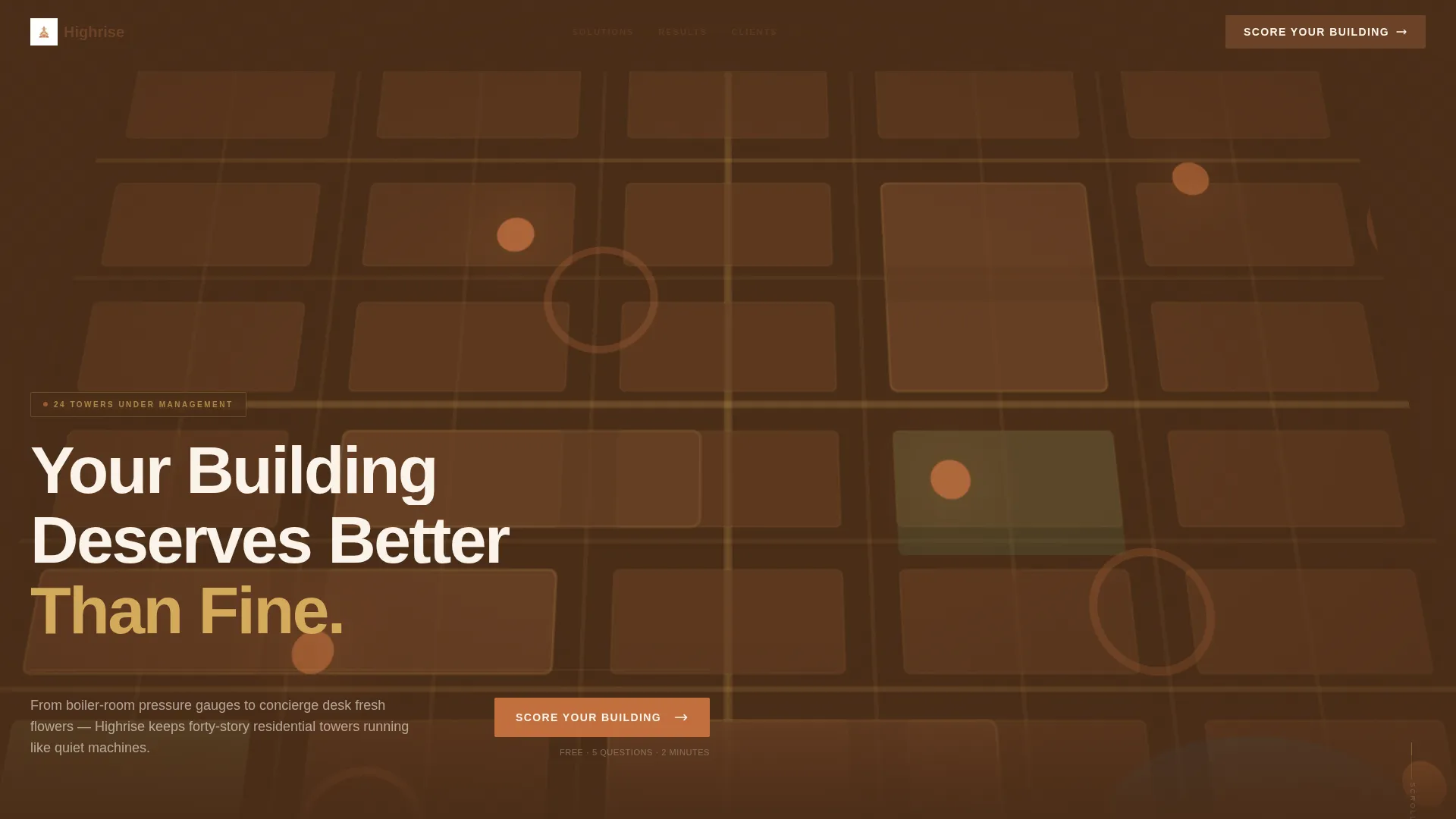
- A map-based aerial header with glowing terracotta pin markers for every managed building
- Paired before-and-after reveal sections with drag sliders showing real operational transformations
- A five-question Building Health Grade quiz with a gated full-assessment call to action
Feature list
This landing page is built around several purposeful components. Each one is designed to serve a specific conversion moment rather than just fill space.
Map-Based Aerial Header
The header renders a stylized city map in sandstone and gold tones. Terracotta pins mark each managed building and pulse gently to draw the eye. Hovering a pin reveals the building name, unit count, and years under management. A single headline fades in over the map: "Your Building Deserves Better Than Fine."
Interactive Before-and-After Sliders
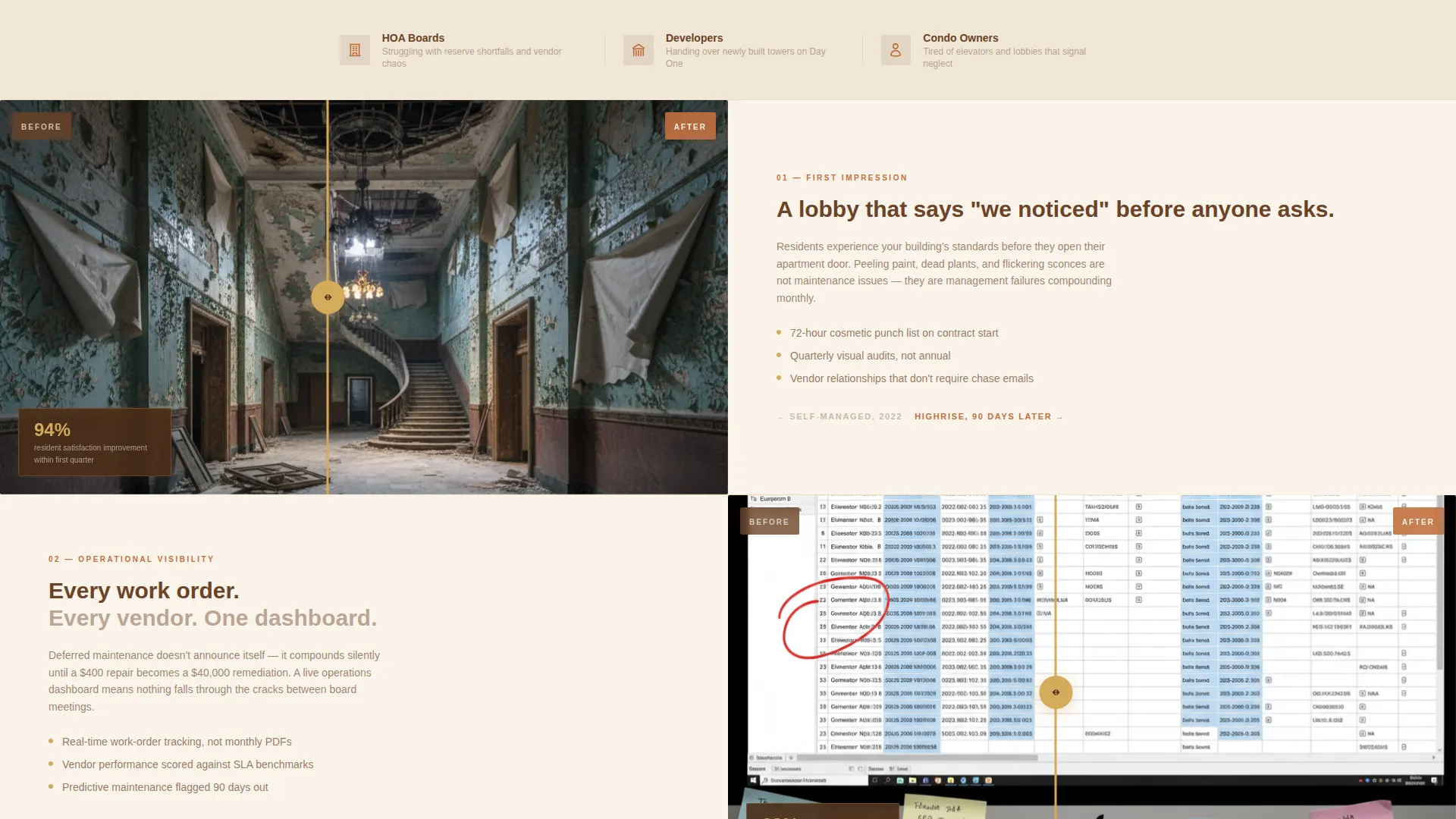
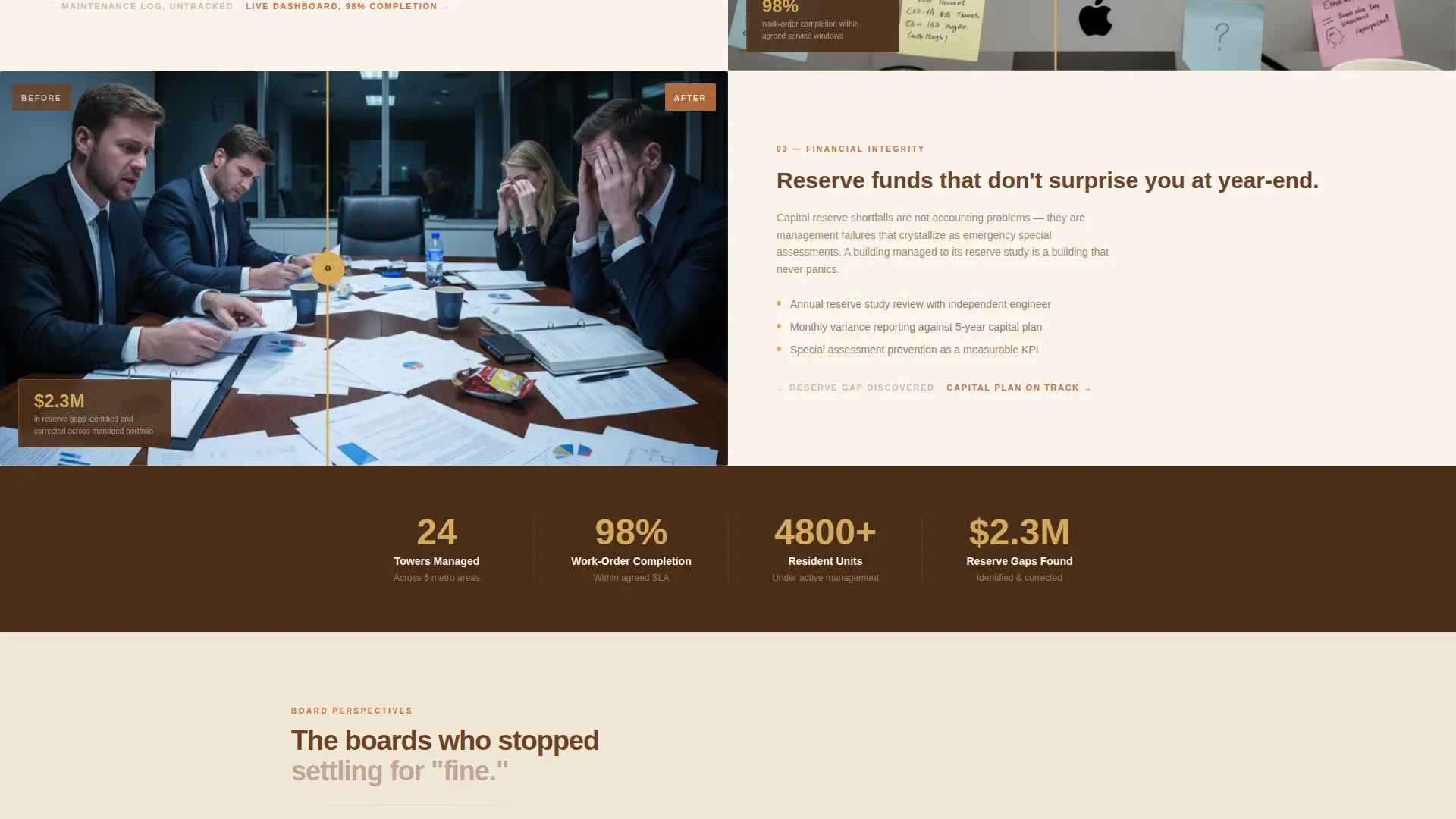
Each zigzag section pairs a degraded "before" state with a transformed "after" state. A drag slider bisects each pair so visitors can reveal the contrast themselves. As the page scrolls, the problems escalate from cosmetic issues to financial mismanagement and reserve fund gaps. The afters respond with increasingly detailed solutions.
Five-Question Building Health Quiz
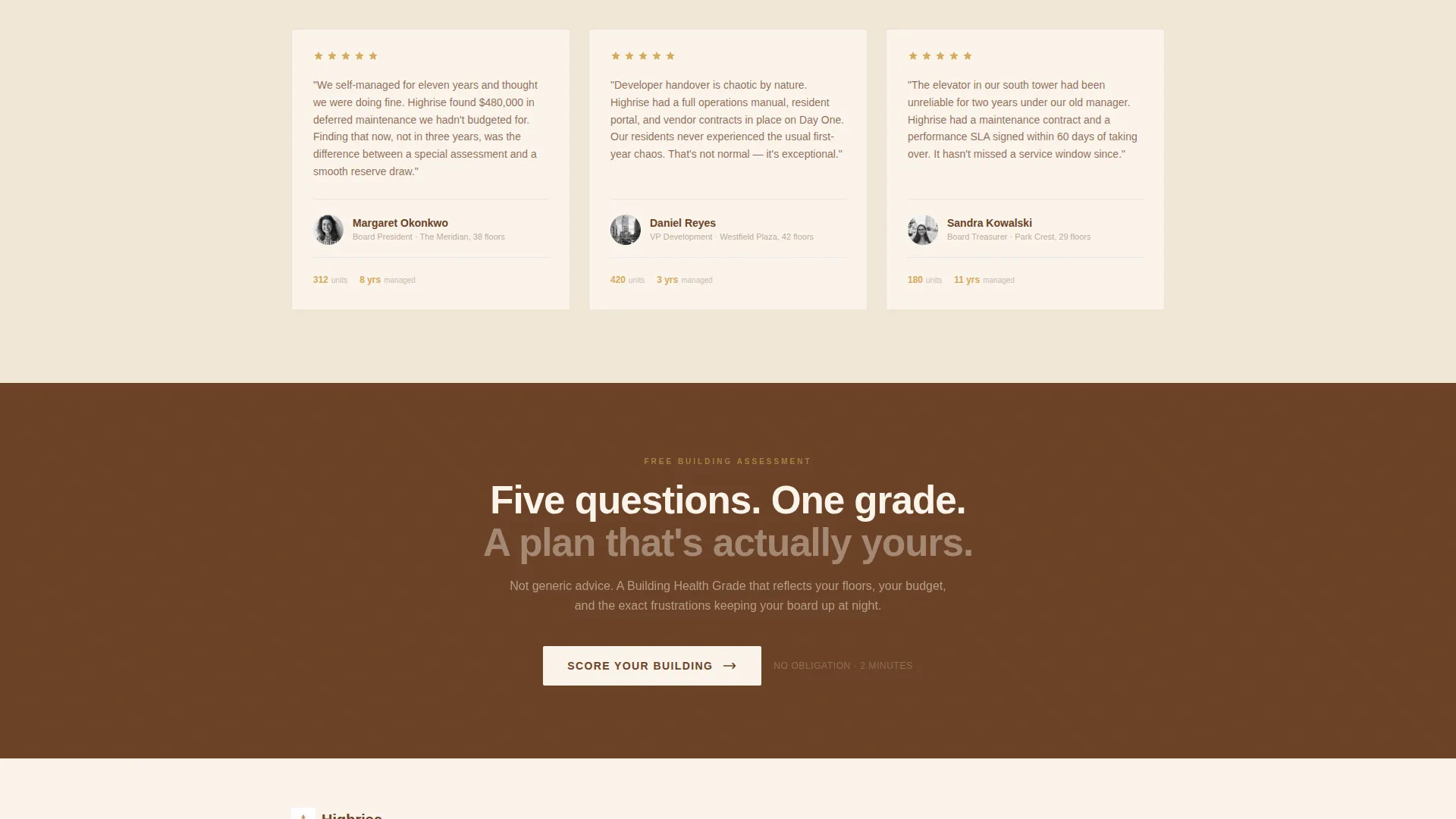
The primary call to action reads "Score Your Building" and launches a diagnostic quiz. It asks about building height, unit count, management structure, top pain points, monthly common charges, and a final open-field question. Results deliver a personalized Building Health Grade with a summary paragraph.
Gated Full-Assessment Call to Action
After the quiz delivers a grade, a secondary call to action invites visitors to "Get Your Full Assessment." This step is gated behind name, building address, and board role. The gate feels earned because the visitor has already received something specific and useful.
Zigzag Section Layout
The page uses an alternating left-right layout to create visual rhythm. Each section pairs a problem image or screenshot on one side with a solution visual on the other. This structure keeps the eye moving and prevents the page from feeling like a wall of text.
Sunset Mesa Color System
The palette uses deep sandstone for section backgrounds, warm terracotta for hover states and active elements, dusted gold for accent lines and progress indicators, and clean stucco white for text panels. Every tone reads as quietly expensive and professionally grounded.
Page sections overview
| Section | Purpose |
|---|---|
| Aerial Map Header | Establishes authority by showing the managed building portfolio on an interactive city map |
| Hero Headline Overlay | Delivers the core brand promise over the map with a single fading headline |
| Lobby Before/After | Shows cosmetic transformation of a residential lobby using a drag-reveal slider |
| Maintenance Log Reveal | Contrasts a disorganized log screenshot with a live dashboard showing 98% work-order completion |
| Resident Review Reveal | Pairs a complaint thread screenshot with a five-star resident review for social proof |
| Financial Issue Reveal | Escalates the narrative to reserve fund gaps and financial mismanagement as deeper problems |
| Quiz Entry Section | Presents the "Score Your Building" call to action with context about what the quiz delivers |
| Quiz Assessment Flow | Walks visitors through five diagnostic questions about their specific building |
| Building Health Results | Delivers a personalized grade and summary paragraph based on quiz answers |
| Gated Assessment Gate | Captures name, building address, and board role before releasing the full assessment |
Design & branding system
The visual identity follows a Corporate Precision theme. The palette draws from a Southwest canyon at golden hour, producing tones that feel expensive without feeling cold.
- Deep sandstone (#6B4226) grounds section backgrounds; warm terracotta (#C2703E) activates hover states and live user interface elements; dusted gold (#D4A95A) marks accent lines and progress indicators; stucco white (#FAF3EB) keeps text panels open and readable
- The tilted fifteen-degree map perspective creates depth like an architectural model on a boardroom table, signaling precision and operational seriousness
- Typography and spacing reinforce the quiet luxury tone: generous whitespace, deliberate contrast, and no decorative clutter
Mobile & speed optimization
The template is designed to stay functional and readable on smaller screens without sacrificing the visual weight that makes it credible on desktop.
- The zigzag layout collapses to a stacked single-column flow on mobile, preserving the before-and-after narrative order
- The quiz is structured as a step-by-step flow, which works naturally on touch screens without requiring horizontal scrolling
- Map pin interactions and drag sliders are built with touch support in mind so mobile visitors experience the same core interactions
How this template helps you convert
Every section of this landing page is positioned to reduce doubt and increase the visitor's confidence that professional management is worth pursuing.
- The aerial map header establishes immediate credibility by showing a live portfolio of managed buildings, so visitors see proof of scale before they read a single word of copy.
- The escalating before-and-after sliders guide visitors through a self-directed discovery process, letting them drag toward the solution rather than being told about it, which increases engagement and time on page.
- The quiz converts browsers into qualified leads by delivering a personalized Building Health Grade before asking for contact details, making the gate feel like a fair exchange rather than a cold capture form.
Other information about this template
This template is built specifically for the high-rise residential property management niche. It is designed to work as a standalone lead generation landing page, not as a multi-page website.
- The quiz conversion model is particularly well suited for firms that want to qualify leads by building type, management structure, and budget before a first call
- The before-and-after creative direction was chosen to address the specific trust barrier that property decision-makers face: they have seen management firms overpromise before
- The template style combines gallery-quality visuals with detail-oriented copy sections, making it appropriate for firms that need to look credible to both board members and developers simultaneously
- The page direction is lead generation, meaning every design and copy decision is oriented toward capturing a qualified contact, not toward brand awareness or content browsing
Theme
Atelier Studio
Creative direction
Stats-First Impact
Color system
Charcoal & Amber
Style
Gallery + Detail
Direction
Lead Generation
Page Sections
Map-based Aerial Header with Live Pins
Interactive Before-and-after Drag Sliders
Five-question Building Health Quiz
Gated Full-assessment Conversion Step
Escalating Zigzag Section Narrative
Sunset Mesa Visual Identity System
Related questions
Who is the primary audience for this template?
Can I customize the quiz questions for my firm's specific services?
Does the before-and-after drag slider work on mobile devices?
What information does the gated assessment step collect?
Is this template suitable for a firm that manages multiple buildings?



