Advanced Pathology Medicine Appointment Booking Website Template
Histos is a sidebar companion landing page template built for private histopathology practices. It leads with credential badges and oversized specimen stats, guides visitors through a glossary-equipped sidebar, and converts GPs, specialists, and self-referred patients through a structured booking form with a second-opinion upload path.
by Rocket studio
Quick summary
Histos is a single-page template designed for a private pathology practice. It opens with accreditation shields and a bold specimen count stat. A persistent sidebar companion shifts context as visitors scroll, offering hover glossary terms, a "What to expect" guide, and a mini-FAQ. The primary call to action is always visible: a consultation request with referral-type selector and document upload.
Who this template is for
This template is built for histopathology practitioners who work across both referrer and direct-patient channels. It speaks to a clinical audience that values precision and a patient audience that needs reassurance.
- Private pathology practices handling GP and specialist referrals for biopsy reporting
- Histopathologists offering second-opinion consultations for patients with life-changing diagnoses
- Practices that want their credentials and turnaround record to do the persuading before any click
What problem this template solves
Pathology practices struggle to communicate authority and empathy at the same time. Referrers need fast proof of reliability. Patients need a calm explanation of a complex specialty.
- Most medical templates lead with photography and vague taglines, not verifiable performance data
- Patients searching for a second opinion often leave a site because the language is too clinical or the next step is unclear
- Referrers scanning for a new reporting partner need turnaround stats and accreditation marks front and center, not buried in an about page
What you get with this template
The template delivers a fully structured, single-page layout with a persistent sidebar and five distinct content sections. Every section leads with a data point before the explanation.
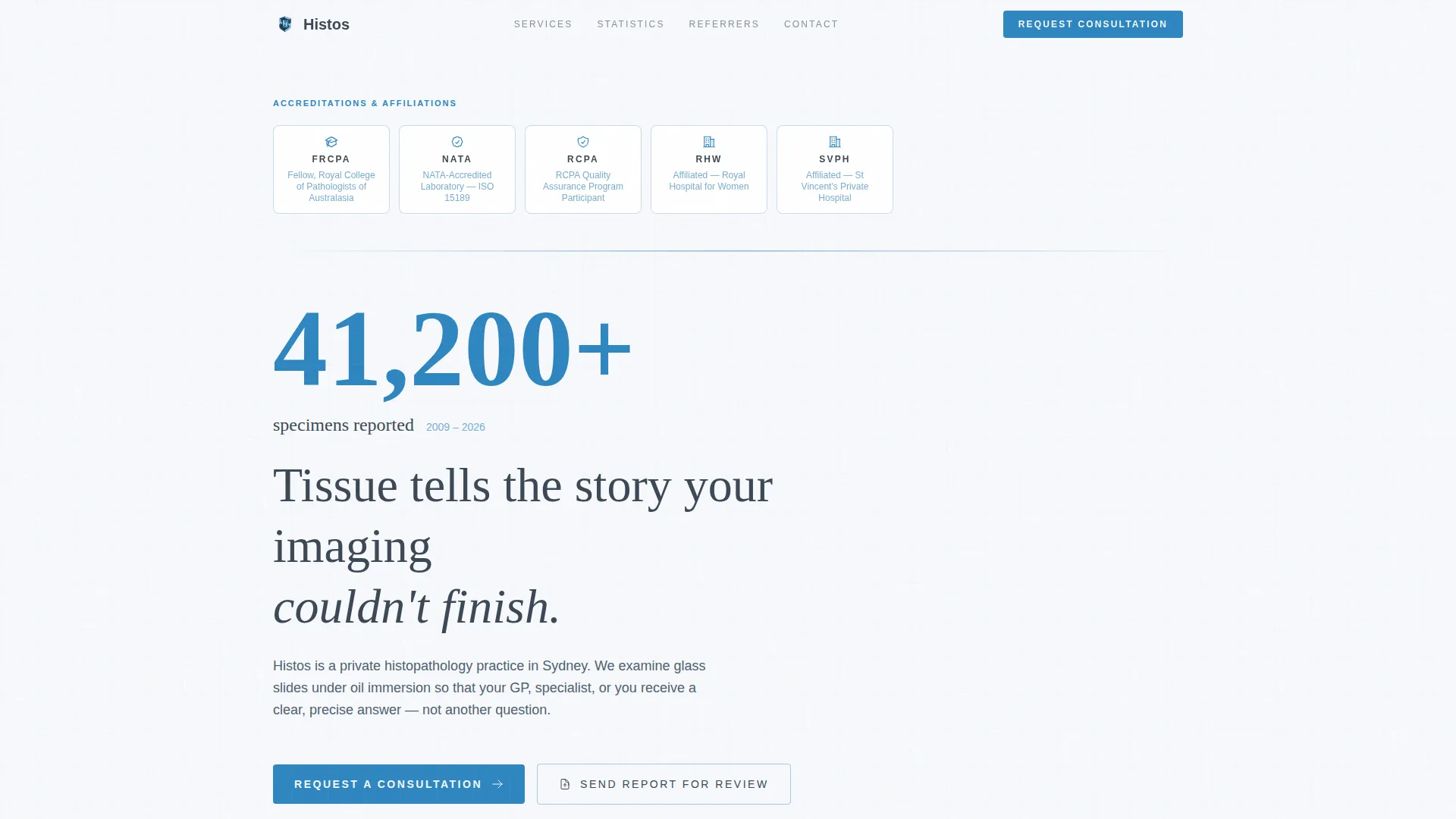
- A credential badge band with animated load states, an oversized specimen count stat, and a hero section with no stock photography
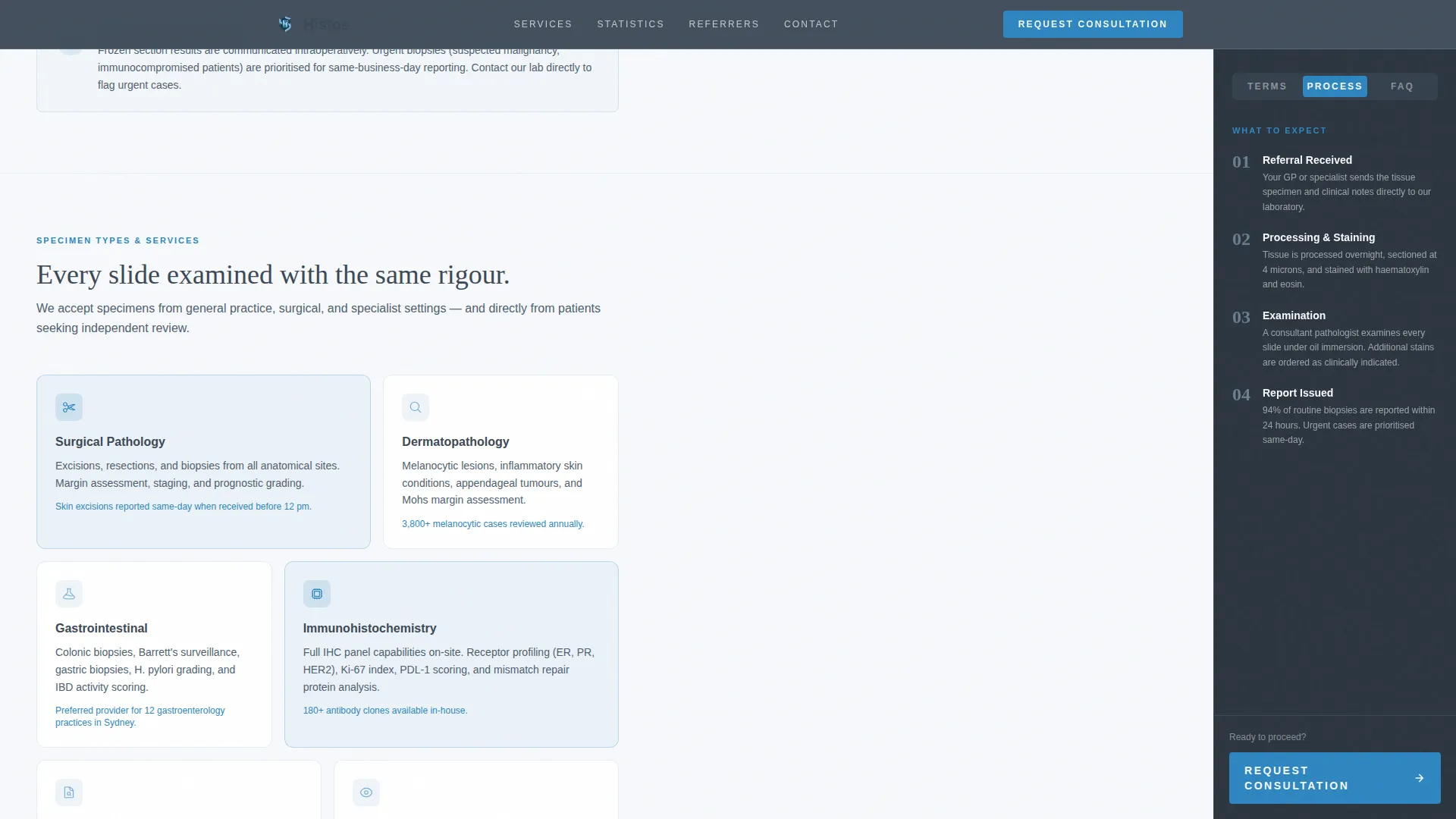
- A sidebar companion that shifts its content per scroll section: live glossary, a "What to expect" block, and a contextual mini-FAQ
- A dual-path booking form that handles consultation requests and secure second-opinion document uploads in one interface
Feature list
This template covers every functional layer a private pathology practice needs to convert both referrer and patient traffic.
Credential Badge Band with Animated Load
The hero opens with a horizontal row of accreditation shields and fellowship marks. Each badge scales in quietly on page load. The visual hierarchy communicates authority before a single word is read.
Stats-First Section Architecture
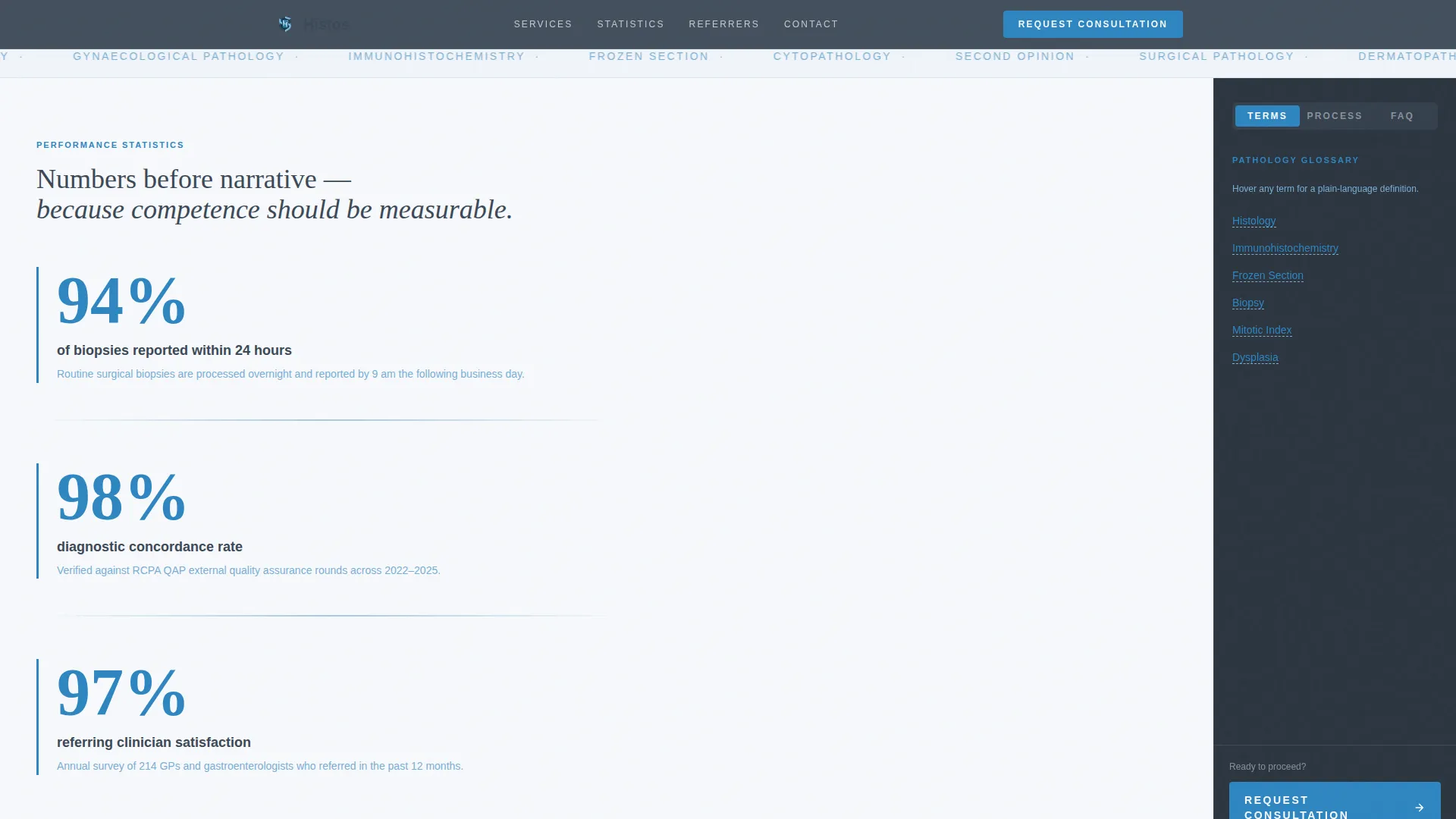
Every major section opens with an oversized diagnostic-blue statistic. Turnaround rate, diagnostic concordance, and referrer satisfaction are each displayed in large type, with the supporting explanation below. Numbers earn trust before prose does.
Persistent Sidebar Companion
A fixed sidebar travels with the visitor down the page. It starts with hover-defined glossary terms for histology, immunohistochemistry, and frozen section. It then shifts to a "What to expect" block and a mini-FAQ, keeping each section contextually supported.
Hover Glossary Tooltips
Pathology terms in the sidebar are hover-activated. Visitors can read a plain-language definition without leaving the scroll flow. This turns an intimidating specialty into navigable reading for non-clinical visitors.
Dual-Path Booking Form
The booking section presents two clear options. The primary path is a consultation request form with a referral-type selector (GP referral, specialist referral, or self-referred second opinion), an appointment type selector, a date picker, and a contact field. The secondary path is a document upload for patients who want a report reviewed before committing to a full appointment.
Referrer Testimonials Block
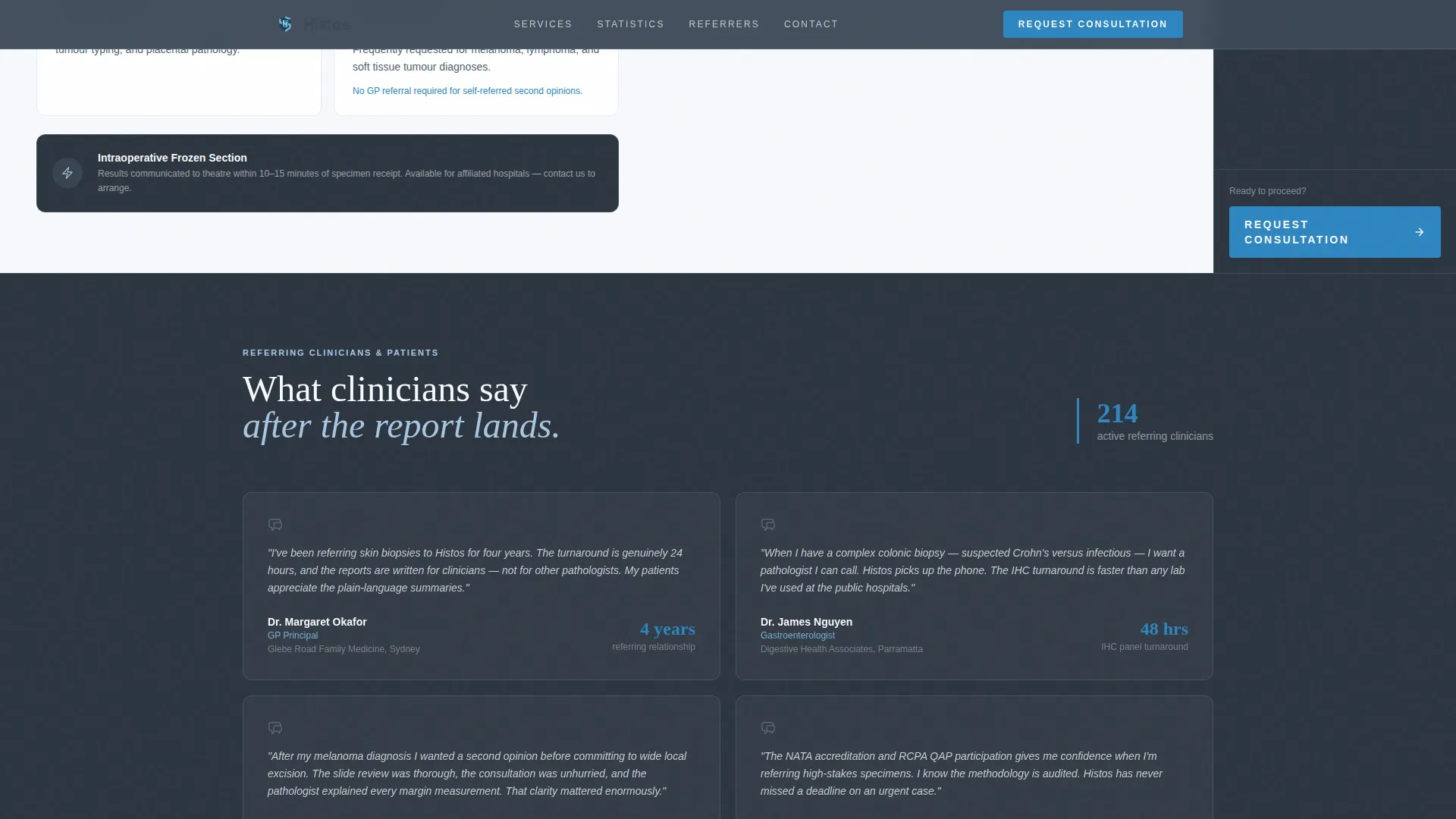
A dedicated section displays specific quotes from general practitioners and gastroenterologists with their practice names included. Social proof is grounded in named clinical sources, not generic five-star ratings.
Page sections overview
| Section | Purpose |
|---|---|
| Hero Credential Band | Display accreditation badges and specimen count stat |
| Turnaround Stats | Lead with 24-hour biopsy reporting rate and concordance data |
| Services and Specimens | Show biopsy types handled in an asymmetric bento layout |
| Referrer Testimonials | Present named GP and specialist quotes as social proof |
| Booking and Upload | Capture consultation requests and second-opinion document uploads |
| Footer Row | Deliver single-row contact and navigation links |
Design & branding system
The visual style draws from a medical journal aesthetic. Every color and type choice reinforces clinical authority without feeling sterile or cold.
- Color palette: deep slate (#3B4856) for text and sidebar backgrounds, clinical sky (#A8C7E2) for section dividers and hover states, diagnostic blue (#2E86C1) on interactive elements and stat callouts, and sterile white (#F7F9FC) across content panels
- Typography: Fraunces serif for display headings carries journal-like authority; DM Sans handles body text for clean, legible reading at every size
- No stock photography is used anywhere; credentials, statistics, and testimonials form the entire visual identity
Mobile & speed optimization
The template is designed desktop-first to support the sidebar companion layout. On smaller screens, the sidebar stacks below each section so context is never lost.
- The sidebar companion collapses into inline blocks on mobile, preserving glossary and "What to expect" content in the scroll flow
- Static content sections are structured for server-side rendering, with the booking form and interactive elements handled client-side only
- Scroll reveal animations and the stat counter are kept at medium intensity so the page feels alive without introducing layout shift
How this template helps you convert
The Histos template removes the two biggest blockers to conversion in medical practice pages: unproven credibility and an unclear next step.
- Trust is built before the call to action appears. Credential badges load first, followed by specimen volume, turnaround rate, and concordance data. By the time a visitor reaches the booking form, the practice has already demonstrated its record.
- The sidebar keeps every visitor oriented. Glossary terms reduce anxiety for patients unfamiliar with histopathology language. The contextual "What to expect" block answers process questions before they become objections. The result is a visitor who arrives at the form already informed and ready to act.
Other information about this template
Histos is built specifically for the Australian private pathology context. All credential references in the template structure align with Royal College of Pathologists of Australasia (RCPA) fellowship standards and National Association of Testing Authorities (NATA) accreditation requirements. Named hospital affiliation badges are included in the credential band as placeholders ready for customisation.
- The footer follows a Linear Single-Row pattern for a clean, minimal close
- Animation intensity is set to medium: the credential scale-in on load, a stat counter on scroll entry, scroll reveal transitions, and the sidebar context shift are all included
- Interactivity is high for a static template: hover glossary tooltips, the animated sidebar companion, and the multi-step booking form with referral-type selector are all built in
- The bento layout in the services section supports skin, gastrointestinal, and gynaecological biopsy types as specimen categories, with space for additional specimen types
Theme
Educational Guide
Creative direction
Stats-First Impact
Color system
Slate & Sky
Style
Sidebar Companion
Direction
Booking/Scheduling
Page Sections
Credential Badge Band with Animated Load
Stats-first Section Architecture
Persistent Sidebar Companion
Hover Glossary Tooltips
Dual-path Booking Form
Named Referrer Testimonials Block
Related questions
Who is this template designed for?
Can I customise the credential badges and statistics?
How does the second-opinion upload path work?
Is the sidebar companion visible on mobile devices?
What biopsy types does the services section cover?



