Crane Operator FAQ & Resource Landing Page Template
Hoist is a single-column landing page built for crane operators, safety directors, and site superintendents who need a credible, information-dense resource hub. It pairs a data-driven header with categorized FAQ clusters, a partner logo wall, and a progressive B2B partnership form. The result is a polished, authority-first page that converts industry professionals into partners.
by Rocket studio
Quick summary
Hoist is a single-page resource and FAQ hub for crane operators and the industry professionals who work alongside them. The template uses a data storytelling header, a logo wall for instant credibility, and a structured single-column flow that reads like a well-edited white paper. A sticky partnership call to action anchors the bottom bar throughout the scroll.
Who this template is for
This template is built for professionals who need to establish authority in a high-stakes industry. It serves businesses and individuals who already own a specialized audience and want to convert that trust into commercial partnerships.
- Crane operators and crane rental companies building a public-facing resource page
- Safety directors who want a structured library for toolbox talks and certification references
- Site superintendents and B2B teams vetting subcontractors or hunting co-marketing partners
What problem this template solves
Crane operators and their industry contacts search for very specific technical answers at odd hours before a lift. Generic pages fail them. This template solves the problem of scattered, untrustworthy information by presenting rigging capacities, signal charts, and certification guidance in one organized, credible location.
- Industry visitors leave pages that feel like blogs; this page is structured to feel like a spec document
- Partnership prospects need proof of audience depth before they commit; the data header and logo wall deliver that proof upfront
- A single poorly organized page loses B2B leads; the progressive form and sticky bar keep conversion paths clear throughout the scroll
What you get with this template
You get a fully structured single-column landing page designed to serve both technical readers and commercial prospects at the same time. Every section has a clear job, from the animated counters in the header to the gated media kit download at the bottom.
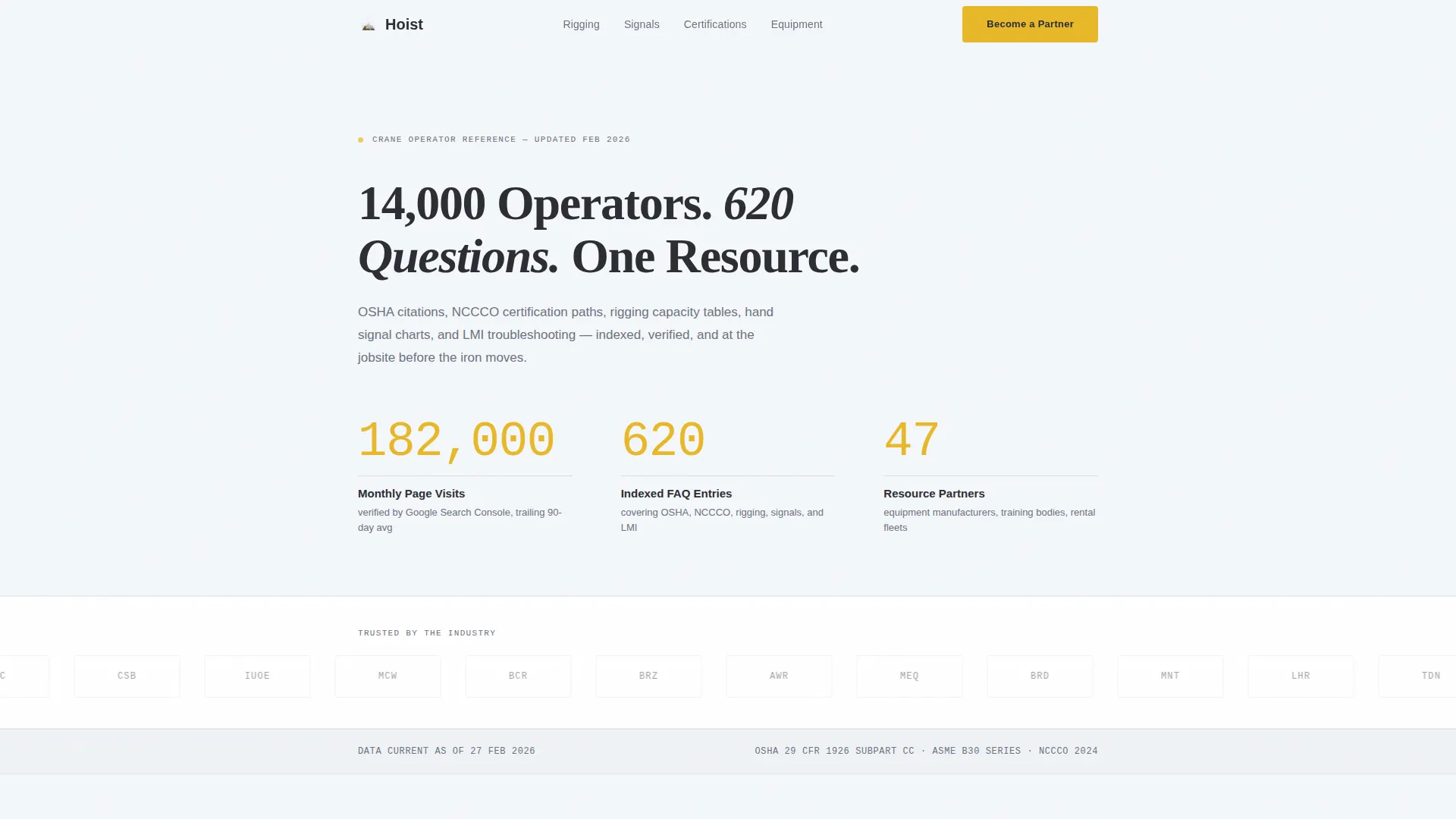
- A data storytelling header with three animated counters and a bold typographic headline
- A horizontal logo wall with grayscale-to-color hover reveal, followed by categorized FAQ clusters covering rigging, signals, certification, and equipment
- A sticky bottom bar with a progressive three-step partnership form and a secondary media kit download gated behind a business email field
Feature list
This template ships with purpose-built components drawn directly from the brief. Each one earns its place on the page.
Animated Data Header
The header opens with a bold typographic headline and three upward-ticking counters showing monthly page visits, indexed FAQ entries, and active partner companies. Numbers are set in a monospaced weight against an open-sky white background. The crane-boom yellow accent pulses on each counter as it reaches its final value, making the data feel live without using a single stock photo.
Logo Wall with Hover Reveal
A horizontal band of partner and sponsor logos sits directly below the header. Each logo appears in desaturated grayscale by default and sharpens to full color on hover. This placement earns credibility before the first paragraph is read and signals that other respected companies have already committed to the ecosystem.
Categorized FAQ Clusters
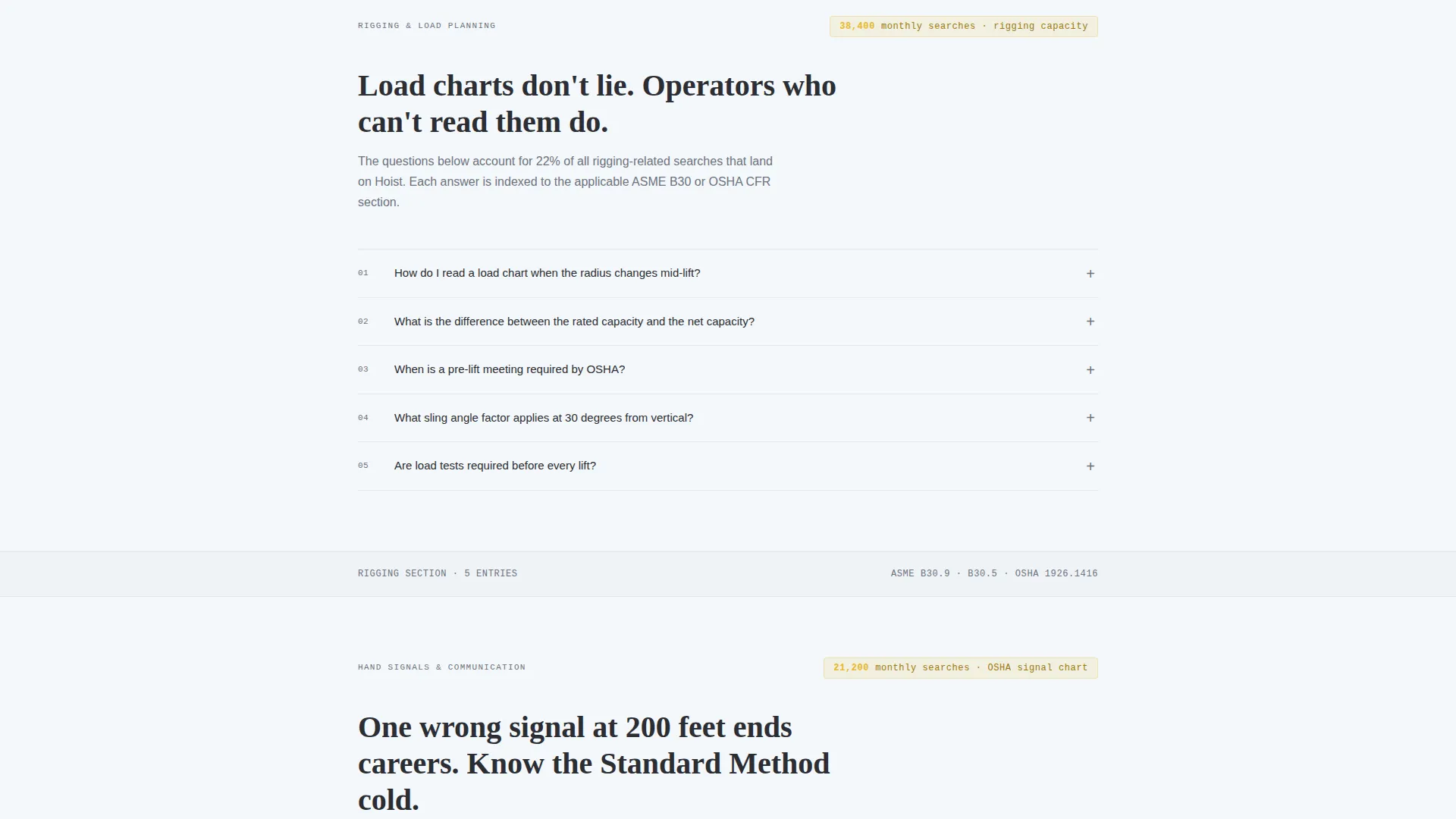
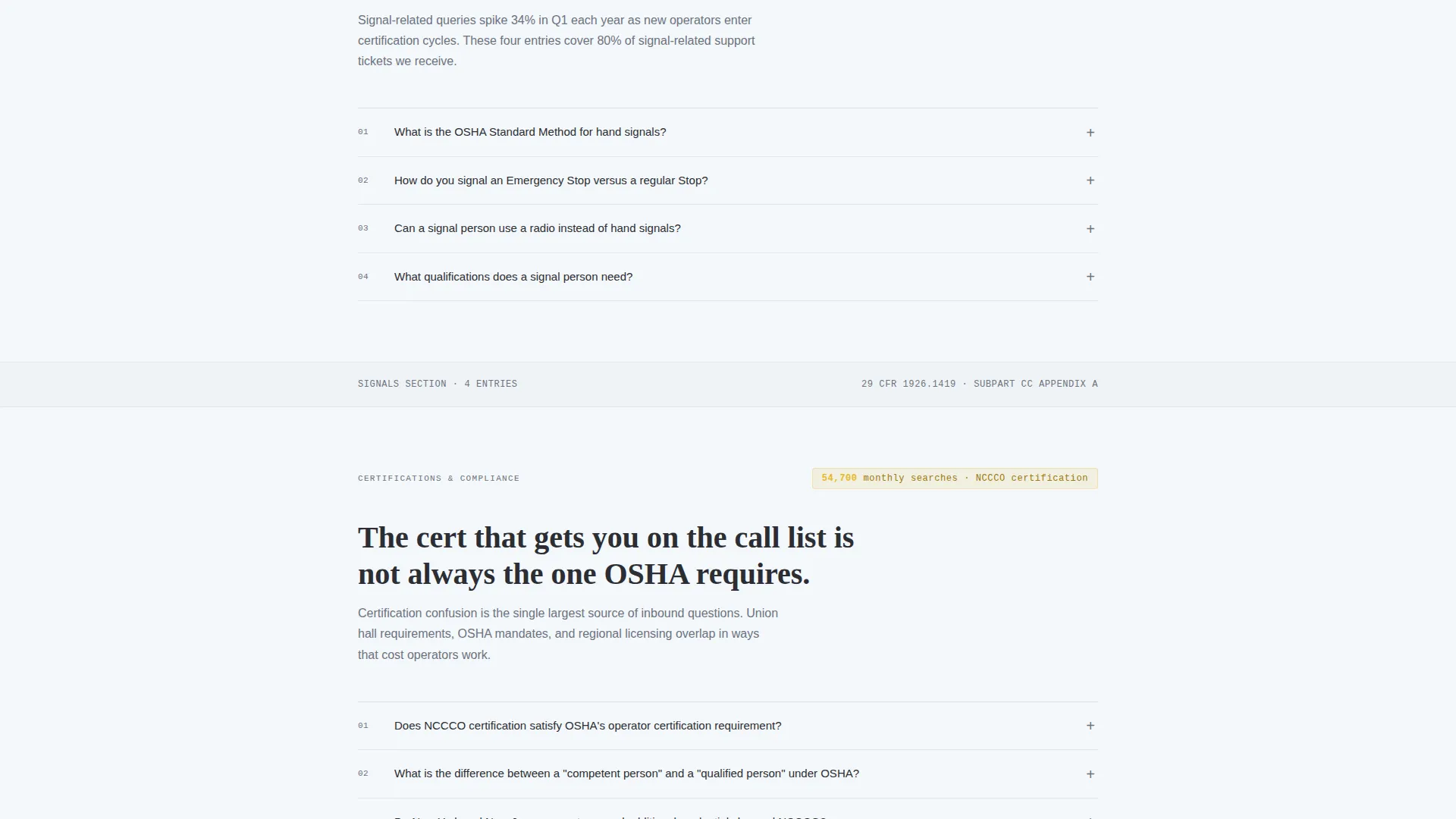
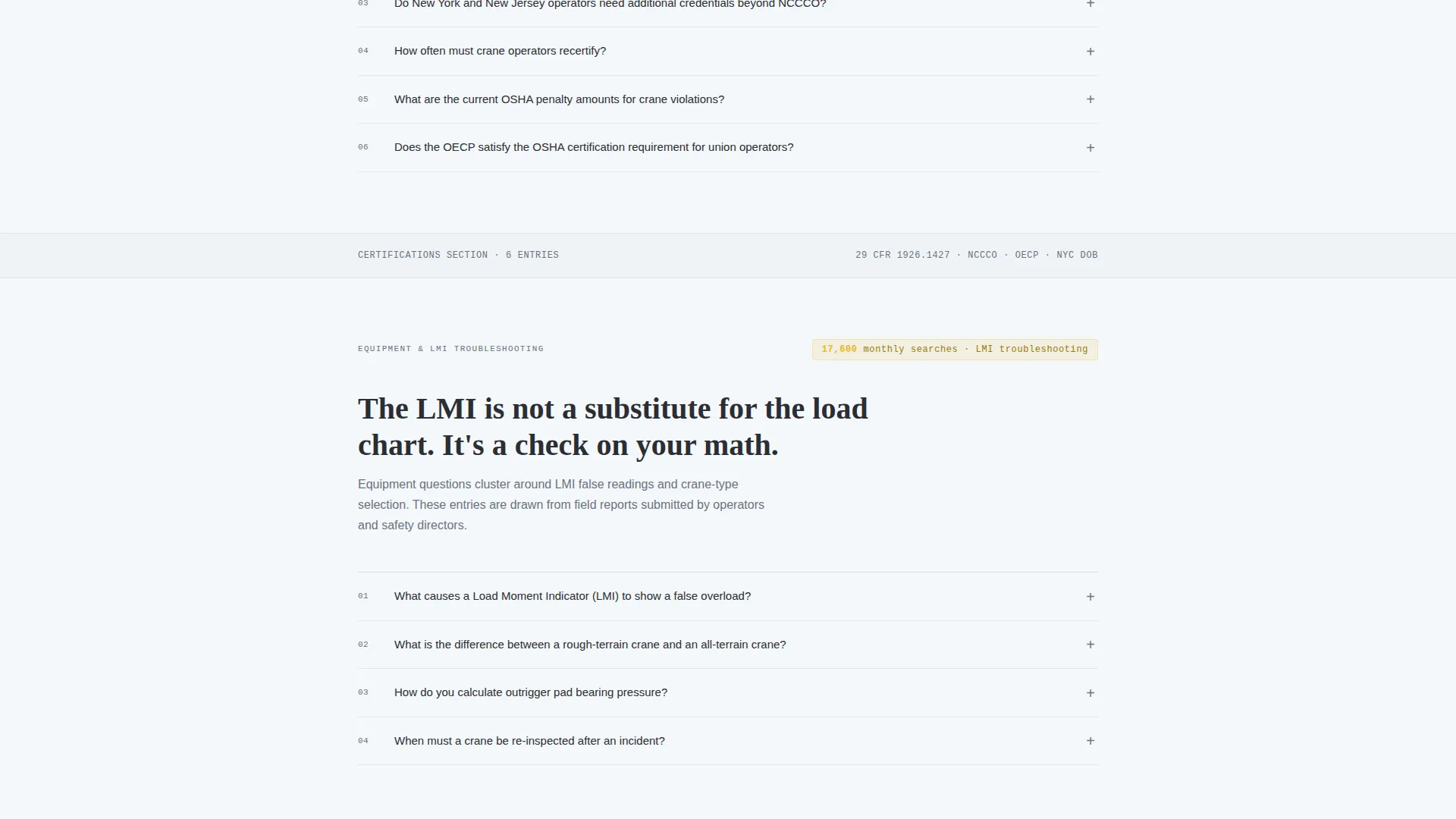
The main body organizes industry questions into four clear clusters: rigging, signals, certification, and equipment. Each cluster opens with a bold statistic drawn from real search volume, so every section feels like evidence rather than content. The rhythm alternates between dense informational blocks and breathing space to maintain readability throughout a long scroll.
Progressive Partnership Form
The primary conversion path uses a three-step progressive form. Step one asks for company name and industry vertical. Step two requests monthly audience reach or fleet size. Step three offers a free-text field labeled "What does a partnership look like for you?" This staged approach reduces friction and gathers qualified lead data in a natural sequence.
Sticky Bottom Bar call to action
After the logo wall scrolls out of view, a sticky bottom bar locks into place carrying the "Become a Resource Partner" call to action. It stays visible for the entire remainder of the scroll, ensuring the conversion path is always one tap or click away regardless of where the visitor is on the page.
Gated Media Kit Download
A secondary conversion path offers a downloadable media kit PDF. Access is gated behind a business email field, creating a lightweight opt-in that qualifies leads without adding friction for serious prospects. This path runs parallel to the main partnership form and captures contacts who are researching before they are ready to commit.
Page sections overview
| Section | Purpose |
|---|---|
| Data Storytelling Header | Opens with animated counters and a bold headline to establish audience scale instantly |
| Logo Wall Authority | Displays partner logos in grayscale-to-color hover reveal to build trust before copy begins |
| Rigging FAQ Cluster | Answers rigging capacity questions with a stat-led introduction for credibility |
| Signals FAQ Cluster | Covers OSHA hand signal charts with search-volume context setting the section tone |
| Certification FAQ Cluster | Explains which credentials matter on a union hall call list, evidence-first presentation |
| Equipment FAQ Cluster | Addresses load moment indicator troubleshooting and related equipment questions |
| Media Kit Download | Secondary gated path capturing business email leads with a PDF download offer |
| Progressive Partnership Form | Three-step form qualifying B2B prospects through company, reach, and intent fields |
| Sticky Bottom Bar | Persistent call to action anchoring the partnership path throughout the full page scroll |
Design & branding system
The visual identity follows an Executive Suite theme using the Cloud Canvas color system. The palette is built to feel like a freshly printed engineering specification laid on a mahogany desk: authoritative calm with one controlled flash of high-visibility color.
- Open-sky white (#F4F7FA) is the dominant background, structural charcoal (#2B2D33) handles all primary text, and deep overcast (#6B7280) carries secondary text and supporting labels
- Crane-boom yellow (#E8B828) appears strictly as an interactive accent and data highlight, most notably in the pulsing counter animation
- Typography uses a monospaced weight for the counter numerals to reinforce the precision and data-first character of the page; no stock photography or hero imagery is used anywhere
Mobile & speed optimization
The single-column flow is inherently mobile-friendly because there are no multi-column grid shifts to manage on smaller screens. The sticky bottom bar adapts to touch-first navigation naturally within this layout structure.
- Single-column layout eliminates horizontal scroll risk and keeps the reading experience consistent across screen widths
- The sticky call to action bar remains accessible on mobile throughout the scroll without overlapping key content areas
- Logo wall and FAQ cluster spacing is structured to remain readable and tappable at standard mobile viewport sizes
How this template helps you convert
The page is built around a deliberate trust-then-ask sequence. Visitors see proof before they see a pitch, and the form only appears after credibility has been established through data and social proof.
- The animated data header and logo wall front-load authority so that by the time a visitor reaches the form, they already trust the page's claims about audience depth
- The sticky bottom bar and progressive form work together to keep the primary call to action visible at all times while reducing form abandonment through a staged, low-friction input sequence
- The gated media kit creates a parallel opt-in path that captures contacts who are still in the research phase, widening the total conversion funnel without cluttering the primary flow
Other information about this template
This template is designed exclusively as a single-column flow landing page, making it straightforward to publish without a complex site architecture. A few additional details are worth noting for teams evaluating this template.
- The page is category-matched to Professional Services and the Crane Operator Online Presence subcategory, making it a focused fit for niche industry positioning
- The FAQ cluster structure supports future content expansion; new question-and-answer blocks can be added to any cluster without changing the overall page hierarchy
- The Executive Suite theme and Cloud Canvas color system are paired to appeal to both field professionals and boardroom-level partners in the same visual language
- The template is suited for crane rental companies, safety consultancies, and training organizations that want a credible content marketing anchor with a built-in B2B partnership acquisition path
Theme
Executive Suite
Creative direction
Logo Wall Authority
Color system
Cloud Canvas
Style
Single Column Flow
Direction
Partnership/B2B
Page Sections
Animated Data Storytelling Header
Grayscale Logo Wall with Hover Reveal
Categorized FAQ Clusters
Progressive Three-step Partnership Form
Persistent Sticky Bottom Bar
Gated Media Kit Download
Related questions
Who is this landing page template built for?
What conversion paths does this template include?
Does this template use stock photography or hero images?
Can the FAQ clusters be expanded with more questions over time?
What industries or roles find the most value in this template?



