Hoist — Authoritative Garage-Door Installation Landing Page Template
Hoist is a single-column landing page template built for Bangalore garage door repair services. It leads with bold trust signals, repeats a clear call-to-action after every major section, and uses a no-nonsense Ink and Paper color system to project speed and reliability. The layout is direct, proof-first, and designed to turn a stressed homeowner into a booked appointment.
by Rocket studio
Quick summary
Hoist is a focused, single-column landing page template for local garage door repair services. It opens with stamped-brass award badges and oversized proof numbers, then moves through alternating stat blocks and case-study strips. Every section builds trust before asking for anything, and a repeating amber call-to-action keeps the next step always within reach.
Who this template is for
This template is built for small and mid-sized garage door repair businesses that need to earn trust fast and convert stressed callers into booked jobs. It suits operators who rely on local reputation, fast response times, and visible proof of past work.
- Gated-community service providers covering areas like Whitefield and Sarjapur
- Facility managers and property maintenance teams handling multiple repair vendor quotes
- Independent repair technicians who want a professional page without a large marketing budget
What problem this template solves
Most local service pages feel generic. They open with a stock photo and a vague headline, then bury the proof somewhere below the fold. A homeowner whose sectional door has jammed at 6 AM does not have time for that. They need credentials, a phone number, and a reason to trust, all in the first scroll.
- Visitors leave before seeing proof because trust signals are hidden too far down
- Generic layouts fail to show urgency, local relevance, or verified competence
- Unclear calls-to-action slow down a visitor who is already ready to book
What you get with this template
The template is a fully structured, single-column landing page layout. Each section is pre-built for a specific job: open with proof, show evidence, repeat the offer, close the visit. Nothing is left to figure out.
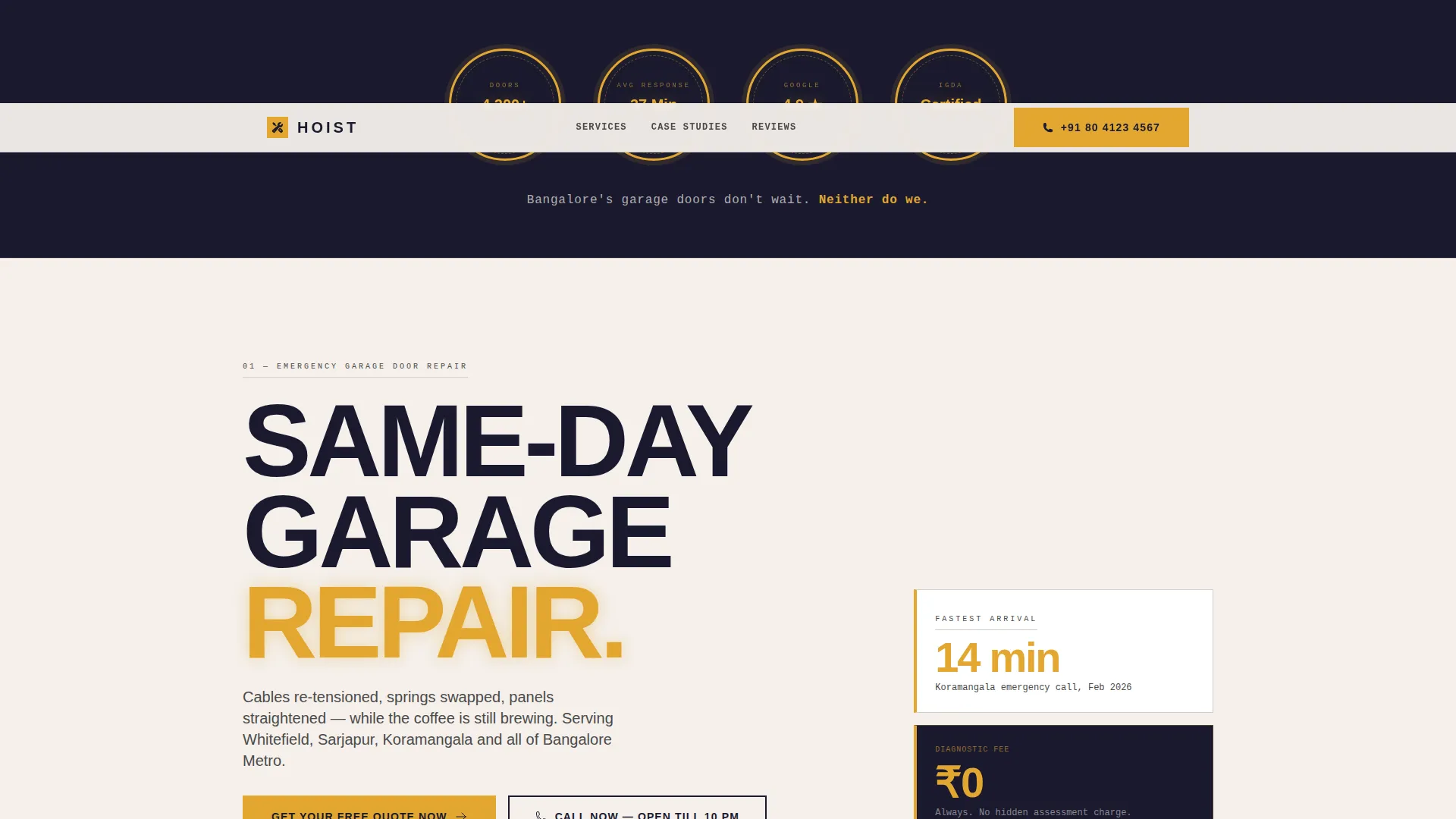
- Award badge header row with four credential seals rendered in amber on black
- Alternating stat blocks and before-and-after case-study strips throughout the page body
- A repeating primary call-to-action button and a sticky mobile bottom bar for direct calls
Feature list
This template ships with a specific set of pre-designed sections and layout components, each serving a clear conversion purpose.
Award Badge Header Row
Four circular and shield-style credential badges open the page. They display verified numbers such as repair count, average response time, review rating, and technician certification. The badges use amber on deep black, styled like stamped brass medallions on a clipboard.
Stats-First Section Blocks
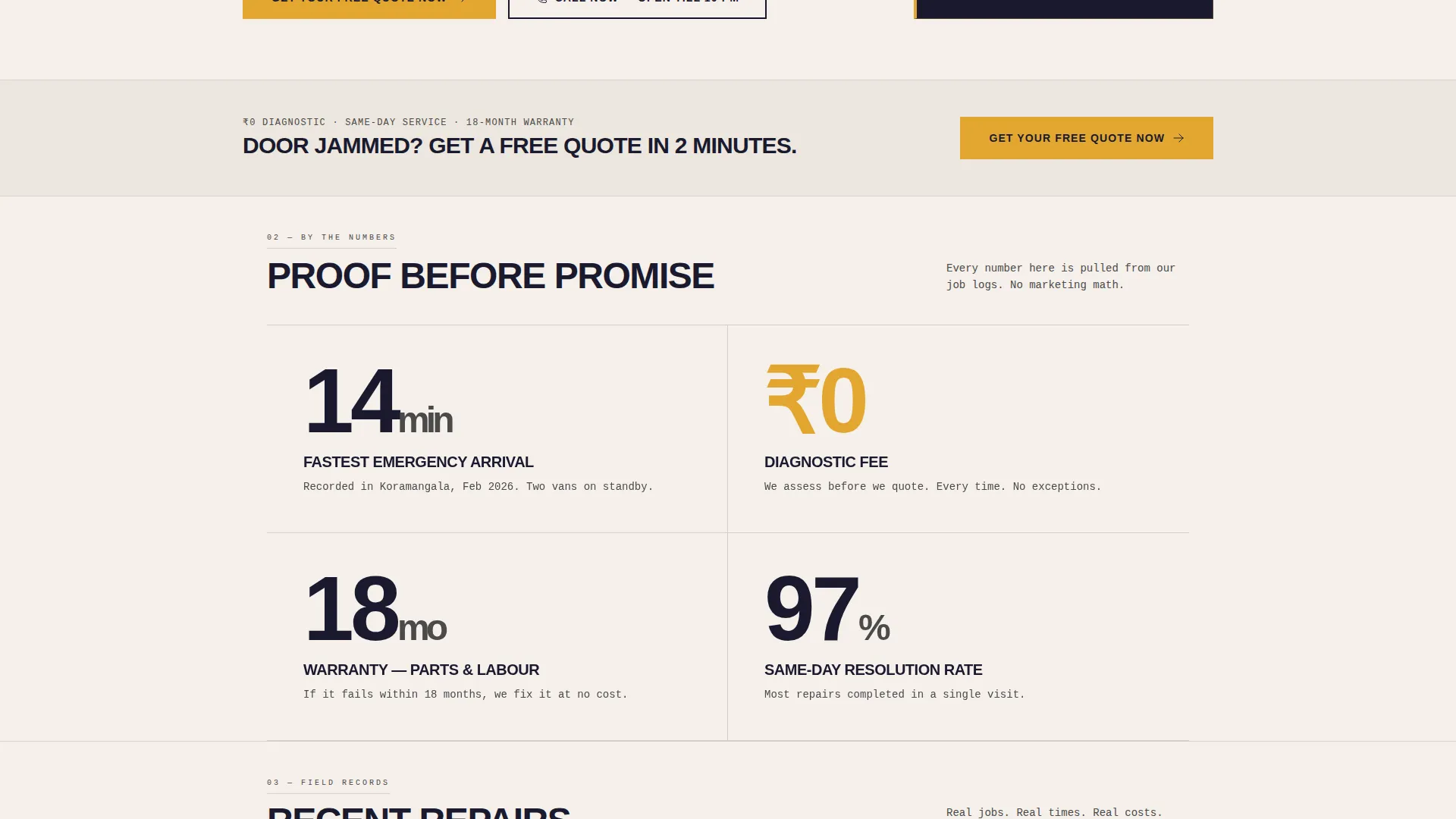
Each scroll-stop section leads with a large, bold number before any supporting text appears. Examples include fastest emergency arrival time, diagnostic fee, and warranty duration. This proof-before-promise rhythm builds confidence with every scroll.
Before-and-After Case Study Strips
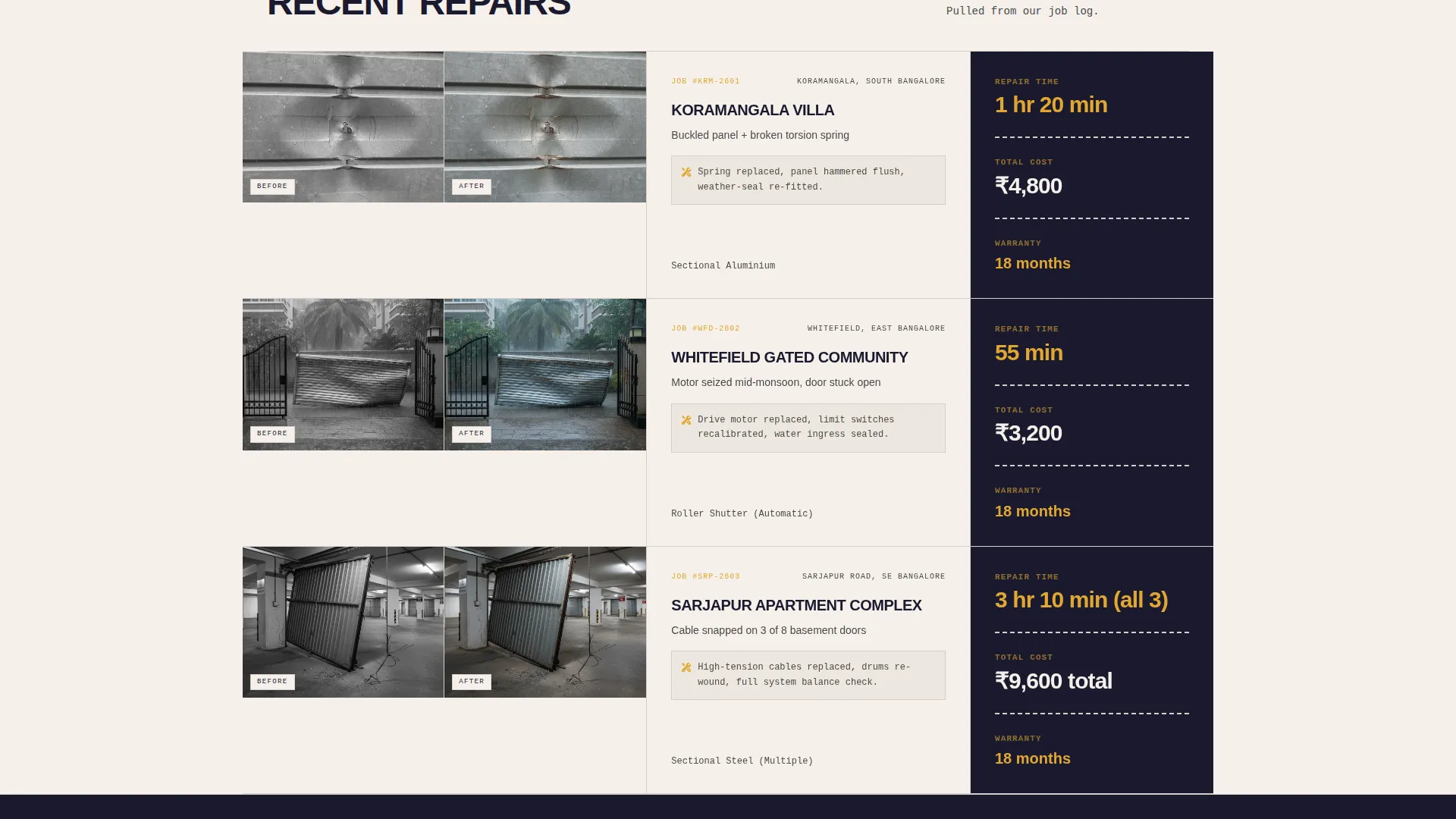
Tight two-panel strips show a damaged door photo beside its repaired result. Each strip prints the repair time and cost beneath the images like a job receipt. These strips appear between stat blocks to maintain a number-then-proof cadence throughout the page.
Repeating Amber Call-to-Action Block
The primary call-to-action button appears first below the badge row and repeats after every second content section. The button routes visitors to a dedicated quote page with a door-type selector, photo upload field, and preferred time-slot picker.
Sticky Mobile Bottom Bar
On mobile, a persistent bottom bar displays a secondary call-to-action for direct phone contact. It stays visible as the user scrolls, catching visitors who already know what they need and just want someone to pick up.
Quote Page Flow Structure
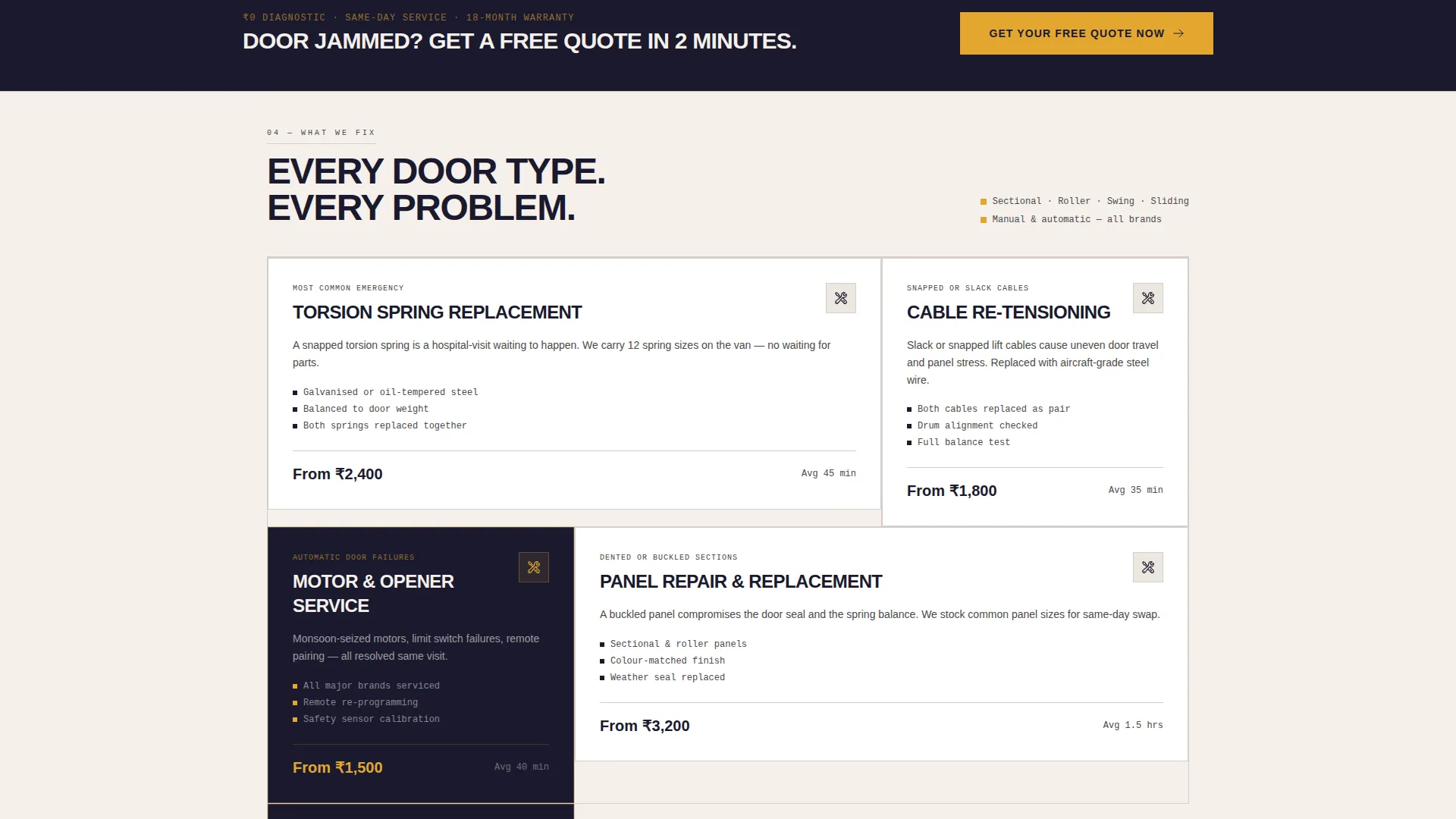
The template includes the click-through destination structure for the quote page. It contains a door-type selector covering sectional, roller, swing, and sliding doors, a photo upload field for damage documentation, and a preferred time-slot input.
Page sections overview
| Section | Purpose |
|---|---|
| Award Badge Header | Opens page with four verified trust credentials |
| Tagline Row | Delivers a single confident positioning line |
| Primary call to action Block | First call-to-action placement below the badges |
| Stat Block One | Leads with fastest emergency response number |
| Case Study Strip One | Before-and-after panel with repair time and cost |
| Repeat call to action Block | Keeps the booking action visible mid-page |
| Stat Block Two | Highlights zero diagnostic fee credential |
| Case Study Strip Two | Second job proof panel with outcome details |
| Warranty Stat Block | Presents 18-month parts and labour warranty |
| Repeat call to action Block | Third call-to-action placement before close |
| Quote Page Structure | Door selector, photo upload, and time-slot form |
| Sticky Mobile Bar | Persistent tap-to-dial bar for mobile visitors |
Design & branding system
The visual identity follows a Service Utility theme built on an Ink and Paper color system. The palette is direct and functional, designed to feel like a carbon-copy service receipt on a clipboard rather than a polished marketing brochure.
- Deep workshop black (#1A1A2E) for backgrounds, safety-tape amber (#E2A731) for all calls-to-action, badges, and urgent callouts
- Newsprint off-white (#F5F0EB) for body text areas and pencil-lead gray (#4A4A4A) for secondary type
- No hero image and no stock photography; the credential numbers are the visual anchor of the page
Mobile & speed optimization
The template layout is built with mobile visitors in mind. A homeowner locked outside their garage at 6 AM is almost certainly on a phone, not a laptop.
- Single-column flow keeps the reading path linear and uncluttered on small screens
- Sticky bottom bar surfaces the tap-to-dial action without requiring the visitor to scroll back up
- Compact section blocks and tight image strips reduce visual load on narrow viewports
How this template helps you convert
The page is structured as a click-through funnel. Every design and layout decision points toward a single outcome: the visitor books a quote or places a call.
- The badge header delivers four credibility signals before the visitor reads a single sentence of body copy, removing early doubt immediately.
- The alternating stat-and-proof rhythm means every claim is backed by a visible result, making the decision to click feel logical rather than risky.
- The repeating call-to-action placement and the persistent mobile bottom bar ensure the booking action is always one tap away, regardless of where the visitor pauses.
Other information about this template
This template is part of a focused set of professional services landing page layouts built for high-intent local markets. A few additional details worth noting:
- The template style is Single Column Flow, meaning no sidebars, tabs, or multi-column grids interrupt the visitor's reading path
- The Intersection Match Score for this template is 13, reflecting a tightly aligned match between the Service Utility theme, Stats-First creative direction, and the Bangalore garage door repair niche
- The IGDA-certified technician badge referenced in the header concept stands for the Indian Garage Door Association, a credentialing detail drawn directly from the source brief
- The quote page destination is a separate click-through page included in the template structure, not an embedded pop-up form
- The template is suitable for operators serving Bangalore Metro localities including Whitefield, Sarjapur, and Koramangala based on the service geography defined in the brief
Theme
Service Utility
Creative direction
Stats-First Impact
Color system
Ink & Paper
Style
Single Column Flow
Direction
Click-Through
Page Sections
Award Badge Header Row
Stats-first Section Blocks
Before-and-after Case Study Strips
Repeating Amber Call-to-action
Sticky Mobile Bottom Bar
Quote Page Flow Structure
Related questions
Is this template suitable for a one-person or two-van repair operation?
Can I update the badge numbers and stat figures to match my own business?
Does the template include the quote page or just the main landing page?
What door types does the quote page selector cover?
Does the sticky bottom bar appear on desktop too?



