Crane & Hoist Manufacturer Landing Page Template
Hoist is a split-screen landing page template built for crane and hoist manufacturers. It leads with full-bleed industrial photography, scrolls through product categories in a spec-sheet format, and drives visitors toward a quote configurator. Every section earns the click with real load capacities, duty classifications, and product data presented in a clean, high-trust layout.
by Rocket studio
Quick summary
Hoist is a single-page, click-through landing page template designed for crane and hoist manufacturers. It opens with a full-bleed overhead bay photograph, then walks visitors through four product categories using a 50/50 split-screen layout. Spec tables sit beside product photography at every scroll stop. The page closes with a clear path to a load study quote request.
Who this template is for
This template is built for industrial equipment manufacturers who need to convert serious buyers quickly. The target visitor already knows what they need, so the page leads with specifications, not sales language.
- Plant managers evaluating bridge crane configurations for new production lines
- Maintenance directors replacing worn hoists under regulatory pressure
- Procurement engineers comparing duty cycles and load ratings across competing bids
What problem this template solves
Industrial buyers distrust vague marketing pages. They arrive with a project spec in hand and leave immediately if they cannot find load capacities, duty classifications, or span ranges within the first two scrolls. This template solves that problem by putting hard numbers front and center.
- Visitors get product-category specs without having to dig through navigation
- Each scroll section escalates in tonnage, building confidence in the manufacturer's full range
- The page removes friction by linking directly to a quote configurator rather than burying a long form
What you get with this template
The template delivers a fully structured, single-page layout ready for a crane and hoist manufacturer to customize with their own product photography and specifications. Every section serves a defined role in moving the visitor from awareness to a quote request.
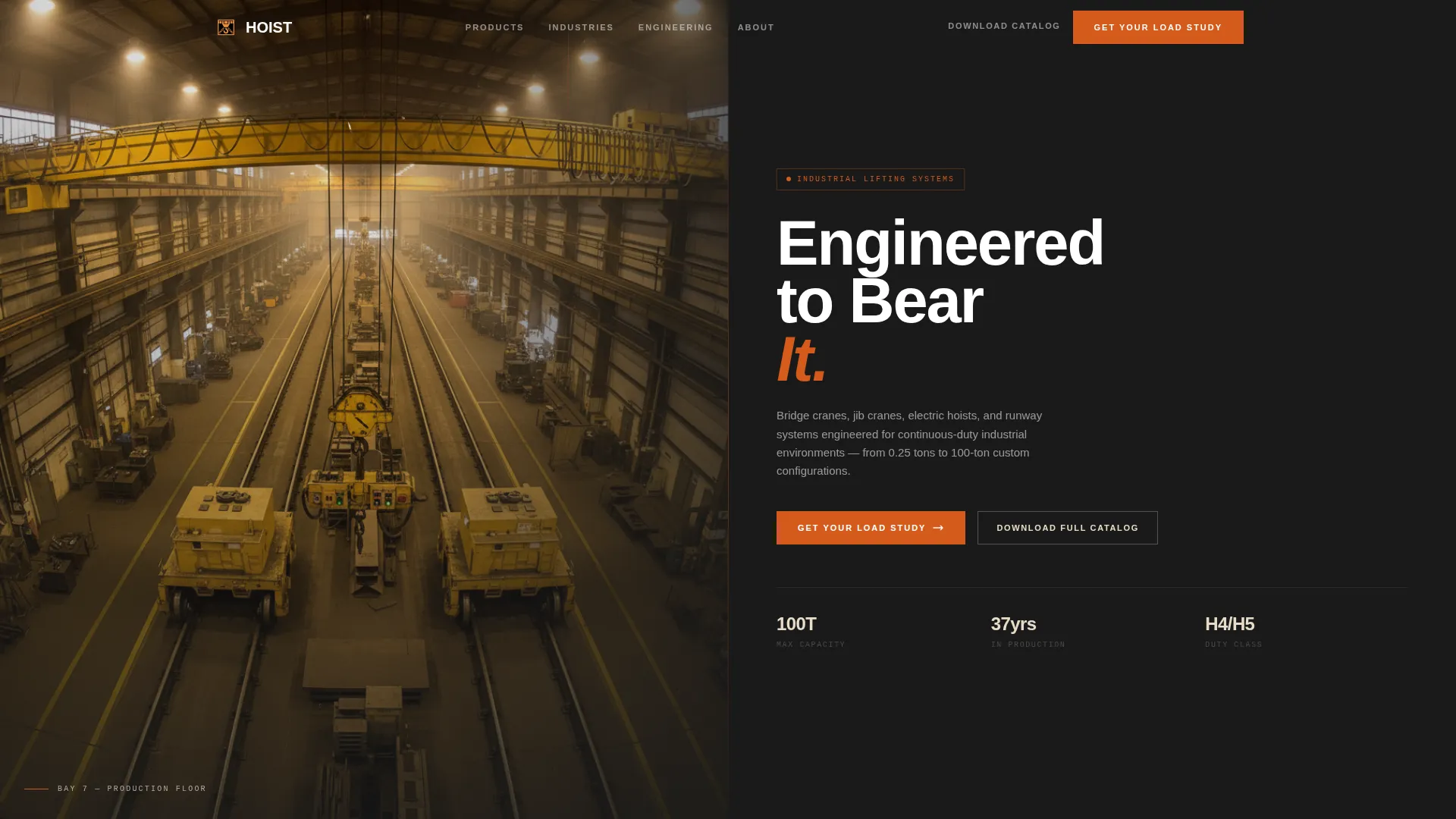
- A full-bleed header with a headline overlay and a primary call-to-action button
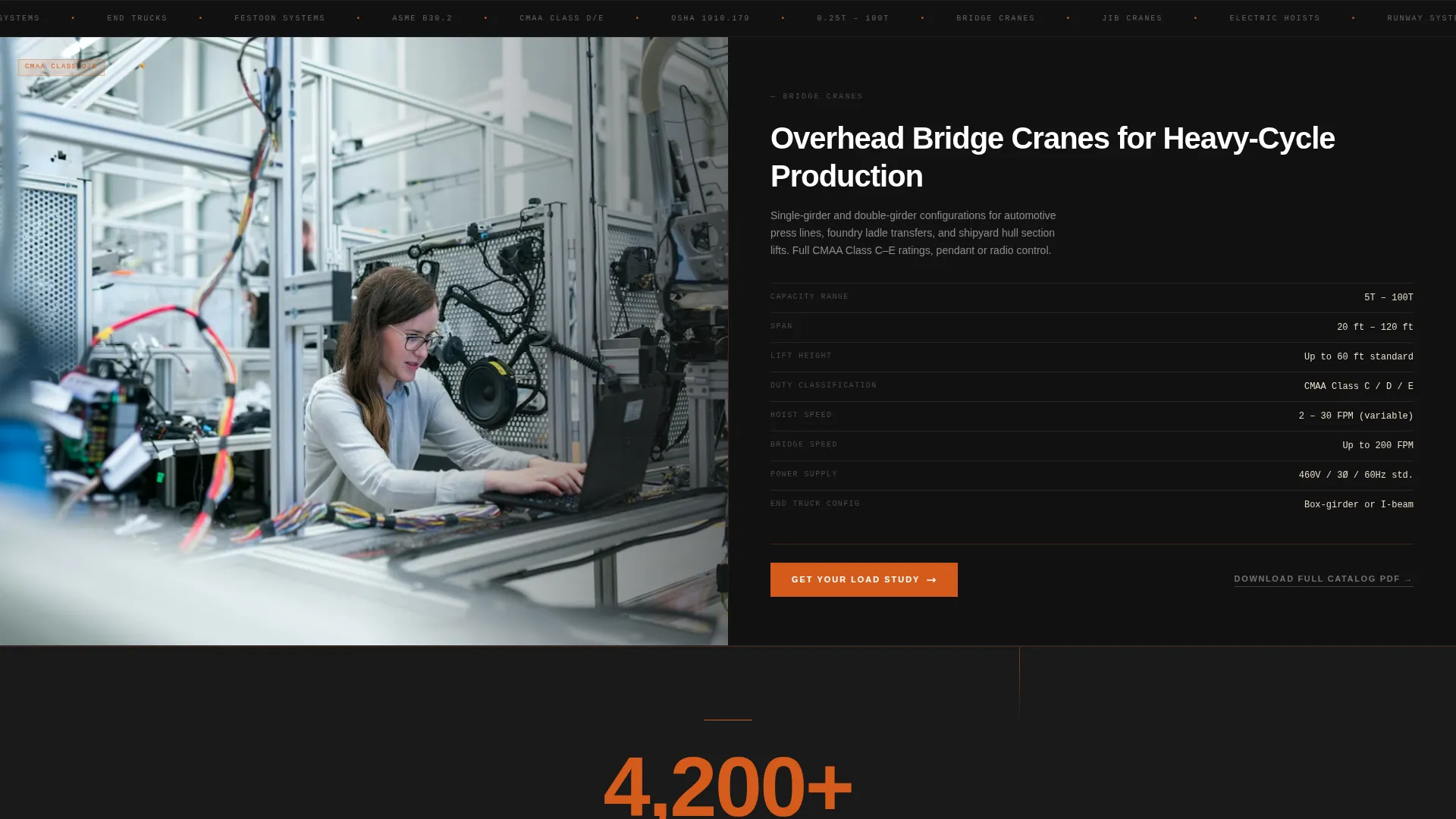
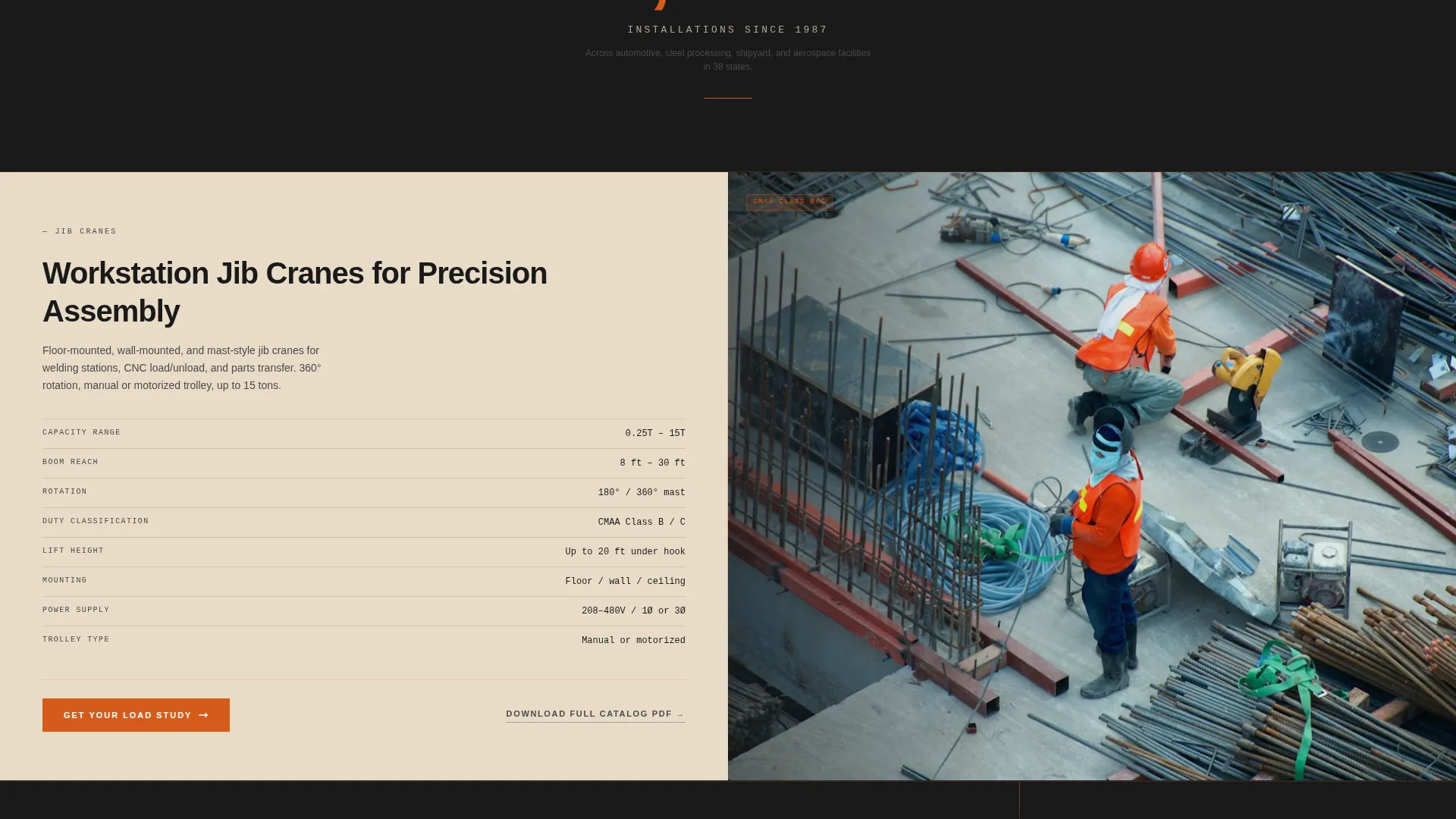
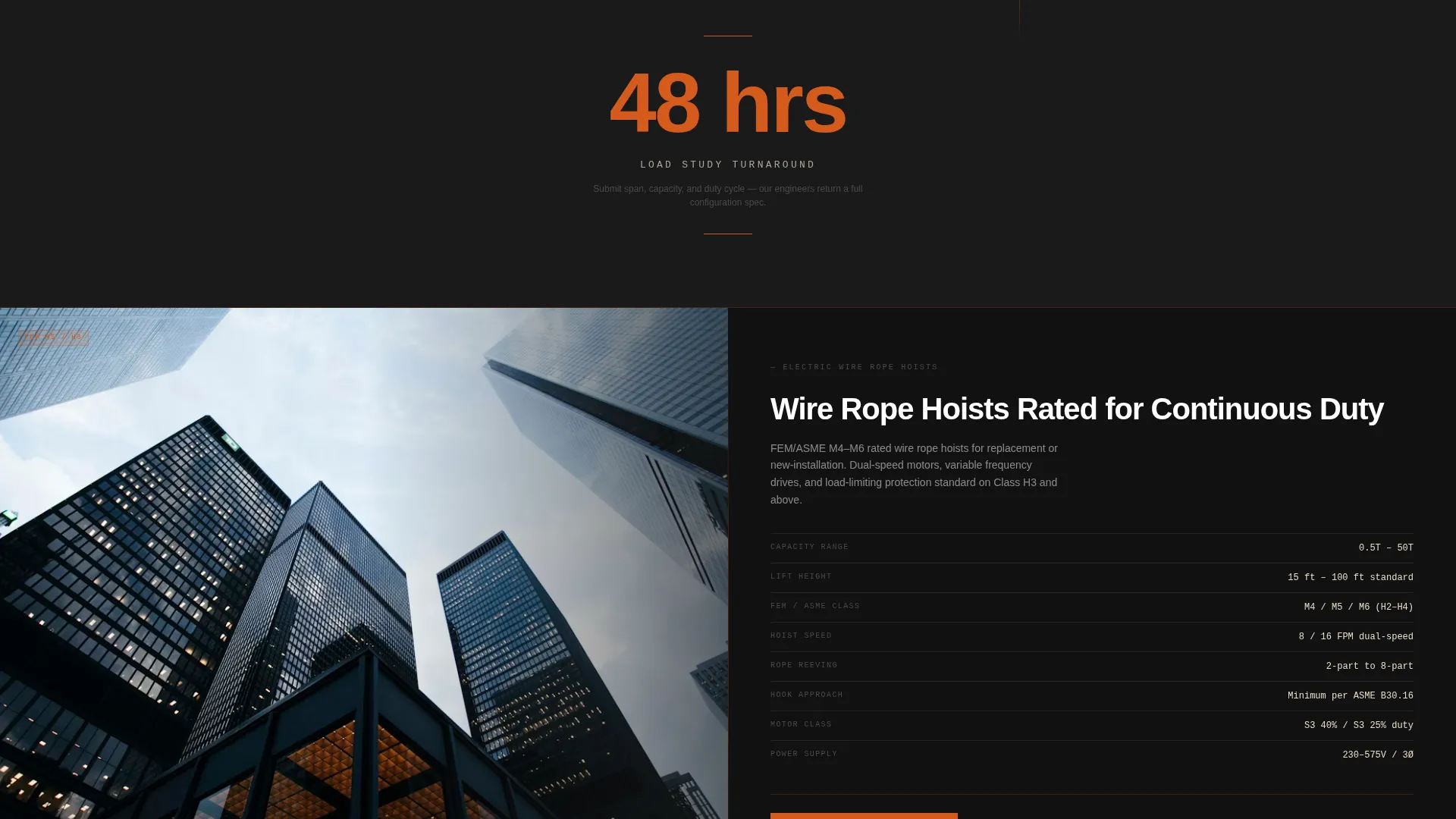
- Four product-category sections in 50/50 split-screen format, each with a condensed spec table
- Single-stat interstitial breaks between product sections for trust-building social proof
Feature list
This template is built around a Spec Sheet creative direction, which means every design decision supports the goal of presenting technical data with clarity and authority.
Full-Bleed Header with Headline Overlay
The header fills the entire viewport with an operator's-catwalk perspective photograph. A single headline, "Engineered to Bear It," fades in over the image. The primary call-to-action button, "Get Your Load Study," appears here first in foundry orange on kiln dust.
50/50 Split-Screen Product Sections
Each product category gets its own split-screen section. The left panel holds a clean product photograph. The right panel displays a condensed spec table covering capacity range, span, lift height, duty classification, hoist speed, and power supply.
Escalating Tonnage Scroll Structure
Sections are ordered from lightest to heaviest: workstation jib cranes at 1 ton, through bridge cranes, runway systems, and up to 100-ton double-girder overhead configurations. The scroll sequence builds an implicit argument about the manufacturer's full capability range.
Single-Stat Interstitial Panels
Between product sections, full-width interstitial panels display a single credibility figure, such as "4,200+ installations since 1987," in foundry orange on furnace black. These breaks reset the visitor's attention and reinforce trust without adding copy length.
Repeating Call-to-Action at Every Section
The "Get Your Load Study" button reappears at the footer of every right-panel spec section. Each instance clicks through to the same dedicated quote configurator. A secondary text link, "Download Full Catalog PDF," captures contact details for visitors still in the comparison phase.
Fire & Earth Color System
The layout uses foundry orange (#D45A1B) for calls-to-action and load-capacity callouts, furnace black (#1A1A1A) for primary backgrounds and header text, forged iron gray (#4A4A4A) for spec tables and secondary type, and kiln dust (#E8DCC8) for alternating section backgrounds and data fields.
Page sections overview
| Section | Purpose |
|---|---|
| Full-Bleed Header | Establish scale and brand authority with the headline and primary call-to-action |
| Bridge Crane Section | Present bridge crane capacity range and spec table in split-screen format |
| First Interstitial Panel | Display a single installation stat to build credibility between product sections |
| Jib Crane Section | Show jib crane configurations from 1-ton workstation units with condensed specs |
| Second Interstitial Panel | Reinforce trust with another single-stat credibility callout |
| Hoist Products Section | Detail hoist duty classifications, lift heights, and hoist speed in split-screen layout |
| Third Interstitial Panel | Deliver a third credibility figure before the final product category |
| Runway Systems Section | Cover runway span, power supply, and duty data for complete overhead systems |
| Final Call-to-Action | Drive the visitor to the quote configurator with the primary call to action repeated |
Design & branding system
The visual identity follows a Service Utility theme built on a Fire & Earth color system. The palette is drawn from industrial material references, giving the page a functional, heat-tested feel rather than a polished consumer aesthetic.
- Foundry orange (#D45A1B) is reserved for calls-to-action and load-capacity callouts, making critical data and next steps immediately visible
- Furnace black (#1A1A1A) anchors primary backgrounds and header text, while forged iron gray (#4A4A4A) handles spec tables and secondary type
- Kiln dust (#E8DCC8) provides warmth in alternating section backgrounds and data fields, preventing the layout from feeling cold or clinical
Mobile & speed optimization
The 50/50 split-screen layout is structured to reflow cleanly for narrower screens. Product photography and spec tables stack vertically on mobile, keeping data legible without horizontal scrolling.
- Each product section maintains its spec table structure on smaller screens, so capacity and duty data stays accessible
- Call-to-action buttons remain prominent at each section break regardless of screen width
- The page carries no embedded forms, which reduces load complexity and keeps the path to the configurator direct
How this template helps you convert
The entire page is designed as a click-through funnel. Every content decision serves the goal of moving a qualified visitor to the quote configurator with enough confidence to submit their project details.
- The header plants the primary call-to-action immediately, so high-intent visitors can click through before scrolling at all.
- Each spec section adds a new layer of product proof, and the repeated "Get Your Load Study" button gives every visitor a conversion point at their natural stopping place.
- The "Download Full Catalog PDF" secondary link captures visitors who are still comparing options, turning a potential exit into an email lead for the sales team.
Other information about this template
This template is part of a broader set of industrial and manufacturing landing page templates designed for high-specification product categories. It suits any crane and hoist manufacturer that sells to engineering and procurement professionals.
- The template is built for a single-page, click-through flow with no forms on the page itself
- Product section copy and spec table data are fully editable to match the manufacturer's actual product lines
- The interstitial stat panels can be updated with any installation count, years in service, or load milestone relevant to the brand
- The secondary catalog download link is designed to support email capture during the visitor's comparison phase
Theme
Service Utility
Creative direction
Spec Sheet
Color system
Fire & Earth
Style
Split Screen (50/50)
Direction
Click-Through
Page Sections
Full-bleed Header with Headline Overlay
50/50 Split-screen Product Layout
Escalating Tonnage Scroll Structure
Single-stat Interstitial Panels
Repeating Section-level Call-to-action
Secondary Catalog Download Link
Related questions
Does this template include a quote form on the page?
Can I replace the spec table data with my own product specifications?
How many product sections does this template include?
What are the interstitial panels used for?
Is this template suitable for a manufacturer with a wide product capacity range?



