Garage Door Repair Landing Page Template for Surat
Hoist is a precision-engineered landing page template built for Surat garage door repair services. It combines an industrial Monochrome Steel visual identity with a trust-first layout: a metrics wall, named technician profiles, problem-diagnosis cards, and a persistent sidebar booking form. Every element is designed to turn a frustrated property owner into a booked service call.
by Rocket studio
Quick summary
Hoist is a single-page lead generation template for garage door repair businesses operating in Surat. It opens with a four-counter metrics wall, moves through named technician profiles and diagnostic knowledge cards, and anchors a fixed sidebar booking form throughout. The result is a page that feels as solid and reliable as the service it represents.
Who this template is for
This template is built for local garage door and automated gate repair businesses that serve a mixed client base. It works especially well for operators who handle both residential and commercial properties and need a page that speaks to urgency without sacrificing professionalism.
- Factory owners and warehouse managers who need emergency shutter repair outside business hours
- Housing society managers handling recurring parking gate complaints from residents
- Homeowners who need panel replacement, spring repair, or track realignment done quickly
What problem this template solves
Most local repair service pages look generic. They list phone numbers and service types without giving a visitor any reason to trust the technician showing up at their door. Hoist solves the trust gap by combining hard proof with human faces before asking for any commitment.
- Visitors arrive anxious about a broken door and leave feeling confident a real expert is coming
- The persistent sidebar form removes friction by staying visible at every scroll depth
- Problem-diagnosis cards address the exact symptoms visitors searched for, establishing immediate credibility
What you get with this template
You get a complete, single-page layout structured for maximum lead capture. Every section earns its place by moving a hesitant visitor one step closer to submitting the booking form.
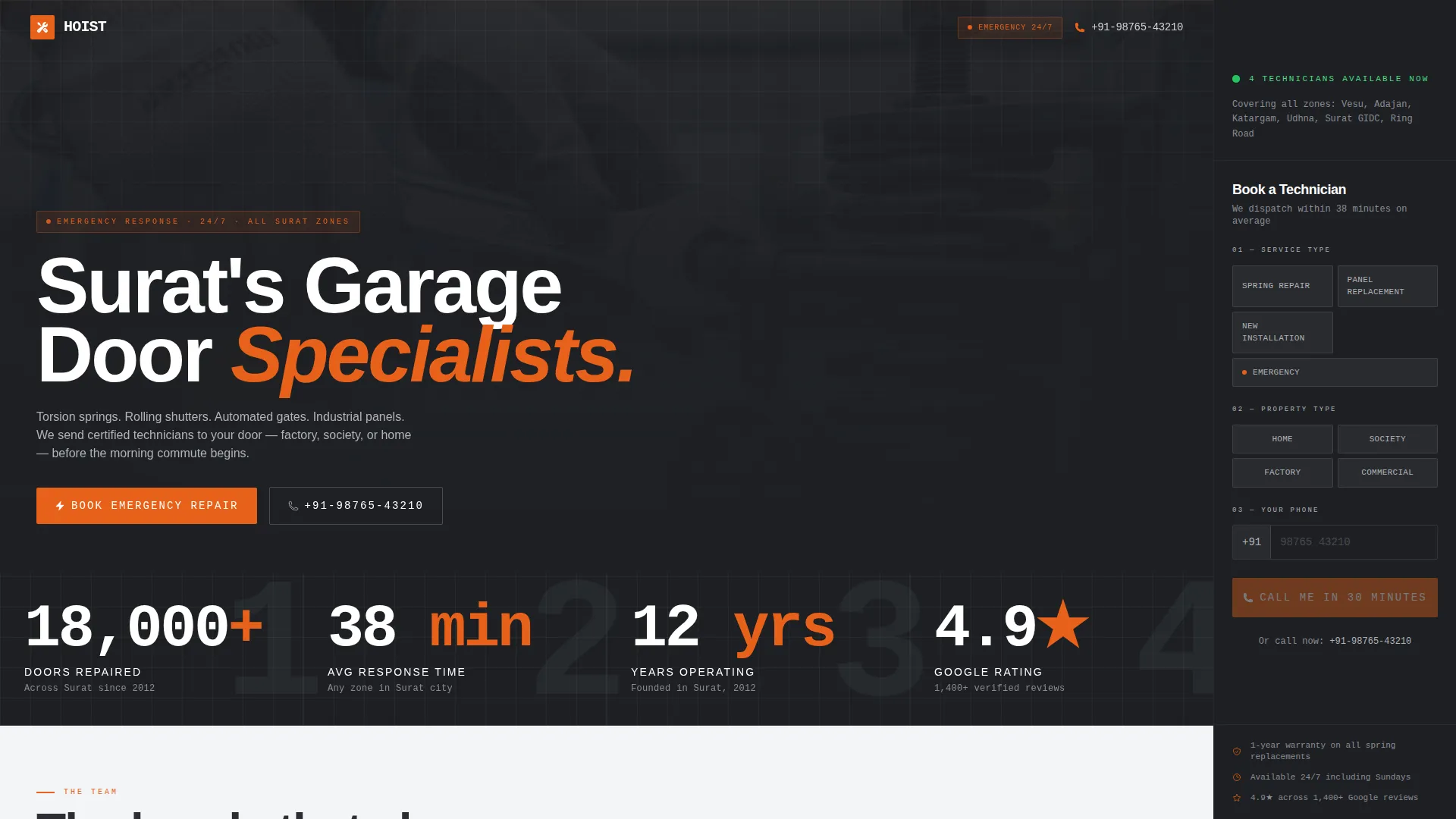
- A charcoal-field stats wall showing doors repaired, response time, years operating, and star rating
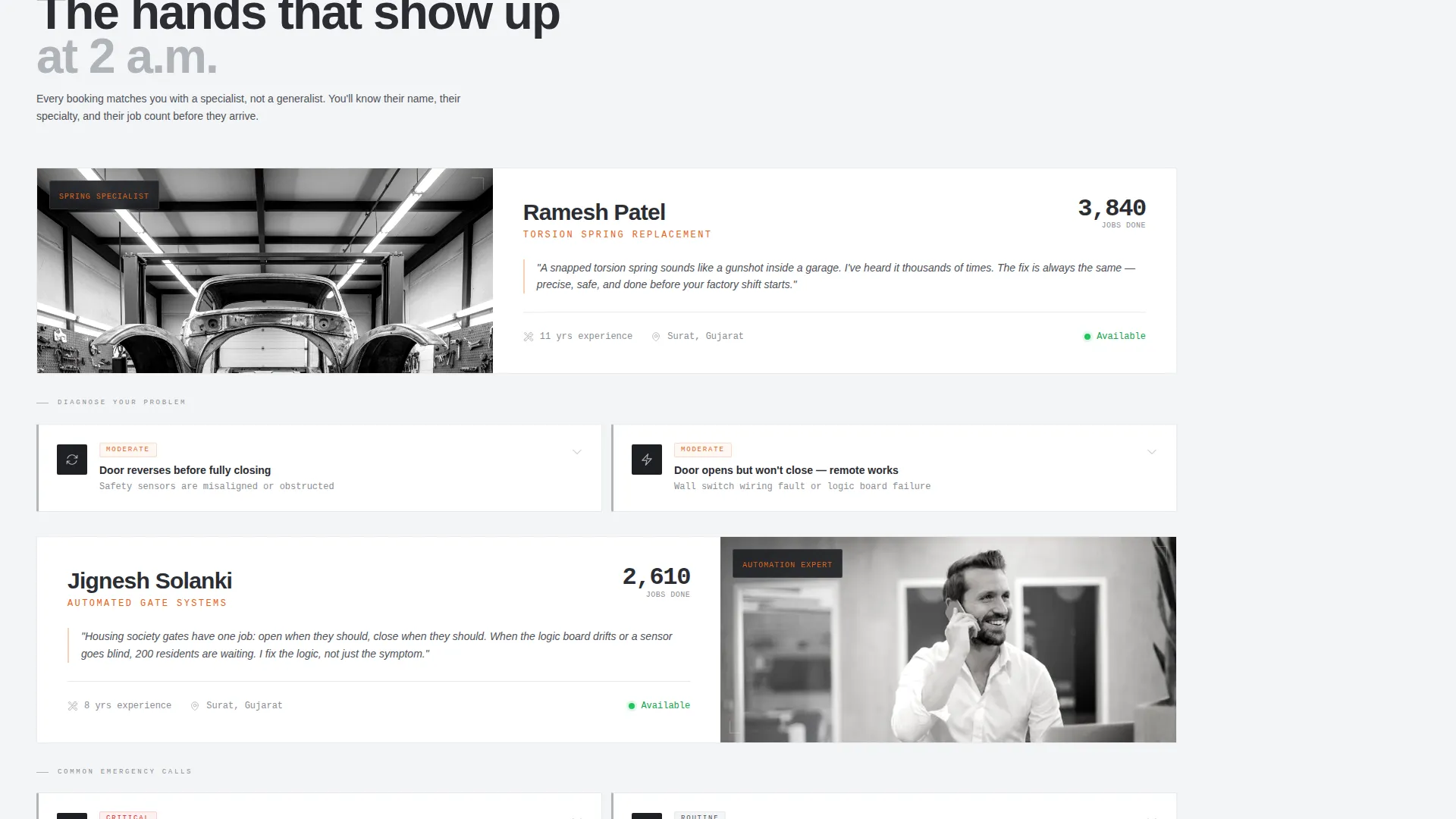
- Named technician profiles with candid portraits, specialty descriptions, and job counts
- A fixed sidebar form with service type, property type, phone number, and a "Call Me in 30 Minutes" call to action
Feature list
This section walks through the core functional components that define Hoist as a template.
Metrics Wall Header
Four oversized counters display doors repaired (18,000+), average response time in Surat (38 minutes), years operating (12), and Google rating (4.9 stars). The numbers are set in a heavy condensed typeface against a charcoal background, with a looping close-up video of a technician calibrating a spring assembly playing behind them.
Fixed Sidebar Booking Form
The sidebar stays pinned as visitors scroll, holding a compact three-step form. Visitors select service type, property type, and enter their phone number. The primary call-to-action reads "Call Me in 30 Minutes," and a fallback line below offers a direct phone number for visitors who prefer to call immediately.
Technician Profile Sections
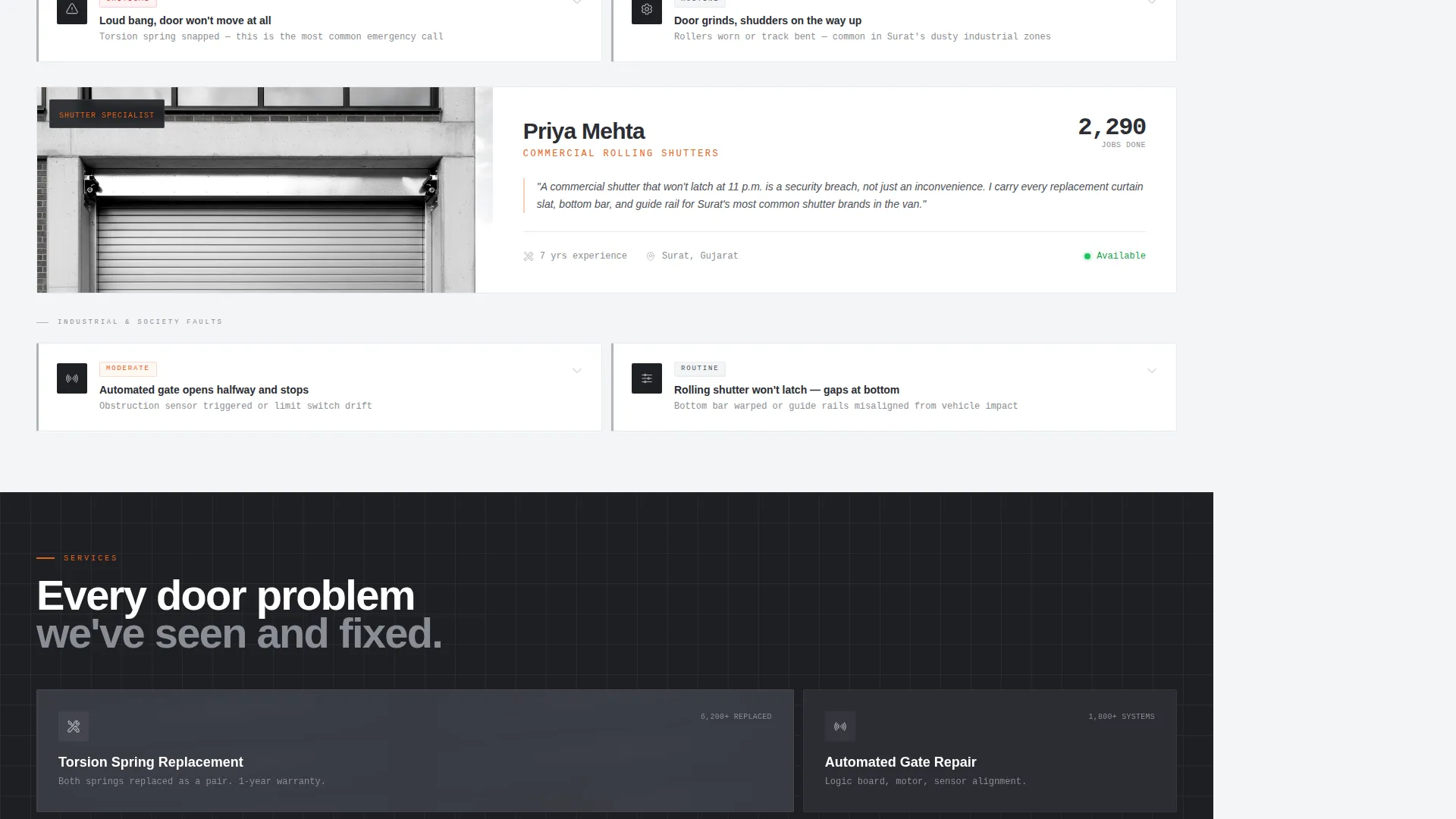
Each scroll section introduces a named team member with their core specialty, a candid workshop portrait, and a completed-job count. The layout alternates between technician profiles and problem-diagnosis cards, creating a rhythm that builds trust through repetition and specificity.
Problem-Diagnosis Cards
Short diagnostic cards are placed between technician profiles. Each card names a visible symptom and its likely cause, for example: "Door reverses before closing? Your safety sensors are misaligned." These cards demonstrate technical expertise and match the language real residents use when searching for help.
Live Technician Availability Indicator
A green pulse dot inside the sidebar signals that technicians are currently available. This small detail creates urgency and reassurance at the same moment, reducing hesitation before form submission.
Safety Orange call to action System
Safety orange (#E8611A) is used exclusively for calls-to-action and emergency callout badges. Nothing else in the layout uses this color, so every orange element reads as an immediate action prompt without competing visual noise.
Page sections overview
| Section | Purpose |
|---|---|
| Stats Metrics Wall | Establishes proof and credibility upfront |
| Fixed Sidebar Form | Captures leads at every scroll point |
| Technician Profile: Ramesh | Builds trust with spring specialist |
| Diagnosis Card: Spring | Matches visitor search symptoms |
| Technician Profile: Jignesh | Introduces gate automation expert |
| Diagnosis Card: Sensors | Answers common reversal complaints |
| Technician Profile: Priya | Highlights commercial shutter expertise |
| Direct Call Fallback | Serves visitors who prefer phone contact |
Design & branding system
The visual identity follows a Corporate Precision theme built on a Monochrome Steel color palette. The overall feeling is industrial and unornamented, referencing the material language of a freshly installed galvanized steel panel.
- Core palette: cold-rolled charcoal (#2B2D33), galvanized silver (#B0B3B8), panel-white (#F4F5F7), and safety orange (#E8611A) reserved strictly for calls to action and emergency badges
- Typography uses a heavy condensed typeface for counter numerals and headlines, giving key numbers the visual weight of text stamped into sheet metal
- Photography avoids stock imagery entirely, using candid workshop portraits and real close-up footage of technicians working on actual equipment in a Surat workshop
Mobile & speed optimization
The layout is structured so that the fixed sidebar collapses into an accessible inline section on smaller screens, keeping the booking form reachable without disrupting the scroll experience.
- The metrics wall and technician profile sections stack vertically on mobile without losing their visual hierarchy
- The looping header video is a background element, ensuring the core content and form remain the primary focus regardless of device
How this template helps you convert
Hoist is built around a specific conversion logic: prove credibility first, then ask for the lead. Every layout decision reinforces this sequence.
- The metrics wall front-loads four quantified trust signals before a visitor reads a single line of body copy, making the form feel like a logical next step rather than a gamble.
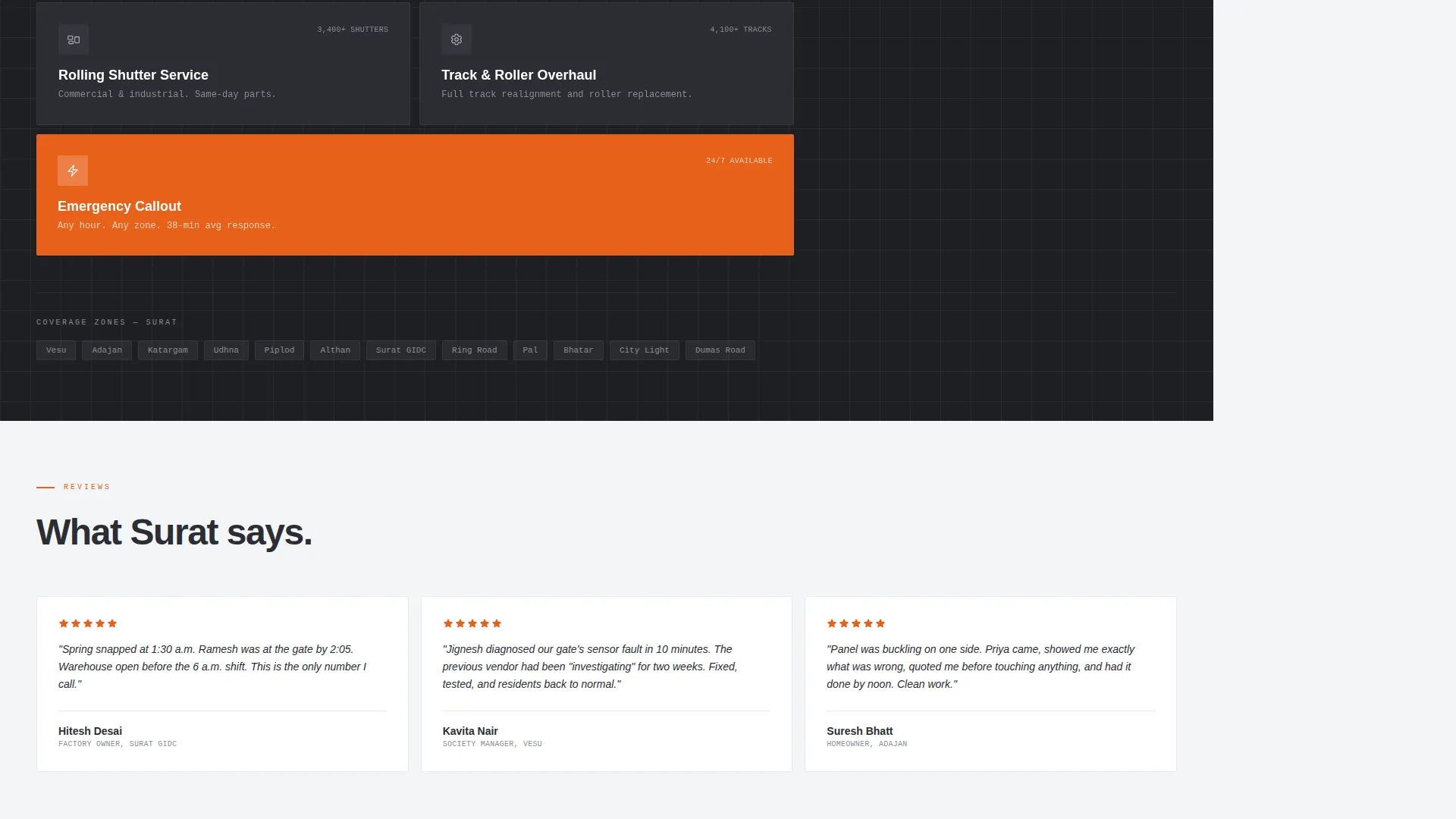
- The alternating profile and diagnosis card rhythm ensures that by the time a visitor reaches the sidebar form, they have already seen real technician faces and recognized their own problem described accurately on the page.
Other information about this template
Hoist was designed with the Surat garage door repair market in mind, but the underlying layout structure applies equally to any local trade service that needs to convert urgent, high-anxiety visitors into booked appointments.
- The template style follows a zigzag and alternating section flow, keeping the page visually dynamic without relying on color variation
- The header concept centers on a giant metrics display rather than a headline, which suits services where numbers speak louder than marketing language
- The lead generation direction prioritizes a three-field form to minimize drop-off, based on the principle that fewer required inputs produce more submissions
- The template is categorized under Professional Services and Surat Local Services, making it a practical fit for operators competing in a dense urban repair market
Theme
Corporate Precision
Creative direction
FAQ-Driven
Color system
Navy Authority
Style
Zigzag/Alternating
Direction
Partnership/B2B
Page Sections
Metrics Wall with Live Counters
Fixed Sidebar Lead Form
Named Technician Profiles
Problem-diagnosis Cards
Live Availability Indicator
Safety Orange Call to Action System
Related questions
Can I change the technician names and photos in this template?
Does the sidebar booking form stay visible throughout the entire page scroll?
Can I update the counter numbers in the metrics wall?
Is this template suitable for commercial garage door repair, not just residential jobs?
What if a visitor prefers to call rather than fill in the form?



