Senior Home Modification Fundraising Landing Page
Homestead is a split-screen landing page template built for senior home modification nonprofits. It pairs warm photography with donor-focused storytelling, a tiered donation panel, and a sticky call-to-action bar. The Forest Trust color system and Healing Space theme create an atmosphere of trust and quiet purpose, guiding visitors toward giving or nominating a neighbor in need.
by Rocket studio
Quick summary
Homestead is a single-page fundraising template designed for organizations that modify homes so older adults can age in place safely. It uses a 50/50 split-screen layout, alternating photo-and-story sections, and a heartwood amber donation panel. The result feels personal, warm, and specific enough to move a donor from scrolling to giving.
Who this template is for
This template is built for small nonprofits, volunteer crews, and community care organizations working at the intersection of carpentry and senior wellness. If your team installs grab bars, builds ramp systems, or widens doorways for older adults, this page speaks your language.
- Home modification nonprofits serving elderly or disabled residents
- Occupational therapy programs running community outreach or volunteer initiatives
- Fundraising coordinators who need a donor-ready page without starting from scratch
What problem this template solves
Many senior care organizations do meaningful work but struggle to communicate its emotional weight online. A generic donation page fails to make a donor picture a specific person in a specific hallway. That gap costs gifts.
- Visitors leave without acting because the page feels institutional, not personal
- Donors cannot see exactly what their money pays for, so they hesitate
- Referral paths for neighbors and family members are buried or missing entirely
What you get with this template
You get a complete, single-page fundraising layout that leads visitors through an emotional journey before asking for anything. Every section is purposeful and tied directly to donor conversion or community referral.
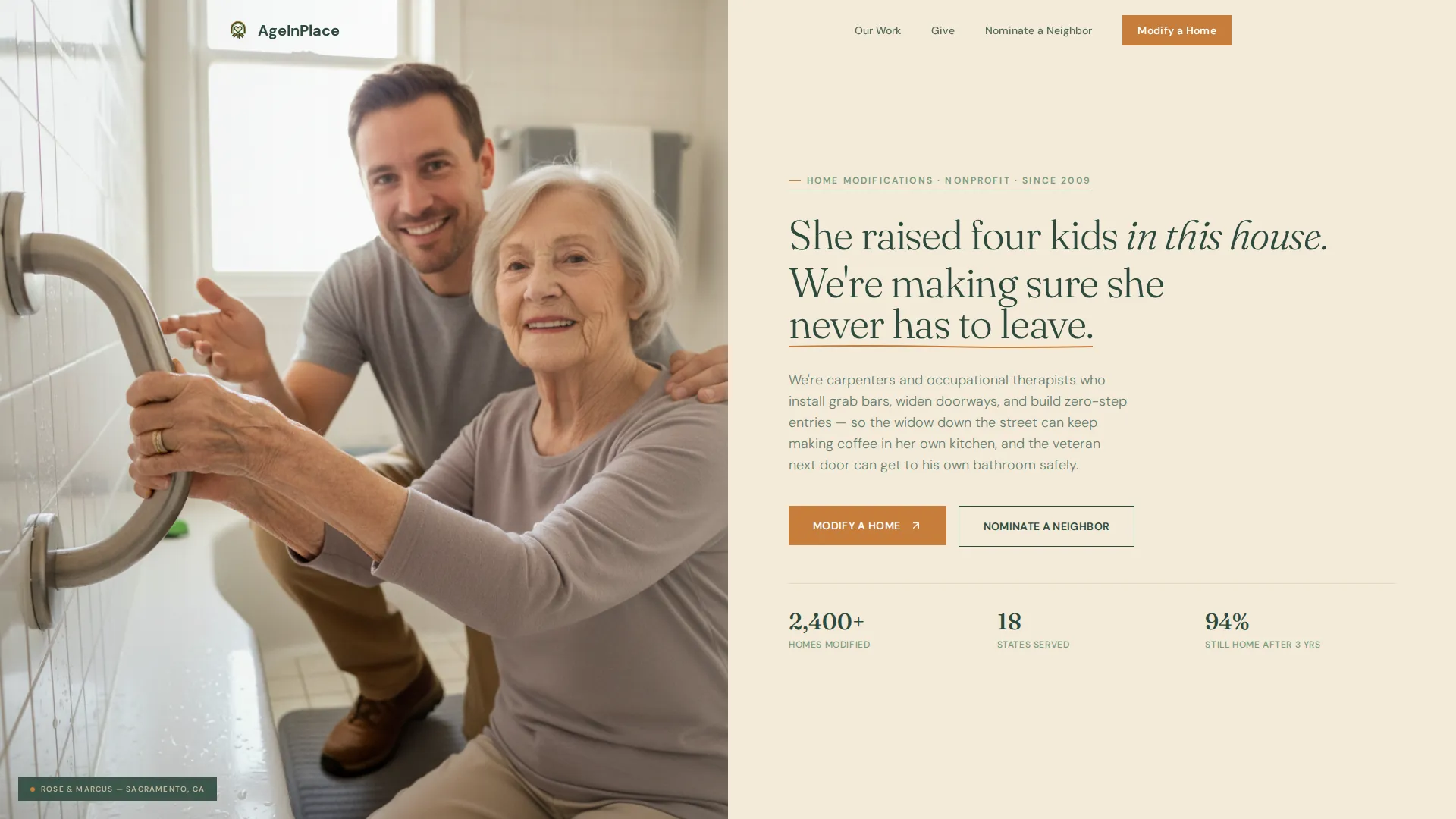
- A split-screen header with a lifestyle photograph and a headline built to hold a donor's attention
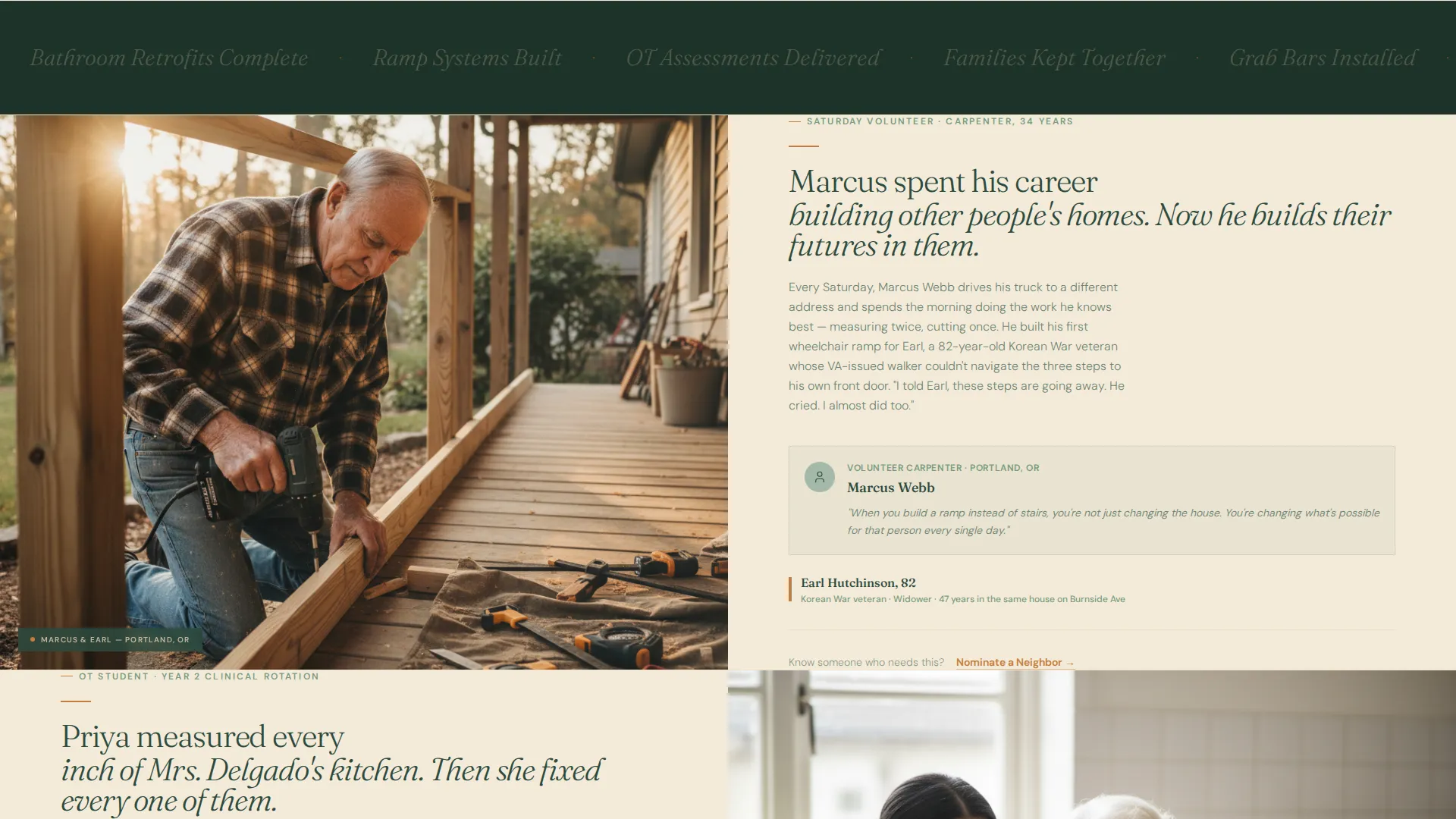
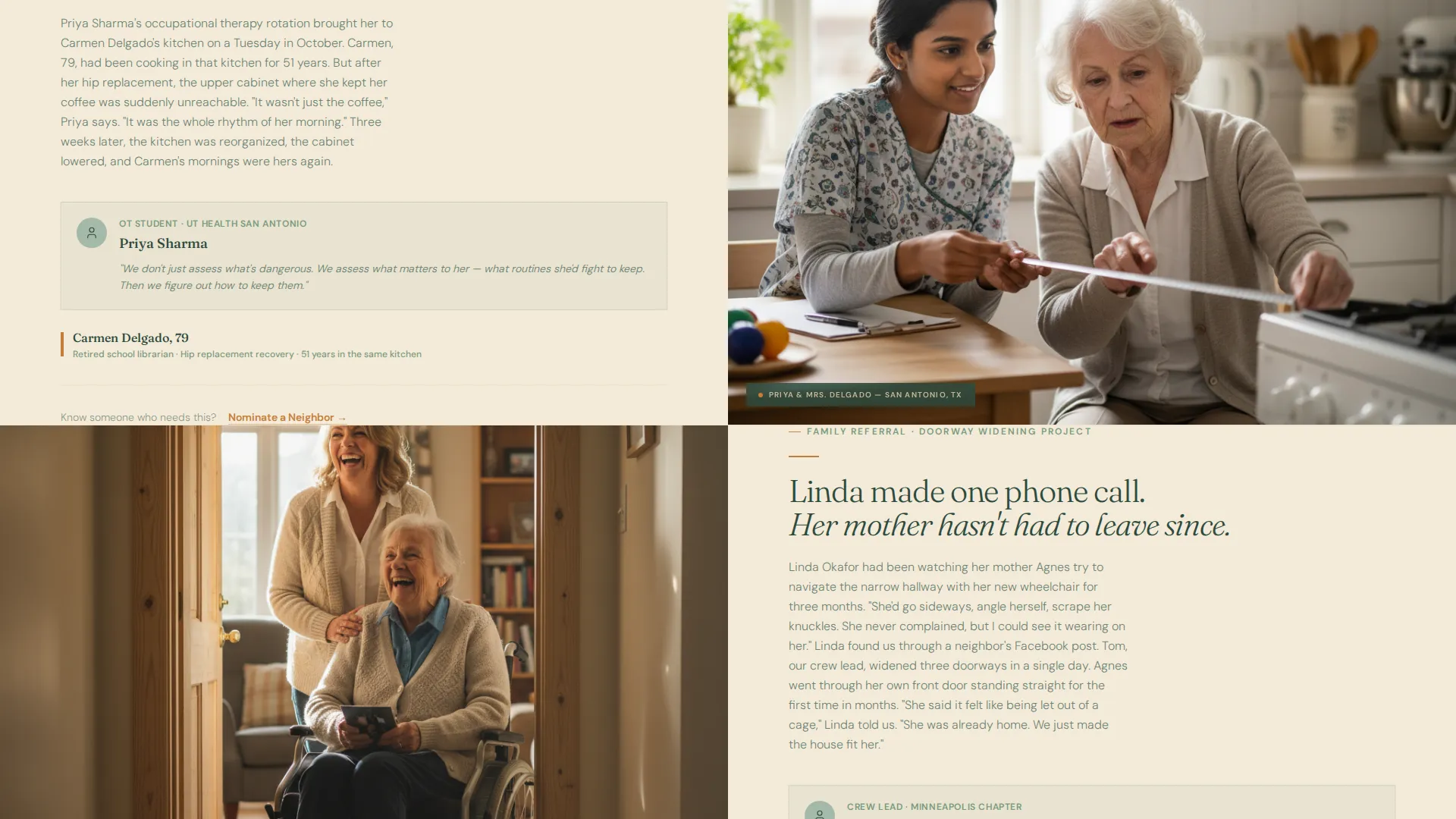
- Alternating team-and-senior story sections that introduce real faces and real doorways
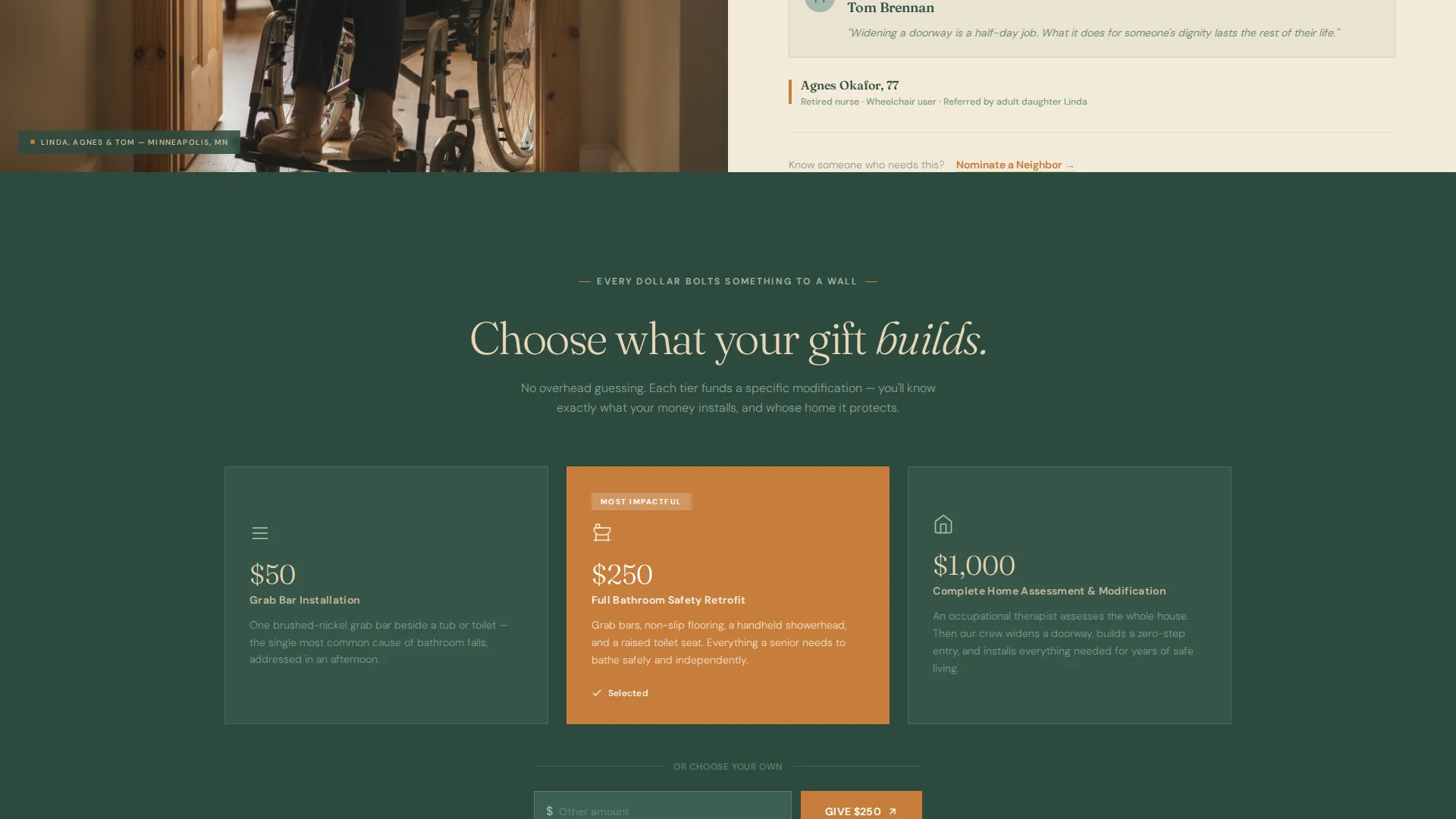
- A tiered donation panel showing exactly what each gift level installs, alongside a "Nominate a Neighbor" referral path
Feature list
This section covers the core components built into the Homestead template.
Split-Screen Story Layout
The page uses a strict 50/50 split throughout. Each section pairs a photograph on one side with a short personal narrative on the other. The sides alternate as the visitor scrolls, creating visual rhythm without monotony.
Tiered Donation Panel
The donation panel presents three clear giving levels. Fifty dollars covers a grab bar installation. Two hundred fifty dollars funds a full bathroom safety retrofit. One thousand dollars sponsors a complete home assessment and modification. Each tier is described in plain, specific language so donors know exactly what they are funding.
Sticky Donation Call-to-Action Bar
After the third scroll section, a sticky bar appears at the top or bottom of the viewport. It carries the primary call to action, keeping the giving prompt visible without interrupting the storytelling flow below it.
Nominate a Neighbor Referral Form
A secondary conversion path sits beneath each story split. It links to a short referral form asking for the senior's first name, city, and the nominator's relationship. This path captures community referrals without requiring a long intake process.
Forest Trust Color System
The template applies a four-color palette with precise intent. Deep Douglas fir anchors headers and footers. Sun-warmed birch washes across content backgrounds. Soft lichen softens dividers and secondary text. Heartwood amber appears only on buttons and donation tier highlights, directing the eye exactly where a hand should click.
Healing Space Visual Theme
The overall design tone is quiet and grounded. Typography, spacing, and photography placement work together to feel like a trusted conversation rather than a fundraising pitch. The layout earns attention through warmth before it asks for anything.
Page sections overview
| Section | Purpose |
|---|---|
| Split-screen header | Introduces the mission with a lifestyle photograph and primary headline |
| Primary call to action block | Presents the "Modify a Home" amber button for the first time |
| Team story split 1 | Pairs a volunteer's photo with the senior they helped |
| Nominate a Neighbor link | Offers the referral path after the first story |
| Team story split 2 | Introduces a second face and a second doorway |
| Nominate a Neighbor link | Repeats the referral path beneath the second story |
| Team story split 3 | Adds a third community member to deepen the cumulative effect |
| Sticky donation bar | Activates after the third section to keep giving visible |
| Tiered donation panel | Breaks giving into three specific, bolt-it-to-the-wall levels |
| Footer block | Closes with brand anchoring in deep Douglas fir |
Design & branding system
The Forest Trust palette is the backbone of this template's emotional tone. Every color has a single role, and that discipline keeps the page feeling intentional rather than busy.
- Deep Douglas fir (#2D4A3E) for headers, footers, and primary type; sun-warmed birch (#E8D5B7) for content backgrounds; soft lichen (#A3B9A8) for dividers and supporting text
- Heartwood amber (#C67D3A) used exclusively for buttons and donation tier callouts, so every interactive element stands out without competing with the story
- Typography is set in Douglas fir tones over birch backgrounds, creating high contrast that reads naturally in both bright and dim environments
Mobile & speed optimization
The split-screen layout is designed to reflow cleanly on smaller screens. Story sections that sit side by side on desktop stack vertically on mobile, keeping photographs and narrative together in the correct reading order.
- The sticky donation bar remains accessible on mobile viewports without covering essential content
- The tiered donation panel and "Nominate a Neighbor" form links are tappable and clearly sized for touch interaction
How this template helps you convert
The Homestead template does not lead with statistics. It leads with people, then makes the ask feel specific and immediate.
- The alternating story splits build cumulative emotional weight so that by the time the tiered donation panel appears, the visitor already knows a name and a doorway, making inaction feel personal rather than abstract.
- The three-tier donation structure removes hesitation by translating every gift level into a single, tangible installation, so the donor pictures a grab bar on a bathroom wall rather than a number on a receipt.
Other information about this template
This template is categorized under Elderly Care and Senior Living, with a focus on the Home Modification for Seniors niche within the Home Care and Support subcategory. It is a strong fit for seasonal fundraising campaigns, year-end giving drives, or community awareness events where a printable or shareable link is the primary distribution method.
- The "Nominate a Neighbor" path makes this template useful beyond fundraising; it also functions as a community outreach and intake tool for organizations building a waitlist of seniors who need home assessments
- The Healing Space theme and Forest Trust color system are consistent with visual standards common in senior wellness and community care contexts, helping the page feel credible to older donors and family members who distrust flashy design
- Template style is Split Screen (50/50), header concept is Lifestyle Shot, creative direction is Team and People, and the landing page direction is Donation and Fundraising
Theme
Healing Space
Creative direction
Team & People
Color system
Forest Trust
Style
Split Screen (50/50)
Direction
Donation/Fundraising
Page Sections
Split-screen 50/50 Story Layout
Tiered Donation Panel
Sticky Call-to-action Bar
Nominate a Neighbor Referral Path
Forest Trust Color System
Lifestyle Shot Header Block
Related questions
Can I replace the placeholder photography with my own team's photos?
Do I need a payment processor already connected to use the donation panel?
Is the Nominate a Neighbor form built into the template?
Can this template work for a one-time campaign rather than a permanent page?
Can I edit the donation tier amounts to reflect my actual project costs?