Design-Build Firm Phase-by-Phase Website Template
Homestead is a card grid landing page template built for design-build firms rooted in craft and place. It guides visitors through each phase of a build, from land walk to final walkthrough, using an earthy warm-stone palette and full-bleed photography. Two conversion paths capture leads: a detailed project inquiry form and a downloadable landowner guide.
by Rocket studio
Quick summary
Homestead is a modular card grid landing page for design-build firms that work closely with land, materials, and long-term clients. The template uses a transparent, phase-by-phase narrative to build trust before asking for a lead. Every section earns the next click, and both conversion paths feel natural rather than forced.
Who this template is for
This template is built for firms that do more than construct buildings. It speaks directly to design-build practices where the site, the materials, and the story behind them are central to the pitch.
- Design-build contractors serving rural landowners, farmstead inheritors, and property owners planning new builds or restorations
- Firms whose work involves timber framing, stone foundations, or locally sourced materials and who want to communicate that provenance clearly
- General contractors in the construction and home niche who rely on trust and process transparency to convert considered, high-value clients
What problem this template solves
Most contractor landing pages list services and drop a phone number. That approach fails when the client relationship requires months of planning, significant investment, and a deep sense of trust in the firm's craft. Homestead solves the gap between a compelling portfolio and a qualified lead.
- Visitors arrive without context and leave before they understand the process, the materials, or the firm's values
- A generic contact form does not communicate what the firm actually needs to know before starting a project conversation
- There is no clear path for visitors who are curious but not yet ready to commit to a full inquiry
What you get with this template
You get a fully structured single-page layout that walks visitors through your firm's entire build process before presenting a single form field. Every design decision supports the goal of earning trust early and capturing qualified leads at the right moment.
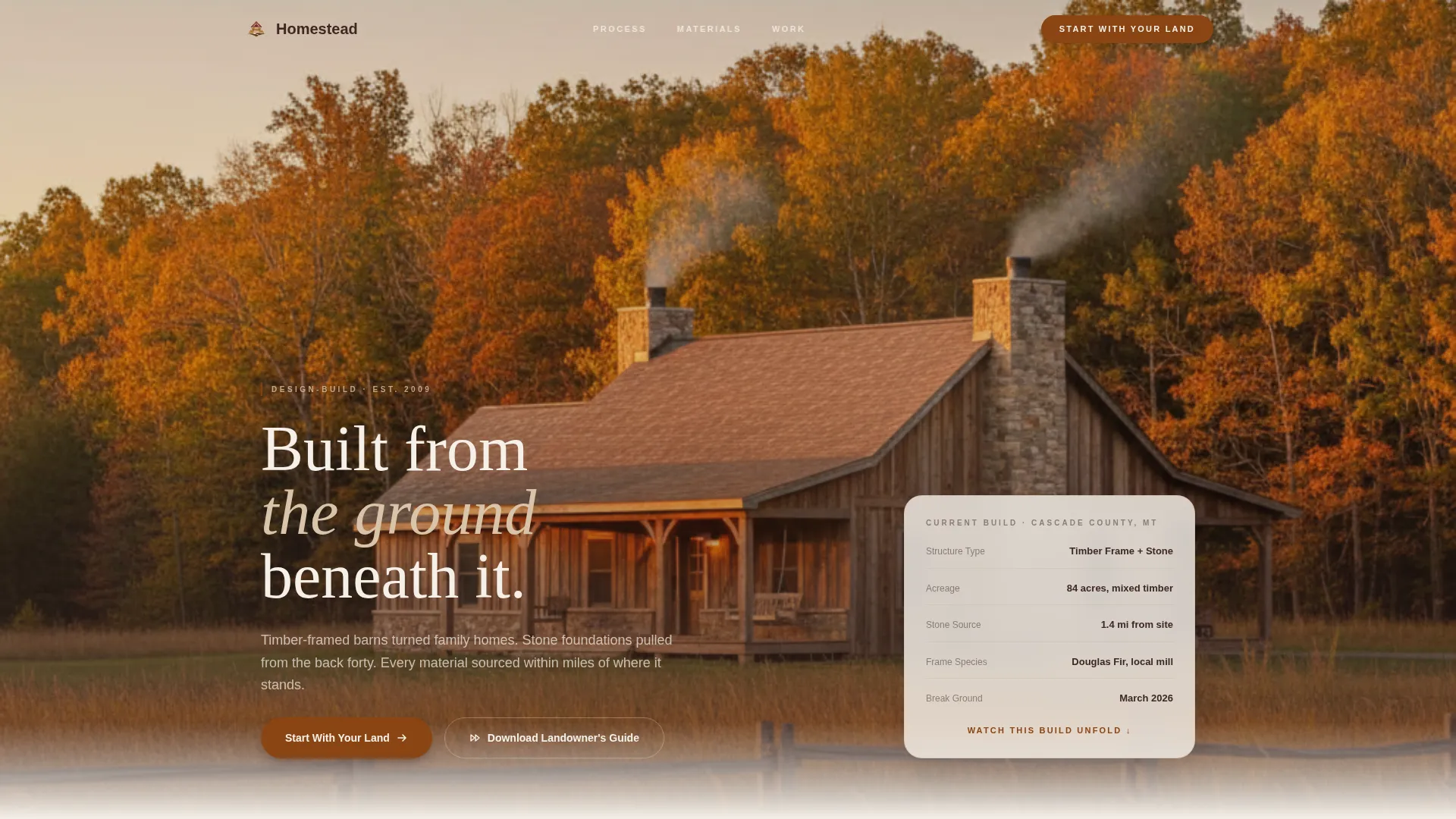
- A full-bleed golden hour header image framing a completed home against a landscape, setting the tone immediately
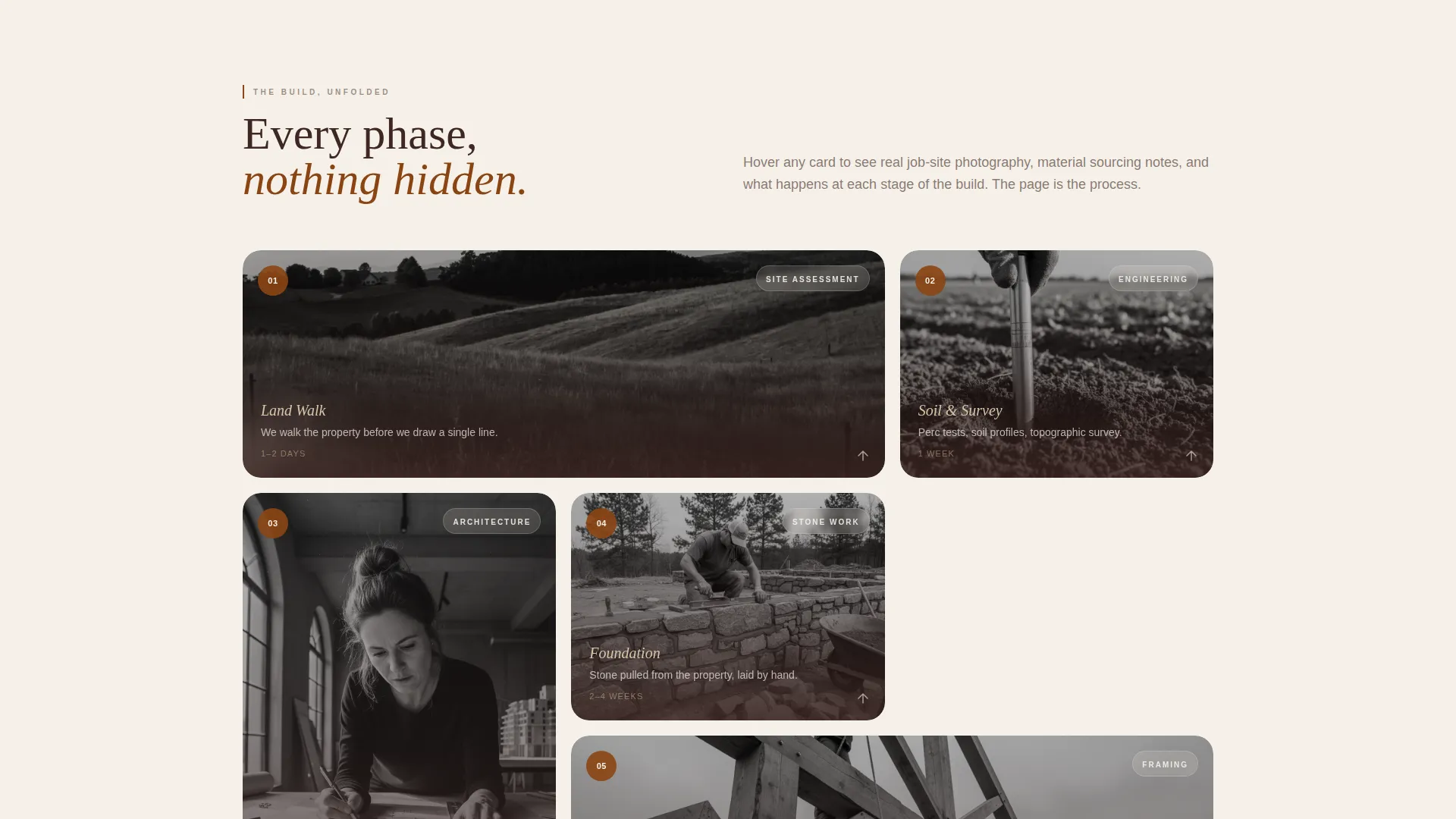
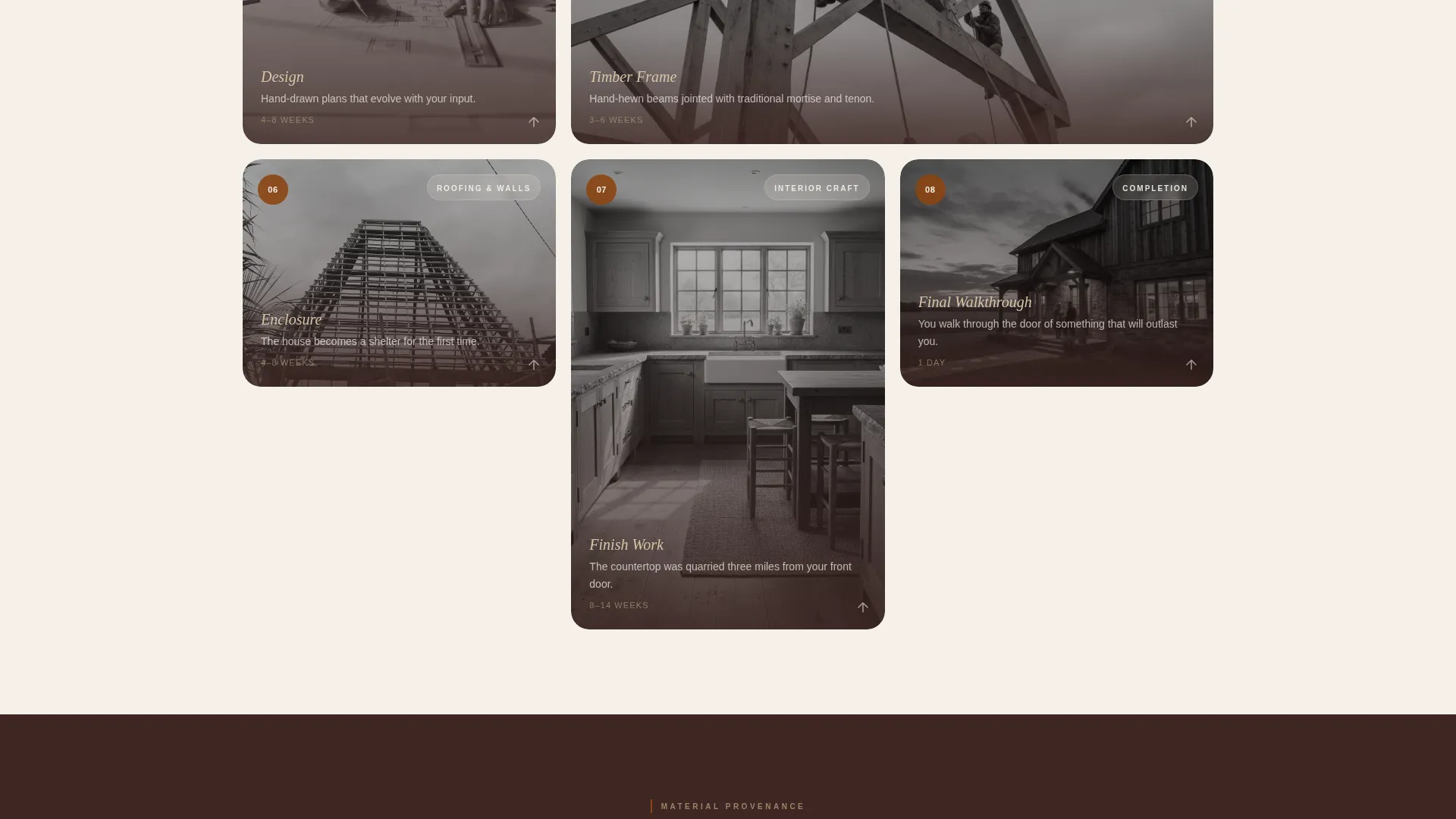
- A modular card grid where each card represents a build phase, with flip or expand interactions revealing job-site photography, material sourcing stories, and timestamped progress shots
- Two conversion paths: a detailed project inquiry form anchored to the primary call to action, and a secondary email capture offering a downloadable landowner guide
Feature list
This section covers the core built-in components and content systems included in the Homestead template.
Phase-by-Phase Card Grid
Each card in the modular grid represents one stage of the build process, from the initial land walk and soil testing through framing, enclosure, and final walkthrough. As the visitor scrolls, the phases advance chronologically, making the page itself feel like a build unfolding in real time.
Material Provenance Row
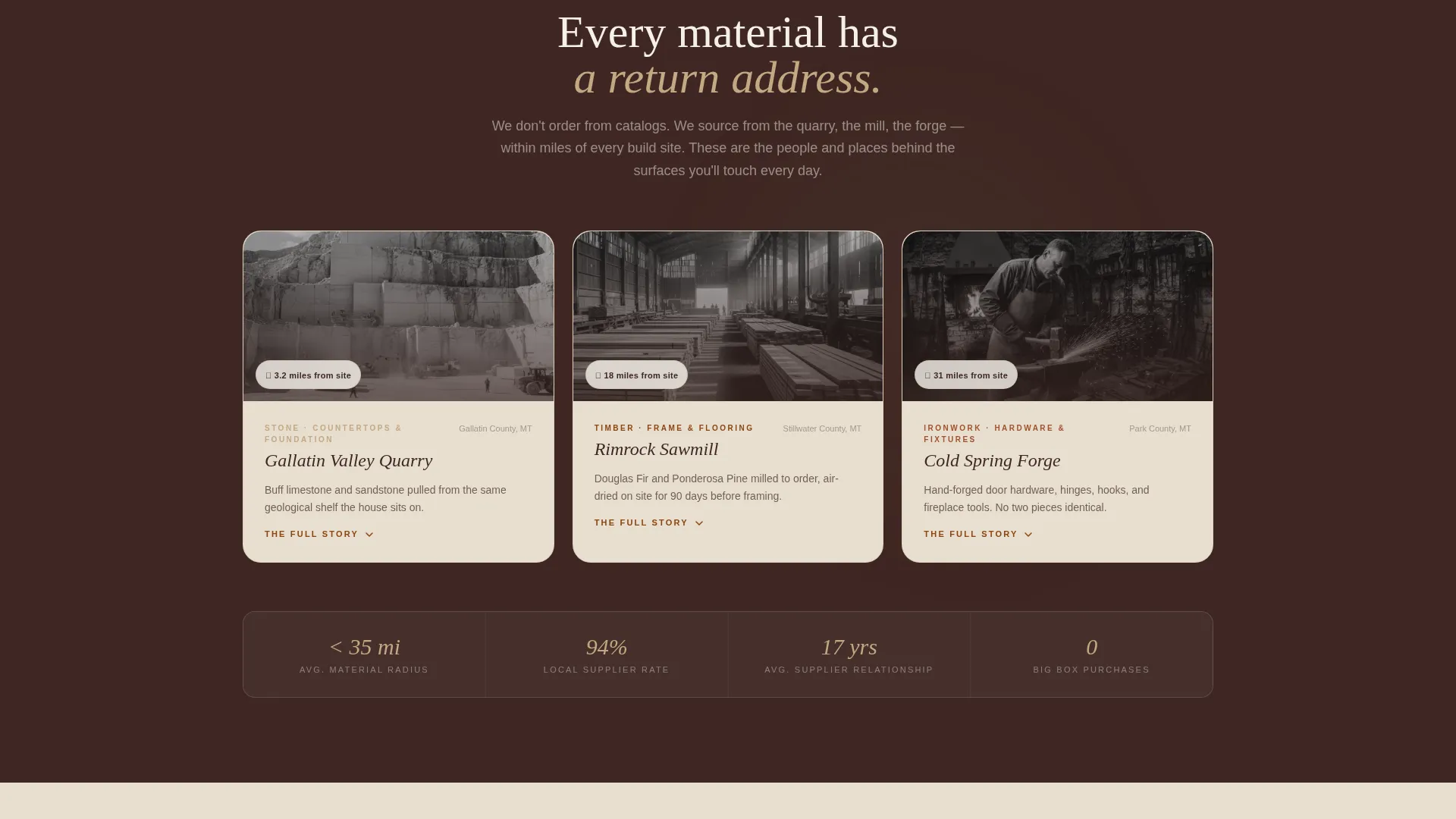
Midway through the grid, a dedicated row of cards breaks the phase sequence to highlight material origins. Each card names a specific source: the quarry, the sawmill, the blacksmith. This section grounds every design choice in craft and place rather than generic specification language.
Full-Bleed Photo Header
The header opens with a wide-angle photograph taken from the gravel drive at golden hour. The composition moves from wild grass and a split-rail fence in the foreground through the completed structure to an open sky going amber to violet. It communicates permanence and intention before a single word is read.
Primary Lead Capture Form
The inquiry form is structured to gather project-specific information in a logical order. It asks first for property location via address or an embedded map pin, then project type, acreage, and a free-text field labeled "Tell us what this land means to you." This sequence feels like a conversation, not a form.
Secondary Email Conversion Path
A second conversion option offers visitors a downloadable PDF guide titled "Before You Build: A Landowner's Guide to Design-Build" in exchange for an email address. This path serves visitors who are interested but not yet ready to submit a full project inquiry.
Warm Stone Visual Identity
The color system uses fieldstone tan, barn-weathered red, fresh-turned earth, and raw linen white as the primary palette. Oxidized copper appears on hover states and interactive edges. The result is a visual identity that feels tactile and craft-made rather than corporate or generic.
Page sections overview
| Section | Purpose |
|---|---|
| Full-Bleed Header | Establishes place and permanence with a golden hour landscape photograph |
| Build Phase Grid | Walks visitors through each project stage using expandable or flippable cards |
| Material Origins Row | Highlights provenance of key materials with source-specific detail cards |
| Primary Inquiry Form | Captures qualified leads with location, project type, acreage, and a personal field |
| Secondary Guide Offer | Converts earlier-stage visitors via a downloadable PDF in exchange for an email |
| Navigation Bar | Marks active states in barn red and anchors visitors to key sections |
Design & branding system
The Homestead template uses an Agrarian Root theme built entirely around a Warm Stone color system. Every color choice references a physical material or natural surface, keeping the visual identity grounded and specific.
- Core palette includes fieldstone tan (#C4A882), barn-weathered red (#8B4513), fresh-turned earth (#3E2723), and raw linen white (#F5F0E8) for backgrounds and section fills
- Oxidized copper (#A0522D) appears on hover states and interactive card edges, adding a subtle layer of tactile feedback
- Barn red marks section transitions and active navigation states, while linen white gives the card grid open breathing room between earthy tones
Mobile & speed optimization
The card grid layout is built to reflow cleanly across screen sizes without losing the phase-by-phase narrative structure. The template's visual weight comes from photography and color, not complex scripts, which helps the layout remain responsive and lightweight.
- Cards resize and restack on smaller screens so the chronological build sequence reads correctly on mobile
- The full-bleed header image scales with the viewport, keeping the golden hour framing intact on any device
- Interactive card states such as flips and expansions are designed to work with both tap and click inputs
How this template helps you convert
Every layout decision in Homestead is oriented toward one outcome: turning a curious visitor into a qualified project inquiry. The page builds trust incrementally so that by the time the form appears, the visitor already understands the firm's process, values, and attention to craft.
- The phase-by-phase card grid removes uncertainty by showing exactly how a project unfolds, which reduces hesitation and increases the quality of leads who do reach the form
- The primary call to action, "Start With Your Land," frames the inquiry as a conversation about the client's property rather than a sales interaction, which lowers the psychological barrier to submitting
- The secondary PDF offer captures visitors who are not yet ready to commit, keeping the firm's name and expertise in front of them as they continue planning
Other information about this template
The Homestead template is designed specifically for the design-build firm niche within the broader construction and home category. It suits general contractors whose projects are place-driven and whose clients make long, considered decisions.
- The template style is a card grid (modular) layout, making it straightforward to add, reorder, or replace phase cards as a firm's process evolves
- The creative direction follows a Transparent Process narrative, which is especially effective for high-investment projects where clients need to feel informed before they inquire
- The header concept is a Full-Bleed Photo, which can be replaced with any wide-format image that communicates landscape, craft, or completed work
- The lead generation direction means both conversion paths are intentional: the primary form gathers project data, and the secondary PDF nurtures visitors who need more time
Theme
Agrarian Root
Creative direction
Transparent Process
Color system
Warm Stone
Style
Card Grid (Modular)
Direction
Lead Generation
Page Sections
Phase-by-phase Card Grid
Material Provenance Row
Full-bleed Photo Header
Primary Lead Capture Form
Secondary PDF Conversion Path
Warm Stone Color System
Related questions
Can I change the card grid phases to match my firm's process?
What does the primary inquiry form collect?
Who is the downloadable PDF offer designed for?
Does the template work for restoration projects, not just new builds?
Can the full-bleed header image be replaced?



