Hospital & Clinic Construction Professional Website Template
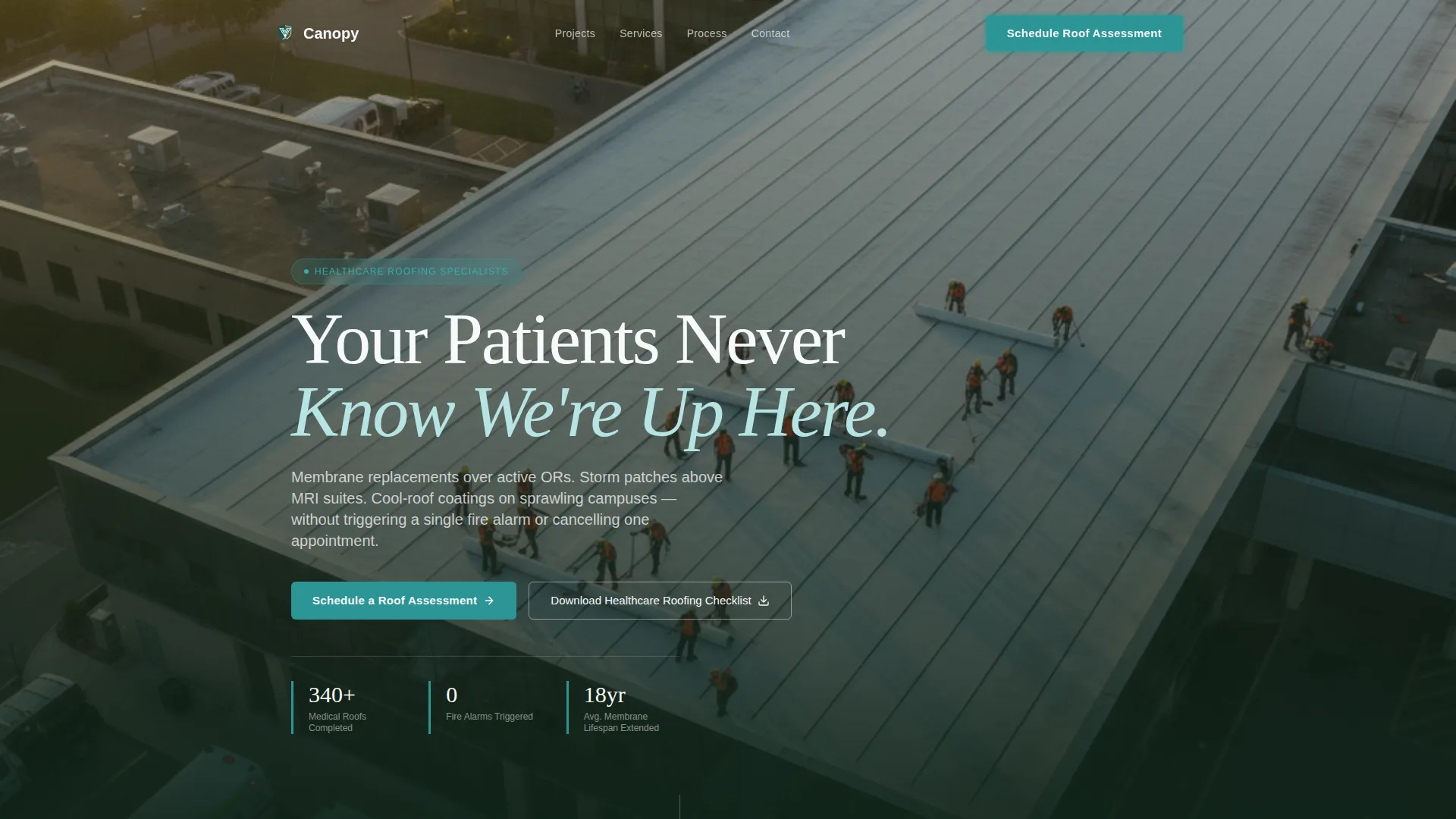
Canopy is a split-screen landing page built for hospital and clinic roofing contractors. It opens with full-screen drone video footage of a roofing crew at work on a medical campus, then guides facility directors, clinic managers, and healthcare operations leaders through completed projects, zero-disruption methodology, and a structured lead-capture form.
by Rocket studio
Quick summary
Canopy is a single-page roofing contractor landing page designed for the healthcare facility market. It uses a 50/50 split-screen layout, a full-screen video header, and a neighborhood-first storytelling approach to build trust block by block. Every section moves a facility director or clinic manager closer to booking a roof assessment.
Who this template is for
This template is built for roofing contractors who specialize in medical facilities. It speaks directly to the people who manage those buildings and the budgets behind them.
- Hospital facility directors managing aging flat roofs that collect standing water after storms
- Clinic office managers dealing with ceiling stains and patient-facing complaints
- Healthcare system operations leaders who need phased roof replacements that never shut down a wing
What problem this template solves
Most roofing contractor pages look like they were built for residential customers. They lead with price lists, generic before-and-after photos, and contact forms that ask no useful questions. Healthcare facility buyers need something different.
- Decision-makers in the medical sector need proof of zero-disruption methodology before they commit to a conversation
- Facility managers researching vendors want to see completed projects at real, recognizable local medical buildings
- Operations leaders with complex phasing requirements need a clear path to start the conversation without overpromising a timeline
What you get with this template
This template delivers a fully structured, lead-generation landing page ready to represent a hospital and clinic roofing contractor. The layout is honest about its purpose and designed to earn the form submission rather than demand it.
- A full-screen video header with a bold headline, split-screen project sections, and three strategically placed calls to action
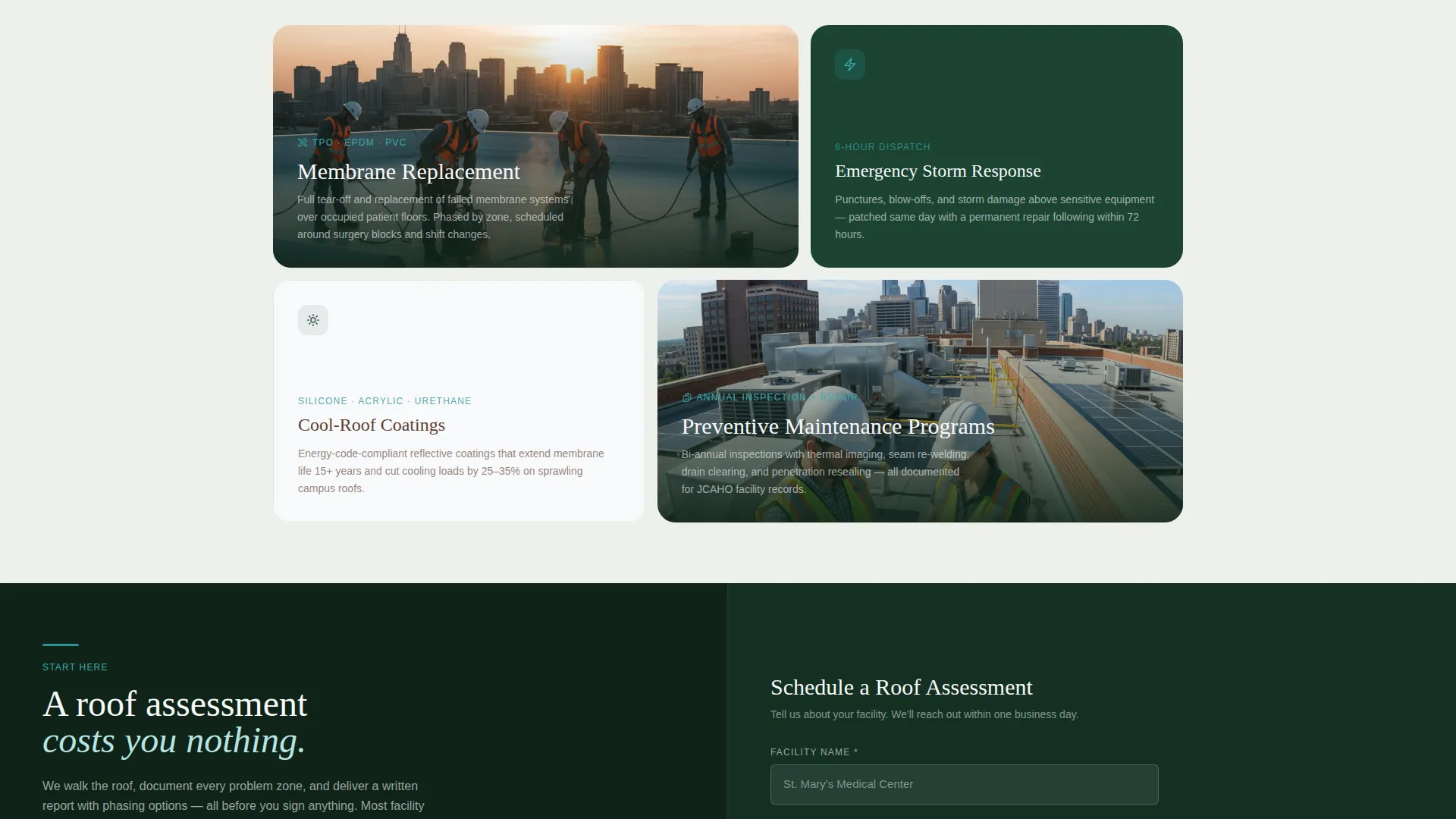
- A structured lead-capture form that collects facility name, square footage range, roof type, most urgent issue, and a phone number
- A secondary email-gated download path for a healthcare roofing checklist, designed to capture researchers who are not yet ready to book
Feature list
This landing page template is built around components that serve a specialized contractor audience. Each feature comes directly from the source brief and reflects real buyer behavior in the healthcare facility market.
Full-Screen Video Header
The header opens with aerial drone footage of a roofing crew working at dawn on a sprawling hospital flat roof. The camera drifts from a wide campus shot to a close angle on gloved hands heat-welding a seam, then pulls back to reveal the full site. A bold headline fades in over the footage.
Split-Screen Project Storytelling
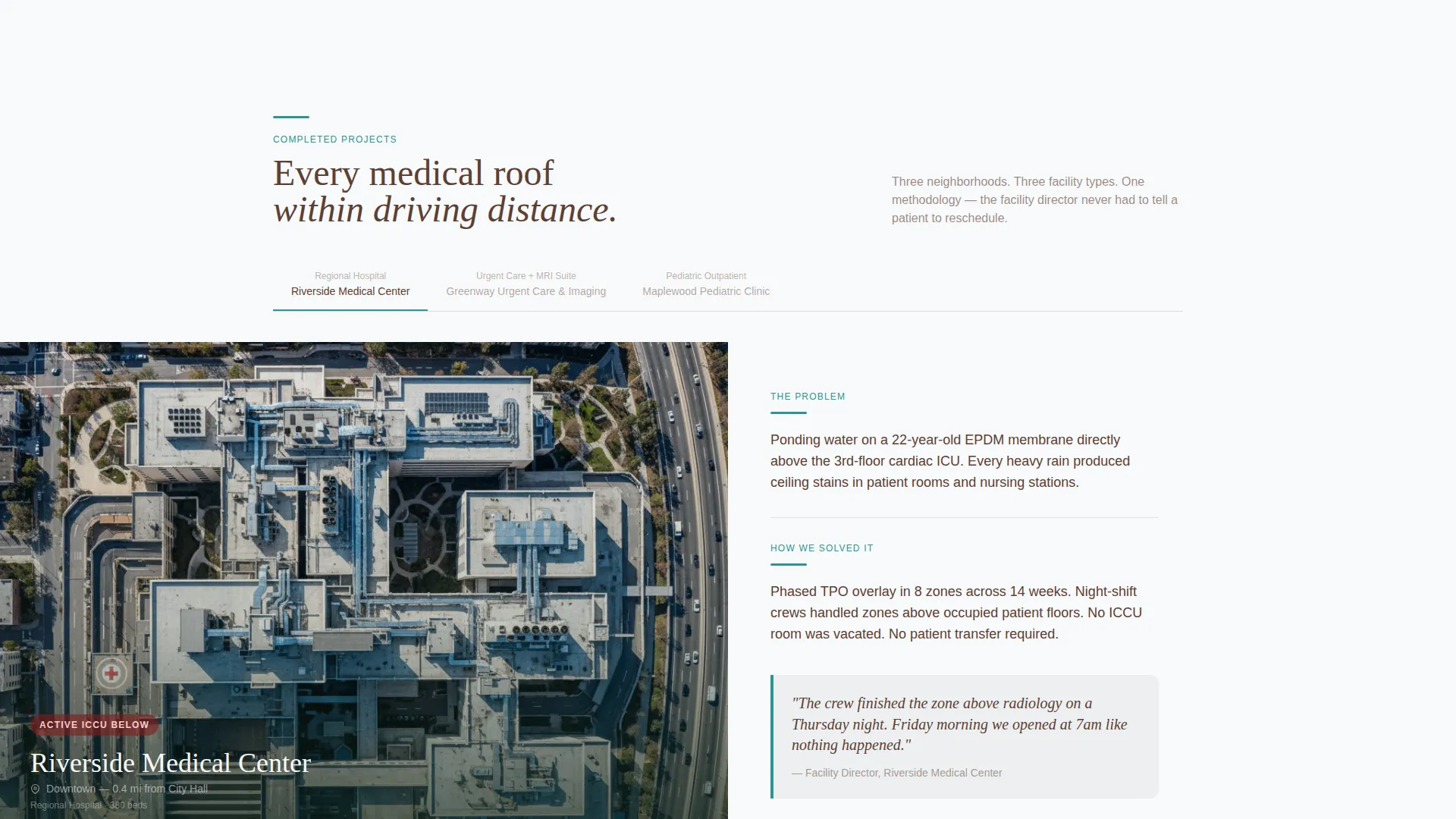
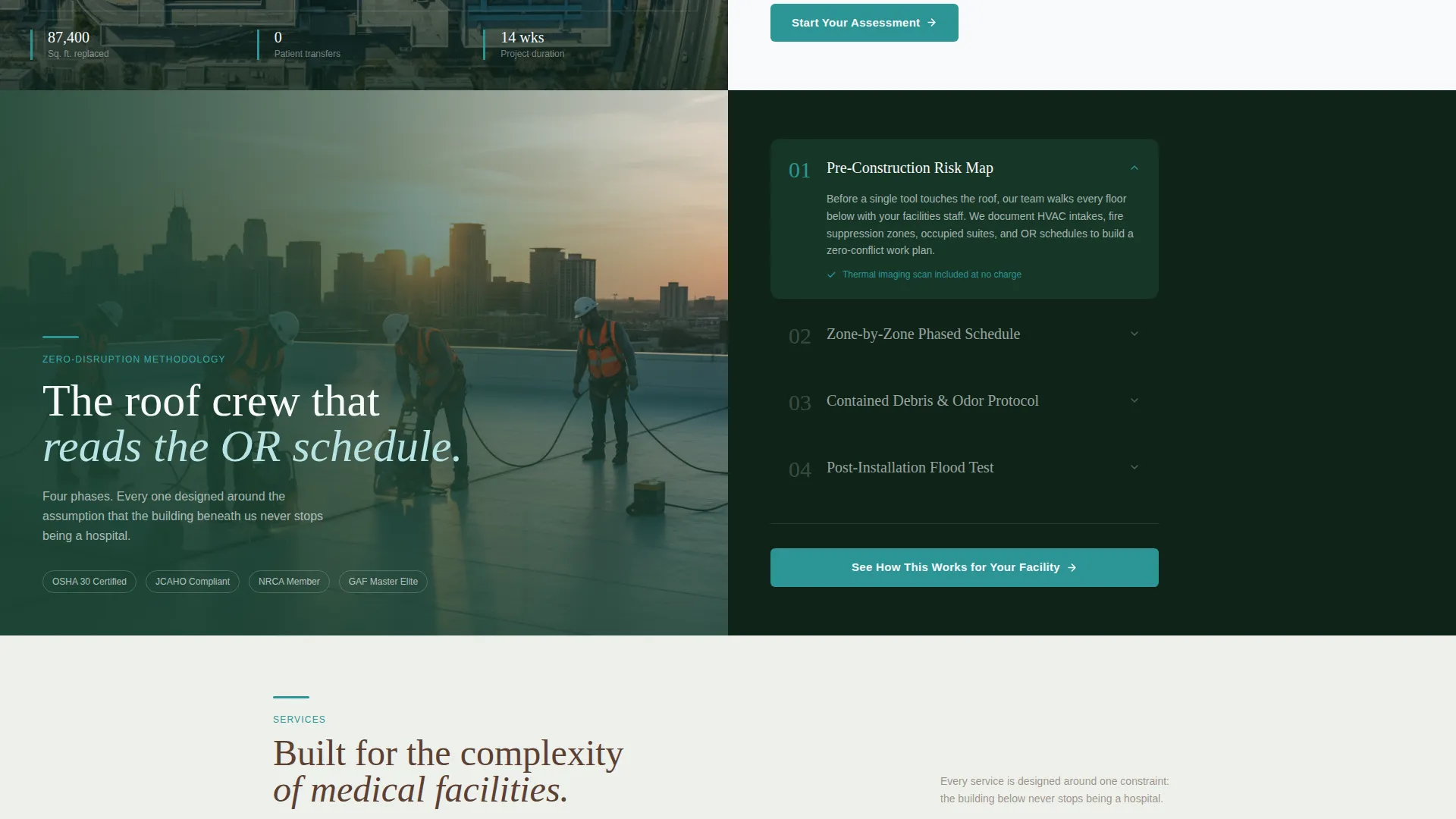
Each scroll section uses a 50/50 layout. The left panel shows a recognizable local medical facility with a name and real-feeling map context. The right panel tells the project story: what was failing, what was phased, and how patient operations continued without interruption.
Pinned and Repeated Call to Action
The primary call to action, "Schedule a Roof Assessment," appears pinned after the header, then again at mid-page, and once more just above the footer. Repetition is intentional and paced so it never feels aggressive.
Structured Lead Capture Form
The form collects five fields in a deliberate order: facility name, square footage estimate (under 10K, 10K to 50K, or 50K and above), current roof type, most urgent issue, and a phone number. The sequence mirrors how a facility manager naturally thinks through a roofing problem.
Email-Gated Research Download
A secondary conversion path offers a downloadable healthcare roofing checklist gated behind only an email address. This path catches facility managers who are still comparing vendors and not yet ready to schedule anything.
Neighborhood Scroll Narrative
The page builds trust geographically. Sections move from the regional hospital downtown, to the urgent care on the commercial strip, to the pediatric clinic in the suburb. Each stop reinforces that this crew already works on every medical roof within driving distance.
Page sections overview
| Section | Purpose |
|---|---|
| Video Header | Establishes crew credibility with drone footage and headline |
| Pinned call to action Bar | Keeps "Schedule a Roof Assessment" visible after header scroll |
| Downtown Hospital Project | Shows completed flat-roof work at a regional medical facility |
| Urgent Care Project | Demonstrates storm damage patching on a commercial-strip clinic |
| Pediatric Clinic Project | Builds neighborhood trust at a suburban healthcare location |
| Mid-Page call to action | Repeats the primary call to action at the natural decision point |
| Lead Capture Form | Collects facility details and routes qualified leads |
| Research Download | Offers the healthcare roofing checklist behind an email gate |
| Pre-Footer call to action | Final prompt to schedule a roof assessment before leaving the page |
| Footer | Brand close with contact details and evergreen background |
Design & branding system
The visual identity follows a Service Utility theme using a Forest Trust color palette. The overall feeling is grounded, protective, and quietly permanent, like a mature tree line behind a medical campus.
- Deep evergreen (#1B4332) dominates section backgrounds and the footer; weathered bark brown (#5C4033) anchors headings and divider lines; sterile white (#F8F9FA) opens content panels and form fields
- Calm teal (#2D9596) highlights every clickable element including buttons, form submission prompts, and interactive accents, drawing the eye the way an illuminated exit sign guides movement in a hospital corridor
Mobile & speed optimization
The layout is structured to remain clear and navigable on smaller screens. Split-screen sections adapt without losing the project narrative that drives trust.
- The 50/50 split-screen panels stack vertically on mobile so each project story reads in a logical top-down order
- Form fields are sized and spaced for touch input, keeping the lead capture path easy to complete on a phone
How this template helps you convert
The page is built around a specific conversion sequence. It shows proof first, explains methodology second, and presents the form as the obvious next step rather than an early demand.
- The video header and neighborhood project sections establish credibility before any form appears, so visitors arrive at the lead capture section already trusting the contractor
- The tiered conversion architecture gives two exit paths: the full form for decision-ready buyers and the email-gated checklist for researchers, so the page captures leads at both stages of the buying process
Other information about this template
This template is part of a broader collection of niche-specific landing pages built for specialty contractors. A few practical notes for teams evaluating it:
- The template style is a 50/50 split screen, which works well for project-portfolio storytelling where visual proof and narrative copy need equal weight on the same viewport
- The Local and Neighborhood creative direction is baked into the scroll sequence; the three project sections are designed to be replaced with real local facility names and project details
- The header concept requires a video asset; the template is structured around a full-screen video background, so contractors should have drone footage ready or plan to source it
- The lead-generation direction shapes every layout decision, from the pinned call-to-action bar to the deliberate field order in the form
- The Forest Trust color system is fully documented in the design with hex values for evergreen, bark brown, sterile white, and teal, making it straightforward to hand off to a designer or developer
Theme
Service Utility
Creative direction
Local & Neighborhood
Color system
Forest Trust
Style
Split Screen (50/50)
Direction
Lead Generation
Page Sections
Full-screen Video Header
Split-screen Project Sections
Pinned and Repeated Call to Action
Structured Lead Capture Form
Email-gated Research Download
Neighborhood Scroll Narrative
Related questions
Who is this landing page template designed for?
Does the template include the drone video footage for the header?
Can I replace the example projects with my own completed work?
What information does the lead capture form collect?
Is the checklist download separate from the main booking form?



