Disc Golf Complete Professional Website Template
Huck is a full-page disc golf tournament landing page built for championship series organizers. It combines an immersive Adventure Terrain visual identity with a Ruby and Chrome color system, a macro close-up header, live countdown clock, course trail map, division registration modal, and a sticky call-to-action bar to drive competitive sign-ups from registration open to deadline.
by Rocket studio
Quick summary
Huck is a single-page disc golf tournament template designed for championship series and sanctioned events. It opens with a full-viewport macro header, then drives visitors through a sequenced scroll experience that reveals the course, divisions, player caps, and a registration modal. Every design choice builds urgency and earns the click before the sign-up deadline hits.
Who this template is for
This template is built for anyone running or promoting a competitive disc golf event at a serious level. It speaks to organizers who want to fill divisions fast and give their event a professional, premium identity.
- Tournament organizers running sanctioned or club-level championship series
- Club coordinators booking group registrations for four or more players at once
- Traveling competitors and weekend warriors scouting events to plan their season around
What problem this template solves
Most tournament pages look like a registration form bolted onto a flyer. They give players no sense of the course, the stakes, or why this event is worth their weekend. Huck fixes that by combining competitive urgency with rich course storytelling.
- No visible player caps or countdown timers means visitors feel no reason to register now
- Generic layouts fail to communicate course character, elevation, or signature holes
- Group registration paths are hidden or missing, costing organizers multi-player bookings
What you get with this template
Huck delivers a full storybook landing page laid out as a series of full-page sections, each functioning like a new hole on a demanding course. The structure builds energy from the header to the final registration barrier.
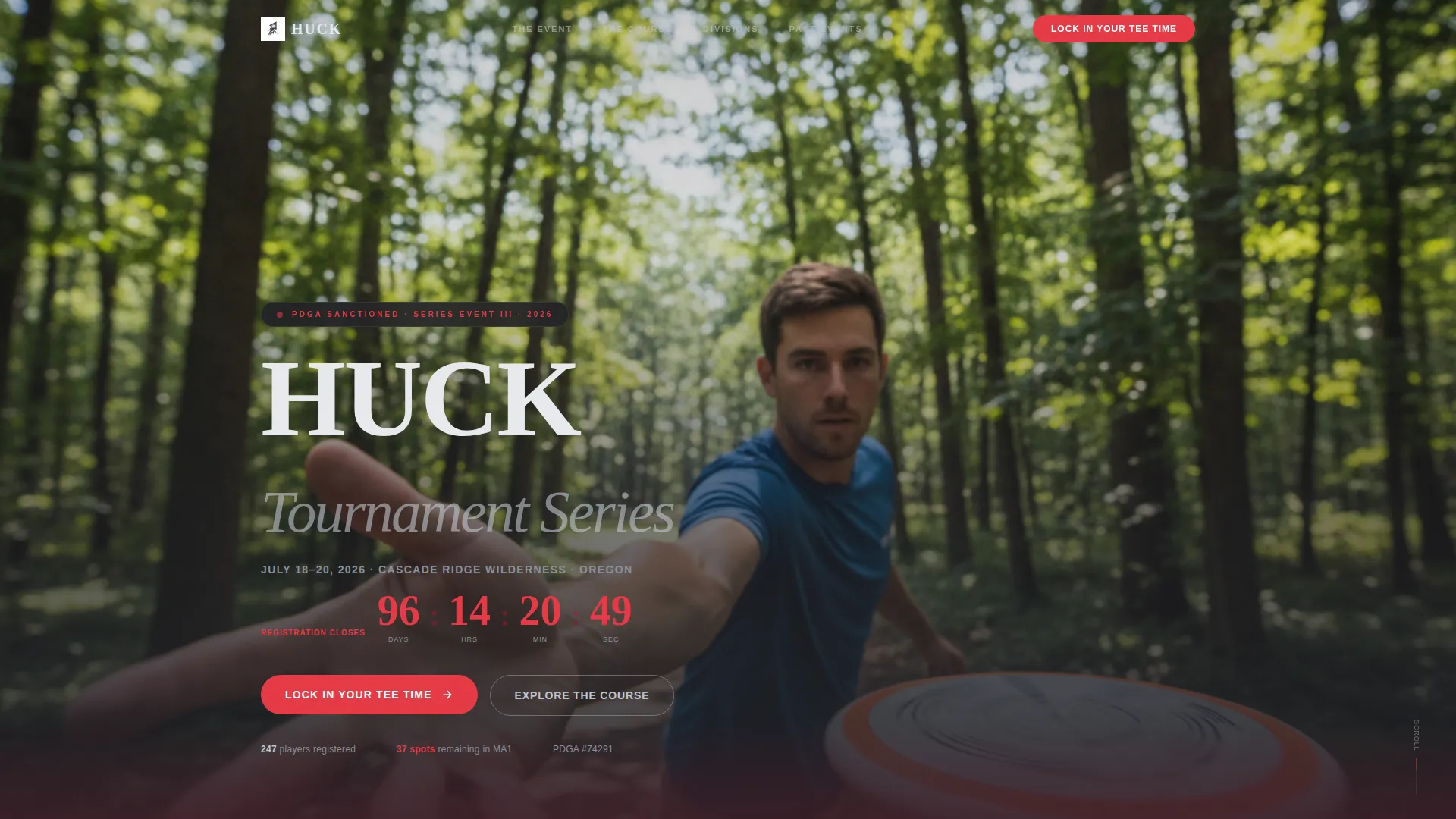
- A macro close-up hero header with tournament name, date stamp, and a live countdown clock
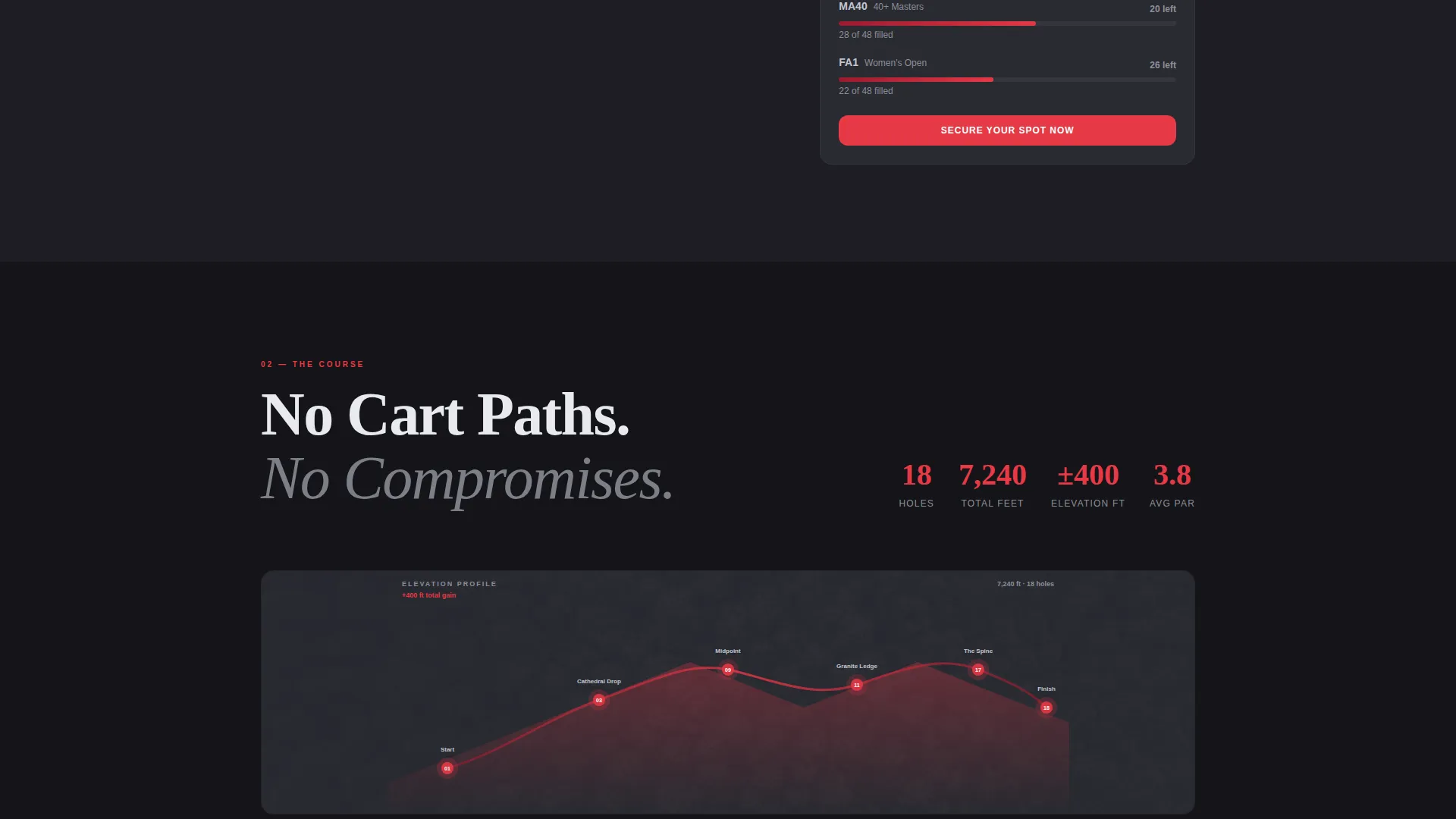
- An illustrated course trail map section with elevation profiles and signature hole callouts
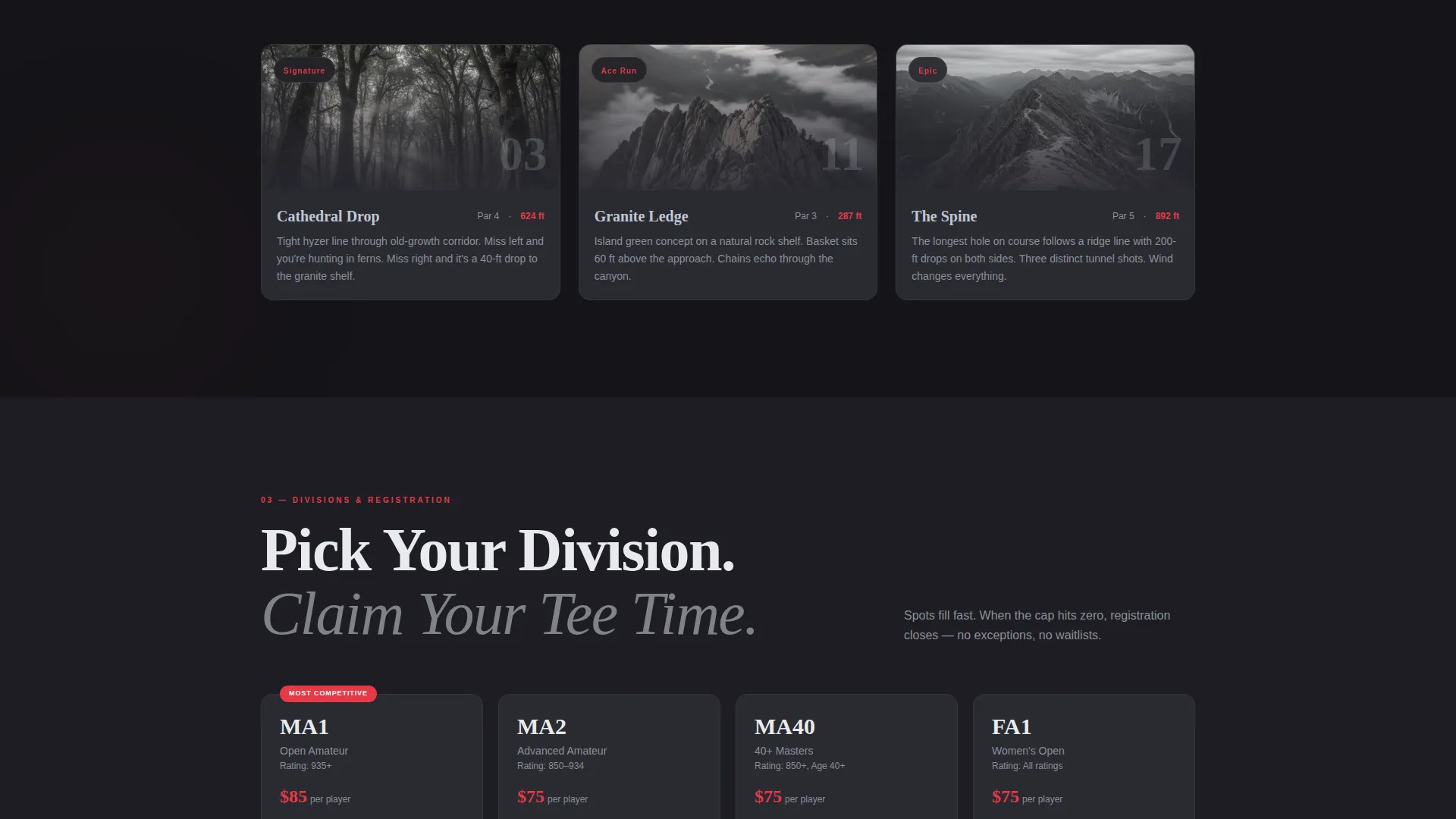
- A division and tier section showing player caps with real-time fill indicators
- A testimonial video section pulling fast-cut clips from past events
- A sticky registration bar and a modal form covering division, round date, PDGA number, and payment
Feature list
Every section in this template was designed with a specific competitive purpose. Here is what is built in and why it matters.
Full-Viewport Macro Hero Header
The header fills the entire screen with a hyper-detailed disc mid-release shot. The wooded fairway dissolves into emerald bokeh behind sharp fingertip texture. Tournament name and date stamp appear in chrome type over the thrower's shadow after a brief beat.
Live Countdown Clock and Scarcity Display
A countdown timer ticks toward the registration close deadline in real time. A visible player cap indicator, for example "37 of 72 spots filled in MA1," communicates shrinking availability without any extra persuasion copy.
Illustrated Course Trail Map
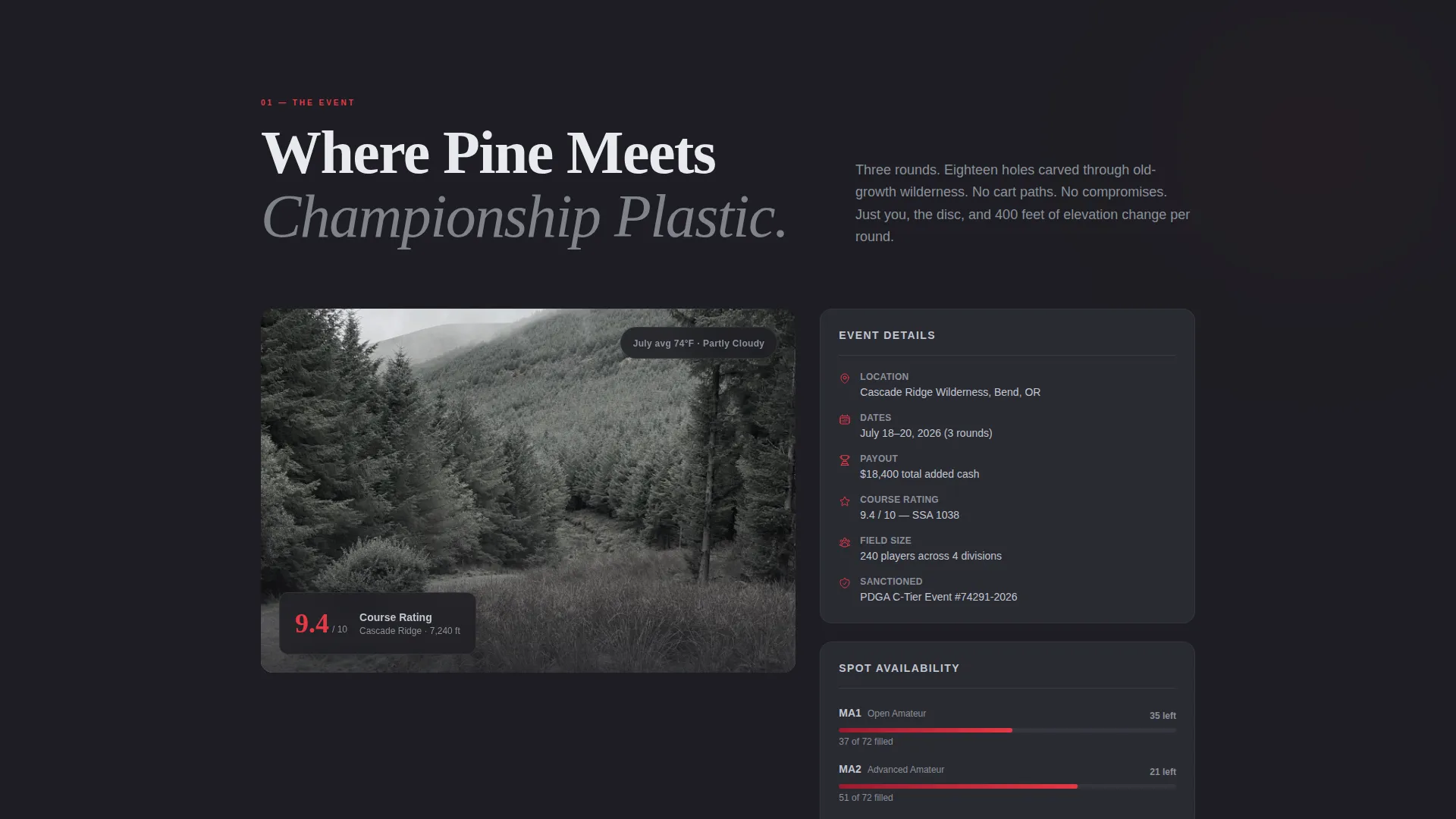
Section two presents the course as a hand-illustrated trail map with elevation profiles and callouts for signature holes. This gives visiting competitors a genuine feel for the terrain before they commit to registration.
Division and Tier Registration Modal
The registration form opens in a modal and walks players through four steps: selecting a division (MA1, MA2, MA40, or FA1), picking a round date from a visual calendar, entering a PDGA number with auto-validation, and completing payment. The flow is clean and structured.
Group Registration Path
A secondary call-to-action mid-page reads "Register Your Group (4+)" and routes club organizers to a discounted multi-slot booking path. This path is clearly separated from individual registration so it does not create friction for solo competitors.
Sticky Bottom Registration Bar
After the second scroll, a sticky bottom bar locks into place with the primary call-to-action "Lock In Your Tee Time." It remains visible through every section so the registration entry point is never more than one tap away.
Page sections overview
| Section | Purpose |
|---|---|
| Macro Hero Header | Announces the event with a full-viewport disc close-up, tournament name, date stamp, and primary call to action |
| Live Countdown Block | Displays a ticking timer to registration close and a real-time player cap fill indicator |
| Course Trail Map | Presents an illustrated map with elevation profiles and signature hole callouts |
| Divisions and Tiers | Lists competing divisions, player caps, and fill status to reinforce scarcity |
| Testimonial Video Reel | Shows fast-cut clips from past events including chain hits, ace runs, and fist pumps |
| Sticky Registration Bar | Anchors the primary call to action at the bottom of the viewport after the second scroll |
| Registration Modal | Guides players through division, date, PDGA number, and payment in a focused overlay |
Design & branding system
The Ruby and Chrome color system gives Huck the feel of a premium disc straight from the box. Metallic foil energy runs through every section, and color is used with restraint so the eye always lands in the right place.
- Chrome silver dominates section backgrounds and navigation; charcoal bark anchors typography and full-bleed photo overlays
- Hot stamp ruby is reserved exclusively for calls to action, countdown timers, and registration deadlines so those elements hit like a disc smashing chains
- The Adventure Terrain theme draws on deep forest atmosphere, granite texture references, and an illustrated trail map aesthetic
Mobile & speed optimization
The template is structured to perform on mobile devices used at the course or during travel, where tournament competitors are most likely to browse and register.
- Full-page sections reflow naturally to portrait viewports without losing the immersive section-by-section scroll experience
- The sticky registration bar remains accessible on small screens so the primary call to action never scrolls out of reach
- The visual calendar picker and modal registration form are sized for thumb-friendly tap targets on mobile devices
How this template helps you convert
Huck earns registrations through competitive urgency rather than generic persuasion. Every structural decision is built to move the right visitor from curiosity to a completed booking.
- The live countdown clock and visible player cap fill status create genuine scarcity that motivates early registration across all divisions
- The illustrated course trail map and fast-cut testimonial video section give first-time visitors enough trust in the event to justify the entry fee
- The sticky bottom bar and group registration path remove friction for both solo competitors and club organizers at the exact moment they are ready to commit
Other information about this template
Huck sits within the Sports and Recreation category with a specific focus on the disc golf niche. It is suitable for both one-off championship weekends and multi-round tournament series that repeat across a season.
- The template style uses a Bento Grid layout approach, making it easy to adapt individual section blocks without rebuilding the full page structure
- The creative direction aligns with a Seasonal and Moment approach, meaning the page is designed to feel tied to a specific event window rather than evergreen
- The header concept is a Full-Screen close-up treatment, which can be adapted to use video backgrounds depending on available media assets
- The Marketplace and Multi landing-page direction means the template can support multiple registration tiers, group paths, and division-specific flows within a single page
Theme
Festival Energy
Creative direction
Seasonal/Moment
Color system
Ruby & Chrome
Style
Bento Grid
Direction
Marketplace/Multi
Page Sections
Full-viewport Macro Hero Header
Live Countdown Clock and Player Cap Display
Illustrated Course Trail Map
Division Registration Modal
Group Registration Path
Sticky Bottom Registration Bar
Related questions
Can I customize the divisions listed in the registration modal?
How does the player cap fill indicator work?
Is the group registration path separate from individual sign-ups?
Can this template support a recurring tournament series?
What type of image works best in the macro hero header?