Marine Insurance Broker Website Template
Hull is a single-column landing page template built for marine insurance brokers operating in the commercial shipping market. It opens with a striking before-and-after loss scenario, moves through premium trend data and anonymized case studies, and drives fleet managers and shipping CFOs toward a coverage audit request. The design is industrial, data-forward, and built for high-stakes B2B conversion.
by Rocket studio
Quick summary
Hull is a single-column flow landing page template designed for marine insurance brokers. It targets fleet managers, shipping company CFOs, and operations directors who need credible, data-driven coverage guidance. The layout reads like a market intelligence briefing and converts through demonstrated fluency, ending with a coverage audit request form and a gated market report download.
Who this template is for
This template is built for commercial marine insurance brokers who serve the mid-to-large shipping sector. It speaks directly to buyers who already understand the risk landscape and need a broker who can prove it.
- Fleet managers juggling Protection and Indemnity (P&I) renewals and hull and machinery premiums
- CFOs at mid-size shipping companies tracking rising premium costs and coverage gaps
- Operations directors who need war risk endorsements confirmed before vessels transit high-risk corridors
What problem this template solves
Most broker websites sell reassurance. This template sells awareness. It forces the reader to confront what their current broker may be missing, using real numbers and structured case evidence rather than marketing claims.
- Shipowners and fleet operators often discover coverage gaps only after a loss event
- Premium benchmarking is frequently neglected, leaving fleets exposed as market conditions shift
- Regulatory changes like upcoming International Maritime Organization (IMO) requirements and sanctions exposure are rarely surfaced proactively
What you get with this template
The template delivers a complete, single-column landing page structured as an industry report. Every section earns trust by presenting specific, verifiable-feeling evidence before asking for a commitment.
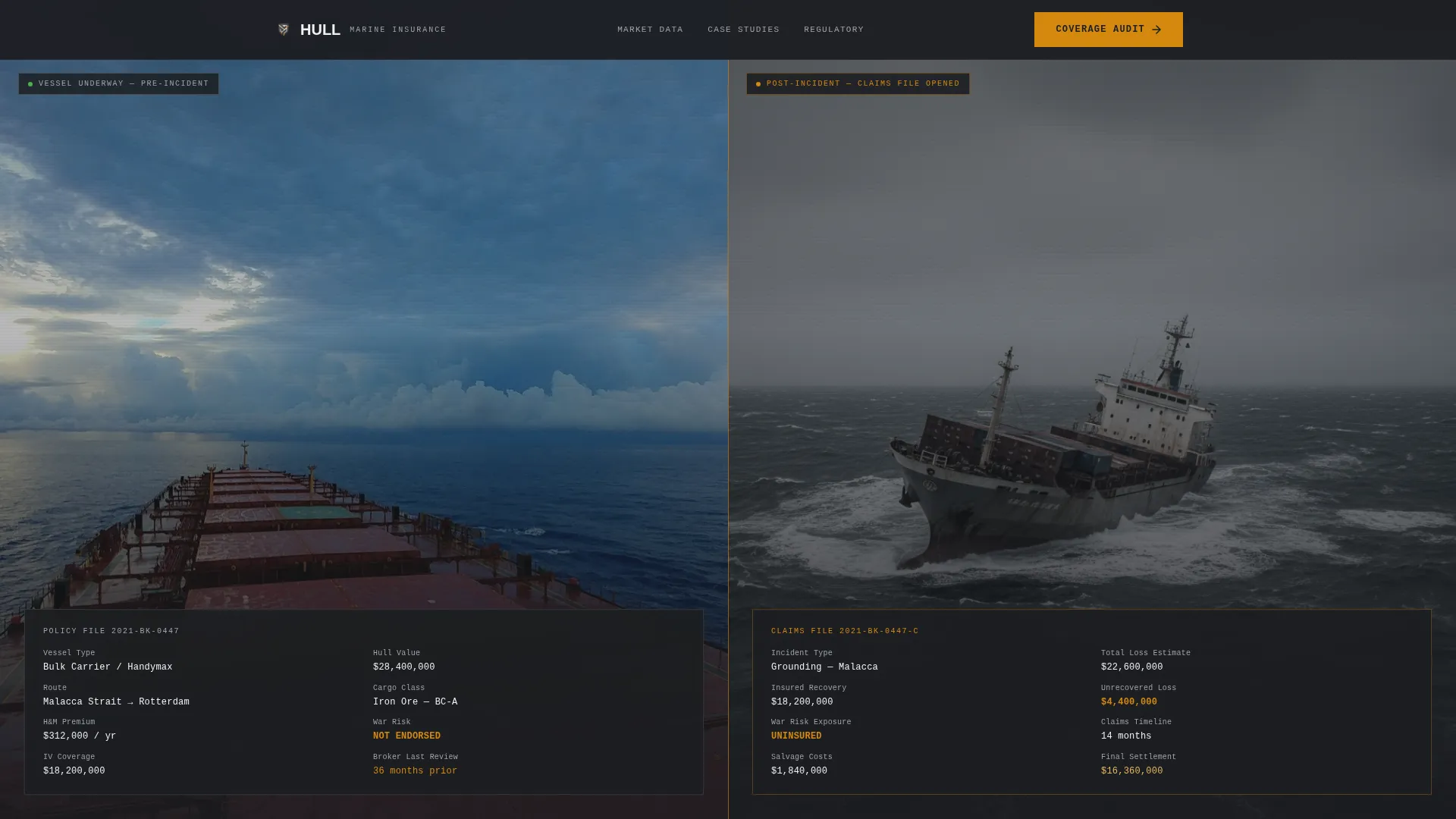
- A split-frame before-and-after header showing a real loss scenario with overlaid policy data, claims outcome, and settlement figures
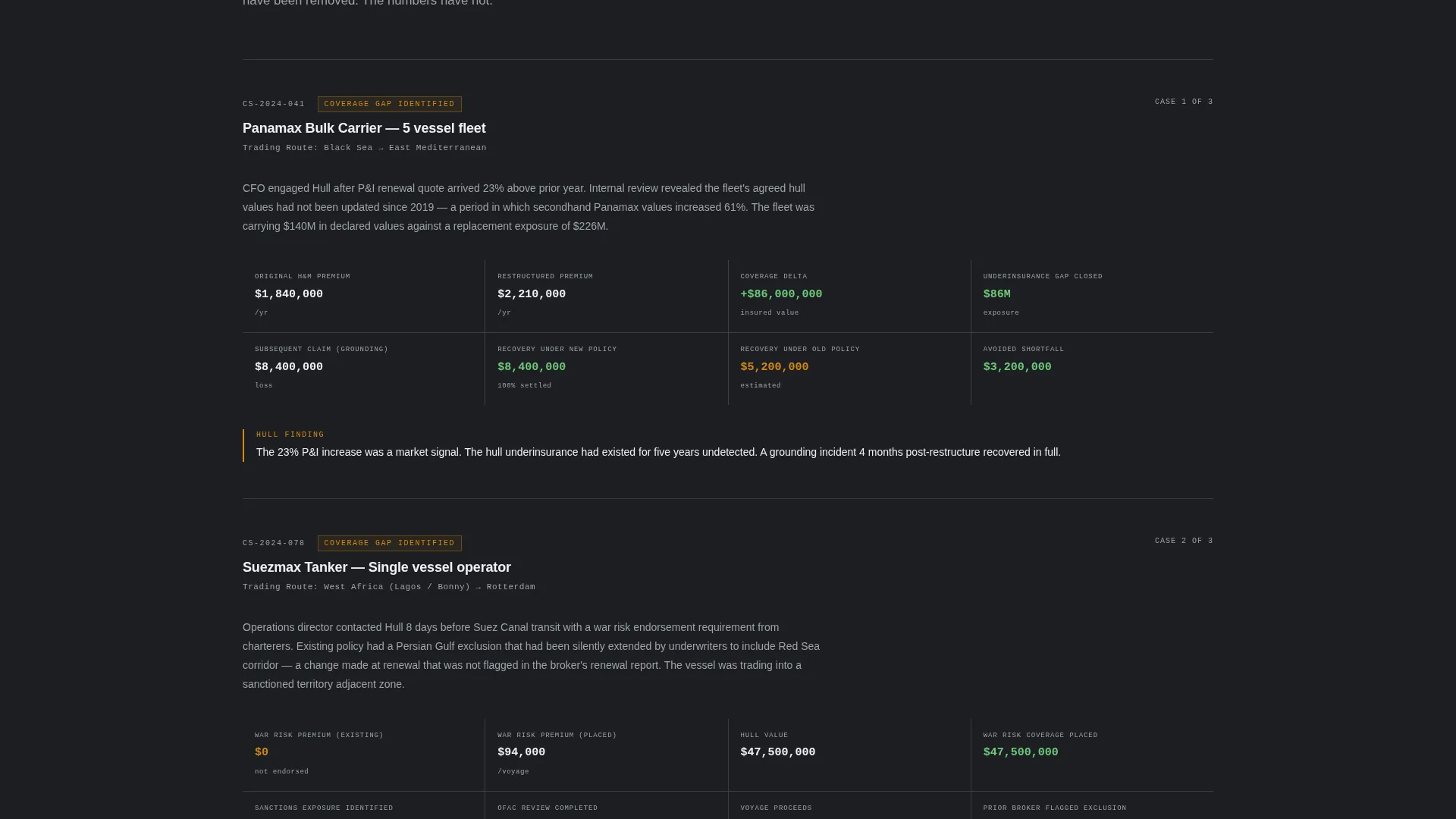
- Three anonymized case study blocks displaying original premium, restructured premium, coverage delta, and claims paid
- A dual conversion path: a primary "Request a Coverage Audit" form and a secondary gated PDF download for earlier-stage visitors
Feature list
This section covers the core built-in components that define the Hull template's function and value.
Before-and-After Loss Scenario Header
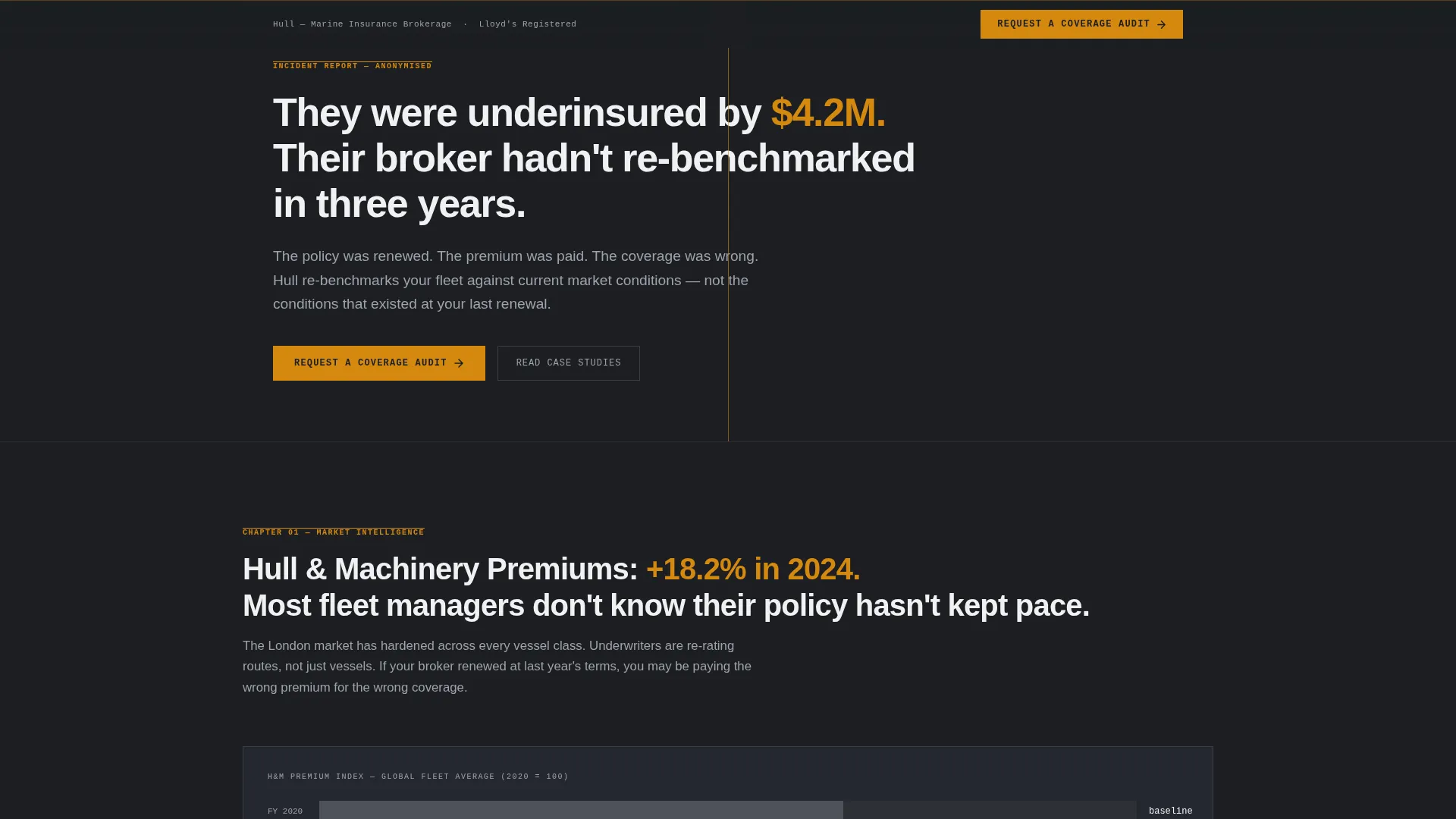
The header opens with a split-frame layout. The left panel shows a vessel underway with policy details overlaid in monospaced type, including hull value, route, cargo class, and existing coverage gaps. The right panel shows the same vessel post-incident with claims outcome, recovery timeline, and final settlement figure. The headline appears below: "They were underinsured by $4.2M. Their broker hadn't re-benchmarked in three years."
Premium Trend Data Section
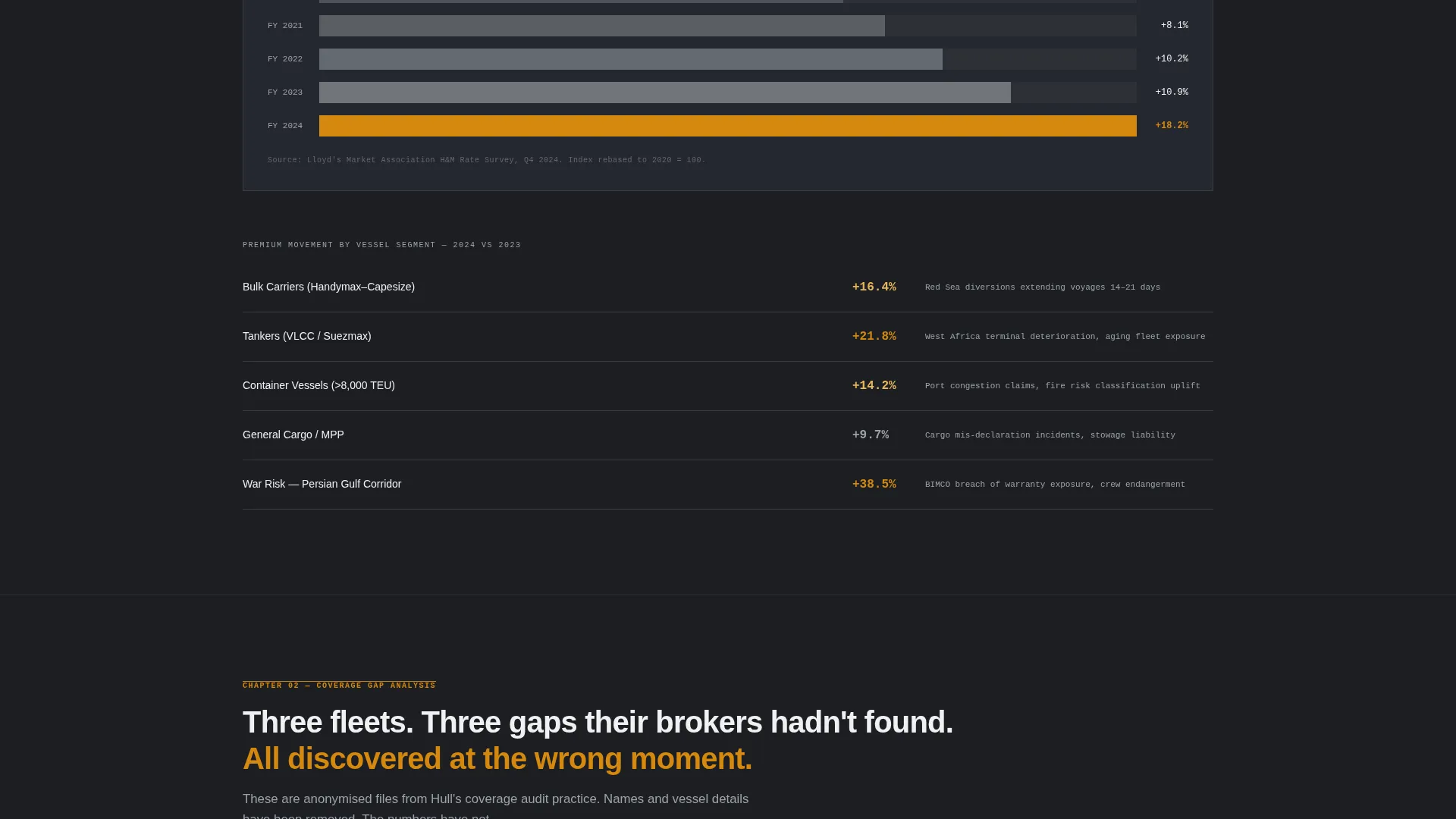
Following the header, a scroll section presents current premium trend data visualized with simple bar charts. Charts use fog-gray and maritime hazard amber to keep the visual language consistent and the data immediately readable.
Anonymized Case Study Blocks
Three structured case study sections follow the trend data. Each block presents hard numbers: original premium, restructured premium, coverage delta, and total claims paid. The format mirrors a claims report, not a testimonial, which builds credibility with technically literate readers.
Regulatory Horizon Section
A dedicated section covers upcoming risks the visitor's current broker may not be flagging. It addresses IMO requirements, sanctions exposure, and decarbonization clauses as concrete, named risks rather than vague future concerns.
Dual Conversion Path
The primary call to action, "Request a Coverage Audit," appears in hazard amber after the second case study and stays pinned to the bottom of the viewport from that point forward. The audit form collects fleet size, primary trading routes, current renewal date, and a work email. A secondary path offers a gated PDF download, "2024 Marine Hull Market Report," requiring only company name and email.
Sticky Coverage Audit call to action
The coverage audit button pins to the bottom of the viewport once it first appears. This means the conversion option stays visible through the regulatory and closing sections without interrupting the reading flow.
Page sections overview
| Section | Purpose |
|---|---|
| Before/After Header | Opens with a loss scenario to establish stakes immediately |
| Premium Trend Charts | Presents market data to validate brokerage fluency |
| Case Study One | Shows first coverage restructuring in hard numbers |
| Case Study Two | Reinforces pattern with second restructured placement |
| Case Study Three | Completes the case evidence sequence |
| Regulatory Horizon | Surfaces IMO, sanctions, and decarbonization risks |
| Coverage Audit Form | Primary B2B conversion with fleet and route fields |
| Market Report Download | Secondary gated lead capture for earlier-stage visitors |
Design & branding system
The visual identity follows an Industrial Raw theme built on a Monochrome Steel color system. The palette references the hull of a vessel in drydock, blasted to bare metal with oxidation beginning at the welds. Nothing is decorative; every color choice carries functional weight.
- Core palette: plate steel dark (#1C1E22), dry dock gray (#3A3D42), fog-on-water mid-tone (#9EA3AB), and signal white (#F0F1F3)
- Single accent color: maritime hazard amber (#D4880F), used exclusively for calls to action and critical data points
- Typography uses monospaced and tabular figures for overlaid policy data, keeping numbers stark and legible against dark backgrounds
Mobile & speed optimization
The single-column flow structure is inherently well-suited for mobile viewports. Content stacks cleanly without grid complexity, and the sticky call to action adapts to smaller screens without obscuring the reading area.
- Single-column layout removes horizontal scroll risk and keeps the hierarchy intact on any screen width
- Pinned call to action button is designed to sit at the bottom of the viewport without overlapping critical data sections
- Bar chart and case study blocks are contained within column-width containers that reflow cleanly on narrow displays
How this template helps you convert
The page converts by making the reader feel informed rather than sold to. Each section incrementally increases the reader's awareness of their own exposure, and the call to action appears at the exact moment that awareness peaks.
- The before-and-after header creates immediate stakes, attaching a real dollar figure to the risk of staying with an under-attentive broker.
- Case study blocks and trend data build credibility section by section, so by the time the audit form appears, the reader has already seen three examples of tangible brokerage value.
- The gated market report gives undecided visitors a low-commitment way to signal interest, keeping them in the funnel without requiring them to open their books right away.
Other information about this template
Hull is a niche-specific template built for one market and one market only. There is no generic professional services skin underneath. The copy direction, visual tone, and conversion architecture are all derived from the realities of commercial marine insurance placement.
- The template suits brokers placing hull and machinery coverage, war risk endorsements, and P&I-adjacent products
- Trading route dropdowns in the audit form reference major maritime corridors, making the form feel operationally relevant rather than generic
- The Industry Report creative direction positions the broker as a market intelligence source, not just a placement intermediary
- The template is built as a standalone landing page and does not require a larger site structure to function
- Color and typography choices are fixed to the Monochrome Steel system; the hazard amber accent is deliberately limited to preserve its signal value
Theme
Industrial Raw
Creative direction
Industry Report
Color system
Monochrome Steel
Style
Single Column Flow
Direction
Partnership/B2B
Page Sections
Before-and-after Loss Scenario Header
Premium Trend Data Visualization
Anonymized Case Study Blocks
Regulatory Horizon Section
Sticky Coverage Audit Call to Action
Gated Market Report Download
Related questions
Who is the Hull template designed for?
What conversion options does the template include?
How does the before-and-after header work?
Can the case study figures be replaced with my own data?
Is this template suitable for brokers handling multiple vessel classes?