Manufacturing Processes Professional Website Template
Hydroform is a modular card-grid landing page built for hydroforming equipment manufacturers. It targets manufacturing engineers, aerospace subcontractors, and job shop owners evaluating capital equipment. A credibility-first header, a live comparison toggle, and a process-reveal card system work together to move technically sophisticated buyers from curiosity to a feasibility study request.
by Rocket studio
Quick summary
Hydroform is a single-page, card-grid landing page template designed for hydroforming equipment manufacturers. It leads with a logo-and-certification bar, walks visitors through the forming cycle via interactive process cards, and closes with a side-by-side comparison module. Every section is built to answer a capital-equipment buyer's next objection before they can raise it.
Who this template is for
This template is built for industrial manufacturers and equipment sellers who need to convince technically literate buyers. The audience comes armed with engineering data and cost models, so the page earns trust through precision and proof rather than broad claims.
- Manufacturing engineers speccing capital equipment for Tier 1 automotive suppliers
- Aerospace subcontractors expanding tube-forming or ducting capacity
- Job shop owners replacing aging stamping lines with single-cycle hydroforming cells
What problem this template solves
Selling capital equipment to engineers is not a content marketing problem. It is a proof problem. Standard landing pages fail because they cannot show process depth, comparative cost math, or certification credibility at a glance. This template is structured to address exactly those gaps.
- Visitors leave before a call to action because the page does not answer the "why not stamping?" objection early
- Certification and program logos are buried, weakening trust at the first scroll
- No structured path exists from technical curiosity to a part-geometry submission or cost-model download
What you get with this template
The template delivers a complete, section-led single page ready to be adapted for a real hydroforming equipment offer. All sections are modular and built around the card-grid layout system.
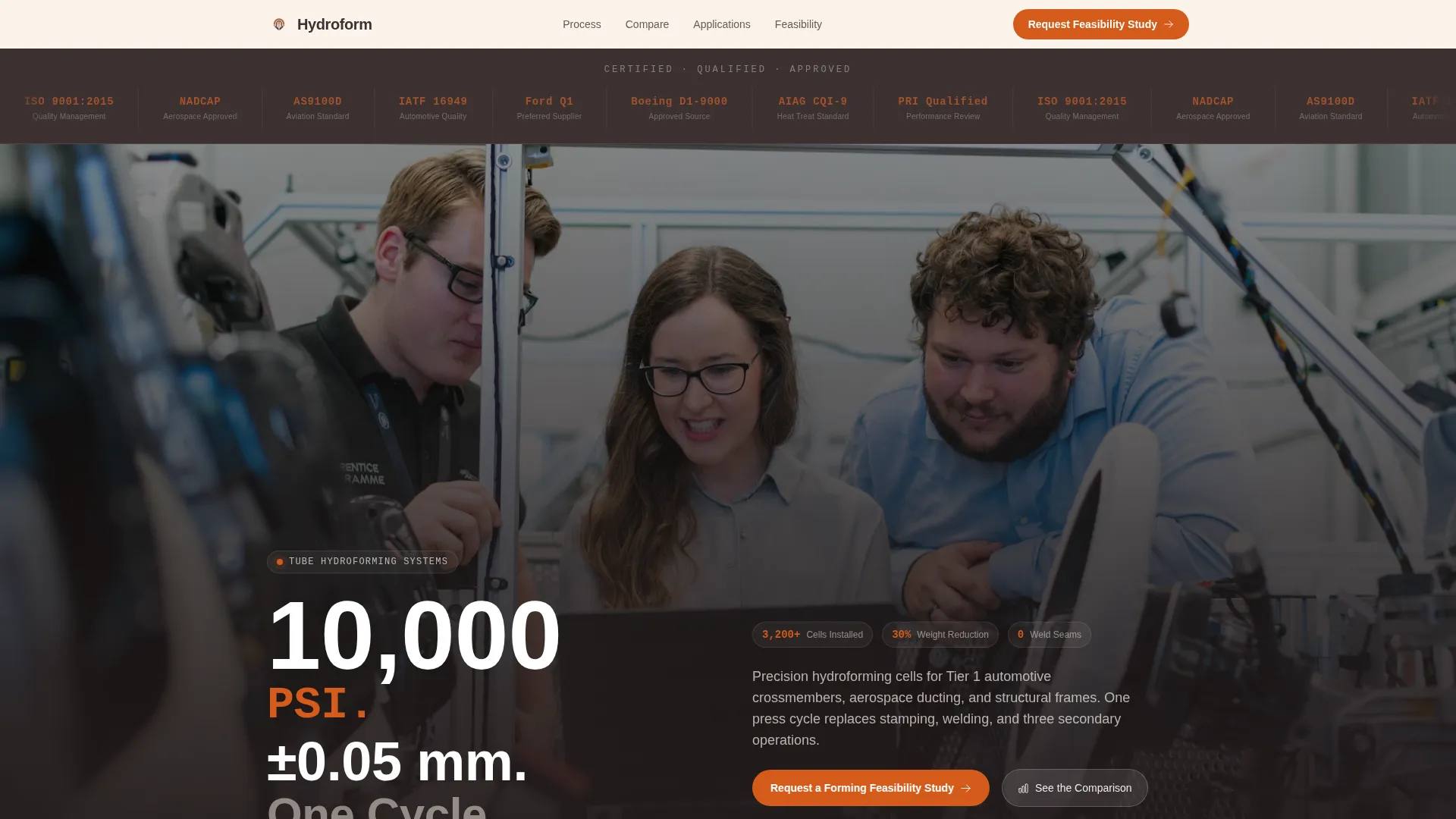
- A forged-iron logo bar at the top displaying client, certification, and OEM partner badges in monochrome clay tones
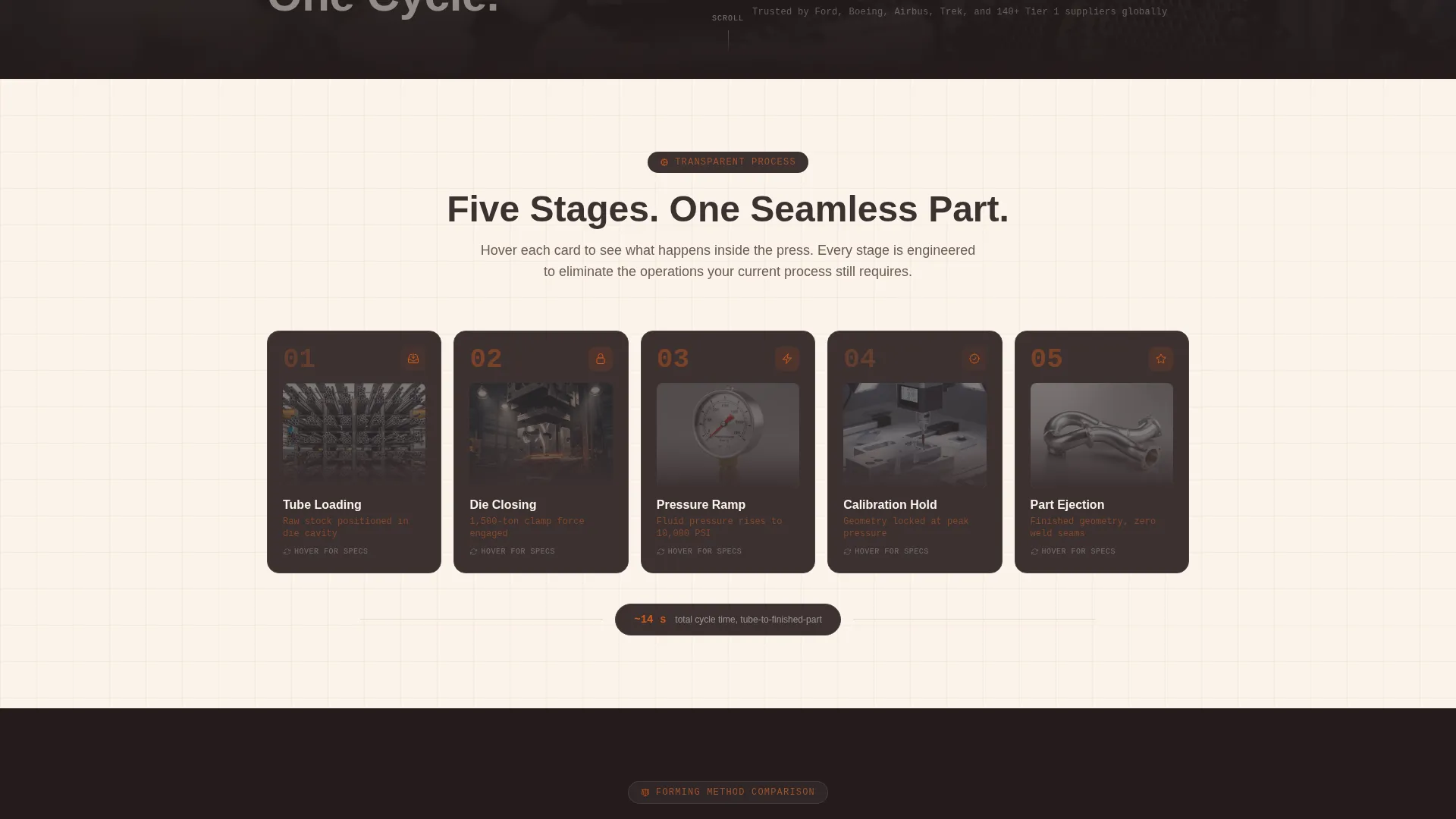
- A set of process-reveal flip cards covering every stage of the hydroforming cycle, from tube loading through part ejection
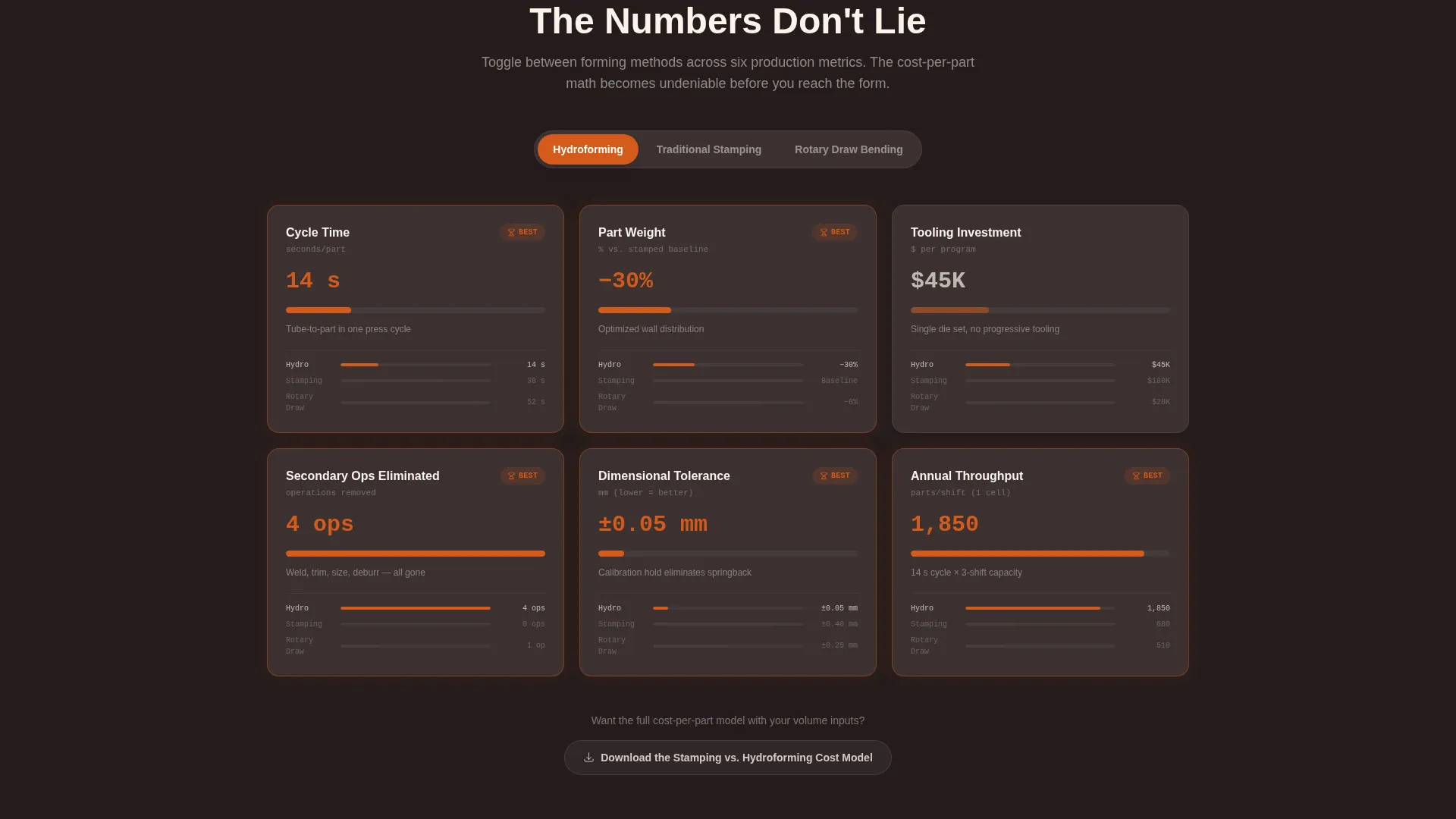
- A persistent sticky comparison module toggling across six performance metrics, plus dual conversion paths with a primary feasibility study form and a gated cost-model download
Feature list
This section covers the core functional and design capabilities built into the Hydroform template.
Logo Bar Credibility Header
The page opens with a horizontal forged-iron strip carrying certification marks such as ISO and NADCAP alongside OEM partner badges. Each logo is rendered in monochrome clay tones so the strip reads as unified and authoritative rather than promotional. Credibility is established before a single line of copy is read.
Process-Reveal Flip Cards
A modular card grid exposes each stage of the hydroforming cycle one card at a time. Cards cover tube loading, die closing, pressure ramp, calibration hold, and part ejection. As the visitor scrolls, the narrative shifts from process explanation to part-quality proof, comparing hydroformed geometry against stamped and welded alternatives.
Sticky Comparison Toggle Module
A persistent module stays visible as the visitor scrolls, letting them switch between hydroforming, traditional stamping, and rotary draw bending. Six metrics are shown side by side: cycle time, part weight, tooling investment, secondary operations eliminated, dimensional tolerance, and annual throughput. The math makes the cost-per-part case before the form appears.
Dual Conversion Path Design
The primary call to action invites visitors to request a Forming Feasibility Study. The form accepts part geometry files in STEP or IGES format along with annual volume estimate and current forming method. A secondary path offers a gated Stamping versus. Hydroforming Cost Model download, requiring only an email address and company name.
Engineering Blueprint Visual System
The layout is built around an engineering blueprint theme. Furnace orange (#D45A1B) appears only on calls to action and data highlights, pulling the eye exactly where action is needed. Forged iron (#3B3131) anchors card backgrounds and typography, while kiln-white (#FAF3EB) provides the base canvas. The visual result reads like a cross-section of a forge.
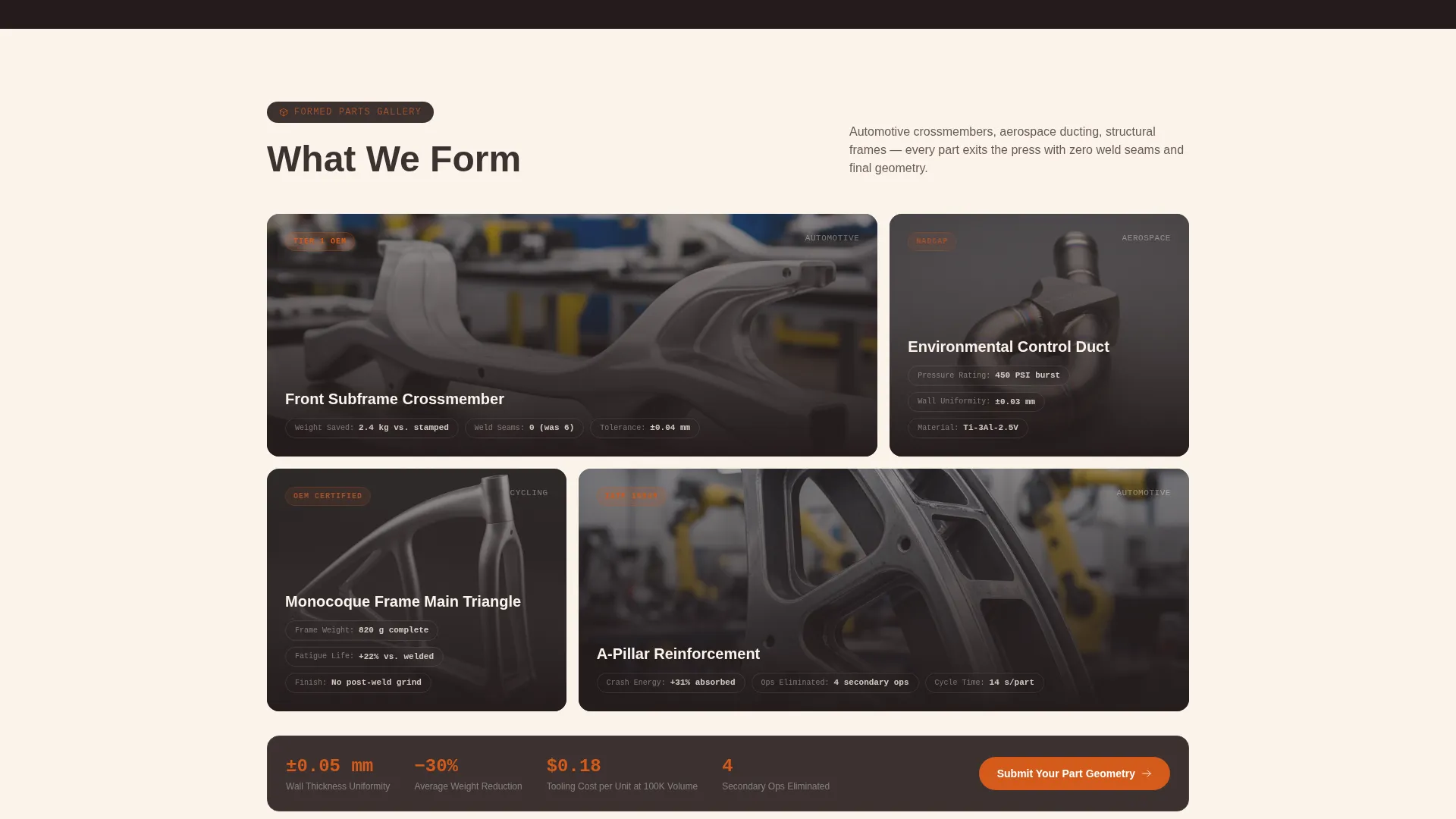
Part-Comparison Data Callouts
Cards in the proof section include specific callouts on wall thickness uniformity, weight reduction percentages, and tooling cost per unit. These data points are positioned as direct answers to objections a process engineer would raise when evaluating a capital equipment switch.
Page sections overview
| Section | Purpose |
|---|---|
| Logo Bar Header | Establish certification and OEM credibility instantly |
| Engineering Headline Strip | Deliver precision specs as the first copy impression |
| Process Flip Cards | Walk visitors through each hydroforming cycle stage |
| Part Proof Cards | Compare hydroformed parts against stamped and welded alternatives |
| Sticky Comparison Module | Toggle six metrics across three forming methods side by side |
| Feasibility Study Form | Capture part geometry, volume, and current method details |
| Cost Model Download | Offer a gated secondary conversion for cost-focused buyers |
Design & branding system
The Fire & Earth color system creates a visual language that feels native to a forge floor. Color is used with strict discipline so that furnace orange retains full attention-directing power throughout the scroll.
- Furnace orange (#D45A1B) is reserved for calls to action and data highlights only; forged iron (#3B3131) covers card backgrounds and primary typography
- Site clay (#A0522D) handles secondary accents and diagram annotations; kiln-white (#FAF3EB) forms the base canvas
- All certification and partner logos in the header strip are monochrome clay, keeping the strip unified without competing with section content below
Mobile & speed optimization
The modular card-grid structure adapts naturally to narrower viewports. Each card is self-contained, so content reflows cleanly without losing the process-sequence logic.
- Flip cards stack vertically on smaller screens, preserving the stage-by-stage narrative without horizontal scrolling
- The sticky comparison module collapses to a scrollable metric list on mobile so the toggle remains usable without a wide viewport
- The dual-path conversion area stacks the feasibility form above the cost-model download for clear sequential action on any screen size
How this template helps you convert
Every section is sequenced to reduce friction for a high-consideration capital equipment buyer. The page earns the click rather than asking for it prematurely.
- The credibility header removes the first objection before any copy is read. Recognized certification and program logos establish authority in under three seconds.
- The sticky comparison module keeps the cost-per-part case continuously visible. By the time visitors reach the form, the math has already done the selling.
- Two conversion options match two buyer readiness levels. A visitor ready to submit geometry uses the feasibility study form; a visitor still building internal justification downloads the cost model instead.
Other information about this template
This template is purpose-built for a niche that rarely finds off-the-shelf page designs that fit. The engineering detail embedded in its structure reflects the real complexity of hydroforming sales conversations.
- The headline strip uses engineering shorthand ("10,000 PSI. ±0.05 mm. One Cycle.") as the first copy impression, speaking directly in the language of process engineers
- The card system supports both automotive crossmember and aerospace ducting use cases without requiring a redesign; the modular layout simply reorders cards
- The template style is card grid, the theme is Engineering Blueprint, the creative direction is Transparent Process, and the header concept is Logo Bar, all matched to the hydroforming equipment manufacturer intersection context
- This template fits naturally into a broader capital equipment marketing strategy where a detailed landing page sits between a trade-show lead and a factory tour booking
Theme
Engineering Blueprint
Creative direction
Transparent Process
Color system
Fire & Earth
Style
Card Grid (Modular)
Direction
Comparison/Versus
Page Sections
Logo Bar Credibility Header
Process-reveal Flip Cards
Sticky Comparison Toggle
Dual Conversion Path Layout
Engineering Blueprint Color System
Part-comparison Data Callouts
Related questions
Who is this landing page template designed for?
What conversion actions does this template support?
Can this template support both automotive and aerospace product lines?
What makes the comparison module useful for capital equipment buyers?
Does the page include space for certifications and partner badges?



