Commercial Ice Maker Repair Landing Page Template
Icebound is a single-page landing page template built for a commercial ice maker repair service. It uses a zigzag case-study layout to build trust fast, a structured booking form to capture service requests, and a bold navy-and-amber visual identity that signals reliability. The design speaks directly to kitchen managers, hotel engineers, and facilities directors who need a fix today.
by Rocket studio
Quick summary
Icebound is a booking-focused landing page template for a two-person commercial ice maker repair crew. It pairs real repair case studies in an alternating layout with a direct scheduling form and urgent call-to-action buttons. The visual identity is sharp, industrial, and built for the professionals who cannot afford downtime in a commercial kitchen.
Who this template is for
This template is designed for small commercial appliance repair businesses that specialize in ice maker repair. It speaks directly to service providers whose clients include food service and hospitality operations where equipment failure carries real financial consequences.
- Kitchen managers at restaurants who need same-day repair during a service rush
- Hotel engineers handling guest complaints about ice supply
- Hospital facilities directors managing equipment uptime around the clock
What problem this template solves
Commercial ice maker failures do not happen on a schedule. The people who need this service need confidence fast. A generic website or a plain contact form does not reassure a manager staring at a dead unit during peak service hours.
- No clear proof of competence at the scale or equipment type the client uses
- No fast path to booking a repair or reaching someone by phone right now
- No sense of urgency or operational credibility in the page design
What you get with this template
You get a fully structured single-page layout purpose-built for repair service booking. Every section is designed to answer a specific buyer objection and move the visitor toward scheduling a visit.
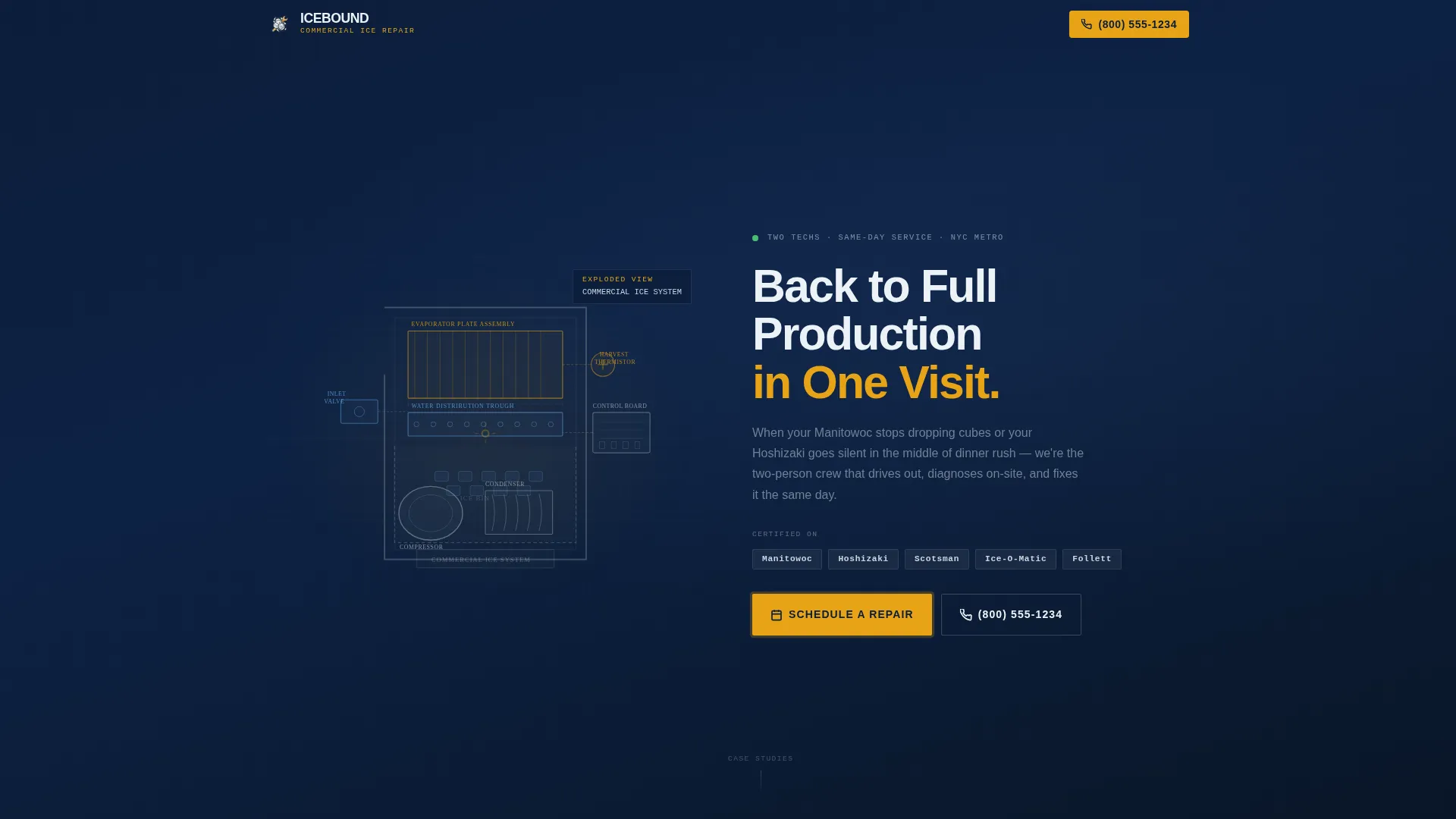
- A line art hero header with an animated assembly sequence and a bold headline
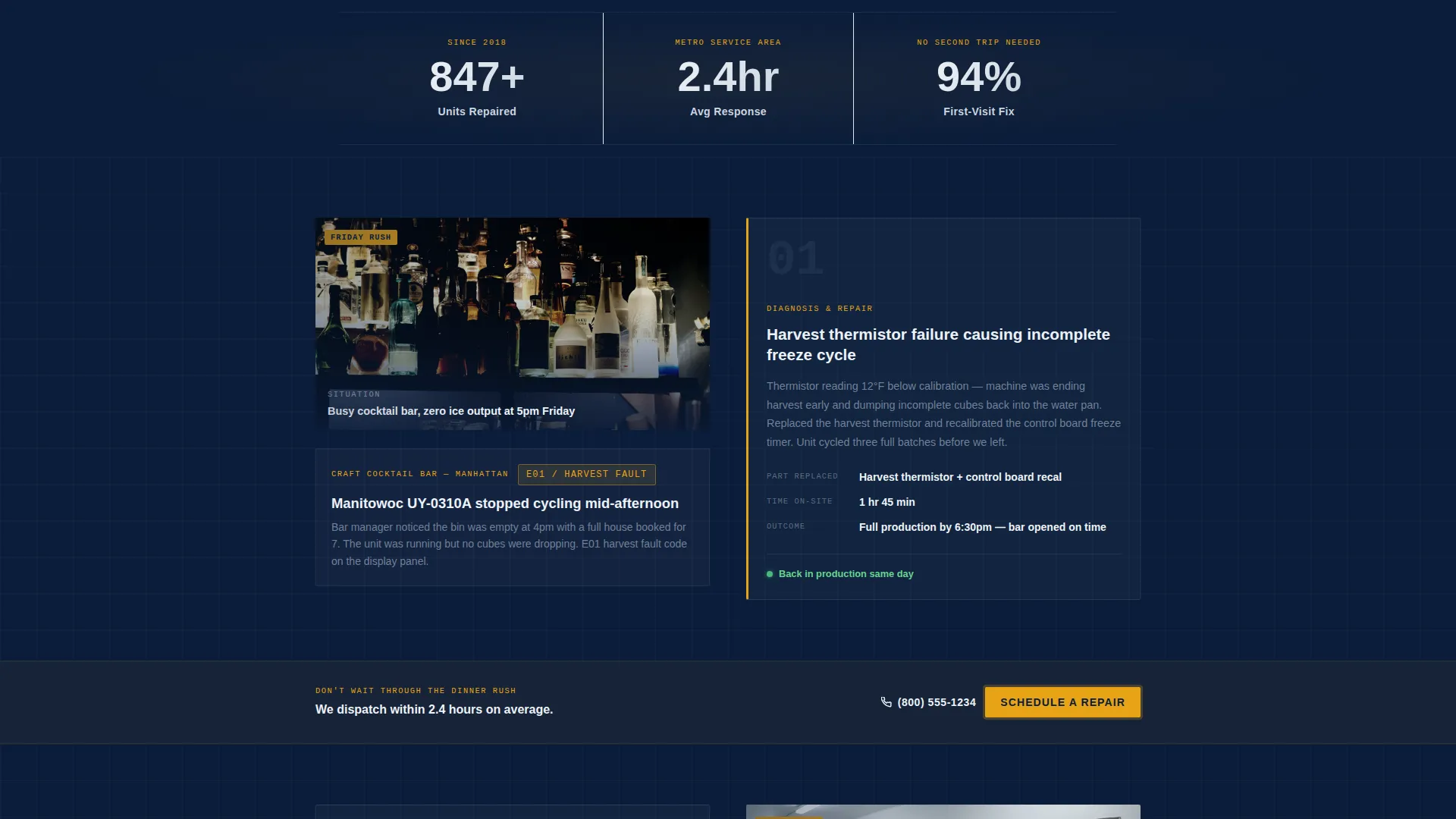
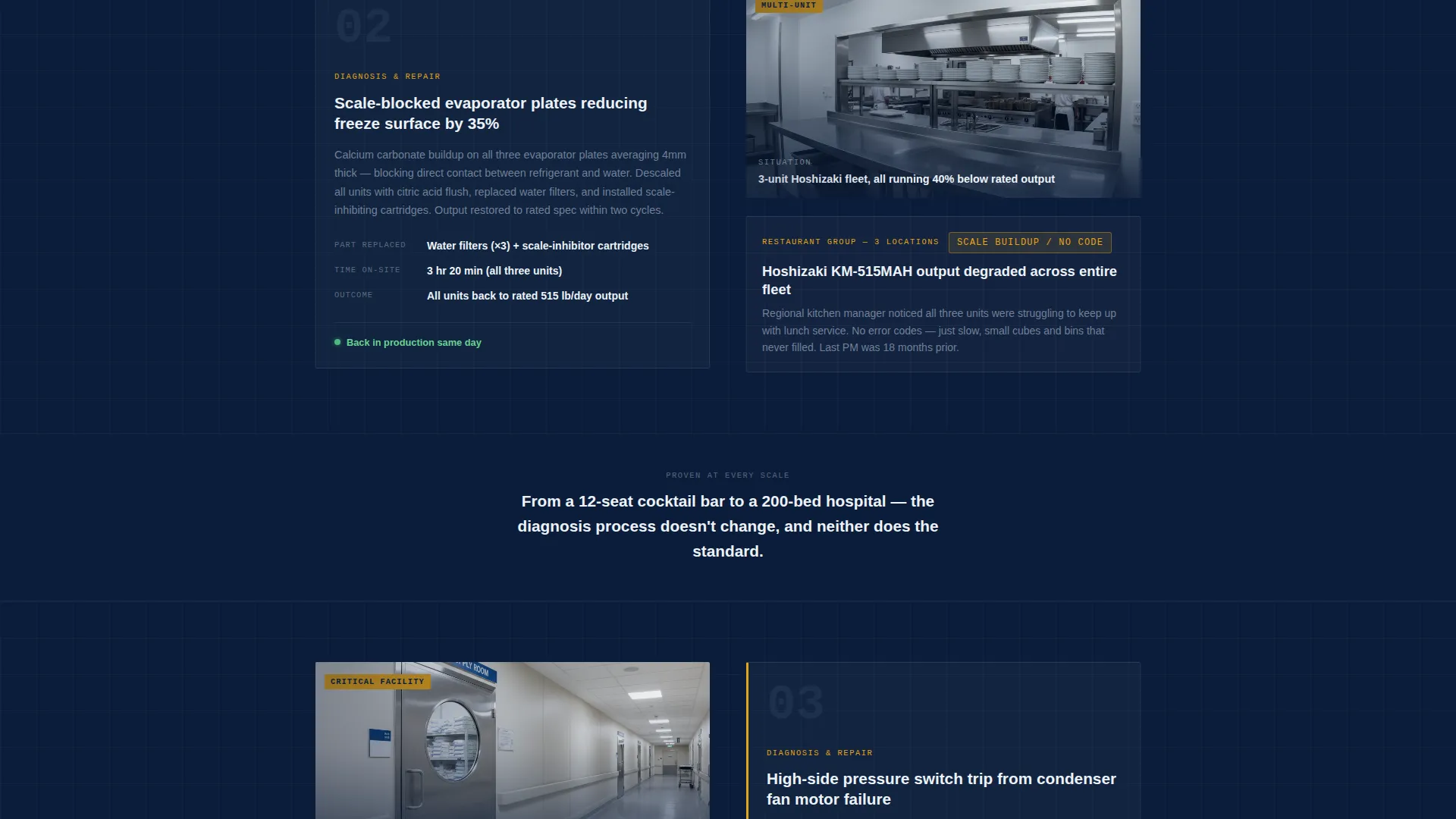
- Three escalating case study sections in a zigzag alternating layout with stat counters between them
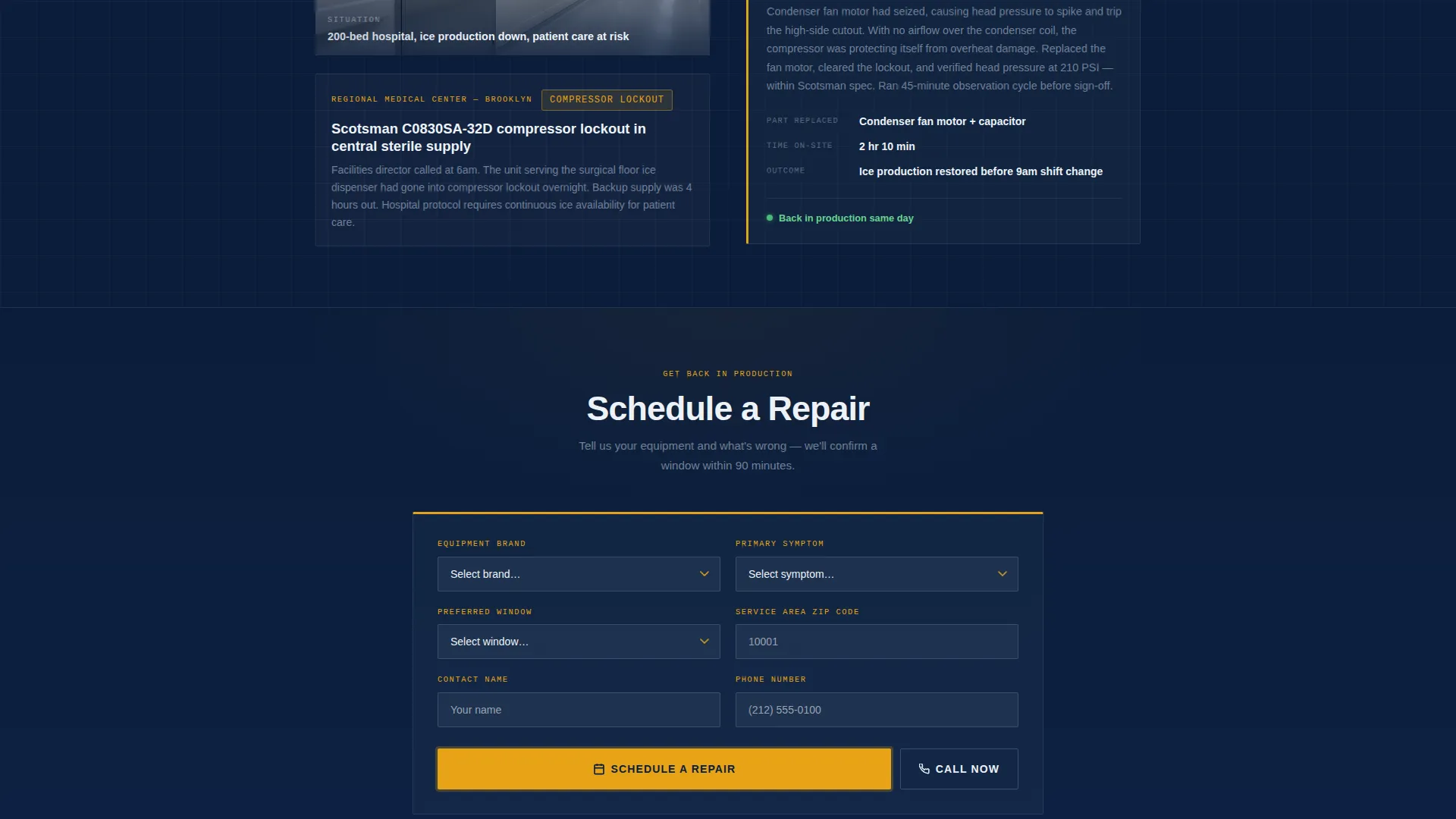
- A repair scheduling form with equipment brand, symptom, preferred time window, and zip code fields
Feature list
This template includes purpose-built sections and components drawn directly from the Icebound brief. Each one serves a specific role in converting a stressed kitchen manager into a confirmed repair appointment.
Animated Line Art Hero
The header features a technical-drawing-style illustration of a commercial ice maker rendered in exploded view. Components slide into place on page load before the headline locks in. It sets the tone immediately: precise, professional, and ready to work.
Zigzag Case Study Layout
Three alternating left-right sections each tell a real repair story. The left side shows the problem context, including the equipment, the error condition, and the client situation. The right side delivers the diagnosis and fix in two tight sentences, including the part replaced, time on-site, and the outcome.
Floating Stat Counters
Single-stat counters appear between case study sections. They surface key proof points such as units repaired, average response time, and first-visit fix rate. Each counter reinforces credibility without interrupting the narrative flow.
Repair Scheduling Form
The primary booking form collects the information a technician actually needs. Visitors select equipment brand from a dropdown, describe their symptom, choose a preferred service window, and enter their zip code. The zip code field auto-checks the service area before the form submits.
Sticky Amber Call-to-Action Bar
After the first case study, a "Schedule a Repair" button in diagnostic amber pins to the bottom of the viewport. It stays visible as the visitor scrolls, keeping the booking path one tap away at all times.
Dual Contact Path
A "Call Now" tap-to-dial button sits alongside the primary scheduling button. This gives kitchen managers who need someone this hour a direct phone path, without forcing them through the form.
Page sections overview
| Section | Purpose |
|---|---|
| Hero Header | Introduce the service with animated line art and a bold headline |
| Case Study One | Bar or restaurant repair story with problem and fix |
| Stat Counter One | Surface a key proof point between case studies |
| Case Study Two | Restaurant group repair story escalating in stakes |
| Stat Counter Two | Reinforce credibility with a second stat |
| Case Study Three | Hospital repair story proving competence at highest stakes |
| Booking Form | Capture service requests with equipment and symptom details |
| Sticky call to action Bar | Keep the scheduling button visible throughout the scroll |
Design & branding system
The visual identity follows a Service Utility theme built around a Navy Authority color system. Every color choice has a functional purpose, the same way every component on an ice machine has a job to do.
- Deep uniform navy (#0B1D3A) sets the background authority; compressor-steel gray (#4A5568) handles supporting text and secondary elements
- Clinical frost white (#EDF2F7) carries body copy and illustration line work for maximum legibility under any lighting
- Diagnostic amber (#E8A317) is reserved exclusively for calls to action and urgent callouts, making every booking button immediately visible
Mobile & speed optimization
The layout is structured for usability on a phone screen, which matters when a kitchen manager is looking up a repair service mid-shift with one hand.
- The sticky call to action bar and tap-to-dial button are sized and positioned for easy thumb access on mobile screens
- The zigzag layout stacks cleanly into a single-column flow on smaller viewports without losing the case study narrative structure
How this template helps you convert
Every design decision in this template reduces friction between a stressful equipment failure and a confirmed repair booking. The structure walks a visitor from awareness to action in a single scroll.
- The animated hero and bold headline establish credibility within the first few seconds, before the visitor has read a single word of body copy
- The escalating case study sequence builds trust progressively, matching the visitor's growing confidence with a repair call that keeps getting more urgent until the form appears
Other information about this template
This template is a strong fit for ice maker repair businesses that service commercial-grade equipment across multiple venue types. The layout is built to be adapted with real client photos, actual repair data, and a live service area zip code check.
- The equipment brand dropdown in the booking form is pre-configured for common commercial ice maker manufacturers, making it easy to signal expertise to buyers who know their equipment
- The case study format works especially well for technicians who can document their repair work with photos and short outcome notes
- The template style is Zigzag/Alternating, which is well-suited to narrative-driven service pages where proof and credibility need to build across multiple sections
- This template was designed under the Icebound project brief, targeting ice maker repair services that operate in the food service, hospitality, and healthcare facility sectors
Theme
Service Utility
Creative direction
Case Study Narrative
Color system
Navy Authority
Style
Zigzag/Alternating
Direction
Booking/Scheduling
Page Sections
Animated Line Art Hero Header
Zigzag Case Study Sections
Floating Stat Counters
Structured Repair Booking Form
Sticky Amber Call to Action Button
Dual Contact Path Design
Related questions
Can I swap in my own repair photos and case study details?
Does the booking form support a real service area check?
What equipment brands does the booking form dropdown include?
Is the Call Now button separate from the scheduling form?
Who is this landing page template best suited for?



