Aquatic Therapy Center Landing Page Template
Immerse is a split-screen landing page template built for aquatic therapy centers. It uses a Medical Clarity visual theme and a Transparent Process layout to guide referred patients, aging adults, and caregivers from first impression to assessment booking. Every section answers a clinical question before the visitor asks it, building trust through process clarity rather than emotional persuasion.
by Rocket studio
Quick summary
Immerse is a lead generation landing page for aquatic therapy and rehabilitation centers. The 50/50 split-screen layout pairs clinical photography with structured content at every scroll point. It guides post-surgical patients, aging adults, and caregivers through a full process reveal before presenting a three-field assessment form, earning the click through transparency rather than pressure.
Who this template is for
This template is designed for licensed aquatic therapy centers that serve medically referred patients. It works equally well for practice managers building their first digital presence and clinicians who want a page that reflects the seriousness of their work.
- Rehabilitation centers treating post-surgical orthopedic patients referred by surgeons
- Clinics serving aging adults with chronic joint conditions and families of children with neurological diagnoses
- Referring physicians and care coordinators who need a credible resource to share with patients
What problem this template solves
Many therapy centers rely on generic health website templates that feel like brochures. Patients and caregivers who arrive with real medical questions leave without answers. This template solves that by showing the full clinical process before asking for any commitment.
- Visitors often can't picture what a first appointment actually looks like, which creates hesitation
- Referring physicians need something credible enough to hand a patient, not a spa-style landing page
- Generic forms with no clinical context produce low-quality leads and erode trust before the first call
What you get with this template
You get a structured, single-page layout that walks every visitor through assessment, treatment design, and outcomes in a logical clinical sequence. Each section is built as a 50/50 split so photography and structured content share equal visual weight throughout.
- A five-section layout covering the hero, assessment process, treatment design, measurable outcomes, and a lead capture form
- A persistent call to action button that stays accessible as visitors scroll through clinical content
- A secondary download path offering a referral guide for physicians and caregivers who are not the patient
Feature list
A brief introduction to the core capabilities included in this template. Each feature is drawn directly from the layout and interaction brief for Immerse.
Portrait-Centered Hero with Water Ripple Animation
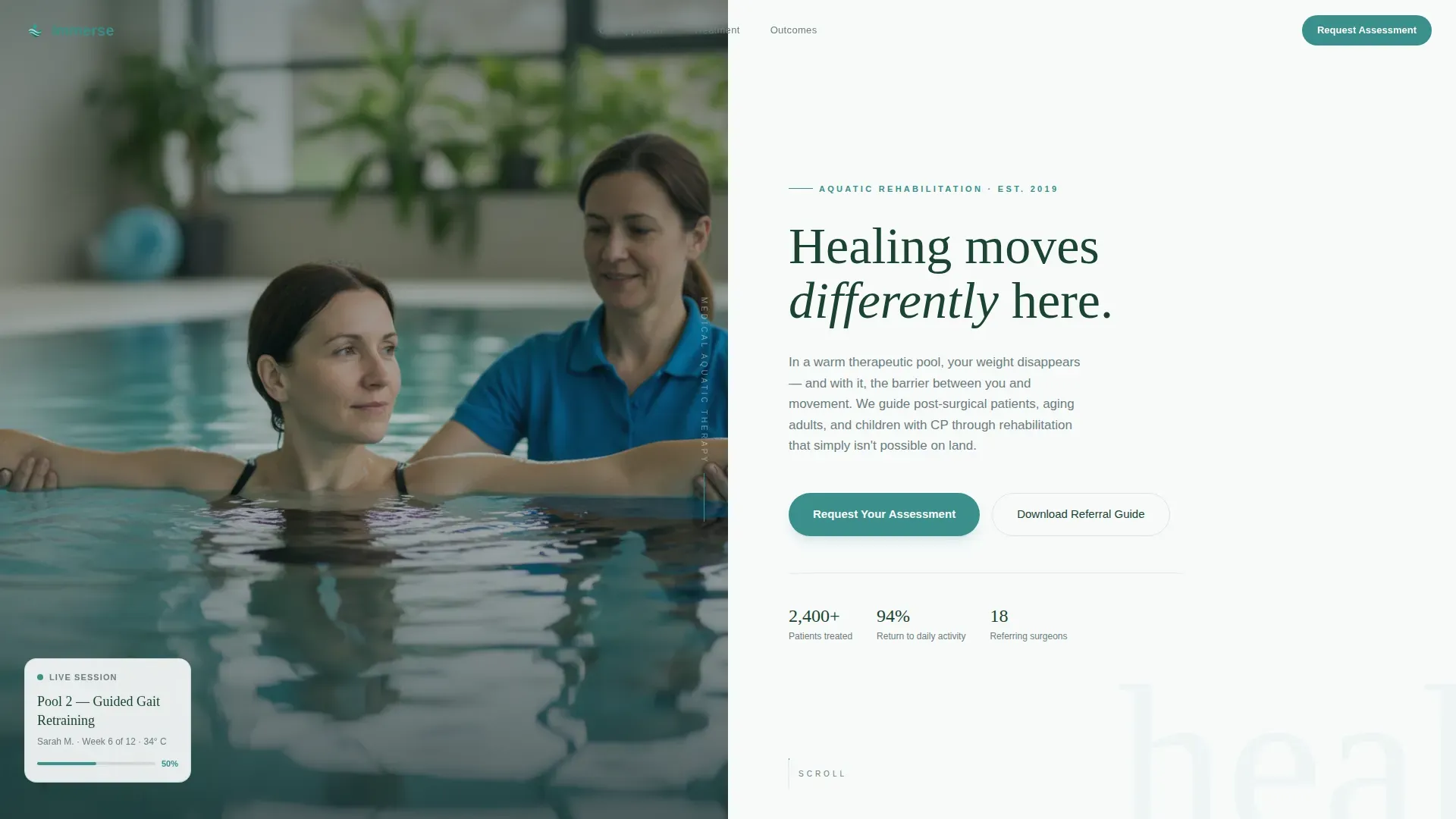
The hero section places a clinical patient portrait on the left at full height. The right panel holds the headline and the primary call to action button. A water ripple CSS animation runs as an overlay on the hero, giving the scene movement without distracting from the medical tone.
Transparent Process Split Sections
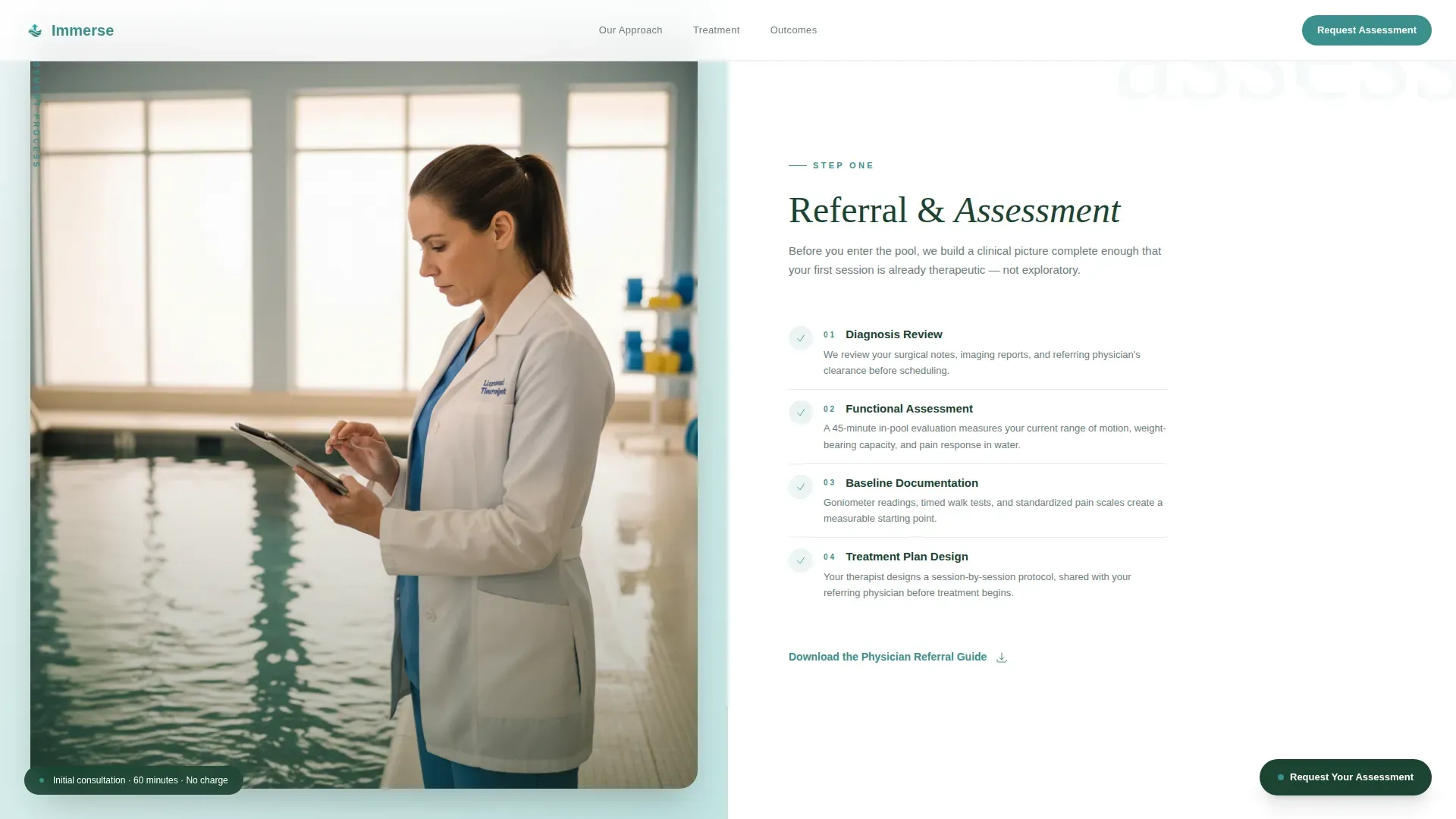
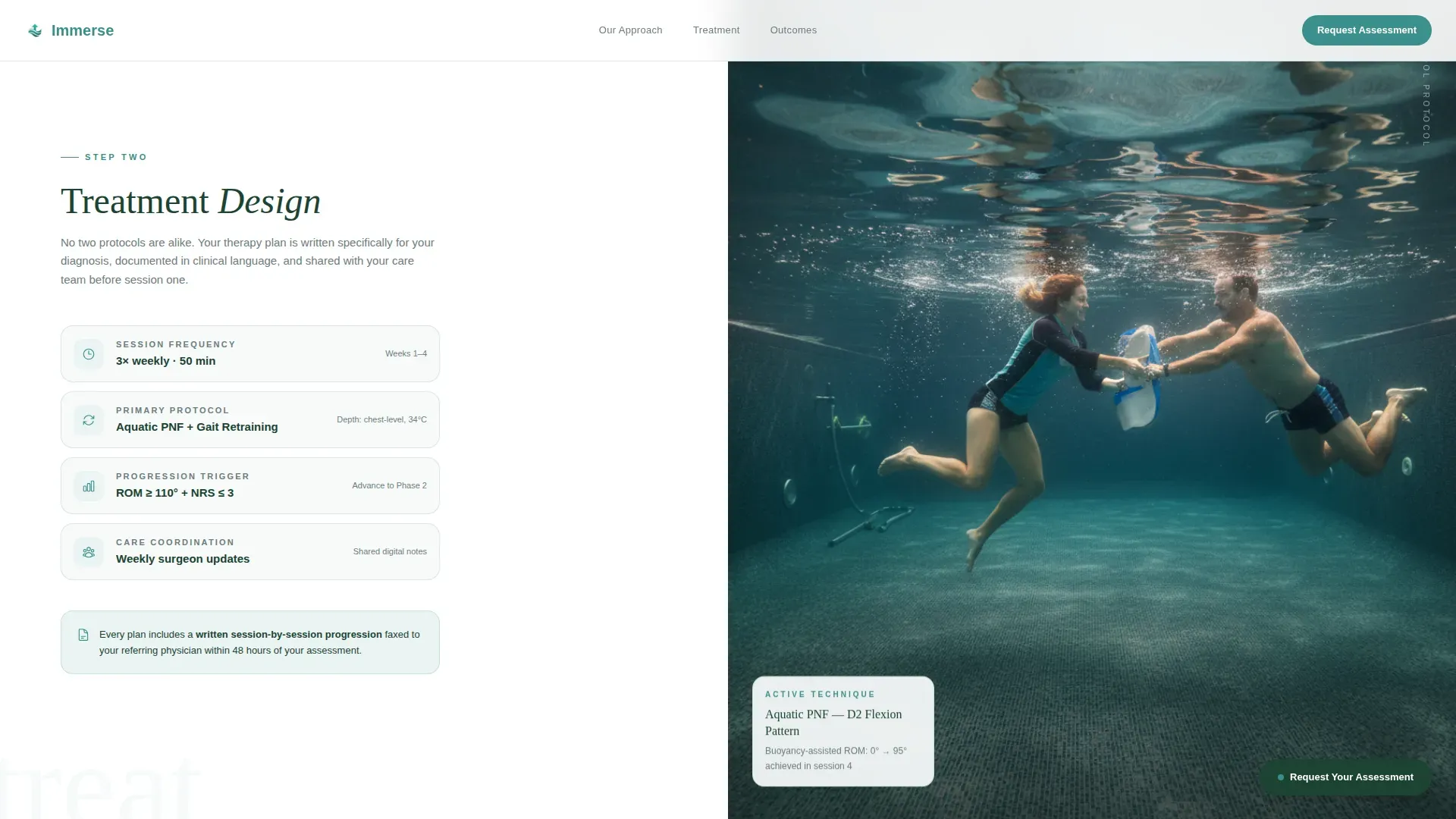
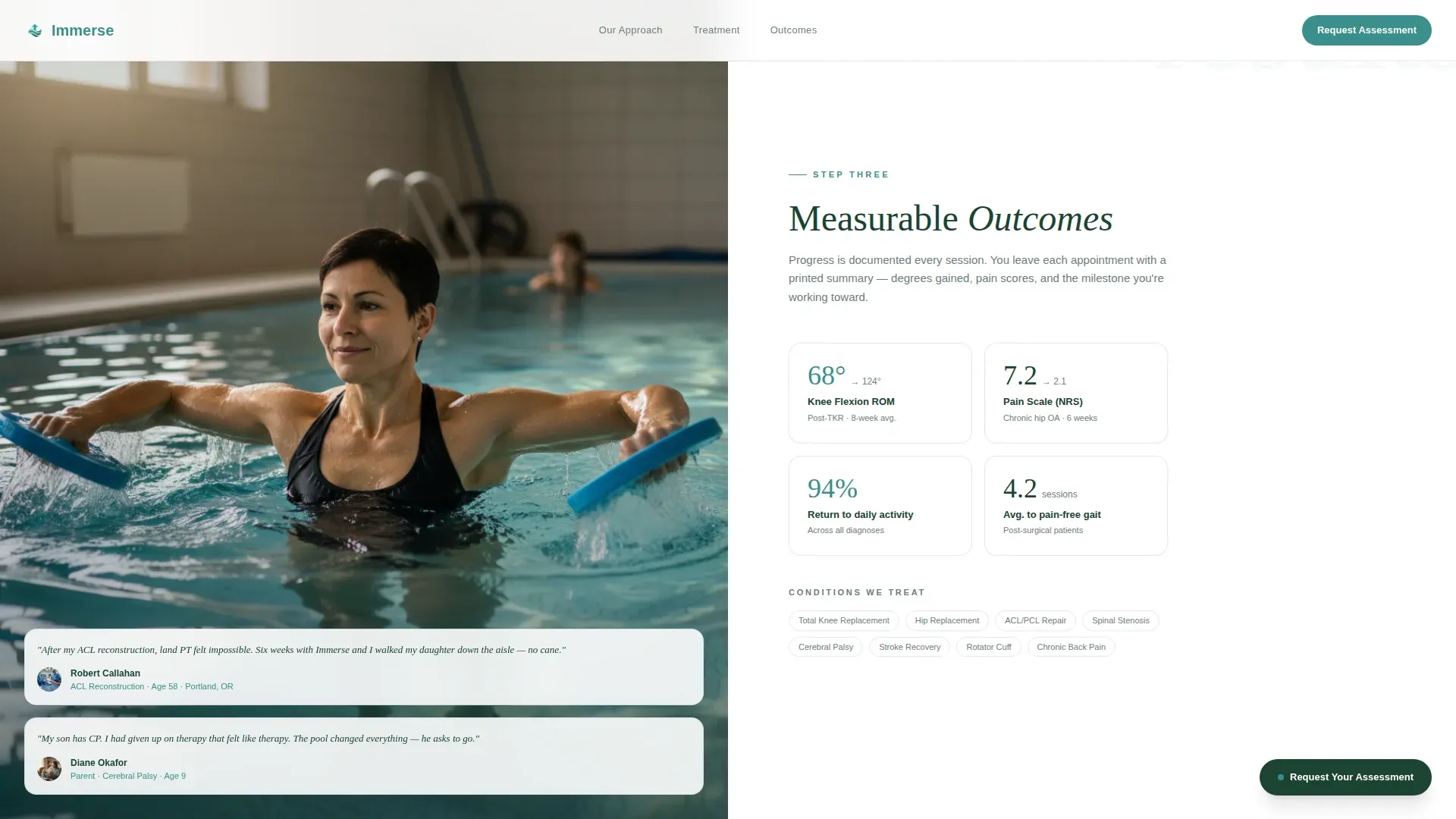
Three consecutive split-screen sections each reveal one layer of the clinical process. The assessment split pairs a consultation photo with an evaluation checklist. The treatment split shows an underwater therapy angle beside an annotated therapy plan. The outcomes split places a patient mid-movement next to measurable progress metrics including range of motion degrees and pain scale reductions.
Three-Field Clinical Intake Form
The assessment form uses a deliberate three-field structure. The first field accepts a condition or diagnosis with common suggestions such as "total knee replacement" pre-loaded. The second field is an optional referring physician name. The third field is a contact method toggle between phone and email. The form is a Client Component that handles interactivity separately from the static page sections.
Persistent Call to Action Button
After the hero, the primary "Request Your Assessment" button anchors to the page and remains visible during scroll. Visitors can act at any point in their reading without having to scroll back to the top or hunt for the form.
Physician Referral Guide Download
A secondary conversion path offers a downloadable referral guide as a PDF. This serves referring physicians and caregivers who need clinical documentation rather than a booking form. It broadens the page's reach without diluting the primary lead generation goal.
GSAP ScrollTrigger Parallax and Section Reveals
Scroll behavior uses GSAP ScrollTrigger for parallax transitions and staggered section reveals. Each content block enters the viewport with a deliberate reveal timing that matches the paced, process-led reading experience the layout is designed to create.
Page sections overview
| Section | Purpose |
|---|---|
| Hero Portrait Split | Establishes clinical tone and presents the primary call to action |
| Assessment Process Split | Shows the referral and evaluation steps with a checklist |
| Treatment Design Split | Reveals underwater therapy approach and annotated plan |
| Outcomes Metrics Split | Presents measurable progress data alongside patient movement |
| Lead Capture Form | Collects condition, physician name, and contact preference |
| Single-Row Footer | Provides linear navigation and contact anchors |
Design & branding system
The visual identity follows the Medical Clarity theme using an Alpine Fresh color system. The palette is inspired by a high-altitude mountain lake: clean, cold, and precise, but softened by the natural environment around it. Typography pairs DM Sans for body text with Fraunces for editorial serif headlines.
- Glacial white (#F7FAFA) and a pale teal wash alternate as section backgrounds, with alpine stone (#6B7D7D) carrying secondary text and divider lines
- Therapeutic teal (#3A8F8B) marks every interactive element and progress indicator so visitors always know where to act
- Clinical evergreen (#1B4332) anchors primary text and structural elements, grounding the warmth of the teal palette in clinical authority
Mobile & speed optimization
The template is built desktop-first, reflecting the reality that referring physicians typically review clinical resources on desktop and patients often research after receiving a printed referral. Full mobile support is included so caregivers and patients on phones can still navigate and submit the form without friction.
- Server Components handle all static sections, keeping the initial page load lean and predictable
- The lead capture form and scroll behavior run as isolated Client Components, so interactivity does not slow the static content delivery
- The persistent call to action button and contact method toggle adapt to smaller viewports without layout breakage
How this template helps you convert
The page is structured so that by the time a visitor reaches the form, they already understand what the first appointment looks like. That prior knowledge removes the hesitation that typically stalls lead capture on medical pages.
- The full process reveal across three split sections answers every logical question in sequence, so visitors arrive at the form informed and ready rather than uncertain
- The three-field form with clinical field suggestions lowers the friction of the first step, and the optional referring physician field signals legitimacy without making it a barrier
- The secondary referral guide download creates a parallel conversion path for physicians and caregivers, doubling the page's useful surface area without adding visual clutter
Other information about this template
This template is part of a broader Health and Medical category focused on rehabilitation and therapy use cases. It is positioned specifically for the aquatic therapy center niche, where the combination of clinical trust signals and warm visual language is a rare pairing in standard template libraries.
- The split-screen structure works equally well at a widescreen desktop resolution and on tablet, making it practical for practice waiting rooms and front-desk kiosks
- Social proof elements in the outcomes section include condition-specific testimonials and referring physician logo placements, giving the page credibility signals suited to a medically referred audience
- The layout sequence is intentional: hero, process, plan, outcomes, then form. This order mirrors a patient intake flow and creates a sense of familiar clinical structure for visitors who already live in medical environments
- The template title, Immerse, reflects the core therapeutic concept and is available on the platform under the Health and Medical category, Rehabilitation and Therapy subcategory
Theme
Medical Clarity
Creative direction
Transparent Process
Color system
Alpine Fresh
Style
Split Screen (50/50)
Direction
Lead Generation
Page Sections
Portrait-centered Hero with Water Animation
Three-stage Transparent Process Layout
Three-field Clinical Intake Form
Persistent Scroll-anchored Call to Action Button
Physician Referral Guide Download
GSAP Scrolltrigger Parallax Reveals
Related questions
Who is this landing page template designed for?
What sections are included in the layout?
Can this template support a secondary audience like referring physicians?
What makes the form different from a standard contact form?
Is this template desktop-first or mobile-first?



