Local Implant Dentist Appointment Booking Website Template
A split-screen landing page built for implant dental practices that want to convert anxious new patients into booked consultations. The page pairs a cinematic hero with an FAQ-driven scroll, a frictionless three-step booking widget, and a four-question candidacy quiz. Every section is designed to calm fear before the call to action appears.
by Rocket studio
Quick summary
This is a single-page, mobile-first landing page for an implant dentist new patient welcome experience. It uses a 50/50 split-screen layout, a soft gradient visual identity, and an FAQ-driven scroll to guide adults researching dental implants from their first anxious question all the way to a booked free consultation.
Who this template is for
This template is built for implant dental practices that rely on new patient acquisition. It speaks directly to adults who have been putting off treatment and need reassurance before they will pick up the phone.
- Implant dentists and oral surgery practices launching or refreshing a new patient welcome page
- Practice marketing teams who want a conversion-focused page without starting from scratch
- Clinicians whose patients are adults in their fifties and sixties living with a missing tooth, a flipper, or a gap
What problem this template solves
Most dental implant pages describe procedures. They do not answer the questions patients are actually Googling at midnight. Visitors arrive anxious and leave without booking because the page never addressed their real fears.
- Patients fear pain, bone grafts, and long recovery times but rarely find calm, plain-language answers
- Generic dental websites bury the consultation offer inside contact forms with too many fields
- Practices lose potential patients who needed one more reassuring answer before committing
What you get with this template
You get a complete, ready-to-customize landing page that leads visitors through a calming, conversation-style experience. Every section earns the next click rather than demanding it.
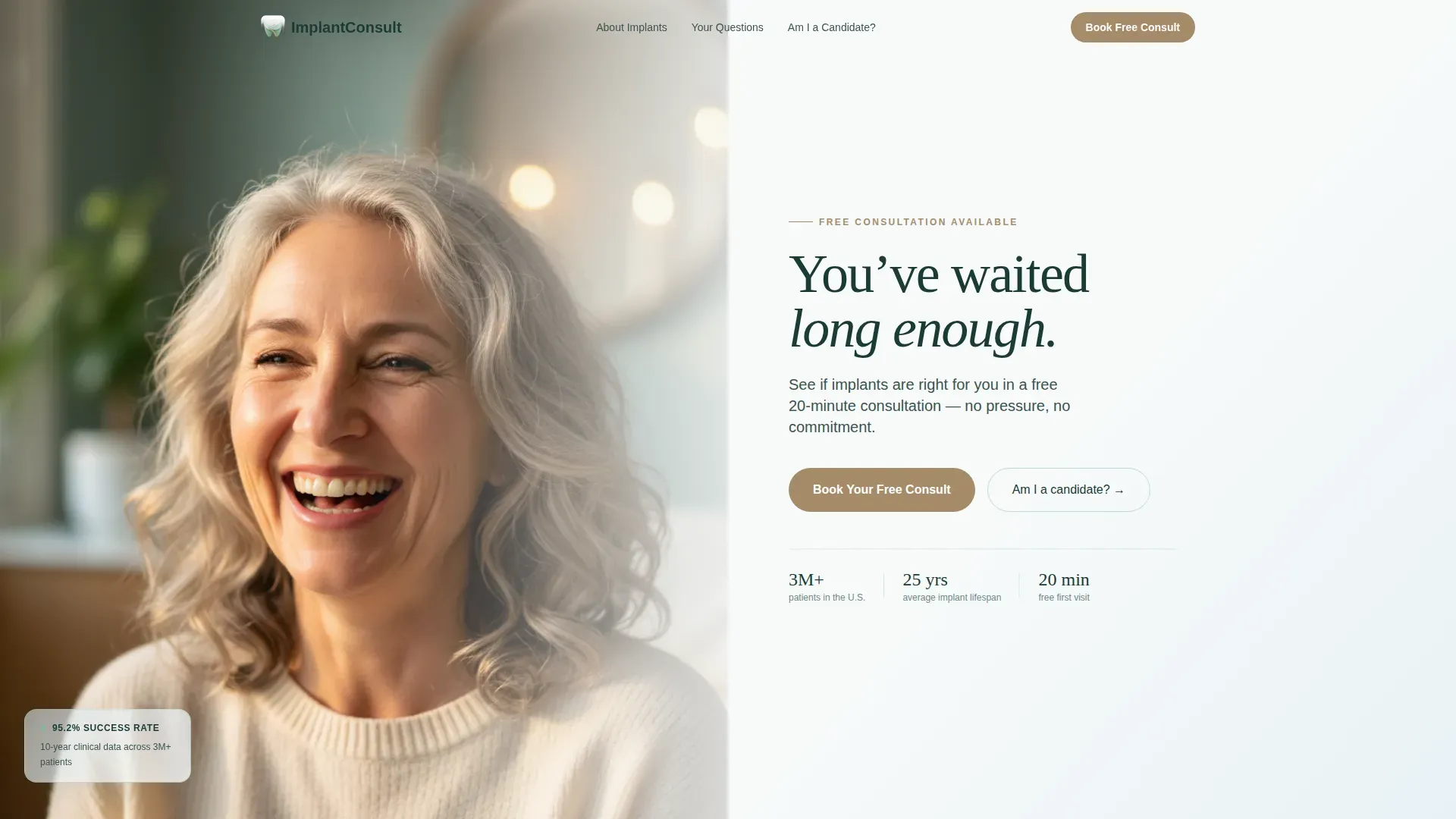
- A 50/50 split-screen hero with a cinematic patient photo on the left and a serif headline plus warm stone call-to-action button on the right
- Five structured page sections covering the hero, three fear-based FAQ panels, and an emotional close with an inline booking widget
- A three-step inline scheduling widget and a four-question yes/no candidacy quiz as secondary conversion paths
Feature list
This template is built around a small set of purposeful components, each designed to reduce friction and build trust at a specific moment in the scroll.
Split-Screen Hero Section
The hero divides the viewport evenly. The left panel holds a portrait-oriented patient photo with natural window light and shallow depth of field. The right panel carries a large tracked-out serif headline, a single supporting sentence, and the primary call-to-action button in warm stone.
FAQ-Driven Scroll Layout
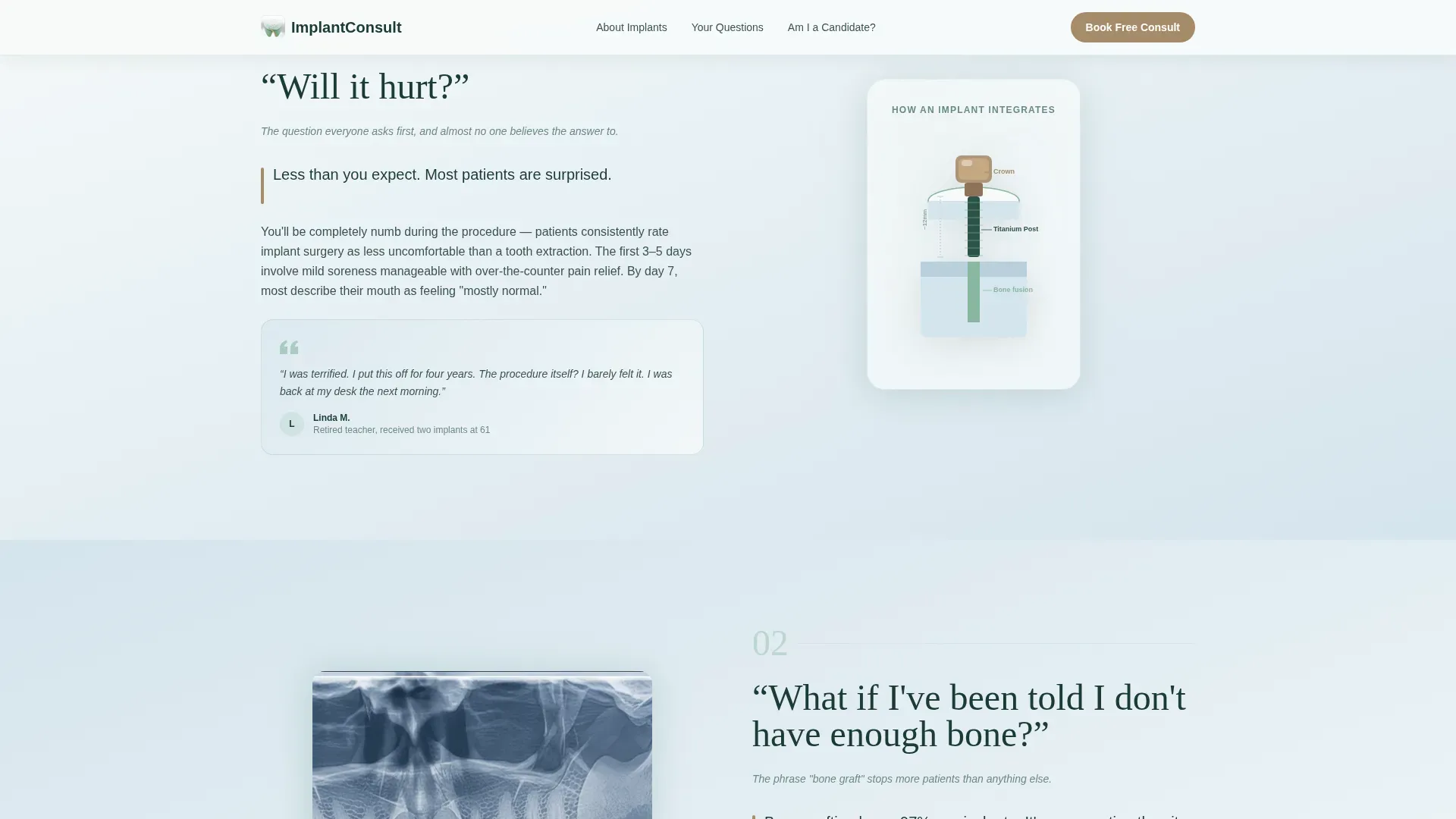
The page body is organized around four patient questions in plain language. Each question sits on one side of a split screen. The answer on the opposite side combines a short reassuring statement, a simple illustration or micro-animation, and a soft-gradient card showing a real patient quote.
Inline Three-Step Booking Widget
The booking widget asks only three things in sequence: preferred day of the week, morning or afternoon, and first name plus phone number. No insurance fields, no medical history. The widget appears in the header section and again at the emotional close.
Four-Question Candidacy Quiz
A secondary conversion path labeled "Not ready to call? Take our 60-second candidacy quiz" walks visitors through four yes/no questions about tooth loss history and bone health. It delivers a personalized result that ends with the same booking widget.
Sticky Mobile Booking Bar
On mobile, the primary call-to-action "Book Your Free Consult" reappears as a sticky bar fixed to the bottom of the screen. Patients searching on their phones at night always have one tap to the scheduler without scrolling back to the top.
Scroll Reveal Animations and Timeline Visuals
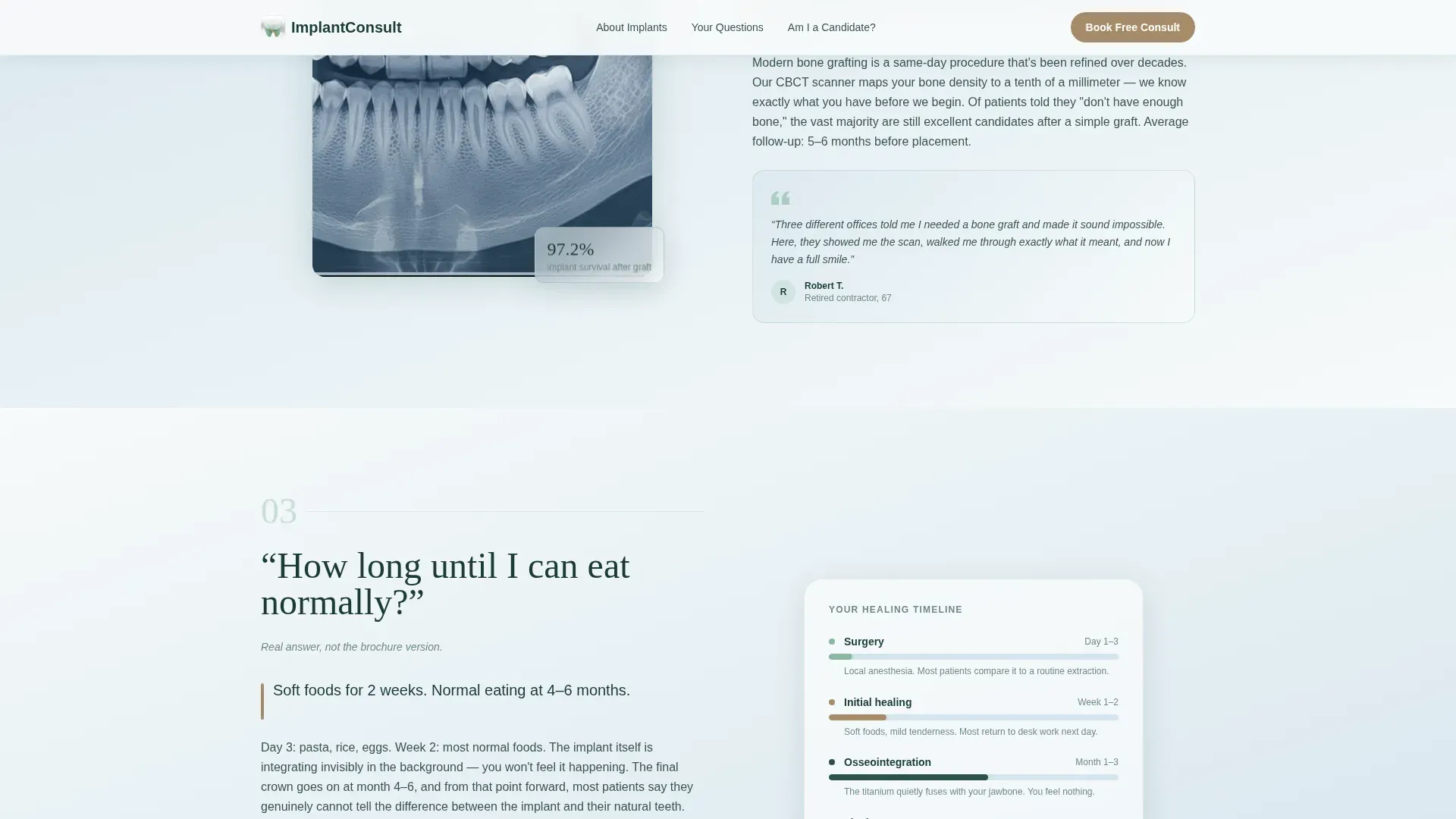
The page uses medium-level scroll-reveal animations, an FAQ accordion interaction, a timeline bar animation showing healing weeks, and a floating consultation badge. These elements make the page feel alive without feeling clinical.
Page sections overview
| Section | Purpose |
|---|---|
| Hero split screen | Introduce the practice and surface the free consultation offer immediately |
| Fear FAQ: pain | Reassure visitors that the procedure is manageable with a patient quote card and healing visual |
| Fear FAQ: bone | Demystify bone graft concerns with a plain-language answer and cross-section illustration |
| Fear FAQ: recovery | Show a healing timeline with a micro-animation answering how long until normal eating resumes |
| Emotional close | End on the feeling of smiling freely and present the inline booking widget and candidacy quiz |
| Footer row | Deliver a clean single-row footer with essential practice links |
Design & branding system
The visual identity follows a Soft Gradient theme built around an Alpine Fresh color palette. Backgrounds wash from frost white into glacial mist in long, barely perceptible gradients. Text sits in a deep evergreen tone that feels authoritative without clinical harshness.
- Colors: morning frost white (#F7FAFA), glacial mist (#D4E4ED), alpine meadow green (#88B7A0), warm stone (#A68B6A for buttons and trust signals), and deep evergreen (#1B3B36) for body text and headings
- Typography: Fraunces serif for headlines to carry emotional weight, DM Sans for body copy to keep reading easy and clean
- The warm stone accent appears only at action points, functioning like a wooden handrail in an otherwise cool, glass-and-snow visual environment
Mobile & speed optimization
The template is designed mobile-first because the target audience searches on phones late at night. Every layout decision prioritizes the small-screen reading experience before scaling up to desktop.
- The sticky bottom booking bar keeps the call to action one tap away throughout the entire mobile scroll
- Interactive components such as the booking widget and candidacy quiz are built as client-side components while static sections use server-side rendering to keep initial load fast
- Scroll reveal animations are kept at a medium intensity so they enhance the experience on mobile without causing jank or distraction
How this template helps you convert
The page is structured so that every objection a patient might raise is answered before the booking widget appears. By the time a visitor reaches the scheduler, the only decision left is choosing a day of the week.
- The FAQ-driven scroll dissolves fear in order of urgency, moving from practical concerns like pain and recovery time to the deeper emotional question of what life feels like with a complete smile again
- The three-step booking widget removes form friction entirely by asking only for a day preference, a time preference, and a first name with phone number, keeping the path to a booked consultation as short as possible
- The candidacy quiz offers a low-commitment alternative for visitors who are not yet ready to call, re-engaging them with a personalized result that leads back to the same booking widget
Other information about this template
This template is specifically designed for the implant dentist new patient welcome page use case within the Health and Medical category. It is a single-page layout, not a multi-page website, which keeps the visitor focused on one decision.
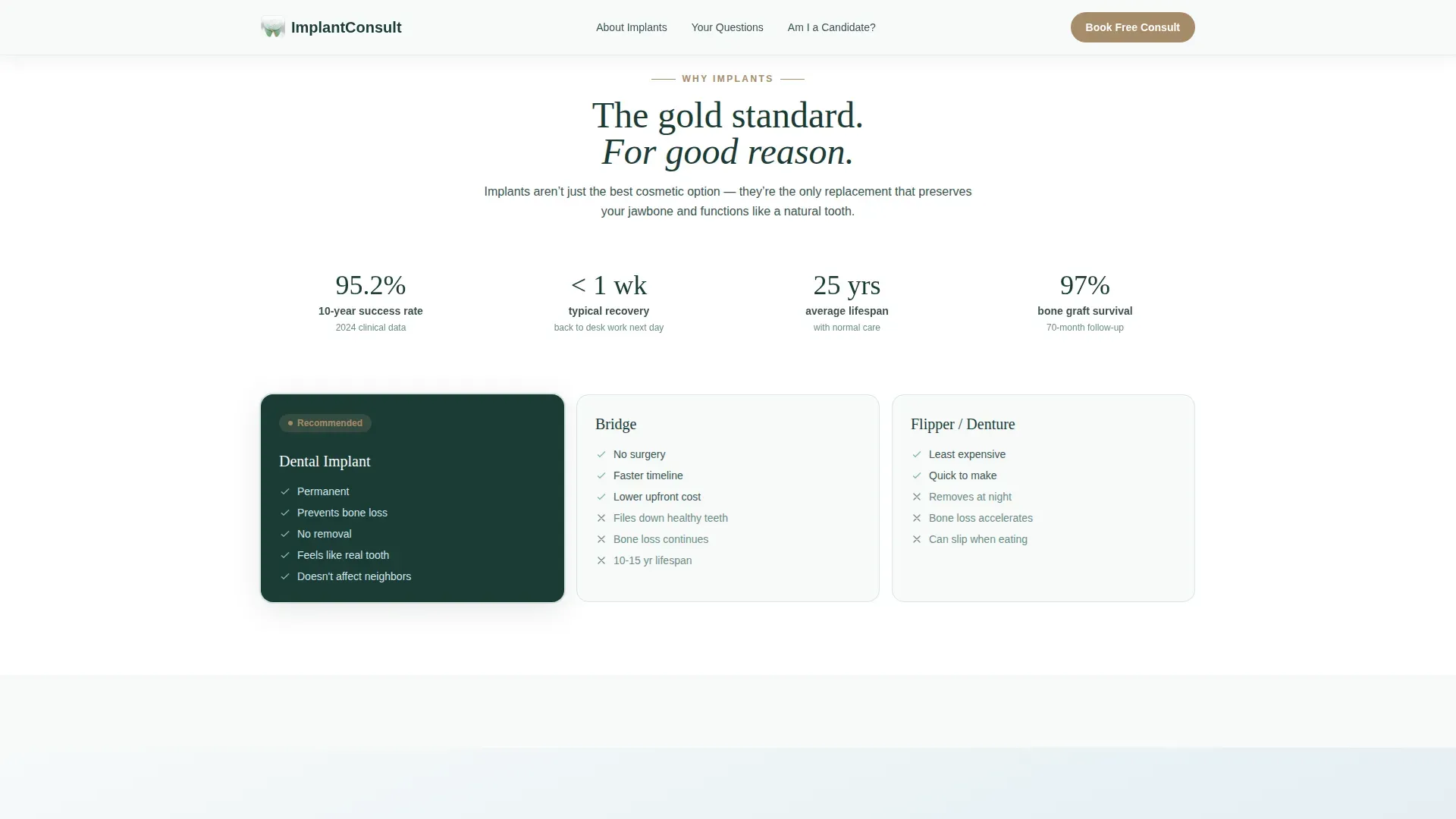
- The page references a 95% or higher implant success rate as a social proof signal, embedded within the FAQ answer cards alongside real patient quotes
- The footer uses a linear single-row pattern, keeping the bottom of the page clean and uncluttered
- The hero photo direction calls for a real patient mid-laugh with natural window light, explicitly avoiding stock photography and lab coats to maintain warmth and authenticity
- The template is localized for a United States audience using English copy and USD pricing context where relevant
Theme
Soft Gradient
Creative direction
FAQ-Driven
Color system
Alpine Fresh
Style
Split Screen (50/50)
Direction
Booking/Scheduling
Page Sections
Split-screen Hero with Patient Photo
Faq-driven Fear-dissolving Scroll
Three-step Inline Booking Widget
Four-question Candidacy Quiz
Sticky Mobile Booking Bar
Scroll Animations and Healing Timeline Visuals
Related questions
Can I customize the patient photos and quotes in this template?
Does the booking widget connect to a live scheduling platform?
Is this template only suitable for implant dentists?
What does the candidacy quiz deliver to the visitor?
Can I update the color palette to match my practice branding?



