Expert Implant Dentist Appointment Booking Website Template
A sidebar companion landing page built for implant dentistry patient education and lead generation. It pairs a portrait-centered clinician trust signal with an Expert Panel scroll experience, a fixed progress-tracking sidebar, and a two-step progressive disclosure consultation form. The template is designed to move anxious, research-mode visitors from informed reading to booked appointment.
by Rocket studio
Quick summary
This template is a single-page sidebar companion layout purpose-built for an implant dentist's patient education hub. It guides visitors through layered clinical content delivered by specialist voices, then channels them toward a zero-pressure consultation booking using a two-step progressive disclosure form. The design is calm, credible, and structured to dissolve fear before the call to action appears.
Who this template is for
This template is built for implant dentistry practices that need to educate patients before they are ready to call. It suits clinicians who want their expertise to do the selling rather than aggressive promotional language.
- Implant dentists and oral surgery practices targeting adults with missing teeth or denture fatigue
- Practices with a multi-specialist team: periodontist, prosthodontist, and sedation anesthetist
- Clinics that want to capture leads at two readiness levels: ready to book and still researching
What problem this template solves
Many implant dentistry pages lose patients because they answer cost questions before addressing fear. Visitors arrive anxious about pain, healing time, and failure rates. They leave without converting because nothing on the page earns their trust first.
- Fear-driven drop-off: visitors read one paragraph, feel overwhelmed, and close the tab
- Premature hard-sell: a consultation form appearing before clinical questions are answered creates resistance
- Single-path conversion: practices lose the email of visitors who are interested but not yet ready to call
What you get with this template
You get a fully structured, single-page layout that moves visitors from clinical curiosity to consultation request. Every section has a defined role in the education-to-conversion journey.
- A portrait-centered hero section with clinician credentials and a primary call-to-action
- An Expert Panel scroll experience featuring specialist voices across bone grafting, digital smile design, and pain myth-busting
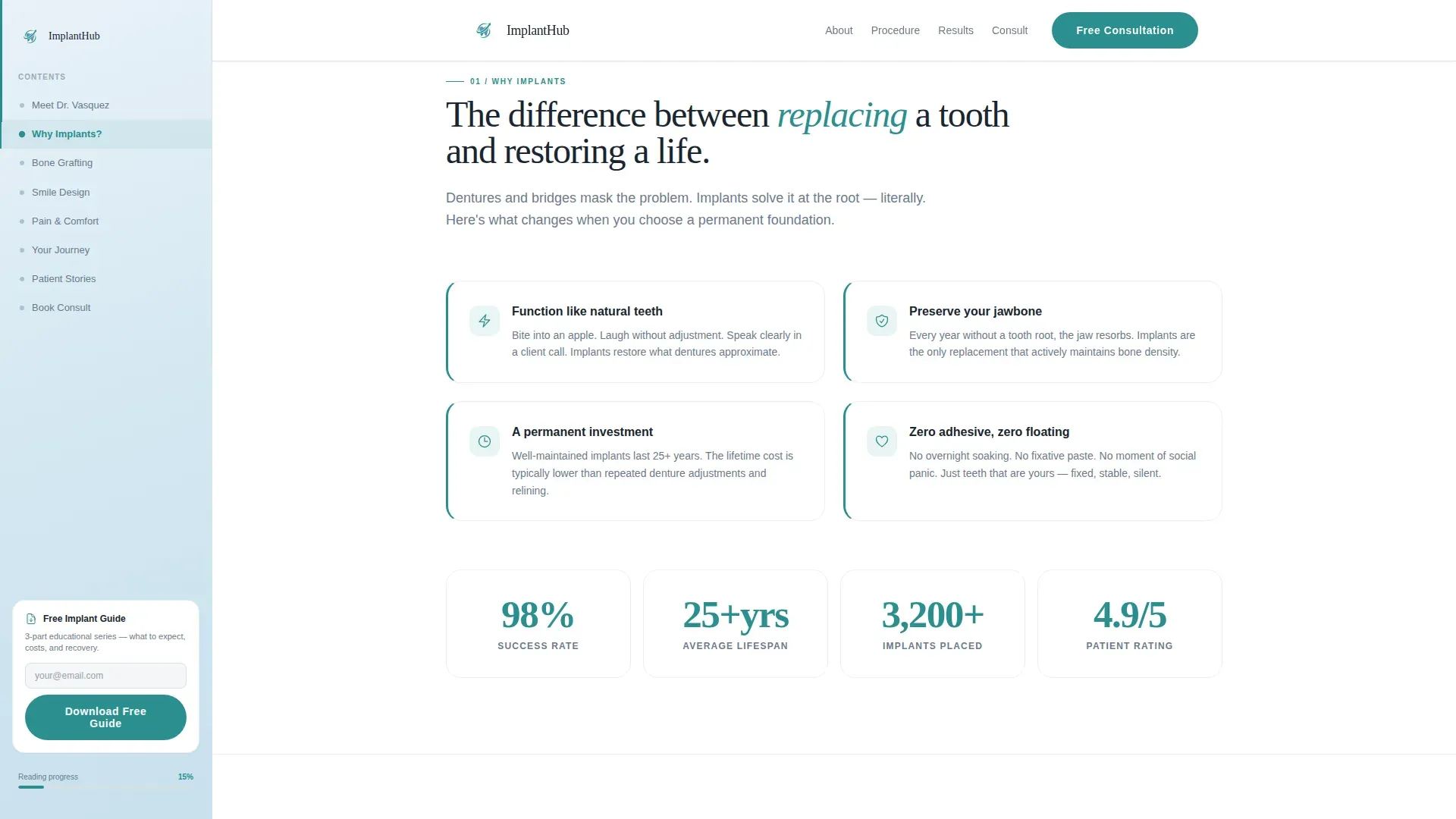
- A fixed sidebar companion with a living table of contents, scroll progress tracking, and contextual micro-calls-to-action
- A progressive disclosure consultation form with a clickable jaw diagram and a secondary guide-download path for earlier-stage visitors
Feature list
This template ships with a focused set of interactive and structural components. Each one is grounded in the brief and built to serve a specific moment in the patient's decision journey.
Portrait-Centered Hero Section
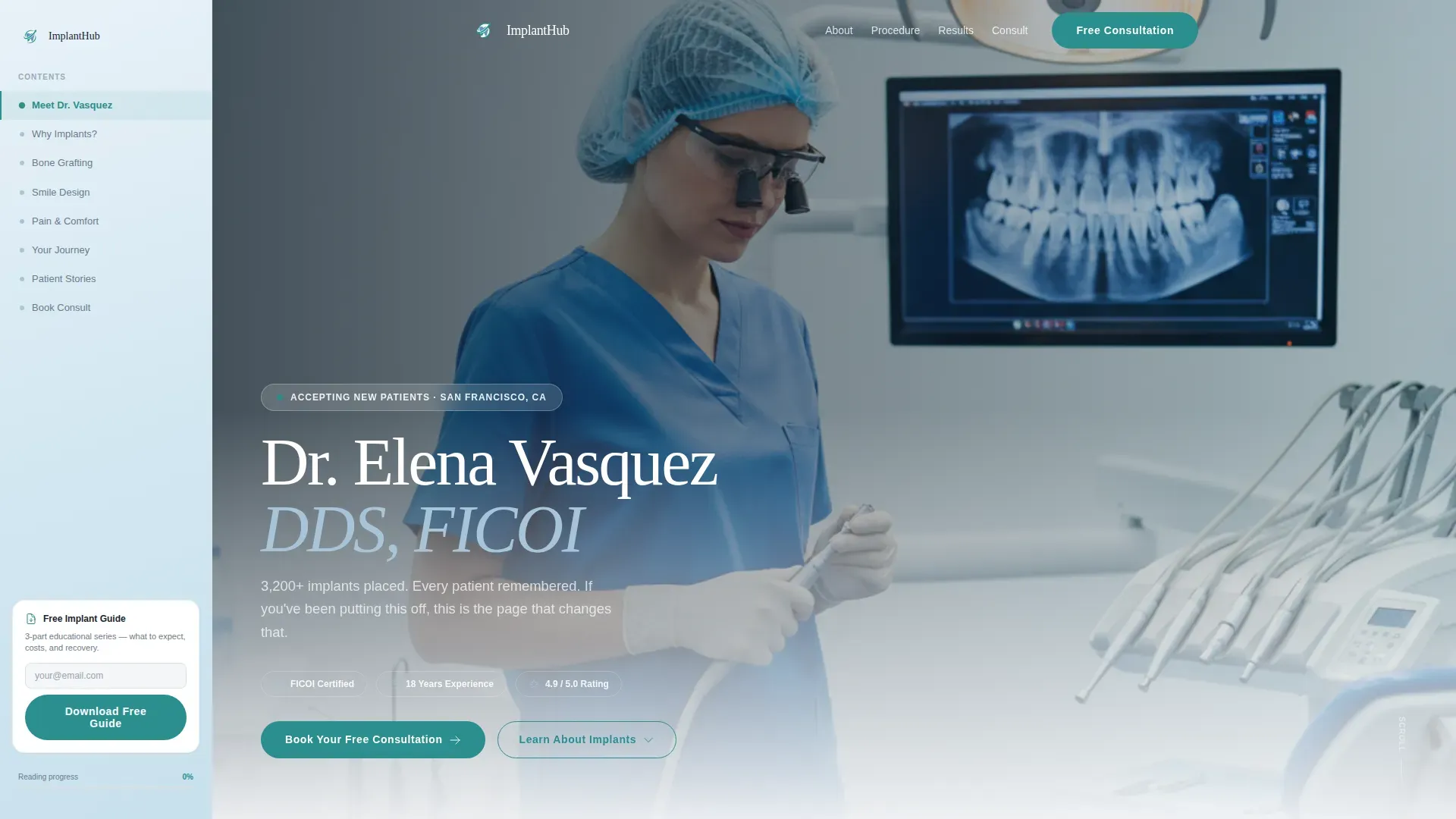
The hero opens with a large-format shoulders-up photograph of the lead implantologist in surgical scrubs, loupes around the neck, making direct eye contact. The clinician's name, credentials, and implant count appear in serif typography beside the portrait. This section establishes human trust before any clinical content begins.
Expert Panel Scroll Experience
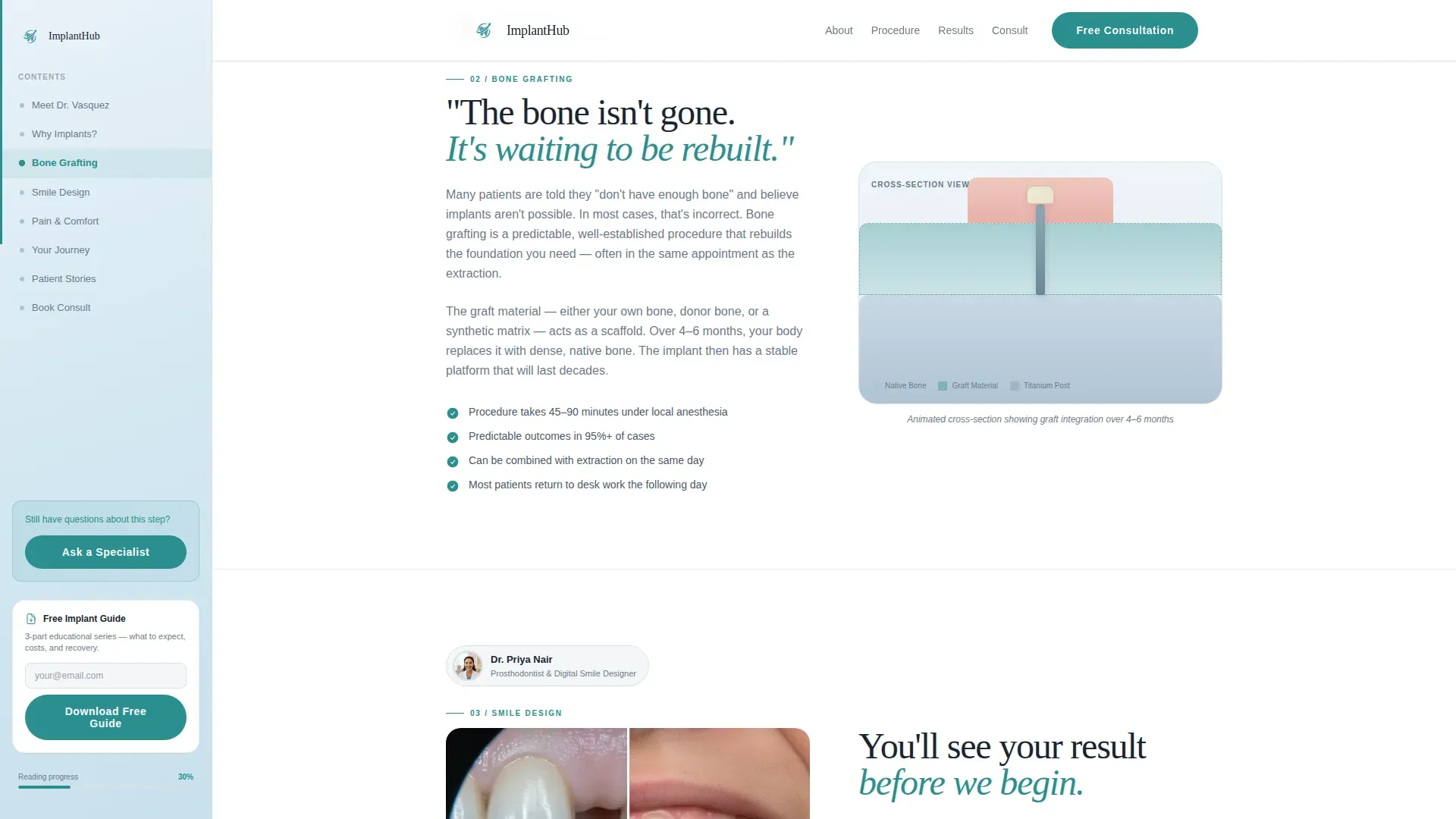
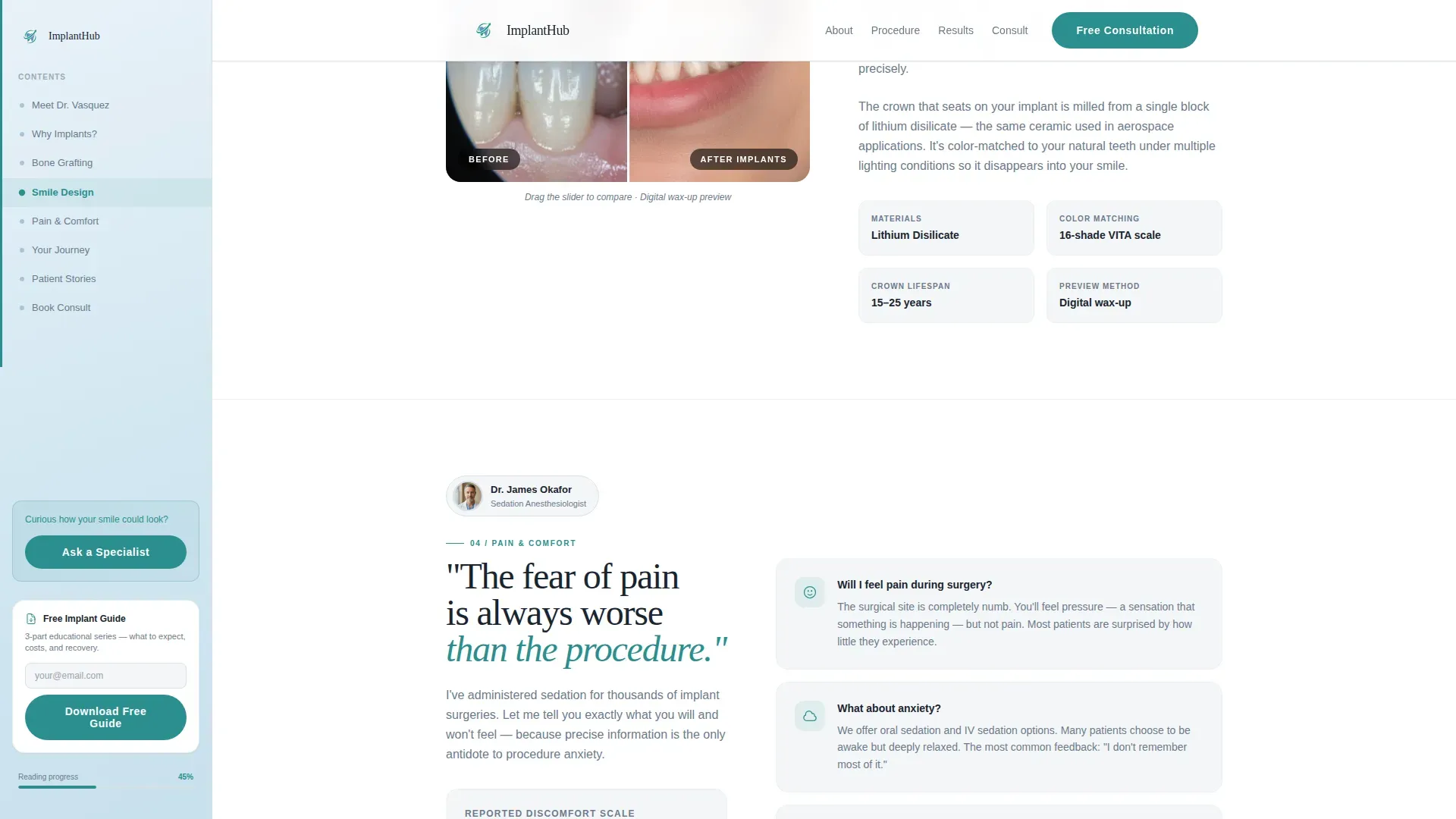
Three specialist panels reveal as the visitor scrolls: a periodontist covering bone grafting with a cross-section animation, a prosthodontist walking through digital smile design with a before-and-after wax-up comparison, and a sedation anesthetist calmly addressing pain expectations. Each panel introduces a new specialist voice and targets a specific patient fear.
Fixed Sidebar Companion
The sidebar stays fixed on the left throughout the scroll. It functions as a living table of contents that tracks reading progress and surfaces contextual micro-calls-to-action tied to the section currently in view, such as a prompt to ask a question about bone grafting while that panel is visible.
Progressive Disclosure Consultation Form
The primary call-to-action triggers a two-step form. Step one asks only for the patient's concern: missing tooth count and location via a clickable jaw diagram. Step two captures name, phone number, and preferred contact time. No insurance or medical history fields appear at this stage.
Secondary Lead Capture Path
A sidebar prompt offers an implant guide download for visitors not yet ready to book. It captures an email address and begins a three-part educational nurture sequence. This path keeps earlier-stage visitors engaged without pressuring them toward a call they are not ready to make.
Procedure Journey Section
A visual step-by-step section walks through the implant procedure using scroll-linked counter animations and GSAP-driven panel reveals. This section demystifies the clinical process and reduces uncertainty about what the appointment will involve.
Page sections overview
| Section | Purpose |
|---|---|
| Hero Portrait | Establish clinician trust immediately |
| Expert Panel | Deliver specialist voices per fear |
| Procedure Journey | Demystify the clinical steps |
| Patient Outcomes | Build social proof with testimonials |
| Consultation Form | Convert via progressive disclosure |
| Footer | Provide practice navigation and contact |
Design & branding system
The visual identity follows a Corporate Precision theme using a Soft Mist color palette. Every color choice serves a specific functional role: backgrounds recede, body text and dividers stay neutral, accent elements guide attention, and teal reserves itself exclusively for action.
- Soft Mist fog white (#F4F6F8) for all page backgrounds; surgical steel gray (#6B7B8D) for body text and dividers
- Sterilized blue (#A8C4D8) used throughout the persistent sidebar and informational accent areas
- Confident teal (#2A8F8F) reserved strictly for calls-to-action and scroll progress indicators
- Typography pairing: DM Sans for body text and Fraunces serif for display headlines, creating a clinical-calm reading tone
Mobile & speed optimization
The template is built desktop-first to support the sidebar companion layout. On smaller viewports the sidebar collapses into a stacked mobile experience so the education flow remains intact.
- Desktop-first layout with a responsive mobile stack that preserves section order and form function
- Interactive components including the jaw diagram selector and progressive form are built as client components, while static educational content uses server components
- Scroll-linked animations, GSAP panel reveals, and the sticky sidebar progress tracker are scoped to client rendering to keep static sections lightweight
How this template helps you convert
This template is structured around a single insight: patients book when they feel informed, not when they feel sold to. Every layout decision follows from that principle.
- The expert panel answers the four main objections (pain, cost, failure rate, healing time) before any booking prompt appears, so the call-to-action lands on a visitor who already trusts the practice.
- The two-step progressive disclosure form removes friction by asking only for a jaw diagram selection first, making the first interaction feel like a clinical tool rather than a sales form.
- The sidebar guide-download path captures email addresses from visitors who are not yet ready to call, extending the practice's reach to earlier-stage patients through a three-part educational sequence.
Other information about this template
This template is part of the Health and Medical category under the Implant Dentist Website subcategory. It is configured for English (United States) audiences with USD pricing display and MM/DD/YYYY date formatting throughout.
- Localization defaults: English (US), USD, MM/DD/YYYY date format
- Animation scope: high-interactivity with scroll-linked counters, GSAP panel reveals, and a sticky sidebar progress component
- Social proof elements included: named patient testimonials with a sticky gallery layout, a 3,200-plus implants placed statistic, and displayed specialist credentials
- The footer follows a horizontal flow pattern with practice navigation links and contact information
- Target audience skews toward adults aged 45 to 70 with missing teeth, denture fatigue, or trauma-related tooth loss, plus adult children researching implants for aging parents
Theme
Corporate Precision
Creative direction
Expert Panel
Color system
Soft Mist
Style
Sidebar Companion
Direction
Lead Generation
Page Sections
Portrait-centered Hero Section
Expert Panel Scroll Experience
Fixed Sidebar Companion
Progressive Disclosure Consultation Form
Secondary Guide Download Path
Procedure Journey with Animations
Related questions
What makes this template different from a standard dental website template?
Can I use this template if my practice has only one clinician rather than a full specialist team?
How does the two-step consultation form reduce drop-off?
Is this template suitable for capturing leads from visitors who are not yet ready to book?
What content do I need to prepare before launching this template?



