Expert Orthopedic Surgeon Landing Page Template
Suture is a hub-and-spoke landing page template built for board-certified general surgeons who want to turn anxious patients into informed, confident ones. It covers four procedure categories, pairs real patient testimonials with plain-language explainers, and funnels visitors toward a consultation booking through a warm, clinically credible design.
by Rocket studio
Quick summary
Suture is a single-page patient education hub designed for general surgery practices. It walks visitors through four procedure categories using a rhythm of patient testimonials and step-by-step explainers. A fixed anchor navigation, a progressive booking form, and a gated surgery prep guide work together to convert anxious readers into booked consultations.
Who this template is for
This template is built for general surgery practices that need to reach patients before the first in-person visit. It speaks directly to people who have received a referral or an abnormal imaging result and need clear information quickly.
- General surgeons and surgical practices looking to educate patients online
- Healthcare marketing teams building a consultation-focused patient acquisition page
- Parents of pediatric patients seeking plain-language information about hernia repairs
What problem this template solves
Many patients receive a surgical referral with very little explanation. They turn to search engines at odd hours, find contradictory information, and arrive at a consultation already overwhelmed. This template replaces that anxiety spiral with a structured, reassuring experience.
- Patients lack a calm, authoritative source that explains procedures without jargon
- Practices lose potential consultations because no clear next step is offered online
- Generic practice websites do not address the emotional state of a first-time surgical patient
What you get with this template
You get a fully structured landing page that covers the patient journey from first concern to booked appointment. Every section is designed to lower anxiety and raise confidence before the ask.
- A hero section, four procedure-category spoke sections, and a footer in a single scrollable layout
- A three-step progressive consultation booking form and a separate email-gated PDF download path
- A fixed anchor navigation bar with an active-state indicator and a floating mobile call-to-action button
Feature list
This template ships with a focused set of components built specifically for surgical patient education and lead generation.
Half-Page Hero with Anchor Navigation
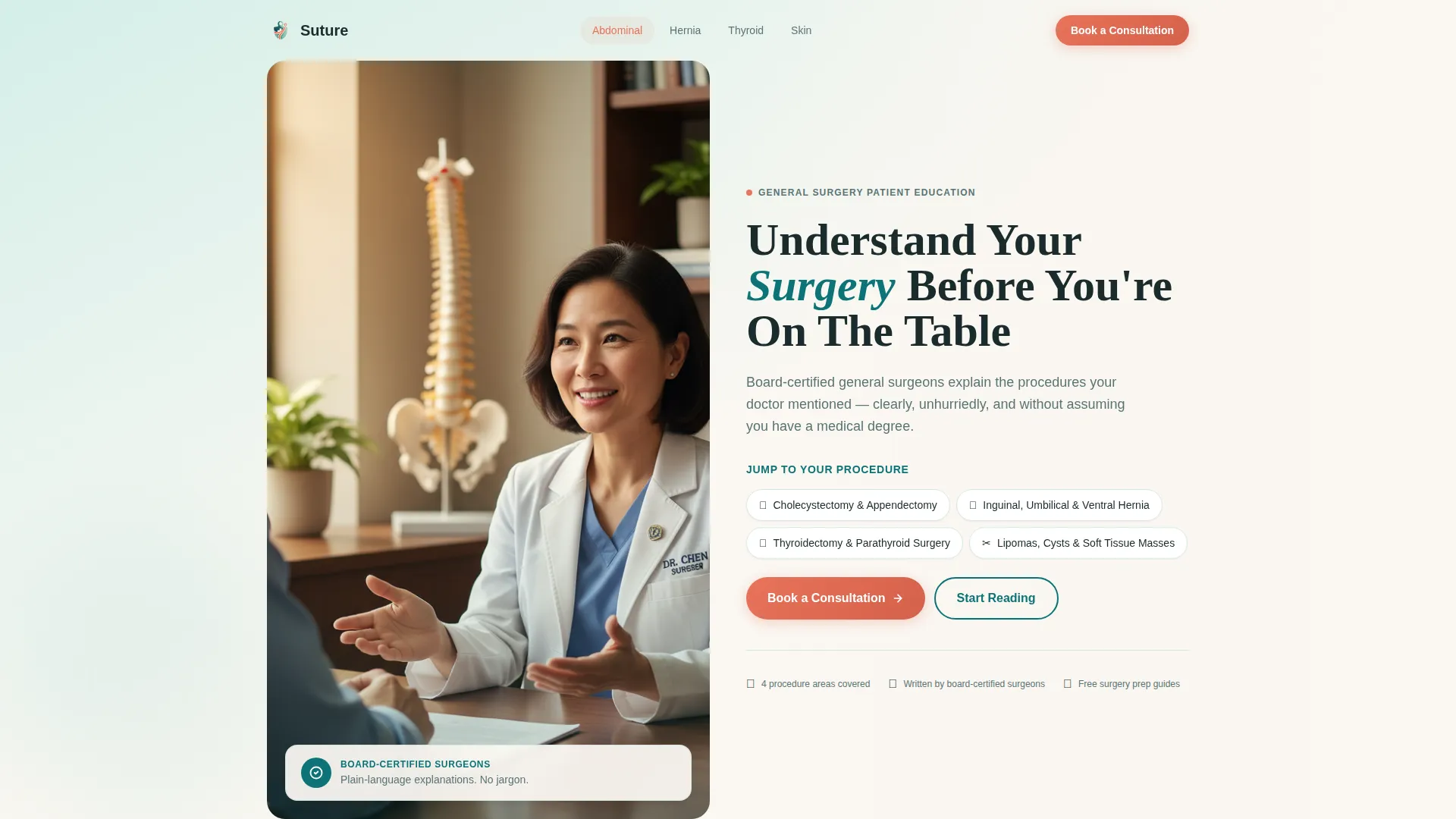
The hero splits the screen between a warmly lit surgeon-patient photograph and a serif headline with tappable procedure anchor links. The anchor navigation stays fixed as visitors scroll, with the active section highlighted in coral so no one ever loses their place on the page.
Testimonial Mosaic with Staggered Cards
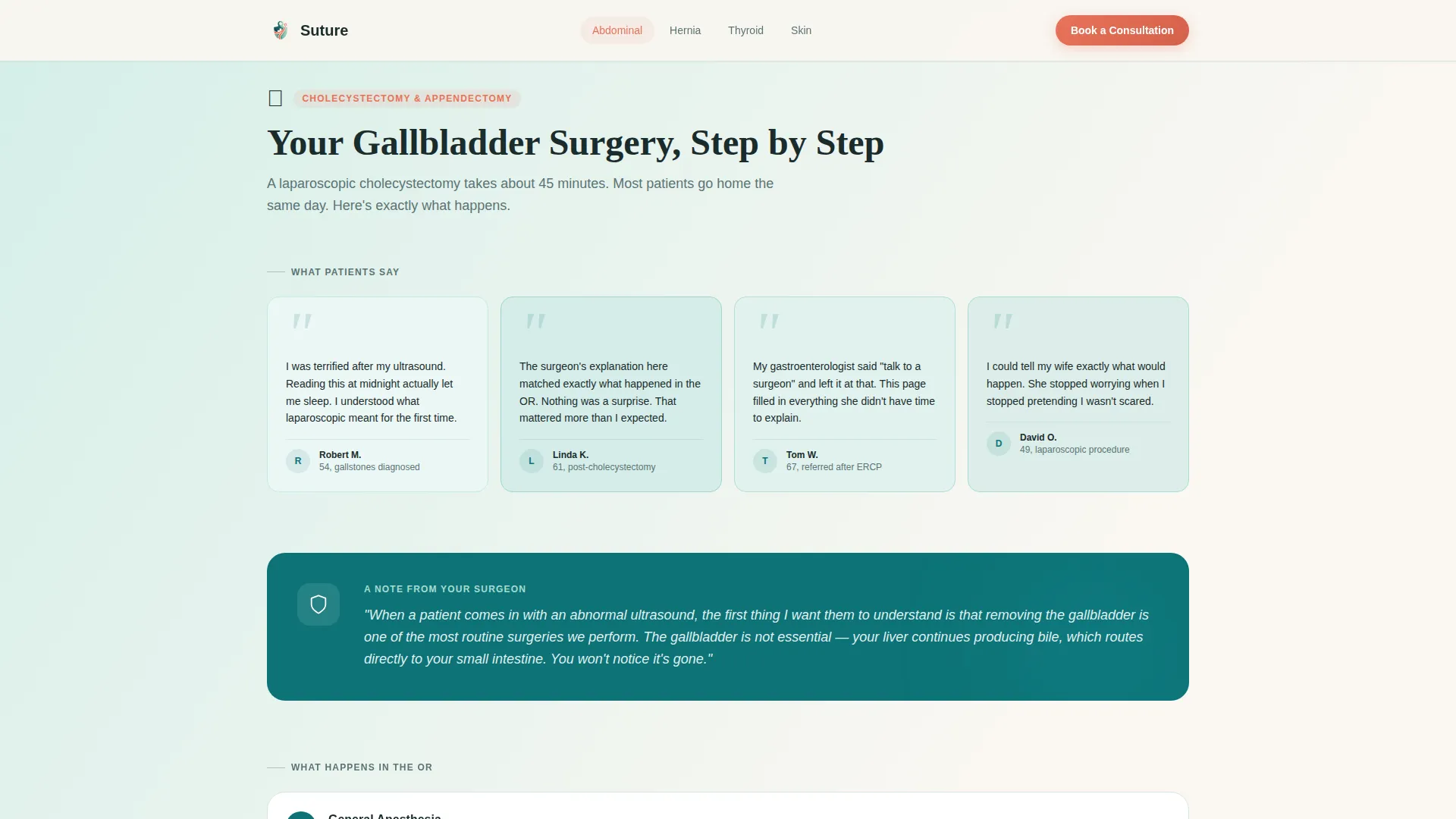
Each procedure spoke opens with a staggered grid of patient quote cards. Cards use handwritten-style typography and carry different tints across the teal gradient spectrum. The mosaic dissolves into the procedural explainer as the visitor scrolls deeper, creating an alternating rhythm of human reassurance and clinical clarity.
Step-by-Step Procedural Explainers
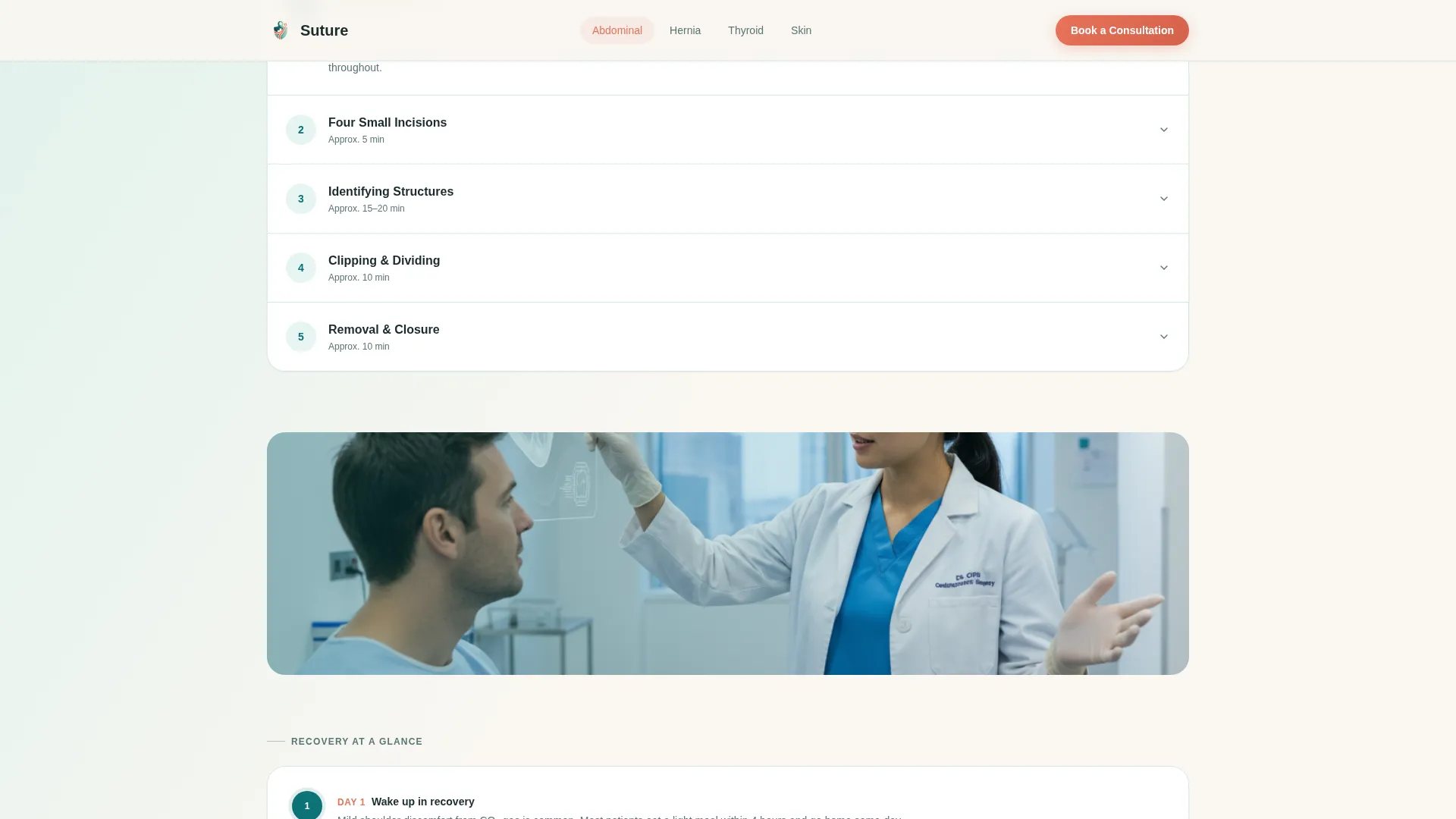
Every spoke section contains a plain-language breakdown of the procedure, followed by a recovery timeline. These explainers are written to replace jargon with honest, sequential descriptions that a patient with no medical background can follow on a phone screen.
Three-Step Progressive Booking Form
The primary call-to-action opens a modal form with three screens. The first asks only which procedure the visitor is exploring, using illustrated card selectors. The second collects name, phone number, and preferred contact time. The third offers an optional file upload for existing imaging or referral letters.
Email-Gated Surgery Prep Guide
A secondary conversion path captures leads who are not yet ready to call. Visitors enter only their email address to download a procedure-specific surgery preparation guide as a PDF. This path runs parallel to the main booking flow without interrupting it.
Floating Mobile Call-to-Action
On mobile devices, a persistent floating button keeps the "Book a Consultation" action reachable at all times. This supports the mobile-first priority of the template, where patients are most likely reading late at night on a phone.
Page sections overview
| Section | Purpose |
|---|---|
| Hero with anchor nav | Introduces the practice and links visitors directly to each procedure category |
| Abdominal procedures spoke | Educates patients on gallbladder and cholecystectomy with testimonials, explainer, and recovery timeline |
| Hernia repairs spoke | Walks through hernia repair procedures with social proof, step explainer, and recovery information |
| Thyroid and endocrine spoke | Covers thyroid and endocrine surgeries with the same mosaic-to-explainer structure |
| Skin and soft tissue spoke | Addresses skin and soft tissue procedures with patient quotes and a step-by-step breakdown |
| Linear footer | Closes the page with a single-row footer providing essential practice contact information |
Design & branding system
The visual identity uses the Teal Catalyst color system, which balances clinical authority with emotional warmth. Fraunces serif headlines carry the gravitas of a trusted medical voice, while DM Sans body text keeps explanations easy to read at any size.
- Deep surgical teal (#0D7377) anchors the navigation bar and section headers; seafoam (#A8DCD1) washes across background gradients; warm linen white (#FAF7F2) serves as the primary page canvas
- Confident coral (#E8735A) appears exclusively on call-to-action buttons and urgent-care indicators, reserving its visual weight for the moments that matter most
- Photography follows a warm, candid style: open hands, natural light, no operating theater imagery, keeping the tone approachable rather than clinical
Mobile & speed optimization
The template is built with a mobile-first priority because the target audience is most likely to read at night on a phone after receiving unsettling news. Every layout decision accounts for small-screen readability and thumb-friendly interaction.
- The floating coral call-to-action button stays persistently visible on mobile so the booking action is always one tap away
- Scroll-triggered section reveals and mosaic stagger animations are set to medium intensity, keeping the experience engaging without slowing the page
- Images are optimized as static assets and the booking form modal runs client-side only, reducing external dependencies
How this template helps you convert
The conversion strategy is built into the page structure itself. Trust is earned section by section before any ask is made.
- Patient testimonials appear at the top of every spoke section, establishing peer credibility before the surgeon's explanation begins, so visitors feel understood before they are educated.
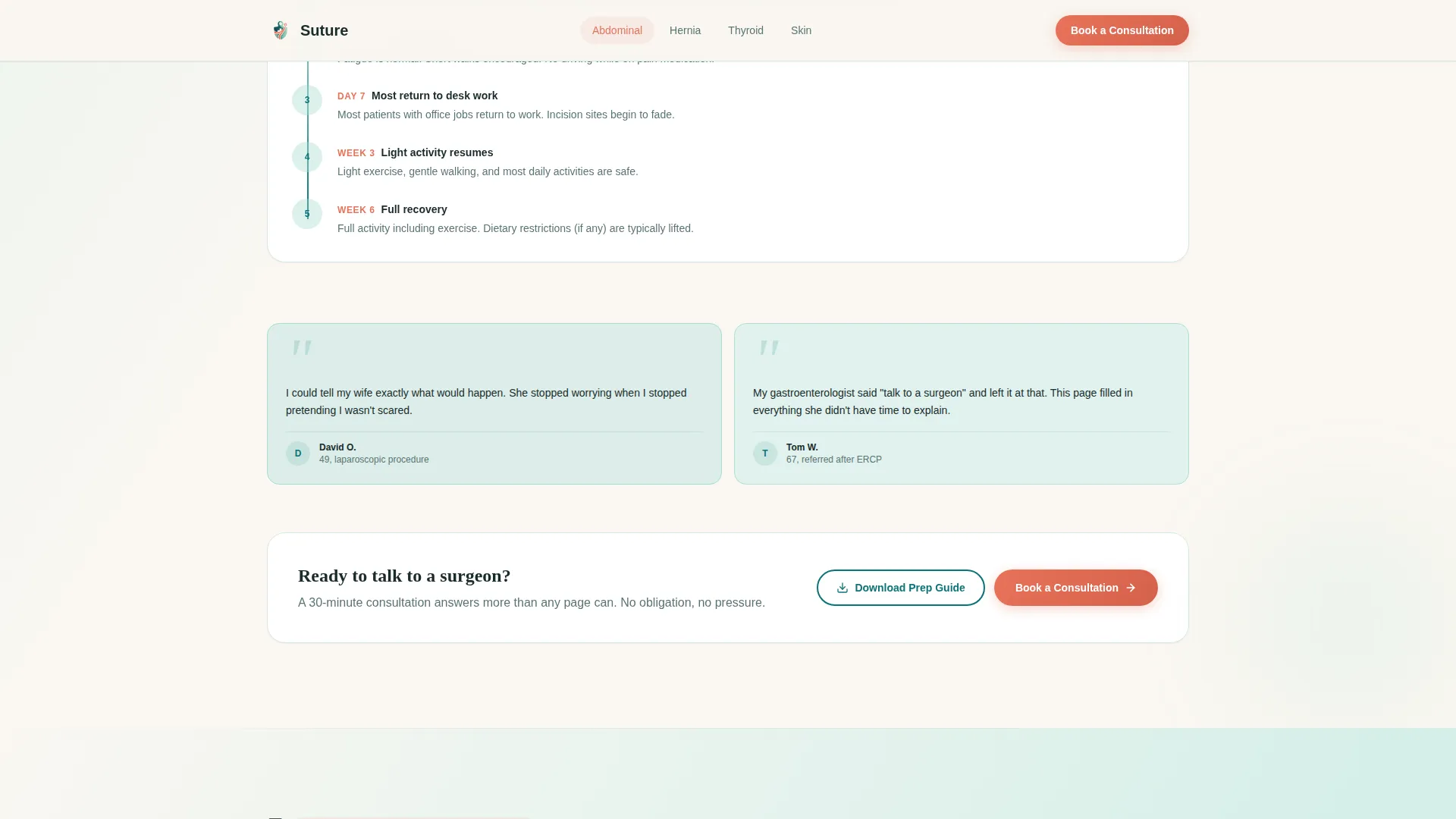
- The "Book a Consultation" coral button appears at the close of every spoke section and floats on mobile, meeting visitors at the exact moment they feel ready rather than interrupting their reading.
- The "Download Your Surgery Prep Guide" secondary path captures email-only leads who need more time, ensuring the practice stays connected with visitors who are not yet ready to call.
Other information about this template
This template is part of the Soft Gradient theme family and uses the Hub and Spoke with anchor navigation structure. It is designed for English (United States) audiences, uses 12-hour time formatting, and is priced and localized in United States dollars.
- The template style is classified as Hub and Spoke with anchor navigation, making it suitable for practices that offer multiple procedure categories under one roof
- Creative direction follows the Testimonial Mosaic pattern, which prioritizes social proof at the entry point of each content section before introducing clinical detail
- The header uses the Half-Page Photo and Text concept, pairing documentary-style photography with editorial serif typography for an immediate sense of authority and warmth
- The lead generation direction is built into every section close, with dual conversion paths accommodating both ready-to-book patients and early-stage researchers
Theme
Soft Gradient
Creative direction
Testimonial Mosaic
Color system
Teal Catalyst
Style
Hub & Spoke (Anchor Nav)
Direction
Lead Generation
Page Sections
Fixed Anchor Navigation with Active State
Testimonial Mosaic Per Procedure
Step-by-step Procedure Explainer and Recovery Timeline
Three-step Progressive Consultation Form
Email-gated Surgery Prep Guide Download
Floating Mobile Call-to-action Button
Related questions
What procedure categories does this template include?
How does the three-step consultation booking form work?
Is there a way to capture leads who are not ready to book?
Is this template designed for mobile users?
Can this template support a practice that offers multiple procedure types?



