Specialist Telemedicine Landing Page Template
Consultid is a split-screen infectious disease telemedicine landing page template built for healthcare providers who need to convert urgent patient inquiries into booked specialist consults. With a Forest Trust color system, a three-step multi-step form, and a scroll-triggered diagnostic checklist design, this landing page guides high-need visitors from first symptom to eligibility check in minutes.
by Rocket studio
Quick summary
Consultid is a single-page telemedicine landing page template designed for infectious disease specialists. It uses a 50/50 split-screen layout, a guided multi-step eligibility form, and a scroll-driven checklist design to earn visitor trust and drive form completions. The landing page targets patients with urgent, complex infectious disease needs who cannot wait months for a referral.
Who this template is for
This telemedicine landing page template is built for healthcare providers who serve high-acuity infectious disease patients online. It suits practices that prioritize conversion-focused landing page design over generic telehealth brochure pages.
- Infectious disease specialists launching a telemedicine website
- Travel medicine clinics managing patient overflow and nurse triage
- Healthcare practices serving immunocompromised patients or individuals managing complex antiretroviral therapy (ART) regimens
What problem this template solves
Most telehealth landing pages bury the value proposition under stock photos and generic copy. Patients with urgent infectious disease needs leave without acting because the page never speaks directly to their situation.
- Referral waits of eight weeks or more push patients toward unqualified urgent care
- Immunocompromised patients and returned travelers need specialist-level landing page design that reflects the urgency of their case
- Generic healthcare website templates fail to qualify visitors or build the trust needed to capture a lead
What you get with this template
This landing page delivers a structured, conversion-ready telemedicine website layout that qualifies visitors through progressive disclosure rather than a single overwhelming form.
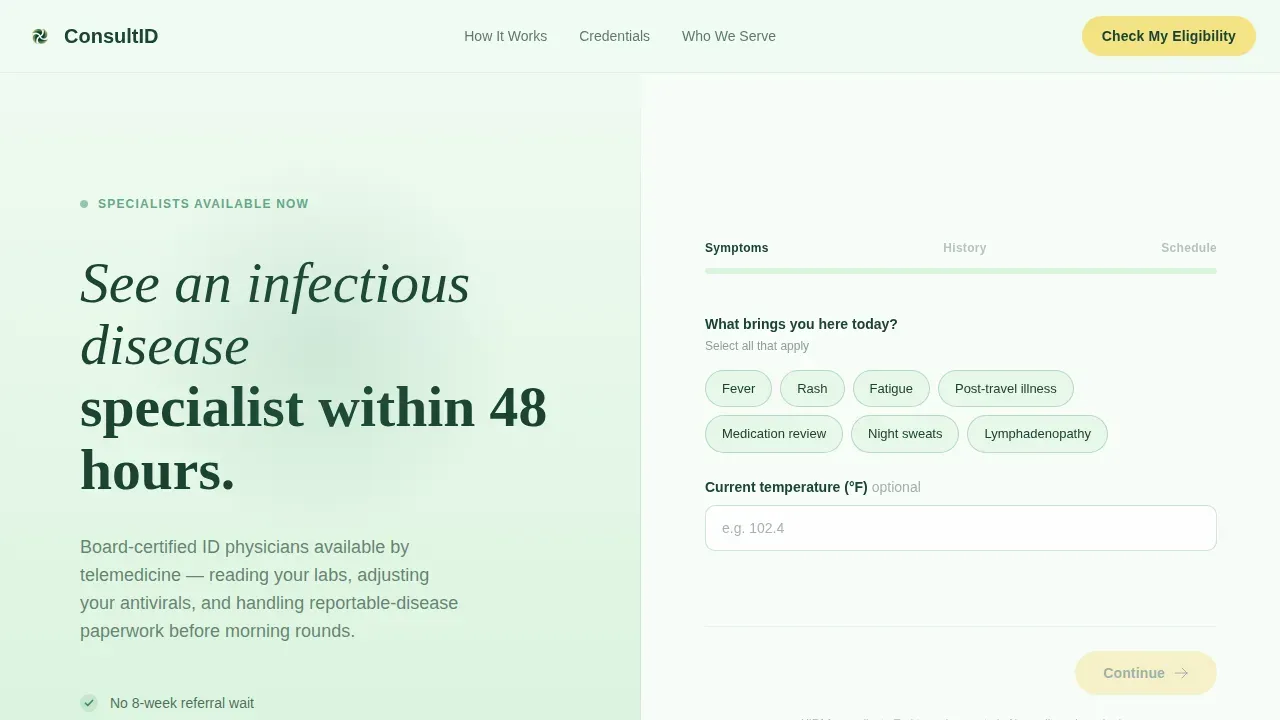
- A 50/50 split-screen hero with a three-step multi-step form covering symptoms, insurance type, and preferred consult window
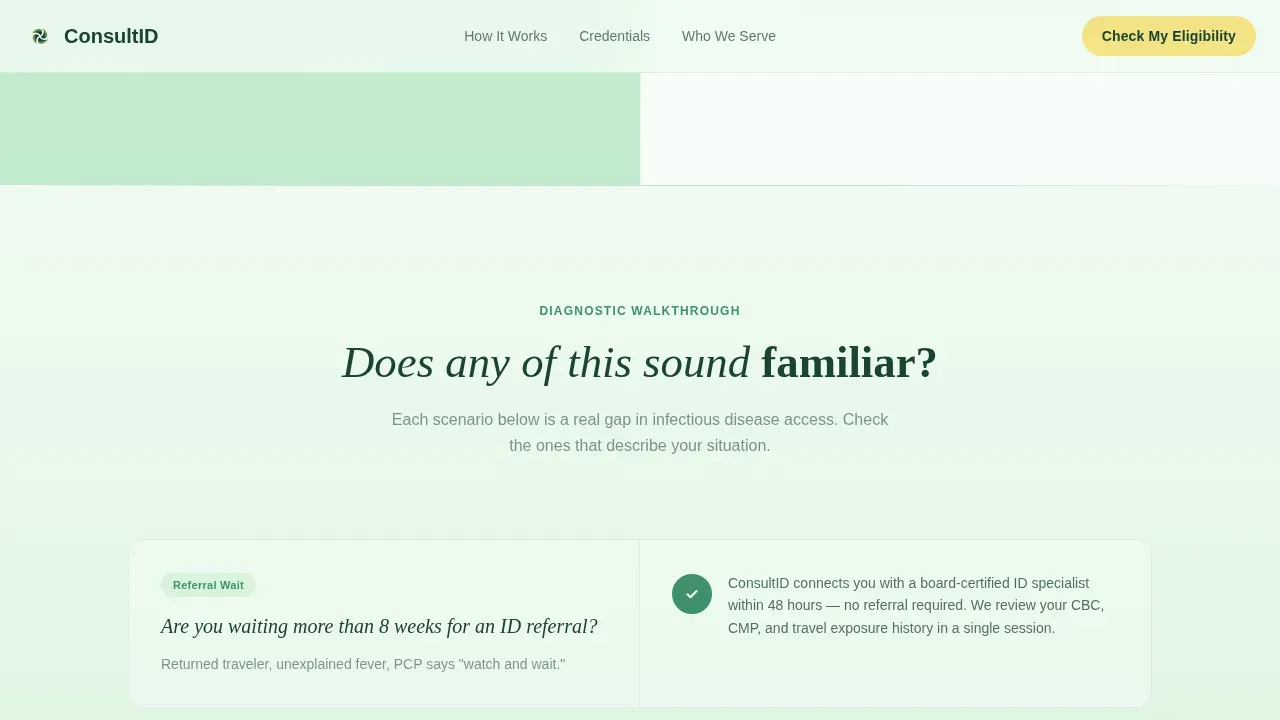
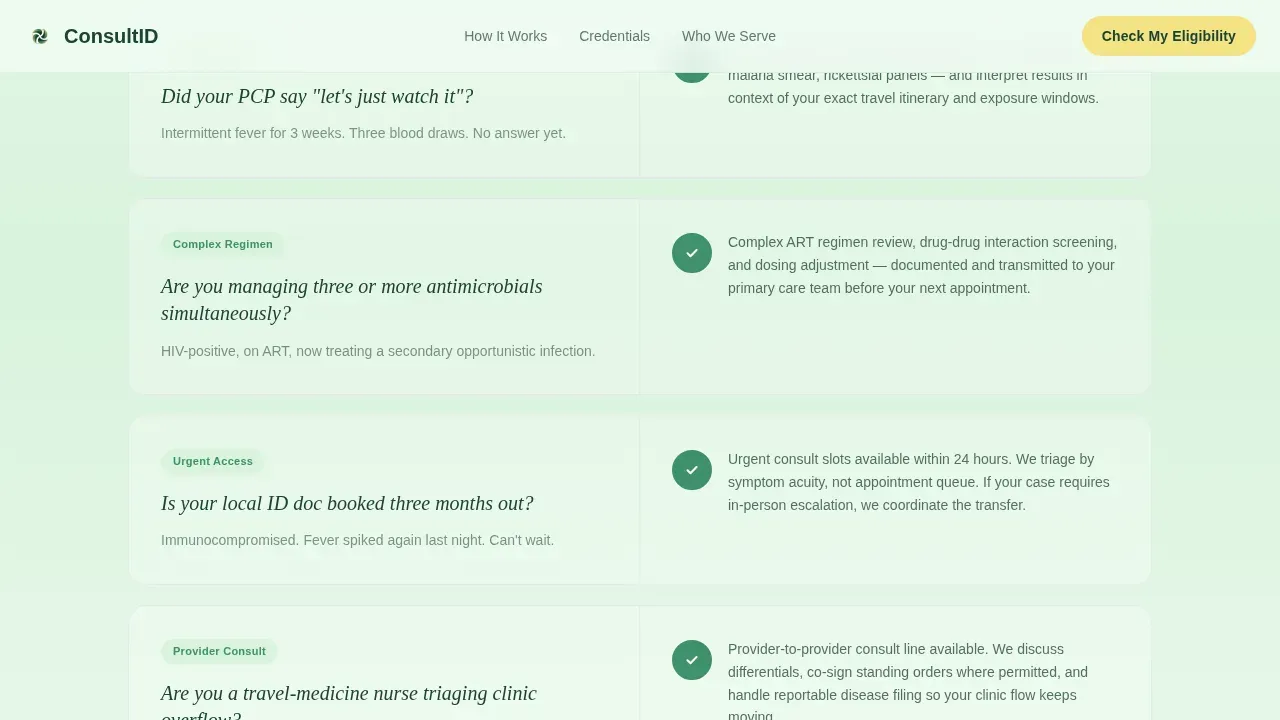
- A scroll-triggered diagnostic checklist section that mirrors the visitor's clinical situation and reveals matched service responses
- A secondary lead capture path offering a downloadable Pre-Consult Symptom Diary PDF in exchange for an email address
Feature list
This telemedicine landing page template includes six purpose-built features that keep visitors engaged and move them toward eligibility form completion.
Three-Step Progressive Form
The header form collects a symptom keyword, temperature reading, insurance type, and preferred consult window across three labeled steps: Symptoms, History, and Schedule. A warm birch progress bar connects each step, reducing abandonment by revealing only what is needed at each stage.
Scroll-Triggered Diagnostic Checklist
Each scroll section pairs a plain-language qualifying question on the left with a matched service response on the right. A small green checkmark animation fires on scroll entry, helping patients feel seen and building a personal case for booking before any contact information is requested.
Credentials Audit Section
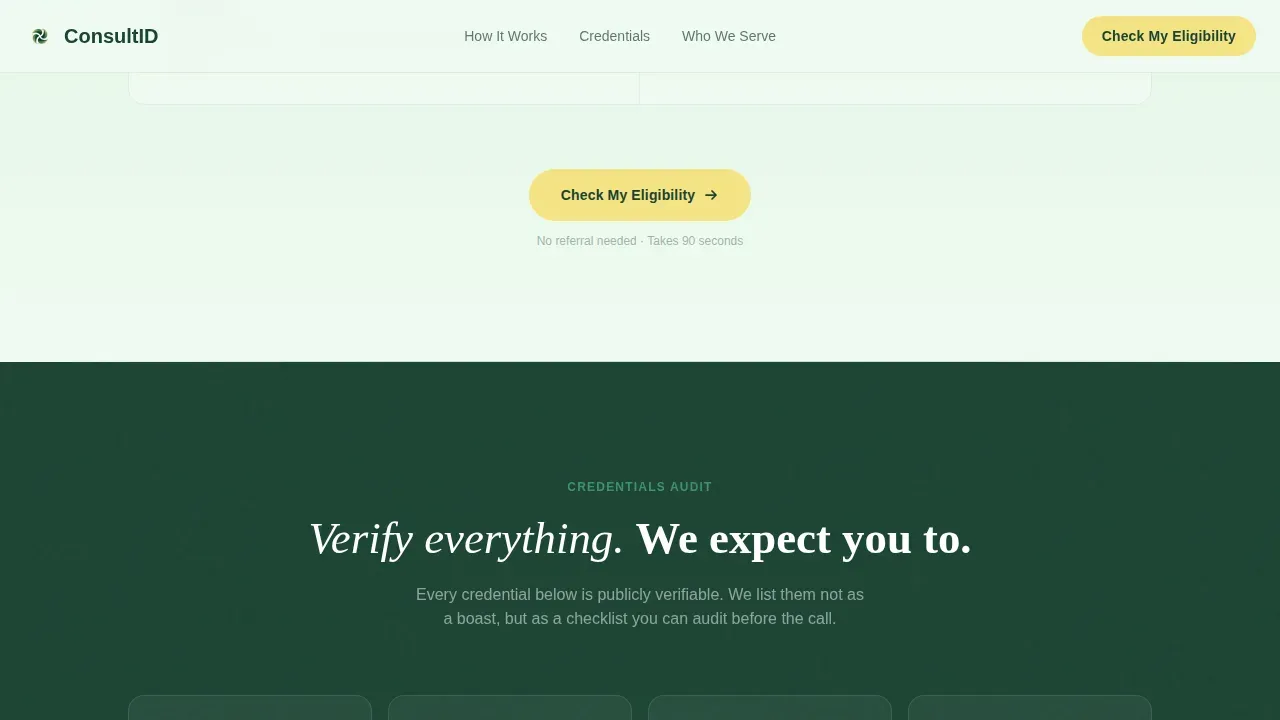
Board certifications, state licenses, and average consult response time are displayed as a transparent, verifiable checklist rather than a boast block. This design approach supports trust for patients who need to protect their health decisions with verified specialist credentials.
PDF Lead Capture Path
Visitors not yet ready to book can download a free Pre-Consult Symptom Diary PDF by submitting their email. This secondary conversion path keeps the landing page useful for visitors at every stage of decision-making, supporting appointment management and follow-up.
Forest Trust Color and Typography System
The landing page uses deep evergreen for body text, a fog-to-moss vertical gradient for backgrounds, and warm birch for all call-to-action buttons and progress indicators. DM Sans handles the user interface (user interface) and body copy while Fraunces serif display headlines carry the emotional weight of the headline statements.
Repeat Call-to-Action Placement
The primary call-to-action button, "Check My Eligibility," appears at the hero, midpage, and footer. This repeat placement follows landing page design best practices for conversion optimization across a full-scroll session on any device.
Page sections overview
| Section | Purpose |
|---|---|
| Split-Screen Hero | Headline left, three-step form right |
| Diagnostic Checklist | Qualifying questions with scroll-triggered service responses |
| Credentials Audit | Board certs, licenses, and response time as a verifiable list |
| PDF Lead Capture | Symptom Diary download in exchange for email |
| Final Call to Action | Repeated eligibility button with trust signals |
| Footer | Horizontal flow layout with navigation and contact |
Design & branding system
The landing page design follows a Soft Gradient theme built around a Forest Trust color system. Every visual choice prioritizes calm authority over clinical sterility, giving the healthcare website a tone of quiet reassurance.
- Colors: deep evergreen (#1B4332) for text, moss (#40916C) for secondary elements, morning fog (#D8F3DC) for backgrounds, and warm birch (#F4E285) for buttons and progress indicators
- Typography: DM Sans for user interface and body copy, Fraunces for serif display headlines; no stock photography is used anywhere on the page
Mobile & speed optimization
The landing page is designed desktop-first for the split-screen hero layout, with a responsive stack that works cleanly on any device. Static sections use server components while the multi-step form runs as a client component.
- The breathing gradient background, scroll-triggered checkmark reveals, and staggered form transitions are implemented at a medium animation weight to keep interactions smooth across device types
- The responsive mobile stack reorders the split-screen layout into a single-column flow without losing the checklist-to-response pairing that drives engagement
How this template helps you convert
An intuitive landing page design turns a healthcare website into an active lead generation tool. This template earns each conversion step rather than demanding it upfront.
- The multi-step form uses progressive disclosure to collect symptoms first, insurance second, and scheduling preference third, reducing friction by proving relevance before asking for personal details
- The diagnostic checklist accumulates a personal case for booking across the scroll session, so visitors arrive at the call-to-action already convinced rather than still evaluating
Other information about this template
This template covers a wide range of telehealth use cases beyond infectious disease. The landing page design patterns, including the checklist audit, multi-step form, and PDF lead capture, can be adapted for other healthcare niches with minimal restyling.
- The Consultid infectious disease telemedicine specialist landing page template is part of a broader healthcare landing page library suitable for specialty telehealth services
- Practices offering services outside infectious disease, including weight loss programs or metabolic health telehealth consults, can repurpose the checklist structure and form flow for their own patient journeys
- The landing page website layout supports custom branding, allowing any telemedicine practice to replace the Forest Trust palette with their own color system while keeping the user interface user experience structure intact
Theme
Soft Gradient
Creative direction
Checklist & Audit
Color system
Forest Trust
Direction
Lead Generation
Page Sections
Three-step Progressive Eligibility Form
Scroll-triggered Diagnostic Checklist
Credentials Audit Block
PDF Lead Capture Section
Forest Trust Visual Design System
Repeat Call-to-action Placement
Related questions
Can this template be customized for a different healthcare specialty?
Does the multi-step form support appointment scheduling?
Is secure messaging included in this landing page template?
Can the PDF lead capture section be removed or replaced?



