Manufacturing Processes Professional Website Template
The Infuse Precision RTM Process Manufacturing Landing Page Template is a split-screen, stats-first landing page built for resin transfer molding equipment manufacturers. It pairs a draggable before-and-after hero with scroll-pinned engineering stat sections, an amber call-to-action button, and a sticky configurator bar, delivering measurable proof of closed mold performance before a single paragraph of body text loads.
by Rocket studio
Quick summary
The Infuse template is a single-page, desktop-first layout for resin transfer molding equipment manufacturers. It opens with a draggable before-and-after case study header, progresses through three scroll-pinned stat sections, and closes with a sticky call-to-action bar linking to an interactive equipment configurator. Every design choice leads the visitor toward one click: "Configure Your RTM System."
Who this template is for
This template speaks directly to B2B buyers and technical marketers working in precision composite manufacturing. It is built for companies that need to communicate complex process advantages without losing an engineer's attention in the first scroll.
- Resin transfer molding equipment manufacturers launching a new product line or re-positioning an existing closed mold system
- Marketing and engineering teams at aerospace, marine, and wind-energy suppliers who need a high-credibility landing page that earns technical trust before asking for a conversion
- Industrial web teams replacing open mold product pages with a more persuasive, data-led layout that reflects the performance gap between legacy methods and modern closed mold processes
What problem this template solves
Open mold product pages look like spec sheets. They list features without showing outcomes, and they ask engineers to imagine the improvement rather than see it. That gap between claim and proof is where purchase consideration stalls.
- Engineers qualified to evaluate resin transfer moulding equipment arrive with sharp skepticism. They want process data before product copy. This template leads with the numbers, cycle time, clamp force, vacuum tolerance, thermal control zones, so every scroll builds confidence rather than asking for it.
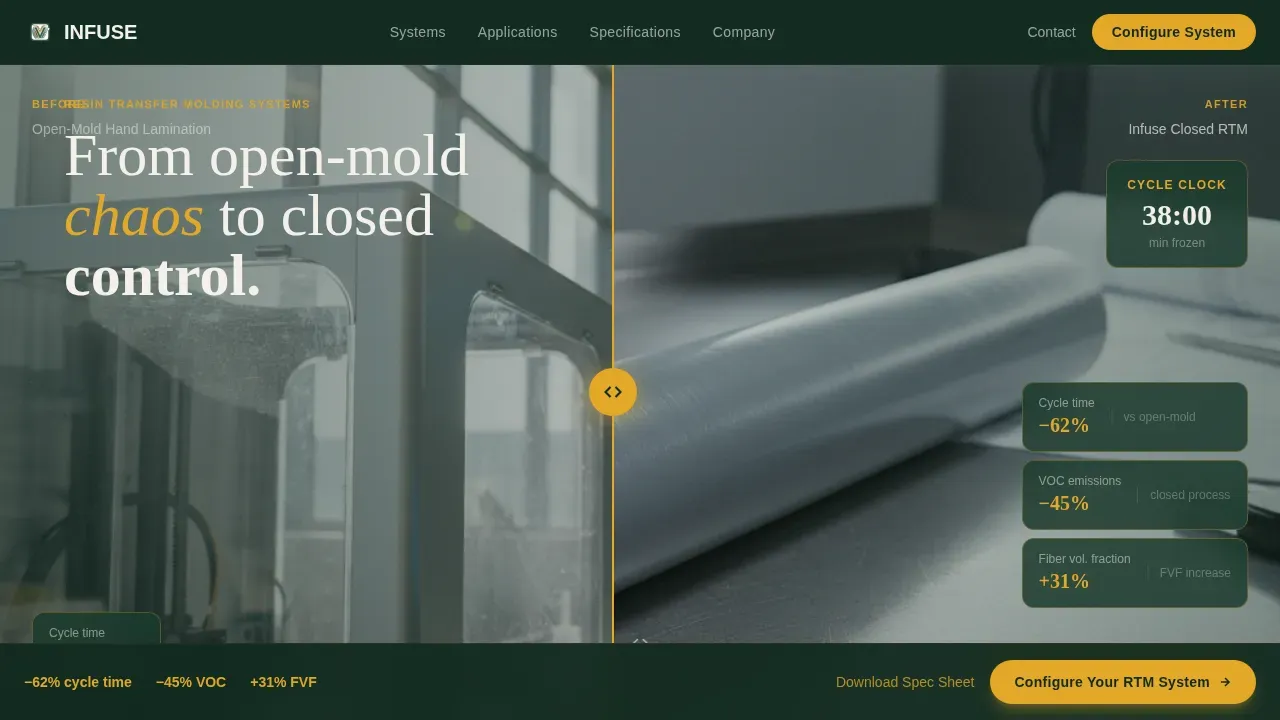
- Marketing teams struggle to communicate the jump from open mold chaos to closed mold control. The draggable before-and-after header does that in seconds, making the performance gap visible and visceral without requiring a paragraph to explain it.
- Click-through rates drop when a landing page buries the call to action below undifferentiated copy. This template puts the primary call to action in the hero and repeats it as a sticky bar, so the path to the configurator is always in reach without being pushy.
What you get with this template
You get a fully structured, single-page layout with every section, component, and interaction specified in the design brief. Nothing is placeholder.
- A draggable before-and-after hero section with stat overlays, an amber "Configure Your RTM System" button, and a linear single-row footer
- Three scroll-pinned stat sections, 4,200 psi clamp force, 0.1 bar vacuum tolerance, and 17-zone thermal control, each paired with a corresponding machine detail visual and a secondary "Download Full Spec Sheet (PDF)" text link
- A sticky call-to-action bar that appears after the third stat section, GSAP ScrollTrigger animations, an IR thermal map CSS gradient animation, hover micro-interactions, and a Forest Trust color system applied across every component
Feature list
This template is built around a specific set of interactions and design decisions drawn directly from the Infuse brief. Each feature below reflects a built component, not a general capability.
Draggable Before-and-After Hero
The header is a 50/50 split screen with a draggable center divider. The left panel shows an open mold layup under harsh fluorescent light. The right panel shows the same part geometry emerging clean from a closed RTM tool, with bold stat overlays, minus 62% cycle time, minus 45% VOC emissions, plus 31% fiber volume fraction, appearing on the after side. The resin flow transformation is visible before any paragraph loads.
Scroll-Pinned Stat Sections
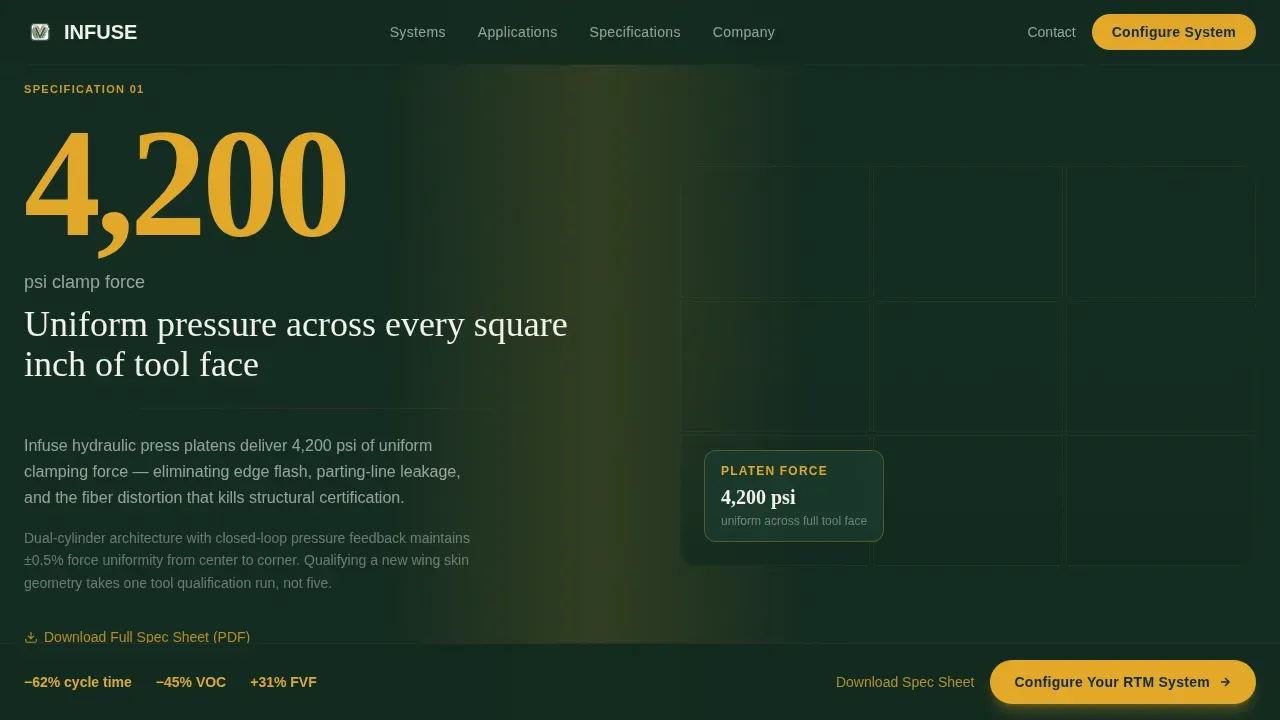
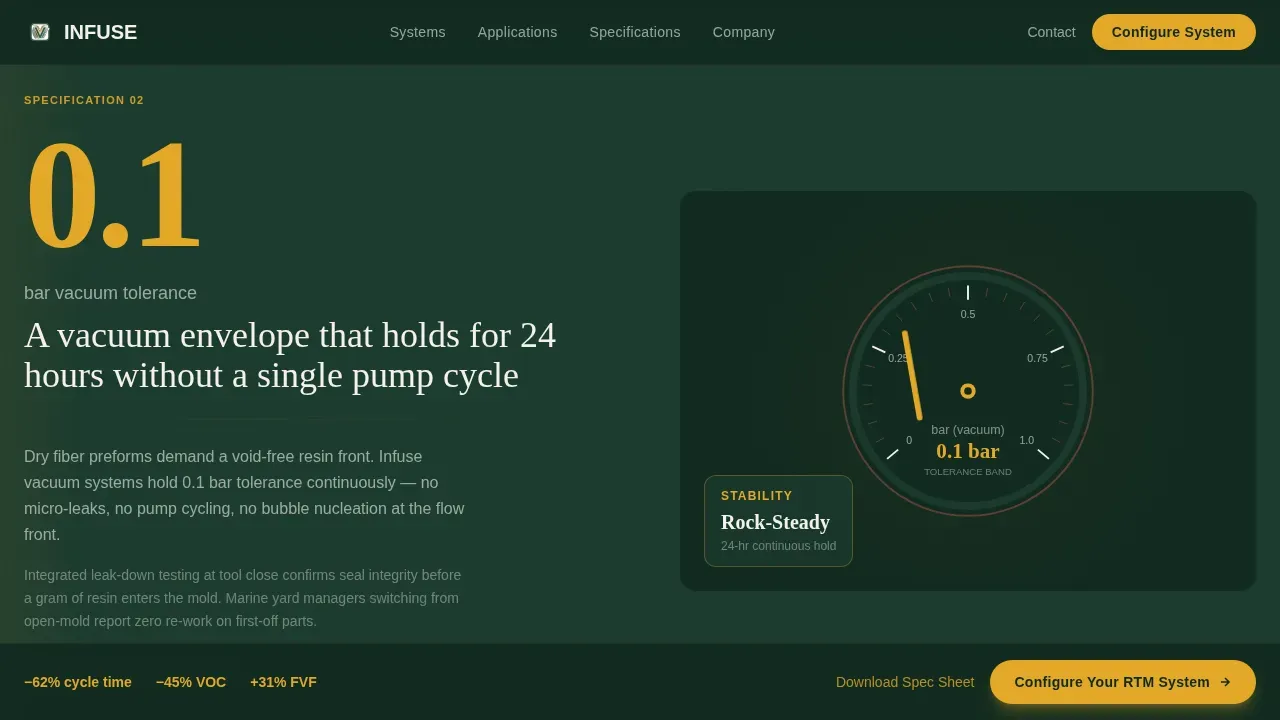
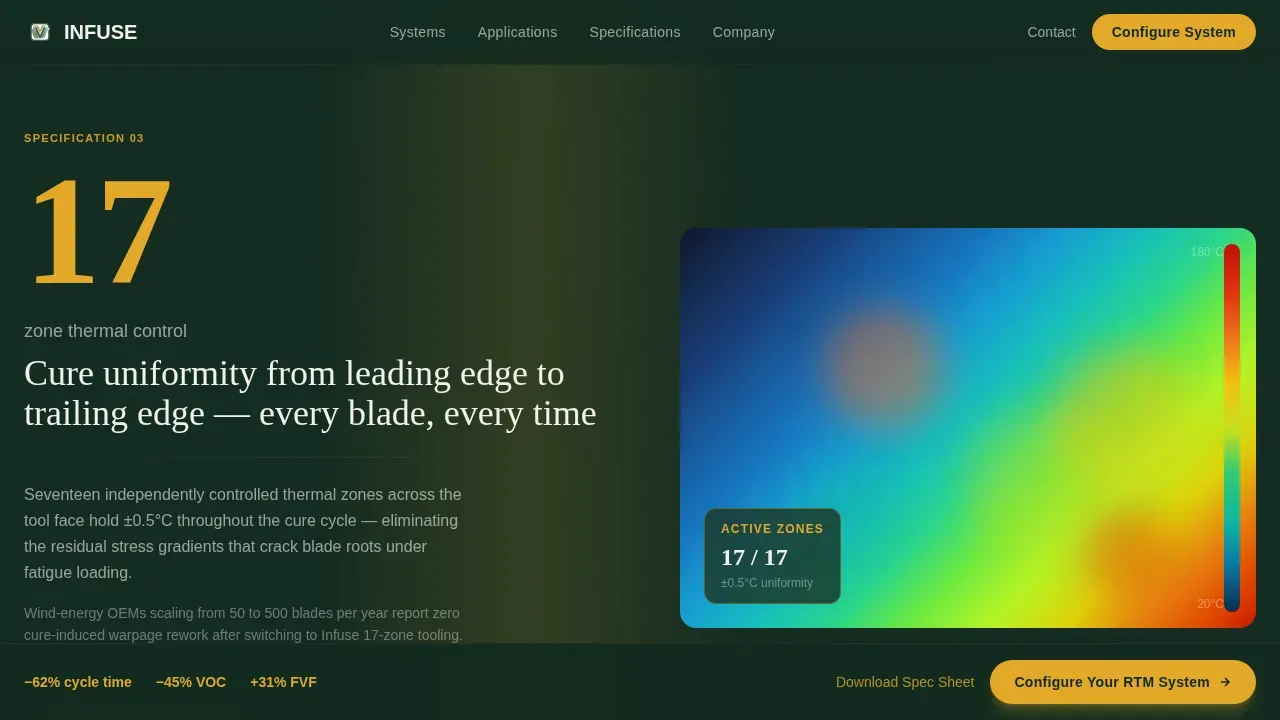
Three dedicated stat sections follow the hero, each opening with one oversized engineering number pinned to the left half of the split screen. The right half shows the corresponding machine detail: a hydraulic press platen close-up at 4,200 psi, a vacuum gauge needle at 0.1 bar, and an IR thermal map for 17-zone thermal control. This Stats-First Impact approach builds proof progressively, turning the infusion process data into a visual argument for the equipment.
GSAP ScrollTrigger Animations
Scroll-triggered animations power the stat reveals and section transitions. Each number pins on entry and releases on exit, giving the visitor the sensation of moving through a live process. The IR thermal map section uses a CSS gradient animation to simulate graduated heat zones across the mold surface. These interactions are built on GSAP ScrollTrigger and are separated into Client Components for performance.
Sticky Call-to-Action Bar
After the third stat section, a sticky bar anchors to the viewport and stays visible through the remainder of the page. It carries the primary call to action and ensures the click path to the configurator is never more than one action away. No form lives on this page; the sticky bar simply keeps the conversion moment available without interrupting reading.
Amber call to action System
Safety amber (#E2A829) is used exclusively for calls to action and live data callouts. The primary "Configure Your RTM System" button appears first in the hero's after panel, then again in the sticky bar. A secondary "Download Full Spec Sheet (PDF)" text link sits beneath each machine stat block. The two-tier call to action system captures both ready-to-configure visitors and high-intent engineers who need raw data before a conversation.
Forest Trust Color System
Deep mill green (#1B3A2D) dominates section backgrounds. Weathered bark (#5C4033) anchors headlines and dividers. Sap white (#F4F1EB) opens breathing room in body text and stat cards. Amber fires only when something demands action. The palette is not decorative, it maps directly to a well-run production facility aesthetic, reinforcing the template's industrial credibility at every scroll position.
Page sections overview
| Section | Purpose |
|---|---|
| Hero: Before/After | Draggable split screen with stat overlays and primary amber call to action |
| Stat Section 1 | 4,200 psi clamp force with hydraulic platen visual |
| Stat Section 2 | 0.1 bar vacuum tolerance with vacuum gauge visual |
| Stat Section 3 | 17-zone thermal control with IR thermal map |
| Sticky call to action Bar | Persistent configurator link after third stat section |
| Spec Sheet Links | Secondary PDF download beneath each stat block |
| Footer | Linear single-row pattern |
Design & branding system
The visual identity is built on the Service Utility theme with a Forest Trust color system. The result feels like walking through a well-run production facility, grounded, competent, and precise.
- Color roles are strict: mill green (#1B3A2D) for section backgrounds, bark (#5C4033) for headlines and dividers, sap white (#F4F1EB) for body text and stat cards, and safety amber (#E2A829) reserved exclusively for calls to action and live data callouts
- Typography pairs Fraunces serif headlines with DM Sans body labels, the contrast between the weighty serif and the clean sans-serif mirrors the contrast between raw industrial process and engineered precision that the template communicates throughout
Mobile & speed optimization
The template is specified as desktop-first, matching the primary audience of production engineers working at workstations. A responsive mobile fallback is included in the build specification.
- Server Components handle all static sections, the hero panels, stat cards, footer, and spec sheet links, so the page shell loads without waiting for interactive elements
- Client Components are scoped to the draggable before-and-after slider and the sticky call-to-action bar, keeping JavaScript execution focused on the elements that actually require it
How this template helps you convert
The entire page is structured as a progressive proof engine. By the time the visitor reaches the sticky call-to-action bar, they have already seen the before-and-after transformation, three layers of engineering-grade spec data, and a clear path to a spec sheet download. The conversion moment arrives after trust is built, not before.
- The draggable hero sets the stakes immediately, chaos versus control, open mold versus closed mold, 62 minutes versus 38, so the visitor understands what the equipment delivers before reading a single feature description
- The scroll-pinned stat sections raise the engineering bar with each reveal, turning the infusion process into a story with a measurable climax, so that by the time the amber "Configure Your RTM System" button reappears in the sticky bar, clicking it feels like a natural next step rather than a sales request
Other information about this template
This template is designed specifically for the composites industry, where buyers are technical, skeptical, and time-constrained. Several details are worth noting for teams evaluating it against other industrial landing page options.
- The mold design context built into the stat sections reflects how RTM molds work in practice: mold cavity geometry, mold surface quality, and process parameters like gel time and resin injection pressure are the numbers engineers trust. The template's stat blocks are sized and positioned to make those numbers the first thing a visitor sees on each section.
- Resin transfer molding equipment spans a wide range of applications. The template's copy framework accommodates messaging for aerospace structural components, marine closed mold systems, and renewable energy applications such as wind turbine blades. The configurator click-through reinforces this by letting visitors self-select mold size, resin chemistry, production volume, and heating method.
- The vacuum infusion process and light resin transfer molding (LRTM) are closely related to classic resin transfer moulding, and the template's before-and-after framing can support messaging that distinguishes between these methods. The open mold versus closed mold contrast shown in the hero applies equally to teams transitioning from a vacuum bag process or a vacuum infusion process to a full RTM system.
- Resin cures inside a sealed mold in the RTM process, which eliminates the open mold exposure risk associated with volatile organic compound (VOC) emissions. The minus 45% VOC overlay in the hero stat block communicates this to visitors before the body copy does, which is intentional, reduced emissions is a compliance argument that resonates with facility managers as strongly as cycle time resonates with production engineers.
- The template supports the Infuse Precision RTM Process Manufacturing Landing Page Template use case directly, including all five fact domains: RTM technology trust-building through interactive diagrams, closed mold process comparison, composite manufacturing advancement, mold design and production for RTM, and vacuum infusion process applications.
- RTM molds can be made from aluminum, steel (including steel molds), or fiber-reinforced polymer (FRP). Steel molds resist deformation under high pressure but carry higher tooling costs. FRP molds offer lower capital investment and shorter production cycles. The template's configurator link is where material and mold design decisions are captured; this page focuses on demonstrating outcomes, not collecting form data.
- Finished composite parts produced by a closed mold process typically show higher fiber volume fraction, better dimensional accuracy, and improved mechanical properties compared to open mold alternatives. The stat overlays in the hero quantify this improvement, plus 31% fiber volume fraction, so the claim lands as engineering data, not marketing language.
- Process monitoring, flow monitoring, and flow simulation software are increasingly central to modern composite manufacturing. Computer simulation and machine learning tools are being adopted across the composites industry to predict resin flow, manage gel time, and flag incomplete saturation before it affects part integrity. The template's stat sections can accommodate messaging about these capabilities as they apply to the equipment being marketed.
- Augmented reality and machine learning are emerging tools in the composites industry. Teams building on this template may wish to address those topics in the configurator or in supplementary content pages, keeping this landing page focused on the core RTM process performance proof.
Theme
Service Utility
Creative direction
Stats-First Impact
Color system
Forest Trust
Style
Split Screen (50/50)
Direction
Click-Through
Page Sections
Draggable Before-and-after Hero
Scroll-pinned Stat Sections
IR Thermal Map Animation
Two-tier Call to Action System
Sticky Configurator Bar
Forest Trust Color System
Related questions
Does this template include a contact form or lead capture form?
Can the before-and-after hero compare different closed mold processes?
Is this template suitable for manufacturers covering both RTM and vacuum infusion processes?
What industries fit the messaging framework built into this template?
How does the sticky call-to-action bar behave on mobile?



