Illustrator Portfolio Landing Page Template
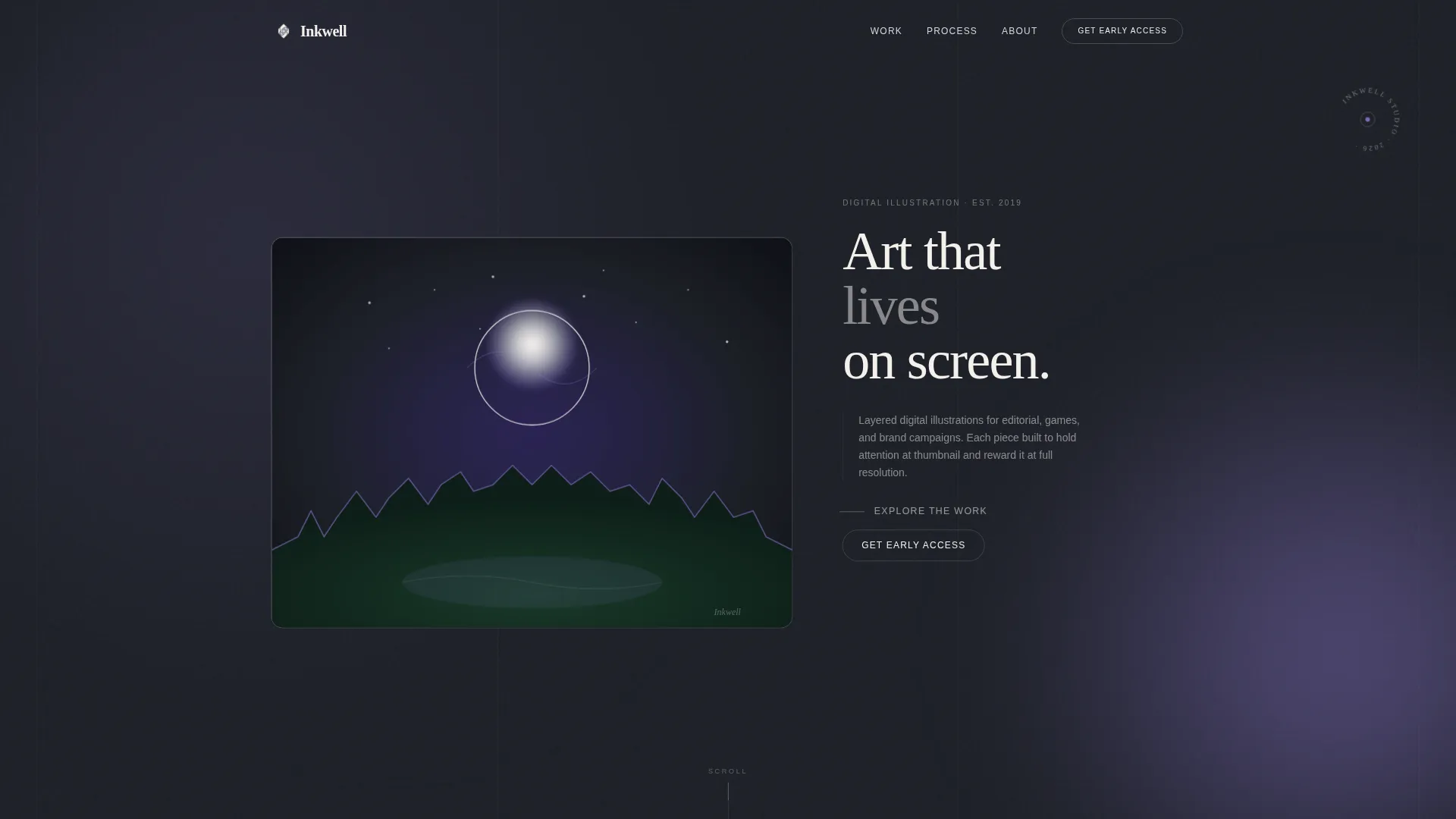
Inkwell is a single-page illustrator portfolio landing page built on an asymmetric 60/40 grid with a Tech Glass visual theme. It features a real-time animated illustration header, scroll-activated artwork, a frosted-glass lightbox, and a waitlist capture form. The design uses the Cloud Canvas color system to make illustrations glow against a deep graphite background.
by Rocket studio
Quick summary
Inkwell is a one-page portfolio landing page for digital illustrators. It uses an asymmetric 60/40 grid, a Tech Glass aesthetic, and scroll-driven interactions to turn browsing into discovery. The waitlist flow captures early visitors with a low-friction email form, and the animated header draws artwork live across the viewport the moment someone arrives.
Who this template is for
This template is built for digital illustrators who want their portfolio to feel as crafted as their work. It suits artists at the stage where they are building an audience, preparing a collection launch, or actively seeking commissioned work.
- Freelance illustrators launching a new portfolio or teasing an upcoming collection
- Artists targeting creative directors, editorial art directors, and indie game studios as clients
- Illustrators who want an interactive, visually immersive landing page rather than a static gallery
What problem this template solves
Most illustrator portfolio pages present work the same way a PDF does: static, flat, and forgettable. When a creative director is scanning dozens of portfolios before lunch, a passive gallery rarely earns a second look. Inkwell solves this by making the portfolio itself an experience worth finishing.
- Visitors arrive to artwork being drawn live, which immediately signals craft and investment
- Scroll-activated illustrations and interactive hover states keep attention moving through the page
- The waitlist form appears after the visitor has already engaged with the work, so the ask feels earned
What you get with this template
You get a complete one-page portfolio landing page that is ready to receive visitors, showcase illustrations, and collect early-access signups. Every visual and interactive element described below is built into the template structure.
- An animated vector header that draws itself in real time across the 60-column viewport space
- A zigzag asymmetric grid layout that alternates illustration placements between 60 and 40 columns
- A frosted-glass lightbox, scroll-activated illustration cells, a "Get Early Access" waitlist form, and a free wallpaper download incentive
Feature list
This template packs a focused set of interactive and visual features into a single cohesive layout. Each feature serves the goal of turning a passive portfolio visit into an active, memorable experience.
Real-Time Animated Header
The header illustration is never static. Vector strokes draw themselves across the viewport in real time, with color flooding in behind linework like watercolor on wet paper. The 60-column fills with the artwork while the 40-column holds a hand-lettered type line and a pulsing "explore" prompt.
Scroll-Activated Illustration Grid
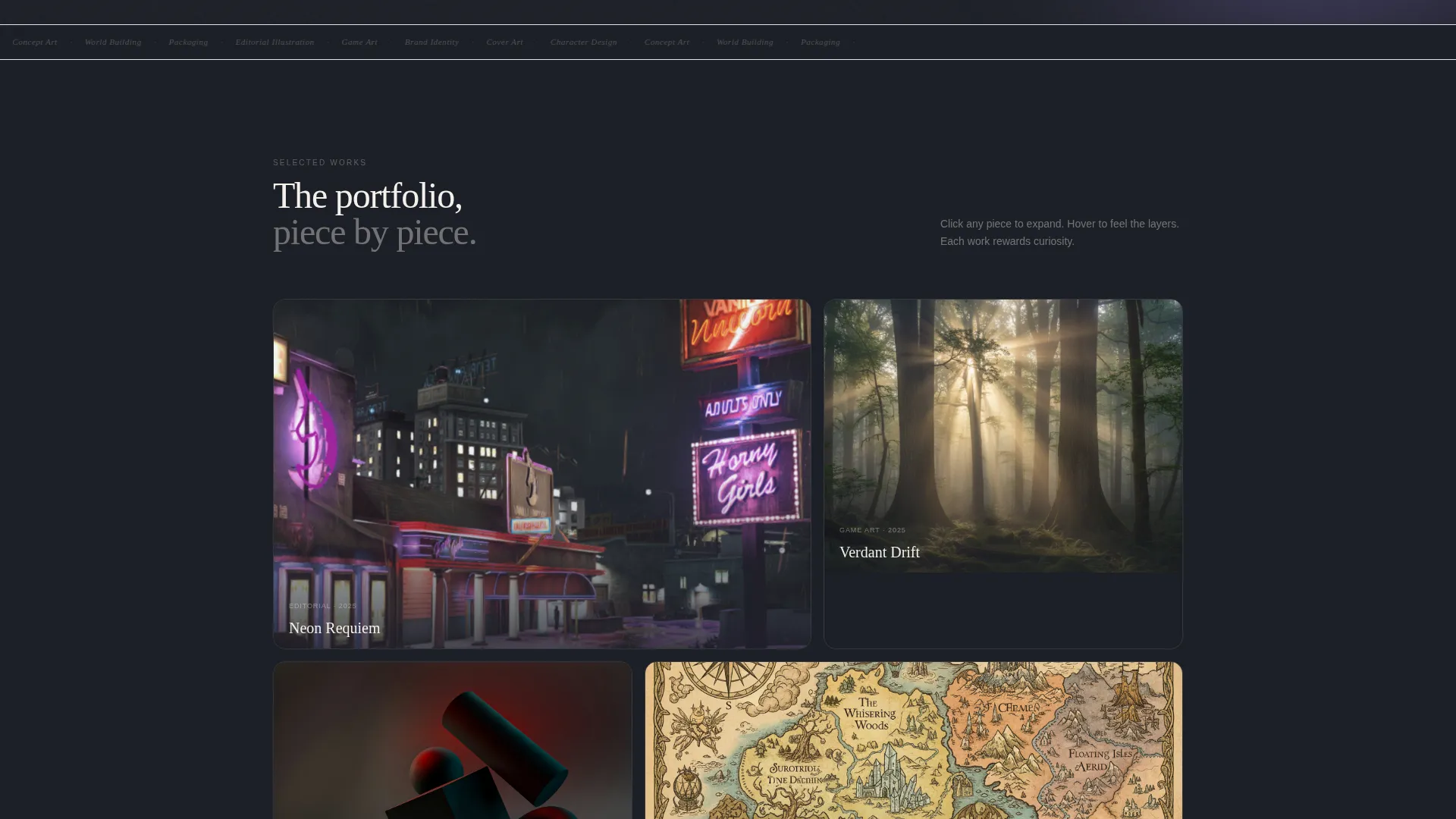
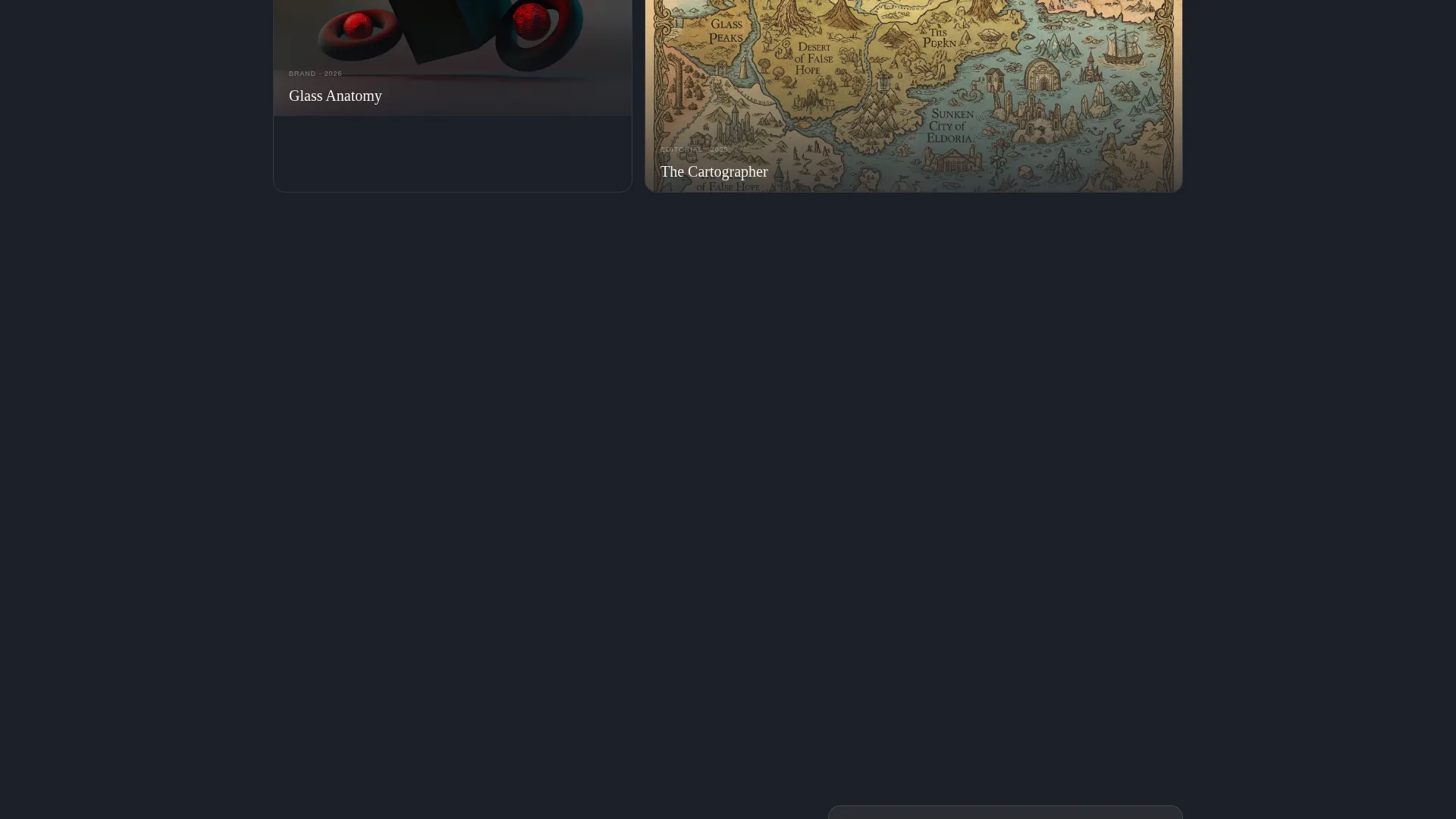
Each grid cell holds a dormant illustration that activates on scroll entry. Parallax layers separate foreground from background elements, and color palettes shift as the cursor moves across a piece, giving every section a sense of depth and motion.
Frosted-Glass Lightbox
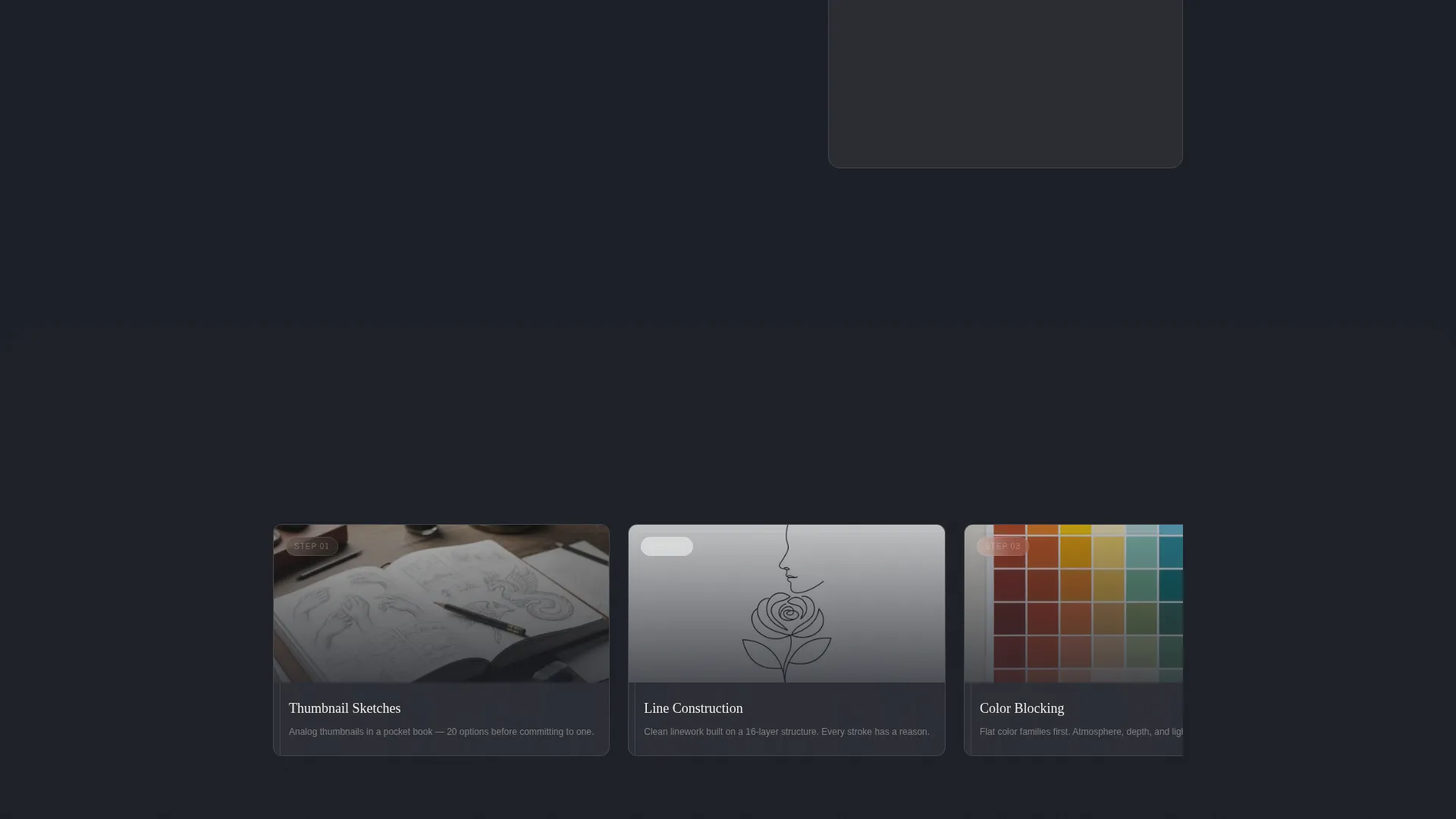
Clicking any illustration expands it into a frosted-glass lightbox overlay. Process shots orbit the final piece inside the lightbox, letting visitors explore the work at full resolution without leaving the page.
Waitlist Capture with Download Incentive
A soft banner at the page midpoint signals that the full collection drops in June 2025. The pinned "Get Early Access" form in the 40-column asks only for an email address and a single toggle: "Hiring" or "Just Looking." Visitors can also download one free wallpaper-resolution illustration in exchange for joining, reducing signup friction by giving value first.
Asymmetric 60/40 Zigzag Layout
Illustrations alternate between the 60-column and 40-column slots as the visitor scrolls, creating a visual rhythm that keeps the eye hunting across the page. The uneven weight prevents the layout from feeling like a uniform grid.
Tech Glass Visual System
Semi-transparent frosted panels layer over a deep graphite substrate. Glass borders catch the digital lilac accent on hover and on interactive cues only, keeping the palette restrained and every illustration the clear focal point.
Page sections overview
| Section | Purpose |
|---|---|
| Animated Hero Header | Draws the illustration live and introduces the artist |
| Hand-Lettered Tagline | Anchors artist identity in the 40-column |
| Scroll-Activated Gallery | Showcases illustration range through interactive grid cells |
| Frosted Lightbox Viewer | Expands selected pieces with process context |
| Midpoint Teaser Banner | Signals the upcoming full collection drop |
| Early Access Form | Captures waitlist emails with a hiring-intent toggle |
| Wallpaper Download Offer | Incentivizes signups with a free illustration download |
Design & branding system
The visual identity uses the Cloud Canvas color system, which layers translucency and depth to keep illustrations looking luminous against dark backgrounds. Every color decision serves contrast and atmosphere rather than decoration.
- Core palette: translucent off-white (#F4F0EB), diffused sky gray (#D2D5DB), deep graphite substrate (#1C1F26), and digital lilac (#A78BFA) reserved strictly for hover states and interactive cues
- Backgrounds use semi-transparent frosted panels with blur effects; illustration cards sit on cloud-white surfaces with subtle glass borders
- Typography uses a hand-lettered style for the hero tagline and clean graphite-toned type for body and user interface text, maintaining the balance between sketchbook warmth and interface precision
Mobile & speed optimization
The template is designed to adapt its asymmetric grid gracefully on smaller screens without losing the interactive character that defines the experience. Animations and layered effects are scoped to where they matter most.
- The 60/40 asymmetric grid stacks vertically on mobile so illustrations remain full-width and legible
- Parallax depth effects and scroll-activation behaviors are preserved on touch devices where supported by the browser
- The pinned "Get Early Access" form remains accessible as the visitor scrolls on both desktop and mobile viewports
How this template helps you convert
Inkwell earns signups by proving the work before making the ask. The conversion flow is built on progressive engagement rather than immediate demands.
- The animated header creates an immediate emotional hook, giving visitors a reason to stay before they have read a single word.
- Scroll-activated illustrations and hover interactions build investment over several sections, so by the time the waitlist form appears at the midpoint, the visitor already wants to see the full collection.
- The free wallpaper download lowers the barrier to signing up by offering concrete value in exchange for an email address, and the single "Hiring or Just Looking" toggle makes the form feel personal rather than generic.
Other information about this template
Inkwell is part of a growing library of niche-focused portfolio templates designed for creative professionals. A few additional details worth knowing before you use it:
- The template is built for a single-page layout and is not structured as a multi-page website
- The "Full collection drops June 2025" teaser banner is editable, so you can update the date or message to match your actual launch timeline
- The digital lilac accent (#A78BFA) appears only on hover and interactive states; it does not appear in static renders or screenshots
- The free wallpaper download path and the "Hiring / Just Looking" toggle are included as built-in form elements within the waitlist section
- This template suits illustrators working across editorial, game art, and agency-facing commercial briefs, as the layout communicates range and process alongside finished work
Theme
Tech Glass
Creative direction
Interactive Explorer
Color system
Cloud Canvas
Style
Asymmetric Grid (60/40)
Direction
Waitlist/Coming Soon
Page Sections
Real-time Animated Vector Header
Scroll-activated Illustration Cells
Frosted-glass Lightbox with Process View
Low-friction Waitlist Form
Free Illustration Download Incentive
Asymmetric 60/40 Zigzag Grid
Related questions
Can I change the launch date in the teaser banner?
Does the template include the illustrations shown in the preview?
How does the free wallpaper download work within the template?
Can I use this template without running a waitlist launch?
What does the Hiring or Just Looking toggle do inside the form?



