Minimalist Illustrator Portfolio Landing Page Template
Inkwell is a minimalist illustrator landing page template built for a waitlist launch. It features a scroll-jacked opening animation, a masonry case study layout, and an Ink and Paper color system. The design is crafted to attract art directors, creative leads, and gallery curators while capturing emails through two deliberate conversion touchpoints.
by Rocket studio
Quick summary
Inkwell is a single-page illustrator portfolio template designed around restraint and craft. It opens with a scroll-driven line-drawing animation, flows through masonry case study clusters, and closes with a waitlist capture. The palette is warm off-white, carbon black, and a single vermillion accent. Every section earns its space on the page.
Who this template is for
Inkwell is built for illustrators who lead with intention, not noise. If your work is defined by line quality, negative space, and considered composition, this template matches that sensibility directly.
- Freelance illustrators seeking book cover, editorial, or brand illustration commissions
- Illustrators preparing a waitlist launch before their full portfolio goes live
- Artists whose target audience includes art directors, creative leads, and gallery curators
What problem this template solves
Most portfolio templates drown the work in decoration. They compete with the illustrations instead of framing them. Inkwell removes that friction entirely.
- Generic portfolio layouts lack the editorial weight that attracts serious commissioning clients
- Coming-soon pages fail to hold attention long enough to earn an email sign-up
- Illustrators with refined, minimal work have no template that mirrors their visual voice
What you get with this template
Inkwell delivers a fully structured single-page layout ready to be customised and launched. Every section is intentional, from the animated header to the waitlist call to action.
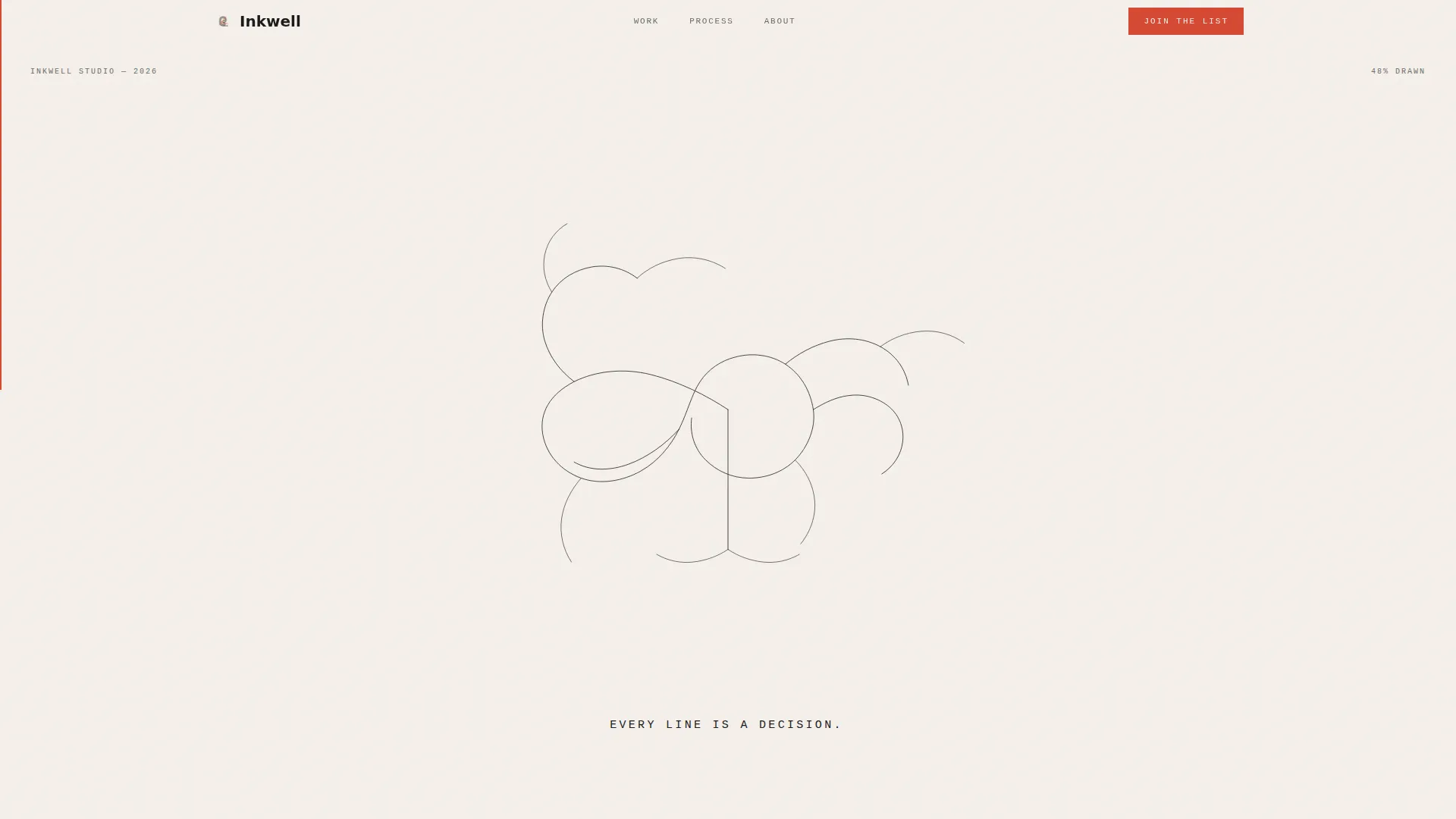
- A scroll-jacked header that draws a single pen-stroke illustration as the visitor scrolls
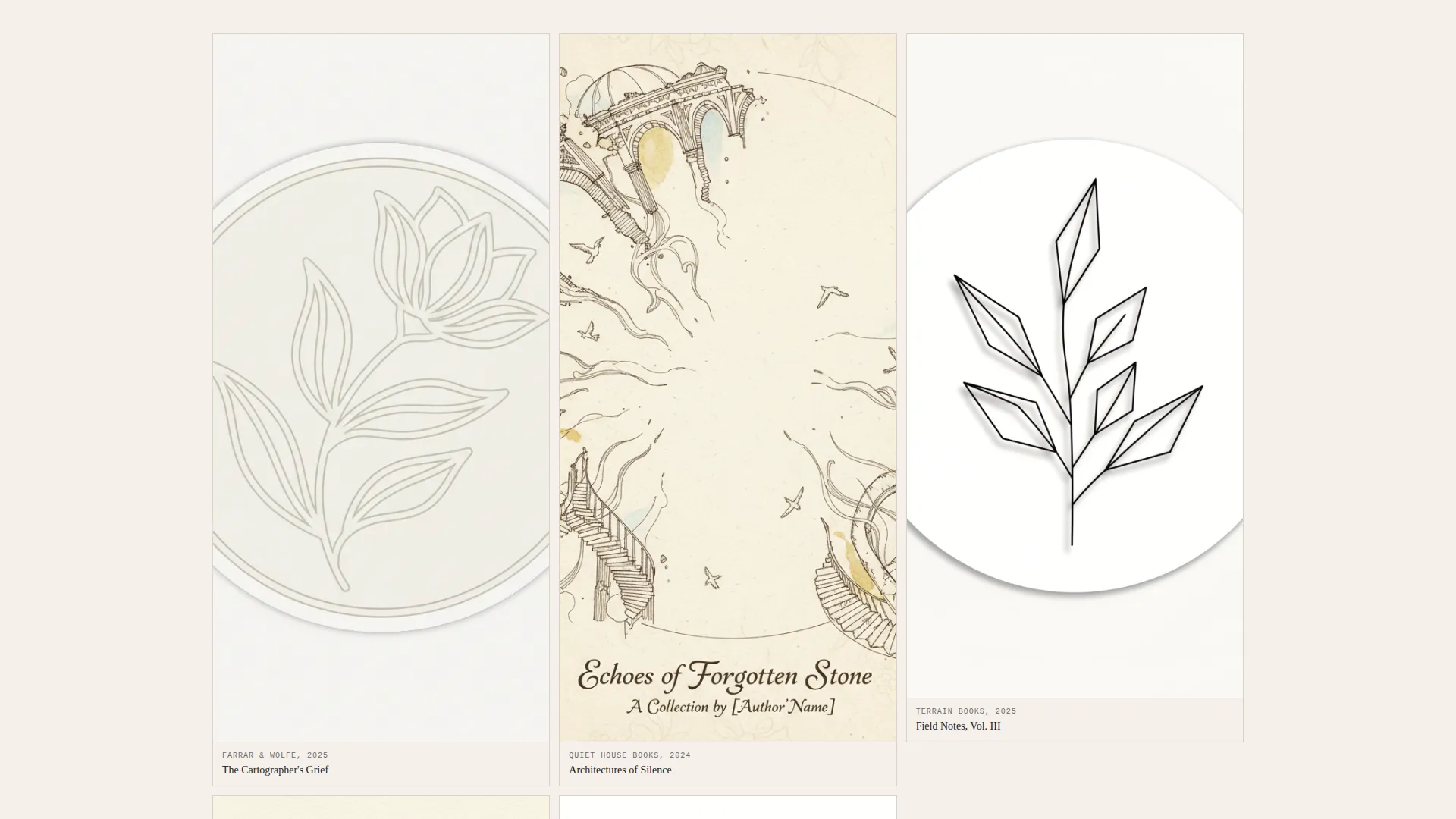
- A masonry case study section with alternating dense clusters and single-image breathing rooms
- Two email capture touchpoints: a free illustration brief template download and a waitlist join form
Feature list
Inkwell is built around a small number of carefully chosen features. Each one serves the core purpose of presenting minimal illustration work with maximum credibility.
Scroll-Jacked Opening Animation
The page opens on a blank off-white field. As the visitor scrolls, a single thin pen stroke draws itself outward from the centre of the viewport, line by line, until a complete minimalist composition fills the screen. The headline "Every line is a decision." then types in using a monospaced typeface.
Masonry Case Study Layout
Project entries are arranged in a masonry grid. Scrolling deeper into any cluster reveals the full case study narrative: the original brief, raw thumbnail sketches, a refinement sequence, and the final illustration in generous white space.
Dual Scroll Rhythm
The layout alternates between dense mosaic clusters and single-image breathing rooms. This cadence mirrors the illustrator's creative process and gives visitors a natural sense of pace and pause as they move through the work.
Waitlist call to action with Social Proof
After the third case study cluster, a focused email capture reads "Join the First Edition." A vermillion submit button draws the eye. A small counter below the form reads "47 art directors already on the list," offering social proof without pressure.
Free Resource Lead Magnet
A secondary conversion point appears before the waitlist ask. Visitors can download a free illustration brief template in exchange for their email address. This captures intent earlier and warms the audience before the primary call to action.
Ink and Paper Color System
The palette uses warm off-white (#F5F0EB) as the dominant ground, carbon black (#1A1A1A) for linework and type, soft graphite (#6B6B6B) for secondary text and borders, and vermillion red (#D64933) reserved exclusively for interactive states and the call to action button.
Page sections overview
| Section | Purpose |
|---|---|
| Scroll-jacked header | Opens with a self-drawing pen-stroke animation tied to scroll progress |
| Animated headline reveal | Types "Every line is a decision." after the drawing completes |
| First case study cluster | Introduces the first masonry project group with brief and sketch sequence |
| Single-image breathing room | Provides visual pause between dense project clusters |
| Second case study cluster | Continues the project narrative with refinement and final illustration |
| Lead magnet offer | Captures email early via a free illustration brief template download |
| Third case study cluster | Deepens craft credibility before the primary waitlist ask |
| Waitlist call to action section | "Join the First Edition" email form with vermillion button and social proof counter |
Design & branding system
The visual identity follows a Lens and Frame theme built entirely on the Ink and Paper color system. The result feels like a printed monograph rather than a typical web portfolio.
- Warm off-white (#F5F0EB) grounds the page; carbon black (#1A1A1A) handles all linework and primary typography; soft graphite (#6B6B6B) is used for secondary labels and user interface borders
- Vermillion red (#D64933) appears only on interactive states and the waitlist call to action button, making every accent feel deliberate
- Typography uses a monospaced typeface for the animated headline, reinforcing the hand-drawn, studio-craft tone of the template
Mobile & speed optimization
The template is structured to maintain its editorial pacing and visual clarity on smaller screens. The masonry layout adapts to narrower viewports without losing its rhythm.
- Masonry clusters reflow gracefully so breathing-room sections remain visible and spacious on mobile
- The scroll-jacked header animation is designed to feel considered at any screen width, preserving the line-drawing reveal experience
- Minimal decorative overhead in the design keeps the page visually lean by default
How this template helps you convert
Inkwell is built with two deliberate conversion layers, not one. Both are positioned at moments of genuine engagement rather than interrupting the experience.
- The free illustration brief template download appears before the visitor reaches the primary call to action, capturing email through a value exchange that feels natural and relevant.
- The "Join the First Edition" waitlist form arrives after three case study clusters, when the visitor has seen enough craft to feel genuine interest. The social proof counter reinforces that others have already committed.
Other information about this template
Inkwell sits at the intersection of the Portfolio and Agency category and the illustrator minimalist portfolio niche. It is built specifically for a waitlist or coming-soon launch context, which makes it especially useful for illustrators preparing to unveil a new body of work.
- The template style is Masonry and Pinterest-inspired, suited to work that benefits from varied scale and grouped storytelling
- The creative direction follows a Case Study Narrative approach, meaning the template is structured to show process, not just outcomes
- The header concept is a Scroll-Jacked Experience, a single-page interaction pattern that replaces traditional hero sections with a participatory drawing reveal
- The template is a single landing page, not a multi-page site, and is intentionally scoped to one focused conversion goal per session

Theme
Lens & Frame
Creative direction
Case Study Narrative
Color system
Ink & Paper
Style
Masonry/Pinterest
Direction
Waitlist/Coming Soon
Page Sections
Scroll-jacked Line Drawing Header
Masonry Case Study Grid
Two-stage Email Capture
Social Proof Counter
Ink and Paper Color System
Monospaced Animated Headline
Related questions
Is this template suitable for a portfolio that is not yet fully ready to launch?
How many case studies should I include when using this template?
Can I update the social proof counter to reflect my own waitlist numbers?
What kind of illustration work fits this template best?
Do I need to use all sections of the template?



