Environmental Inspector Service Area Landing Page Template
Inspect is a single-column landing page template built for environmental inspection professionals. It pairs an authoritative Quote/Manifesto header with an Expert Panel scroll structure, walking visitors through each hazard category in the inspector's own voice. The Monochrome Steel palette, gated checklist download, and persistent scheduling form work together to build trust before asking for a commitment.
by Rocket studio
Quick summary
Inspect is a content-led landing page template for environmental inspection services. It opens with a bold manifesto statement, then guides visitors through hazard-by-hazard expert explanations, local regulatory context, and clear call-to-action moments. The design is clinical and calm, built to reassure anxious property owners and time-pressured real estate professionals the moment they land on the page.
Who this template is for
This template is designed for environmental inspectors who operate in specific service areas and need a page that communicates field credibility without relying on flashy imagery. It suits solo practitioners and small firms alike.
- Environmental inspectors offering mold, asbestos, lead paint, radon, or indoor air quality assessments
- Inspection businesses targeting real estate agents, homeowners, and property managers in defined geographic territories
- Professionals who want a content-rich service area page that earns trust before asking for a booking
What problem this template solves
Most environmental inspector pages look like generic contractor sites. They list services in three bullet points and put a phone number in the header. That approach fails the visitor who arrives scared, uninformed, and not yet sure they need to call anyone. Inspect solves this by giving away real expertise first.
- Visitors arrive mid-crisis and need immediate context before they will trust anyone
- Real estate agents near closing deadlines need fast reassurance that turnaround timelines are understood
- Property managers facing regulatory letters need a page that speaks their language from the first scroll
What you get with this template
This template delivers a structured, single-column page built entirely around the inspector's voice and the visitor's actual concerns. Every section has a clear purpose in the trust-building sequence.
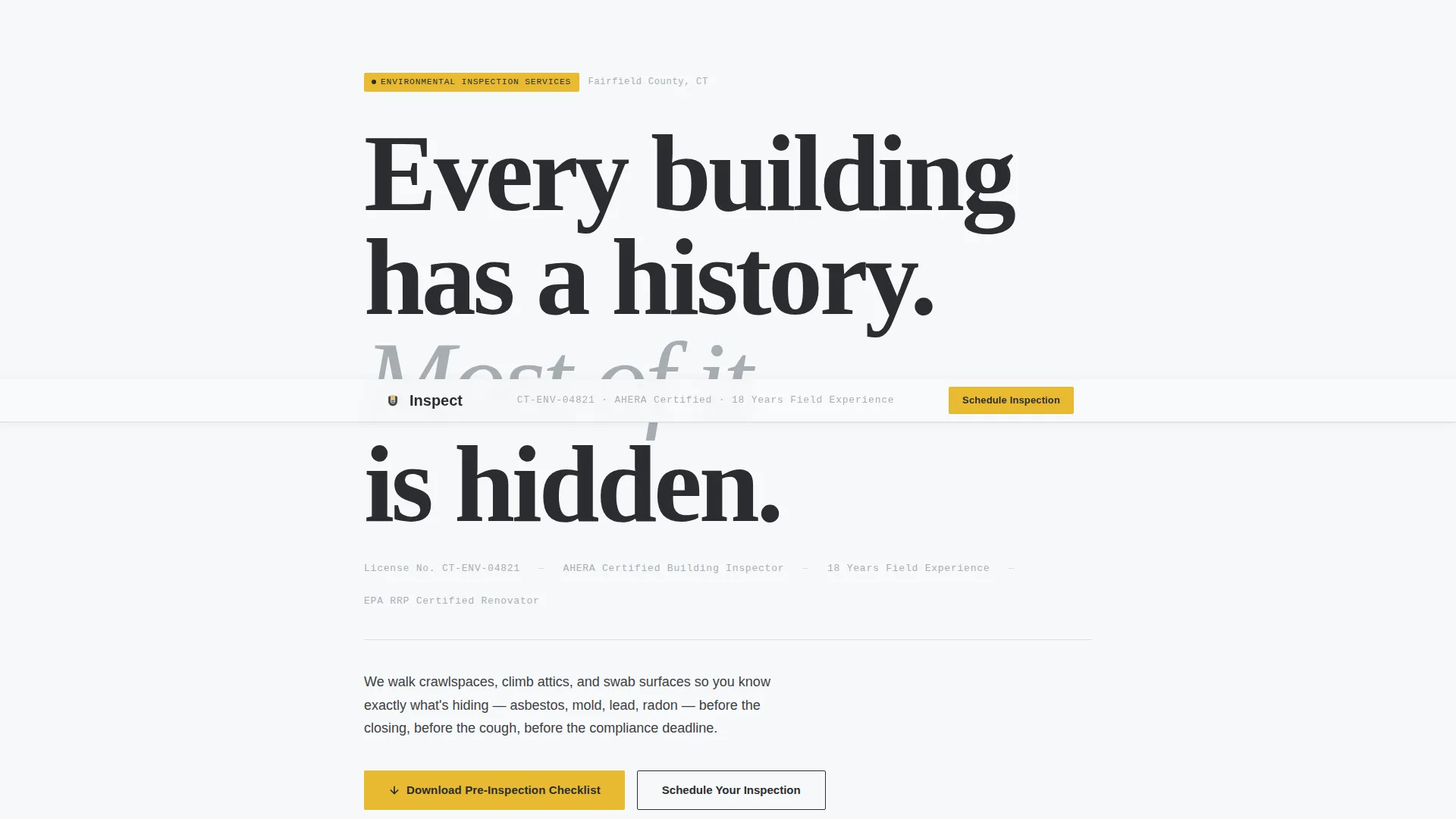
- A manifesto-style header block with oversized slab-serif typography and credential display
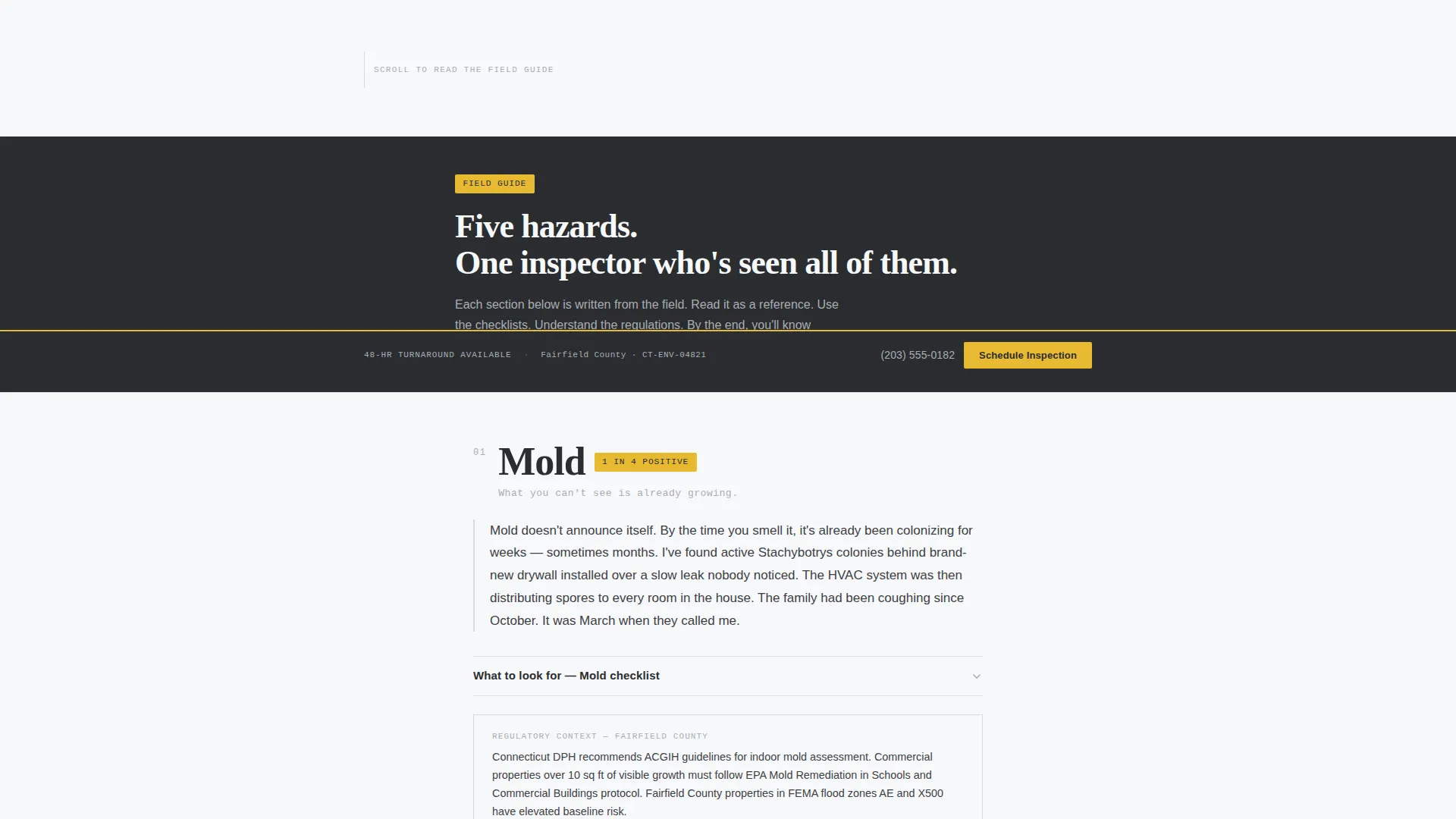
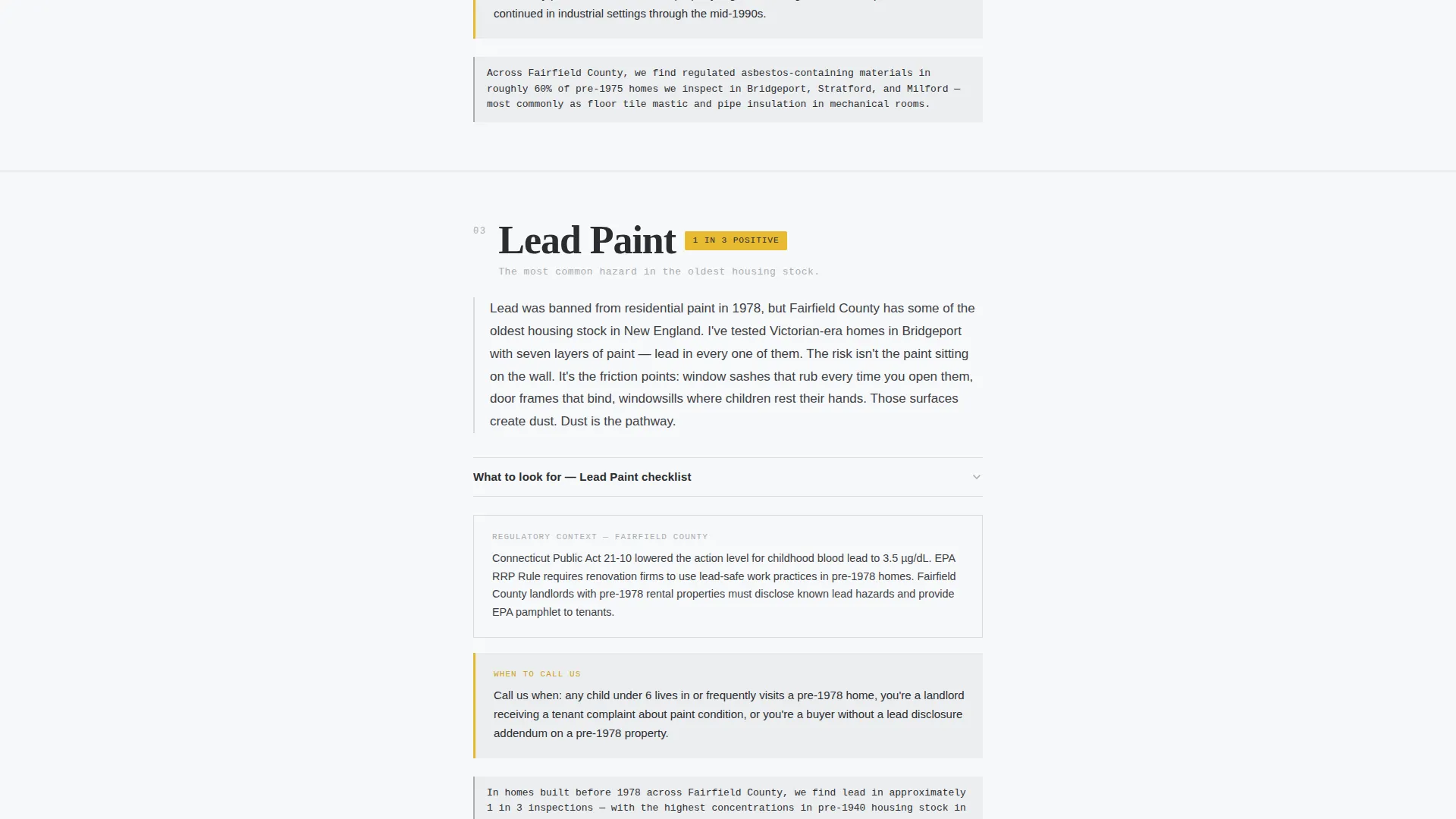
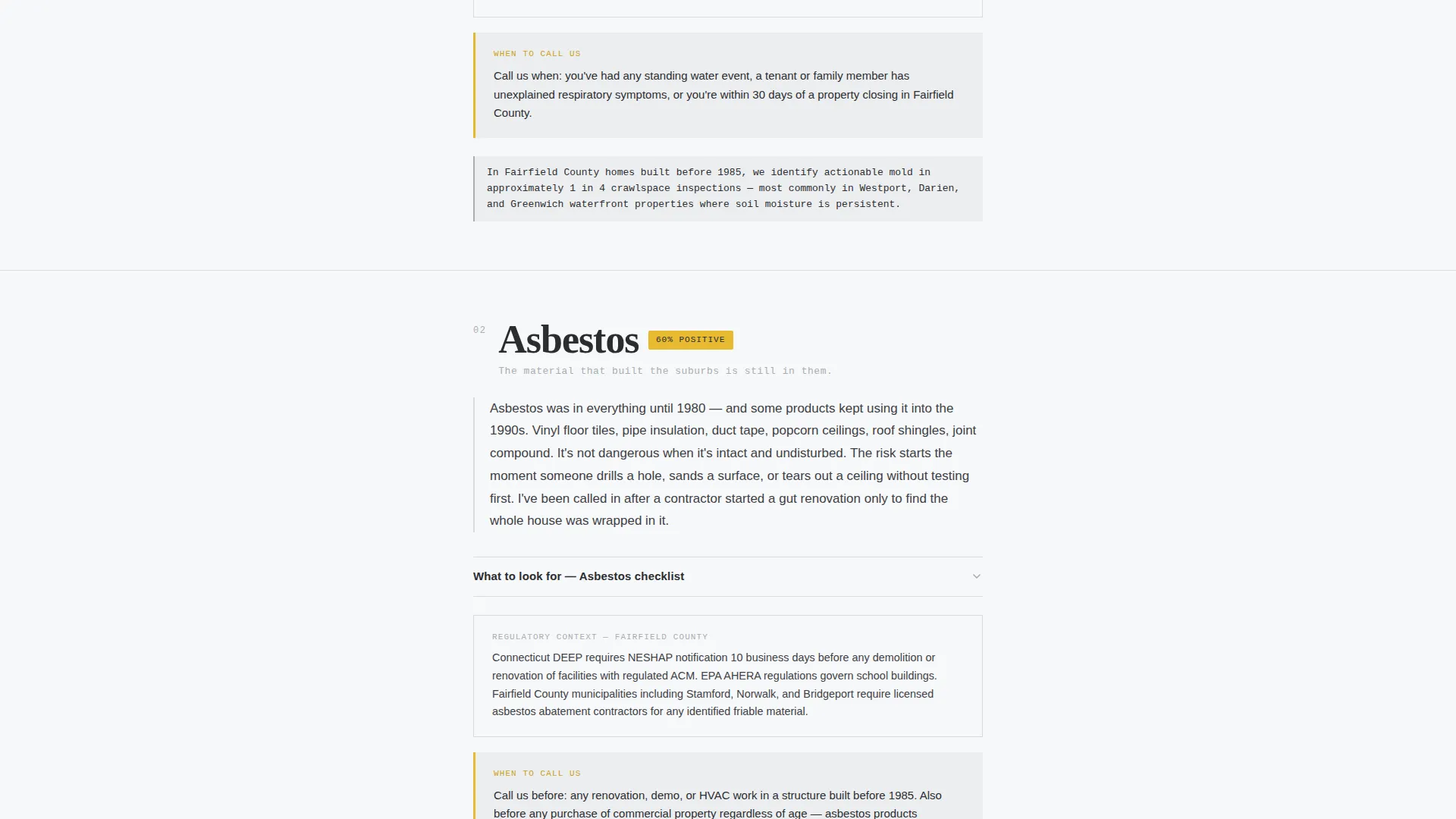
- A scrollable Expert Panel body with one hazard section per scroll stop, each containing an inspector-voice explanation, a what-to-look-for checklist, local regulatory context, and a "When to call us" threshold statement
- A gated checklist download form collecting email and property type, plus a persistent bottom-bar scheduling form with fields for property address, concern type, and preferred date
Feature list
This section covers the core functional and design components built into the Inspect template.
Manifesto Header Block
The header fills roughly seventy percent of the viewport with bold, stacked slab-serif typography. The inspector's credential string, state license number, certification designation, and years in practice, appears below in brushed aluminum text. No photography competes. The words and surrounding negative space carry all the authority.
Expert Panel Hazard Sections
Each hazard category gets its own dedicated scroll section. Mold, asbestos, lead paint, radon, and indoor air quality are introduced one at a time in the inspector's voice. Each section includes a brief expert explanation, a what-to-look-for checklist, relevant local regulatory context, and a plain-language threshold statement telling the visitor exactly when to pick up the phone.
Inline Service Area Callouts
Service area coverage is woven into the hazard sections as contextual sentences rather than a plain list. References to specific towns, zip codes, and county jurisdictions appear naturally within the expert copy, reinforcing local authority without interrupting the educational flow.
Gated Checklist Download Form
The primary conversion point is a downloadable pre-inspection checklist. Visitors unlock it by providing their email address and selecting a property type from a short dropdown: residential, commercial, or multi-family. This gives the inspector a qualified lead before any sales conversation begins.
Persistent Scheduling Bar
A fixed bottom bar carries a secondary call-to-action labeled "Schedule Your Inspection" throughout the entire scroll. It opens a short form requesting property address, concern type, and preferred date. The bar stays visible without interrupting the reading experience.
Inspection-Yellow call to action System
The Monochrome Steel palette reserves inspection-yellow (#E8B931) exclusively for callout badges, warning icons, and every call-to-action element. This creates a consistent visual signal: yellow means action. Nothing else on the page competes for that association.
Page sections overview
| Section | Purpose |
|---|---|
| Manifesto Header | Establish authority and display inspector credentials |
| Mold Hazard Section | Educate on mold risks with checklist and local context |
| Asbestos Hazard Section | Cover asbestos concerns and relevant regulations |
| Lead Paint Section | Explain lead paint risks in pre-1978 properties |
| Radon Hazard Section | Address radon entry points and testing thresholds |
| Indoor Air Quality Section | Broaden scope to general air quality concerns |
| Service Area Callouts | Weave geographic coverage into hazard copy |
| Checklist Download Form | Capture email and property type for lead generation |
| Persistent Schedule Bar | Provide always-visible booking access across the scroll |
Design & branding system
The template uses a Monochrome Steel color system built to feel like a field report rather than a marketing brochure. Every color choice is functional and intentional.
- Structural charcoal (#2B2D30) for all primary body text, headings, and the main type hierarchy
- Brushed aluminum (#A8ADB3) for secondary copy, divider lines, and the credential string in the header
- Clean-room white (#F7F8FA) as the page background, keeping the layout open and easy to read
- Inspection-yellow (#E8B931) reserved strictly for callout badges, warning icons, and all call-to-action elements
Mobile & speed optimization
The single-column flow is inherently suited for narrow screens. Each hazard section stacks cleanly without requiring grid reconfiguration, and the persistent scheduling bar remains accessible at thumb reach on mobile devices.
- Full-width typography scales naturally across phone, tablet, and desktop viewport widths
- The persistent bottom bar adapts to mobile without obscuring body content
- Form fields for both the checklist download and the scheduling form are kept short to reduce friction on small screens
How this template helps you convert
The page is structured so that visitors earn understanding before they are asked to act. By the time someone reaches the first conversion point, they already feel informed enough to trust the inspector and aware enough to know they should not wait.
- The manifesto header and credential display establish immediate authority, so visitors do not leave to verify credibility elsewhere
- The hazard-by-hazard Expert Panel format keeps visitors reading longer, building confidence section by section before the checklist download appears
- The persistent scheduling bar means a visitor who decides to book at any point in the scroll can act immediately, without hunting for a contact form
Other information about this template
Inspect is categorized under Professional Services as an Environmental Inspector Online Presence template. It is built specifically for the service area and location page use case, where local relevance and demonstrated expertise matter more than visual spectacle.
- The Educational Guide theme means the page reads like a field manual chapter rather than a sales pitch
- The template style is a single-column flow, which keeps the reading experience linear and distraction-free
- The Content/Resource landing page direction means the primary value exchange is expertise for contact information, not a hard sell
- The header concept is a Quote/Manifesto, making the inspector's perspective the first and most dominant element on the page
- The creative direction is Expert Panel, organizing the body as a series of authoritative subject-matter deep dives rather than a list of services
Theme
Educational Guide
Creative direction
Expert Panel
Color system
Monochrome Steel
Style
Single Column Flow
Direction
Content/Resource
Page Sections
Manifesto Header with Credential Display
Expert Panel Hazard Scroll Structure
Inline Geographic Service Area Copy
Gated Pre-inspection Checklist Form
Persistent Bottom-bar Scheduling Form
Inspection-yellow Call to Action Visual System
Related questions
Who is this landing page template designed for?
How does the gated checklist download form work?
Can I customize the hazard sections for my specific services?
Is this template suitable for a single location or multiple territories?
What keeps this page from feeling like a typical sales pitch?



