Building Inspector Booking Website Template
Inspect is a professional building inspector landing page template built for independent inspectors who need to convert cautious buyers into booked appointments. It uses a case study narrative structure, an Executive Suite visual identity, and a scheduling-first layout to showcase real inspection outcomes and guide every visitor toward booking with confidence.
by Rocket studio
Quick summary
Inspect is a single-page landing page template designed for licensed building inspectors. It combines an authoritative editorial visual style with a zigzag case study layout and a clear booking flow. The goal is simple: demonstrate hard-won field expertise through real inspection stories, then make it effortless for a visitor to schedule an appointment.
Who this template is for
This template is built for inspection professionals who need a credible, conversion-ready online presence. It speaks directly to the clients who book inspections and the professionals who want more of them.
- Independent building inspectors serving residential and commercial clients
- Inspection firms targeting first-time homebuyers, real estate agents, and commercial property managers
- Licensed professionals who want to lead with documented results rather than generic service lists
What problem this template solves
Most inspector websites look identical: a stock photo, a phone number, and a list of services. That generic approach fails to reassure a buyer who is about to spend six figures on a property they have never lived in. This template solves the trust gap directly.
- Visitors leave other inspection sites unconvinced because they see no proof of competence
- First-time buyers and cautious agents need specific outcomes, not vague credentials
- Commercial property managers facing compliance deadlines need a fast, confident reason to book
What you get with this template
The template delivers a fully structured single-page layout built around proven inspection credibility signals. Every section has a defined role, and the entire page moves the visitor toward one action: scheduling an inspection.
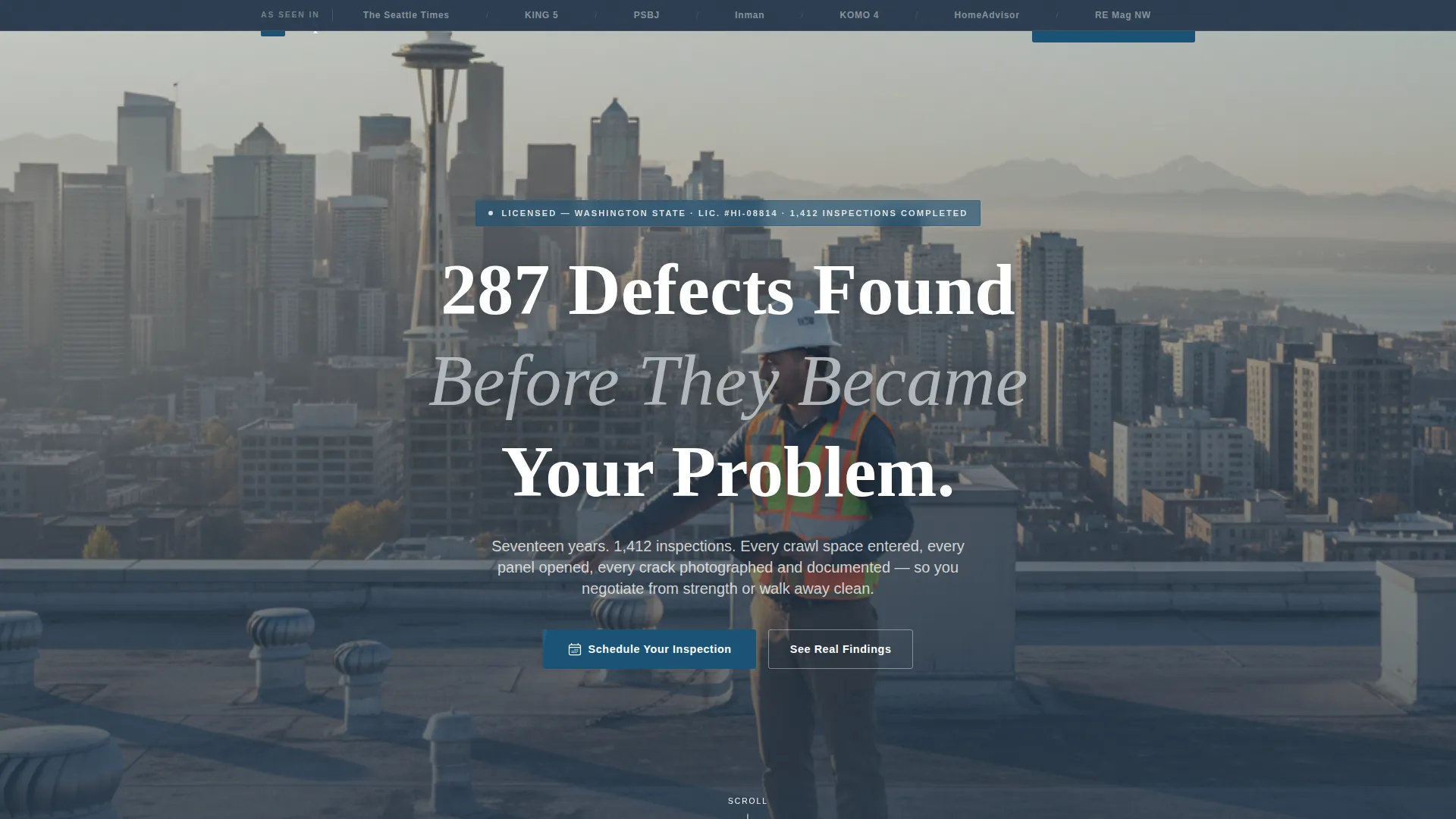
- A press mentions header ribbon, editorial hero portrait section, and headline with a real inspection statistic
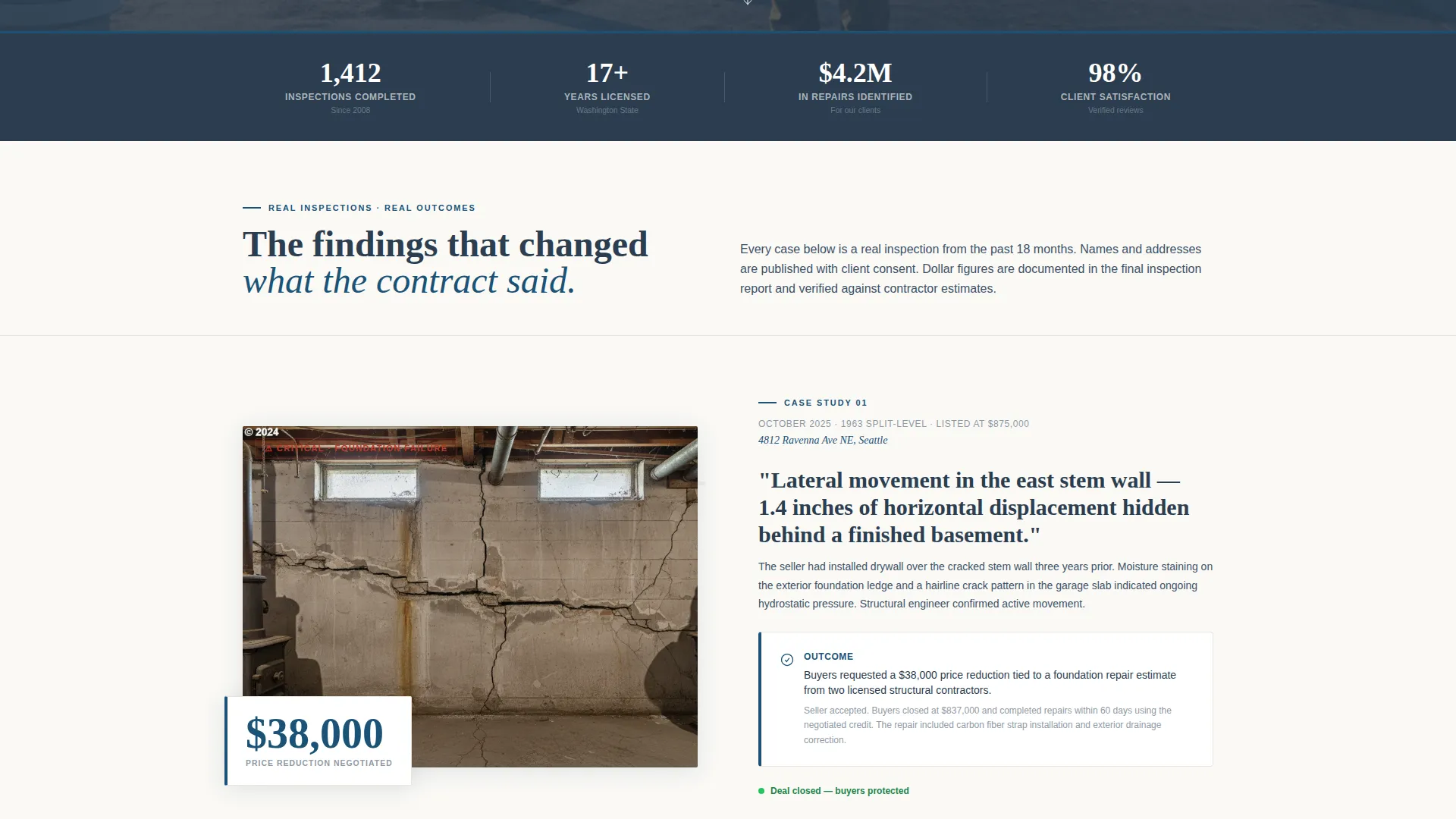
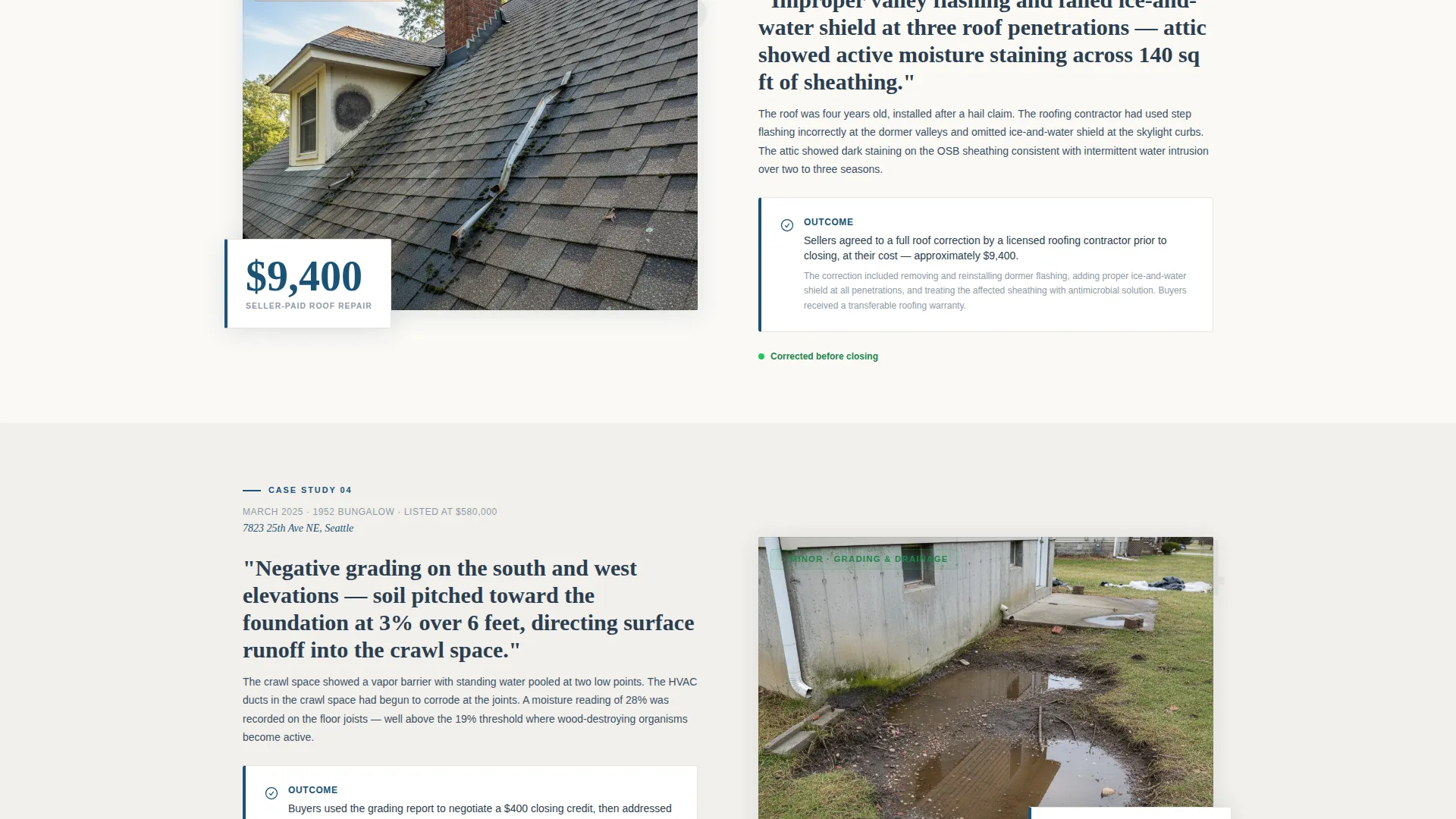
- A zigzag alternating case study body that escalates from minor findings to major deal-changing discoveries
- A primary booking form with property address, inspection type selector, embedded calendar widget, and phone field
- A secondary lead capture path offering a downloadable pre-inspection checklist for visitors not yet under contract
- FAQ accordion sections placed between case studies to answer the exact questions buyers search at midnight
Feature list
This template is organized around a small number of high-impact components. Each one serves a specific purpose in building trust and driving bookings.
Press Mentions Header Ribbon
A horizontal bar set against boardroom charcoal displays publication logos and local news outlet names where the inspector has been quoted. It establishes authority before the visitor reads a single word of body copy.
Editorial Hero Portrait Section
A full-width photograph section frames the inspector mid-stride on a rooftop, clipboard in hand, with a soft skyline and morning light in the background. A fade-in headline citing a real defect count appears over the image, paired with a dateline-style subhead showing total completed inspections and years licensed.
Zigzag Case Study Layout
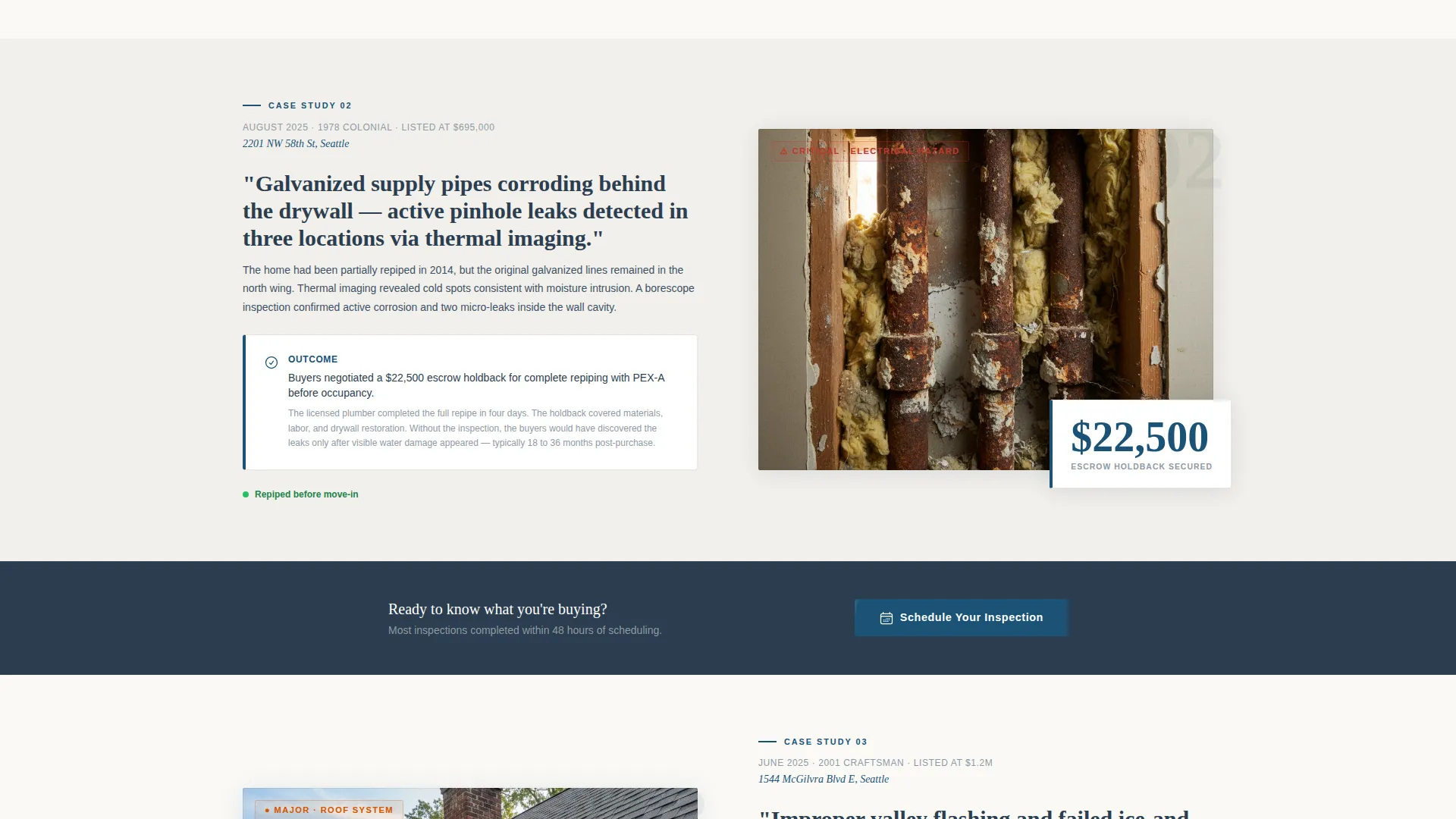
Each alternating section tells one complete inspection story. The left block names a specific finding in plain language. The right block shows the outcome, the dollar amount saved, and whether the deal was renegotiated or walked away from. The stakes escalate as the visitor scrolls, building a cumulative argument for the inspector's value.
Booking and Scheduling Form
The primary call to action is a structured booking form. It collects property address first, then inspection type from a selectable list that includes pre-purchase, pre-listing, commercial, and radon or mold add-on options. A preferred date is captured via an embedded calendar widget, and a phone number is collected last.
Pre-Inspection Checklist Lead Capture
A secondary conversion path offers a downloadable pre-inspection checklist. It is designed to collect email addresses from visitors who are researching but not yet under contract, keeping the inspector in front of potential clients until they are ready to book.
FAQ Accordion Sections
Compact accordion-style FAQ blocks are placed between case studies throughout the page. Each answer is written with the calm, specific authority of someone who has handled that question two hundred times before.
Page sections overview
| Section | Purpose |
|---|---|
| Press Mentions Ribbon | Establishes media credibility at first glance |
| Hero Portrait Section | Anchors inspector identity with editorial authority |
| Primary Booking call to action | Drives immediate scheduling action |
| Case Study One | Opens with a low-stakes finding and outcome |
| FAQ Accordion Block | Answers early-stage buyer questions |
| Case Study Two | Raises stakes with a mid-range defect story |
| Repeat Booking call to action | Reinforces the scheduling action mid-scroll |
| Case Study Three | Delivers the high-stakes foundation failure narrative |
| FAQ Accordion Block | Addresses commercial and compliance questions |
| Checklist Lead Capture | Captures emails from not-yet-ready visitors |
| Final Booking call to action | Closes the page with a clear scheduling prompt |
Design & branding system
The visual identity follows an Executive Suite theme built on the Cloud Canvas color system. The palette is restrained by design: every color choice carries specific weight and only appears where it earns attention.
- Boardroom charcoal (#2C3E50) carries all body text and structural elements, including the press mentions ribbon and section dividers
- Pressed-linen white (#FAF9F6) and a faint warm gray alternate as section backgrounds, creating a clean reading rhythm without visual noise
- Brushed platinum (#BDC3C7) handles supporting user interface elements such as borders and secondary text
- Authority blue (#1A5276) appears sparingly on links, buttons, and trust indicators so that every instance commands a click
Mobile & speed optimization
The template is designed with a responsive layout so the zigzag sections, booking form, and accordion FAQs reflow cleanly across screen sizes. The single-page structure keeps navigation simple on any device.
- The zigzag alternating blocks stack vertically on smaller screens without losing the left-right narrative contrast
- The embedded calendar widget and booking form are sized for touch interaction, reducing friction for mobile users scheduling on the go
- The press mentions ribbon and hero portrait section scale proportionally so the editorial feel carries through on tablet and phone displays
How this template helps you convert
The page is built on a single conversion principle: prove competence through specificity before asking for a booking. Every structural choice supports that principle.
- The escalating case study sequence does the persuasion work before the visitor reaches the booking form, replacing generic credential lists with documented outcomes and real dollar figures
- The primary "Schedule Your Inspection" call to action appears first beneath the hero portrait and repeats after every second case study, keeping the booking path visible without interrupting the narrative
- The secondary checklist lead capture creates a second conversion lane for visitors who are still researching, extending the inspector's reach beyond visitors who are ready to book today
Other information about this template
This template is a strong fit for building inspection professionals who serve competitive local markets where trust and documented results are the primary differentiators. It is especially well-suited for inspectors who already have a portfolio of completed inspections and real outcomes to draw from, since the case study structure performs best with specific details.
- The page supports both residential and commercial inspection positioning within the same layout
- The checklist download section can serve double duty as a content marketing anchor for inspectors building an audience before they are under contract
- The template is delivered as a ready-to-customize layout, so inspectors can replace placeholder case study details, inspection statistics, and publication names with their own documented history
Theme
Executive Suite
Creative direction
Case Study Narrative
Color system
Cloud Canvas
Style
Zigzag/Alternating
Direction
Booking/Scheduling
Page Sections
Press Mentions Authority Ribbon
Editorial Hero Portrait and Headline
Zigzag Case Study Narrative Sections
Structured Booking and Scheduling Form
Pre-inspection Checklist Lead Capture
FAQ Accordion Blocks Between Case Studies
Related questions
Who is this landing page template designed for?
Can I use this template if I am just starting out?
What inspection types does the booking form support?
How does the checklist lead capture work?
Does the page include sections for commercial inspections?



